How we make this list: we compare pricing pages, product documentation and public user reviews. Ratings come from G2, Capterra or Trustpilot, with the date we checked them.
Key takeaways
- Canva is the best app for banner design for most people, with the broadest template library and brand kits.
- Adobe Express suits Adobe ecosystem users, with templates, stock assets, and AI tools.
- VistaCreate suits startup marketers, with fast ad creation and over 200,000 templates.
- Snappa suits small businesses that need one-click resizing across banner sizes.
- Creatopy suits ad agencies that need HTML5 and animated banner production.
- BannerBoo suits animated banner ads, with HTML5, AMPHTML, GIF, and MP4 export.
- PosterMyWall suits local businesses and events that need quick promotional banners.
- Visme suits visual content teams that need presentations, graphics, and ad assets in one tool.
- The best pick depends on your banner type. Social and web banners suit Canva or Adobe Express, animated display ads suit Creatopy or BannerBoo, and print banners suit tools with high-resolution export.
Quick comparison
Is your product missing or out of date?
We review this list regularly. Vendors can request a listing, send updated pricing or ask about featured placement.
The best apps for banner design
#1Canva
Best for: Most marketing teams4.7/5 on
G2 (7,678 reviews, checked Oct 2026)
Visit canva.com
Starting priceFree
Free planYes
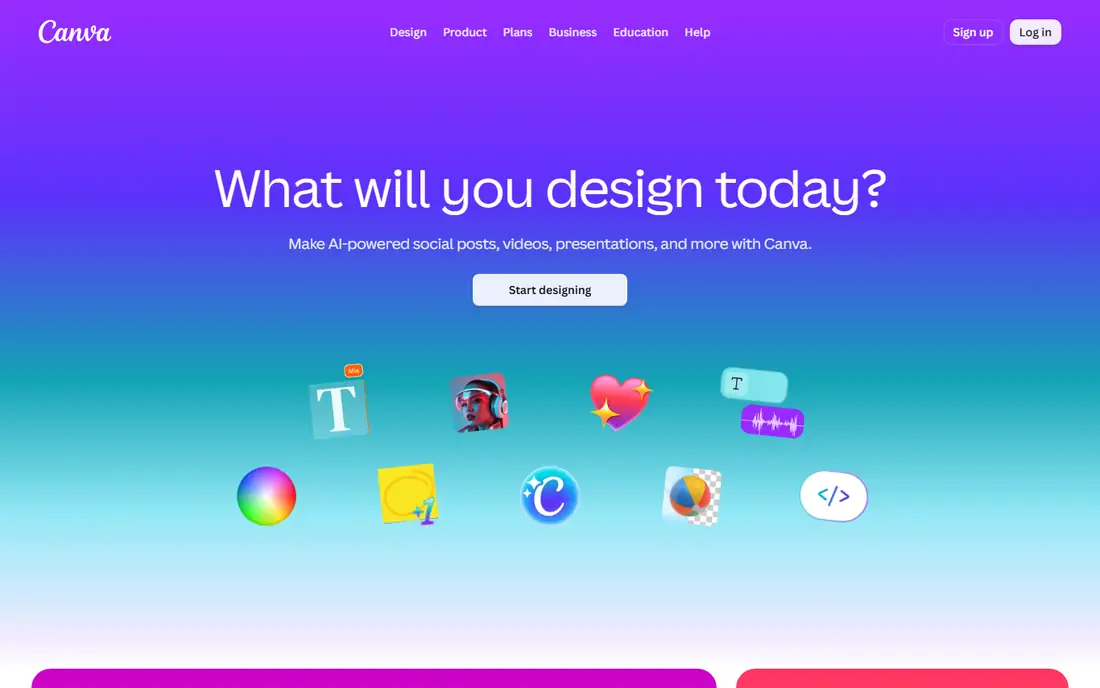
Canva is the best app for banner design for most people, with a broad template library and brand kits that keep colors and fonts consistent. You pick a size for a social banner, website header, or display ad, choose a template, swap in your own text and photos, and export. The free plan covers a large template and stock library, so a beginner can publish decent work on day one without paying.
The trade off is Pro pricing and template overlap. Published Pro prices conflict across sources, from $12.99 to $18 per month, so confirm on the vendor site. Brand Kit and background remover need Pro, and many users pick the same popular templates. For fast, template-led banner design, Canva is the best pick.
What we like- Broadest template library
- Brand kits
- Drag-and-drop editor on web and mobile
Watch out for- Published Pro prices conflict across sources
- Brand Kit and background remover need Pro
- Many users pick the same popular templates

#2Adobe Express
Best for: Adobe ecosystem users4.5/5 on
G2 (855 reviews, checked Oct 2026)
Visit adobe.com
Starting priceFree
Free planYes
Adobe Express suits Adobe ecosystem users, with templates, stock assets, and AI tools in one editor. Firefly AI generation covers image generation, generative fill, and text effects, while one-click tools handle background removal, resizing, and cropping. Premium at $9.99 per month adds the full template and font libraries, a larger Adobe Stock collection, brand kits, and 100 GB of storage.
The limits are free-tier caps and collaboration. The free plan limits premium templates and assets, and collaboration is thinner than Canva. For Canva-style speed with Adobe assets and fonts, Express is the best alternative.
What we like- Templates, stock assets, and AI tools
- Firefly generative AI
- Links to Photoshop and Illustrator
Watch out for- Free plan limits premium templates and assets
- Collaboration thinner than Canva
- Premium $9.99 per month
Starting priceFree
Free planYes
VistaCreate suits startup marketers, with fast ad creation and over 200,000 templates. Animation support covers animated banners for social and display, and Pro at $10 per month adds full template access and brand tools. For teams that need quick, template-led marketing content, VistaCreate is a strong lower-priced paid option.
The trade off is depth. The feature set is smaller than Canva, animation tools are basic versus Creatopy, and the free plan limits some assets. For budget-conscious creators, VistaCreate is the best value pick.
What we like- Fast ad creation with 200,000+ templates
- Animation support
- Pro $10 per month
Watch out for- Smaller feature set than Canva
- Animation tools basic versus Creatopy
- Free plan limits some assets

#4Snappa
Best for: Small businesses4.6/5 on
G2 (40 reviews, checked Oct 2026)
Visit snappa.com
Starting priceFree
Free planYes
Snappa suits small businesses that need one-click resizing across banner sizes. Design once, then resize instantly for social, web, and display formats without rebuilding the layout. The editor is simple, social graphics are fast, and the free plan covers basic use.
The limits are library and depth. Pro costs $15 per month, the template library is smaller than Canva, and advanced editing is limited. For fast single images across sizes, Snappa is the best pick.
What we like- One-click resizing across banner sizes
- Simple editor
- Fast social graphics
Watch out for- Pro costs $15 per month
- Smaller template library than Canva
- Limited advanced editing
Starting priceSee website
Free planNo
Creatopy suits ad agencies that need HTML5 and animated banner production. AI-driven ad creation speeds variant production, animation tools handle display ad motion, and multi-format scaling exports one design across many ad sizes. For agencies producing display ads at volume, Creatopy is the best specialist tool.
The trade off is cost and complexity. Pro starts from $29 per month, the tool is complex for beginners, and non-ad design features are limited. For animated display ads, Creatopy is the best choice.
What we like- HTML5 and animated banner production
- AI-driven ad creation
- Multi-format scaling
Watch out for- Pro from $29 per month
- Complex for beginners
- Limited non-ad design features
Starting priceFree
Free planYes
BannerBoo suits animated banner ads, with an HTML5, AMPHTML, GIF, and MP4 banner builder that covers every display ad format. The free plan covers basic use, and the Start plan from $15 per month adds more exports and features. For teams that live in display advertising, BannerBoo is the most format-complete builder here.
The limits are scope. The focus is niche to banner ads, the template library is smaller than Canva, and advanced features need paid plans. For animated banner ads, BannerBoo is the best pick.
What we like- HTML5, AMPHTML, GIF, and MP4 banner builder
- Animated ad focus
- Start plan from $15 per month
Watch out for- Niche focus on banner ads
- Smaller template library than Canva
- Advanced features need paid plans
Starting priceFree
Free planYes
PosterMyWall suits local businesses and events that need quick promotional banners. Templates cover sales, events, restaurants, and community notices, and the editor is fast for non-designers. Premium from $13 per month removes watermarks and adds features.
The trade off is ad format depth. PosterMyWall is less suited to animated display ads, advanced editing is limited, and the free plan adds watermarks on some exports. For local promotional banners, PosterMyWall is the best choice.
What we like- Quick promotional banner creation
- Event and local business templates
- Premium from $13 per month
Watch out for- Less suited to animated display ads
- Advanced editing limited
- Free plan adds watermarks on some exports

#8Visme
Best for: Visual content teams4.5/5 on
G2 (512 reviews, checked Oct 2026)
Visit visme.co
Starting priceFree
Free planYes
Visme suits visual content teams that need presentations, graphics, and ad assets in one tool. Interactive charts and data visuals suit data-driven banners, and the Starter plan at $12.25 per month billed annually adds more exports and features. For teams that already use Visme for reports and presentations, banner design inside the same tool saves switching.
The limits are focus and learning curve. Banner design is one feature among many, the learning curve is higher than Canva, and the free plan limits exports. For visual content teams, Visme is the best all-in-one pick.
What we like- Presentations, graphics, and ad assets in one tool
- Interactive charts
- Starter from $12.25 per month
Watch out for- Banner design is one feature among many
- Learning curve higher than Canva
- Free plan limits exports
How we chose
We compared template breadth, banner format coverage, animation and HTML5 export, resizing tools, brand controls, and free-tier generosity. Tools that cover social, web, and display banners scored higher than tools that cover only one format. We favored tools with clear pricing and noted where published prices conflict. We did not test any tool hands-on, and prices here reflect published list prices that vendors change often.
Buying guide: what to check before you pay
Start with your banner type. Social and web banners suit Canva or Adobe Express, animated display ads suit Creatopy or BannerBoo, and print banners need high-resolution export, which template tools vary on. Next, check export formats before you pay. A tool that cannot export HTML5 cannot serve display ad networks, and a tool that cannot export high-resolution files cannot serve print. Ask about resizing too, since Snappa one-click resizing saves hours when one design must fit many sizes. Check brand controls as well, since locked templates and brand kits matter for teams that must stay on brand. Finally, test the exact export you need on the free plan before paying. Free plans differ sharply on exports, stock assets, and brand tools, and a template that looks good in the editor may export poorly in the format you need. A ten-minute export test saves a month of frustration with the wrong tool, especially when deadlines are tight and rework costs real money for any team shipping campaigns on schedule, week after week, across every channel they publish on, from social to display today.
Frequently asked questions
Which app is best for banner design for beginners?
Canva is best for beginners, with the broadest template library, a drag-and-drop editor, and a free plan that covers most banner needs. Adobe Express is the best alternative for Adobe users.
Which app is best for animated banner ads?
Creatopy is best for ad agencies producing HTML5 animated banners at volume, while BannerBoo is best for format-complete animated ads covering HTML5, AMPHTML, GIF, and MP4.
Can I design banners for free?
Yes. Canva, Adobe Express, VistaCreate, Snappa, BannerBoo, PosterMyWall, and Visme all offer free plans. Free plans limit premium templates, stock assets, and brand tools, and some add watermarks on exports.
What size should a banner be?
It depends on placement. Social banners, website headers, and display ads each use different sizes, and ad networks publish exact specifications. Use a tool with one-click resizing, such as Snappa or Canva Magic Resize on Pro, to cover many sizes from one design.
Do I need Photoshop for banner design?
No, for most banners. Template tools such as Canva and Adobe Express cover social, web, and event banners without Photoshop. Photoshop suits advanced photo editing and print production, while Photopea offers free PSD editing in a browser.
Sources we checked (0)
Is your product missing or out of date?
We review this list regularly. Vendors can request a listing, send updated pricing or ask about featured placement.

Shihab Mia · Founder, Rankite
Shihab has 5+ years in B2B and SaaS SEO. He writes Rankite's software buying guides from pricing pages, documentation and public user reviews. More about Shihab.
 VistaCreate
 Creatopy
 BannerBoo
 PosterMyWall