How we make this list: we compare pricing pages, product documentation and public user reviews. Ratings come from G2, Capterra or Trustpilot, with the date we checked them.
Key takeaways
- Maze and Lyssna are the most direct replacements for fast, unmoderated usability tests on prototypes and live sites.
- Lookback and dscout suit moderated interviews and longer diary studies, where conversation matters more than task metrics.
- Optimal Workshop is the pick for information architecture work, including card sorting and tree testing.
- Userlytics and Useberry offer strong value for teams that need panel recruitment or prototype testing without enterprise pricing.
- Price per test matters less than panel costs and seat limits, so check both before committing to an annual plan.
Quick comparison
| Tool | Best for | Starting price | Free plan |
|---|
 Maze Maze | Unmoderated prototype tests | $99 per month | Yes |
 Lyssna Lyssna | All-in-one user research | $166 per month | Yes |
 Lookback Lookback | Moderated interviews | $149 per month | No |
 Optimal Workshop Optimal Workshop | Card sorting and tree testing | $107 per month | No |
 Userlytics Userlytics | Custom moderated and unmoderated tests | $699 per month | No |
 Useberry Useberry | Prototype testing on a budget | $79 per month | Yes |
 UXtweak UXtweak | Usability and information architecture tests | See website | Yes |
 dscout dscout | Mobile diary and longitudinal studies | See website | No |
Is your product missing or out of date?
We review this list regularly. Vendors can request a listing, send updated pricing or ask about featured placement.
The best user testing alternatives
#1Maze
Best for: Unmoderated prototype tests4.4/5 on
G2 (27 reviews, checked Oct 2026)
Visit maze.co
Starting price$99 per month
Free planYes
Maze is built for product teams that test early and often, especially on Figma prototypes. A test can be built from a prototype link, a live site, or a set of tasks, and results show success rates, time on task, misclicks, and heatmaps in a format that designers and product managers can read without a research degree. The free plan lets a solo designer run a small study before asking for budget, which is a practical way to prove value inside a team that is new to research.
Lower plans cap the number of studies, so a team that runs weekly tests will need the Starter plan or higher, and interview studies, tree testing, and advanced targeting sit on the Organization tier. Maze is also strongest on unmoderated work; a team that mainly runs live interviews will get more from Lookback or dscout. For prototype validation and quick usability checks, Maze is one of the fastest alternatives to UserTesting, with a learning curve that suits designers as well as researchers.
What we like- Fast setup for Figma prototypes
- Clear task metrics and heatmaps
- Free plan to start
Watch out for- Study limits on lower plans
- Interview features need higher tiers
#2Lyssna
Best for: All-in-one user research4.4/5 on
G2 (189 reviews, checked Oct 2026)
Visit lyssna.com
Starting price$166 per month
Free planYes
Lyssna, formerly UsabilityHub, covers a wide range of research in one place: first-click tests, preference tests, prototype tests, card sorting, surveys, and interviews. That breadth helps a team that does not want to buy a separate tool for each method, and the reporting is clean enough to share with stakeholders who were not in the session. Panel recruitment is built in, so a team without its own user list can still get participants, though panel incentives are an added cost to check.
The Growth plan at $166 per month is not the cheapest entry point in this list, and some advanced capabilities are reserved for Enterprise. Teams should also check response limits and seat counts, because a plan that looks affordable for one researcher can rise when several teammates need full access. Lyssna fits best for product teams that run varied research, want one vendor for most methods, and value clear results over the deepest possible interview tooling.
What we like- Many test types in one platform
- Panel recruitment included
- Clear reporting
Watch out for- Growth plan price is higher than some rivals
- Advanced features need Enterprise
#3Lookback
Best for: Moderated interviews4.3/5 on
G2 (21 reviews, checked Oct 2026)
Visit lookback.io
Starting price$149 per month
Free planNo
Lookback is designed around watching real people use a product while a researcher asks questions. Live sessions support observer notes, time-stamped comments, and highlights that can be clipped for stakeholders, which makes it easier to turn an hour of conversation into a decision. The Team plan is the usual starting point for a small research practice, and the Insights Hub tier adds a repository for organizing findings across studies.
Lookback is not the best pick for high-volume unmoderated testing, where Maze or Lyssna will be faster and cheaper per response. It also has no free plan, so a team must pay to evaluate it beyond a trial. For moderated interviews, usability sessions, and concept tests where follow-up questions matter, Lookback is a strong UserTesting alternative, especially for teams that already recruit their own participants and need a reliable session room.
What we like- Live moderated sessions with notes
- Session recordings and highlights
- Collaborative observation
Watch out for- No free plan
- Unmoderated testing is not its main strength
Starting price$107 per month
Free planNo
Optimal Workshop is the specialist in this list. Its card sorting, tree testing, first-click, and survey tools answer a specific question: can people find things in your navigation and understand your categories? For a site redesign, an app information architecture review, or a content migration, that focus is more valuable than a general usability tool. Results show agreement scores, dendrograms, and task paths that help a team defend a navigation change with evidence rather than opinion.
The trade-off is scope. Optimal Workshop does not try to be a full interview platform or a prototype heatmap tool, so a team that needs many methods will pair it with Maze or Lyssna. The Individual plan starts at $107 per month, which can feel high if only one method is used occasionally. It is the right choice when information architecture is the main research job, and a useful second tool for teams that already have a general testing platform.
What we like- Best-in-class card sorting and tree testing
- Useful for navigation decisions
- Clear analysis
Watch out for- Narrower than all-in-one platforms
- Higher starting price for single-method teams
#5Userlytics
Best for: Custom moderated and unmoderated tests4.4/5 on
G2 (189 reviews, checked Oct 2026)
Visit userlytics.com
Starting price$699 per month
Free planNo
Userlytics suits teams that need control over the test itself. Test flows can be customized in detail, with branching, screeners, and task structures that go beyond a simple prototype link, and both moderated and unmoderated sessions are supported. Panel recruitment covers many countries, which helps agencies and global products that need participants outside their own customer base. For a research agency running client studies, that flexibility is a working advantage, not a nice extra.
The starting price of $699 per month for self-recruitment plans puts Userlytics out of reach for many small teams, and the value only makes sense when tests run regularly. Setup also takes more care than a quick Maze test, because customization options need decisions before launch. Userlytics is a good UserTesting alternative for teams with steady, complex research needs and a budget to match, rather than a casual replacement for occasional tests.
What we like- Highly customizable test flows
- Global panel options
- Moderated and unmoderated in one tool
Watch out for- High starting price
- Better suited to agencies and larger teams than solo testers
Starting price$79 per month
Free planYes
Useberry is a practical pick for teams that want prototype testing without paying enterprise rates. The Growth plan at $79 per month covers prototype tests, website tests, and feedback collection, with heatmaps and recordings that help a designer see where users hesitated. The free plan allows a small team to try the workflow before paying, and the interface is straightforward enough for non-researchers to build a test.
Useberry does not match Lyssna or Maze on breadth of methods or panel size, so a team that needs large-scale recruitment or deep interview tooling may need a second platform. Support and documentation are solid, but the community and template library are smaller than the market leaders. For startups and small product teams that test prototypes weekly and watch the budget, Useberry offers a strong balance of price and capability.
What we like- Affordable Growth plan
- Prototype and site testing
- Heatmaps and video feedback
Watch out for- Smaller panel and community than larger rivals
- Some advanced methods are limited
Starting priceSee website
Free planYes
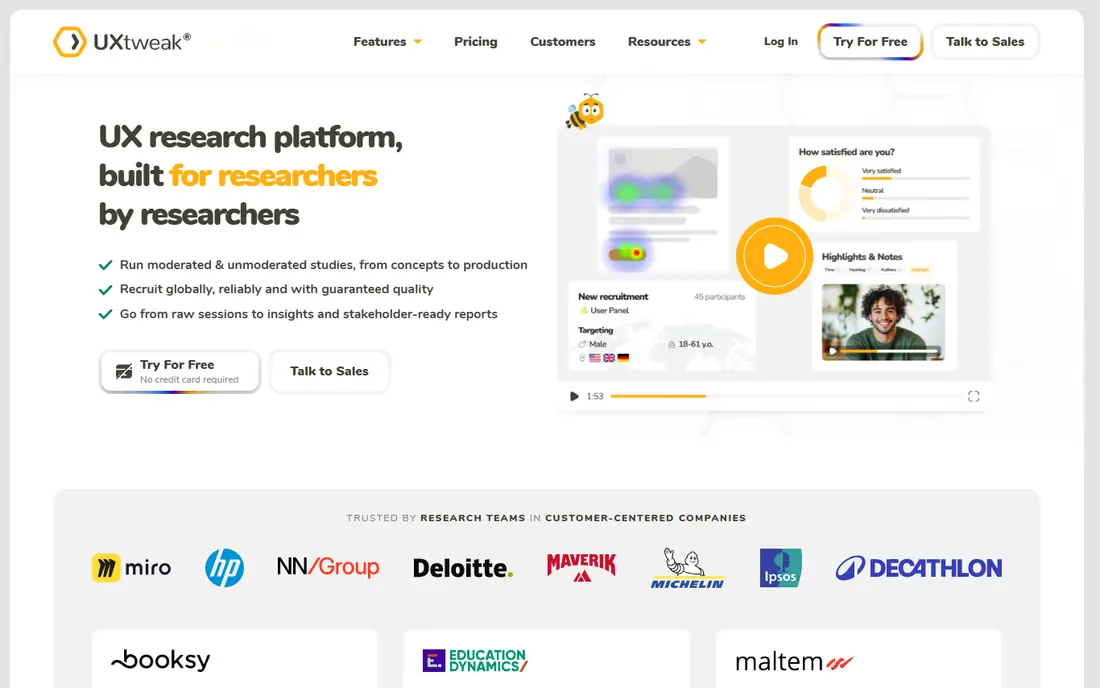
UXtweak covers usability testing, information architecture, session recordings, and surveys in one platform, which makes it a versatile alternative for teams that run varied studies. Tree testing and card sorting sit alongside prototype tests, so a team can check both navigation and task flow without switching tools. The free plan is useful for a first study, and paid plans are generally priced below enterprise research platforms.
The main friction for US buyers is pricing presentation, since plans are often shown in euros, so the dollar cost should be confirmed at checkout. The interface, while functional, is less refined than Maze or Lyssna, and some teams may need a short learning period. UXtweak fits teams that want broad coverage at a moderate price and are comfortable with a less polished, but capable, research tool.
What we like- Wide method coverage including tree testing and session recordings
- Free plan available
- Good value in Europe
Watch out for- Pricing in euros can confuse US budgeting
- Interface is less polished than Maze
Starting priceSee website
Free planNo
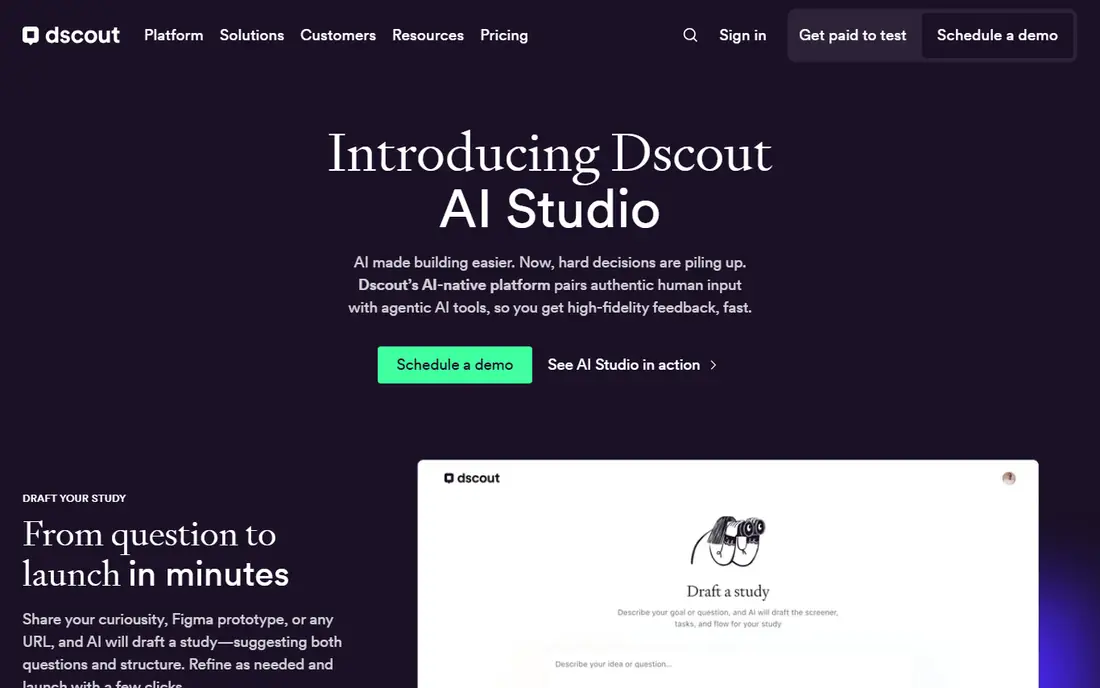
dscout is built for research that happens over time, not in a single session. Diary studies let participants record video, photos, and notes from their phones as they use a product in real life, which reveals habits, frustrations, and workarounds that a lab test misses. That makes dscout valuable for journey research, habit formation, and products used on the go, where context matters as much as task success. Recruiting and screening are built into the workflow, which helps teams without a large participant pool.
dscout is not the right tool for a quick prototype check, and its pricing is quoted rather than published, so small teams should expect an enterprise-style sales process. A single usability test will be faster and cheaper in Maze or Useberry. dscout earns its place when the research question is about life with a product over days or weeks, and when video diary evidence will persuade stakeholders in a way that survey numbers alone cannot.
What we like- Strong mobile diary studies
- In-context feedback over days
- Good for habit and journey research
Watch out for- Quote-only pricing
- Overkill for a single usability test
How we chose
We compared pricing pages, product documentation, and public reviews on sites such as G2 and Capterra, along with method coverage, panel options, and reporting quality. We favored tools that exist today, support unmoderated or moderated testing in a way that maps to UserTesting use cases, and serve US product teams. Where pricing is quoted, we wrote See website rather than repeating an estimate, and we noted where free plans cap studies or responses.
Choosing by research question
Match the tool to the question, not to the feature list. If the question is whether people can complete a task in a prototype, use Maze, Lyssna, or Useberry for unmoderated tests and look at success rates and misclicks. If the question is why people behave a certain way, use Lookback for interviews, because follow-up questions reveal reasons that metrics hide. If the question is whether navigation makes sense, use Optimal Workshop or UXtweak for card sorting and tree testing before redesigning pages.
Also check the participant plan early. Bringing your own users is cheapest, but it takes time and can bias results toward existing customers. Panel recruitment is faster and reaches new users, but incentives add cost per response, and screening quality varies by vendor. Run one pilot study with five to eight participants before buying an annual plan, and share the results with stakeholders to confirm the reporting format works for decisions, not just for researchers.
Frequently asked questions
What is the closest alternative to UserTesting?
Maze and Lyssna are the closest for unmoderated testing, because both support prototype tests, task metrics, and panel recruitment. Lookback is closer for moderated interviews. The best match depends on whether your team runs mostly unmoderated tests, live interviews, or a mix of both.
Is there a free UserTesting alternative?
Maze, Lyssna, Useberry, and UXtweak all offer free plans, but each caps studies, responses, or features. A free plan is enough to run a first test and learn the workflow, while regular testing usually needs a paid plan. Check study limits before promising stakeholders a free research program.
How many participants do I need for a usability test?
Five to eight participants usually reveal the main usability problems in a single task flow, while larger samples are needed for reliable success-rate comparisons. For card sorting and tree testing, larger samples give more stable navigation results. Start small, fix the biggest issues, and test again rather than recruiting a large sample for a first test.
Can I recruit my own participants with these tools?
Yes, most tools in this list support sharing a test link with your own users, and several also offer panel recruitment. Bringing your own participants is cheaper but slower, while panel recruitment is faster and reaches people outside your customer base. Confirm panel costs and screening options before choosing a plan.
Do these tools work with Figma prototypes?
Maze, Lyssna, Useberry, and UXtweak all support prototype testing, including Figma links in most cases. Check whether the plan includes heatmaps, video, and task metrics for prototypes, because some lower plans limit those features. A quick pilot with your actual prototype will confirm the workflow faster than a feature page.
Sources we checked (8)
- https://maze.co
- https://www.lyssna.com
- https://lookback.io
- https://www.optimalworkshop.com
- https://www.userlytics.com
- https://www.useberry.com
- https://www.uxtweak.com
- https://www.dscout.com
Is your product missing or out of date?
We review this list regularly. Vendors can request a listing, send updated pricing or ask about featured placement.

Shihab Mia · Founder, Rankite
Shihab has 5+ years in B2B and SaaS SEO. He writes Rankite's software buying guides from pricing pages, documentation and public user reviews. More about Shihab.