How we make this list: we compare pricing pages, product documentation and public user reviews. Ratings come from G2, Capterra or Trustpilot, with the date we checked them.
For most small teams that want a fast visual board, Trello wins on simplicity and price. For teams that need timelines, portfolios, goals, and workload views, Asana wins on structure. Trello Standard starts at 5 dollars per user per month billed annually, while Asana Starter starts at 10.99 dollars. Trello keeps work on boards with cards and lists, which suits teams that move tasks through clear stages. Asana organises work in projects with tasks and subtasks, with list, board, timeline, and calendar views, which suits teams that manage dates, owners, and dependencies across many projects. Prices below were checked on 17 November 2026 from vendor pricing pages as reported in current 2026 search results. Prices are search verified, not homepage opened.
How much do Trello and Asana cost in 2026?
Trello sells four plans. The free plan covers up to 10 collaborators per workspace. Standard costs 5 dollars per user per month billed annually, or 6 dollars billed monthly. Premium costs 10 dollars billed annually, or 12.50 dollars monthly, and adds calendar, timeline, table, dashboard, and map views. Enterprise starts at 17.50 dollars billed annually, with a 50 seat minimum. A 10 person team on Premium pays about 1,200 dollars a year at list price, before tax.
Asana sells Personal free for up to two users, Starter, Advanced, Enterprise, and Enterprise Plus. Starter costs 10.99 dollars per user per month billed annually, or 13.49 dollars billed monthly. Advanced costs 24.99 dollars billed annually, or 30.49 dollars monthly. Enterprise and Enterprise Plus are quoted by sales. A 10 person team pays about 1,318.80 dollars a year on Starter and about 2,998.80 dollars on Advanced. Price conflict: some older guides list Starter at 13.49 dollars and Advanced at 30.49 dollars as annual rates. Current 2026 sources agree those are the monthly billing rates, while the annual rates are 10.99 and 24.99 dollars. Check the billing toggle before you budget, because the gap is about 18 percent.
Start with how your team plans work. If work flows as cards through stages, such as content ideas or support tickets, a board first tool such as Trello or monday Work Management will feel natural. If work means dated tasks with owners and dependencies, Asana, ClickUp, or Wrike will give you more control. If work is software development with sprints and releases, Jira is built for that job. If work starts in docs and wikis, Notion keeps the plan and the notes in one place. If work is tracked in rows and reports, Smartsheet will feel familiar.
Check the limits that force an upgrade. Trello locks timeline, calendar, table, and dashboard views behind Premium. Asana locks portfolios, goals, workload, approvals, and time tracking behind Advanced. monday locks automations behind Standard. ClickUp locks advanced dashboards and timesheets behind Business. Notion locks full AI and single sign on behind Business. Jira locks cross team planning behind Premium. Wrike locks time tracking and proofing behind Business. Smartsheet caps Pro at 10 members and 250 automations a month. Finally, test with real work. Import one live project, invite daily users, and run it for two weeks.
Quick comparison
| Tool | Best for | Starting price | Free plan |
|---|
 Trello | Small teams that want a simple Kanban board with cards, lists, and light automation | Standard 5 dollars per user per month billed annually (6 dollars monthly); Premium 10 dollars (12.50 dollars monthly); Enterprise from 17.50 dollars. Checked 17 November 2026. | Yes, free for up to 10 collaborators per workspace, with 10 open boards and limited automation runs. |
 Asana | Teams that manage dated projects with owners, dependencies, timelines, and cross project reporting | Starter 10.99 dollars per user per month billed annually (13.49 dollars monthly); Advanced 24.99 dollars (30.49 dollars monthly); Enterprise by quote. Checked 17 November 2026. | Yes, Personal is free for up to 2 users, with unlimited tasks and projects and basic reporting. |
 monday Work Management | Teams that want colourful, visual boards with automations, dashboards, and a wide template library | Basic 9 dollars per seat per month billed annually (12 dollars monthly); Standard 12 dollars (14 dollars monthly); Pro 19 dollars (24 dollars monthly); Enterprise by quote. Checked 17 November 2026. | Yes, free for up to 2 seats, with limited boards and no automations. |
 ClickUp | Teams that want tasks, docs, goals, whiteboards, and chat in one workspace | Older Unlimited line 7 dollars per user per month billed annually (10 dollars monthly), Business 12 dollars (19 dollars monthly); newer Core line 9 dollars (12 dollars monthly), Business 17 dollars (25 dollars monthly), Max 100 dollars. Checked 17 November 2026. | Yes, Free Forever with unlimited members and tasks, 60 MB storage, and limited automation actions. |
 Notion | Teams that want docs, wikis, meeting notes, and project databases in one flexible workspace | Plus 10 dollars per user per month billed annually (12 dollars monthly); Business 20 dollars (24 dollars monthly); Enterprise by quote. Checked 17 November 2026. | Yes, free for one person, and limited to 1,000 blocks once a second member joins. |
 Jira | Software teams that run sprints, manage backlogs, and track releases and bugs | Standard 9.70 dollars per user per month on monthly billing for 1 to 100 users; Premium 19.60 dollars for the same band; Enterprise by quote. Checked 17 November 2026. | Yes, free for up to 10 users, with basic boards, backlogs, and reporting. |
 Wrike | Larger teams and agencies that need Gantt charts, approvals, proofing, request forms, and resource planning | Team 10 dollars per user per month billed annually; Business 25 dollars billed annually; Pinnacle and Apex by quote. Checked 17 November 2026. | Yes, free for up to 5 users, with basic task management. |
 Smartsheet | Teams that track projects in spreadsheet style sheets with Gantt views, reports, and dashboards | Pro 9 dollars per member per month billed annually (12 dollars monthly); Business 19 dollars (24 dollars monthly); Enterprise by quote. Checked 17 November 2026. | No free plan for new signups; a 30 day free trial is offered instead. The old free plan closed to new signups on 28 August 2024. |
Is your product missing or out of date?
We review this list regularly. Vendors can request a listing, send updated pricing or ask about featured placement.
Prices are per user per month on annual billing unless stated, in US dollars, checked 17 November 2026. Monthly billing costs more on most tools.
| Tool | Starting paid price | Free plan | Best for |
| Trello | 5 dollars | Yes, up to 10 collaborators | Simple visual boards |
| Asana | 10.99 dollars | Yes, up to 2 users | Structured projects |
| monday Work Management | 9 dollars | Yes, up to 2 seats | Visual boards |
| ClickUp | 7 dollars older line, 9 dollars newer line | Yes, Free Forever | Tasks and docs in one place |
| Notion | 10 dollars | Yes, for one person | Docs and tracking together |
| Jira | 9.70 dollars monthly, 1 to 100 users | Yes, up to 10 users | Software teams |
| Wrike | 10 dollars | Yes, up to 5 users | Gantt charts |
| Smartsheet | 9 dollars per member | No free plan, 30 day trial | Spreadsheet style tracking |
#1Trello
Best for: Small teams that want a simple Kanban board with cards, lists, and light automation4.4/5 on
G2 (14,064 reviews, checked Oct 2026)
Visit trello.com
Starting priceStandard 5 dollars per user per month billed annually (6 dollars monthly); Premium 10 dollars (12.50 dollars monthly); Enterprise from 17.50 dollars. Checked 17 November 2026.
Free planYes, free for up to 10 collaborators per workspace, with 10 open boards and limited automation runs.
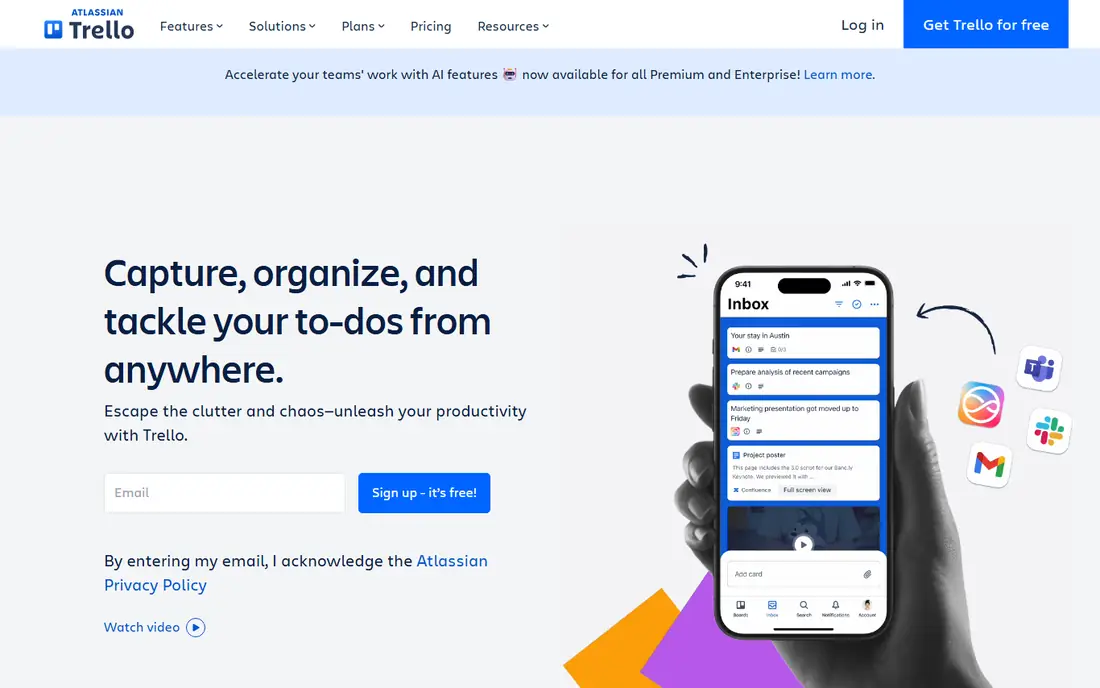
Trello is the simplest tool in this guide. A new team can set up a board in minutes, add cards, assign owners, set due dates, and move work from one list to the next without training. Trello works well for content calendars, hiring pipelines, and small client work. It works less well for work that needs dependencies or portfolio reporting.
What we like- Very fast to learn, clean board view, generous free plan for tiny teams, built in automation on every plan.
Watch out for- Timeline, calendar, table, and dashboard views sit behind Premium, so a team that wants more than boards pays double the Standard rate. Reporting is basic.
#2Asana
Best for: Teams that manage dated projects with owners, dependencies, timelines, and cross project reporting4.4/5 on
G2 (13,930 reviews, checked Oct 2026)
Visit asana.com
Starting priceStarter 10.99 dollars per user per month billed annually (13.49 dollars monthly); Advanced 24.99 dollars (30.49 dollars monthly); Enterprise by quote. Checked 17 November 2026.
Free planYes, Personal is free for up to 2 users, with unlimited tasks and projects and basic reporting.
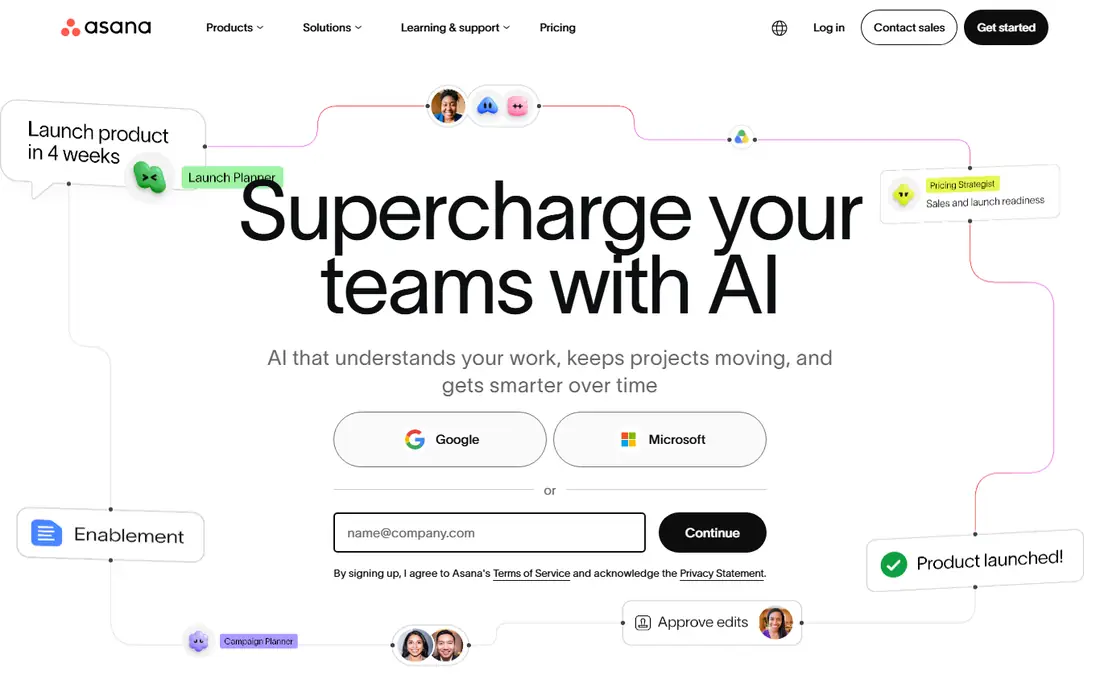
Asana is the most structured of the two headline tools here. Tasks carry assignees, due dates, subtasks, custom fields, and dependencies, and projects can be viewed as a list, board, timeline, or calendar. Advanced adds portfolios, goals, workload, approvals and proofing, native time tracking, and formulas. The main risk is cost creep: a team that starts on Starter often moves to Advanced within a year.
What we like- Strong timeline and Gantt views, portfolios and goals on Advanced, unlimited automations and free guests on Starter.
Watch out for- The free plan is limited to two users, so it cannot run a team. Portfolios, workload, approvals, and time tracking need Advanced, which more than doubles the Starter price.
#3
monday Work Management
Best for: Teams that want colourful, visual boards with automations, dashboards, and a wide template library
Visit monday.com
Starting priceBasic 9 dollars per seat per month billed annually (12 dollars monthly); Standard 12 dollars (14 dollars monthly); Pro 19 dollars (24 dollars monthly); Enterprise by quote. Checked 17 November 2026.
Free planYes, free for up to 2 seats, with limited boards and no automations.
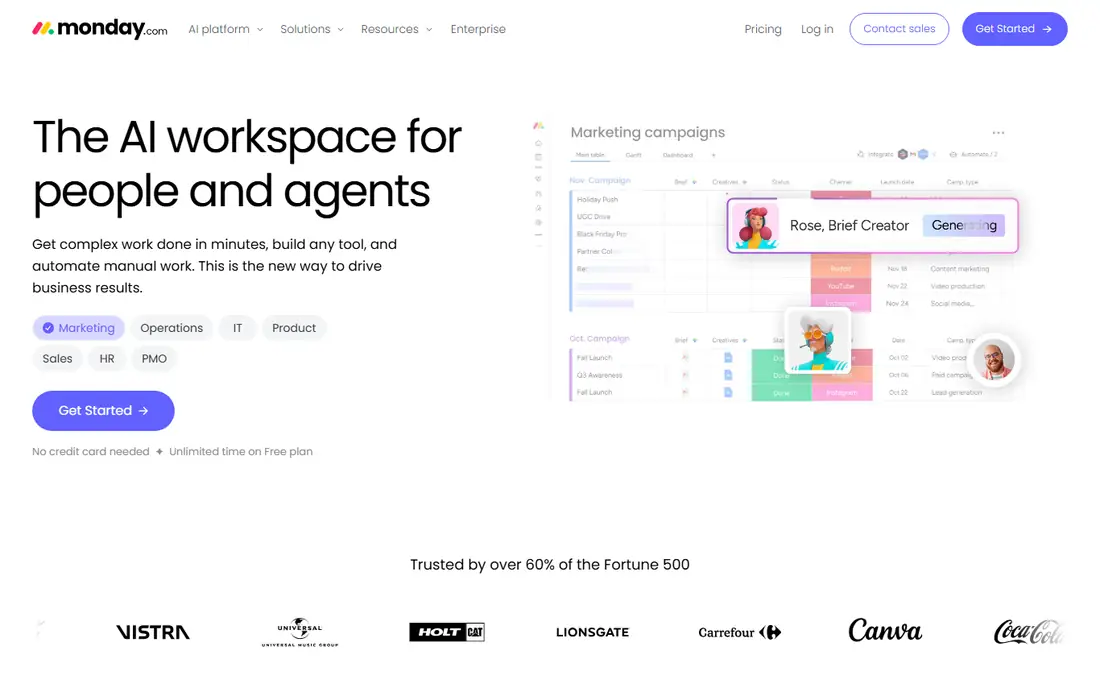
monday Work Management is a board first tool with more structure than Trello and a friendlier surface than Asana. Boards use coloured status columns, people columns, dates, and numbers, so a project status is visible at a glance. Standard is the plan most teams should price, because it adds timeline and Gantt views, guest access, and 250 automation and 250 integration actions a month. monday also sells CRM, Service, and Dev separately, so confirm you are pricing Work Management.
What we like- Clear visual boards, strong templates, timeline and Gantt views from Standard, generous automation allowances on Pro.
Watch out for- Basic has no automations or integrations, so the real entry price is Standard at 12 dollars. Paid plans carry a 3 seat minimum, so a solo user still pays for three seats. Do not confuse these rates with monday CRM, which costs 12, 17, and 28 dollars billed annually.
#4ClickUp
Best for: Teams that want tasks, docs, goals, whiteboards, and chat in one workspace4.6/5 on
G2 (14,878 reviews, checked Oct 2026)
Visit clickup.com
Starting priceOlder Unlimited line 7 dollars per user per month billed annually (10 dollars monthly), Business 12 dollars (19 dollars monthly); newer Core line 9 dollars (12 dollars monthly), Business 17 dollars (25 dollars monthly), Max 100 dollars. Checked 17 November 2026.
Free planYes, Free Forever with unlimited members and tasks, 60 MB storage, and limited automation actions.
ClickUp tries to replace several tools at once. Tasks, docs, goals, sprints, time tracking, dashboards, and whiteboards live in one workspace, so a team can plan a project, write the brief, track the work, and report on it without leaving the app. The main weakness is focus: new users often face too many views and settings, and a workspace needs an owner to keep it tidy. Budget on the newer Core and Business figures if you are starting fresh.
What we like- Very wide feature range for the price, many views including list, board, Gantt, calendar, and timeline, free plan with no seat limit.
Watch out for- The range of features can feel cluttered, and setup takes longer than Trello or Asana. AI features cost extra, with Brain AI at 9 dollars per user per month. Price conflict: ClickUp shows two plan lines at once, so check which line your signup screen quotes.
#5Notion
Best for: Teams that want docs, wikis, meeting notes, and project databases in one flexible workspace4.6/5 on
G2 (13,834 reviews, checked Oct 2026)
Visit notion.com
Starting pricePlus 10 dollars per user per month billed annually (12 dollars monthly); Business 20 dollars (24 dollars monthly); Enterprise by quote. Checked 17 November 2026.
Free planYes, free for one person, and limited to 1,000 blocks once a second member joins.
Notion is a docs tool that grew into a project tool. Work lives in databases that can be viewed as a table, board, timeline, calendar, or gallery, and each task can open into a full page with notes, files, and subtasks. That flexibility suits product teams and startups that keep specs, meeting notes, and project plans in one place. Business adds full Notion AI, SAML single sign on, private teamspaces, and 90 day history. The trade off is setup: a team needs someone to design its databases.
What we like- Flexible databases, pages, and templates, strong wiki and docs tools, guests are not billed.
Watch out for- Full Notion AI, SAML single sign on, and private teamspaces need Business, which doubles the Plus price. Native project features such as dependencies are thinner than Asana or monday. Price conflict: older guides list Plus at 8 dollars and Business at 15 dollars, the rates before the August 2025 rise. Current sources agree on 10 and 20 dollars.
#6Jira
Best for: Software teams that run sprints, manage backlogs, and track releases and bugs4.3/5 on
G2 (7,984 reviews, checked Oct 2026)
Visit atlassian.com
Starting priceStandard 9.70 dollars per user per month on monthly billing for 1 to 100 users; Premium 19.60 dollars for the same band; Enterprise by quote. Checked 17 November 2026.
Free planYes, free for up to 10 users, with basic boards, backlogs, and reporting.
Jira is the standard choice for software development. Teams plan sprints, groom backlogs, link issues to epics, track bugs, and release versions from the same project. Premium adds cross team planning, dependency management, approvals, unlimited storage, and 750 automation steps per user per month. The pricing model is the part buyers most often misread: monthly billing is progressive, with lower rates above 100 users, and annual billing is sold in user tiers. Non technical teams should think twice before choosing it.
What we like- Strong agile tools for scrum and kanban, roadmaps and cross team planning on Premium, deep automation allowances.
Watch out for- The interface is heavier than Trello or Asana and needs setup and training. Pricing is tiered by seat count, so a single headline rate can mislead. Price conflict: older briefs list Standard at 7.75 dollars and Premium at 13.53 dollars. Atlassian raised prices on 13 October 2026, and current sources agree on 9.70 and 19.60 dollars.
#7Wrike
Best for: Larger teams and agencies that need Gantt charts, approvals, proofing, request forms, and resource planning4.2/5 on
G2 (4,540 reviews, checked Oct 2026)
Visit wrike.com
Starting priceTeam 10 dollars per user per month billed annually; Business 25 dollars billed annually; Pinnacle and Apex by quote. Checked 17 November 2026.
Free planYes, free for up to 5 users, with basic task management.
Wrike sits at the heavier end of this group. It is built for planned work with dependencies, deadlines, and approvals, and it suits marketing, agency, and professional services teams that run many projects at once. Team covers 2 to 15 users and adds Gantt charts, shareable dashboards, and starter AI features. Business covers 5 to 200 users and adds custom workflows, proofing and approvals, request forms, time tracking, and resource management. Wrike publishes no monthly price, and Business and above are annual only.
What we like- Strong Gantt charts with dependencies, proofing and approvals on Business, request forms and time tracking, resource management.
Watch out for- Team has no time tracking and only 50 automation actions per seat per month. Business costs two and a half times Team. Seats are sold in bundles, so a team of 12 can pay for 15 seats. Price conflict: older briefs list Team at 9.80 dollars and Business at 24.80 dollars. Current sources agree on 10 and 25 dollars after the January 2026 restructure.
#8Smartsheet
Best for: Teams that track projects in spreadsheet style sheets with Gantt views, reports, and dashboards4.4/5 on
G2 (22,767 reviews, checked Oct 2026)
Visit smartsheet.com
Starting pricePro 9 dollars per member per month billed annually (12 dollars monthly); Business 19 dollars (24 dollars monthly); Enterprise by quote. Checked 17 November 2026.
Free planNo free plan for new signups; a 30 day free trial is offered instead. The old free plan closed to new signups on 28 August 2024.
Smartsheet will feel familiar to anyone who plans work in a spreadsheet. Projects live in sheets with rows, columns, formulas, and attachments, and the same data can be shown as a Gantt chart, board, calendar, or report. Pro suits individuals and small teams with up to 10 members, unlimited sheets, forms, and reports, and 20 GB storage. Business is the plan most teams should price, because it adds timeline view, workload tracking, admin tools, unlimited automations, and 1 TB storage, with a three member minimum. Only members are billed seats, which keeps costs down when many people only view or comment.
What we like- Familiar grid layout for spreadsheet users, strong reports and dashboards, unlimited automations and 1 TB storage on Business, free contributors and guests.
Watch out for- No free plan for new users, so every member pays from day one. Pro caps at 10 members and 250 automations a month, which pushes growing teams to Business. The interface can feel dated next to monday or ClickUp.
Frequently asked questions
Is Trello or Asana better for a small team?
Trello is better for a small team that wants a fast visual board with little setup, because Standard costs 5 dollars per user per month billed annually and the free plan covers up to 10 collaborators. Asana is better when the team needs timelines, dependencies, and reporting, because Starter adds those views at 10.99 dollars per user per month billed annually. Choose Trello for simple flows and Asana for dated projects.
Is Asana more expensive than Trello?
Yes. Asana Starter costs 10.99 dollars per user per month billed annually, while Trello Standard costs 5 dollars and Premium costs 10 dollars on the same basis. A 10 person team pays about 1,318.80 dollars a year on Asana Starter against 600 dollars on Trello Standard or 1,200 dollars on Trello Premium. The gap widens on Advanced, at 24.99 dollars billed annually, so compare the plan you will actually use.
Can I use Trello or Asana for free?
Yes, with limits. Trello is free for up to 10 collaborators per workspace, with 10 open boards and limited automation runs. Asana Personal is free for up to two users, with unlimited tasks and projects but no timeline, portfolio, or advanced reporting. Both suit a trial, but a team of three or more will usually need a paid plan on Asana, while Trello can stay free longer.
Which tool in this guide is best for software development?
Jira is the best fit for software development, because it is built for sprints, backlogs, epics, bugs, and releases. Standard costs 9.70 dollars per user per month on monthly billing for the first 100 users, after the October 2026 price rise, and Premium adds cross team planning and approvals at 19.60 dollars. ClickUp and Asana can run software projects, but they lack Jira depth for release tracking.
What is the cheapest paid tool in this comparison?
Trello Standard is the cheapest paid starting point at 5 dollars per user per month billed annually. ClickUp is next on its older Unlimited line at 7 dollars, but new signups are offered the newer Core line at 9 dollars, so confirm the quoted line before you budget. monday Basic and Smartsheet Pro both start at 9 dollars, but monday Basic has no automations and Smartsheet Pro caps at 10 members.
Sources we checked (9)
- https://trello.com/pricing
- https://asana.com/pricing
- https://monday.com/pricing
- https://clickup.com/pricing
- https://www.notion.com/pricing
- https://www.atlassian.com/software/jira/pricing
- https://www.wrike.com/pricing
- https://www.smartsheet.com/pricing
- https://rankite.com
Is your product missing or out of date?
We review this list regularly. Vendors can request a listing, send updated pricing or ask about featured placement.

Shihab Mia · Founder, Rankite
Shihab has 5+ years in B2B and SaaS SEO. He writes Rankite's software buying guides from pricing pages, documentation and public user reviews. More about Shihab.