How we make this list: we compare pricing pages, product documentation and public user reviews. Rankite is independent; if a vendor ever pays for a featured spot, that listing is clearly labeled Partner.
Key takeaways
- ThreatLocker and Airlock Digital are the modern allowlisting leaders, with ThreatLocker winning on ecosystem and Airlock on granular control.
- Carbon Black App Control, now under Broadcom, remains the enterprise incumbent for organizations already in that stack.
- Microsoft Defender Application Control is free with Windows but demands real expertise to run well.
- Whitelisting fails without an owner: budget for the ongoing policy work, not just the license.
Quick comparison
Is your product missing or out of date?
We review this list regularly. Vendors can request a listing, send updated pricing or ask about featured placement.
The best application whitelisting software
Starting priceSee website
Free planFree trial
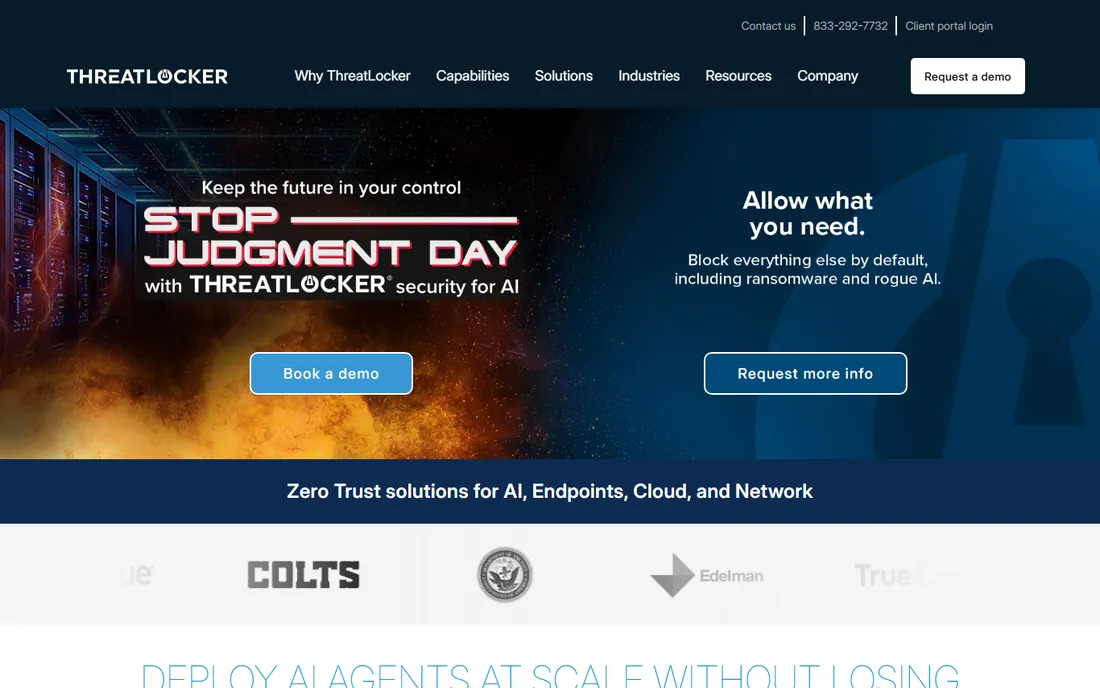
Antivirus asks whether a file is known bad. ThreatLocker asks whether it is known good, and blocks everything else. That deny-by-default posture is the core of application whitelisting, and ThreatLocker has built the most complete modern platform around it: allowlisting plus ringfencing that controls how applications interact, storage control for USB devices, and elevation control for admin rights. Deployment is notably fast for this category, with a large built-in library of known applications reducing the initial policy work.
The platform framing matters. ThreatLocker sells a Zero Trust suite, not just a whitelisting tool, which means buyers get network control and privilege management in the same console. The trade-offs are cost and scope. Pricing is quote-based and enterprise-flavored, and the full module set takes learning. But for organizations serious about default-deny security without a year-long project, ThreatLocker is the current leader.
What we like- Allowlisting plus ringfencing and network control
- Large built-in application library
- Fast deployment for its class
Watch out for- Pricing by quote
- Full platform has many modules to learn
- Smaller shops may find it heavy
Starting priceSee website
Free planFree trial
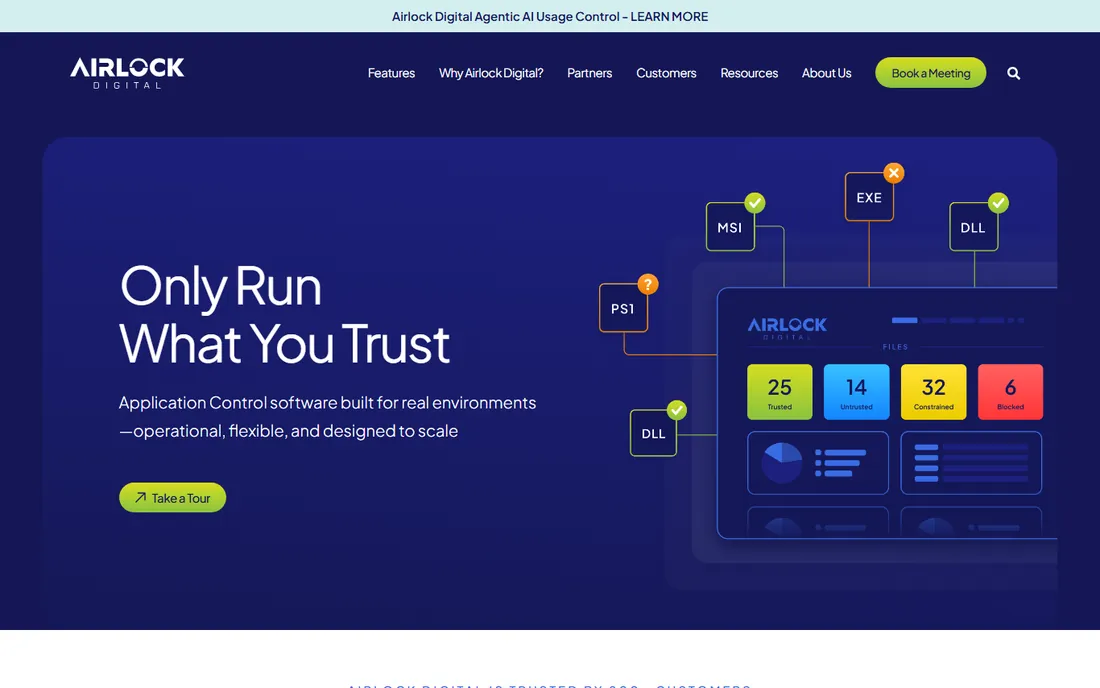
Airlock Digital appeals to security teams that want precise control. Policies can define trusted applications by file hash, path, publisher certificate or parent process, with allowlisting and blocklisting side by side. VirusTotal integration adds reputation checks, and features like time-bound one-time passwords handle exceptions without weakening the policy permanently. Support for legacy operating systems and OT environments suits industrial and government buyers.
That granularity is the product's character. Teams that want fine control get it; teams that want simplicity will find the policy work demanding. Deployment flexibility is a plus: on-premises, cloud or managed hosted. The company is Australian with a smaller US footprint than ThreatLocker. For organizations where precise, auditable control outweighs convenience, Airlock is the connoisseur's choice.
What we like- Very granular rules by hash, path, publisher or parent process
- Covers Windows, macOS and Linux including legacy
- On-prem, cloud or hosted deployment
Watch out for- Granularity means administrative effort
- Smaller US presence
- Pricing by quote
Starting priceSee website
Free planNo
Carbon Black App Control, formerly VMware Carbon Black and now under Broadcom, is the incumbent enterprise choice. It enforces allowlisting policies from a centralized console with real-time protection and detailed reporting that compliance teams appreciate. Large organizations with established Carbon Black deployments have years of tuning invested, which is its own form of lock-in.
The Broadcom acquisition changed the commercial picture, as it has across the portfolio, and buyers should evaluate current licensing terms carefully. Implementation is an enterprise project, not a trial signup. Mid-size firms often find lighter tools more practical. But for large enterprises already in the Broadcom ecosystem, App Control remains a proven, deeply integrated option.
What we like- Mature enterprise application control
- Centralized management console
- Detailed reporting for compliance
Watch out for- Enterprise pricing and sales process
- Broadcom ownership changes licensing dynamics
- Heavyweight for mid-size firms

#4
Ivanti Application Control
Best for: Privilege management plus allowlisting
Visit ivanti.com
Starting priceSee website
Free planFree trial
Ivanti's strength is combining application control with privilege management in one story. Many breaches do not need malware at all, just misused admin rights, and Ivanti addresses both: which applications can run and what privileges they get. For organizations running Ivanti Endpoint Manager, the integration is natural and the combined value is real.
As a standalone purchase it makes less sense; the product shines inside the Ivanti ecosystem. The interface and buying process are enterprise through and through. But for IT teams pursuing least privilege alongside allowlisting, Ivanti covers both requirements without a second vendor.
What we like- Combines application control with privilege management
- Fits Ivanti endpoint management
- Good for least-privilege programs
Watch out for- Best value inside the Ivanti suite
- Interface reflects its enterprise heritage
- Pricing by quote
Starting priceSee website
Free planFree trial
ManageEngine plays the value card across its portfolio, and Application Control Plus follows the pattern. It offers rule-based whitelisting and blacklisting, application discovery, privilege management and just-in-time elevation at prices that undercut the enterprise specialists. Windows-focused IT shops get capable control without enterprise budgets.
The depth does not match ThreatLocker or Airlock for complex environments, and the product is Windows-centric. The ManageEngine interface conventions will be familiar to existing customers and foreign to others. For mid-size Windows environments that need real application control at a sensible price, it is the pragmatic pick.
What we like- Affordable pricing for its class
- Application discovery included
- Privilege management features
Watch out for- Windows-centric
- Less depth than specialists
- ManageEngine interface conventions
Starting priceSee website
Free planFree trial
Faronics Anti-Executable does one thing: block unauthorized executables from running. No suites, no zero-trust marketing, just a whitelist for the machines that need it. That simplicity suits fixed-function systems like point-of-sale terminals, kiosks and lab machines, where the approved software set rarely changes.
It is not a full application control platform. Centralized policy management and advanced features are thinner than the leaders. But the narrow focus is also the appeal: easy to understand, easy to deploy, affordable. For the specific job of locking down machines that should never change, Anti-Executable is refreshingly direct.
What we like- Simple concept executed well
- Strong for fixed-function machines
- Affordable
Watch out for- Narrower than full platforms
- Less centralized policy sophistication
- Smaller ecosystem

#7
Microsoft Defender Application Control
Best for: Free whitelisting built into Windows
Visit microsoft.com
Starting priceFree
Free planYes
The cheapest whitelisting tool is the one already installed. Windows Defender Application Control, formerly Device Guard, provides real application control built into Windows. Configured well, it enforces sophisticated policies integrated with the rest of the Microsoft security stack. The price cannot be beaten.
The expertise requirement is the catch. WDAC policies are complex to build and maintain, and mistakes can brick machines or block critical software. Organizations without dedicated Windows security expertise struggle. It suits enterprises deep in the Microsoft ecosystem with the staff to run it. Everyone else should buy a product with training wheels.
What we like- Built into Windows at no extra cost
- Powerful when configured well
- Integrates with the Microsoft security stack
Watch out for- Demands serious expertise to deploy
- Policy management is complex
- Poor fit without Microsoft infrastructure

#8
Kaspersky Endpoint Security
Best for: Allowlisting inside a full endpoint suite
Visit kaspersky.com
Starting priceSee website
Free planFree trial
Kaspersky's endpoint suite includes application control alongside antivirus, EDR and device control, which suits buyers who want one agent and one console. The company's malware research is genuinely strong, informing the whitelisting decisions. Pricing is competitive against Western enterprise vendors.
The elephant in the room is geopolitical. Some governments and regulated industries restrict or ban Kaspersky products, and buyers in those sectors should check current policy. The application control module is capable but not the product's headline. For organizations comfortable with the vendor, it is a cost-effective way to get allowlisting inside a full suite.
What we like- Application control within a mature endpoint suite
- Strong malware research backing
- Competitive pricing
Watch out for- Geopolitical concerns affect some buyers
- Application control is one module among many
- Console complexity
Starting priceSee website
Free planFree trial

Trend Micro's Apex One combines application control with endpoint detection and response, so allowlisting decisions benefit from behavioral telemetry. A blocked application can be investigated with full EDR context rather than as an isolated event. The enterprise track record is long, and virtual patching complements the control story for unpatched systems.
Buyers get a suite, not a point product, which is overkill for pure whitelisting needs. The console rewards training. But security teams standardizing on Trend Micro get application control as a natural extension rather than a separate project, and the EDR context makes the controls smarter.
What we like- Application control combined with EDR telemetry
- Strong enterprise track record
- Virtual patching synergy
Watch out for- Suite purchase for a point need
- Console has a learning curve
- Pricing by quote

#10
Netwrix Endpoint Policy Manager
Best for: Policy-based application control
Visit netwrix.com
Starting priceSee website
Free planFree trial
Netwrix Endpoint Policy Manager, formerly PolicyPak, takes the Group Policy approach Windows admins already understand. Application control and least-privilege policies deploy through familiar mechanisms, which shortens the learning curve for Windows-centric IT teams. Elevation control removes the need for users to hold admin rights.
It is Windows-focused and narrower than the zero-trust platforms. Organizations wanting cross-platform deny-by-default should look at Airlock or ThreatLocker. But for Windows estates managed through Group Policy, Netwrix speaks the admins' language and delivers practical control without replatforming.
What we like- Group Policy-based approach admins know
- Least-privilege enforcement
- Good for Windows estates
Watch out for- Windows-focused
- Narrower than zero-trust platforms
- Netwrix portfolio is broad
How we chose
We covered the application control market from pure-play whitelisting vendors to suite modules and the free Microsoft option. Each product was verified as currently offered, noting corporate changes like Carbon Black's move to Broadcom and PolicyPak's to Netwrix. Pricing is quote-based across most of this category, so we marked it honestly. We weighed policy granularity, platform coverage, deployment options, management overhead and ecosystem fit, drawing on vendor documentation and independent comparisons. No vendor paid for placement and we claimed no hands-on testing.
Budgeting for the policy work
The license is the smaller cost. Application whitelisting lives or dies on policy maintenance: approving new applications, handling exceptions, tuning rules after updates break things. Organizations routinely underestimate this. Before buying, assign an owner and estimate weekly hours for the first quarter. The products with large built-in application libraries, like ThreatLocker, reduce this burden most.
Plan the rollout in phases. Start with audit mode on a pilot group, review what would have been blocked, tune the policies, then enforce. Going straight to enforcement organization-wide is how whitelisting projects earn their reputation for breaking things. The phased approach takes longer but succeeds far more often.
What to check before you buy
Confirm platform coverage for every OS in the estate, including servers and legacy systems. Some products are Windows-only; Airlock's Linux and legacy support is unusual and valuable for mixed environments. OT and fixed-function machines deserve specific questions.
Ask about the exception workflow. Users will need unapproved software occasionally, and the process for granting temporary access determines whether the security team becomes a bottleneck. Time-bound approvals and self-service request flows separate livable products from hated ones.
Check the trial approach. Most vendors offer trials or demos; use them in audit mode on real machines with real users. The logs will show exactly what enforcement would break, which is the most valuable pre-purchase data available. And verify reporting meets compliance needs, since audit evidence is often the business justification.
Frequently asked questions
What is application whitelisting?
It is a security approach that allows only approved applications to run, blocking everything else by default. This deny-by-default posture stops malware, ransomware and unauthorized software that signature-based antivirus misses, at the cost of managing the approved list.
Is application whitelisting better than antivirus?
They solve different problems. Antivirus detects known bad software; whitelisting permits known good software. Whitelisting blocks novel threats more reliably but requires ongoing policy management. Most organizations use both, with whitelisting on high-value or fixed-function systems.
How much does application whitelisting software cost?
Most enterprise products are priced by quote, typically per endpoint per year. Expect costs comparable to endpoint protection platforms, varying with features and volume. Microsoft's built-in option is free but requires expertise. Always budget for the administrative effort beyond the license.
Will whitelisting break legitimate software?
It can, especially during initial rollout, which is why phased deployment in audit mode matters. Mature products with large application libraries minimize false blocks. Ongoing policy maintenance handles new applications and updates. Done properly, disruption is brief and contained.
What is the difference between ThreatLocker and Airlock Digital?
ThreatLocker offers a broader Zero Trust platform with allowlisting, ringfencing, network and storage control, emphasizing fast deployment. Airlock Digital focuses on granular application control with very precise rules across Windows, macOS and Linux, including legacy systems. ThreatLocker suits faster rollout; Airlock suits precise control.
Sources we checked (12)
- https://www.threatlocker.com
- https://www.airlockdigital.com
- https://www.broadcom.com
- https://www.ivanti.com
- https://www.manageengine.com
- https://www.faronics.com
- https://www.microsoft.com
- https://www.kaspersky.com
- https://www.trendmicro.com
- https://netwrix.com/en/
- https://sourceforge.net/software/compare/Airlock-Digital-vs-Carbon-Black-App-Control-vs-ThreatLocker/
- https://www.comparitech.com/net-admin/threatlocker/
Is your product missing or out of date?
We review this list regularly. Vendors can request a listing, send updated pricing or ask about featured placement.

Shihab Mia · Founder, Rankite
Shihab has spent more than a decade helping SaaS and e-commerce brands grow through search. He writes Rankite's software buying guides from pricing pages, documentation and public user reviews. More about Shihab.
 ThreatLocker
 Airlock Digital
 Carbon Black App Control
 ManageEngine Application Control Plus
 Faronics Anti-Executable
 Trend Micro Apex One