How we make this list: we compare pricing pages, product documentation and public user reviews. Ratings come from G2, Capterra or Trustpilot, with the date we checked them.
Key takeaways
- Smartsuite combines project management, databases, and collaboration in one platform, but rivals beat it on ecosystem size, simplicity, or price.
- Airtable is the closest database-style alternative, while Monday is the most visual and Asana the most proven for task workflows.
- ClickUp offers the most features per dollar, while Notion suits teams that want docs and databases together.
- Smartsheet suits spreadsheet-comfortable teams, and Wrike suits enterprise programs with approval chains.
- The deciding factors are database depth, workflow automation, reporting, and how much structure your team will actually maintain.
Quick comparison
| Tool | Best for | Starting price | Free plan |
|---|
 Airtable Airtable | Database-style work tracking | Free; Paid $20/user/month | Yes |
 Monday Work Management Monday Work Management | Visual workflows | $9/user/month | No |
 Asana Asana | Proven task workflows | Free; Paid $13.49/user/month | Yes |
 ClickUp ClickUp | Most features per dollar | Free; Paid $10/user/month | Yes |
 Notion Notion | Docs plus databases | Free; Paid $10/user/month | Yes |
 Smartsheet Smartsheet | Spreadsheet-comfortable teams | $9/user/month | No |
 Wrike Wrike | Enterprise programs | $10/user/month | No |
 Zoho Projects Zoho Projects | Budget Zoho teams | Free; Paid $5/user/month | Yes |
Is your product missing or out of date?
We review this list regularly. Vendors can request a listing, send updated pricing or ask about featured placement.
The best Smartsuite alternatives
#1Airtable
Best for: Database-style work tracking4.6/5 on
G2 (3,300 reviews, checked Oct 2026)
Visit airtable.com
Starting priceFree; Paid $20/user/month
Free planYes
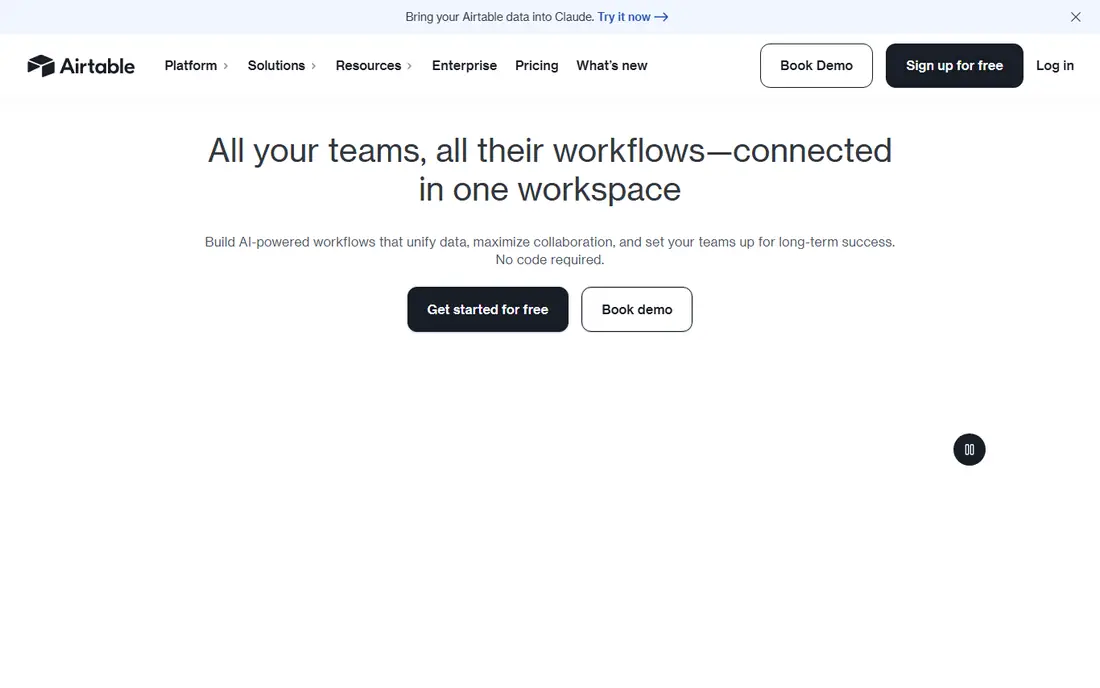
Airtable is the closest database-style alternative to Smartsuite. Its bases model work as linked records with grid, kanban, calendar, gallery, and timeline views, forms for intake, and automations for routine updates. The template library covers project tracking, content calendars, CRM, and product roadmaps, so most teams start from a working base rather than a blank page.
Airtable is less of a project management tool than Asana: dependencies, timelines, and workload views exist but are lighter, and automation limits on lower tiers constrain heavy workflows. Pricing starts free for small teams and $20 a user a month paid. For a team that thinks in databases and wants flexible structure, Airtable is the best Smartsuite alternative.
What we like- Strongest database model here
- Linked records, views, and forms
- Large template library
Watch out for- Less of a project management tool than Asana
- Automation limits on lower tiers
- Pricing rises with collaborators
Starting price$9/user/month
Free planNo
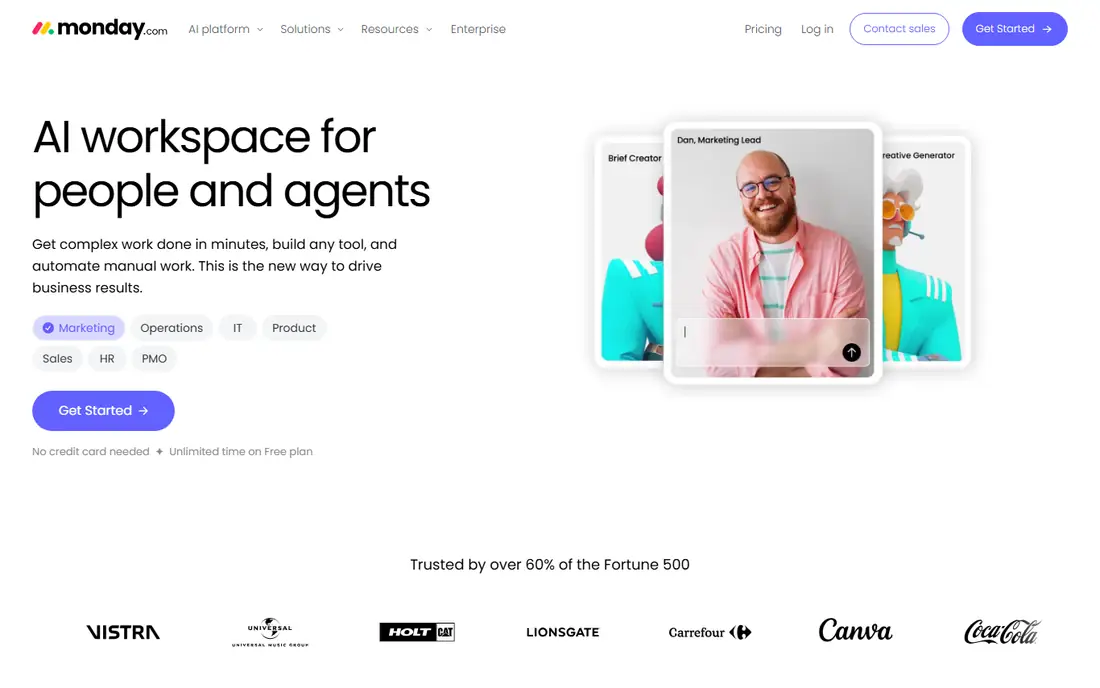
Monday Work Management is the most visual alternative, with colorful boards, timelines, and dashboards that make project status obvious at a glance. Automations handle reminders, status changes, and notifications without code, and the interface is easy for non-technical teams to adopt. Plans start at $9 a user a month.
Database depth trails Airtable's linked-record model, and pricing rises as teams grow. Enterprise governance features sit on higher tiers. For a team that wants visual, approachable work management with strong automations, Monday is the best pick.
What we like- Most visual boards and dashboards
- Easy for non-technical teams
- Strong automations
Watch out for- Pricing rises with team size
- Database depth trails Airtable
- Enterprise governance is paid
#3Asana
Best for: Proven task workflows4.4/5 on
G2 (13,930 reviews, checked Oct 2026)
Visit asana.com
Starting priceFree; Paid $13.49/user/month
Free planYes

Asana is the most proven task workflow alternative, used by millions of teams for projects, tasks, and goals. Portfolios and goals give leadership a view across programs, timelines and workload views help managers balance work, and the integration library covers most business tools. A free plan covers basic use, and paid plans start at $13.49 a user a month.
Database features are lighter than Airtable's or Smartsuite's, and the structure can feel rigid for teams that want free-form databases. Advanced features like portfolios and advanced reporting sit on higher tiers. For a team that wants reliable, proven project workflows, Asana is the safest choice.
What we like- Most proven task and project workflows
- Portfolios and goals for leadership
- Huge integration library
Watch out for- Database features are lighter than Airtable
- Advanced features are paid
- Can feel rigid for database-style work
#4ClickUp
Best for: Most features per dollar4.6/5 on
G2 (14,878 reviews, checked Oct 2026)
Visit clickup.com
Starting priceFree; Paid $10/user/month
Free planYes
ClickUp offers the most features per dollar in this guide, combining docs, tasks, goals, whiteboards, and chat in one platform. A free plan covers basic use generously, and paid plans start at $10 a user a month, undercutting most rivals. Custom fields, statuses, and views let teams model almost any workflow.
Feature breadth can overwhelm new teams, setup takes discipline to keep the workspace usable, and performance can lag in very large workspaces. For a team that wants one tool for everything at a low price, ClickUp is the best value.
What we like- Most features per dollar
- Docs, tasks, goals, and chat in one place
- Affordable paid plans
Watch out for- Feature breadth can overwhelm
- Setup takes discipline
- Performance can lag in huge workspaces
#5Notion
Best for: Docs plus databases4.6/5 on
G2 (13,834 reviews, checked Oct 2026)
Visit notion.so
Starting priceFree; Paid $10/user/month
Free planYes
Notion is the best alternative for teams whose work centers on documentation plus tracking. Pages, wikis, and databases live together, so a project page can hold the brief, the task database, and the meeting notes in one place. The free plan covers small teams, and paid plans start at $10 a user a month, with wide adoption making hiring and onboarding easy.
Project management features are lighter than Asana's, automations are basic compared with Monday's, and very large databases can slow down. For a team that wants docs and databases together rather than a pure project tool, Notion is the best fit.
What we like- Best docs-plus-database combination
- Flexible pages and wikis
- Affordable and widely adopted
Watch out for- Project management features are lighter than Asana
- Automations are basic
- Large databases can slow down
#6Smartsheet
Best for: Spreadsheet-comfortable teams4.4/5 on
G2 (22,767 reviews, checked Oct 2026)
Visit smartsheet.com
Starting price$9/user/month
Free planNo
Smartsheet suits teams that think in spreadsheets. The grid interface feels familiar, the activity log records every change, approval workflows route items for sign-off, and automated alerts flag overdue work. Plans start at $9 a user a month.
Database flexibility trails Airtable's linked-record model, reporting needs setup to produce leadership views, and there is no free plan. For a spreadsheet-native team moving to structured work management, Smartsheet is the easiest transition.
What we like- Familiar grid interface
- Activity log and approvals
- Good for spreadsheet-native teams
Watch out for- Less flexible than Airtable for databases
- Reporting needs setup
- No free plan
#7Wrike
Best for: Enterprise programs4.2/5 on
G2 (4,540 reviews, checked Oct 2026)
Visit wrike.com
Starting price$10/user/month
Free planNo
Wrike suits enterprise programs that need approval chains, audit reports, and complex project structures. It offers project and task tracking with custom workflows, resource management, and reporting, plus enterprise security and governance features. Plans start at $10 a user a month, with enterprise features on higher tiers.
The learning curve is higher than Monday's or Asana's, and pricing rises as features are added. For a large organization running complex programs with approval requirements, Wrike's enterprise depth is a good fit.
What we like- Strong enterprise project management
- Approvals and audit reports
- Good for large programs
Watch out for- Higher learning curve
- Pricing rises with features
- Smaller community than Asana or Monday
#8Zoho Projects
Best for: Budget Zoho teams4.4/5 on
G2 (570 reviews, checked Oct 2026)
Visit zoho.com
Starting priceFree; Paid $5/user/month
Free planYes
Zoho Projects is the budget alternative, with a free plan and paid plans from $5 a user a month, making it the cheapest paid option in this guide. It covers task management, time tracking, Gantt charts, and collaboration, and it integrates naturally with Zoho CRM, Books, and Desk for teams already on Zoho.
The ecosystem is smaller than Asana's, the interface is functional rather than polished, and advanced features sit on higher tiers. For a Zoho team or a budget-conscious small business, Zoho Projects is the best value.
What we like- Cheapest paid option here
- Good for Zoho ecosystem teams
- Solid task and time tracking
Watch out for- Smaller ecosystem than Asana
- Interface is functional
- Advanced features are paid
How we chose
We compared work management platforms that replace Smartsuite's core job: organizing projects, tasks, and data in one collaborative system with views, automations, and reporting. We weighed database depth, workflow automation, reporting, ease of adoption, and pricing from vendor pages and 2026 work management comparisons. We left out pure note-taking apps without task tracking and pure CRM tools. Where pricing varies by tier, we list the published starting figure.
How to pick a Smartsuite replacement
Start with how your team thinks about work. Database thinkers should shortlist Airtable and Notion. Visual thinkers should shortlist Monday. Task thinkers should shortlist Asana and Zoho Projects. All-in-one seekers should shortlist ClickUp. Spreadsheet natives should shortlist Smartsheet. Enterprise programs should shortlist Wrike. Then test the workflow that matters most: intake, assignment, status updates, and reporting, since those four steps decide daily satisfaction.
Run a real project in the trial
Do not judge a work tool on a demo workspace. Run a real project through the trial, with your actual team, your real tasks, and your real reporting needs. Measure how long intake takes, whether status updates happen without nagging, and whether leadership can see progress without asking. A tool that looks good empty can fail on real work.
Plan for the structure you will maintain
The most common work tool failure is over-structuring: teams build elaborate databases and workflows that nobody maintains. Choose the simplest tool that covers your must-have workflows, and add structure only when a real pain demands it. A simple Asana project that the team actually updates beats a complex Airtable base that goes stale. Review your workspace quarterly, archive finished projects, and delete fields and views nobody uses, since clutter is what turns a useful tool into a chore that the team avoids and eventually abandons for spreadsheets and chat messages that nobody can search or report on reliably at the end of a quarter or an audit review cycle each year without any fail at all today or tomorrow or next year either way around the whole team.
Frequently asked questions
Is Smartsuite better than Airtable?
It depends on your needs. Smartsuite combines project management with databases in one platform, while Airtable is stronger as a pure database with linked records and views. Teams that want project workflows plus databases often prefer Smartsuite, while database-first teams prefer Airtable. Trial both with a real project before deciding.
What is the cheapest Smartsuite alternative?
Zoho Projects is cheapest at $5 a user a month paid, with a free plan available. ClickUp and Notion at $10 a user a month are also affordable, and Airtable, Asana, and ClickUp all offer free plans for small teams. Compare the free tier limits against your team size before choosing on price alone.
Can I migrate from Smartsuite to these tools?
Yes, in most cases. Export your Smartsuite data to CSV, map fields to the new tool's structure, and import in stages, validating record counts at each step. Linked records and automations need rebuilding, since they do not transfer directly. Run both tools in parallel for one project cycle before fully switching.
Which tool is best for a small team?
For a small team, Notion or ClickUp offer the best balance of features and price, with free plans and affordable paid tiers. Airtable suits small teams that think in databases, while Asana suits small teams that want proven task workflows. Choose based on how your team already works, not on feature count.
Do these tools offer automation?
Yes, all eight offer automation, with differences in depth. Monday and ClickUp offer the broadest no-code automations, Asana offers strong rule-based automation on paid tiers, and Airtable offers automations with limits on lower tiers. Test your most important automation, such as status change notifications or overdue reminders, during the trial.
Sources we checked (8)
- https://www.airtable.com
- https://monday.com
- https://asana.com
- https://clickup.com
- https://www.notion.so
- https://www.smartsheet.com
- https://www.wrike.com
- https://www.zoho.com
Is your product missing or out of date?
We review this list regularly. Vendors can request a listing, send updated pricing or ask about featured placement.

Shihab Mia · Founder, Rankite
Shihab has 5+ years in B2B and SaaS SEO. He writes Rankite's software buying guides from pricing pages, documentation and public user reviews. More about Shihab.