How we make this list: we compare pricing pages, product documentation and public user reviews. Ratings come from G2, Capterra or Trustpilot, with the date we checked them.
Asana wins for most teams, and the reason is how each tool treats everyday work. Asana is built around tasks, projects and people, so a team can open it on day one, assign work, set due dates and see progress on a timeline without learning a new system. Smartsheet is built around grids, so it suits people who think in rows, columns and formulas and who already run their work in spreadsheets. A marketing team that ships campaigns and a product team that tracks launches will move faster in Asana, because the work looks like work, not like a spreadsheet. Smartsheet earns its place when the work itself is a table, such as a budget tracker or a portfolio of projects with linked cells.
How much do Smartsheet and Asana cost in 2026?
Smartsheet Pro costs $9 per member per month billed annually, or $12 billed monthly, and it is capped at 10 members. Smartsheet Business costs $19 per member per month billed annually, or $24 billed monthly, with a three-member minimum. Smartsheet has no free plan for new signups, since the free plan closed to new signups on 28 August 2024, so new buyers start with a 30-day free trial. Asana Personal is free for up to two users. Asana Starter costs $10.99 per user per month billed annually, or $13.49 billed monthly. Asana Advanced costs $24.99 per user per month billed annually, or $30.49 billed monthly. For a 10-person team billed annually, Smartsheet Pro costs $1,080 a year and Asana Starter costs $1,318.80 a year. The real cost driver is which tier your team needs, since Smartsheet Pro caps at 10 members and Asana keeps portfolios and time tracking on Advanced at $24.99.
Smartsheet is the stronger tool for spreadsheet work, and Asana is the stronger tool for timelines and team reporting. Smartsheet sheets support formulas, cell linking, conditional formatting and card, Gantt, calendar and grid views of the same data, which makes it a good fit for budgets, resource plans and portfolio rollups. Asana handles timelines well, with Timeline and Gantt views on Starter, plus dashboards, reporting and workload views on Advanced, but it does not offer the same formula depth or cell-level control. Where Asana pulls ahead is reporting across many projects. Portfolios, goals and status updates give managers a live view of dozens of projects at once. If your reporting is a set of linked tables, Smartsheet fits. If it is a set of project health checks, Asana fits.
Start with team size, then check the plan limits, because the cheapest headline price often hides a cap. A solo user or a pair can use Asana Personal free, Trello free or Notion free and pay nothing, while Smartsheet requires a paid plan or a trial from the start. A team of 3 to 10 people has the widest choice. Smartsheet Pro at $9 per member covers up to 10 members, Trello Premium at $10 covers teams up to 100, and ClickUp Core at $9 has no small-team cap. A team of 11 to 50 people should look at the working tier, not the entry tier. Smartsheet Business at $19, Asana Advanced at $24.99 and Wrike Business at $25 are the prices that matter at that size. Also count viewers, since Smartsheet lets unlimited contributors view and comment without a paid seat and Asana offers unlimited free guests.
Quick comparison
| Tool | Best for | Starting price | Free plan |
|---|
 Smartsheet | Teams that run projects, budgets and portfolios from spreadsheet-style grids | $9 per member per month for Pro, billed annually ($12 billed monthly); Business $19 per member per month billed annually | No free plan for new signups since 28 August 2024; 30-day free trial available |
 Asana | Teams that need tasks, timelines, dashboards and cross-project reporting in one place | $10.99 per user per month for Starter, billed annually ($13.49 billed monthly); Advanced $24.99 per user per month billed annually | Personal plan free for up to 2 users |
 monday Work Management | Teams that want visual boards, colorful status columns and no-code automations | $9 per seat per month for Basic, billed annually ($12 billed monthly); Standard $12 and Pro $19 per seat per month billed annually | Free plan for up to 2 seats |
 ClickUp | Teams that want tasks, docs, goals, chat and time tracking in one workspace | $9 per user per month for Core, billed annually ($12 billed monthly); Business $17 per user per month billed annually | Free Forever plan with unlimited tasks and members, limited storage |
 Trello | Small teams that want simple kanban boards with minimal setup | $5 per user per month for Standard, billed annually ($6 billed monthly); Premium $10 and Enterprise $17.50 per user per month billed annually | Free plan for up to 10 collaborators per Workspace and 10 boards |
 Jira | Software and product teams that run sprints, backlogs and issue tracking | $9.70 per user per month for Standard, monthly billing, users 1 to 100; Premium $19.60 per user per month on the same basis | Free plan for up to 10 users |
 Wrike | Departments and agencies that need request forms, approvals, proofing and resource planning | $10 per user per month for Team, billed annually; Business $25 per user per month billed annually | Free plan for small teams with task and project management |
 Notion | Teams that want docs, wikis, databases and light project tracking in one flexible workspace | $10 per member per month for Plus, billed annually ($12 billed monthly); Business $20 per member per month billed annually | Free plan for individuals with unlimited pages and blocks |
Is your product missing or out of date?
We review this list regularly. Vendors can request a listing, send updated pricing or ask about featured placement.
The eight tools below cover the main ways teams run projects in 2026. The table gives a fast view of entry prices and free plans, and each entry explains who the tool suits, what it costs, and where it falls short.
| Tool | Starting paid price | Free plan | Best for |
| Smartsheet | $9 per member per month, billed annually | No free plan for new signups, 30-day trial | Spreadsheet-style project and portfolio tracking |
| Asana | $10.99 per user per month, billed annually | Free for up to 2 users | Task, timeline and cross-team project work |
| monday Work Management | $9 per seat per month, billed annually | Free for up to 2 seats | Visual boards and workflow automation |
| ClickUp | $9 per user per month, billed annually | Free plan with unlimited tasks and members | One workspace for tasks, docs and goals |
| Trello | $5 per user per month, billed annually | Free for up to 10 collaborators | Simple kanban boards for small teams |
| Jira | $9.70 per user per month, monthly billing, 1 to 100 users | Free for up to 10 users | Software teams running sprints and issues |
| Wrike | $10 per user per month, billed annually | Free plan for small teams | Structured work with approvals and proofing |
| Notion | $10 per member per month, billed annually | Free plan for individuals | Docs, wikis and flexible project tracking |
#1Smartsheet
Best for: Teams that run projects, budgets and portfolios from spreadsheet-style grids4.4/5 on
G2 (22,767 reviews, checked Oct 2026)
Visit smartsheet.com
Starting price$9 per member per month for Pro, billed annually ($12 billed monthly); Business $19 per member per month billed annually
Free planNo free plan for new signups since 28 August 2024; 30-day free trial available
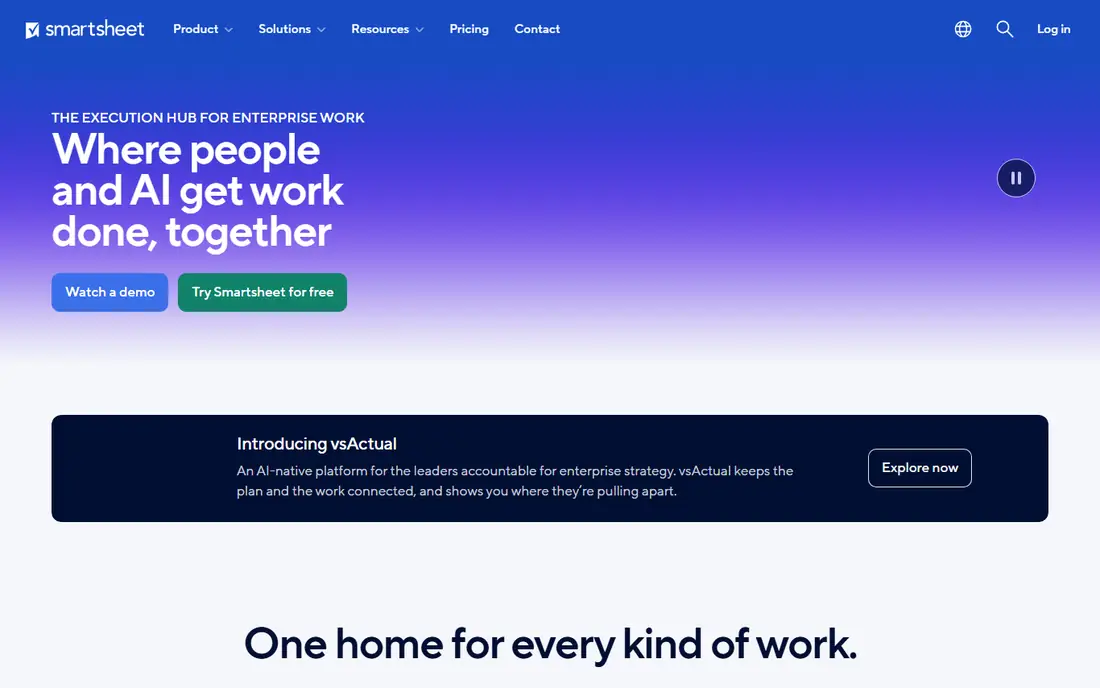
Smartsheet turns the spreadsheet into a project management system, and that is its main strength. Sheets support formulas, dependencies, baselines, Gantt charts and dashboards, so a team can track a budget, a build schedule and a vendor list in one place with linked cells. Business adds unlimited automations and workload tracking, while Enterprise adds governance controls. The trade-offs are real. New users get no free plan, only a 30-day trial, and reporting and resource management features sit on higher tiers or paid add-ons.
What we like- Strong formulas, cell linking and grid views
- Good portfolio and resource reporting on higher tiers
- Unlimited free contributors can view and comment
Watch out for- No free plan for new users, and the Pro plan caps at 10 members, so a growing team must jump to Business at $19 per member
#2Asana
Best for: Teams that need tasks, timelines, dashboards and cross-project reporting in one place4.4/5 on
G2 (13,930 reviews, checked Oct 2026)
Visit asana.com
Starting price$10.99 per user per month for Starter, billed annually ($13.49 billed monthly); Advanced $24.99 per user per month billed annually
Free planPersonal plan free for up to 2 users
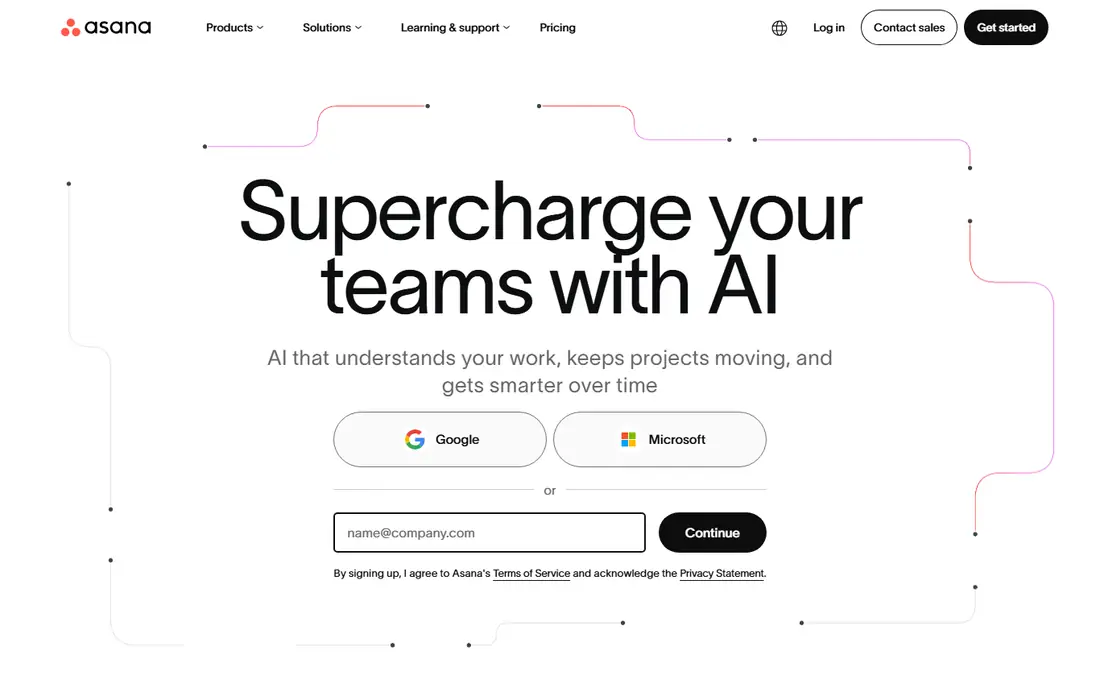
Asana is the most balanced tool on this list for general project work. Starter includes Timeline and Gantt views, dashboards, forms, custom fields, unlimited automations and unlimited free guests, which covers most small and mid-size teams. Advanced adds portfolios, goals, workload, approvals, time tracking and deeper integrations. AI features on Starter and Advanced add meeting summaries and task help. The main weakness is the price jump to Advanced, which locks the reporting and capacity features many buyers want behind the $24.99 tier.
What we like- Clean task and timeline views
- Unlimited automations and free guests on Starter
- Strong portfolios and goals on Advanced
Watch out for- Portfolios, goals, workload and native time tracking sit on Advanced at $24.99, more than double the Starter price
#3
monday Work Management
Best for: Teams that want visual boards, colorful status columns and no-code automations
Visit monday.com
Starting price$9 per seat per month for Basic, billed annually ($12 billed monthly); Standard $12 and Pro $19 per seat per month billed annually
Free planFree plan for up to 2 seats
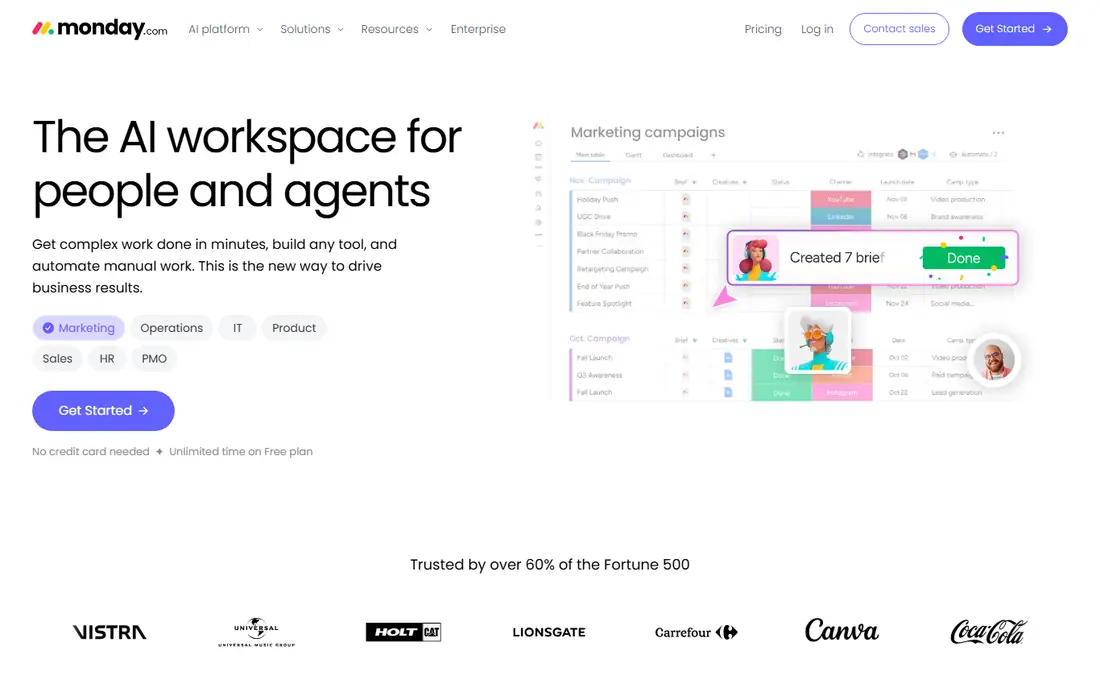
monday Work Management is the easiest tool on this list for a non-technical team to adopt. Boards use color-coded status columns, and templates cover marketing, sales, HR and operations work. Standard at $12 per seat adds Timeline and Gantt views, guest access and 250 automation actions a month. Pro at $19 adds private boards, time tracking, formula columns and 25,000 automation and integration actions a month. Paid plans start at 3 seats and sell in fixed buckets, so a team of 6 pays for 10 seats. Basic at $9 has no automations.
What we like- Fast to set up with templates
- Visual boards are easy for non-technical teams
- Pro adds 25,000 automation actions a month
Watch out for- Seats are sold in fixed buckets with a 3-seat minimum, so a 6-person team must buy 10 seats, and Basic has no automations at all
#4ClickUp
Best for: Teams that want tasks, docs, goals, chat and time tracking in one workspace4.6/5 on
G2 (14,878 reviews, checked Oct 2026)
Visit clickup.com
Starting price$9 per user per month for Core, billed annually ($12 billed monthly); Business $17 per user per month billed annually
Free planFree Forever plan with unlimited tasks and members, limited storage
ClickUp packs more into its entry plan than any other tool here. Core at $9 per user per month billed annually includes unlimited storage, Gantt charts, custom fields, goals, time tracking and guest permissions. Business at $17 adds timesheets, resource management, advanced dashboards and 10,000 automation actions a month. The free plan covers unlimited tasks and members. The main risk is complexity. ClickUp has so many views and settings that new teams can take weeks to settle on a setup. Pricing is in transition, with older Unlimited prices still appearing for some accounts.
What we like- Broad feature set for the price
- Unlimited storage and Gantt charts on Core
- Free plan is genuinely usable
Watch out for- ClickUp is moving buyers to a new plan line, and the pricing page still shows the older Unlimited at $7 and Business at $12 alongside Core at $9 and Business at $17, which makes the real price unclear until checkout
#5Trello
Best for: Small teams that want simple kanban boards with minimal setup4.4/5 on
G2 (14,064 reviews, checked Oct 2026)
Visit trello.com
Starting price$5 per user per month for Standard, billed annually ($6 billed monthly); Premium $10 and Enterprise $17.50 per user per month billed annually
Free planFree plan for up to 10 collaborators per Workspace and 10 boards
Trello is the simplest tool on this list. A board with lists and cards takes minutes to set up, and a small team can run a content calendar or a hiring pipeline without training. Standard at $5 lifts the board and collaborator caps and adds custom fields, advanced checklists, card mirroring and 1,000 automation runs a month. Premium at $10 adds Calendar, Timeline, Table, Dashboard and Map views, plus unlimited automation runs. Enterprise at $17.50 adds organization-wide permissions and Atlassian Guard Standard, with a 50-seat minimum. Trello has no native time tracking, no workload view and no portfolio reporting.
What we like- Cheapest paid plan on this list
- Boards are quick to learn
- Premium adds Calendar, Timeline, Table, Dashboard and Map views
Watch out for- The free plan caps at 10 collaborators and 10 boards, and Trello has no native time tracking or workload views, so larger teams outgrow it
#6Jira
Best for: Software and product teams that run sprints, backlogs and issue tracking4.3/5 on
G2 (7,984 reviews, checked Oct 2026)
Visit atlassian.com
Starting price$9.70 per user per month for Standard, monthly billing, users 1 to 100; Premium $19.60 per user per month on the same basis
Free planFree plan for up to 10 users
Jira is the standard choice for software teams, and it shows in the feature set. Standard includes scrum and kanban boards, backlogs, roadmaps, user roles, 400 automation steps per user a month and 250 GB of storage. Premium adds cross-team planning, release tracking, unlimited storage and 24/7 support. Atlassian raised list prices on 13 October 2026, so Standard rose from $9.05 to $9.70 and Premium from $18.30 to $19.60 per user per month for the first 100 users. Older figures of $7.53 and $13.53 are out of date and should not be used. Jira is a poor fit for marketing or operations teams that do not run sprints.
What we like- Deep sprint, backlog and release planning
- Strong automation and reporting for engineering work
- Free for teams up to 10 users
Watch out for- The setup and admin work is heavy for non-technical teams, and the per-user rate falls only above 100 users, so small teams pay the top rate
#7Wrike
Best for: Departments and agencies that need request forms, approvals, proofing and resource planning4.2/5 on
G2 (4,540 reviews, checked Oct 2026)
Visit wrike.com
Starting price$10 per user per month for Team, billed annually; Business $25 per user per month billed annually
Free planFree plan for small teams with task and project management
Wrike suits teams that run formal project processes, with structured folders, Gantt charts and dashboards. Team at $10 per user per month billed annually covers 2 to 15 users and adds Gantt charts, shareable dashboards and starter AI features. Business at $25 covers 5 to 200 users and adds request forms, proofing and approvals, time tracking, resource management and templates. Pinnacle and Apex are priced on quote. The published rates apply to new purchases made on or after 21 January 2026. The main drawback is the $15 gap between Team and Business, since the features most buyers want sit on Business.
What we like- Strong request forms, proofing and approvals on Business
- Gantt charts and shareable dashboards on Team
- AI features included on Business
Watch out for- Business at $25 is a steep jump from Team at $10, and Wrike sells seats in bundles, so a 6-person team may pay for 10 seats
#8Notion
Best for: Teams that want docs, wikis, databases and light project tracking in one flexible workspace4.6/5 on
G2 (13,834 reviews, checked Oct 2026)
Visit notion.com
Starting price$10 per member per month for Plus, billed annually ($12 billed monthly); Business $20 per member per month billed annually
Free planFree plan for individuals with unlimited pages and blocks
Notion is a workspace first and a project tool second, which shapes who should buy it. Pages, databases, wikis and templates let a team build a knowledge base and a project tracker in one place, and Plus at $10 per member per month billed annually extends page history to 30 days. Business at $20 adds full Notion AI, 90-day history, SAML SSO and private teamspaces. Notion changed AI metering in October 2026, with Business seats now including monthly AI credits. The weakness is project depth, since timelines, dependencies and workload views are lighter than Asana, Smartsheet or Jira.
What we like- Flexible pages, databases and templates
- Free plan is generous for solo use
- Business includes full Notion AI
Watch out for- Project features such as timelines and sprints are lighter than Asana or Jira, and full Notion AI sits on Business at $20 per member
Frequently asked questions
Is Smartsheet or Asana better for project management?
Asana is better for most project management work, because it is built around tasks, timelines and team reporting, and most teams can start using it without training. Smartsheet is better when the work lives in spreadsheets, such as budgets, portfolio rollups and construction schedules, because its formulas and cell linking handle that work directly. Pick Asana for general projects and Smartsheet for grid-based work.
How much does Smartsheet cost per user in 2026?
Smartsheet Pro costs $9 per member per month billed annually, or $12 billed monthly, and it is capped at 10 members. Business costs $19 per member per month billed annually, or $24 billed monthly, with a three-member minimum. Enterprise and Advanced Work Management are priced on quote. There is no free plan for new signups since 28 August 2024, so new buyers start with a 30-day free trial instead.
Does Asana have a free plan?
Yes, Asana Personal is free for up to two users, which suits a solo user or a pair working on small projects. Starter costs $10.99 per user per month billed annually and adds Timeline and Gantt views, dashboards, forms and unlimited automations. Advanced costs $24.99 per user per month billed annually and adds portfolios, goals, workload, approvals and time tracking. Enterprise is priced on quote.
Which is cheaper, Smartsheet or Asana?
Smartsheet Pro at $9 per member per month billed annually is cheaper than Asana Starter at $10.99 per user per month billed annually, but the comparison changes at the next tier. Smartsheet Business costs $19 per member, while Asana Advanced costs $24.99 per user. A 10-person team pays $1,080 a year on Smartsheet Pro and $1,318.80 on Asana Starter, so the feature fit should decide.
Can I switch from Smartsheet to Asana without losing data?
Yes, both tools support CSV import and export, and Asana offers an importer that maps Smartsheet rows to Asana tasks with owners, due dates and custom fields. The switch works best when you first clean up the sheet, remove unused columns and decide which rows become tasks. Formulas and cell links do not transfer, so budget sheets and rollups need to be rebuilt in the new tool or kept in a spreadsheet.
Sources we checked (8)
- https://www.smartsheet.com/pricing
- https://asana.com/pricing
- https://monday.com/pricing
- https://clickup.com/pricing
- https://trello.com/pricing
- https://www.atlassian.com/software/jira/pricing
- https://www.wrike.com/pricing
- https://www.notion.com/pricing
Is your product missing or out of date?
We review this list regularly. Vendors can request a listing, send updated pricing or ask about featured placement.

Shihab Mia · Founder, Rankite
Shihab has 5+ years in B2B and SaaS SEO. He writes Rankite's software buying guides from pricing pages, documentation and public user reviews. More about Shihab.