How we make this list: we compare pricing pages, product documentation and public user reviews. Ratings come from G2, Capterra or Trustpilot, with the date we checked them.
Slite vs Confluence at a Glance
Slite is the top pick for teams that want a light knowledge base with AI search and verification, while Confluence is the top pick for teams that want a structured wiki with deep permissions and Jira integration. Slite keeps docs short, current and easy to find. Confluence gives you spaces, page trees and admin controls for documentation at scale. Slite costs more per user at the entry tier, so the choice comes down to light AI upkeep against structured control.
Key takeaways:
- Slite Basic costs 10 dollars per user per month billed annually, against 7.15 dollars for Confluence Standard.
- Slite has no free plan, only a 14-day trial, while Confluence is free for up to 10 users.
- Slite wins on AI search, document verification and keeping docs current.
- Confluence wins on structure, permissions, page history and Jira integration.
- Notion is the best alternative for flexible workspaces, and GitBook is the best pick for public docs.
Which is better for a team wiki, Slite or Confluence?
Slite and Confluence both hold team knowledge, but they serve different sizes of wiki. Slite is a knowledge base first. It is built for short docs that answer a question, with Ask AI search on every paid plan, document verification that flags stale pages, and a clean editor. The Pro plan adds Slite Agent, which checks docs against connected tools such as Slack and GitHub, flags what has gone stale, and drafts a correction for a person to approve. Confluence is a structured wiki first. Spaces hold pages in a clear tree, permissions control who sees what, and version history keeps every change. It fits product docs, handbooks and knowledge bases that need structure, and it works well with Jira. Choose Slite if your team keeps asking the same questions, if docs go stale without anyone noticing, or if you want AI search that cites the source doc. Choose Confluence if you need deep permissions, if your wiki has hundreds of pages in a clear tree, or if your team already runs Jira and wants the two linked.
How much do Slite and Confluence cost?
Slite costs more per user than Confluence at the entry tier. Slite Basic costs 10 dollars per user per month billed annually, or 12 dollars month to month, with unlimited docs, Ask AI search, document verification and API access. Slite Pro costs 20 dollars per user per month billed annually, or 25 dollars monthly, adding Slite Agent, cross-tool search, 50 agent credits per seat each month, and OpenID single sign-on. There is no free plan, only a 14-day trial. Confluence is free for up to 10 users with 2 GB of file storage. Standard costs 7.15 dollars per user per month on monthly billing for the first 100 users, after a price change on 13 October 2026, and Premium costs 14.10 dollars, adding analytics, unlimited storage and 24/7 support. Over three years, a ten-person team pays 3,600 dollars for Slite Basic and 2,574 dollars for Confluence Standard. Slite Pro comes to 7,200 dollars over three years for ten people, against 5,076 dollars for Confluence Premium.
For growing teams, Confluence is the stronger default when the wiki must scale past a few dozen pages. Spaces, page trees, labels and permissions give a large wiki a shape that stays navigable, and the free plan covers a team of up to ten while it grows. Slite is the stronger pick when the wiki must stay current with little manual review. Verification flags stale pages, Ask answers questions with citations, and Slite Agent on Pro checks docs against other tools. Notion suits teams that want one workspace for notes, wikis and databases, while Coda suits teams that want docs with tables and automations. Guru fits support and sales teams that need verified answers inside Slack, and Document360 fits teams that publish a customer help centre. GitBook fits teams that publish public docs with Git sync, and Google Docs is the best free option for shared drafts.
Slite vs Confluence Compared Side by Side
The table below puts the eight tools side by side on starting price, free plan and best use, so you can shortlist in a minute.
| Tool | Starting price | Free plan | Best for |
| Slite | $10 per user per month billed annually | No, 14-day trial | Team knowledge base with AI search |
| Confluence | Free up to 10 users | Yes, free for up to 10 users | Structured team wikis |
| Notion | $10 per user per month billed annually | Yes, free for one person | Notes plus databases and wikis |
| Coda | $12 per user per month billed annually | Yes, free for small teams | Docs with tables and automations |
| Guru | Quote, last published $25 per seat per month | No free plan, 30-day trial | Verified answers inside Slack and Teams |
| Document360 | Quote | No free plan | Customer help centres and knowledge bases |
| GitBook | Free for one user | Yes, free for one user | Public docs with Git sync |
| Google Docs | Free | Yes, free with a Google account | Shared drafts and live collaboration |
Quick comparison
| Tool | Best for | Starting price | Free plan |
|---|
 Slite | Team knowledge bases with AI search and document verification | $10 per user per month billed annually (Basic plan) | No, 14-day free trial with no card needed |
 Confluence | Team wikis, documentation and structured knowledge bases | Free up to 10 users, Standard from $7.15 per user per month | Yes, free for up to 10 users with 2 GB of file storage |
 Notion | Notes plus databases, wikis and team workspaces | $10 per user per month billed annually (Plus plan) | Yes, free for one person with unlimited pages and blocks |
 Coda | Docs with tables, buttons and automations for teams | $12 per user per month billed annually (Pro plan) | Yes, free for small teams with limited doc size |
 Guru | Verified answers inside Slack, Teams and the browser | Quote, last published $25 per seat per month billed annually | No free plan, 30-day free trial on the self-serve plan |
 Document360 | Customer help centres and public knowledge bases | Quote | No free plan |
 GitBook | Public docs and API documentation with Git sync | Free for one user, Essential from $65 per site per month plus $12 per user per month | Yes, free for one user with Git sync and API docs |
 Google Docs | Shared drafts, live collaboration and free writing in the browser | Free, Google Workspace from $7 per user per month (Starter plan) | Yes, free with a Google account |
Is your product missing or out of date?
We review this list regularly. Vendors can request a listing, send updated pricing or ask about featured placement.
The eight tools below cover focused knowledge bases, structured wikis, flexible workspaces and public docs. Prices were checked 18 November 2026.
#1Slite
Best for: Team knowledge bases with AI search and document verification4.7/5 on
Capterra (42 reviews, checked Oct 2026)
Visit slite.com
Starting price$10 per user per month billed annually (Basic plan)
Free planNo, 14-day free trial with no card needed
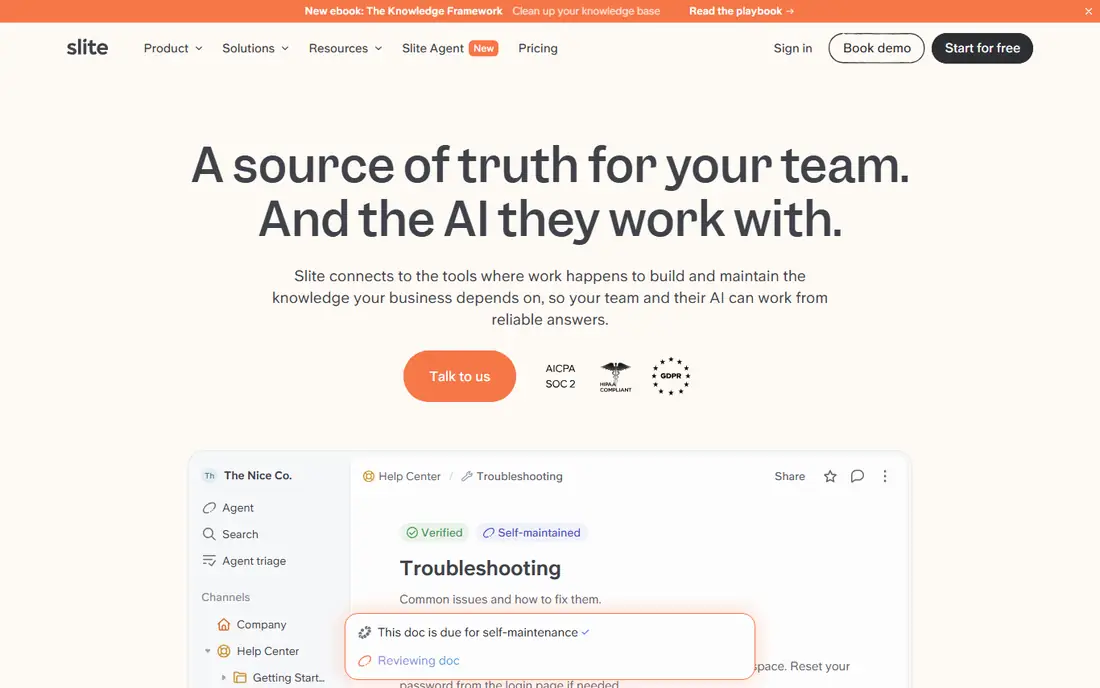
Slite is a knowledge base that keeps itself current. It is built for short docs that answer a question, with Ask AI search on every paid plan, document verification that flags stale pages, and a clean editor. Basic costs 10 dollars per user per month billed annually, or 12 dollars month to month, with unlimited docs, Ask, verification and API access. Pro costs 20 dollars per user per month billed annually, or 25 dollars monthly, and adds Slite Agent, which checks docs against connected tools such as Slack, Linear and GitHub, flags what has gone stale, and drafts a correction for a person to approve. The trade-offs are the missing free plan and the AI caps. There is no free tier, only a 14-day trial, and Basic limits Ask to 30 questions per user per month.
What we like- Ask AI search with citations, document verification, clean editor, Slite Agent on Pro, MCP and API access
Watch out for- No free plan, and the AI features on Basic are capped at 30 questions per user per month
#2Confluence
Best for: Team wikis, documentation and structured knowledge bases4.1/5 on
G2 (4,368 reviews, checked Oct 2026)
Visit atlassian.com
Starting priceFree up to 10 users, Standard from $7.15 per user per month
Free planYes, free for up to 10 users with 2 GB of file storage
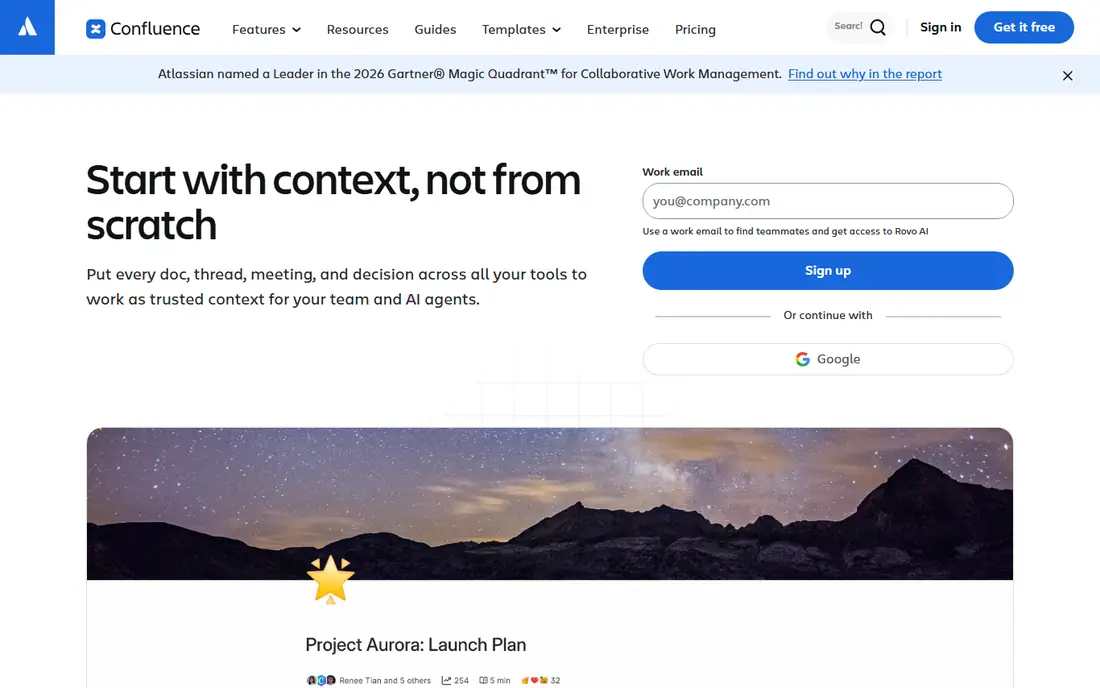
Confluence is Atlassian's team wiki, built for documentation that many people read and few people write. Spaces hold pages in a clear tree, permissions control who sees what, and version history keeps every change. It fits product docs, handbooks and knowledge bases that need structure, and it works well with Jira for teams that already use Atlassian tools. The free plan covers up to 10 users with 2 GB of file storage. Standard costs 7.15 dollars per user per month on monthly billing for the first 100 users, after a price change on 13 October 2026, and Premium costs 14.10 dollars, adding analytics, unlimited storage and 24/7 support. The trade-offs are cost and weight. Per-user pricing adds up fast for large teams, and the interface can feel heavy for a simple shared document.
What we like- Structured spaces and pages, deep permissions, strong Jira integration, page version history
Watch out for- Per-user pricing adds up fast for large teams, and the interface can feel heavy for simple docs
#3Notion
Best for: Notes plus databases, wikis and team workspaces4.6/5 on
G2 (13,834 reviews, checked Oct 2026)
Visit notion.com
Starting price$10 per user per month billed annually (Plus plan)
Free planYes, free for one person with unlimited pages and blocks

Notion is the most flexible tool in this list. A page can hold text, tables, boards, calendars and databases, so one workspace can replace a notes app, a wiki and a simple tracker. The free plan covers one person with unlimited pages and blocks, which is enough for most personal use. Plus costs 10 dollars per user per month billed annually, and Business costs 20 dollars. The trade-off is that Notion is a cloud app first. Offline access is limited, and a big workspace with many linked databases can load slowly. It is also weaker than Slite for pure knowledge work, since there is no built-in verification that flags stale docs, so a team must review pages by hand.
What we like- Databases, templates and wikis in one workspace, strong sharing, huge template library
Watch out for- Needs an internet connection for the best experience, and large workspaces can feel slow
#4
Coda
Best for: Docs with tables, buttons and automations for teams
Visit coda.io
Starting price$12 per user per month billed annually (Pro plan)
Free planYes, free for small teams with limited doc size
Coda turns a doc into a small app. Tables act like a light database, buttons trigger actions, and automations send reminders or update rows without anyone touching the doc. Packs connect Coda to tools such as Slack, Jira and GitHub, so a doc can pull live data instead of holding a stale copy. The free plan covers small teams with limited doc size. Pro costs 12 dollars per user per month billed annually, and Business costs 33 dollars. The trade-offs are price and learning time. Pro costs more per user than Slite Basic or Confluence Standard, and the formula and automation features take longer to learn than a plain wiki.
What we like- Tables, buttons and automations inside docs, strong formulas, good templates, packs for other tools
Watch out for- Costs more per user than Slite or Confluence at the entry tier, and the learning curve is steeper than a plain wiki
#5Guru
Best for: Verified answers inside Slack, Teams and the browser4.7/5 on
G2 (2,345 reviews, checked Oct 2026)
Visit getguru.com
Starting priceQuote, last published $25 per seat per month billed annually
Free planNo free plan, 30-day free trial on the self-serve plan
Guru is a knowledge platform that brings verified answers to where people already work. Cards hold short, trusted answers, and the browser extension and Slack integration surface them inside chat, email and CRM tools, so staff do not open a wiki to find a fact. Verification workflows ask owners to confirm cards on a schedule, which keeps answers current. The pricing page no longer publishes a price as of October 2026, so the number comes from a sales call. The last published price was 25 dollars per seat per month billed annually, or 30 dollars monthly, with a 10-seat minimum, so the real floor was 250 dollars a month. The trade-offs are price opacity and the seat model. Every reader needs a paid seat, so the bill scales with the whole company rather than a handful of authors.
What we like- AI search across tools, verification workflows, browser extension, strong Slack and Teams integration
Watch out for- No published price since October 2026, and every reader needs a paid seat, so costs scale with headcount
#6Document360
Best for: Customer help centres and public knowledge bases4.7/5 on
G2 (543 reviews, checked Oct 2026)
Visit document360.com
Starting priceQuote
Free planNo free plan
Document360 is a knowledge base platform built for customer-facing help as well as internal docs. It supports public portals with custom domains, private knowledge bases for staff, and analytics that show which articles get read and which searches return nothing. Versioning keeps a history of every article, and the AI assistant Eddy helps write and search docs. Pricing moved to quote-based in August 2024, and the free plan was retired, so the number comes from a sales conversation based on team size, workspaces, languages and AI usage. The trade-off is the lack of a public price. A small team cannot budget Document360 from the pricing page, and the sales-led model fits larger teams better than a five-person startup.
What we like- Public and private knowledge bases, strong search and analytics, versioning, AI assistant Eddy
Watch out for- Quote-only pricing since August 2024, so a small team cannot budget it from the pricing page
#7GitBook
Best for: Public docs and API documentation with Git sync4.7/5 on
G2 (207 reviews, checked Oct 2026)
Visit gitbook.com
Starting priceFree for one user, Essential from $65 per site per month plus $12 per user per month
Free planYes, free for one user with Git sync and API docs
GitBook is a docs platform for teams that publish documentation. The editor is clean, Git sync connects docs to GitHub or GitLab in both directions, and preview deployments let a team review a doc before it goes live. The free plan covers one user with Git sync, API docs and preview deployments. Essential costs 65 dollars per site per month plus 12 dollars per user per month billed annually, or 79 dollars plus 15 dollars monthly, adding team collaboration, a custom domain, analytics and AI search. Ultimate costs 249 dollars per site per month plus 12 dollars per user, adding the AI assistant, GitBook Agent and authenticated access. The trade-off is the pricing model. The per-site fee plus the per-user fee means a small team pays more than the headline site price, and every member costs the same 12 dollars.
What we like- Clean editor, two-way GitHub and GitLab sync, custom domains, AI search, preview deployments
Watch out for- Per-site plus per-user pricing adds up fast, and every member costs 12 dollars a month on paid plans
#8Google Docs
Best for: Shared drafts, live collaboration and free writing in the browser4.6/5 on
G2 (114 reviews, checked Oct 2026)
Visit docs.google.com
Starting priceFree, Google Workspace from $7 per user per month (Starter plan)
Free planYes, free with a Google account
Google Docs is the simplest tool in this list, and that is its strength. It is free with a Google account, it opens in any browser, and several people can edit the same document at once with comments and suggestions. For short notes, meeting minutes and shared drafts, it is faster to open than any dedicated app. Google Workspace adds business features, with Starter at 7 dollars per user per month, Standard at 14 dollars and Plus at 22 dollars. The trade-offs are formatting and offline depth. Long reports with complex styles and tables of contents are harder than in Word, and offline use works through the browser extension, but the full feature set needs a connection.
What we like- Free, real-time collaboration, comments and suggestions, strong search, works in any browser
Watch out for- Formatting is weaker than Word for long reports, and it needs a connection for the full feature set
Frequently asked questions
Is Slite cheaper than Confluence?
No, Slite costs more per user at the entry tier. Slite Basic is 10 dollars per user per month billed annually, while Confluence Standard is 7.15 dollars per user per month on monthly billing for the first 100 users. Over three years, a ten-person team pays 3,600 dollars for Slite Basic and 2,574 dollars for Confluence Standard. Confluence also has a free plan for up to 10 users, while Slite has no free plan, only a 14-day trial.
Can I move a Confluence wiki to Slite?
Yes, but the move takes planning. Both tools export pages as HTML or Markdown, so text and images move, but Confluence spaces, macros and page trees do not map cleanly to Slite, and Jira links break. A small wiki moves in a day, while a large wiki with hundreds of pages needs a week of clean-up. Export one space first, import it into Slite, and check that headings, tables and images survive before moving the rest.
Does Confluence work with Jira?
Yes, Confluence and Jira are built to work together, since both come from Atlassian. A Confluence page can show live Jira issues, link to a project, and display a roadmap, while a Jira ticket can link back to the doc that explains the decision.
Which is better for a small startup, Slite or Confluence?
A startup with ten people or fewer should start with Confluence, since the free plan covers the whole team and the structure scales as the wiki grows. A startup that already has a tracker and mainly needs a knowledge base that stays current should pick Slite, since Ask AI search, verification and Slite Agent keep docs fresh with less manual review.
Should I pay for Slite Pro?
Pay for Pro if your team asks the AI a lot of questions or needs docs checked against other tools. Pro costs 20 dollars per user per month billed annually, adds Slite Agent with 50 agent credits per seat each month, and adds cross-tool search and OpenID single sign-on. Stay on Basic if your team mainly reads and writes docs, since Basic already includes Ask, verification and unlimited docs at 10 dollars per user per month billed annually.
Sources we checked (8)
- https://slite.com
- https://www.atlassian.com/software/confluence
- https://www.notion.com
- https://coda.io
- https://www.getguru.com
- https://document360.com
- https://www.gitbook.com
- https://docs.google.com
Is your product missing or out of date?
We review this list regularly. Vendors can request a listing, send updated pricing or ask about featured placement.

Shihab Mia · Founder, Rankite
Shihab has 5+ years in B2B and SaaS SEO. He writes Rankite's software buying guides from pricing pages, documentation and public user reviews. More about Shihab.