How we make this list: we compare pricing pages, product documentation and public user reviews. Ratings come from G2, Capterra or Trustpilot, with the date we checked them.
Direct answer
Kling AI is the best first Runway alternative for most creators who need realistic motion at a low entry price, with Standard at $8.80 per month after the first 3 months. Choose Google Flow instead if free daily testing matters more, because it gives 50 credits per day with no subscription.
Key takeaways
- Solo creators who need realistic motion should test Kling AI first, because Standard lists 660 credits per month.
- Beginners who want free daily practice should use Google Flow, with 50 credits per day before any subscription.
- Film and ad teams that need HDR should compare Luma, where Plus lists 10,000 credits per month.
- Social creators who switch models often should check Pika, where Starter lists 600 credits and a commercial license.
- Adobe teams should price Firefly Standard against its up to 20 five-second videos before upgrading.
Quick comparison
| Tool | Best for | Starting price | Free plan |
|---|
 Kling AI | Realistic motion for ads and short clips | Standard $6.50 per month for the first 3 months, then $8.80 per month | Basic free plan listed; monthly credit amount not stated |
 Google Flow | Veo clips with daily free credits | $4.99 per month for Google AI Plus | 50 Google Flow credits per day with no subscription |
 Luma | Cinematic camera moves and HDR work | Plus $30 per month | Free trial credits included; amount not stated |
 Pika | Social clips and fast model switching | Starter $10 per month billed monthly | Free $0 with 0 monthly credits; credit packs only |
 Hailuo AI | MiniMax H3 clips with native sound | Standard $14.99 per month | Free basic access with watermarked downloads; one-time welcome credits expire in 3 days |
 PixVerse | Photo to video social clips | Standard $10 per month billed monthly | Basic $0 with 60 initial credits and 30 daily credits |
 LTX Studio | Storyboards, generation and editing | Lite $15 per month billed monthly | Free $0 with 800 one-time credits |
 Adobe Firefly | Adobe workflow video generation | $9.99 per month for Firefly Standard | Free daily generations; amount not stated |
 Dreamina | Seedance ad and product clips | Basic USD 15 per month renewal; USD 0.29 first month offer listed | Free option with account credits; allowance varies by region |
 Leonardo.Ai | Image-led motion and design work | Essential $12 per month billed monthly | Free 150 Fast Tokens per day |
Is your product missing or out of date?
We review this list regularly. Vendors can request a listing, send updated pricing or ask about featured placement.
The best runway alternatives
Runway users usually look elsewhere for a lower entry price, a different motion style, free daily testing, or a workflow that fits storyboards, Adobe apps, or product photos. This list ranks 10 live AI video generators by fit for short clips, entry price, free access, license limits, and control over models, resolution, and credits. Prices and plan facts were checked on vendor pages on 2026-11-28. Read the credit cost for your exact model and resolution before you pay, because one polished clip can cost many times more than a draft clip.
#1
Kling AI
Best for: Realistic motion for ads and short clips
Visit kling.ai
Starting priceStandard $6.50 per month for the first 3 months, then $8.80 per month
Free planBasic free plan listed; monthly credit amount not stated
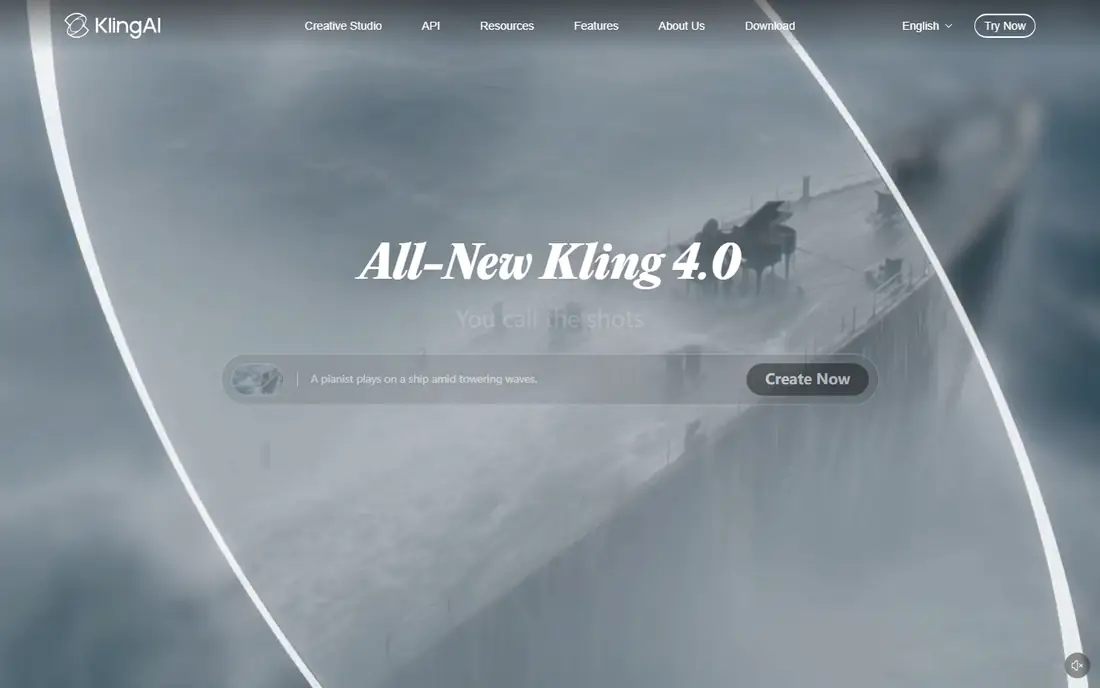
Kling AI is Kuaishou's video and image generator for text-to-video and image-to-video clips. It fits creators who need believable human motion, product movement, and short ad scenes without paying a high entry price. The membership page lists Kling 4.0 HDR, Kling Image 4.0 8K, VIDEO 2.6 voice control, 1080p and 4K video generation, watermark removal, and commercial use on paid plans. Standard includes 660 credits per month. That makes Kling a practical first test for social clips, product demos, and concept ads where motion quality matters more than a full editing timeline. It suits solo creators and small teams that can review clips outside the generator.
The catch is the low entry price is an offer for the first 3 months, then Standard rises to $8.80 per month. The free Basic comparison also leaves the monthly credit amount unstated, so budget from the paid credit allowance, not from free use. Pick Kling if you want strong motion at a low monthly cost. Look elsewhere if you need a built-in storyboard, a long timeline, or clear per-clip costs before you sign in.
What we like- Strong fit for human and product motion
- Standard lists 660 credits per month
- Paid plans list watermark removal and commercial use
Watch out for- The $6.50 price rises after the first 3 months
- The free Basic monthly credit amount is not stated
Starting price$4.99 per month for Google AI Plus
Free plan50 Google Flow credits per day with no subscription
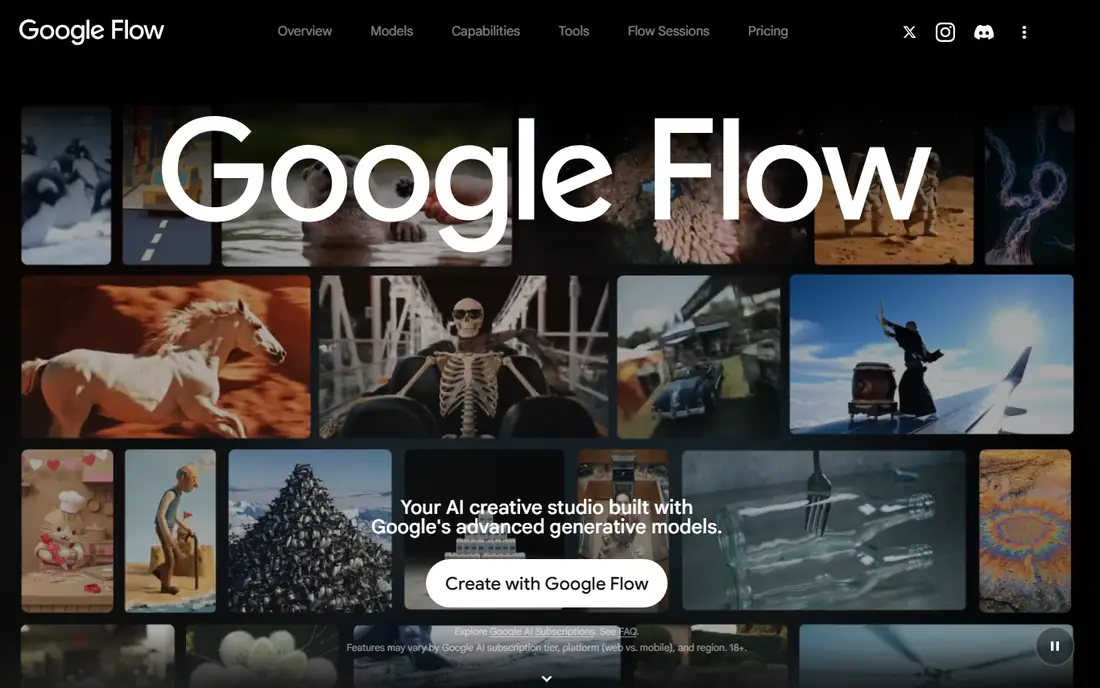
Google Flow is Google's creative studio for video, images, and custom tools, with access through a Google account. It fits buyers who want Veo clips and a free daily allowance before paying for a plan. Google support lists 50 Flow credits per day with no subscription, plus 200 extra monthly credits on Google AI Plus and 1,000 on Google AI Pro. Veo 3.1 Lite makes 4, 6, or 8 second 720p videos for 10 credits for most users. Omni Flash 1.2 adds edits and extensions for subscribers. That suits short social scenes, product teasers, and quick concept tests.
The catch is credits do not roll over, and non-subscribers may not be able to generate videos during peak hours from about 2 PM to 5 PM UTC. Google also lists Veo 3.1 Fast and Veo 3.1 Quality retiring on December 5, 2026. Pick Flow if daily free testing and Veo output matter most. Look elsewhere if your workflow depends on a retiring model or on credits that carry into next month.
What we like- 50 free Flow credits per day
- Google AI Plus adds 200 monthly Flow credits
- Veo 3.1 Lite costs 10 credits per clip for most users
Watch out for- Daily and monthly Flow credits do not roll over
- Non-subscribers may be blocked during peak hours
Starting pricePlus $30 per month
Free planFree trial credits included; amount not stated

Luma is the current home for Ray3.2 video generation, with Luma Agents for planning, generating, and refining image, video, and audio work in one project. It fits film, ad, and brand teams that need camera direction and continuity across shots. Luma lists text-to-video, image-to-video, Modify Video V2 up to 20 seconds at 1080p, multi-keyframe direction with up to 16 keyframes, native HDR, and EXR export. Plus includes 10,000 credits and commercial use. That makes Luma a strong pick for cinematic tests and client work that needs grading options. Multi-keyframe direction supports up to 16 keyframes for planned camera moves.
The catch is cost rises fast at higher settings. Luma pricing lists Ray3.2 at 400 credits for 5 seconds at 1080p, so Plus can run down quickly on polished shots. The pricing page also lists trial credits rather than a standing free plan. Pick Luma if HDR, EXR, and camera control matter. Look elsewhere if you need a low entry price or free monthly generations for casual posting.
What we like- Ray3.2 supports text-to-video and image-to-video
- Multi-keyframe direction uses up to 16 keyframes
- Native HDR and EXR export support grading work
Watch out for- Plus starts at $30 per month
- Ray3.2 at 1080p costs 400 credits per 5 seconds
Starting priceStarter $10 per month billed monthly
Free planFree $0 with 0 monthly credits; credit packs only
Pika is a browser platform for AI video, image, and audio creation with Pika models plus hosted models such as Seedance 2.5, Kling 4.0, Veo 3.1, Wan 3.0, MiniMax H3, and Gemini Omni. It fits social creators who want to switch models without opening a new account for each one. Pika pricing lists every model on every plan, no watermark, and a commercial license from Starter. Starter includes 600 credits per month. A 5 second Pika H3 Flex clip at 768p costs 10 credits, while Seedance 2.5 at 720p costs 122 credits.
The catch is the Free plan includes 0 monthly credits, so free account access does not mean free generation. You need a credit pack from $25 or a paid plan, and Free has no commercial license. Pick Pika if model choice and watermark-free exports matter at a low paid price. Look elsewhere if you expect a monthly free allowance or need client rights without subscribing.
What we like- Every plan includes all models
- No plan adds a watermark
- Starter includes 600 credits and a commercial license
Watch out for- Free includes 0 monthly credits
- Plan credits do not roll over
Starting priceStandard $14.99 per month
Free planFree basic access with watermarked downloads; one-time welcome credits expire in 3 days
Hailuo AI is MiniMax's video app for text-to-video and image-to-video work, with the current page presenting MiniMax H3, reference inputs, and 2K settings. It fits creators who want short clips with sound and reference control at a mid-level entry price. Hailuo terms list Standard at $14.99 per month with 1,000 credits, queue priority, and watermark-free downloads. Paid users also retain rights to content they generate and download on a paid plan, including commercial use. That makes Hailuo a useful test for product clips, character scenes, and social ads. Omni Reference accepts up to 12 reference files for character and camera guidance.
The catch is membership credits expire after one month and do not roll over. Hailuo terms also state that no refunds are issued for payments already made when a paid service ends. Pick Hailuo if the monthly credit pool matches your output and you can use it before reset. Look elsewhere if you need refunds, rollover credits, or a team workspace with shared billing.
What we like- Standard lists 1,000 credits per month
- Paid plans include watermark-free downloads
- Paid-plan terms state commercial use rights for downloaded content
Watch out for- Membership credits expire after one month
- Hailuo terms state no refunds for payments already made
Starting priceStandard $10 per month billed monthly
Free planBasic $0 with 60 initial credits and 30 daily credits
PixVerse is an AI video platform for turning prompts, photos, reference assets, and existing clips into short videos. It fits creators and marketers who start from a product photo or character image and need fast variations. PixVerse lists V6 with text and image inputs, multi-shot options, camera direction, and optional audio, with API output from 1 to 15 seconds up to 1080p. Standard includes 1,200 membership credits per 30-day cycle plus 60 daily credits. That suits social clips, product concepts, and animated scenes that need review before posting. Canvas links prompts, references and outputs in one workflow graph for variations.
The catch is membership credits expire at the next 30-day cycle, and Standard lists resolution access up to 720p. Higher plan access up to 4K does not mean every model makes native 4K video. Pick PixVerse if daily credits and photo-led clips fit your routine. Look elsewhere if you need native 4K from the entry plan or credits that stay available for several months.
What we like- V6 supports text and image inputs with optional audio
- Standard lists 1,200 credits per 30-day cycle
- Credit packs start at $5 for 500 credits
Watch out for- Membership credits expire at the next 30-day cycle
- Standard lists resolution access up to 720p
#7
LTX Studio
Best for: Storyboards, generation and editing
Visit ltx.io
Starting priceLite $15 per month billed monthly
Free planFree $0 with 800 one-time credits
LTX Studio is Lightricks' browser workspace for planning and generating video from prompts, scripts, images, storyboards, and existing shots. It fits creators who want generation and editing in one place instead of exporting every clip to another editor. LTX pricing lists LTX-2.5 and LTX-2.3 video models, advanced camera controls, blank storyboards, audio-to-video generation, video-to-video control, and Flows. Lite includes 8,000 credits per month, editing tools, upscales, and no watermarking. Standard adds partner models and a commercial use license for client and marketing work. Storyboard and editing tools help teams plan scenes before final generation.
The catch is the license line matters. Free and Lite are personal use only, so paid work needs Standard at $35 per month billed monthly. LTX also states it may update or replace models and does not guarantee a specific model stays available. Pick LTX Studio if storyboards and editing matter. Look elsewhere if you only need a simple clip generator at the lowest price.
What we like- Storyboards and editing sit in one workspace
- Lite lists 8,000 credits per month
- Standard adds partner models and a commercial use license
Watch out for- Free and Lite are personal use only
- LTX may replace models without guaranteeing one model stays available
Starting price$9.99 per month for Firefly Standard
Free planFree daily generations; amount not stated
Adobe Firefly is Adobe's generative AI studio for images, video, audio, and design work across web and mobile. It fits teams already using Adobe tools who want video generation near Photoshop, Express, and a multitrack video editor. Adobe plan material lists free daily generations, Firefly Standard with up to 20 five-second videos, Pro with up to 40, and Pro Plus with up to 100. Firefly also lists access to models from Adobe, Google, OpenAI, and others. That makes it practical for brand teams that review assets inside Adobe workflows. Firefly Boards support visual concepts before final video production begins.
The catch is video output depends on credits, model, resolution, and plan limits, so the five-second video counts are plan examples, not a fixed cost for every setting. Standard also lacks Photoshop web and mobile access listed for higher tiers. Pick Firefly if Adobe workflow and commercial brand review matter. Look elsewhere if you need the lowest cost per clip or a single-purpose video generator.
What we like- Video generation sits near Adobe editing tools
- Standard lists up to 20 five-second videos
- Firefly lists access to Adobe, Google, and OpenAI models
Watch out for- Five-second video counts are plan examples, not fixed costs for every setting
- Standard lacks Photoshop web and mobile access listed for higher tiers
Starting priceBasic USD 15 per month renewal; USD 0.29 first month offer listed
Free planFree option with account credits; allowance varies by region
Dreamina is CapCut's AI creation platform for image and video work, including Seedance 2.5 video creatives, Seedream 5.5 image creatives, product-photo restyling, and avatar-led presentations. It fits marketers who want ad concepts, product scenes, and short social videos from references. Dreamina pricing lists Basic at USD 15 per month renewal with 1,575 credits, Standard at USD 36 with 3,885 credits, and Advanced at USD 79 with 8,645 credits. Credit use changes with model, resolution, duration, and settings, so check the quote before each generation. That helps teams test several ad angles before choosing one direction.
The catch is the USD 0.29 first month offer is an introductory price, not the renewal price. Dreamina also states that a paid subscription alone does not clear third-party rights in logos, people, music, or product photos. Pick Dreamina if Seedance access and ad workflows fit your budget after renewal. Look elsewhere if you need shared seats or simple rights terms for every input.
What we like- Basic lists 1,575 credits per month at renewal
- Seedance 2.5 is listed for video creatives
- Product-photo restyling fits ad tests
Watch out for- The USD 0.29 price is a first month offer, not the renewal price
- A paid plan alone does not clear third-party rights
Starting priceEssential $12 per month billed monthly
Free planFree 150 Fast Tokens per day
Leonardo.Ai is a creative platform for image, video, design, and motion work with Leonardo models and hosted third-party models. It fits creators who make stills first, then turn selected frames into motion for ads, concepts, and social posts. Leonardo pricing lists 150 Fast Tokens per day on Free, 8,500 per month on Essential, 25,000 on Premium, and 60,000 on Ultimate. Ultimate adds relaxed video generation on selected models such as Motion 2.0, Wan 2.6, and Hailuo 2.3 after Fast Tokens run out. That suits design-led teams that need stills and motion in one account.
The catch is video can use many tokens, and relaxed video is limited to selected models on Ultimate and team plans. Third-party models such as Veo, Kling, and Seedance still use tokens every time. Pick Leonardo if image control and motion in one account matter. Look elsewhere if you want a video-only tool with simple per-clip pricing and no token bank to manage.
What we like- Free lists 150 Fast Tokens per day
- Essential lists 8,500 Fast Tokens per month
- Ultimate adds relaxed video on selected models
Watch out for- Video can use many tokens
- Relaxed video is limited to selected models on Ultimate and team plans
Which runway alternative should you pay for first?
Pay first for the tool that matches your output, license need, and monthly clip count, not the tool with the longest model list. For realistic motion on a small budget, Kling Standard gives 660 credits per month and paid-plan commercial use. For free testing, Google Flow gives 50 credits per day, and Veo 3.1 Lite costs 10 credits per clip for most users. A simple test of 20 Veo 3.1 Lite clips uses 200 credits before retakes. On Pika Starter, 20 Pika H3 Flex clips at 10 credits each use 200 of 600 monthly credits. On Luma Plus, 20 Ray3.2 clips at 1080p and 400 credits each use 8,000 of 10,000 credits. That math shows why draft settings matter. Draft at 720p first, then spend credits on final 1080p versions only for approved shots. Choose Kling for value, Flow for free practice, Luma for HDR camera work, LTX Studio Standard for storyboard-led client work, and Firefly when Adobe review is part of the job.
Can a free plan replace Runway for client work?
No, free plans are weak for client work. Pika Free has 0 monthly credits and no commercial license. Google Flow gives 50 credits per day, but credits do not roll over. PixVerse daily credits expire at day end. Use free plans to test prompts, then move to a paid plan before client delivery.
How much video do entry plans really buy?
Entry plans buy drafts first. Pika Starter has 600 credits, enough for 60 Pika H3 Flex clips at 10 credits each, but only 4 Seedance 2.5 clips at 720p. Luma Plus has 10,000 credits, enough for 25 Ray3.2 clips at 1080p and 400 credits each. Budget by finished seconds at final resolution, with room for retakes.
Kling AI is the safest first test for product ads, while PixVerse fits photo-led social clips. Kling Standard lists 660 credits and commercial use on paid plans. PixVerse Standard lists 1,200 credits per 30-day cycle plus 60 daily credits. Check rights for product photos, logos, people, and music before posting.
Frequently asked questions
What is the best Runway alternative for most creators?
Kling AI is the best first test for most creators. Standard lists 660 credits per month, watermark removal, and commercial use on paid plans. Choose Google Flow for free daily testing. Choose Luma if HDR and EXR export matter more than price.
Is Google Flow really free to use?
Yes, Google Flow gives 50 credits per day with no subscription. Unused credits do not roll over, and peak hour limits can apply. Google AI Plus adds 200 monthly Flow credits. Check the credit cost in Flow settings before each generation you start.
Which alternative is cheapest for paid client work?
Kling AI and Pika are the clearest low-cost paid options. Kling Standard rises to $8.80 per month after 3 months and lists commercial use. Pika Starter costs $10 per month and includes a commercial license. LTX Lite is personal use only.
Why is Sora not listed as a Runway alternative?
Sora is not listed because OpenAI discontinued the Sora app on April 26, 2026, and shut down the Sora API on September 24, 2026. A tool that cannot accept new generations is not a live alternative. Use Kling, Google Flow, Luma, or Pika for new work.
How long are clips from these Runway alternatives?
Most clips are short. Google Veo 3.1 Lite makes 4, 6, or 8 second videos. PixVerse V6 output runs from 1 to 15 seconds. Luma Modify Video V2 reaches up to 20 seconds at 1080p. Longer pieces usually need several clips.
What to look for before you buy
First, check the license for your exact plan, because free and low tiers can block client use. Second, price your final resolution and model, since a 1080p clip can cost several times more than a draft. Third, check credit expiry, rollover, and refund terms before a monthly plan resets. Fourth, confirm clip length, audio, watermark, and export rules for the model you will use. Fifth, review rights for photos, logos, faces, music, and brand assets, because a subscription does not clear every input.
How we chose
We built a candidate list of live AI video generators, removed dead and waitlist-only tools, and checked prices and plan facts on vendor pricing pages and official listings on 2026-11-28. We did not claim hands-on testing. Picks were ranked by fit for short clips, entry price, free access, license limits, credit rules, and controls that matter for ads, social posts, and client review.
Sources we checked (17)
- https://kling.ai/app/membership/membership-plan?r=26
- https://labs.google/fx/tools/flow
- https://one.google.com/?lfhs=2
- https://support.google.com/flow/answer/16526234?hl=en&authuser=117
- https://lumalabs.ai/pricing
- https://lumalabs.ai/llm-info
- https://pika.art/pricing
- https://hailuoai.video/pricing
- https://hailuoai.video/doc/payment-policy.html
- https://pixverse.ai/en/ai-info-page
- https://app.pixverse.ai/subscribe
- https://ltx.io/studio/pricing
- https://adobe.com/ie/products/firefly/plans.html
- https://www.adobe.com/cc-shared/fragments/products/firefly/plans/individuals/compare-plans
- https://dreamina.capcut.com/pricing/dreamina-price?store_region=us
- https://leonardo.ai/pricing
- https://leonardo.ai/news/midjourney-vs-leonardo-ai
Is your product missing or out of date?
We review this list regularly. Vendors can request a listing, send updated pricing or ask about featured placement.

Shihab Mia · Founder, Rankite
Shihab has 5+ years in B2B and SaaS SEO. He writes Rankite's software buying guides from pricing pages, documentation and public user reviews. More about Shihab.