How we make this list: we compare pricing pages, product documentation and public user reviews. Ratings come from G2, Capterra or Trustpilot, with the date we checked them.
Direct answer
Riverside is the top pick for podcasters leaving Podcastle who record remote guests, with Pro at $24 per month billed annually and separate tracks for each speaker. Descript suits creators who edit by transcript, while Zencastr suits beginners who want free separate recording and transcription hours.
Key takeaways
- Remote interview shows should start with Riverside Pro at $24 per month billed annually, with local recording up to 4K video and 48 kHz audio.
- Beginners who want a free start should check Zencastr Vibecastr Free, with 6 participants, 5 shows, and unlimited separate recording hours.
- Creators who edit video with subtitles should compare VEED Creator at $12.25 per month billed annually, with 10 subtitle minutes per month on Free.
- Solo podcasters who want cleanup done for them should test Auphonic, which gives 2 free hours of audio each month.
- Budget editors should keep Audacity in the stack, since it is free and open source for manual editing on 3 desktop systems.
Quick comparison
| Tool | Best for | Starting price | Free plan |
|---|
 Riverside | Remote interviews with separate tracks | Pro $24/month billed annually | Start for Free stated, limits not stated |
 Descript | Text-based podcast and video editing | See website | Free $0 stated, limits not stated |
 Zencastr | Free remote recording and hosting | See website | Vibecastr Free, 6 participants, 5 shows, 4 seats |
 SquadCast | Remote interviews without guest downloads | See website | Free, 1 recording hour per editor per month, 720p exports |
 Alitu | Beginner all-in-one podcast production | $20.58/m billed annually, sale price | Trial, up to 2 hours processing |
 Adobe Podcast | Browser voice cleanup and recording | See website | None found on vendor page |
 Auphonic | Automatic mastering and loudness leveling | See website | Free up to 2 hours of audio each month |
 Cleanvoice | AI cleanup for recorded speech | See website | 30 minutes of free credits, no credit card required |
 VEED | Browser video editing with subtitles | Creator $12.25/month billed annually | Free $0, watermarked videos, subtitles 10 min/month |
 Audacity | Free manual audio editing | Free | Free and open source |
Is your product missing or out of date?
We review this list regularly. Vendors can request a listing, send updated pricing or ask about featured placement.
The best podcastle alternatives
Podcastle alternatives should be judged by recording quality, separate tracks, AI cleanup, editing style, and free limits. A tool that records guests well may still leave editing to you, while an editor may not record remote guests at all. This list ranks tools by published pricing, free plan limits, and the job each tool does best: recording, cleanup, editing, or publishing. Podcastle is the anchor product and is not listed as an alternative. Prices marked See website had no usable dollar amount for the entry paid plan on the opened vendor pricing text.
Starting pricePro $24/month billed annually
Free planStart for Free stated, limits not stated
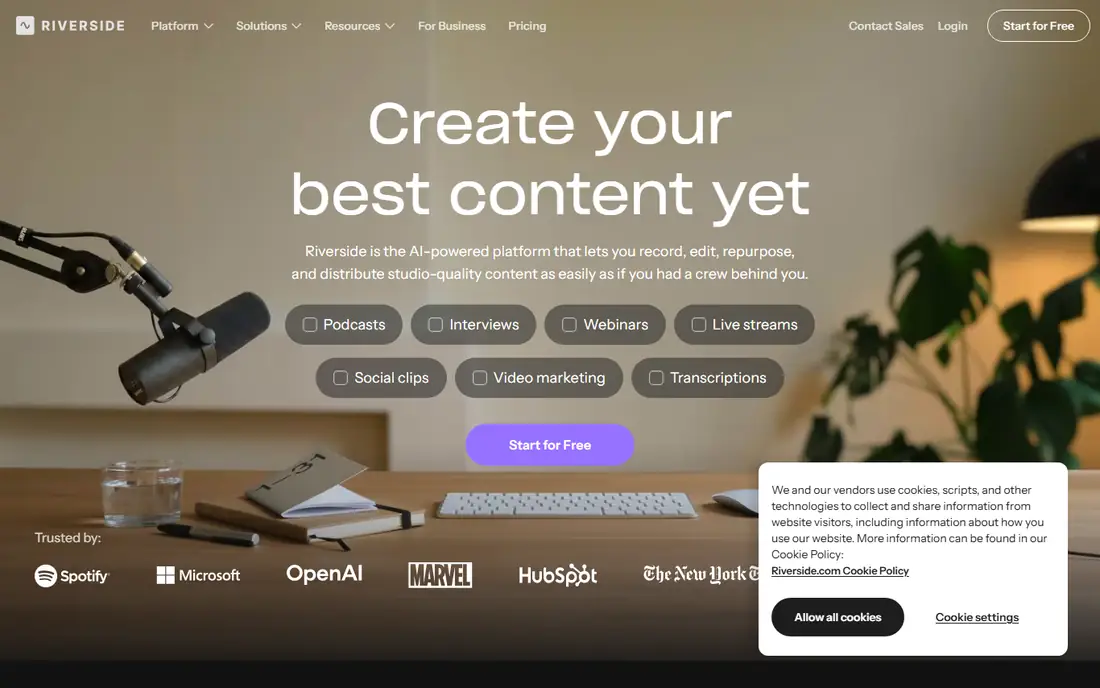
Riverside is the strongest Podcastle alternative for remote interviews. Its vendor pages state local recording up to 4K video and 48 kHz audio in separate tracks, with guests joining by link and up to 9 guests stated on the recording page. Pro is $24 per month billed annually or $29 per month monthly. Text-based editing, clips, publishing, and built-in podcast hosting sit in the same account. That suits interview shows where one guest has weak internet, because local tracks protect audio quality. Separate tracks also make editing faster when speakers talk over each other.
The catch is that separate-track download limits are capped at 15 hours on Pro, 20 on Grow, and 25 on Webinar. Pick Riverside if guest audio quality is your main reason for switching. Look elsewhere if your team needs collaborative editing on a lower plan, since that is Business-only unless editor seats are added as add-ons. Count monthly recording hours before you choose a tier.
What we like- Local recording up to 4K video and 48 kHz audio in separate tracks
- Guests join by link, with up to 9 guests stated
- Text-based editing, clips, and podcast hosting included
Watch out for- Separate-track downloads capped at 15 hours on Pro
- Collaborative editing is Business-only unless editor seats are added
Starting priceSee website
Free planFree $0 stated, limits not stated
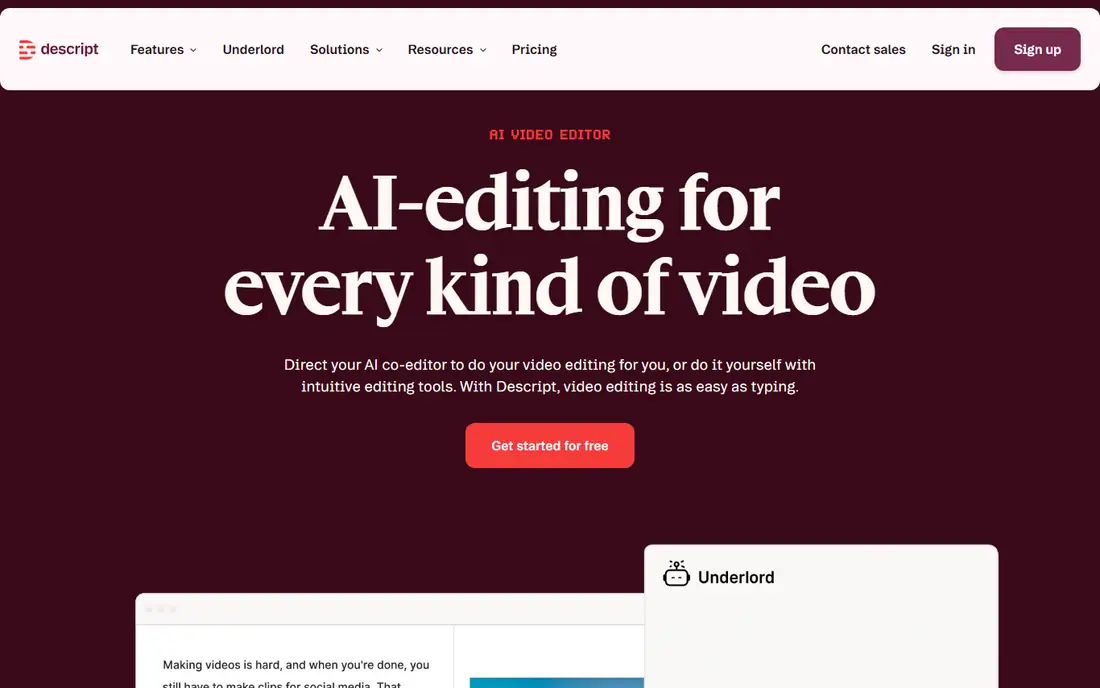
Descript suits creators who edit audio and video by editing text. Its vendor pages name text-based editing from a transcript, Studio Sound noise removal and voice enhancement, and tools to record, transcribe, edit, make clips, and publish in one place. The fetched pricing text showed Free at $0 but no paid-plan dollar amounts, so the starting price is See website. Hobbyist limits are stated at 10 media hours per month and 400 AI credits per month. That fits solo creators and small teams that cut filler, rearrange segments, and publish clips from the same project.
The catch is that media hours and AI credits cap how much you can process, and Creator and Business are per-person team plans billed separately. Pick Descript if transcript editing is the workflow you want most. Look elsewhere if you need published paid pricing before signup, or if remote guest recording quality matters more than editing. Check current plan prices and credit top-up rules on the pricing page.
What we like- Text-based editing from a transcript
- Studio Sound noise removal and voice enhancement
- Record, transcribe, edit, make clips, and publish in one place
Watch out for- Hobbyist capped at 10 media hours per month and 400 AI credits
- Creator and Business are per-person plans billed separately
Starting priceSee website
Free planVibecastr Free, 6 participants, 5 shows, 4 seats
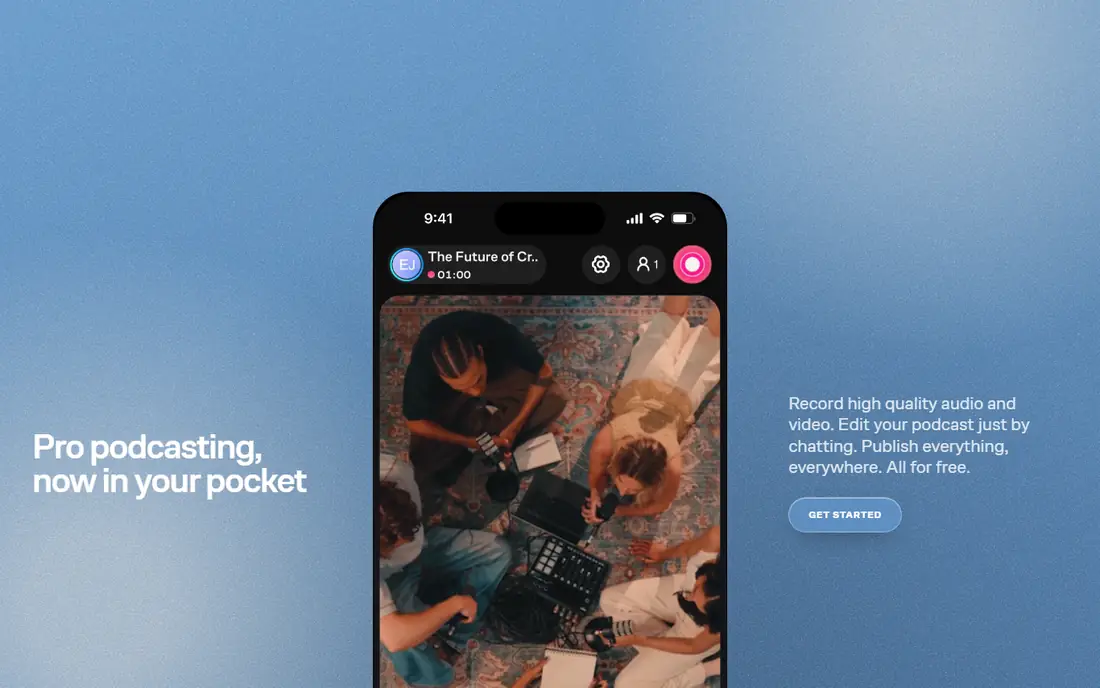
Zencastr suits beginners who want remote recording, transcription, and hosting without paying first. Its Vibecastr Free plan lists 6 participants, 5 podcast shows, 4 seats, and unlimited separate recording, download, and transcription hours. Vendor pages name 4K video, 48 kHz WAV recording, local recording, progressive uploading, and cloud backups, plus text-based and multi-track editing. That covers a new interview show end to end, from guest recording to editing and publishing. The paid tier is shown as Enterprise Custom in the fetched pricing text, so the starting price is See website.
The catch is that free caps still apply to participants, shows, and seats, and streaming quality is listed as 1080p with transcription in 11 languages. Pick Zencastr if a free separate-track recorder is your top need. Look elsewhere if you need published paid pricing, more languages, or a larger panel format. Confirm what the custom paid tier includes before your show outgrows the free caps.
What we like- Unlimited separate audio and video recording and download on Vibecastr
- 4K video, 48 kHz WAV, local recording, and cloud backups
- Unlimited transcription hours with text-based editing
Watch out for- Free plan caps at 6 participants, 5 shows, and 4 seats
- Video streaming quality listed as 1080p and transcription languages as 11
Starting priceSee website
Free planFree, 1 recording hour per editor per month, 720p exports
SquadCast suits hosts who want guests to join with no account or download. Its vendor pages name local separate-track recording with Progressive Uploads and cloud backups, at 48 kHz, 16-bit WAV. The Free plan includes 1 recording hour per editor per month, 1 show, 10 participants, 1 integration, and 1 transcription hour per editor per month, with exports up to 720p and watermarks. The fetched pricing text showed Creator at $24 but no cheaper Hobbyist dollar price, so the starting price is See website. That fits hosts testing guest recording before paying.
The catch is that Free stops at 1 recording hour per editor per month, and extra recording time costs $5 per additional hour. Pick SquadCast if guest ease and local tracks matter most. Look elsewhere if you publish weekly long interviews, need unwatermarked exports, or want a published entry price. Rollover is capped at twice the monthly plan hours, so unused hours do not build up without limit.
What we like- Local separate-track recording with Progressive Uploads and cloud backups
- Guests need no account or download
- 48 kHz, 16-bit WAV recording
Watch out for- Free limited to 1 recording hour per editor per month with watermarked exports
- Extra recording time costs $5 per additional hour
Starting price$20.58/m billed annually, sale price
Free planTrial, up to 2 hours processing
Alitu suits beginners who want production handled in one place. Its vendor pages name automatic background-noise removal, professional mixing, mastering, and EQ, with recording or upload, then editing by text or waveform. One-click publishing, hosting, transcripts, show notes, and podcast website tools are included. The pricing page shows $20.58 per month billed annually as a sale price, with the plan name not shown in the fetched text. A trial with up to 2 hours of processing and full access is stated, though vendor pages conflict on length, showing 7-day in the pricing FAQ and 14-day on the landing page.
The catch is that there is no permanent free plan, and included hosting is free only up to 1,000 downloads per month, then $10 for up to 10,000 downloads per month. Pick Alitu if you want cleanup, editing, and publishing without learning separate tools. Look elsewhere if you need a free plan, guest recording depth, or a non-sale price. Confirm the trial length and renewal price before you publish.
What we like- Automatic noise removal, mixing, mastering, and EQ
- Record or upload, then edit with text or waveform
- One-click publishing, hosting, transcripts, and show notes
Watch out for- No permanent free plan, trial capped at 2 hours of processing
- Hosting free only up to 1,000 downloads per month
Starting priceSee website
Free planNone found on vendor page
Adobe Podcast suits creators who record in the browser and want voice cleanup first. Its vendor pages name Enhance Speech for removing background noise and echo, and Studio for solo or remote guest recording with individual tracks in 16-bit 48k WAV. Text-based editing uses Premiere Pro transcription. The plans page fetched text shows Firefly Pro and a free trial prompt but no dollar price or exact free limits, so the starting price is See website. Studio is labeled Studio BETA on the Enhance page. That fits Adobe users who want cleanup inside a familiar account.
The catch is that Firefly Pro Enhance is capped at up to 4 hours per day, with files up to 2 hours and 1 GB. Pick Adobe Podcast if browser cleanup and Adobe account access fit your workflow. Look elsewhere if you need published podcast pricing, clear free limits, or a finished non-beta studio. Check what your current Adobe plan includes before paying for another tier.
What we like- Enhance Speech removes background noise and echo in the browser
- Studio records solo or remote guests with individual tracks
- Text-based editing uses Premiere Pro transcription
Watch out for- Plans page shows no dollar price or exact free limits
- Firefly Pro Enhance capped at 4 hours per day
Starting priceSee website
Free planFree up to 2 hours of audio each month
Auphonic suits podcasters who record elsewhere and want mastering handled after the edit. Its vendor pages name an Intelligent Leveler that balances speakers, music, and speech, plus noise and reverb reduction, filtering, and enhancement. Multitrack tools include ducking, a noise gate, mic-bleed removal, loudness specs, Speech2Text, shownotes, and chapters. The free plan covers up to 2 hours of audio each month. Pricing plan tables rendered without dollar amounts in the fetched text, so the starting price is See website. That fits shows with uneven guest levels and little time for manual mixing.
The catch is that free productions include a jingle, and recurring credits reset monthly and do not roll over. Pick Auphonic if loudness and leveling are your main post-production pain. Look elsewhere if you need recording, guest tracks, or editing in the same tool. Billing has a 3-minute minimum, and batch productions and watch folders are premium-only, so check credit math for long episodes.
What we like- Intelligent Leveler balances speakers, music, and speech
- Noise and reverb reduction plus filtering and enhancement
- Multitrack ducking, loudness specs, and chapters
Watch out for- Free productions include a jingle
- Recurring credits reset monthly and do not roll over
Starting priceSee website
Free plan30 minutes of free credits, no credit card required
Cleanvoice suits editors who want filler and noise removed before manual editing. Its vendor pages state it removes filler words, stutters, long pauses, breaths, mouth sounds, echo, distortion, and background noise, with multitrack edits staying in sync. Timeline export to Audition, DaVinci Resolve, REAPER, or Audacity keeps your editor in the workflow. The free offer is 30 minutes of free credits with no credit card required. The fetched pricing body did not show dollar plan amounts, so the starting price is See website. That fits interview shows with heavy filler and uneven room sound.
The catch is that original and edited files are deleted automatically 7 days after processing, and guest uploads within 4 hours. Pick Cleanvoice if cleanup speed matters more than recording or hosting. Look elsewhere if you need long file retention, published dollar pricing, or editing inside the same tool. Billing is by audio duration with a 1-minute minimum and rounding up, and prices are listed without VAT.
What we like- Removes filler words, stutters, pauses, and background noise
- Multitrack edits stay in sync
- Timeline export to Audition, DaVinci Resolve, REAPER, or Audacity
Watch out for- Files deleted automatically 7 days after processing
- Billing by audio duration with 1-minute minimum and rounding up
#9
VEED
Best for: Browser video editing with subtitles
Visit veed.io
Starting priceCreator $12.25/month billed annually
Free planFree $0, watermarked videos, subtitles 10 min/month
VEED suits video podcasters who publish clips with subtitles. Its vendor pages name browser AI video creation and editing, auto subtitles and translation, brand kits, and AI tools on paid plans. Creator is $12.25 per month billed annually, billed $147 once a year, or $25 per month monthly. Free is $0 with watermarked videos, unlimited exports, subtitles at 10 minutes per month, and 50 AI credits per month. That fits creators who turn episodes into captioned clips for social platforms. It is an editor first, so remote guest recording still needs a recorder.
The catch is that pricing is per editor seat, so a 3-editor team pays 3 times the seat price, and AI credits do not carry over. Pick VEED if subtitles and browser video editing are your main gap. Look elsewhere if you need separate-track guest recording or audio-first cleanup. The enterprise free trial requires a minimum of 3 users, so solo creators should test the Free plan limits first.
What we like- Browser AI video creation and editing
- Auto subtitles and translation
- Brand kits and AI tools on paid plans
Watch out for- Pricing is per editor seat and multiplies by editors
- AI credits do not carry over and Free is watermarked
Starting priceFree
Free planFree and open source
Audacity suits podcasters who want free manual editing with no subscription. Its homepage FAQ states the software is free and open source, running on Windows, MacOS, and Linux. Vendor pages name support for major audio formats, VST3 and Nyquist plugins, Spectrogram view, and Vamp analyzers. There is no separate pricing page, because the core product is free. That fits editors who record with another tool, then cut, clean, and master by hand. It pairs well with a free recorder such as Zencastr or a cleanup tool such as Auphonic, since Audacity does not record remote guests.
The catch is that Audacity is a desktop download, not a browser recording or hosting workflow. Pick Audacity if zero cost and manual control matter most. Look elsewhere if you need guest recording, AI cleanup, transcripts, or one-click publishing. Collaboration, versioned backups, sharing, and publishing are presented through the separate Audio.com companion, so plan your file workflow before a team edit.
What we like- Free and open source with no trial limits
- Runs on Windows, MacOS, and Linux
- Supports major formats, plugins, and Spectrogram view
Watch out for- Desktop download, not a browser recording or hosting workflow
- Collaboration and publishing sit in the separate Audio.com companion
Recording or editing: which gap should you fill first?
Fill the recording gap first if guest audio is your weak point, because editing cannot restore a track that was never captured cleanly. Riverside and Zencastr record local separate tracks, which protect quality when a guest connection drops. SquadCast also records local tracks and needs no guest download. Fill the editing gap first if recording is already clean: Descript edits by transcript, VEED adds subtitles and clips, and Audacity gives free manual control. Fill the cleanup gap if levels and noise are the problem: Auphonic levels and masters, Cleanvoice removes filler, and Adobe Podcast Enhance Speech cleans voices in the browser. Price the gap you have. A free recorder plus free editing can cost $0, while a $24 recorder plus a $12.25 editor costs about $36 per month before credits.
Which Podcastle alternative is best for remote interviews?
Riverside is the best fit for remote interviews that need separate tracks and published pricing, with Pro at $24 per month billed annually. Zencastr is the best free start, with Vibecastr Free covering 6 participants, 5 shows, and unlimited separate recording hours. SquadCast suits hosts whose guests resist downloads, with local tracks and a Free plan capped at 1 recording hour per editor per month. Choose Riverside for weekly interview shows, Zencastr for a new show testing demand, and SquadCast when guest ease beats recording hours. All three record local tracks, so guest internet quality matters less than with a single mixed recording.
Which Podcastle alternative is best for beginners?
Alitu and Zencastr fit beginners best, for different reasons. Alitu handles noise removal, mixing, mastering, editing, publishing, and hosting in one place at $20.58 per month billed annually as a sale price, with a trial capped at 2 hours of processing. Zencastr is free to start and covers recording, transcription, editing, and hosting, with caps of 6 participants and 5 shows. Beginners who fear editing should pick Alitu. Beginners who fear spending before episode 5 should pick Zencastr, then add Audacity free for manual fixes. Confirm Alitu trial length, since vendor pages show both 7-day and 14-day.
How much do Podcastle alternatives cost?
Published entry prices in this list are $24 per month billed annually for Riverside Pro, $20.58 per month billed annually for Alitu as a sale price, $12.25 per month billed annually for VEED Creator, and $0 for Audacity. Descript, Zencastr, SquadCast, Adobe Podcast, Auphonic, and Cleanvoice showed no usable entry dollar price on the opened pricing text. Free limits change the real cost: Zencastr Free allows unlimited separate recording hours, SquadCast Free stops at 1 hour per editor per month, Auphonic gives 2 free hours monthly, and Cleanvoice gives 30 free minutes. Count recording hours, editors, and subtitle minutes before comparing.
Frequently asked questions
What is the best Podcastle alternative overall?
Riverside is the strongest overall alternative for interview shows, with Pro at $24 per month billed annually, local separate tracks up to 4K video and 48 kHz audio, and text-based editing with hosting. Descript fits creators who edit by transcript. Zencastr fits beginners who want free recording first. Match the pick to your recording, editing, or cleanup gap.
Which Podcastle alternative is free?
Zencastr Vibecastr Free is the strongest free recorder here, with 6 participants, 5 shows, 4 seats, and unlimited separate recording and transcription hours. Audacity is free and open source for manual editing. Auphonic gives 2 free hours monthly with a jingle, and Cleanvoice gives 30 free minutes. SquadCast Free stops at 1 recording hour per editor per month.
Is Descript better than Podcastle for editing?
Descript fits creators who edit by transcript, with Studio Sound noise removal and tools to record, transcribe, edit, make clips, and publish in one place. Hobbyist is capped at 10 media hours and 400 AI credits per month. Paid dollar prices were not shown in the fetched pricing text, so check current plan prices before switching for editing alone.
Which tool is best for cleaning podcast audio?
Auphonic is best for leveling and mastering, with an Intelligent Leveler, noise reduction, and 2 free hours each month. Cleanvoice is best for removing filler words, pauses, and mouth sounds, with 30 free minutes. Adobe Podcast Enhance Speech cleans voices in the browser. Use cleanup after recording, not instead of separate guest tracks.
Do I need separate recording and editing tools?
Many podcasters do. Riverside, Zencastr, and SquadCast record separate guest tracks, while Descript, VEED, and Audacity focus on editing. Alitu combines cleanup, editing, publishing, and hosting for beginners. A free stack of Zencastr plus Audacity costs $0, while Riverside Pro at $24 plus VEED Creator at $12.25 costs about $36 per month billed annually.
What to look for before you buy
First, decide whether your gap is recording, editing, cleanup, or publishing, and test that job on a real episode. Second, count monthly recording hours, guests, editors, and subtitle minutes against plan caps. Third, confirm separate-track downloads, export quality, and watermark rules on free plans. Fourth, check file retention and export formats, since some tools delete files within days. Fifth, total seat pricing, credits, extra hours, and renewal prices after any sale rate.
How we chose
We ranked tools by recording quality claims on vendor pages, free plan limits, published pricing, and the job each tool does best. Prices and facts were checked on vendor pricing and feature pages on 2026-11-29. Where opened pricing text showed no usable entry dollar price, the price is See website. We did not claim hands-on testing or use third-party prices as listed prices.
Sources we checked (10)
- https://riverside.com/pricing
- https://www.descript.com/pricing
- https://zencastr.com/pricing
- https://squadcast.fm/pricing
- https://alitu.com/pricing
- https://podcast.adobe.com/en/plans
- https://auphonic.com/pricing
- https://cleanvoice.ai/pricing/
- https://www.veed.io/pricing
- https://www.audacityteam.org/
Is your product missing or out of date?
We review this list regularly. Vendors can request a listing, send updated pricing or ask about featured placement.

Shihab Mia · Founder, Rankite
Shihab has 5+ years in B2B and SaaS SEO. He writes Rankite's software buying guides from pricing pages, documentation and public user reviews. More about Shihab.