How we make this list: we compare pricing pages, product documentation and public user reviews. Ratings come from G2, Capterra or Trustpilot, with the date we checked them.
What is Audacity and why do editors look for an alternative?
Audacity is a free, open source, multitrack audio editor and recorder for Windows, macOS and Linux. It handles cutting, copying, pasting, noise reduction, compression, equalization and pitch shifting, and it supports VST and AU plugins. Editors look for an alternative for three reasons. The first is workflow: Audacity edits destructively in places and its interface feels dated next to modern editors, so a team that edits every day may want a smoother tool. The second is scope: Audacity is an editor, not a full music production DAW, so a musician who wants virtual instruments, MIDI editing and mixing needs a different product. The third is restoration: podcasters and broadcast editors who need spectral editing, advanced noise reduction and loudness metering often move to Adobe Audition or Pro Tools.
How much do Audacity alternatives cost in 2026?
Some tools are free, some charge per month, and some charge once. The table below uses the entry price each vendor publishes.
| Tool |
Starting price, checked 16 Nov 2026 |
What the price buys |
| Adobe Audition |
$22.99 per month on an annual plan |
Single app, waveform, spectral and multitrack editing |
| REAPER |
$60 one time |
Discounted license, full DAW with free updates through version 8.99 |
| GarageBand |
Free |
Full music studio included with every Mac, iPhone and iPad |
| Logic Pro |
$199.99 one time |
Full Mac DAW with instruments, loops and mixing |
| Pro Tools |
Free for Intro; Artist $9.99 per month |
Intro, 8 audio tracks; Artist, 32 audio tracks |
| Ocenaudio |
Free |
Lightweight waveform editor for Windows, macOS and Linux |
| WavePad |
Free for non commercial use; Standard $60 per year |
Free editor; Standard adds commercial use and more features |
| Ardour |
From $1 per month subscription |
Ready to run binaries for Linux, macOS and Windows |
Three of the eight tools here are completely free: GarageBand, Ocenaudio and Pro Tools Intro, and Audacity itself is free too, so a buyer who only needs basic editing should not pay anything. REAPER at $60 one time is the cheapest paid professional tool, and it includes every update through version 8.99. Logic Pro at $199.99 one time is the best value for Mac owners who want a full DAW, since Apple has never charged for an update.
Which Audacity alternative fits your editing job?
Podcast and voice editors should start with Ocenaudio or Adobe Audition. Ocenaudio is free, opens fast, previews effects in real time and handles single file edits with little friction. Adobe Audition adds spectral editing, advanced noise reduction, the Essential Sound panel and loudness metering, which matter when a podcast must meet a broadcast standard. Music producers should start with REAPER, Logic Pro or Pro Tools. REAPER costs $60 once and has no track limit, Logic Pro costs $199.99 once and includes a huge instrument library, and Pro Tools Artist costs $9.99 a month with 32 audio tracks.
What should you check before you switch from Audacity?
Check the platform first, since GarageBand and Logic Pro run only on Apple devices and a Windows user cannot open their projects. Check whether the tool edits destructively or non destructively, since Audacity applies many effects permanently while Ocenaudio, REAPER and Adobe Audition preview effects in real time before you commit. Check plugin support, since Audacity supports VST and AU plugins and a buyer with a plugin collection should confirm the new tool loads the same formats. Check the license terms, since REAPER discounted license applies only to personal use or businesses under $20,000 a year in gross revenue, and WavePad free is for non commercial use only.
How we picked these 8 Audacity alternatives
We picked tools that replace the core of what Audacity does, which is recording, editing and exporting audio. Each tool is a live product with an official website that loads, an audio editing or production product, and a pricing page or a free download we could verify on 16 November 2026. Audacity itself is not listed, since this guide is about replacing it.
Quick comparison
| Tool | Best for | Starting price | Free plan |
|---|
 Adobe Audition | Podcasters and broadcast editors who need restoration tools | $22.99 per month on an annual plan billed monthly, checked 16 Nov 2026 | No free plan; 7 day free trial |
 REAPER | Editors and producers who want a full DAW for a one time price | $60 one time for a discounted license, checked 16 Nov 2026 | No free plan; 60 day fully functional evaluation |
 GarageBand | Mac and iPhone owners who want a free first studio | Free, included with every Mac, iPhone and iPad, checked 16 Nov 2026 | Yes, free, with no time limit |
 Logic Pro | Mac musicians who want a full professional DAW for one payment | $199.99 one time, checked 16 Nov 2026 | No free plan; 90 day free trial |
 Pro Tools | Studios that need compatibility with other professional studios | Free for Pro Tools Intro; Artist $9.99 per month or $99 per year, checked 16 Nov 2026 | Pro Tools Intro, free, with 8 audio tracks |
 Ocenaudio | Editors who want the fastest free waveform editor | Free, checked 16 Nov 2026 | Yes, free, with no time limit |
 WavePad | Home users who want a full editor on Windows, Mac or a phone at no cost | Free for non commercial use; Standard $60 per year, checked 16 Nov 2026 | Yes, free for non commercial use, with no expiry |
 Ardour | Linux users and open source fans who want a full DAW | From $1 per month subscription for ready to run binaries, checked 16 Nov 2026 | Free to build from source code; demo available |
Is your product missing or out of date?
We review this list regularly. Vendors can request a listing, send updated pricing or ask about featured placement.
The 8 best Audacity alternatives
#1Adobe Audition
Best for: Podcasters and broadcast editors who need restoration tools4.4/5 on
G2 (420 reviews, checked Oct 2026)
Visit adobe.com
Starting price$22.99 per month on an annual plan billed monthly, checked 16 Nov 2026
Free planNo free plan; 7 day free trial
Adobe Audition is the professional option for restoration and post production. It combines waveform, spectral and multitrack views in one app, with professional noise reduction, click removal and the Essential Sound panel for quick, consistent dialogue and music cleanup. The single app plan costs $22.99 a month on an annual plan, or $34.49 a month without the annual commitment, and Audition is also included in Creative Cloud Pro. Audition is the right pick when audio quality and broadcast standards matter more than the monthly cost.
What we like- Spectral editing and advanced noise reduction
- Essential Sound panel for fast dialogue cleanup
- Remix tool fits music to a duration
Watch out for- Subscription only, with no perpetual license
- Month to month plan costs $34.49 a month
- No free tier beyond the trial
#2REAPER
Best for: Editors and producers who want a full DAW for a one time price4.5/5 on
G2 (28 reviews, checked Oct 2026)
Visit reaper.fm
Starting price$60 one time for a discounted license, checked 16 Nov 2026
Free planNo free plan; 60 day fully functional evaluation
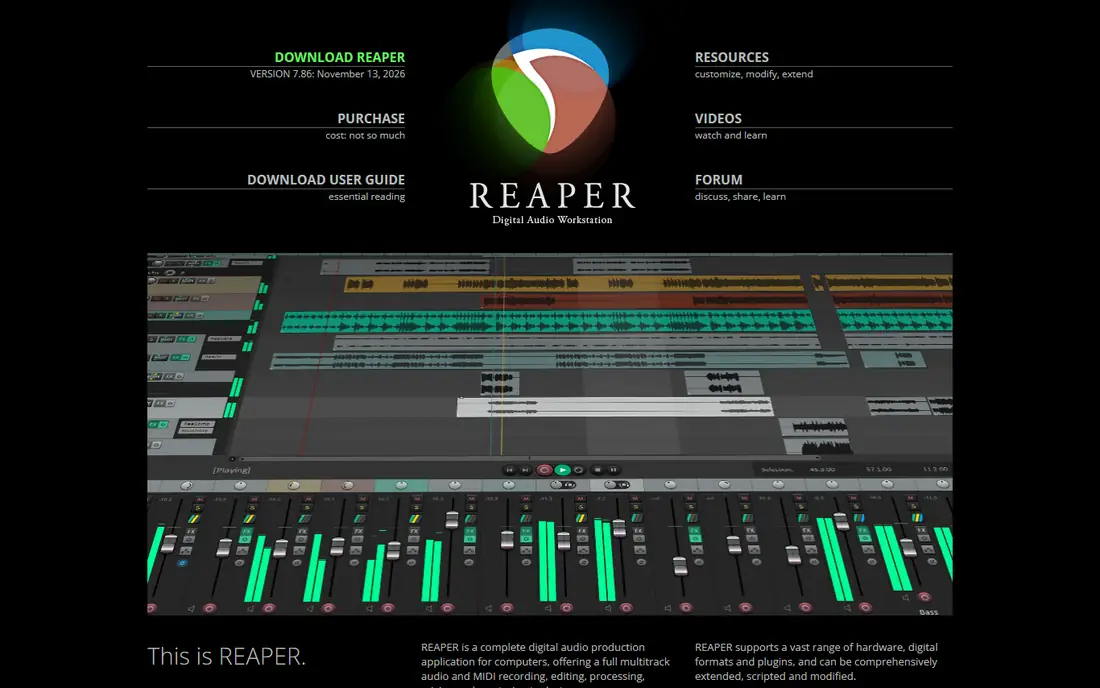
REAPER is the best value paid tool in this list. It is a full digital audio workstation with multitrack recording, MIDI editing, mixing, automation and plugin support, and it costs $60 once for a discounted license, or $225 once for a commercial license. The discounted license applies to individuals, educational users and businesses under $20,000 a year in gross revenue, and a new license includes free updates through version 8.99. The weakness is the interface: REAPER looks plain out of the box and needs themes and setup to feel comfortable, and it ships with almost no virtual instruments, so a musician must bring their own.
What we like- Full professional DAW for $60
- No track limit
- Small, fast and highly customizable
Watch out for- Interface looks plain and needs setup
- No included instrument library like Logic Pro
- Learning curve is steep
#3GarageBand
Best for: Mac and iPhone owners who want a free first studio4.3/5 on
G2 (277 reviews, checked Oct 2026)
Visit apple.com
Starting priceFree, included with every Mac, iPhone and iPad, checked 16 Nov 2026
Free planYes, free, with no time limit
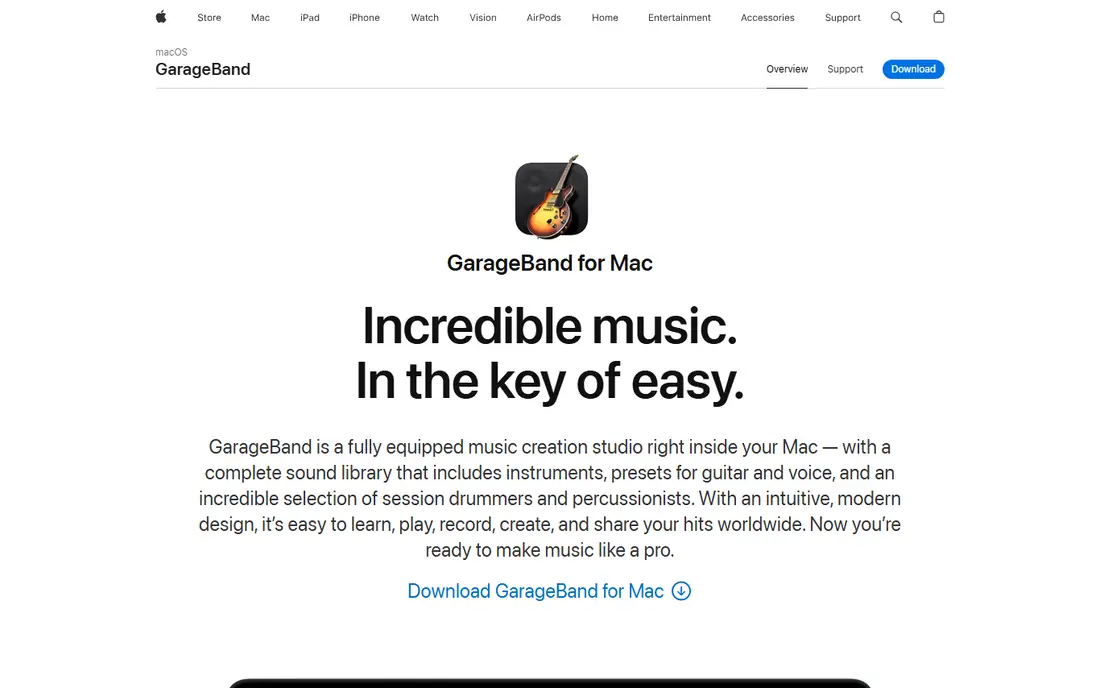
GarageBand is the easiest starting point for anyone in the Apple ecosystem. It comes free with every Mac, iPhone and iPad, and it covers voice recording, podcasting and music demos with multitrack mixing, built in loops, virtual instruments and simple effects. A beginner can record a song or a podcast episode without buying anything extra, and the projects open directly in Logic Pro when the user is ready to upgrade. The limits are platform and depth: GarageBand runs only on Apple devices, so a collaborator on Windows cannot open the same project, and advanced producers will outgrow its track and plugin limits. GarageBand is the reason Mac owners rarely need to shop for a recorder, and it is the free tool every paid Mac audio editor must beat.
What we like- Free and already installed
- Multitrack recording, loops and virtual instruments
- Easy path to Logic Pro
Watch out for- Mac and iOS only
- Fewer tracks, plugins and mixing controls than paid DAWs
- Projects do not open on Windows
#4Logic Pro
Best for: Mac musicians who want a full professional DAW for one payment4.6/5 on
G2 (177 reviews, checked Oct 2026)
Visit apple.com
Starting price$199.99 one time, checked 16 Nov 2026
Free planNo free plan; 90 day free trial
Logic Pro is the upgrade path from GarageBand and one of the best software values in music production. For $199.99 once, you get a full professional DAW with an enormous library of instruments, loops and effects, plus Flex Time and Flex Pitch, Live Loops, spatial audio mixing and a full mixing console. The catch is the platform lock: Logic Pro runs only on Mac, and the current version needs Apple silicon and macOS 26.1 or later, so an older Intel Mac cannot run it. For a Mac owner who wants a full studio without a subscription, Logic Pro is the strongest buy once option available.
What we like- Huge library of instruments, loops and effects
- Flex Time and Flex Pitch
- Apple has never charged for an update
Watch out for- Mac only, with no Windows version
- Depth can overwhelm a beginner
- Current version needs Apple silicon and macOS 26.1 or later
#5Pro Tools
Best for: Studios that need compatibility with other professional studios4.3/5 on
G2 (122 reviews, checked Oct 2026)
Visit avid.com
Starting priceFree for Pro Tools Intro; Artist $9.99 per month or $99 per year, checked 16 Nov 2026
Free planPro Tools Intro, free, with 8 audio tracks
Pro Tools is the common language of professional studios and post production. A session recorded in Pro Tools opens in any studio in the world, which is why film, broadcast and large music studios standardize on it. Intro is free with 8 audio tracks, Artist costs $9.99 a month or $99 a year with 32 audio tracks, Studio costs $34.99 a month or $299 a year with 512 audio tracks, and Ultimate costs $99 a month or $599 a year with 2,048 audio tracks and full post production workflows. The weakness is the tiering: Artist caps at 32 tracks and lacks AAF and OMF import, so a working studio usually needs Studio. For a buyer who must exchange sessions with other studios, Pro Tools is the only safe choice.
What we like- Industry standard for studios and post production
- Session files open in any studio
- 30 day trial on paid tiers
Watch out for- Artist caps at 32 audio tracks
- Studio costs $34.99 a month
- Perpetual licenses only through resellers
Starting priceFree, checked 16 Nov 2026
Free planYes, free, with no time limit
Ocenaudio is the most direct free replacement for Audacity. It is a lightweight waveform editor for Windows, macOS and Linux that opens fast, edits a single voice track with little friction, and previews effects in real time, so you hear noise reduction or EQ before you apply it. The weakness is scope: Ocenaudio is not a full multitrack production environment, so a user who layers many tracks or works with MIDI needs a DAW instead. It is also simpler than Audacity in places, with fewer advanced tools. For a voice editor who finds Audacity heavy and only needs fast, clean single file edits, Ocenaudio is the quickest free answer.
What we like- Opens fast and edits a single file with little friction
- Real time effect preview
- Supports VST plugins
Watch out for- Not a full multitrack production environment
- No built in instruments
- Fewer advanced tools than Audacity
#7WavePad
Best for: Home users who want a full editor on Windows, Mac or a phone at no cost4.3/5 on
G2 (34 reviews, checked Oct 2026)
Visit nch.com.au
Starting priceFree for non commercial use; Standard $60 per year, checked 16 Nov 2026
Free planYes, free for non commercial use, with no expiry
WavePad is a waveform editor and recorder from NCH Software that runs on Windows, macOS, iOS and Android. The free version is for non commercial use, does not expire, and includes many of the paid features, with extra Master Edition features enabled for a 14 day trial after installation. The Standard Edition Annual Plan costs $60 a year and adds commercial use, while the Master Edition Annual Plan costs $99 a year and adds full VST plugin support and the SFX Library. The weakness is the licensing: a business must pay for the Standard or Master Edition, and the Standard Edition excludes VST support and the sound effects library. For a home user who wants a free editor on any device, WavePad is a solid choice.
What we like- Free version does not expire
- Runs on Windows, macOS, iOS and Android
- Batch processing included
Watch out for- Free version is non commercial only
- Standard excludes VST support and the SFX Library
- Interface feels dated
#8Ardour
Best for: Linux users and open source fans who want a full DAW4.1/5 on
G2 (11 reviews, checked Oct 2026)
Visit ardour.org
Starting priceFrom $1 per month subscription for ready to run binaries, checked 16 Nov 2026
Free planFree to build from source code; demo available
Ardour is the open source DAW for editors who like Audacity philosophy but need a full production environment. It is a multitrack audio and MIDI workstation for recording, editing, mixing and mastering on Linux, macOS and Windows, with non destructive editing, automation and plugin support. The source code is free to build, and ready to run binaries are available through a subscription from $1 a month, with higher tiers at $4, $10 and $50 a month and an annual subscription at $120 a year. The weakness is polish: the interface is technical, the tutorial ecosystem is smaller than REAPER or Pro Tools, and the subscription model confuses buyers who expect a free download.
What we like- Open source like Audacity
- Full multitrack DAW with MIDI
- Runs natively on Linux, macOS and Windows
Watch out for- Ready binaries need a subscription
- Interface is technical and less polished
- Smaller plugin and tutorial ecosystem
Which Audacity alternative should you pick?
If you want the closest free replacement for Audacity, pick Ocenaudio, which edits a single file faster with real time effect previews. If you own a Mac, pick GarageBand, which is free and already installed, and move to Logic Pro at $199.99 once when you outgrow it. If you want a professional DAW for the lowest price, pick REAPER at $60 once, and if you need studio compatibility, pick Pro Tools, starting with the free Intro tier. Check the platform, the license terms and the update model before you buy.
Frequently asked questions
Is Ocenaudio really free?
Yes, Ocenaudio is free with no time limit and no paid tier. The trade off is scope: it is a single file waveform editor, not a full multitrack DAW, so a user who layers many tracks or works with MIDI needs REAPER, Logic Pro or Pro Tools instead.
Can REAPER replace Audacity for podcast editing?
Yes, REAPER can replace Audacity for podcast editing, and many podcasters prefer it for multitrack work, automation and plugin support. It costs $60 once for a discounted license, with a 60 day fully functional trial, and it includes free updates through version 8.99.
Is GarageBand enough for music production?
GarageBand is enough for demos, first songs and simple voice and music projects, with multitrack recording, loops and virtual instruments included free. A producer who needs more tracks, more plugins, deeper mixing and Flex tools will outgrow it and should move to Logic Pro at $199.99 once, which opens GarageBand projects directly.
Does Adobe Audition have a perpetual license?
No, Adobe Audition is available only by subscription, with no one time purchase. The single app plan costs $22.99 a month on an annual plan billed monthly, or $34.49 a month without the annual commitment. The app stops opening when the subscription ends, so a buyer who wants to own their editor should pick REAPER, Logic Pro or Pro Tools perpetual instead.
Is Pro Tools Intro really free?
Yes, Pro Tools Intro is free with 8 audio tracks, 8 instrument tracks and basic editing and mixing. It suits a beginner who wants to learn the Pro Tools workflow before paying. Artist costs $9.99 a month or $99 a year with 32 audio tracks, Studio costs $34.99 a month or $299 a year with 512 audio tracks, and Ultimate costs $99 a month or $599 a year with 2,048 audio tracks and full post production tools.
Sources we checked (9)
- https://www.adobe.com/products/audition.html
- https://www.reaper.fm/purchase.php
- https://www.apple.com/mac/garageband
- https://www.apple.com/logic-pro
- https://www.avid.com/pro-tools
- https://www.ocenaudio.com
- https://www.nch.com.au/wavepad
- https://ardour.org
- https://www.audacityteam.org
Is your product missing or out of date?
We review this list regularly. Vendors can request a listing, send updated pricing or ask about featured placement.

Shihab Mia · Founder, Rankite
Shihab has 5+ years in B2B and SaaS SEO. He writes Rankite's software buying guides from pricing pages, documentation and public user reviews. More about Shihab.