How we make this list: we compare pricing pages, product documentation and public user reviews. Ratings come from G2, Capterra or Trustpilot, with the date we checked them.
Key takeaways
- LibreOffice is the best free desktop replacement for Word, Excel and PowerPoint, with strong format compatibility.
- Google Workspace suits teams that collaborate in real time and live in a browser.
- Zoho Workplace gives small businesses mail, docs, sheets and meetings in one low-cost bundle.
- ONLYOFFICE is the strongest pick for self-hosting or for teams that need exact Office formatting.
- WPS Office offers a familiar Office-style interface with a capable free tier for individuals.
Microsoft 365 is the default office suite, but it is not the only capable one. Some users want a one-time purchase instead of a subscription. Others want a free suite, a privacy-focused option, or tools that run entirely in a browser. The eight suites below cover those needs, from desktop workhorses to cloud-first collaboration platforms.
Compatibility is the first thing to check. Most alternatives open and save Word, Excel and PowerPoint formats, but complex formatting, macros and tracked changes can shift in translation. If you exchange documents with Office users daily, test your trickiest files before switching. Prices below are marked "See website" where suites offer several editions or per-user pricing that changes often.
Quick comparison
Is your product missing or out of date?
We review this list regularly. Vendors can request a listing, send updated pricing or ask about featured placement.
The best Microsoft Office alternatives
Starting priceFree
Free planYes
LibreOffice is the long-running open-source office suite, and it remains the best free desktop replacement for Microsoft Office. Writer, Calc and Impress cover documents, spreadsheets and presentations, with Draw, Base and Math for diagrams, databases and formulas. Files open and save in Word, Excel and PowerPoint formats, and the suite runs on Windows, Mac and Linux without an account.
The trade-offs are polish and collaboration. The interface is functional rather than modern, and real-time co-editing is not as smooth as Google Workspace. For an individual or a small office that wants a capable suite with no subscription and no cloud dependency, LibreOffice is hard to beat.
What we like- Full word processor, spreadsheet and presentation apps
- Opens and saves Office formats
- No account or subscription needed
Watch out for- Interface looks dated next to modern suites
- Collaboration features lag cloud-first tools
Starting priceSee website
Free planFree trial
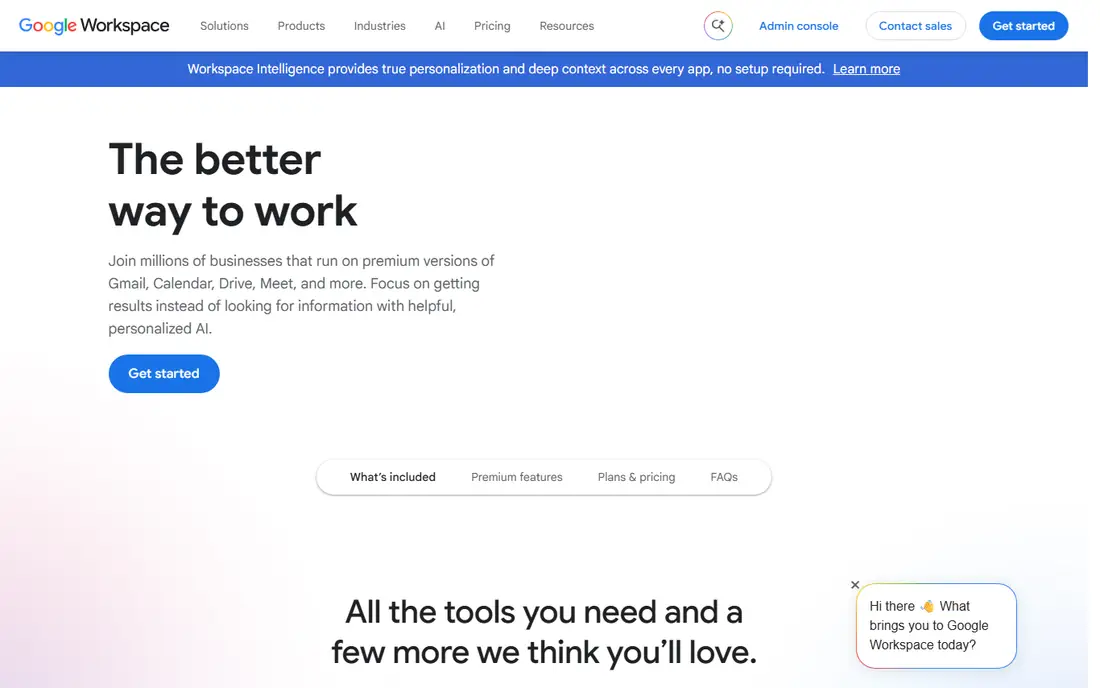
Google Workspace is the cloud-first alternative most teams know. Docs, Sheets and Slides let several people edit the same file at once, with comments, suggestions and version history built in. Gmail, Drive, Meet and Calendar come in the same bundle, so a small business can run its whole office from one account. Admin controls cover user management, security and device policies.
The weak points are offline use and power features. Docs and Sheets work offline with setup, but heavy Excel users will miss some advanced functions and macro support. For teams that collaborate constantly and live in a browser, Google Workspace is the most natural Office alternative.
What we like- Real-time collaboration in Docs, Sheets and Slides
- Gmail and Drive included
- Strong admin controls for businesses
Watch out for- Offline work needs setup
- Advanced spreadsheet features trail Excel
Starting priceSee website
Free planFree trial
Zoho Workplace bundles mail, word processing, spreadsheets, presentations, chat and video meetings into one subscription aimed at small businesses. Writer, Sheet and Show handle documents with real-time collaboration, and the bundle includes Zoho Cliq for team chat and Zoho Meeting for video calls. Per-user pricing is lower than the big two, which matters for growing teams.
The ecosystem is smaller. Third-party integrations are fewer than Google Workspace or Microsoft 365, and some users find the interface busy. For a small business that wants one vendor for mail and documents at a modest price, Zoho Workplace is a strong value choice.
What we like- Mail, docs, sheets, chat and meetings in one bundle
- Low per-user pricing
- Good mobile apps
Watch out for- Smaller ecosystem than Google or Microsoft
- Some integrations are thinner
Starting priceSee website
Free planYes
ONLYOFFICE is built around format fidelity. Its document, spreadsheet and presentation editors use Office formats natively, so files round-trip to Word, Excel and PowerPoint with less formatting drift than most rivals. Teams can self-host the collaboration server or use the cloud version, and desktop editors are free for individuals. The interface closely follows the Office ribbon style, which shortens the learning curve.
The suite is narrower than LibreOffice, with fewer side apps, and setting up self-hosted collaboration takes some technical skill. For teams that exchange Office files daily and cannot afford formatting surprises, ONLYOFFICE is the most faithful alternative here.
What we like- Excellent compatibility with Word, Excel and PowerPoint formats
- Self-hosting option
- Desktop and cloud editors
Watch out for- Smaller feature set than LibreOffice in some areas
- Collaboration needs a server setup

#5WPS Office
Best for: Familiar Office-style interface4.4/5 on
G2 (335 reviews, checked Oct 2026)
Visit wps.com
Starting priceSee website
Free planYes
WPS Office is popular worldwide because it feels familiar. The tabbed interface, ribbon layout and templates closely mirror Microsoft Office, so new users find their way quickly. Writer, Spreadsheet and Presentation cover the core trio, PDF editing is built in, and mobile apps are among the best in this category. The free tier is genuinely usable for everyday documents.
The free version shows ads, and some features, such as advanced PDF tools and extra cloud storage, need a premium plan. For individuals who want an Office-like experience without a subscription, WPS Office is the easiest switch.
What we like- Interface closely mirrors Microsoft Office
- Writer, Spreadsheet and Presentation plus PDF tools
- Capable mobile apps
Watch out for- Free tier includes ads
- Some advanced features need a premium subscription
Starting priceFree
Free planYes
Apple iWork gives Mac, iPad and iPhone users Pages, Numbers and Keynote free with their devices. Templates are attractive, Keynote is widely praised for presentation design, and iCloud collaboration lets several people edit together. Files export to Word, Excel and PowerPoint formats for sharing with Office users, and a web version runs in a browser through iCloud.
The limits are platform and compatibility. The full experience needs Apple hardware, and complex Office documents can shift formatting on export. For households and teams already on Apple devices, iWork costs nothing extra and covers everyday office work well.
What we like- Pages, Numbers and Keynote are free on Apple devices
- Beautiful templates
- Smooth iCloud collaboration
Watch out for- Apple devices only for the full experience
- Office format export can shift complex layouts
Starting priceFree
Free planYes
FreeOffice, from SoftMaker, is a free desktop suite for Windows, Mac and Linux that focuses on speed and compatibility. TextMaker, PlanMaker and Presentations handle documents, spreadsheets and slides, and Office formats open and save cleanly. The suite runs well on older hardware where heavier suites feel slow, and no account or subscription is required.
The feature set is slimmer than LibreOffice, with fewer specialised tools, and there is no built-in real-time collaboration. For a user with an older computer who wants a fast, free Office replacement for everyday files, FreeOffice is a practical pick.
What we like- Lightweight and fast on older computers
- Good Office format compatibility
- No account needed
Watch out for- Fewer features than LibreOffice
- No built-in cloud collaboration
Starting priceSee website
Free planYes
CryptPad is the privacy-first option. Documents, spreadsheets, presentations, whiteboards and polls are encrypted end to end, so even the service operator cannot read your files. Basic use needs no account, and the project is open source, which lets anyone audit the code. Teams that handle sensitive material, such as journalists or small clinics, value that design.
The trade-off is breadth. Formatting tools and templates are simpler than Office or Google, and large-team administration is thinner. For users whose priority is keeping documents private rather than matching every Office feature, CryptPad is the most trustworthy choice here.
What we like- End-to-end encrypted documents, sheets and presentations
- No account needed for basic use
- Open-source
Watch out for- Smaller feature set than mainstream suites
- Collaboration is simpler than Google Workspace
How we chose
We compared suites on their published features, format compatibility, collaboration tools, pricing pages and public reviews from users and IT teams. We favoured suites that open and save Office formats, cover the core trio of documents, spreadsheets and presentations, and offer a clear free or low-cost path. Prices were marked "See website" where vendors offer several editions or per-user pricing. We did not claim hands-on testing.
Switching without breaking your documents
Before switching, test your real files, not sample documents. Open your most complex spreadsheet, your most formatted report and your largest presentation in the new suite, then export them back to Office formats and check for drift. Pay attention to tracked changes, comments, conditional formatting and embedded charts, since these are where conversions fail.
Also check your macros. Suites vary widely in macro support, and Excel macros rarely run unchanged elsewhere. If your business depends on macros, keep a copy of Office for those files or rebuild the automation in the new suite. A staged switch, moving one team first, catches these problems before they spread.
Frequently asked questions
What is the best free alternative to Microsoft Office?
LibreOffice is the best free desktop alternative, with a full word processor, spreadsheet and presentation app and no account or subscription. Google Docs, Sheets and Slides are the best free cloud option for collaboration. Pick LibreOffice for offline desktop work and Google for browser-based teamwork.
Can LibreOffice open Microsoft Word and Excel files?
Yes. LibreOffice opens and saves Word, Excel and PowerPoint formats, and most everyday documents convert cleanly. Very complex formatting, macros and some advanced Excel functions may shift in translation, so test your most important files before switching fully.
Is Google Workspace cheaper than Microsoft 365?
Pricing varies by plan and region, and both charge per user per month for business tiers. Google Workspace business plans are often slightly cheaper at the entry level, while Microsoft 365 bundles desktop Office apps that Google does not offer. Compare the current pricing pages for your team size before deciding.
Can I use Office alternatives offline?
Yes, desktop suites like LibreOffice, WPS Office and FreeOffice work fully offline. Cloud suites like Google Workspace and Zoho Workplace offer offline modes with setup, but they are designed for connected use. If you often work without internet, a desktop suite is the safer choice.
Does ONLYOFFICE really keep Office formatting intact?
ONLYOFFICE uses Office formats natively, which reduces formatting drift compared with suites that convert on open and save. Complex documents still deserve a test, since no alternative matches Office perfectly, but for daily document exchange it is the most faithful option in this guide.
What is the most private Office alternative?
CryptPad is the most private option here, with end-to-end encryption for documents, sheets and presentations and no account needed for basic use. Its feature set is simpler than mainstream suites, but for sensitive documents the privacy design is the deciding factor.
Sources we checked (8)
- https://www.libreoffice.org
- https://workspace.google.com
- https://www.zoho.com/workplace/
- https://www.onlyoffice.com
- https://www.wps.com
- https://www.apple.com/iwork/
- https://www.freeoffice.com
- https://cryptpad.org
Is your product missing or out of date?
We review this list regularly. Vendors can request a listing, send updated pricing or ask about featured placement.

Shihab Mia · Founder, Rankite
Shihab has 5+ years in B2B and SaaS SEO. He writes Rankite's software buying guides from pricing pages, documentation and public user reviews. More about Shihab.
 LibreOffice
 Google Workspace
 Zoho Workplace
 ONLYOFFICE
 Apple iWork
 FreeOffice
 CryptPad