How we make this list: we compare pricing pages, product documentation and public user reviews. Ratings come from G2, Capterra or Trustpilot, with the date we checked them.
Obsidian vs Notion at a Glance
Obsidian is the top pick for people who want their notes as plain Markdown files they own, with links between notes and a graph of ideas. Notion suits people who want a shared workspace with databases, wikis and team pages. If you want a free tool with strong clipping and search, Evernote is the best alternative.
Key takeaways:
- Obsidian wins on ownership, linking and offline use.
- Notion wins on databases, templates and team collaboration.
- Obsidian is free for the app itself, while Notion Plus costs 10 dollars per user per month.
- Evernote is the best pick for web clipping and PDF search.
- Logseq is the best free alternative for outliner fans who want a graph.
Which is better for notes, Obsidian or Notion?
Obsidian stores notes as plain Markdown files in a folder on your own disk, and links between notes build a graph that shows how ideas connect. You can open the same files in any text editor, and nothing depends on a company server. Notion works differently. A page can hold text, tables, boards, calendars and databases, so one workspace can replace a notes app, a wiki and a simple tracker. Sharing is built in, and a team can edit the same pages at once. The right pick depends on the job. Choose Obsidian if you write for yourself, think in linked notes, and want your archive to survive any app. Choose Notion if you work with a team, manage projects in databases, or want templates that set up a workspace in minutes. Solo thinking and ownership favour Obsidian, while shared work and structure favour Notion.
How much do Obsidian and Notion cost?
Obsidian is free for the app itself, even for commercial use. Sync costs 4 dollars per user per month billed annually, or 5 dollars monthly, and Publish costs 8 dollars per site per month billed annually, or 10 dollars monthly. A commercial licence is 50 dollars per user per year for larger teams, though it is optional for most users. Notion has a free plan for one person with unlimited pages and blocks, which covers most personal use. Plus costs 10 dollars per user per month billed annually, and Business costs 20 dollars, adding more admin controls and AI features. Over three years, one person pays 144 dollars for Obsidian with Sync, and 360 dollars for Notion Plus. A five-person team pays 720 dollars for Obsidian Sync, and 1,800 dollars for Notion Plus. Notion charges per person, while Obsidian charges per person only for Sync, so the gap grows with team size. If you sync Obsidian with your own cloud storage, it costs nothing at all.
For personal knowledge management, Obsidian is the stronger default. The graph view, backlinks and daily notes suit a growing body of connected notes, and the plugin library adds calendars, task lists and canvases. Notes stay as local files, so a library built over years is safe. Notion fits personal knowledge management when the notes feed into projects and plans. Databases can track books, habits and tasks, and templates give each type of page a ready structure. Roam Research suits people who want block-level references and a hosted graph, but it costs 15 dollars a month with no free plan. Logseq is the free open source alternative to both Obsidian and Roam, with an outliner and a graph, and it stores notes as local Markdown files. Bear suits Apple users who want a clean writing surface. For a wider look at no-cost options, see our guide to the best free note-taking apps.
Obsidian vs Notion Compared Side by Side
The table below puts the eight tools side by side on starting price, free plan and best use, so you can shortlist in a minute.
| Tool | Starting price | Free plan | Best for |
| Obsidian | Free, Sync from $4 per user per month billed annually | Yes, full app free | Local Markdown notes and linking |
| Notion | $10 per user per month billed annually | Yes, free for one person | Notes plus databases and wikis |
| Evernote | $14.99 per month or $99 per year | Yes, 50 notes and one notebook | Web clipping and PDF search |
| Roam Research | $15 per month or $165 per year | No, 31-day trial only | Block references and hosted graphs |
| Logseq | Free | Yes, free and open source | Outliner notes with a graph |
| Bear | $2.99 per month or $29.99 per year | Yes, free on one Apple device | Markdown writing on Apple devices |
| Microsoft OneNote | Free | Yes, full app free | Handwriting and freeform pages |
| Google Docs | Free | Yes, free with a Google account | Documents and team editing |
Quick comparison
| Tool | Best for | Starting price | Free plan |
|---|
 Obsidian | Local Markdown notes with backlinks and a knowledge graph | Free, Sync from $4 per user per month billed annually | Yes, the full app is free for personal and commercial use |
 Notion | Notes plus databases, wikis and team workspaces | $10 per user per month billed annually (Plus plan) | Yes, free for one person with unlimited pages and blocks |
 Evernote | Web clipping, PDF search and structured notebooks | $14.99 per month or $99 per year (Starter plan) | Yes, free plan with 50 notes, one notebook and one synced device |
 Roam Research | Block references and hosted knowledge graphs | $15 per month or $165 per year (Pro plan) | No, 31-day free trial only |
 Logseq | Free outliner notes with a graph | Free | Yes, free and open source |
 Bear | Focused Markdown writing on iPhone, iPad and Mac | $2.99 per month or $29.99 per year (Pro plan) | Yes, free tier on one Apple device with basic notes and export |
 Microsoft OneNote | Handwriting, freeform pages and Microsoft 365 users | Free | Yes, the full app is free with a Microsoft account |
 Google Docs | Documents, comments and team editing | Free | Yes, free with a Google account |
Is your product missing or out of date?
We review this list regularly. Vendors can request a listing, send updated pricing or ask about featured placement.
The eight tools below cover local files, databases, clipping, outliners and documents. Prices were checked 18 November 2026.
#1Obsidian
Best for: Local Markdown notes with backlinks and a knowledge graph4.5/5 on
G2 (13 reviews, checked Oct 2026)
Visit obsidian.md
Starting priceFree, Sync from $4 per user per month billed annually
Free planYes, the full app is free for personal and commercial use
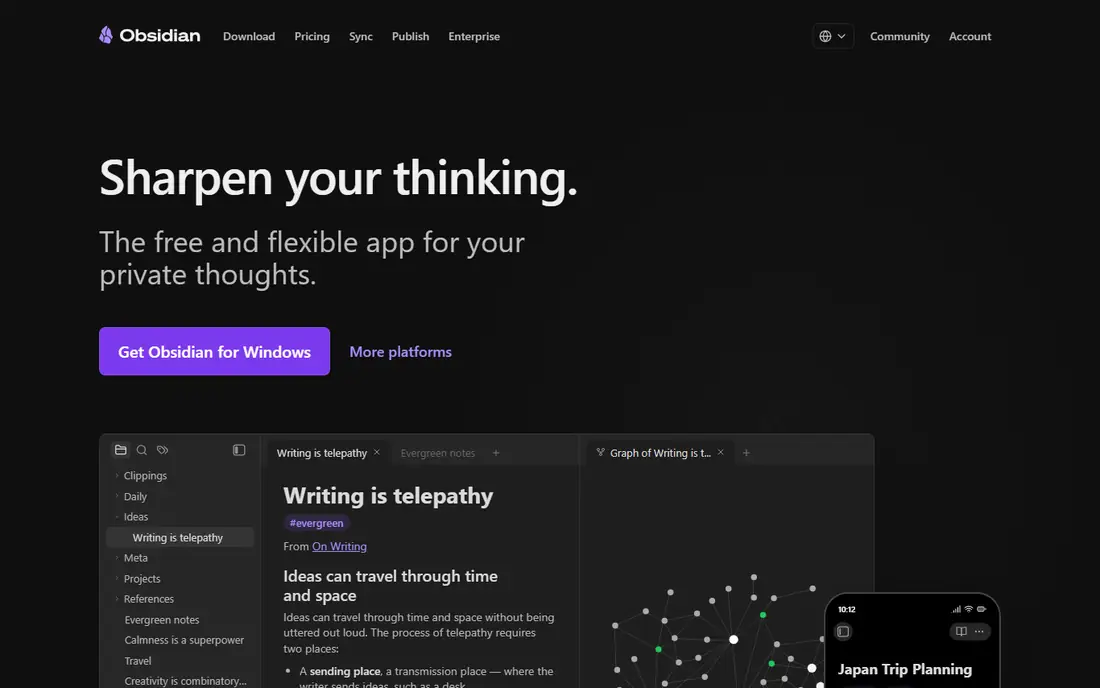
Obsidian stores notes as plain Markdown files in a folder you control, so your writing stays readable in any editor and survives any company shutdown. Links between notes build a graph that shows how ideas connect, and the plugin library adds calendars, task lists and daily notes. The app itself is free, even for commercial use. Sync costs 4 dollars per user per month billed annually, or 5 dollars monthly, and Publish costs 8 dollars per site per month billed annually. A commercial licence is 50 dollars per user per year for larger teams, though it is optional for most users. The cost is a steeper learning curve. Obsidian ships plain, and you shape it with settings and plugins, which takes an afternoon before it feels like yours.
What we like- Notes are plain Markdown files on your own disk, powerful linking and graph view, large plugin library
Watch out for- Sync and publishing cost extra, and the interface takes time to set up well
#2Notion
Best for: Notes plus databases, wikis and team workspaces4.6/5 on
G2 (13,834 reviews, checked Oct 2026)
Visit notion.com
Starting price$10 per user per month billed annually (Plus plan)
Free planYes, free for one person with unlimited pages and blocks
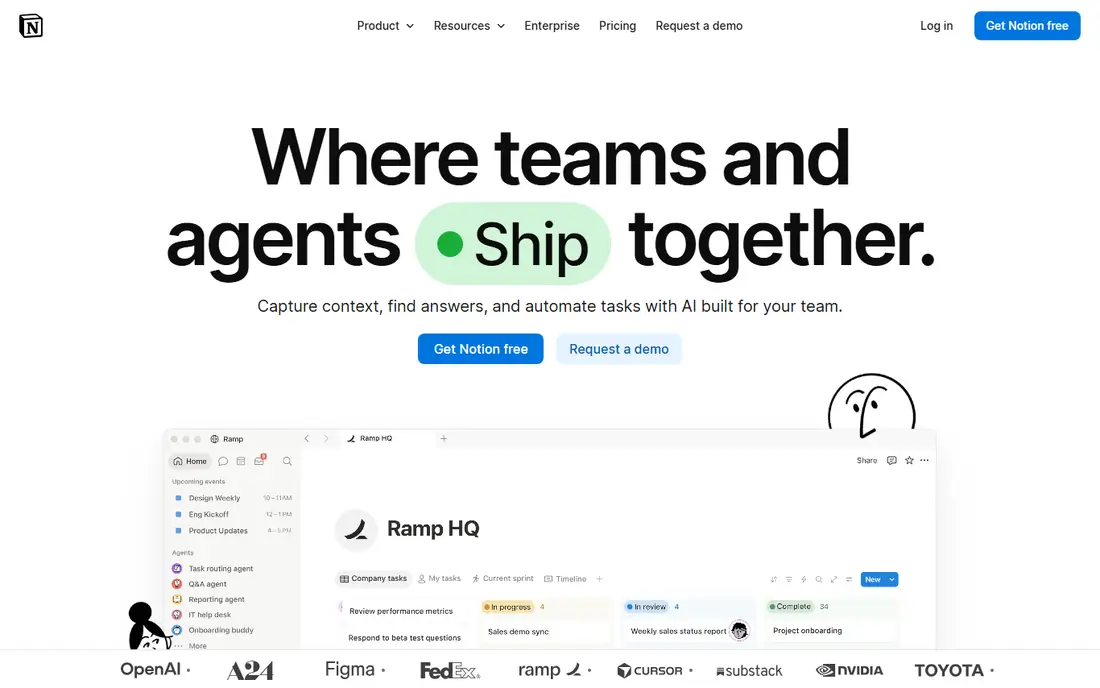
Notion is the most flexible tool in this list. A page can hold text, tables, boards, calendars and databases, so one workspace can replace a notes app, a wiki and a simple tracker. The free plan covers one person with unlimited pages and blocks, which is enough for most personal use. Plus costs 10 dollars per user per month billed annually, and Business costs 20 dollars, adding more admin controls and AI features. The trade-off is that Notion is a cloud app first. Offline access is limited, and a big workspace with many linked databases can load slowly. It is also weaker than Obsidian for linked thinking, since Notion links are page-level, not the block-level graph that Obsidian and Roam users value.
What we like- Databases, templates and wikis in one workspace, strong sharing, huge template library
Watch out for- Needs an internet connection for the best experience, and large workspaces can feel slow
#3Evernote
Best for: Web clipping, PDF search and structured notebooks4.3/5 on
G2 (2,034 reviews, checked Oct 2026)
Visit evernote.com
Starting price$14.99 per month or $99 per year (Starter plan)
Free planYes, free plan with 50 notes, one notebook and one synced device
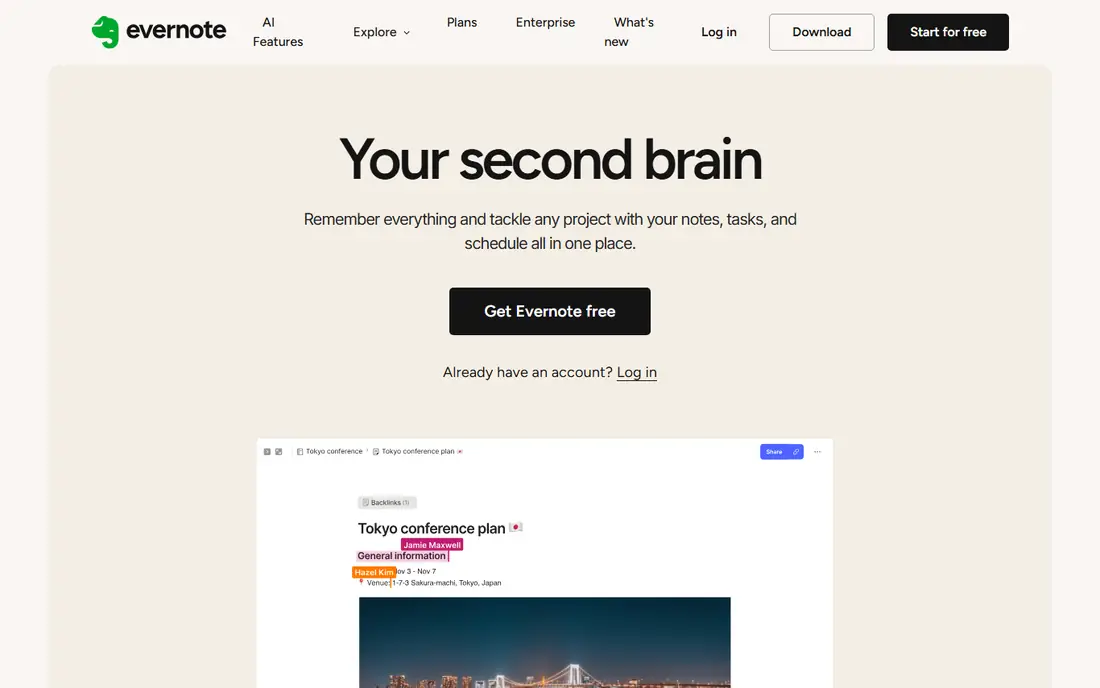
Evernote is still the strongest clipper in this list. The browser extension saves a full page, a simplified article or a screenshot, and it keeps the source address with the clip. Search is the other reason to pay. It reads text inside PDFs, images and Office files, so a receipt or a scanned contract turns up from one search box. Notes live in notebooks and stacks, with tags for cross-cutting topics. The trade-off is cost and lock-in. Notes sit in Evernote format, export takes effort, and the free plan is too small for real use. Paying 99 dollars a year for Starter is fair only if you clip and search every day.
What we like- Strong web clipper, search inside PDFs and images, sync across Windows, Mac, iOS, Android and web
Watch out for- The free plan holds only 50 notes, and paid plans cost more than most rivals in this list
Starting price$15 per month or $165 per year (Pro plan)
Free planNo, 31-day free trial only
Roam Research invented the networked-thought outliner that Obsidian and Logseq later copied. Notes live in daily pages, every block can be referenced from anywhere, and queries pull related blocks together across the whole graph. Collaboration works out of the box, since Roam is hosted, and the browser app runs on any device. The price is the problem. Pro costs 15 dollars a month or 165 dollars a year, and the Believer plan costs 500 dollars for five years. There is no free plan, only a 31-day trial. The interface also looks dated next to Obsidian, and development has slowed, with fewer updates than the open source rivals. Roam still suits people who are committed to its block-first method, but most new buyers get the same ideas for free from Obsidian or Logseq.
What we like- Block-level references, daily notes, queries and a hosted graph that works in the browser
Watch out for- The most expensive tool in this list, with no free plan and a dated interface
Starting priceFree
Free planYes, free and open source
Logseq is the free open source rival to Roam, and it copies the best ideas while keeping your notes as local Markdown files. Each day gets a journal page, blocks link to pages, and the graph view shows how topics connect. It runs on Windows, Mac, Linux, iOS and Android, and it reads the same folder structure as Obsidian, so the two can share a vault. Tasks, flashcards and PDF annotation are built in, which covers study use without plugins. The trade-off is the outliner itself. Everything in Logseq is a bullet, and long prose can feel cramped inside nested bullets. Sync is still maturing, so many users sync the folder with their own cloud storage instead. For a free tool, that is a small price to pay.
What we like- Free and open source, outliner with block references, local Markdown files, graph view
Watch out for- The outliner style suits some people and annoys others, and sync is still maturing
#6Bear
Best for: Focused Markdown writing on iPhone, iPad and Mac4.5/5 on
G2 (45 reviews, checked Oct 2026)
Visit bear.app
Starting price$2.99 per month or $29.99 per year (Pro plan)
Free planYes, free tier on one Apple device with basic notes and export
Bear is the best writing surface in this list for Apple users. The editor shows formatted text as you type, so there is no preview pane to manage, and the typography is easy on the eyes for long sessions. Nested tags work like folders, and a tag sidebar keeps a large library easy to browse. Sync runs through iCloud, and notes stay available offline. Export is straightforward, with Markdown, HTML, PDF and Word formats, so nothing is locked in. The limits are clear. Bear runs only on Apple devices, so a Windows PC or an Android phone cannot join the same library. There is no web clipper to match Evernote, and no graph view to match Obsidian. At 29.99 dollars a year, it is the cheapest paid plan here, though the price rises to 39.99 dollars a year from 24 November 2026.
What we like- Fast clean Markdown editor, nested tags, sync through iCloud, export to Markdown, HTML and PDF
Watch out for- Apple devices only, with no Windows, Android or web app
#7Microsoft OneNote
Best for: Handwriting, freeform pages and Microsoft 365 users4.5/5 on
G2 (1,872 reviews, checked Oct 2026)
Visit onenote.com
Starting priceFree
Free planYes, the full app is free with a Microsoft account
OneNote is the only full-featured free tool in this list. It works like a paper notebook, with sections and pages that accept typed text, handwriting, drawings, images and audio recordings. Handwriting search works well, and the freeform canvas suits class notes and sketches. Sync runs through OneDrive, with 5 GB of free storage, and a Microsoft 365 Personal plan at 9.99 dollars a month adds 1 TB of storage. The app runs on Windows, Mac, iOS, Android and the web. The weak points are search and clipping. OneNote does not search inside PDFs as well as Evernote, and its clipper is less capable. The interface also packs many ribbons and panels, which can feel busy next to Obsidian.
What we like- Free with no note limit, strong handwriting and drawing, sync through OneDrive
Watch out for- Search and web clipping are weaker than Evernote, and the interface can feel busy
#8Google Docs
Best for: Documents, comments and team editing4.6/5 on
G2 (114 reviews, checked Oct 2026)
Visit docs.google.com
Starting priceFree
Free planYes, free with a Google account
Google Docs is the simplest free writing tool in this list, and it is the best pick when a note becomes a document other people must read and comment on. Editing is real time, comments and suggestions work well, and sharing is a link. It runs in any browser, with apps for Android and iOS, and a free Google account gives 15 GB of shared storage. Google Workspace plans start at 7 dollars per user per month for Starter, with more storage and admin controls. The limits are structure and linking. Docs has no backlinks, no graph and no notebooks, so a large library of notes turns into a long Drive folder. Offline use needs the browser extension set up in advance. Docs is best as a place to publish finished writing, paired with Obsidian or Notion for the thinking that comes first.
What we like- Free, real-time editing with comments, strong sharing, works in any browser
Watch out for- Built for documents, not for linked notes, and offline use needs setup
We picked tools that cover the real alternatives to Obsidian and Notion, not lookalikes. Each one handles notes in a different way, from clipping and Markdown to databases, handwriting and documents. Prices come from each vendor pricing page, checked 18 November 2026, and every tool above except Roam has a free plan or a free app, so you can try it before paying. Where two sources disagreed on a price, we used the figure from the vendor own pricing page, and we note the change where it matters, such as the Bear price rise in November 2026.
Frequently asked questions
Is Obsidian better than Notion for personal use?
Obsidian is better for personal use when you write for yourself and want your notes as local files with links between them, because the app is free and the graph view helps ideas connect. Notion is better for personal use when your notes feed into projects, habits and plans, because databases and templates give each type of page a ready structure. Try Obsidian if ownership matters, and Notion if structure and sharing matter more.
Can Notion work offline?
Notion has limited offline access. You can open pages you viewed recently, but editing offline is unreliable, and the app is built to sync with the cloud. Obsidian works fully offline, since your notes are files on your own disk, and sync is an optional extra. If you write on planes, in the field or anywhere with poor internet, Obsidian is the safer pick. If you are usually online, Notion offline limits rarely matter.
Can I move my notes from Notion to Obsidian?
Yes, you can export a Notion workspace or single pages as Markdown, then open the folder as an Obsidian vault. Links between pages usually survive, though database views and embedded blocks do not translate cleanly, and some formatting needs a tidy pass after import. Export in small batches and check the result before you move everything. Keep your Notion export as a backup until the move is done.
Is Notion Plus worth 10 dollars a month?
Notion Plus at 10 dollars per user per month is worth it if you use Notion with a team, need more file uploads and longer version history, or want the AI features on a paid plan. For one person, the free plan already gives unlimited pages and blocks, so many solo users never need to pay. Pay for Plus when the free limits block real work, not before. A five-person team pays 600 dollars a year for Plus.
What is the best free alternative to Obsidian and Notion?
Logseq is the best free alternative to Obsidian, because it is free and open source, with an outliner, block references and a graph, and it reads the same Markdown folders. Google Docs is the best free pick for documents and team editing, while Apple Notes suits Apple-only users. Evernote covers clipping on a tight free plan. All of them cost nothing to start, so you can test them side by side before choosing.
Sources we checked (8)
- https://obsidian.md/pricing
- https://www.notion.com/pricing
- https://evernote.com/pricing
- https://roamresearch.com
- https://logseq.com
- https://bear.app
- https://www.onenote.com
- https://docs.google.com
Is your product missing or out of date?
We review this list regularly. Vendors can request a listing, send updated pricing or ask about featured placement.

Shihab Mia · Founder, Rankite
Shihab has 5+ years in B2B and SaaS SEO. He writes Rankite's software buying guides from pricing pages, documentation and public user reviews. More about Shihab.