How we make this list: we compare pricing pages, product documentation and public user reviews. Ratings come from G2, Capterra or Trustpilot, with the date we checked them.
Key takeaways
- Google Docs is the best free Word alternative for collaboration, while LibreOffice Writer is the best free desktop replacement with full offline use.
- WPS Office and FreeOffice look and feel closest to Word, which makes switching easy for long-time Word users.
- Zoho Writer and ONLYOFFICE suit teams that want real-time collaboration, and Apple Pages is the natural pick for Mac, iPad and iPhone users.
- WordPerfect remains a solid one-time purchase for legal and government users who value its classic reveal-codes formatting control.
Quick comparison
| Tool | Best for | Starting price | Free plan |
|---|
 Google Docs Google Docs | Free, real-time collaboration in the browser | Free | Yes |
 LibreOffice Writer LibreOffice Writer | A free desktop word processor for books, reports and long documents | Free | Yes |
 WPS Office WPS Office | A free suite that feels closest to Microsoft Office | Free | Yes |
 Zoho Writer Zoho Writer | Online writing with automation and business templates | Free | Yes |
 Apple Pages Apple Pages | Mac, iPad and iPhone users who want a free, polished word processor | Free | Yes |
 ONLYOFFICE Docs ONLYOFFICE Docs | Teams that want private, self-hosted document collaboration | Free | Yes |
 FreeOffice FreeOffice | A free Word-compatible suite for home and business use | Free | Yes |
 WordPerfect Office WordPerfect Office | Legal, government and long-time WordPerfect users | See website | No |
Is your product missing or out of date?
We review this list regularly. Vendors can request a listing, send updated pricing or ask about featured placement.
The best microsoft word alternatives
#1Google Docs
Best for: Free, real-time collaboration in the browser4.6/5 on
G2 (114 reviews, checked Oct 2026)
Visit google.com
Starting priceFree
Free planYes
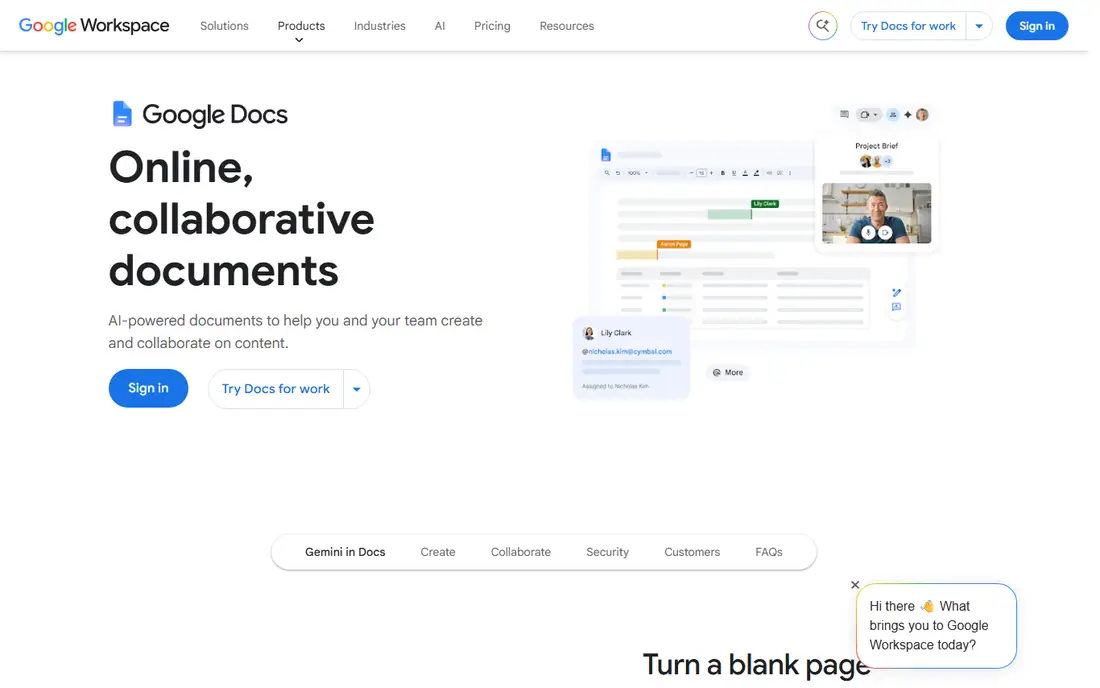
Google Docs is the most popular free Word alternative, and for good reason. Anyone with a Google Account can create documents in the browser, share them with a link, and edit together in real time, with comments, suggestions and full revision history. It converts Microsoft Word documents into Docs format or edits them directly, keeping the original file intact.
Google's own FAQ confirms that Docs is free for anyone with a Google Account, with some features such as joining Meet calls from documents reserved for Workspace plans. The main limits are offline use, which needs setup, and advanced desktop publishing features, which are thinner than Word's. For students, teams and anyone who collaborates online, Docs is the default free choice.
What we like- Free with any Google Account
- Real-time co-editing with comments and revision history
- Edits Word files directly without conversion
Watch out for- Needs an internet connection for full use
- Fewer advanced layout features than desktop Word
#2LibreOffice Writer
Best for: A free desktop word processor for books, reports and long documents4.1/5 on
G2 (87 reviews, checked Oct 2026)
Visit libreoffice.org
Starting priceFree
Free planYes
LibreOffice is a free and private office suite with six tools, and Writer is its word processor, described as powerful enough for everything from quick notes to full-length books. It opens and saves Word files, runs fully offline on Windows, Mac and Linux, and carries no subscription, no ads and no forced AI features, which the project now highlights on its homepage.
Reviewers quoted on the homepage call it every bit as good as Microsoft Office and free to boot. The trade-off is collaboration: sharing and co-editing are less smooth than in Google Docs or Zoho Writer. For writers, students and anyone who wants a full desktop word processor without paying, LibreOffice Writer is the strongest free pick.
What we like- Completely free and open source with no forced AI features
- Handles everything from quick notes to full-length books
- Strong Word file compatibility
Watch out for- Interface looks dated next to Word
- Collaboration features are weaker than cloud tools
#3WPS Office
Best for: A free suite that feels closest to Microsoft Office4.4/5 on
G2 (335 reviews, checked Oct 2026)
Visit wps.com
Starting priceFree
Free planYes
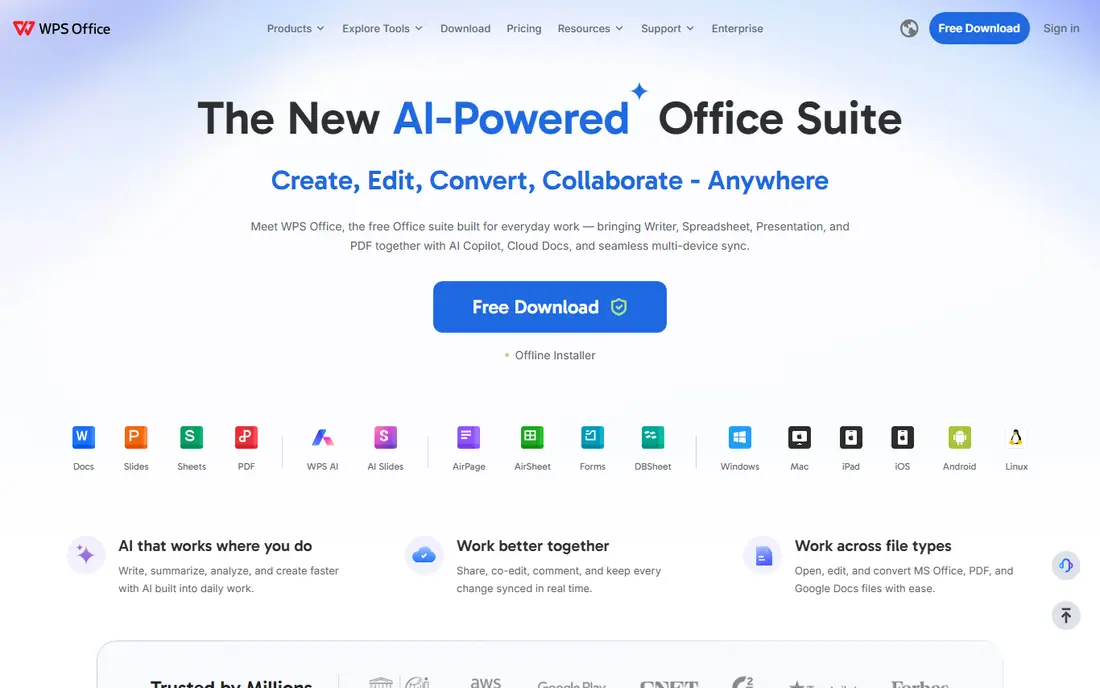
WPS Office, from Kingsoft, bundles Writer, Spreadsheet, Presentation and PDF into one lightweight app for Windows, Mac, iPad, iOS, Android and Linux. Its homepage stresses working across file types, opening, editing and converting MS Office, PDF and Google Docs files with ease, plus real-time co-editing, cloud documents and AI writing help.
WPS confirms on its own FAQ that the suite is free for Windows and fully compatible with Microsoft Office, Google Docs and LibreOffice. The interface closely mirrors Word, so switching costs almost nothing. The free version carries ads and reserves some features for paid plans, but for most everyday writing, the free tier is more than enough.
What we like- Free suite with Writer, Spreadsheet, Presentation and PDF
- Opens and converts MS Office, PDF and Google Docs files
- Apps for every platform
Watch out for- AI features and premium tiers add upsell pressure
- Free version includes ads and some locked features
#4Zoho Writer
Best for: Online writing with automation and business templates4.4/5 on
G2 (97 reviews, checked Oct 2026)
Visit zoho.com
Starting priceFree
Free planYes
Zoho Writer is a complete online word processor with collaborative writing, customizable styles, desktop and mobile apps, and AI assistance from Zia, Zoho's built-in writing assistant. It handles complex layouts with multi-column designs, section breaks, tables, charts and images, and it edits DOCX files online and offline.
Where Writer stands out is business automation: ready-made workflows, dynamic templates and forms, document generation triggered by CRM events, approval routing, and digital signature collection, all from inside the editor. It also publishes directly to WordPress, Medium and Blogger. Review scores quoted on the homepage sit around 4.4 out of 5. For small businesses already using Zoho, or teams that want automation, Writer is a strong Word replacement.
What we like- Real-time collaboration with change tracking and comments
- Offline mode on desktop and mobile apps
- Document automation, templates and signatures
Watch out for- Best inside the Zoho ecosystem
- Free tier limits some advanced features
#5Apple Pages
Best for: Mac, iPad and iPhone users who want a free, polished word processor4.3/5 on
G2 (376 reviews, checked Oct 2026)
Visit apple.com
Starting priceFree
Free planYes
Pages is Apple's word processor, free on Mac, iPad and iPhone and available in any browser through Pages for iCloud. It offers document templates, page size and margin controls, table of contents views, and Apple Pencil markup that turns handwriting into text. Users can also publish books directly to Apple Books from Pages.
Pages opens and exports Word files, so sharing with Word users is straightforward, though very complex Word layouts may shift. For anyone already in the Apple ecosystem, Pages is free, fast and well designed, and there is no reason to pay for Word for everyday writing.
What we like- Free with Apple devices and on iCloud
- Polished templates and design tools
- Apple Pencil markup and Scribble support
Watch out for- Windows users can only use the web version
- Word compatibility is good but not perfect for complex files
#6
ONLYOFFICE Docs
Best for: Teams that want private, self-hosted document collaboration
Visit onlyoffice.com
Starting priceFree
Free planYes
ONLYOFFICE builds private, AI-powered office infrastructure for secure collaboration, with document editing, rooms, forms and file management. Its Docs editor offers full-featured document editing for teams, with more than 50 connectors for popular platforms, granular permissions, and guest and external user access. The company reports 21 million users worldwide and 101.6 million Docs Docker pulls.
Desktop and mobile apps are free, and the open-source edition can be self-hosted for full data control, which appeals to privacy-conscious teams and schools. The trade-off is setup effort: casual users will find Google Docs simpler. For teams that want Word-level formatting with control over their own data, ONLYOFFICE is the best pick.
What we like- Free desktop and mobile apps
- Open-source core with 21 million users
- Strong Word compatibility and granular permissions
Watch out for- Full collaboration setup needs a server or cloud workspace
- AI features are newer than rivals
Starting priceFree
Free planYes
FreeOffice, from SoftMaker, is a complete office suite with word processing, spreadsheets and presentations, all compatible with their Microsoft Office counterparts. The company calls it the best free alternative to Microsoft Office, and press quotes on the homepage praise how well it handles files created and formatted in Microsoft Office, with no losses.
FreeOffice is free for both private and business use, which is unusual, and its mobile apps bring the full desktop feature set to iPhone, iPad and Android. One note: the homepage served in German during this research, though the product and English site are well established. For Windows and Linux users who want a free, Word-compatible desktop suite, FreeOffice rivals LibreOffice.
What we like- Free for private and business use
- TextMaker, PlanMaker and Presentations match Word, Excel and PowerPoint formats
- Apps for desktop and mobile
Watch out for- Homepage served in German during research, though an English version exists
- Fewer collaboration features than cloud tools
Starting priceSee website
Free planNo
WordPerfect Office, from Corel, remains a trusted productivity suite with Professional and Home and Student editions, plus PDF Fusion for PDF creation and editing. Its homepage highlights cost-effective licensing for government, business and education users, with an all-in-one suite designed for every kind of user.
WordPerfect's loyal following comes from its reveal-codes feature, which shows formatting codes directly and gives precise control over documents, a favorite among legal professionals. Pricing is not shown on the homepage, so confirm current edition prices before buying. For legal and government users, or anyone who has used WordPerfect for years, it remains a credible one-time purchase alternative to a Word subscription.
What we like- Trusted productivity suite with Home and Student and Professional editions
- Strong PDF tools with PDF Fusion
- Cost-effective licensing for organizations
Watch out for- No free plan
- Smaller user base means fewer templates and less community support than Word
How we chose
We opened each product's homepage in October 2026 to confirm it loads and belongs to the product named. Google Docs is listed at its product page since docs.google.com itself shows only a sign-in screen, and Apple Pages is listed at its Apple support page, which confirms the product and its iCloud web version. We weighed price, Word compatibility, collaboration, offline use and platform coverage.
What to look for in a Word alternative
Start with how you work. If you collaborate online, pick a cloud tool such as Google Docs, Zoho Writer or ONLYOFFICE. If you write offline or handle long documents, pick a desktop suite such as LibreOffice, WPS Office or FreeOffice. If you live on Apple devices, Pages is free and already installed.
Next, test Word compatibility with your real files. Open a complex document with tables, headers and tracked changes, and check that nothing shifts. Most alternatives handle everyday files well, but legal contracts, theses and heavily formatted reports deserve a test before you switch.
Finally, count the total cost. A free tool with ads may suit casual use, while a one-time purchase such as WordPerfect may beat a yearly Word subscription for a small business. Avoid paying for features you will not use, and keep a copy of your documents in an open format such as DOCX or ODT so you can move again later.
Frequently asked questions
What is the best free alternative to Microsoft Word?
Google Docs for collaboration and LibreOffice Writer for desktop use. Both are free, handle Word files, and cover everyday writing without a subscription.
Can I open Word documents in these alternatives?
Yes. All eight tools open and save DOCX files. Complex formatting may shift slightly, so test important documents before switching fully.
Is LibreOffice really free?
Yes. LibreOffice is free and open source, with no subscription, no ads and no forced AI features. Donations support development but are optional.
Does Google Docs work offline?
Yes, with setup. Docs offers an offline mode through Chrome, but full offline use is weaker than a desktop app such as LibreOffice or WPS Office.
Which Word alternative is best for Mac users?
Apple Pages, which is free on Mac, iPad and iPhone and works in browsers through iCloud. Google Docs is the best cross-platform option for Mac users who share with Windows users.
Sources we checked (8)
- https://www.google.com/docs/about/
- https://www.libreoffice.org
- https://www.wps.com
- https://www.zoho.com/writer/
- https://www.apple.com/pages/
- https://www.onlyoffice.com
- https://www.freeoffice.com
- https://www.wordperfect.com
Is your product missing or out of date?
We review this list regularly. Vendors can request a listing, send updated pricing or ask about featured placement.

Shihab Mia · Founder, Rankite
Shihab has 5+ years in B2B and SaaS SEO. He writes Rankite's software buying guides from pricing pages, documentation and public user reviews. More about Shihab.