How we make this list: we compare pricing pages, product documentation and public user reviews. Ratings come from G2, Capterra or Trustpilot, with the date we checked them.
Key takeaways
- Microsoft 365 is the most direct Google Workspace competitor, with desktop Word, Excel and PowerPoint, Teams and OneDrive from about 6 dollars per user a month.
- Zoho Workplace is the cheapest full suite option, at 3 dollars per user a month billed annually for Standard, or 150 dollars a month for a 50 user team.
- Proton is the strongest privacy alternative, with zero access encryption across email, documents, storage and calendar, headquartered in Switzerland.
- Nextcloud Hub offers full data ownership through self hosting at no license cost, but migration effort is high and you bear server and maintenance costs.
Quick comparison
Is your product missing or out of date?
We review this list regularly. Vendors can request a listing, send updated pricing or ask about featured placement.
The best Google Workspace alternatives
#1Microsoft 365
Best for: Enterprise and hybrid teams4.6/5 on
G2 (5,872 reviews, checked Oct 2026)
Visit microsoft.com
Starting price$6 per user/month
Free planNo
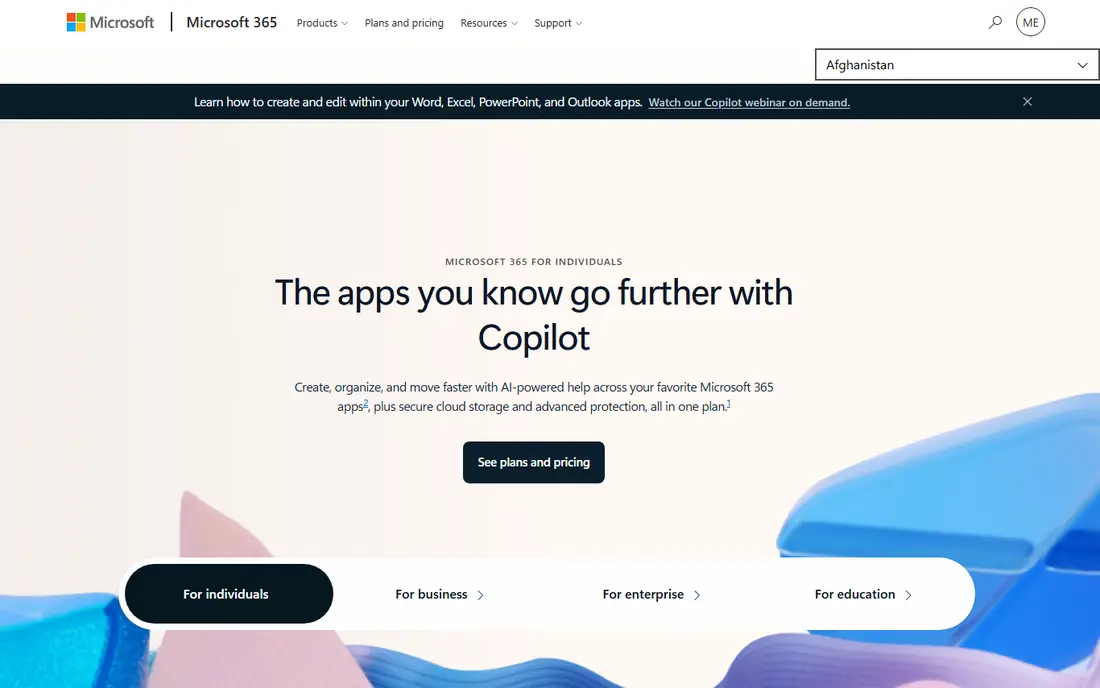
Microsoft 365 is the most direct competitor to Google Workspace, offering Outlook email, Word, Excel and PowerPoint on desktop and web, OneDrive storage, Microsoft Teams and advanced security and compliance tools. For enterprises and businesses already using Windows, the desktop apps and Excel depth are unmatched, and hybrid teams benefit from strong offline access.
Business Basic costs 6 dollars per user a month, currently rising to 7 dollars in July 2026 in one comparison, but lacks desktop apps, pushing most teams to Business Standard at 12.50 dollars a user, or 14 dollars in another comparison. For a 50 user team, Basic runs 300 dollars a month while Standard runs about 625 to 750 dollars. For an enterprise that needs desktop Office, Microsoft 365 is the pick.
What we like- Powerful desktop Office apps
- Strong enterprise security and compliance
- Excellent Excel capabilities and Teams meetings
Watch out for- Can be more expensive at higher tiers
- Interface complexity
- Business Basic at 6 dollars lacks desktop apps, pushing most teams to Standard at 12.50 dollars

#2
Zoho Workplace
Best for: Budget conscious small businesses
Visit zoho.com
Starting price$3 per user/month
Free planYes
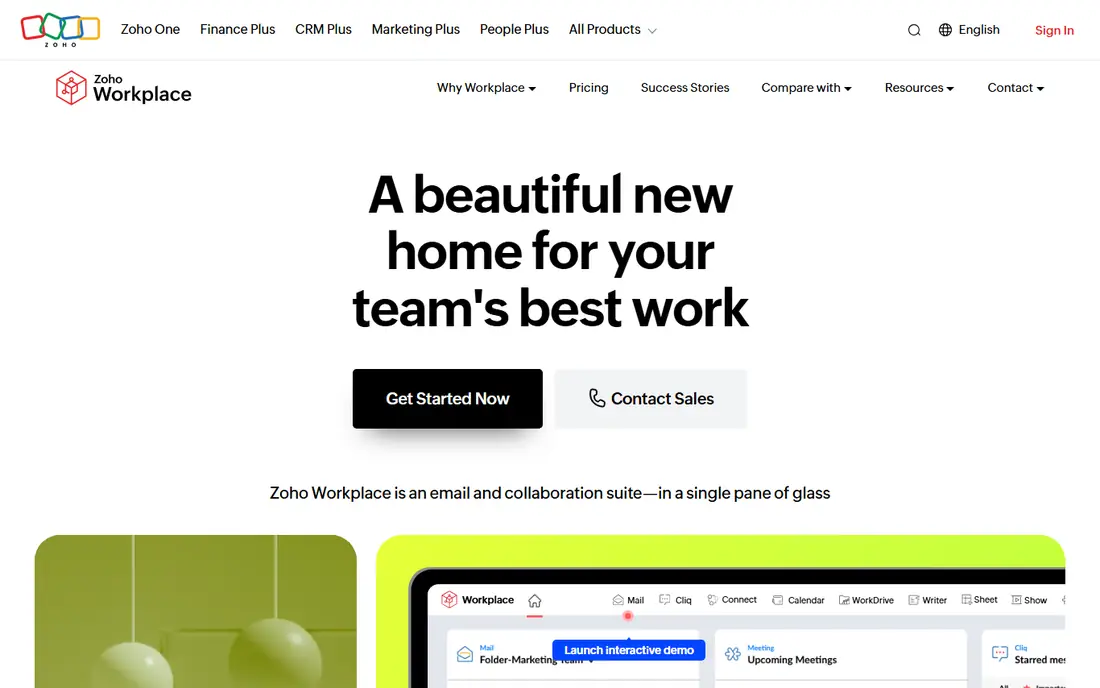
Zoho Workplace is the budget pick, with Standard at 3 dollars per user a month billed annually and Professional at 6 dollars, covering email, Zoho Writer, Sheet and Meeting. For a 50 user team, Standard costs 150 dollars a month or 1,800 dollars a year, the cheapest full suite option in published comparisons, and a forever free plan covers up to 5 users.
The ecosystem is smaller than Google or Microsoft, migration effort is moderate, and advanced Office features trail desktop apps. For a budget conscious small business that wants a complete suite at the lowest price, Zoho is the pick.
What we like- Cheapest full suite at 3 dollars per user a month
- Email, Writer, Sheet and Meeting included
- Forever free plan for up to 5 users
Watch out for- Smaller ecosystem than Google or Microsoft
- Migration effort is moderate
- Advanced features trail Microsoft desktop apps

#3
Proton for Business
Best for: Privacy first organizations
Visit proton.me
Starting price$7 per user/month
Free planYes
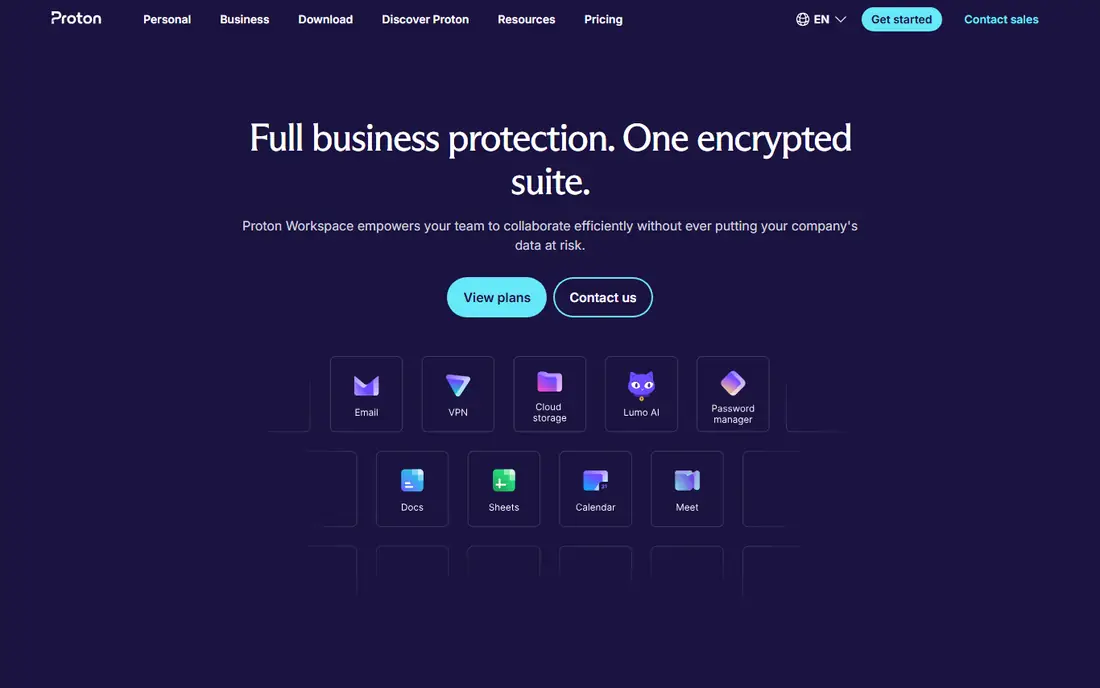
Proton for Business is the strongest privacy focused alternative, using zero access encryption across all services, meaning even Proton employees cannot access your data. The company is headquartered in Switzerland, placing it outside US and EU surveillance frameworks, and holds ISO 27001 and SOC 2 Type II certifications. No other full productivity suite matches this level of verifiable privacy in published comparisons.
Pricing runs 7 to 13 dollars per user a month, with Mail Essentials at 7 dollars and Workspace Standard at 13 dollars, and video meetings are limited compared with Teams or Meet. For a privacy focused organization or regulated industry, Proton is the pick.
What we like- Zero access encryption across email, documents, storage and calendar
- Swiss headquarters outside US and EU surveillance frameworks
- ISO 27001 and SOC 2 Type II
Watch out for- 7 to 13 dollars per user a month, with Workspace Standard at 13 dollars for a 50 user team totaling 650 dollars a month
- Video meetings are limited
- Smaller app ecosystem
Starting priceFree
Free planYes
Nextcloud Hub offers full data ownership through self hosting: files, office documents, chat and video meetings run on your own infrastructure, with no per user license cost. For organizations with 200 or more users, total cost over 3 to 5 years can run 50 to 70 percent lower than equivalent Google or Microsoft subscriptions in published analyses, since recurring per user fees disappear.
Migration effort is high, and you bear server, maintenance and security costs, plus email needs plugins and setup. For an organization that prioritizes data sovereignty and has IT capacity, Nextcloud is the pick.
What we like- Full data ownership on your own servers
- Free self hosted license
- Files, office, chat and video through Talk
Watch out for- Migration effort is high
- You bear server, maintenance and security costs
- Email needs plugins and setup
Starting priceFree
Free planYes
ONLYOFFICE Workspace suits teams that live in Office files: its editors preserve Microsoft formatting better than most rivals, and the Community Edition is free for self hosting, though you bear server and maintenance costs. Cloud plans vary by tier, and deployment can be cloud or self hosted.
Email and collaboration depth trail Google, and self hosting setup effort is moderate. For a team that needs Office fidelity without Microsoft pricing, ONLYOFFICE is the pick.
What we like- Strong compatibility with Microsoft Office files
- Free Community Edition self hosted
- Cloud or self hosted deployment
Watch out for- Paid cloud plans vary
- Email and collaboration depth trail Google
- Setup effort is moderate for self hosting

#6Lark
Best for: Startups and distributed teams4.6/5 on
G2 (202 reviews, checked Oct 2026)
Visit larksuite.com
Starting priceFree
Free planYes
Lark combines messaging, docs and project tracking in one place, with a generous free tier that suits small teams and startups, and paid plans up to 12 dollars a user. Distributed, multilingual teams benefit from built in chat, docs and a no code database without stitching separate tools together.
The Western ecosystem is smaller than Google or Microsoft, and migration effort is moderate. For a startup or distributed team that wants one tool for chat, docs and tracking, Lark is the pick.
What we like- Generous free tier
- Chat, docs and no code database in one place
- Suits distributed, multilingual teams
Watch out for- Paid plans from free to 12 dollars a user
- Smaller Western ecosystem
- Migration effort is moderate
Starting priceSee website
Free planNo
IceWarp offers an all in one collaboration suite with email, built in documents and meetings, deployable in cloud or on premises, at a competitive low price in published comparisons. Flexible deployment suits organizations that want a single vendor without committing fully to cloud or self hosting.
Pricing is custom, so request a quote for your user count, and the brand and community are smaller than Google, Microsoft or Zoho. For an organization that wants a complete suite with flexible deployment at a low price, IceWarp is worth quoting.
What we like- Complete suite at a competitive low price
- Cloud or on premises deployment
- Email, documents and meetings included
Watch out for- Custom pricing, so no published entry price to compare
- Smaller brand and community
- Migration effort varies
Starting price$1.50 per user/month
Free planNo
Infomaniak kSuite is the EU based compliance pick, with hosting in Europe for GDPR conscious organizations, an entry price around 1.50 euros per user a month, and OnlyOffice based documents plus meetings included. For European small businesses that want data residency without self hosting complexity, kSuite is a cheap, compliant option.
The ecosystem is smaller outside Europe, and document depth trails larger suites. For an EU organization that prioritizes compliance and low cost, Infomaniak kSuite is the pick.
What we like- EU based cloud for GDPR compliance
- About 1.50 euros per user a month entry price
- OnlyOffice based documents and meetings included
Watch out for- Smaller ecosystem outside Europe
- Email and document depth trail larger suites
- Euro pricing varies with exchange rates
How we chose
We compared entry prices, 50 user team costs, deployment options, privacy models and migration effort from vendor pages and independent comparisons checked in 2026, and we weighed email, document collaboration, video meetings, storage and compliance. We noted where pricing is custom or varies by tier rather than inventing a single figure. No tool was credited with hands-on testing, and no savings figures beyond published comparisons were invented for this guide.
What to check before you pick
Start with three questions: is cost the primary driver, is privacy or data sovereignty the primary driver, or is Office compatibility the primary driver. If cost rules, Zoho at 3 dollars or Infomaniak at 1.50 euros beat Microsoft Standard at 12.50 dollars, and checking reseller pricing can save more than switching platforms. If privacy rules, Proton or Nextcloud win. If Office compatibility rules, Microsoft 365 Standard is the most direct path, especially for teams whose clients send heavily formatted Office files.
Next, count what is actually included: Proton pricing includes VPN and password management that would cost 3 to 5 dollars per user a month separately, while Microsoft Basic lacks desktop apps, so the cheapest option on paper may not be cheapest in practice. Finally, plan migration: export mail, documents and calendars, test formatting on real files, and run both suites in parallel for a month, since migration effort ranges from low for tiny teams to high for self hosted Nextcloud, and a rushed cutover is the most common cause of lost mail and broken formatting.
Frequently asked questions
What is the best Google Workspace alternative overall?
Microsoft 365 for most businesses, thanks to desktop Office apps, Teams and enterprise security. Zoho wins on price, Proton wins on privacy, and Nextcloud wins on data ownership.
Which alternative is cheapest?
Zoho Workplace Standard at 3 dollars per user a month billed annually, or Infomaniak kSuite at about 1.50 euros per user a month for EU teams. Nextcloud is free at license level but needs server and maintenance spending.
Which alternative is best for privacy?
Proton Workspace, with zero access encryption across email, documents, storage and calendar, Swiss headquarters and ISO 27001 plus SOC 2 Type II certifications. Nextcloud self hosting gives full data ownership for organizations with IT capacity.
Can I self host a Google Workspace alternative?
Yes, Nextcloud Hub and ONLYOFFICE Community Edition both offer free self hosted deployment, with Zimbra as another email focused self hosted option. Budget for servers, maintenance and security, since self hosting trades subscription fees for IT work.
How hard is it to migrate from Google Workspace?
Moderate for most cloud suites, high for self hosted options. Export mail, documents and calendars, test Office formatting on real files, and run both suites in parallel for a month to catch gaps before cutting over.
Do these alternatives include video meetings?
Microsoft 365 includes Teams, Zoho includes Meeting, Nextcloud includes Talk, and Lark and Infomaniak include meetings. Proton video meetings are limited, so privacy focused teams may need a separate meeting tool.
Sources we checked (4)
- https://computercity.com/software/apps/google-workspace-alternatives
- https://www.aversusb.net/blog/google-workspace-alternatives-2026
- https://leadsmonky.com/best-google-workspace-alternatives/
- https://tekpon.com/insights/productivity-tools/office/best-google-workspace-alternatives/
Is your product missing or out of date?
We review this list regularly. Vendors can request a listing, send updated pricing or ask about featured placement.

Shihab Mia · Founder, Rankite
Shihab has 5+ years in B2B and SaaS SEO. He writes Rankite's software buying guides from pricing pages, documentation and public user reviews. More about Shihab.
 Nextcloud Hub
 ONLYOFFICE Workspace
 IceWarp
 Infomaniak kSuite