How we make this list: we compare pricing pages, product documentation and public user reviews. Ratings come from G2, Capterra or Trustpilot, with the date we checked them.
Google Drive vs OneDrive: Which Cloud Storage Fits Your Business
Google Drive and OneDrive are the two cloud storage tools most businesses compare first, and the right choice usually depends on the office software your team already uses. Google Drive comes with Google Workspace, so it pairs naturally with Gmail, Google Docs, Google Sheets, and Google Meet. OneDrive comes with Microsoft 365, so it pairs naturally with Outlook, Word, Excel, and Microsoft Teams. Both store files in the cloud, sync them to computers and phones, and let teams share folders and collaborate on documents.
The differences show up in the details. Google Drive gives 15 GB of free storage, while OneDrive gives 5 GB free. OneDrive syncs deeply with Windows, and its Files On-Demand feature keeps files visible on a PC without downloading them. Google Drive has stronger real time co-editing in the browser, while OneDrive has stronger desktop Office integration.
This guide compares Google Drive and OneDrive directly, then adds six more cloud storage tools. Every price below was checked on 18 Nov 2026 from the vendor pricing page.
What Is the Main Difference Between Google Drive and OneDrive
The main difference is the ecosystem each tool belongs to. Google Drive is built around Google Workspace. Files live next to Gmail and Google Docs, and sharing uses Google accounts and links. A person with a Google account can open a shared file, edit it in the browser, and leave comments without installing anything. Shared drives give a team folders that belong to the group, so files stay put when a member leaves.
OneDrive is built around Microsoft 365 and Windows. It syncs with File Explorer, and Office files open in Word, Excel, and PowerPoint with version history and co-authoring. OneDrive for Business adds admin controls for sharing, retention, and compliance, and Personal Vault adds a protected folder with extra identity checks.
Storage limits differ too. Google Drive starts with 15 GB free, shared across Drive, Gmail, and Google Photos, while OneDrive starts with 5 GB free. Google Workspace Starter costs $7 per user per month and includes 30 GB of pooled storage per user. Microsoft 365 Business Basic costs $7 per user per month and includes 1 TB of OneDrive storage per user. If your team needs a lot of storage per person at the entry tier, OneDrive offers more room for the same money.
How Much Does Business Cloud Storage Cost in 2026
Business cloud storage usually costs between $5 and $25 per user per month, and the storage included at each tier varies widely. Entry plans from Google and Microsoft both start at $7 per user per month, but Microsoft includes far more storage at that price. Dropbox and Box charge more per user at their standard business tiers.
Personal plans are cheaper and suit very small teams, but they lack central admin controls, shared drives, and business support. Google One Basic costs $1.99 per month for 100 GB, and Microsoft 365 Basic costs $1.99 per month or $19.99 per year for 100 GB. These plans work for a freelancer or a two person team, but they get hard to manage once you need to control external sharing.
Watch for three extra costs. First, storage overage charges apply when a team passes its pooled limit. Second, some tools charge a minimum number of users, such as Box, which requires at least three users on business plans. Third, annual billing usually cuts the monthly price by 15 to 20 percent compared with month to month billing. Check the vendor pricing page before you buy, because storage limits and plan names change.
Quick comparison
| Tool | Best for | Starting price | Free plan |
|---|
 Google Drive | Teams already using Gmail, Google Docs, and Google Workspace | Google Workspace Starter $7 per user per month; Google One Basic $1.99 per month for 100 GB personal storage (checked 18 Nov 2026) | 15 GB free storage shared across Google Drive, Gmail, and Google Photos |
 Microsoft OneDrive | Businesses on Windows and Microsoft 365 that work in Word, Excel, and Teams | Microsoft 365 Basic $1.99 per month or $19.99 per year for 100 GB; Microsoft 365 Business Basic $7 per user per month with 1 TB per user (checked 18 Nov 2026) | 5 GB free storage |
 Dropbox | Teams that share large files with clients and need simple, reliable sync | Plus $9.99 per month billed annually for 2 TB; business Standard $15 per user per month billed annually (checked 18 Nov 2026) | 2 GB free storage |
 Box | Regulated businesses that need strong security, compliance, and admin controls | Business Starter $5 per user per month; Business $15 per user per month (checked 18 Nov 2026) | 10 GB free storage for one user |
 Microsoft SharePoint | Larger organisations that need team sites, intranets, and document libraries | Plan 1 $5 per user per month; Plan 2 $10 per user per month; Microsoft 365 Business Basic $7 per user per month includes SharePoint (checked 18 Nov 2026) | No standalone free plan; included with Microsoft 365 business plans |
 Apple iCloud Drive | Small businesses and freelancers who work mainly on Apple devices | iCloud+ 50 GB $0.99 per month; 200 GB $2.99 per month; 2 TB $9.99 per month (checked 18 Nov 2026) | 5 GB free storage |
 Egnyte | Mid-size businesses that need file governance, compliance, and hybrid cloud storage | Team $10 per user per month; Business $22 per user per month (checked 18 Nov 2026) | No free plan; free trial available |
 pCloud | Individuals and small teams that want a one-time lifetime plan instead of a monthly bill | Premium 500 GB $4.99 per month or $49.99 per year, lifetime $199; Business $9.99 per user per month (checked 18 Nov 2026) | 10 GB free storage |
Is your product missing or out of date?
We review this list regularly. Vendors can request a listing, send updated pricing or ask about featured placement.
#1Google Drive
Best for: Teams already using Gmail, Google Docs, and Google Workspace4.8/5 on
Capterra (28,634 reviews, checked Oct 2026)
Visit drive.google.com
Starting priceGoogle Workspace Starter $7 per user per month; Google One Basic $1.99 per month for 100 GB personal storage (checked 18 Nov 2026)
Free plan15 GB free storage shared across Google Drive, Gmail, and Google Photos
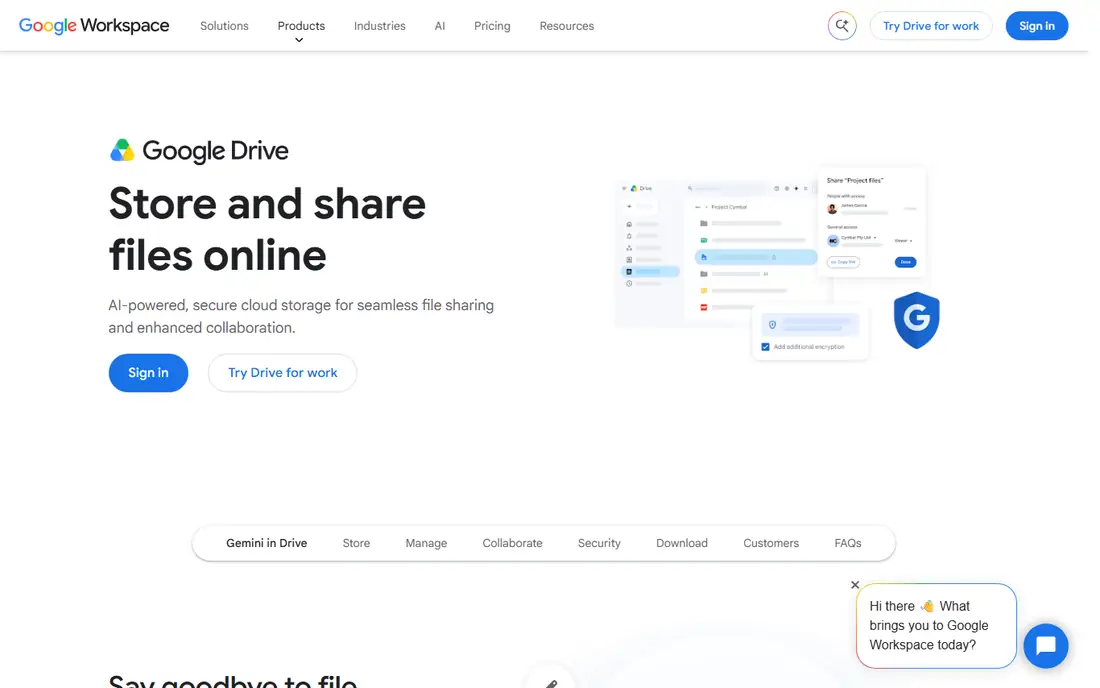
Google Drive works best as part of Google Workspace, where Docs, Sheets, Slides, and Meet share the same storage pool and the same sharing controls. Files open in the browser with no desktop app required, and real time co-editing lets several people work in one document at the same time. Shared drives give a team a folder that belongs to the group rather than to one person, so files stay in place when someone leaves. The desktop app, Drive for desktop, mirrors or streams files to a computer, which keeps local disks clear. Admins get controls for sharing, external access, and data loss prevention in the paid Workspace plans. The main limits are the 15 GB free tier, which fills fast when Gmail and Photos share it, and offline access that needs setup in advance. Teams that live in Gmail will find Drive the lowest friction option, while teams on Microsoft 365 will get less value from it.
What we like- Strong real time co-editing in Docs, Sheets, and Slides
- Fast search across file contents
- Shared drives keep team files in place when members leave
Watch out for- The 15 GB free tier fills fast because Gmail and Google Photos share the same pool, and offline access needs to be set up in advance
#2Microsoft OneDrive
Best for: Businesses on Windows and Microsoft 365 that work in Word, Excel, and Teams4.3/5 on
G2 (10,433 reviews, checked Oct 2026)
Visit microsoft.com
Starting priceMicrosoft 365 Basic $1.99 per month or $19.99 per year for 100 GB; Microsoft 365 Business Basic $7 per user per month with 1 TB per user (checked 18 Nov 2026)
Free plan5 GB free storage
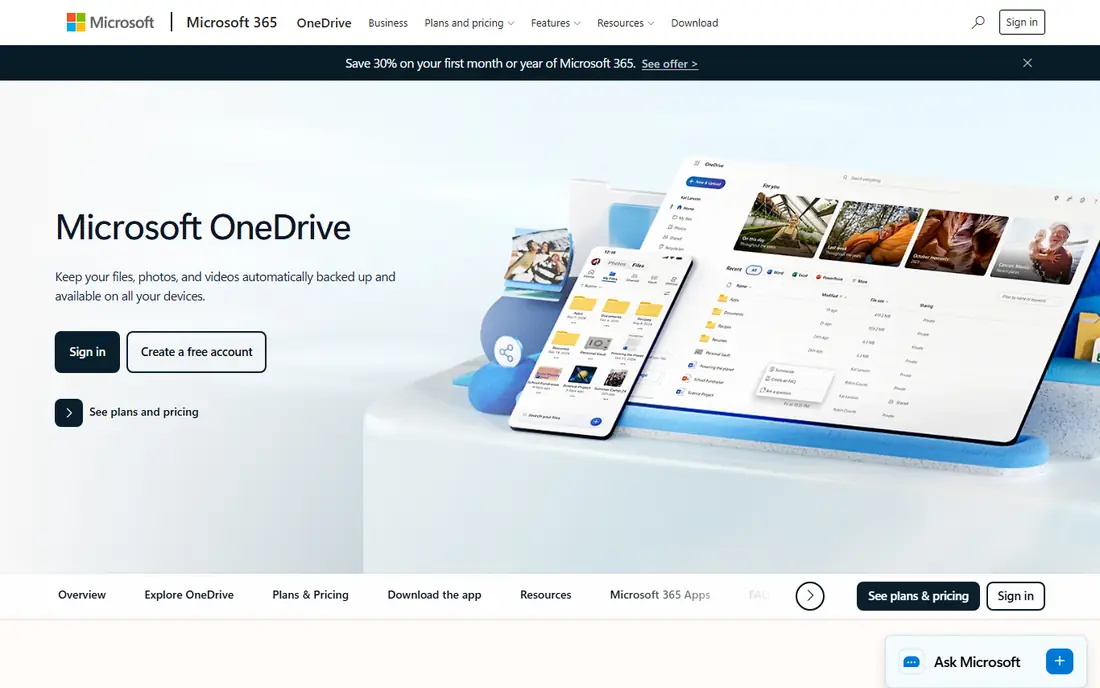
Microsoft OneDrive is the natural cloud storage choice for a business that runs on Windows and Microsoft 365. It syncs with File Explorer, so files appear alongside local folders, and Files On-Demand keeps them visible without downloading every file to the disk. Office documents open in Word, Excel, and PowerPoint with version history, so a team can recover an earlier draft after a bad edit. OneDrive for Business adds admin controls for sharing links, external access, retention, and compliance, which matter for regulated industries. The free tier is only 5 GB, which runs out quickly, and the full value of OneDrive shows only when the team also pays for Microsoft 365. For a Microsoft shop, though, the combination of 1 TB per user and tight Office integration is hard to beat at the entry business price.
What we like- Deep Windows and File Explorer integration
- 1 TB per user on the entry business plan
- Strong version history and Office co-authoring
Watch out for- The 5 GB free tier is small, and the best sharing and admin features need a paid Microsoft 365 plan
#3Dropbox
Best for: Teams that share large files with clients and need simple, reliable sync4.4/5 on
G2 (31,453 reviews, checked Oct 2026)
Visit dropbox.com
Starting pricePlus $9.99 per month billed annually for 2 TB; business Standard $15 per user per month billed annually (checked 18 Nov 2026)
Free plan2 GB free storage
Dropbox built its name on sync that simply works, and that strength still shows today. Files sync quickly between computers, phones, and the web, and the desktop app handles large files and frequent changes without fuss. Sharing is simple: send a link, set a password or an expiry date, and the recipient can view or download without an account. The business plans add team folders, admin controls, and integrations with tools such as Slack, Zoom, and Adobe. The weak points are price and the free tier. At 2 GB, the free plan is the smallest on this list, and the business Standard plan at $15 per user per month costs more than the entry plans from Google or Microsoft. Teams that value simple sync and client sharing over bundled office apps will still find Dropbox worth the premium.
What we like- Fast and reliable file sync
- Easy link sharing with passwords and expiry dates
- Strong integrations with many third party apps
Watch out for- The 2 GB free plan is very small, and business plans cost more per user than Google Workspace or Microsoft 365 entry tiers
#4Box
Best for: Regulated businesses that need strong security, compliance, and admin controls4.2/5 on
G2 (5,259 reviews, checked Oct 2026)
Visit box.com
Starting priceBusiness Starter $5 per user per month; Business $15 per user per month (checked 18 Nov 2026)
Free plan10 GB free storage for one user
Box targets businesses that treat file storage as a governed system rather than a shared folder. It offers granular permissions, so an admin can control who views, downloads, or edits each file. Security features include watermarking, access stats, and retention policies, and Box holds compliance certifications that regulated industries look for. The trade off is complexity and cost. Business plans need at least three users, and the entry Business Starter plan at $5 per user per month has fewer features than the $15 Business plan. Small teams that only need storage will find Box heavier than Google Drive or Dropbox, but a business with compliance duties will value the control.
What we like- Strong security and compliance features
- Granular admin controls
- Good integrations with Microsoft 365, Google Workspace, and Salesforce
Watch out for- Business plans require a three user minimum, and the interface can feel complex for small teams that only need simple storage
#5Microsoft SharePoint
Best for: Larger organisations that need team sites, intranets, and document libraries4.0/5 on
G2 (8,961 reviews, checked Oct 2026)
Visit microsoft.com
Starting pricePlan 1 $5 per user per month; Plan 2 $10 per user per month; Microsoft 365 Business Basic $7 per user per month includes SharePoint (checked 18 Nov 2026)
Free planNo standalone free plan; included with Microsoft 365 business plans
Microsoft SharePoint is a document management and intranet platform that sits behind OneDrive in Microsoft 365. Every team site gets document libraries with version history, check in and check out, and metadata that helps a large organisation find files. SharePoint integrates with Microsoft Teams, so a team channel can show the same files that live in a SharePoint library. The standalone SharePoint plans are now a dead end for new customers, with end of sale on 31 May 2026 and end of life in Jan 2027, so buyers should get SharePoint through a Microsoft 365 plan instead. For a larger organisation that wants structured team sites rather than a pile of shared folders, it remains a strong choice.
What we like- Team sites and document libraries organise files by department or project
- Deep integration with Teams and OneDrive
- Strong permissions and versioning
Watch out for- SharePoint standalone plans are retiring for new customers, with end of sale on 31 May 2026 and end of service in Dec 2029, so new buyers should get it through Microsoft 365
#6
Apple iCloud Drive
Best for: Small businesses and freelancers who work mainly on Apple devices
Visit icloud.com
Starting priceiCloud+ 50 GB $0.99 per month; 200 GB $2.99 per month; 2 TB $9.99 per month (checked 18 Nov 2026)
Free plan5 GB free storage
Apple iCloud Drive suits a small business that lives on Apple devices. It is built into every iPhone, iPad, and Mac, so files sync with no app to install and no account to configure beyond Apple ID. The price is low: 50 GB costs $0.99 per month, and 2 TB costs $9.99 per month, which is competitive for personal use. The limits are clear. The free tier is only 5 GB, Windows support is basic, and Android support is minimal. There is no admin console, no shared drive owned by a team, and no central control over external sharing. A freelancer or a two person studio on Macs can run on iCloud Drive happily, but a growing business that needs admin controls should pick Google Drive, OneDrive, or Dropbox instead.
What we like- Built into iPhone, iPad, and Mac with no setup
- Cheap entry tier at $0.99 per month
- Syncs Pages, Numbers, and Keynote files well
Watch out for- Only 5 GB free, Windows and Android support is limited, and there are no business admin controls or shared drives
#7Egnyte
Best for: Mid-size businesses that need file governance, compliance, and hybrid cloud storage4.4/5 on
G2 (1,167 reviews, checked Oct 2026)
Visit egnyte.com
Starting priceTeam $10 per user per month; Business $22 per user per month (checked 18 Nov 2026)
Free planNo free plan; free trial available
Egnyte is built for mid-size businesses that need control over their files as much as storage space. It combines cloud storage with on premises file servers, so a team can keep large files local for speed while still syncing them to the cloud. Governance features include data classification, retention policies, and detailed audit logs that show who accessed what and when. Permissions are granular, and admins can set rules for external sharing and sensitive content. The trade off is price and setup. There is no free plan, and the Business plan at $22 per user per month costs more than entry tiers from Google or Microsoft. For a business in a regulated industry, or one with large files and strict audit needs, Egnyte offers control that simpler tools cannot match.
What we like- Strong governance and compliance tools
- Hybrid storage keeps files on local servers and in the cloud
- Good ransomware detection and permissions
Watch out for- No free plan, pricing is higher than entry Google or Microsoft tiers, and setup takes more time than simpler storage tools
#8pCloud
Best for: Individuals and small teams that want a one-time lifetime plan instead of a monthly bill4.3/5 on
G2 (166 reviews, checked Oct 2026)
Visit pcloud.com
Starting pricePremium 500 GB $4.99 per month or $49.99 per year, lifetime $199; Business $9.99 per user per month (checked 18 Nov 2026)
Free plan10 GB free storage
pCloud stands out because it sells lifetime plans alongside monthly and annual billing. A one-time payment of $199 buys 500 GB for life, and $399 buys 2 TB for life, which can save money over several years compared with a monthly subscription. The free plan gives 10 GB, which is more generous than Dropbox, OneDrive, or iCloud. pCloud Crypto adds client-side encryption for an extra fee, so files are encrypted on the device before upload. The business plan at $9.99 per user per month is reasonable, but its admin controls are lighter than those in Box, Egnyte, or Microsoft 365. The lifetime plan also needs a large upfront payment, which may not suit a business that prefers predictable monthly costs. For a freelancer or small team that wants to pay once and stop thinking about storage bills, pCloud is a strong option.
What we like- Lifetime plans remove the monthly bill
- Client-side encryption available with pCloud Crypto
- Generous 10 GB free plan
Watch out for- The business plan has fewer admin features than Box or Egnyte, and the lifetime plan is a large upfront payment
Frequently asked questions
Is Google Drive or OneDrive better for a small business?
It depends on the software your team already uses. Google Drive suits teams that live in Gmail and Google Docs, because sharing and co-editing work in the browser with no extra setup. OneDrive suits teams on Windows and Microsoft 365, because it syncs with File Explorer and Office apps, and the entry business plan includes 1 TB per user. Pick the tool that matches your current stack.
Can I use Google Drive and OneDrive together?
Yes, you can run both at the same time, and some teams do this during a move from one platform to the other. Files stay in separate accounts, so you need a clear rule for which tool holds which files, or duplicates will cause confusion. Sync both desktop apps, keep folder names consistent, and move files in stages rather than all at once. Most teams settle on one tool within a few months.
How much free storage do Google Drive and OneDrive include?
Google Drive gives 15 GB free, shared across Drive, Gmail, and Google Photos, which is three times the 5 GB that OneDrive gives free. Neither free tier is enough for a business with many files, because photos, email attachments, and shared documents fill the space quickly. Paid plans are the practical option for business use, starting at $7 per user per month on both Google Workspace and Microsoft 365 Business Basic.
Which cloud storage tool is best for sharing large files with clients?
Dropbox and Google Drive are the easiest choices for client sharing, because both let you send a link with a password and an expiry date, and the recipient needs no account to download. OneDrive also supports link sharing with expiry and permissions, but it works best when the client also uses Microsoft 365. Box adds watermarking and access stats for sensitive files. For very large video or design files, check the upload size limit on each plan first.
Is my business data safe in Google Drive and OneDrive?
Both tools encrypt data in transit and at rest, and both offer two factor authentication, version history, and admin controls on paid business plans. Your safety also depends on your own setup: use strong passwords, turn on two factor authentication for every account, limit external sharing, and review sharing links regularly. For extra protection, Box and Egnyte add governance and compliance features that suit regulated industries.
Sources we checked (17)
- https://drive.google.com
- https://workspace.google.com/pricing/
- https://one.google.com/about/plans
- https://www.microsoft.com/en-us/microsoft-365/onedrive/online-cloud-storage
- https://www.microsoft.com/en-us/microsoft-365/business/compare-all-microsoft-365-business-products
- https://www.dropbox.com
- https://www.dropbox.com/plans
- https://www.box.com
- https://www.box.com/pricing
- https://www.microsoft.com/en-us/microsoft-365/sharepoint/collaboration
- https://www.icloud.com/iclouddrive
- https://support.apple.com/en-us/108047
- https://www.egnyte.com
- https://www.egnyte.com/pricing
- https://www.pcloud.com
- https://www.pcloud.com/pricing
- https://rankite.com
Is your product missing or out of date?
We review this list regularly. Vendors can request a listing, send updated pricing or ask about featured placement.

Shihab Mia · Founder, Rankite
Shihab has 5+ years in B2B and SaaS SEO. He writes Rankite's software buying guides from pricing pages, documentation and public user reviews. More about Shihab.