How we make this list: we compare pricing pages, product documentation and public user reviews. Ratings come from G2, Capterra or Trustpilot, with the date we checked them.
Direct answer
GitLab is the top pick for teams that want source control, CI/CD, security, and planning in one platform, with hosted and self-managed options. Atlassian teams should look at Bitbucket first, since Standard lists $3.65 per user per month and Free covers up to 5 users.
Key takeaways
- Teams that want one platform for code, CI/CD, and planning should start with GitLab as 1 platform and confirm current tier pricing on the vendor page.
- Jira teams should compare Bitbucket Standard at $3.65 per user per month, with Free up to 5 users.
- Microsoft teams should check Azure DevOps Basic at $6 per user per month after the first 5 users free.
- Self-hosting teams should look at Gitea, with a free MIT edition and Enterprise at $9.5 per user per month.
- Open source projects should compare Codeberg and SourceHut, with SourceHut Amateur hackers at $4 per month.
Quick comparison
| Tool | Best for | Starting price | Free plan |
|---|
 GitLab | Teams wanting one DevSecOps platform | See website | None found on vendor page |
 Bitbucket | Jira teams wanting low seat price | Standard $3.65 per user/month | Free up to 5 users, 1 GB LFS, 50 build minutes |
 Azure DevOps | Microsoft teams using Azure and Boards | Basic $6 per user/month after first 5 users free | First 5 Basic users free, 1,800 hosted minutes |
 Gitea | Lightweight self-hosting with support option | Enterprise $9.5/user/month, 1-year commitment | Open Source free, MIT, self-hosted |
 Forgejo | Teams wanting a free self-hosted forge | Free to self-host | Free self-hosted software |
 Codeberg | Open source projects wanting non-profit hosting | Free | Free account for eligible open source work |
 SourceHut | Minimal email-driven open source development | Amateur hackers $4/month, VAT not included | Contributing does not require payment |
 OneDev | Self-hosted teams wanting built-in CI/CD | See website | None found on vendor page |
 SourceForge | Open source projects needing distribution and Git | See website | Free hosting for eligible open source projects |
 Heptapod | European teams wanting EU-hosted forge | See website | FOSS hosting free for open source projects |
Is your product missing or out of date?
We review this list regularly. Vendors can request a listing, send updated pricing or ask about featured placement.
The best github alternatives
GitHub alternatives cover code hosting, pull requests, issues, and CI, but teams leave GitHub for different reasons. Some need self-hosting for control, some need lower seat prices, and some need non-profit hosting for open source work. This list mixes hosted platforms, self-hosted forges, and open source hosts, because one model does not fit every team. The ranking puts hosting model first, then free tier limits, then paid seat price. Prices come from vendor pages checked on 2026-11-28. Where vendor pricing numerals could not be read, the entry says See website.
Starting priceSee website
Free planNone found on vendor page

GitLab is a DevSecOps platform that combines source control, CI/CD, security, and planning in one system. Deployment options include GitLab.com, Self-Managed, and Dedicated, so teams can choose hosted use or full control of the server. That breadth suits organizations that want code hosting, pipelines, and security checks under one vendor instead of separate tools. GitLab fits teams replacing GitHub plus separate CI and planning tools. The vendor pricing page fetch was blocked in this check, so this guide lists See website and does not copy third-party tier figures. Confirm current free limits and paid tier prices on the vendor pricing page before you budget a migration.
The catch is platform commitment and price clarity. All-in-one scope means teams adopt the GitLab planning and CI model together, and pricing numerals were not readable in this check. Pick GitLab if one platform for code, CI/CD, and security is the goal. Look elsewhere if you need a published entry price in this guide or a lightweight forge only. Migration planning matters.
What we like- Source control, CI/CD, security and planning in one platform
- GitLab.com, Self-Managed and Dedicated deployment options listed
- One platform reduces separate tool contracts
Watch out for- All-in-one scope means teams adopt the GitLab planning and CI model together
- Pricing numerals were not readable in this check, so the entry price is See website
Starting priceStandard $3.65 per user/month
Free planFree up to 5 users, 1 GB LFS, 50 build minutes
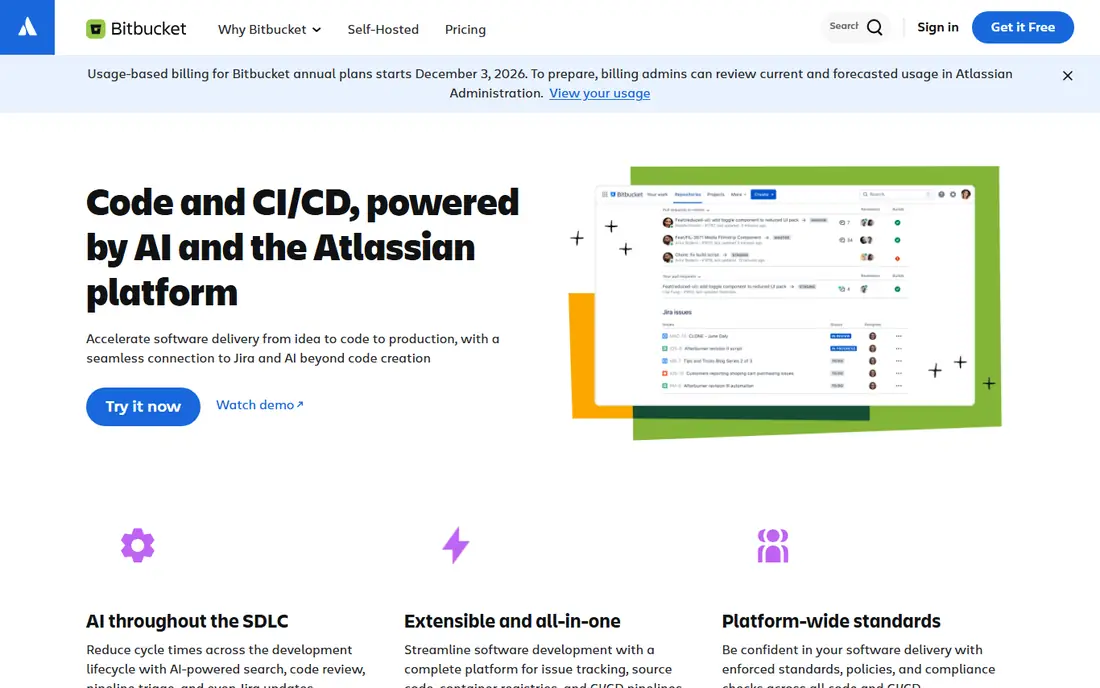
Bitbucket is Atlassian code hosting for teams that already use Jira and Confluence. The vendor pricing page lists Standard at $3.65 per user per month. Free covers individuals and small teams up to 5 users with unlimited public and private repositories, 1 GB LFS file storage, and 50 Pipelines build minutes. Premium adds enforced merge checks, IP allowlisting, deployment permissions, and required two-step verification. Bitbucket suits small teams that want a low seat price with Atlassian integration. For 10 users, Standard costs $36.50 per month before add-ons. Check Pipelines minutes against your build load, since minutes and LFS storage are purchasable allowances.
The catch is free tier size and metered extras. Free stops at 5 users with only 50 build minutes and 1 GB LFS, and extra 1,000 build minutes or 100 GB costs $10 per month. Pick Bitbucket if Jira integration and a $3.65 seat price fit your team. Look elsewhere if build minutes or large files drive your bill. Add-on tracking matters.
What we like- Unlimited public and private repositories on Free up to 5 users stated
- Standard includes current Bitbucket features with purchasable LFS and Pipelines allowances
- Premium adds enforced merge checks and IP allowlisting
Watch out for- Free stops at 5 users with 50 build minutes and 1 GB LFS
- Extra 1,000 build minutes or 100 GB costs $10 per month
Starting priceBasic $6 per user/month after first 5 users free
Free planFirst 5 Basic users free, 1,800 hosted minutes
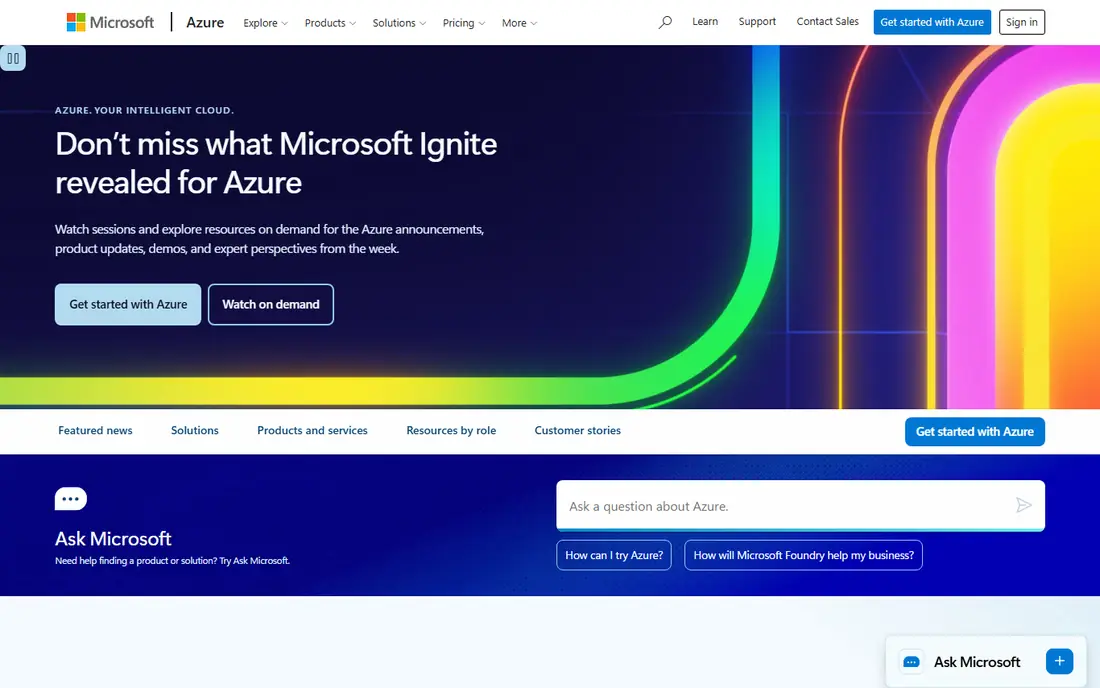
Azure DevOps is Microsoft DevOps services with Azure Repos, Boards, Pipelines, and Artifacts. The vendor pricing page lists Basic with the first 5 users free, then $6 per user per month. Stakeholders are free, with 1 Microsoft-hosted job at 1,800 minutes per month, 1 self-hosted job with unlimited minutes, and Azure Artifacts 2 GiB free per organization. Basic includes unlimited private Git repos. Visual Studio subscribers get Azure DevOps access and do not count against the 5 free users. Azure DevOps suits Microsoft teams that plan work in Boards and deploy to Azure. For 10 Basic users, 5 paid seats cost $30 per month.
The catch is role limits and tier jumps. Stakeholders cannot access Azure Repos, and Basic plus Test Plans jumps to $52 per user per month, with extra parallel jobs at $40 Microsoft-hosted or $15 self-hosted per month. Pick Azure DevOps if Microsoft tooling already runs your delivery. Look elsewhere if every stakeholder needs repo access at the entry price. Role planning matters.
What we like- Basic includes Azure Repos with unlimited private Git repos stated
- Boards, Pipelines and Artifacts bundled in Basic
- Visual Studio subscribers get access and do not count against the 5 free users
Watch out for- Stakeholders cannot access Azure Repos
- Basic plus Test Plans jumps to $52 per user per month
#4
Gitea
Best for: Lightweight self-hosting with support option
Visit gitea.com
Starting priceEnterprise $9.5/user/month, 1-year commitment
Free planOpen Source free, MIT, self-hosted
Gitea is a lightweight self-hosted code forge with a free MIT Open Source edition and a paid Enterprise edition. The vendor pricing page states the Open Source edition is free and self-hosted with unlimited users and repositories and community support. Features include code hosting, issues, pull requests, project management, Gitea Actions, and Packages. Enterprise lists $9.5 per user per month with a 1-year commitment required for online payment, and adds SAML SSO, audit logs, Kubernetes AutoScaling Runners, and SLA support. Gitea suits teams that want GitHub-style workflows on their own server without heavy resource use. Cloud pricing was not read in this check, so confirm the Cloud tab before comparing hosted cost.
The catch is server duty and Enterprise gating. The Open Source edition requires running your own server, and SAML SSO, audit logs, and SLA support sit in Enterprise. Pick Gitea if lightweight self-hosting with an optional support tier fits your team. Look elsewhere if you want hosted service with no server work. Server updates stay with your internal platform team.
What we like- Free MIT self-hosted edition with unlimited users and repositories stated
- Code hosting, issues, pull requests, Actions and Packages included
- Enterprise adds SAML SSO, audit logs and SLA support
Watch out for- Open Source edition requires running your own server
- SAML SSO, audit logs and SLA support are Enterprise features with a 1-year commitment for online payment
Starting priceFree to self-host
Free planFree self-hosted software
Forgejo is a free self-hosted code forge under Codeberg e.V. The vendor homepage states Forgejo will always be Free and Open Source Software, and describes a lightweight forge that is easy to install with low maintenance and a low server profile. Teams can download Forgejo to self-host or create an account on Codeberg or other instances. Forgejo suits teams that want GitHub-style issues and pull requests on infrastructure they control, with no license fee. It fits small teams and communities that can run a server or use a public instance. Support comes from the community and instance operators, since no paid vendor support plan was found on the homepage.
The catch is operations duty. Self-hosting means you run and maintain the server, including updates and backups, unless you use a public instance with its own rules. No paid SLA plan was found. Pick Forgejo if free self-hosting with a familiar forge workflow fits your team. Look elsewhere if vendor support contracts are required. Backup duty stays with your team.
What we like- Vendor states Forgejo will always be Free and Open Source Software
- Self-hosted lightweight forge described as easy to install and low maintenance
- Familiar environment for GitHub users on a platform you own
Watch out for- Self-hosting means you run and maintain the server unless you use a public instance
- No paid vendor support or SLA plan was found on the homepage
Starting priceFree
Free planFree account for eligible open source work
Codeberg is non-profit code hosting for free and open source projects, run by Codeberg e.V. Vendor docs state a free account for eligible free and open source work, with membership optional. Contributors to free software may use up to 100 MB private content. Codeberg uses Forgejo with Woodpecker CI, Weblate, and Codeberg Pages named in docs, and most services run on its own hardware in a rented facility in Berlin. It suits open source projects that want community hosting without commercial platform terms. Projects planning more than 750 MiB Git storage or 1.5 GiB packages, LFS, and attachments should request resources first, per vendor docs.
The catch is eligibility. Codeberg does not offer private hosting for commercial projects, and larger storage needs a resource request. Pick Codeberg if your project is free and open source and non-profit hosting fits your values. Look elsewhere if you need private commercial repositories. Eligibility checks matter before migration planning work starts today. Storage requests take extra planning time today.
What we like- Run by non-profit Codeberg e.V. and powered by donations and membership fees stated
- Uses Forgejo with Woodpecker CI, Weblate and Codeberg Pages named in docs
- Most services run on its own hardware in Berlin per docs
Watch out for- Codeberg does not offer private hosting for commercial projects
- Users planning more than 750 MiB Git storage should request resources first
Starting priceAmateur hackers $4/month, VAT not included
Free planContributing does not require payment
SourceHut is a minimal code hosting service built around email-driven workflows, with Git and Mercurial hosting, mailing lists, tickets, and builds. The vendor pricing page lists Amateur hackers at $4 per month, Typical hackers at $8 per month, and Professional hackers at $12 per month in US dollars, VAT not included. All tiers include full access to all services with no feature difference besides price. Contributing to existing projects does not require payment, and financial aid is available. SourceHut suits open source developers who prefer mailing list review over web pull request workflows. The software is 100% open source and can be self-hosted.
The catch is alpha status and paid services. The service is in public alpha, the payment list is subject to change, and builds and chat require payment during alpha. Prices exclude VAT. Pick SourceHut if email-driven development fits your project culture. Look elsewhere if your team needs a conventional web pull request flow. Team workflow fit matters here today. Review habits matter.
What we like- All service tiers include full access to all services with no feature difference besides price stated
- Git and Mercurial hosting with mailing lists, tickets and builds included
- 100% open source software can be self-hosted
Watch out for- Service is in public alpha and the payment list is subject to change
- Builds and chat require payment and prices exclude VAT
#8
OneDev
Best for: Self-hosted teams wanting built-in CI/CD
Visit onedev.io
Starting priceSee website
Free planNone found on vendor page
OneDev is a self-hosted code hosting platform with built-in CI/CD and package registry features. The vendor pricing page lists a CI/CD engine without writing YAML, with container or sandbox VM jobs and Kubernetes scaling. A built-in package registry covers Docker, NPM, Maven, NuGet, PyPi, RubyGems, and Helm. LDAP, Active Directory, OpenID SSO, and two-factor authentication are listed. OneDev suits self-hosted teams that want code hosting, CI/CD, and packages in one server install. The fetched pricing text showed a $6.00 USD product offer without a readable unit or minimum, so this guide lists See website. Confirm the Enterprise unit and minimum on the live pricing page.
The catch is hosting duty and price clarity. No hosted plan was verified in this run, so teams should expect to run the server, and the Enterprise price unit could not be read. Pick OneDev if built-in CI/CD and packages on your own server fit your team. Look elsewhere if you need hosted service or a published unit price here.
What we like- Built-in CI/CD engine without writing YAML stated
- Built-in package registry for Docker, NPM, Maven, NuGet, PyPi, RubyGems and Helm stated
- LDAP, OpenID SSO and two-factor authentication listed
Watch out for- No hosted plan was verified in this run, so teams should expect to run the server
- Enterprise price unit could not be read from fetched pricing text
Starting priceSee website
Free planFree hosting for eligible open source projects
SourceForge is long-running open source project hosting with Git support and project distribution tools. Vendor documentation states free hosting for eligible open source projects, and all projects must be Open Source Software with a license compliant with the Open Source Definition. Git docs list SSH read and write access, HTTPS access, anonymous read-only access, and import by git push. Project admins can enable or disable project tools, and multiple Git repositories can be created with different labels and mountpoints. SourceForge suits open source projects that want hosting plus download distribution in one place. No modern pricing page was verified in this check, so this guide lists See website for price.
The catch is eligibility and setup checks. Hosting is limited to eligible open source projects, and first project creation requires phone-based verification. Pick SourceForge if open source distribution beside Git hosting fits your project. Look elsewhere if you need private commercial hosting. Project eligibility matters before any migration planning work starts today. Phone verification takes extra setup time today overall.
What we like- Vendor Git docs list SSH and HTTPS access plus import by git push
- Project tools can be enabled or disabled by project admins
- Multiple Git repositories can be created with different labels
Watch out for- Hosting is limited to eligible open source projects
- First project creation requires phone-based verification
Starting priceSee website
Free planFOSS hosting free for open source projects
Heptapod is a code forge with FOSS hosting, managed cloud, and self-hosted options. The vendor site states Heptapod FOSS hosting is free of charge for Free and Open Source Software, and self-hosted software is free and open source. Heptapod Cloud is managed and hosted in Europe by Clever Cloud, with activity-based pricing so only active users are paid for. European teams use Heptapod when EU hosting and Mercurial heritage matter beside Git workflows. The exact per-active-user price was not read on a vendor page in this check, so this guide lists See website. Confirm current cloud pricing and runner billing before you plan a migration.
The catch is price detail and add-on billing. The exact per-active-user price was not read, prebuilt container images depend on a paid subscription by quotation, and CI runners are billed separately. Pick Heptapod if EU-hosted forge service with activity-based pricing fits your team. Look elsewhere if you need a published seat price in this guide. CI runner billing matters here.
What we like- Vendor lists FOSS hosting, Heptapod Cloud and self-hosted options
- Heptapod Cloud is managed and hosted in Europe by Clever Cloud stated
- Activity-based pricing means only active users are paid for
Watch out for- Exact per-active-user price was not read on a vendor page in this run
- Prebuilt container images depend on a paid subscription and CI runners are billed separately
Should your team self-host a GitHub alternative or use a hosted forge?
Self-host when control, data location, or seat cost at scale matters most, and use a hosted forge when server work would slow the team. Bitbucket Standard costs $3.65 per user per month, so 10 users cost $36.50 per month. Azure DevOps Basic costs $6 per user per month after 5 free users, so 10 users cost $30 per month. Gitea Open Source is free to self-host, while Enterprise lists $9.5 per user per month. Forgejo is free to self-host. Self-hosting trades seat fees for server updates, backups, and security work. Hosted plans trade control for included operations.
Which GitHub alternative is best for self-hosting?
Gitea is the best starting point for self-hosting, with a free MIT edition and Enterprise at $9.5 per user per month for support features. Forgejo fits teams that want a free forge with no license fee. OneDev fits teams that want built-in CI/CD and packages on one server, with price See website.
Is GitLab better than Bitbucket for small teams?
Bitbucket is better for small Jira teams on price, with Standard at $3.65 per user per month and Free up to 5 users. GitLab is better when one platform for code, CI/CD, security, and planning matters most. Confirm GitLab tier pricing on the vendor page, since this guide lists See website.
What is the best free GitHub alternative for open source?
Codeberg is the best free hosted pick for eligible open source projects, run by non-profit Codeberg e.V. Forgejo is the best free self-hosted pick. SourceHut fits email-driven projects, with Amateur hackers at $4 per month and no payment required to contribute.
Frequently asked questions
How much does a GitHub alternative cost for 10 users?
Bitbucket Standard costs $36.50 per month for 10 users at $3.65 per user per month. Azure DevOps Basic costs $30 per month for 10 users, since the first 5 users are free and 5 paid seats cost $6 each. Gitea Enterprise costs $95 per month for 10 users at $9.5 per user per month.
Can I self-host a GitHub alternative for free?
Yes. Gitea Open Source is free under MIT with unlimited users and repositories, self-hosted. Forgejo is free to self-host. Heptapod self-hosted software is free and open source. Your costs become server hosting, backups, updates, and admin time instead of seat fees.
Which GitHub alternative works best with Jira?
Bitbucket is the Jira pick in this list, since Atlassian sells Bitbucket beside Jira. Standard lists $3.65 per user per month. Free covers up to 5 users with 50 Pipelines build minutes. Teams outside Atlassian should compare GitLab and Azure DevOps on CI and planning needs.
Is Codeberg free for commercial projects?
No. Codeberg docs state Codeberg does not offer private hosting for commercial projects. Free accounts cover eligible free and open source work. Commercial teams should use Bitbucket, Azure DevOps, GitLab, or a self-hosted forge such as Gitea or Forgejo instead.
What happened to AWS CodeCommit and Google Cloud Source Repositories?
Both were excluded from this list. Google documentation states Cloud Source Repositories is not available to new customers from 17 June 2024. AWS CodeCommit availability evidence conflicted in this check, so it was excluded until vendor status is directly confirmed. Use the 10 verified picks in this guide instead.
What to look for before you buy
First, decide between hosted service and self-hosting, since that choice sets your operations load. Second, count paid seats after free tiers, because Bitbucket Free stops at 5 users and Azure DevOps frees the first 5 Basic users. Third, check CI minutes, LFS storage, and runner billing, since add-ons change the seat price. Fourth, confirm identity features such as SSO and audit logs on the tier you will buy, not on a higher tier. Fifth, check project eligibility for free open source hosts before you plan a migration.
How we chose
We built a candidate list of 18 GitHub alternatives, then kept 10 with working official sites checked on 2026-11-28. Prices and free tier limits come from vendor pages and official documentation. Where vendor pricing numerals could not be read, the entry says See website. Closed-to-new-customer services were excluded. No hands-on testing is claimed.
Sources we checked (10)
- https://about.gitlab.com/pricing
- https://www.atlassian.com/software/bitbucket/pricing
- https://azure.microsoft.com/en-us/pricing/details/devops/azure-devops-services/
- https://about.gitea.com/pricing
- https://forgejo.org/
- https://docs.codeberg.org/getting-started/faq/
- https://sourcehut.org/pricing
- https://onedev.io/pricing
- https://sourceforge.net/p/forge/documentation/Create%20a%20New%20Project/
- https://heptapod.net/heptapod-cloud/
Is your product missing or out of date?
We review this list regularly. Vendors can request a listing, send updated pricing or ask about featured placement.

Shihab Mia · Founder, Rankite
Shihab has 5+ years in B2B and SaaS SEO. He writes Rankite's software buying guides from pricing pages, documentation and public user reviews. More about Shihab.