How we make this list: we compare pricing pages, product documentation and public user reviews. Ratings come from G2, Capterra or Trustpilot, with the date we checked them.
Framer and Squarespace serve different kinds of small business. Framer is built around design. Its canvas lets you place elements freely, add interactions and animations, and publish a site that looks custom without writing code. Squarespace is built around simplicity. Its templates look polished out of the box, and hosting, domains, email marketing and commerce all sit in one dashboard. A small business that wants a fast launch will get there sooner on Squarespace. A business that cares about a distinctive look will get more from Framer. Both handle contact forms, SEO settings, analytics and mobile layouts. Framer puts its effort into design control and motion. Squarespace puts it into an integrated, managed service.
How do Framer and Squarespace compare on price?
Framer charges per site, and its Free plan costs $0, which makes it easy to test a design before paying. Basic is $10 per month billed annually, or $15 month to month. Pro is $30 per month billed annually, or $45 monthly. Scale is $100 per month on annual billing only. Extra editors cost $20 per month on Basic and $40 on Pro and Scale, while content editors cost $10 per month. Squarespace charges $19 per month for Basic, $29 for Core, $49 for Plus and $99 for Advanced, all on annual billing after the July 2026 rename. Do not rely on the old $16, $23, $28 and $52 figures. On headline price, Framer is cheaper at the entry level, especially for a simple site on the free or Basic plan. Squarespace costs more at the start, but the price covers hosting, a domain for the first year on annual plans, and built-in commerce tools. Compare the total cost of what you need, not only the monthly figure, since add-ons change the real bill.
Which one gives you more design control?
Framer gives you more design control. You can build layouts from a blank canvas, set breakpoints, add scroll effects, and use components and variables to keep a design system consistent across pages. Designers who know Figma will feel at home, since Framer borrows many of the same ideas. Squarespace gives you less freedom but more guardrails. Its templates use structured sections, so a site stays clean and consistent even when a non-designer edits it. You can change fonts, colors, spacing and layout blocks. If your priority is a unique, interactive site, Framer wins. If your priority is a tidy site that anyone on your team can update without breaking the layout, Squarespace is the safer choice.
Squarespace is easier for most people day to day. The editor is guided, the settings are in one place, and support is available when something goes wrong. Adding a page, a blog post or a product follows the same pattern each time, so new team members learn it quickly. Framer has a steeper learning curve. Its canvas is powerful, but new users need time to understand layers, components and breakpoints. Once you learn it, building and updating pages is fast. For a solo owner who wants to edit a site once a month, Squarespace is the lower-effort option. For a team with a designer, Framer is manageable and the extra control is worth the learning time.
What should you check before you choose?
Start with your main goal. If the site is a portfolio or a startup landing page, design and speed matter most, and Framer or Webflow will serve you well. If the site is a brochure site for a local business with a simple store, Squarespace covers it in one subscription. If you plan to sell at scale, look at Shopify or BigCommerce instead, since their commerce tools are deeper. Check the plan limits that affect you. Framer charges per site and per editor, so a team with several editors pays more. Squarespace plans differ on commerce features and analytics, so read the plan page before you pay. Test both free options where they exist. Framer has a free plan, and Squarespace offers a trial. Build one real page on each and view it on a phone. That short test tells you more than any feature list.
Quick comparison
| Tool | Best for | Starting price | Free plan |
|---|
 Framer | Design-led startups, portfolios and marketing sites that need a distinctive look | Free $0; Basic $10 per month billed annually ($15 monthly); Pro $30 per month billed annually ($45 monthly); Scale $100 per month annual billing only, per site | Yes, Free plan at $0 with a Framer subdomain and basic features |
 Squarespace | Small businesses that want hosting, templates, commerce and support in one place | Basic $19, Core $29, Plus $49, Advanced $99 per month billed annually, after the July 2026 rename | No free plan, but a free trial is available |
 Webflow | Design-led teams and agencies that need a visual builder with a real CMS | Basic $15 per month billed annually; Premium $25 per month billed annually ($39 monthly), after the May 2026 merge of CMS and Business plans into Premium | Yes, a free starter plan with limited pages and a Webflow subdomain |
 Wix | Beginners and small businesses that want a quick launch with many templates | Light $17, Core $29, Business $39, Business Elite $159 per month billed annually | Yes, a free plan with a Wix subdomain and Wix ads |
 WordPress.org | Owners who want full control and are happy to manage hosting and updates | Free open-source software; hosting is separate, typically a few dollars to $25 or more per month | Yes, the software itself is free |
 Shopify | Businesses that sell online and want the store to come first | Basic $29 per month billed annually ($39 monthly), Grow $79 ($105), Advanced $299 ($399), Plus from $2,300 per month | No free plan, but a free trial is available |
 WooCommerce | WordPress site owners who want a store on the platform they already use | Free plugin; hosting typically $25 to $350 per month; WooPayments 2.9 percent plus $0.30 per transaction | Yes, the WooCommerce plugin itself is free |
 BigCommerce | Growing online stores that need strong commerce features without per-transaction fees on paid plans | Core $29, Growth $79, Scale $299 per month, Performance from $1,499, after the June 2026 rename | No free plan, but a free trial is available |
Is your product missing or out of date?
We review this list regularly. Vendors can request a listing, send updated pricing or ask about featured placement.
8 Website Builders Compared
| Tool |
Starting price (annual billing) |
Free plan |
Best for |
| Framer |
$10 per site per month |
Yes, $0 |
Design-led sites and startups |
| Squarespace |
$19 per month |
Trial only |
All-in-one small business sites |
| Webflow |
$15 per month |
Yes, limited |
Design-led teams needing a CMS |
| Wix |
$17 per month |
Yes, limited |
Beginners who want a quick launch |
| WordPress.org |
Free software, hosting extra |
Yes, software free |
Flexible self-hosted sites |
| Shopify |
$29 per month |
Trial only |
Stores that sell online |
| WooCommerce |
Free plugin, hosting extra |
Yes, plugin free |
WordPress stores |
| BigCommerce |
$29 per month |
Trial only |
Growing online stores |
#1Framer
Best for: Design-led startups, portfolios and marketing sites that need a distinctive look4.5/5 on
G2 (144 reviews, checked Oct 2026)
Visit framer.com
Starting priceFree $0; Basic $10 per month billed annually ($15 monthly); Pro $30 per month billed annually ($45 monthly); Scale $100 per month annual billing only, per site
Free planYes, Free plan at $0 with a Framer subdomain and basic features

Framer is the design-first builder in this comparison. Its canvas gives you the freedom to build a site that does not look like a template, and its animation tools let you add scroll effects, page transitions and micro-interactions without code. The free plan is useful for testing a design, and Basic at $10 per month on annual billing is cheap. The trade-off is learning time, and teams pay extra for editor seats. Framer suits designers, startups and agencies that want a modern site and are willing to learn the tool.
What we like- Free-form canvas design, strong animation and interaction tools, fast publishing, AI site generation, content editors can update text without touching design
Watch out for- Steeper learning curve than template builders, and editor seats add cost, with extra editors at $20 per month on Basic and $40 on Pro and Scale
#2Squarespace
Best for: Small businesses that want hosting, templates, commerce and support in one place4.4/5 on
G2 (1,133 reviews, checked Oct 2026)
Visit squarespace.com
Starting priceBasic $19, Core $29, Plus $49, Advanced $99 per month billed annually, after the July 2026 rename
Free planNo free plan, but a free trial is available

Squarespace is the all-in-one option. You get hosting, a domain for the first year on annual plans, templates, commerce, email marketing and analytics under one subscription, and the editor keeps layouts tidy even when a non-designer makes changes. The July 2026 rename set prices at Basic $19, Core $29, Plus $49 and Advanced $99 per month on annual billing, so ignore the old $16, $23, $28 and $52 figures. Squarespace suits small businesses and service firms that want a professional site without managing separate hosting or plugins.
What we like- Polished templates, all-in-one hosting and domains, built-in commerce and email marketing, guided editor that is easy to learn, reliable support
Watch out for- Less design freedom than Framer or Webflow, and the entry price is higher than most builders here after the July 2026 rename, so small sites pay more for features they may not use
#3Webflow
Best for: Design-led teams and agencies that need a visual builder with a real CMS4.4/5 on
G2 (995 reviews, checked Oct 2026)
Visit webflow.com
Starting priceBasic $15 per month billed annually; Premium $25 per month billed annually ($39 monthly), after the May 2026 merge of CMS and Business plans into Premium
Free planYes, a free starter plan with limited pages and a Webflow subdomain
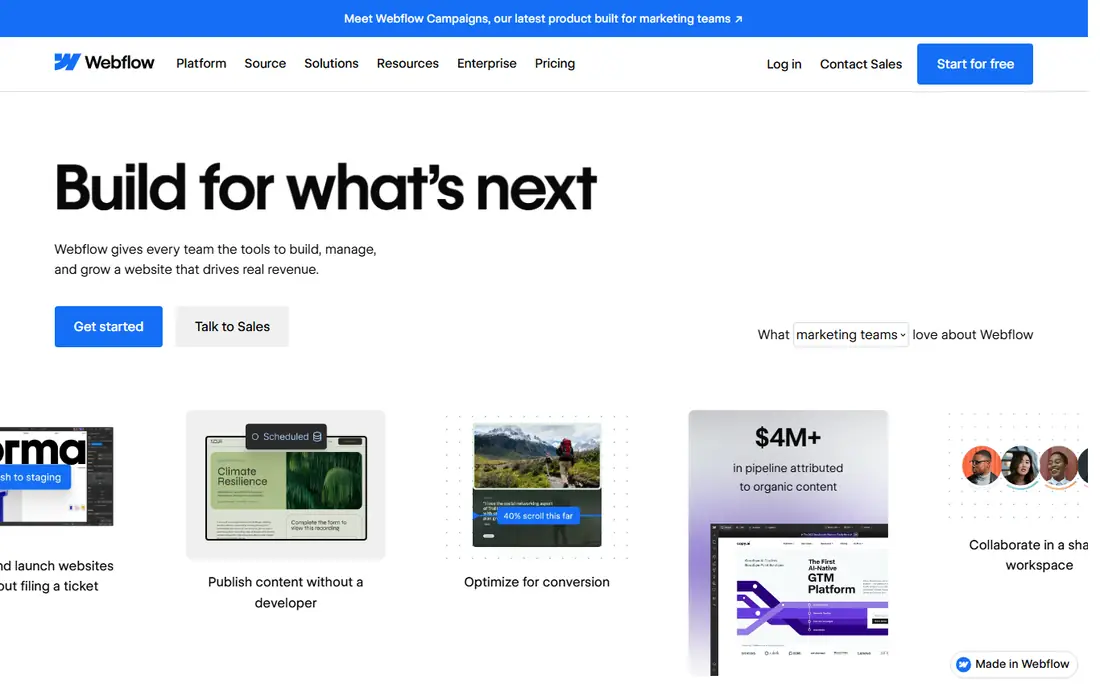
Webflow sits between Framer and WordPress in this list. It gives designers near-code-level control in a visual canvas, plus a CMS that handles blogs, portfolios and content-heavy sites well. The May 2026 merge of the CMS and Business plans into Premium simplified the range: Basic is $15 per month and Premium is $25 per month on annual billing, or $39 month to month. Sources disagree on the Premium bandwidth figure, with some listing 50 GB and others 200 GB, so confirm it on the vendor pricing page before you buy.
What we like- Visual design control close to code, powerful CMS with collections, clean hosting and good SEO controls, strong for agencies building client sites
Watch out for- Steep learning curve for beginners, and the Premium plan bandwidth figure is unclear in current sources, so confirm it at publication or at checkout before you rely on it
#4Wix
Best for: Beginners and small businesses that want a quick launch with many templates4.2/5 on
G2 (1,888 reviews, checked Oct 2026)
Visit wix.com
Starting priceLight $17, Core $29, Business $39, Business Elite $159 per month billed annually
Free planYes, a free plan with a Wix subdomain and Wix ads
Wix is the easiest builder to start with in this comparison. Its editor is drag and drop, its template library is large, and its app market adds bookings, events, forms and commerce without extra services. Light is $17 per month on annual billing, Core is $29, Business is $39 and Business Elite is $159. The 50 percent first-year discount is attractive, but it renews at full price, so budget for the second year, not just the first.
What we like- Very large template library, easy drag-and-drop editor, wide app market, AI site builder for a fast start, good value at the entry level
Watch out for- Sites can be hard to switch to a new template later, and the 50 percent first-year discounts renew at full price, so the second-year cost is much higher than the first-year offer
#5WordPress.org
Best for: Owners who want full control and are happy to manage hosting and updates4.4/5 on
G2 (9,546 reviews, checked Oct 2026)
Visit wordpress.org
Starting priceFree open-source software; hosting is separate, typically a few dollars to $25 or more per month
Free planYes, the software itself is free
WordPress.org is the self-hosted route. The software is free, and you install it on hosting you choose, which gives you full control over the site, the data and the code. Hosting typically runs from a few dollars to $25 or more per month, and you may pay extra for a premium theme or plugins. That flexibility is the main draw: there is a plugin for almost anything, from memberships to bookings to multilingual sites. The trade-off is responsibility. You handle updates, security, backups and performance, or you pay a host or developer to do it.
What we like- Full ownership and control, huge plugin and theme library, no platform lock-in, scales from a blog to a large site, strong SEO options
Watch out for- You manage hosting, security, backups and updates yourself, and costs add up once you pay for hosting, a theme and plugins
#6Shopify
Best for: Businesses that sell online and want the store to come first4.4/5 on
G2 (5,144 reviews, checked Oct 2026)
Visit shopify.com
Starting priceBasic $29 per month billed annually ($39 monthly), Grow $79 ($105), Advanced $299 ($399), Plus from $2,300 per month
Free planNo free plan, but a free trial is available
Shopify is the commerce-first pick in this list. Its checkout, payments, shipping, discount and tax tools are deeper than the store features in general builders like Squarespace or Wix, and its app store covers almost every selling need. Basic is $29 per month on annual billing, or $39 monthly, Grow is $79, or $105 monthly, Advanced is $299, or $399 monthly, and Plus starts from $2,300 per month. A price flag matters here. A 16 Nov 2026 read showed Grow $89 and Advanced $359 on yearly billing, and a non-US read showed Basic $19 and Grow $49.
What we like- Deep commerce tools including checkout, payments, shipping and tax, large app store, reliable hosting and support, scales from a first store to a large brand
Watch out for- Monthly cost rises quickly as you add apps and move up plans, and price reads conflict, so confirm the current plan price at checkout before you buy
#7WooCommerce
Best for: WordPress site owners who want a store on the platform they already use4.4/5 on
G2 (1,283 reviews, checked Oct 2026)
Visit woocommerce.com
Starting priceFree plugin; hosting typically $25 to $350 per month; WooPayments 2.9 percent plus $0.30 per transaction
Free planYes, the WooCommerce plugin itself is free
WooCommerce turns a WordPress site into a store. The plugin is free, and it adds products, cart, checkout, shipping and tax to a site you already own. Hosting typically runs $25 to $350 per month depending on the store size and the host, and WooPayments charges 2.9 percent plus $0.30 per transaction. Extensions add features such as subscriptions, bookings and advanced shipping, and many of them are paid. WooCommerce suits WordPress owners who want a store without moving to a new platform.
What we like- Free core plugin, full control over the store and data, huge extension library, no monthly platform fee for the core software, works with any WordPress theme
Watch out for- You pay for hosting and extensions, and you manage updates, security and performance yourself, so the total cost and workload are higher than the free plugin price suggests
#8BigCommerce
Best for: Growing online stores that need strong commerce features without per-transaction fees on paid plans4.2/5 on
G2 (580 reviews, checked Oct 2026)
Visit bigcommerce.com
Starting priceCore $29, Growth $79, Scale $299 per month, Performance from $1,499, after the June 2026 rename
Free planNo free plan, but a free trial is available
BigCommerce is the other commerce-first option here. Its June 2026 rename set prices at Core $29, Growth $79 and Scale $299 per month, with Performance from $1,499. The platform includes strong built-in features for catalogs, promotions, shipping and multi-channel selling, and paid plans carry no per-transaction fees, which helps stores with higher order volumes. Watch the GMV caps. The lower tiers have annual sales limits, with $30K and $100K tiers, and Scale carries a 0.9 percent overage charge.
What we like- Strong built-in commerce features, no per-transaction fees on paid plans, multi-channel selling, good for stores that expect to grow
Watch out for- GMV caps apply on the lower tiers, with $30K and $100K tiers and 0.9 percent overage on Scale, so a fast-growing store can face extra charges
Frequently asked questions
Is Framer better than Squarespace for a small business?
It depends on what the business needs most. Framer is better when design matters most, such as a portfolio or a startup landing page. Squarespace is better when the business wants one simple subscription that covers hosting, templates, commerce and support. A business that plans to sell at scale should look at Shopify instead.
Can I use Framer for free?
Yes. Framer has a Free plan at $0 per site, which lets you build and publish a site on a Framer subdomain. It is a good way to test the canvas and see whether the design tools suit you. Paid plans start at Basic $10 per month on annual billing, with more pages and editor seats.
How much does Squarespace cost in 2026?
Squarespace costs $19 per month for Basic, $29 for Core, $49 for Plus and $99 for Advanced, all on annual billing after the July 2026 rename. The old prices of $16, $23, $28 and $52 no longer apply. Check the current plan page before you pay, since commerce features differ by plan.
Which website builder is easiest for beginners?
Wix and Squarespace are the easiest builders in this comparison. Wix has a simple drag-and-drop editor and a large template library, so a first site can go live in a day. Squarespace has a guided editor and polished templates that keep a site tidy. Framer and Webflow give more design control but take longer to learn.
Should I choose WordPress.org or a hosted builder?
Choose WordPress.org when you want full control, plan to grow the site, and are comfortable managing hosting, updates and security, or paying someone to do that work. Choose a hosted builder such as Squarespace, Wix or Framer when you want a managed service with hosting, support and updates handled for you.
Sources we checked (8)
- https://www.framer.com/pricing
- https://www.squarespace.com/pricing
- https://webflow.com/pricing
- https://www.wix.com/pricing
- https://wordpress.org
- https://www.shopify.com/pricing
- https://woocommerce.com
- https://www.bigcommerce.com/pricing
Is your product missing or out of date?
We review this list regularly. Vendors can request a listing, send updated pricing or ask about featured placement.

Shihab Mia · Founder, Rankite
Shihab has 5+ years in B2B and SaaS SEO. He writes Rankite's software buying guides from pricing pages, documentation and public user reviews. More about Shihab.