How we make this list: we compare pricing pages, product documentation and public user reviews. Ratings come from G2, Capterra or Trustpilot, with the date we checked them.
Key takeaways
- DataGrip suits developers who write complex SQL daily, while TablePlus suits developers who value speed.
- Beekeeper Studio and DbGate give free cross-platform options with paid upgrades for advanced work.
- pgAdmin is the clear pick for PostgreSQL-only work, and HeidiSQL is the clear pick for free Windows MySQL work.
- Navicat Premium suits teams that manage many database types in one paid client.
Quick comparison
| Tool | Best for | Starting price | Free plan |
|---|
 DataGrip DataGrip | Power SQL editing | $10.90 per user/month (billed annually) | Free trial |
 TablePlus TablePlus | Fast native database browsing | See website | Yes |
 Beekeeper Studio Beekeeper Studio | Clean open-source SQL client | $9 per user/month (billed annually) | Yes |
 DbVisualizer DbVisualizer | Universal database client | See website | Free trial |
 HeidiSQL HeidiSQL | Lightweight Windows database tool | See website | Yes |
 DbGate DbGate | Free cross-platform SQL client | See website | Yes |
 pgAdmin pgAdmin | PostgreSQL administration | See website | Yes |
 Navicat Premium Navicat Premium | Cross-database premium client | See website | Free trial |
 Azure Data Studio Azure Data Studio | SQL Server and PostgreSQL work | See website | Yes |
Is your product missing or out of date?
We review this list regularly. Vendors can request a listing, send updated pricing or ask about featured placement.
The best dbeaver alternatives
Starting price$10.90 per user/month (billed annually)
Free planFree trial
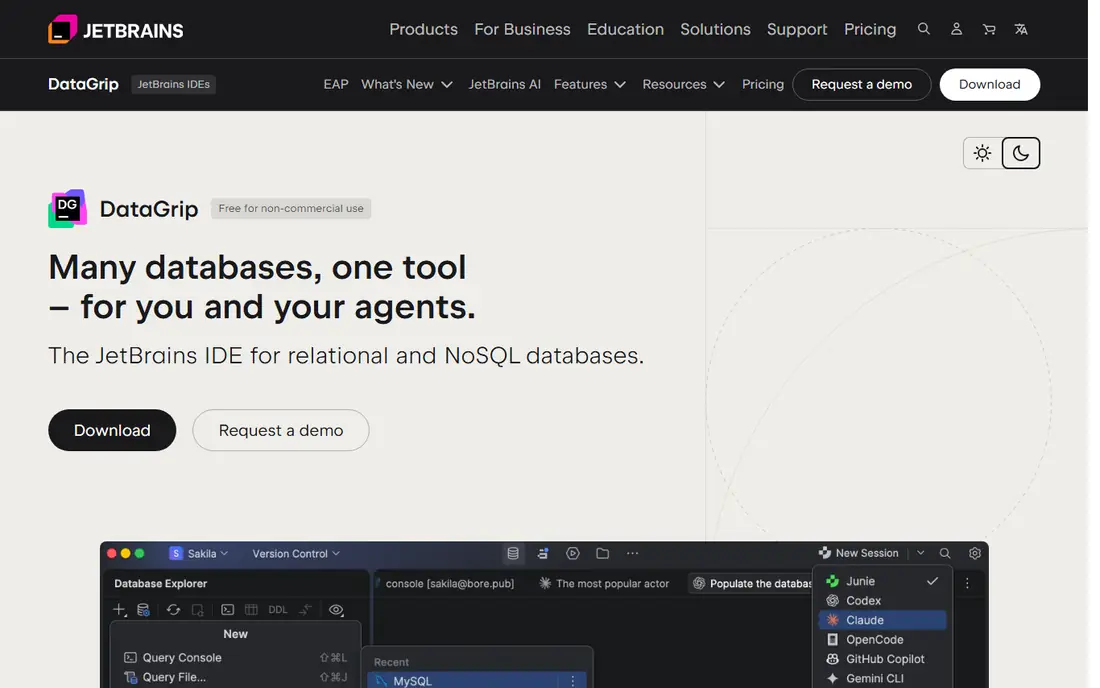
For teams that need strong SQL editing, this is a practical place to start. DataGrip is built for developers who write SQL all day and want completion, refactoring, and navigation help. Its JetBrains integration suits teams already using JetBrains IDEs, while occasional users may find the price hard to justify.
In daily use, the deciding factors are usually Power SQL editing, how the tool handles your existing stack, and whether the plan limits match your volume. Check the pricing page, the documentation for DataGrip, and recent public reviews before you buy, and use a trial with a real project rather than a demo dataset. Pricing and plan limits are worth checking on the vendor pricing page before you commit, because tiers and add-ons change over time. If the tool fits your main workflow and its limits are acceptable, it is worth a shortlist spot. If not, move to the next option in this guide.
What we like- Strong SQL completion and refactoring
- Multi-database support
- JetBrains IDE integration
Watch out for- No permanent free tier
- Heavier than light clients
#2TablePlus
Best for: Fast native database browsing4.3/5 on
G2 (31 reviews, checked Oct 2026)
Visit tableplus.com
Starting priceSee website
Free planYes
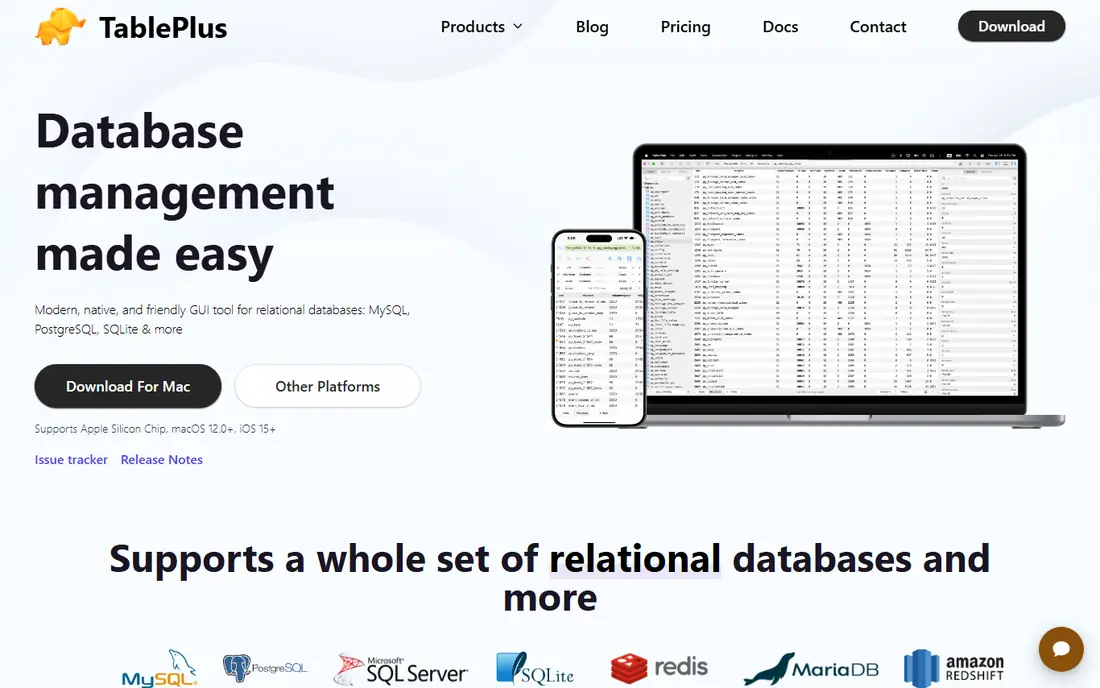
If your main problem is fast native browsing, this option deserves a close look. TablePlus is a native client that opens fast and stays light while browsing tables. It suits developers who value speed and a clear interface over deep IDE features.
In daily use, the deciding factors are usually Fast native database browsing, how the tool handles your existing stack, and whether the plan limits match your volume. Check the pricing page, the documentation for TablePlus, and recent public reviews before you buy, and use a trial with a real project rather than a demo dataset. Pricing and plan limits are worth checking on the vendor pricing page before you commit, because tiers and add-ons change over time. If the tool fits your main workflow and its limits are acceptable, it is worth a shortlist spot. If not, move to the next option in this guide.
What we like- Native speed and low memory use
- Clean table editing
- SSH and TLS connections
Watch out for- One-time license model varies by edition
- Fewer admin features than IDEs
Starting price$9 per user/month (billed annually)
Free planYes
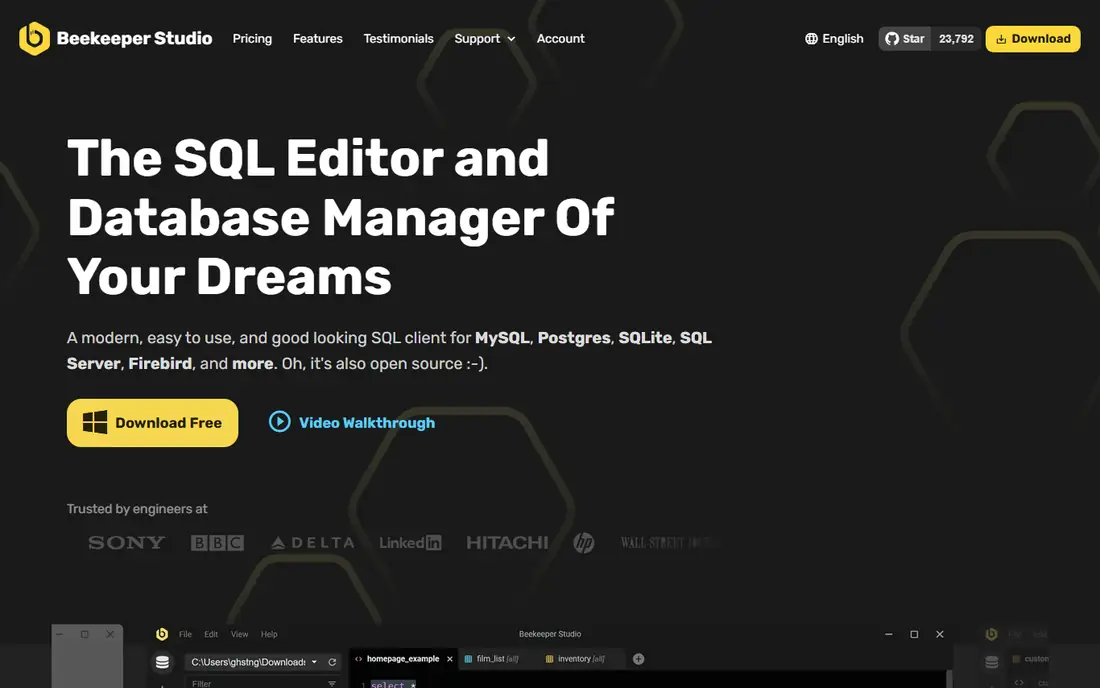
This option suits groups that want a clean free SQL client without a long setup. Beekeeper Studio offers a clean, modern client with a free community edition for everyday SQL work. Its paid edition adds team and advanced features, while the free edition covers browsing, editing, and queries for many users.
In daily use, the deciding factors are usually Clean open-source SQL client, how the tool handles your existing stack, and whether the plan limits match your volume. Check the pricing page, the documentation for Beekeeper Studio, and recent public reviews before you buy, and use a trial with a real project rather than a demo dataset. Pricing and plan limits are worth checking on the vendor pricing page before you commit, because tiers and add-ons change over time. If the tool fits your main workflow and its limits are acceptable, it is worth a shortlist spot. If not, move to the next option in this guide.
What we like- Open-source community edition
- Clean interface
- Multi-database support
Watch out for- Advanced features sit in paid tiers
- Smaller admin toolset
#4DbVisualizer
Best for: Universal database client4.8/5 on
Capterra (131 reviews, checked Oct 2026)
Visit dbvis.com
Starting priceSee website
Free planFree trial
When universal database access matters more than extra features, this tool fits well. DbVisualizer is a mature universal client for teams that connect to many database types. Its visual tools help with schema work, while its long history means documentation and support are well established.
In daily use, the deciding factors are usually Universal database client, how the tool handles your existing stack, and whether the plan limits match your volume. Check the pricing page, the documentation for DbVisualizer, and recent public reviews before you buy, and use a trial with a real project rather than a demo dataset. Pricing and plan limits are worth checking on the vendor pricing page before you commit, because tiers and add-ons change over time. If the tool fits your main workflow and its limits are acceptable, it is worth a shortlist spot. If not, move to the next option in this guide.
What we like- Broad database coverage
- Visual query and schema tools
- Mature feature set
Watch out for- Interface feels dated to some users
- Paid tiers for full features
#5HeidiSQL
Best for: Lightweight Windows database tool4.7/5 on
G2 (3 reviews, checked Oct 2026)
Visit heidisql.com
Starting priceSee website
Free planYes
A good pick for people who put lightweight Windows database work first is this platform. HeidiSQL is a free, light client for Windows users who mainly work with MySQL, MariaDB, and related systems. It starts fast and covers routine admin and query work, but it is not a cross-platform pick.
In daily use, the deciding factors are usually Lightweight Windows database tool, how the tool handles your existing stack, and whether the plan limits match your volume. Check the pricing page, the documentation for HeidiSQL, and recent public reviews before you buy, and use a trial with a real project rather than a demo dataset. Pricing and plan limits are worth checking on the vendor pricing page before you commit, because tiers and add-ons change over time. If the tool fits your main workflow and its limits are acceptable, it is worth a shortlist spot. If not, move to the next option in this guide.
What we like- Free and lightweight
- Strong MySQL and MariaDB support
- Fast startup
Watch out for- Windows only
- Narrower database range
Starting priceSee website
Free planYes
Consider this tool when a free cross-platform client is the deciding factor. DbGate gives a free cross-platform option for teams that need SQL and MongoDB support without a license cost. Its web version can help teams that want browser access, while paid tiers add more advanced features.
In daily use, the deciding factors are usually Free cross-platform SQL client, how the tool handles your existing stack, and whether the plan limits match your volume. Check the pricing page, the documentation for DbGate, and recent public reviews before you buy, and use a trial with a real project rather than a demo dataset. Pricing and plan limits are worth checking on the vendor pricing page before you commit, because tiers and add-ons change over time. If the tool fits your main workflow and its limits are acceptable, it is worth a shortlist spot. If not, move to the next option in this guide.
What we like- Free community edition
- Cross-platform and web options
- Multi-database support
Watch out for- Newer ecosystem
- Advanced features in paid tiers
#7pgAdmin
Best for: PostgreSQL administration4.1/5 on
G2 (73 reviews, checked Oct 2026)
Visit pgadmin.org
Starting priceSee website
Free planYes
This platform works best where PostgreSQL administration is the daily work. pgAdmin is the standard free admin tool for PostgreSQL, with server management, query tools, and monitoring. It is the right pick when PostgreSQL is the only database, but it does not replace a multi-database client.
In daily use, the deciding factors are usually PostgreSQL administration, how the tool handles your existing stack, and whether the plan limits match your volume. Check the pricing page, the documentation for pgAdmin, and recent public reviews before you buy, and use a trial with a real project rather than a demo dataset. Pricing and plan limits are worth checking on the vendor pricing page before you commit, because tiers and add-ons change over time. If the tool fits your main workflow and its limits are acceptable, it is worth a shortlist spot. If not, move to the next option in this guide.
What we like- Free and dedicated to PostgreSQL
- Admin and monitoring tools
- Wide platform support
Watch out for- PostgreSQL only
- Interface can feel heavy
#8Navicat Premium
Best for: Cross-database premium client4.5/5 on
G2 (60 reviews, checked Oct 2026)
Visit navicat.com
Starting priceSee website
Free planFree trial
For a setup built around many databases in one client, this is a strong candidate. Navicat Premium connects to many databases from one app, with modeling and transfer tools for data work. It suits teams that manage several database types and want one paid client, while the price is higher than free clients.
In daily use, the deciding factors are usually Cross-database premium client, how the tool handles your existing stack, and whether the plan limits match your volume. Check the pricing page, the documentation for Navicat Premium, and recent public reviews before you buy, and use a trial with a real project rather than a demo dataset. Pricing and plan limits are worth checking on the vendor pricing page before you commit, because tiers and add-ons change over time. If the tool fits your main workflow and its limits are acceptable, it is worth a shortlist spot. If not, move to the next option in this guide.
What we like- Broad database support in one app
- Visual design and modeling
- Data transfer tools
Watch out for- Perpetual and subscription pricing can be costly
- Learning curve for full features
Starting priceSee website
Free planYes
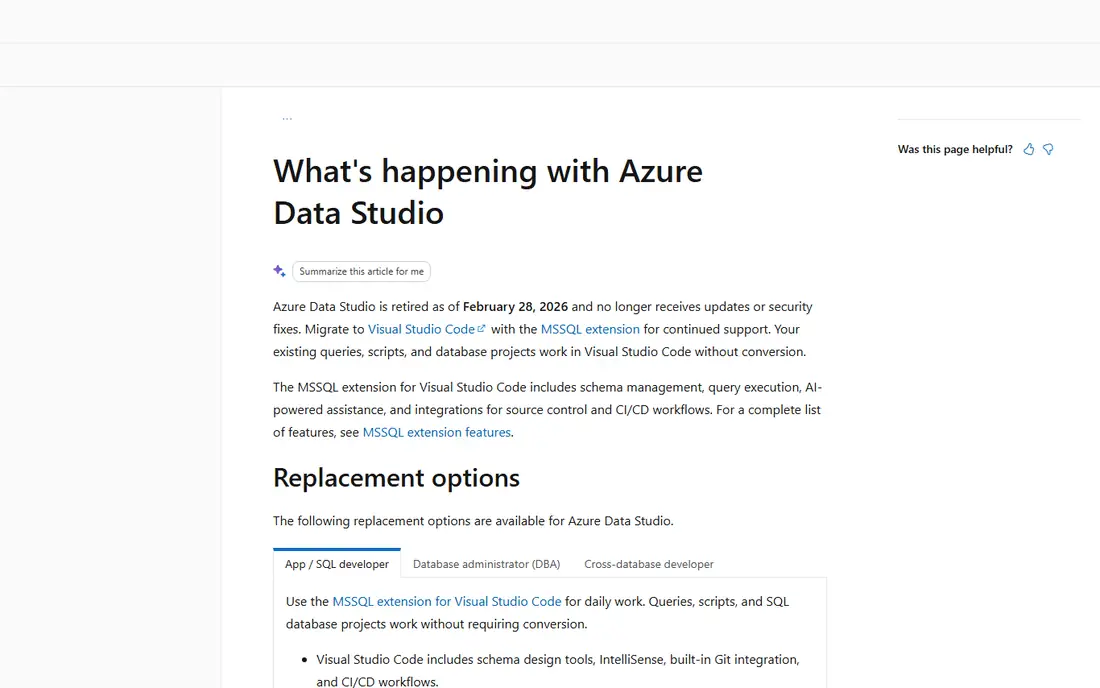
If you value SQL Server and PostgreSQL work above all else, start your shortlist here. Azure Data Studio is a free Microsoft client for SQL Server and PostgreSQL work, with notebooks for data exploration. It suits teams in the Microsoft data stack, but check current support status before starting a new project on it.
In daily use, the deciding factors are usually SQL Server and PostgreSQL work, how the tool handles your existing stack, and whether the plan limits match your volume. Check the pricing page, the documentation for Azure Data Studio, and recent public reviews before you buy, and use a trial with a real project rather than a demo dataset. Pricing and plan limits are worth checking on the vendor pricing page before you commit, because tiers and add-ons change over time. If the tool fits your main workflow and its limits are acceptable, it is worth a shortlist spot. If not, move to the next option in this guide.
What we like- Free Microsoft tool
- Notebooks and dashboards
- SQL Server focus
Watch out for- Retirement and support plans need checking
- Narrower database range
How we chose
We compared pricing pages, product documentation, and public reviews on G2, Capterra, and Reddit, then checked features, integrations, and fit for different company sizes. We did not count marketing claims as facts, and we left a price as See website when the vendor page did not publish a clear starting price.
That method favors tools with clear documentation and a plan that matches the job. A large platform can still be the wrong pick for a small team, and a small tool can still be the right pick for a focused job, so size fit mattered as much as feature count.
How to choose a database client for daily work
Match the client to your databases
A PostgreSQL-only team does not need a universal client, and a team with five database types does not want five separate tools. List your databases, then check that the client supports each one well, including SSH tunnels, SSL, and cloud connections. Test a large table and a slow query, not just a small sample.
Weigh speed against SQL help
Native clients start fast and use less memory. Full IDEs start slower but offer better completion, refactoring, and navigation. If you write SQL for hours each day, IDE help can pay for itself. If you mainly browse and edit rows, speed and a clear table view matter more.
Check team and admin needs
Solo developers can pick on feel alone. Teams need shared connections, query history, and export options that fit their workflow. Admin users need schema tools, user management, and monitoring for their database type. Confirm those features in a trial before you buy seats.
Frequently asked questions
Is there a free alternative to DBeaver?
Yes. Beekeeper Studio, DbGate, HeidiSQL, and pgAdmin all offer free editions. Beekeeper Studio and DbGate are cross-platform, HeidiSQL is Windows only, and pgAdmin focuses on PostgreSQL.
Which alternative is fastest?
TablePlus is widely noted for fast startup and low memory use because it is built natively. HeidiSQL is also light on Windows. Test both with your largest tables, since speed depends on database size and connection type.
Is DataGrip worth the price over free clients?
DataGrip can be worth it for developers who write complex SQL daily and use JetBrains IDEs. For occasional browsing and simple queries, a free client usually covers the work without a subscription.
Can one client handle SQL and NoSQL databases?
Some clients in this list support both, including DbGate and Navicat Premium, but depth varies by database. Check your specific NoSQL system and features, such as document editing, before you rely on one client.
Do I still need DBeaver if I use a cloud console?
Cloud consoles cover basic queries and admin for one cloud database. A desktop client is still useful when you work across clouds, local databases, and several database types in one day.
Sources we checked (9)
- https://www.jetbrains.com/datagrip/buy/
- https://tableplus.com/pricing
- https://www.beekeeperstudio.io/pricing
- https://www.dbvis.com/pricing
- https://www.heidisql.com/download.php
- https://dbgate.org/pricing
- https://www.pgadmin.org/download/
- https://www.navicat.com/en/products/navicat-premium
- https://azure.microsoft.com/en-us/products/data-studio
Is your product missing or out of date?
We review this list regularly. Vendors can request a listing, send updated pricing or ask about featured placement.

Shihab Mia · Founder, Rankite
Shihab has 5+ years in B2B and SaaS SEO. He writes Rankite's software buying guides from pricing pages, documentation and public user reviews. More about Shihab.