How we make this list: we compare pricing pages, product documentation and public user reviews. Ratings come from G2, Capterra or Trustpilot, with the date we checked them.
Coda vs Airtable at a Glance
Coda is the top pick for teams that want docs, tables, formulas and buttons in one living document, while Airtable is the stronger choice for structured records, views and light apps built on a clear database. Small teams that mainly need notes and project pages should start with Notion as a lower cost alternative.
- Coda charges only for Doc Makers, so readers and editors can use docs at no extra seat cost.
- Airtable charges for people with edit access, and its record limits rise sharply between plans.
- Notion costs less per member than either head to head tool on its paid plans.
- Google Sheets remains the cheapest way to share simple tables with a large group.
- Smartsheet, ClickUp, monday Work Management and Asana add stronger project tracking for work that moves through set stages.
Coda and Airtable look similar because both mix tables with documents. Coda starts with a page and adds tables, formulas and buttons that turn a doc into a small app. Airtable starts with a base and adds views and automations that turn records into a working system. Teams that write plans will feel at home in Coda, while teams that track orders or content in rows will feel at home in Airtable.
Which is better for structured databases, Coda or Airtable
Airtable is better for structured databases when the data itself is the work. Its bases use linked records, field types, filtered views, forms and interfaces. A base can hold products, suppliers, orders and stock levels, with each table linked to the next. Views show the same records as a grid, calendar, Kanban board or gallery. Buyers should check the record cap on the plan they choose.
Coda is better when the database sits inside a document that people read and edit as a team. Its tables support formulas, lookups and buttons, and they can live next to text and checklists. Coda Business adds Databases for larger sets, plus cross doc sync and page locking. A linked system with buttons and automations needs care and testing. For a full comparison of Airtable with a spreadsheet style planner, see Airtable vs Smartsheet.
How much do Coda and Airtable cost
Coda Pro costs 12 dollars per Doc Maker per month billed annually, or 15 dollars billed monthly, and Business costs 33 dollars billed annually, or 40 dollars billed monthly. Only Doc Makers pay. Editors, viewers and guest editors are free on every plan. The free plan covers small personal use, while Enterprise is priced on request. Coda is now sold as Superhuman Docs, and its pricing page redirects to the Superhuman Docs plans page.
Airtable Free costs 0 dollars, Team costs 20 dollars per user per month billed annually, or 24 dollars billed monthly, and Business costs 45 dollars billed annually, or 54 dollars billed monthly. Enterprise Scale is priced on request. Airtable charges for users with edit permission on at least one base, while read only collaborators are not charged. Team allows 50,000 records per base, Business allows 125,000, and Free allows 1,000. A team of 10 on Team would pay 2,400 dollars per year, while the same team on Coda Pro would pay 1,440 dollars per year if all 10 were Doc Makers, and less if only some build docs.
A small team that writes, plans and tracks work in shared pages will get more value from Coda or Notion. Coda gives that team docs with live tables and buttons, and a team of five can often pay for two or three makers while the rest edit for free. Notion gives a similar doc first feel at 10 dollars per member per month on Plus, with unlimited blocks and 30 day page history.
A small team that runs on records will get more value from Airtable. A content team can track pitches, drafts and publish dates in one base, and an operations team can track orders and stock with linked tables. Airtable Team at 20 dollars per user per month is dearer than Notion Plus, but the structure pays off when the team needs filters, forms and linked records every day. Google Sheets is the fallback for a tight budget, since personal use is free and business use starts at 7 dollars per user per month.
What are the main limits to watch before you buy
Coda has a learning curve for builders, and its best features sit on paid plans. Free users face limits on doc size, version history and automations, and Databases, private folders and page locking need Business. Teams that rely on offline work should test Coda first, since it is built for live online use.
Airtable has firm record and attachment limits, and the jump from Team to Business is steep. A base that passes 50,000 records must move to Business at 45 dollars per user per month, with no middle tier. Attachment storage is capped at 20 GB per base on Team and 100 GB on Business. Airtable also charges for commenters on Team. For a closer look at Airtable against a doc first rival, see Airtable vs Notion.
Coda vs Airtable Compared Side by Side
| Tool |
Starting price |
Free plan |
Best for |
| Coda |
Pro 12 dollars per Doc Maker per month billed annually |
Yes, free plan |
Docs with live tables and buttons |
| Airtable |
Team 20 dollars per user per month billed annually |
Yes, free plan |
Structured records, views and apps |
| Notion |
Plus 10 dollars per member per month billed annually |
Yes, free plan |
Notes, wikis and project pages |
| Smartsheet |
Pro 9 dollars per member per month billed annually |
No free plan, 30 day trial |
Spreadsheet project plans and Gantt charts |
| ClickUp |
Core 9 dollars per user per month billed annually |
Yes, free plan |
Tasks, docs and dashboards in one app |
| monday Work Management |
Basic 9 dollars per seat per month billed annually |
Yes, free plan for 2 seats |
Visual boards and team workflows |
| Google Sheets |
Free for personal use, Workspace Starter 7 dollars per user per month |
Yes, free plan |
Simple shared tables and collaboration |
| Asana |
Starter 10.99 dollars per user per month billed annually |
Yes, Personal plan for 2 users |
Timelines, tasks and team reporting |
Quick comparison
| Tool | Best for | Starting price | Free plan |
|---|
 Coda | Teams that want docs, tables, formulas and buttons in one living document | Pro 12 dollars per Doc Maker per month billed annually | Yes, free plan for personal use with limits on doc size and version history |
 Airtable | Teams that need structured records, linked tables and clear views | Team 20 dollars per user per month billed annually | Yes, free plan with 1,000 records per base and limited features |
 Notion | Small teams that need notes, wikis and simple project pages at a low price | Plus 10 dollars per member per month billed annually | Yes, free plan for individuals with limited blocks and file uploads |
 Smartsheet | Teams that plan in spreadsheets and need Gantt charts, reports and approvals | Pro 9 dollars per member per month billed annually | No free plan for new signups since 28 August 2024, 30 day free trial available |
 ClickUp | Teams that want tasks, docs, goals and dashboards in one low cost app | Core 9 dollars per user per month billed annually | Yes, free plan with unlimited members and a 60 MB storage cap |
 monday Work Management | Teams that want visual boards, clear statuses and simple automations | Basic 9 dollars per seat per month billed annually | Yes, free plan for up to 2 seats with limits on boards and docs |
 Google Sheets | Teams that need simple shared tables, fast collaboration and a free start | Free for personal use, Google Workspace Business Starter 7 dollars per user per month with a 1 year commitment | Yes, free with a personal Google account and 15 GB of Drive storage |
 Asana | Teams that need timelines, task ownership and clear reporting across projects | Starter 10.99 dollars per user per month billed annually | Yes, Personal plan for up to 2 users with basic task features |
Is your product missing or out of date?
We review this list regularly. Vendors can request a listing, send updated pricing or ask about featured placement.
These eight tools cover the main ways teams organise docs, data and tasks. Coda and Airtable lead, and the other six cover lower prices, stronger project views and simpler tables.
#1
Coda
Best for: Teams that want docs, tables, formulas and buttons in one living document
Visit coda.io
Starting pricePro 12 dollars per Doc Maker per month billed annually
Free planYes, free plan for personal use with limits on doc size and version history
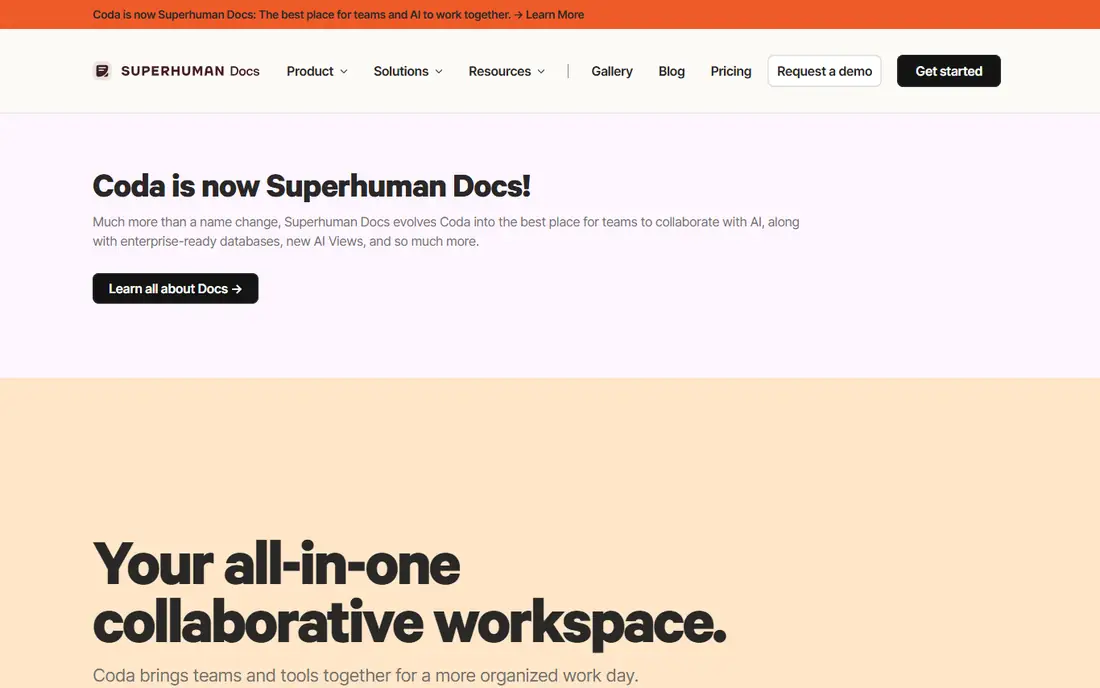
Coda turns a document into a working tool. A team can write a plan, add a table for tasks, add a button to change a status, and add a formula to count open items. Packs connect Coda to other apps, and automations can send alerts. Only Doc Makers pay, which helps small teams. The main risk is complexity, since a rushed doc can confuse new users.
What we like- Only Doc Makers pay, so readers and editors are free
- Strong formulas, buttons and packs
Watch out for- The builder learning curve is steep for linked systems, and Databases, private folders and page locking need the Business plan
#2Airtable
Best for: Teams that need structured records, linked tables and clear views4.6/5 on
G2 (3,300 reviews, checked Oct 2026)
Visit airtable.com
Starting priceTeam 20 dollars per user per month billed annually
Free planYes, free plan with 1,000 records per base and limited features
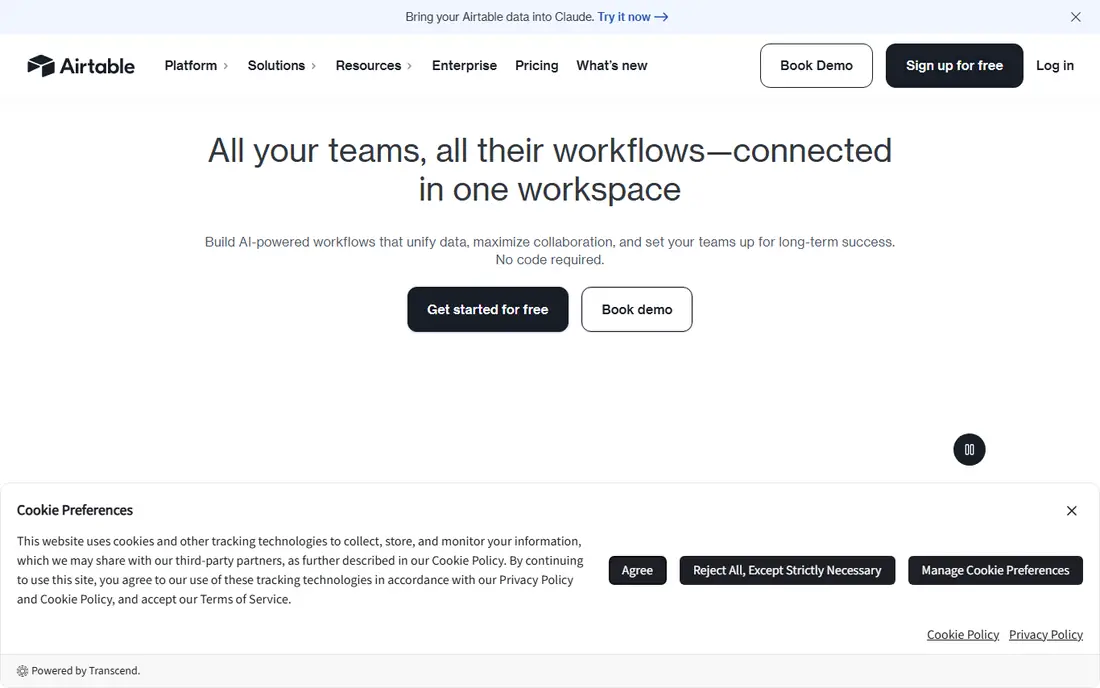
Airtable works best when the data has a clear shape. A team can build a base for content, orders or applicants, link tables together, and give each person a view of their work. Forms collect new records, and interfaces turn a base into a simple app. Automations can move a record when a field changes. Only editors pay, but commenters count on Team, and the record cap can push a growing team to Business.
What we like- Strong linked records and field types
- Many views including grid, calendar and Kanban
- Interfaces and forms
Watch out for- Record limits force a steep jump to Business at 45 dollars per user per month, and Team also charges for commenters
#3Notion
Best for: Small teams that need notes, wikis and simple project pages at a low price4.6/5 on
G2 (13,834 reviews, checked Oct 2026)
Visit notion.com
Starting pricePlus 10 dollars per member per month billed annually
Free planYes, free plan for individuals with limited blocks and file uploads
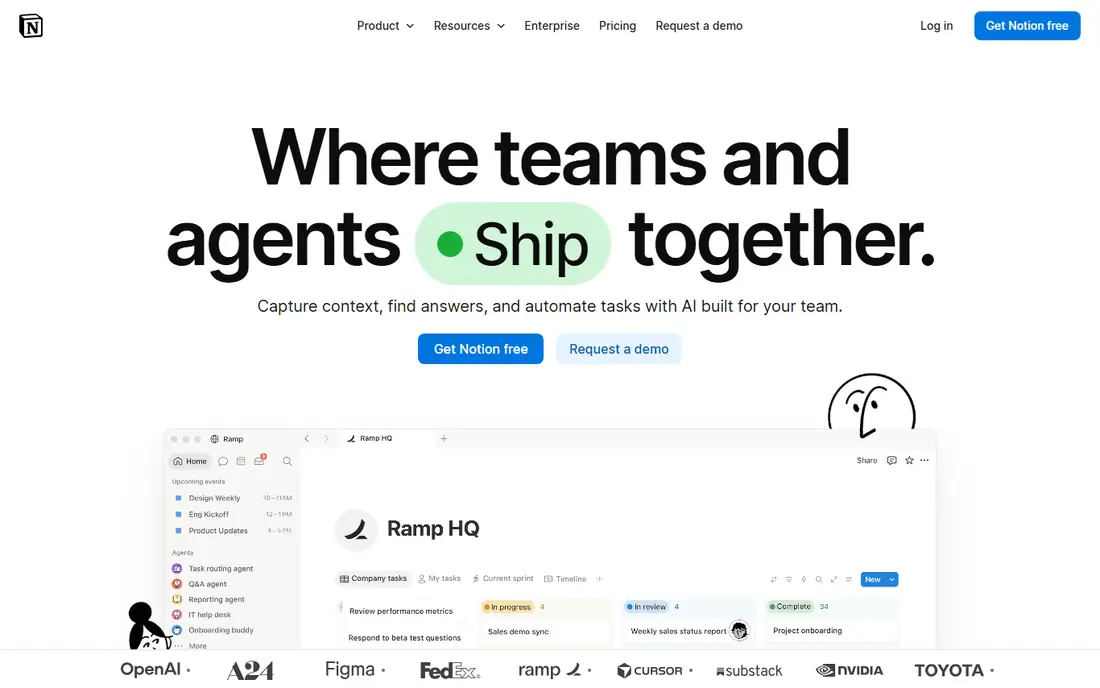
Notion is the simplest doc first choice here. A team can keep meeting notes, project pages, a wiki and a task database in one workspace, and link pages with little setup. Plus at 10 dollars per member per month removes the main collaboration limits and adds 30 day page history. Business at 20 dollars adds full Notion AI, 90 day history and SAML SSO. Limits show up in large databases, where Airtable gives more control.
What we like- Low price for a doc first workspace
- Flexible pages, databases and templates
- Large template gallery for common team setups
Watch out for- Full Notion AI is limited to the Business plan at 20 dollars per member per month, and large databases can feel slow
#4Smartsheet
Best for: Teams that plan in spreadsheets and need Gantt charts, reports and approvals4.4/5 on
G2 (22,767 reviews, checked Oct 2026)
Visit smartsheet.com
Starting pricePro 9 dollars per member per month billed annually
Free planNo free plan for new signups since 28 August 2024, 30 day free trial available
Smartsheet suits teams that think in rows and columns and need a clear schedule. A plan can hold dates, owners, status and dependencies, and a Gantt view shows how a delay affects the rest. Reports pull rows from many sheets into one view, and Contributors can view and comment for free. The Pro cap is the main limit, since a team with more than 10 members must move to Business.
What we like- Familiar grid layout
- Strong Gantt, reports and dashboards
- Free Contributors can view, comment and submit forms
Watch out for- Pro is capped at 10 members, and key features such as baselines and timeline view need Business at 19 dollars per member per month
#5ClickUp
Best for: Teams that want tasks, docs, goals and dashboards in one low cost app4.6/5 on
G2 (14,878 reviews, checked Oct 2026)
Visit clickup.com
Starting priceCore 9 dollars per user per month billed annually
Free planYes, free plan with unlimited members and a 60 MB storage cap
ClickUp packs more tools into one app than most rivals here. A team can track tasks, write docs, set goals, build dashboards and run sprints without a second tool. Core at 9 dollars per user per month billed annually covers the main project features, while Business at 17 dollars adds advanced dashboards, timesheets and 10,000 automation actions a month. The free plan supports unlimited members, but new users can find the settings hard to learn.
What we like- Wide feature set for the price
- Unlimited tasks, docs and Gantt charts on Core
- Generous free plan for small teams
Watch out for- The large feature set can feel cluttered, and older workspaces on legacy Unlimited at 7 dollars and Business at 12 dollars face a move to the new Core and Business prices
#6
monday Work Management
Best for: Teams that want visual boards, clear statuses and simple automations
Visit monday.com
Starting priceBasic 9 dollars per seat per month billed annually
Free planYes, free plan for up to 2 seats with limits on boards and docs
monday Work Management is built around boards that show work as coloured status columns. A team can see what is done, what is stuck and who owns each item. Standard at 12 dollars per seat per month billed annually adds Timeline and Gantt views, guest access and 250 automation and integration actions a month. Pro at 19 dollars raises those limits to 25,000 actions and adds private boards and time tracking. The main cost risk is the cap on Standard. For a comparison with a spreadsheet planner, see Smartsheet vs Google Sheets.
What we like- Clear visual boards that new users learn fast
- Strong Timeline and Gantt views on Standard
- Paid plans start at 3 seats
Watch out for- Standard caps automations and integrations at 250 actions a month each, and seats are sold in set buckets, so a small team may pay for seats it does not use
#7Google Sheets
Best for: Teams that need simple shared tables, fast collaboration and a free start4.7/5 on
Capterra (13,223 reviews, checked Oct 2026)
Visit workspace.google.com
Starting priceFree for personal use, Google Workspace Business Starter 7 dollars per user per month with a 1 year commitment
Free planYes, free with a personal Google account and 15 GB of Drive storage
Google Sheets is the simplest tool here, and that is its strength. A team can share a sheet, edit cells at the same time, add comments and see changes live without training. Formulas, filters and pivot tables cover most small reporting needs. Sheets works well for budgets, lists and simple trackers. The limits appear when data grows. There are no linked records, so a team that needs forms will outgrow Sheets and need Airtable or Coda.
What we like- Free for personal use
- Fast real time collaboration
- Familiar formulas and wide integration with Google Workspace
Watch out for- No linked records, rich field types or built in views, so large data sets need careful sheet design and extra tools
#8Asana
Best for: Teams that need timelines, task ownership and clear reporting across projects4.4/5 on
G2 (13,930 reviews, checked Oct 2026)
Visit asana.com
Starting priceStarter 10.99 dollars per user per month billed annually
Free planYes, Personal plan for up to 2 users with basic task features
Asana gives a team a clear home for tasks and projects. A manager can set a timeline, assign tasks with dates and dependencies, and track progress in dashboards. Starter at 10.99 dollars per user per month billed annually adds Timeline and Gantt views, forms and unlimited automations. Advanced at 24.99 dollars adds portfolios, goals, workload and approvals. The main cost risk is seat bands, since Asana adds seats in set increments, so check the seat count first. For a doc first alternative, see Coda vs Notion.
What we like- Clear timelines and Gantt views
- Unlimited automations and free guests on Starter
- Strong reporting dashboards
Watch out for- Portfolios, goals, workload and approvals need Advanced at 24.99 dollars per user per month, and paid seats are sold in set bands
We picked tools that cover docs, databases and team work for the same buyer, then checked each starting price on the vendor pricing page on 18 November 2026. Coda and Airtable lead because they match the primary keyword, and the other six solve the same jobs at different prices and with different structures. We favoured tools with a free plan or trial and clear paid tiers, and we noted the main limit for each tool.
Frequently asked questions
Which is better, Coda or Airtable?
Airtable is better for structured data, linked records and repeatable entry, while Coda is better for docs that mix text, tables, formulas and buttons in one page. Choose Airtable when records drive the work, and choose Coda when a shared document drives the work. Notion is a good lower cost third choice for notes and simple pages.
How much does Coda cost per month?
Coda Pro costs 12 dollars per Doc Maker per month billed annually, or 15 dollars billed monthly. Business costs 33 dollars per Doc Maker per month billed annually, or 40 dollars billed monthly. Only Doc Makers pay, while editors, viewers and guest editors are free. The free plan suits personal use, and Enterprise is priced on request.
How much does Airtable cost per month?
Airtable Team costs 20 dollars per user per month billed annually, or 24 dollars billed monthly. Business costs 45 dollars per user per month billed annually, or 54 dollars billed monthly. Free costs 0 dollars with 1,000 records per base. Airtable charges for users with edit access. Team allows 50,000 records per base, while Business allows 125,000.
Can Coda replace Airtable?
Coda can replace Airtable for small trackers, project docs and simple databases, and its Business plan adds Databases, cross doc sync and page locking. Airtable is still stronger for large record sets, linked tables, forms and interfaces. A team with more than 50,000 records should stay with Airtable or test both tools with real data first.
Is there a free plan for Coda or Airtable?
Yes, both tools have a free plan. Coda free suits personal use with limits on doc size, version history and automations. Airtable free allows 1,000 records per base with limited views and features. Notion and Google Sheets also have free plans, while Smartsheet has no free plan for new signups and offers a 30 day trial.
Sources we checked (10)
- https://coda.io/pricing
- https://superhuman.com/plans/docs
- https://www.airtable.com/pricing
- https://www.notion.com/pricing
- https://www.smartsheet.com/pricing
- https://clickup.com/pricing
- https://monday.com/pricing
- https://workspace.google.com/pricing
- https://workspace.google.com/products/sheets/
- https://asana.com/pricing
Is your product missing or out of date?
We review this list regularly. Vendors can request a listing, send updated pricing or ask about featured placement.

Shihab Mia · Founder, Rankite
Shihab has 5+ years in B2B and SaaS SEO. He writes Rankite's software buying guides from pricing pages, documentation and public user reviews. More about Shihab.