How we make this list: we compare pricing pages, product documentation and public user reviews. Rankite is independent; if a vendor ever pays for a featured spot, that listing is clearly labeled Partner.
Key takeaways
- Ekahau remains the industry standard for enterprise Wi-Fi design, but the $1,495 per year starting price plus a $4,995 Sidekick 2 device puts it out of reach for small shops.
- NetSpot and Hamina are the most accessible starting points: NetSpot has a genuinely useful free plan for Mac and Windows, while Hamina offers a free cloud account with real predictive design features.
- If you survey on Windows and want a perpetual license instead of a subscription, TamoGraph (from $499 for six months) and Acrylic WiFi Heatmaps are the pragmatic picks.
- Mac-only consultants should look at WiFi Explorer Pro 3 ($149.99 one-time); it is a scanner and analyzer rather than a full survey suite, so pair it with a heatmapping tool for client deliverables.
- For in-building cellular, DAS, and public-safety work, iBwave is the specialist; for compliance-heavy enterprise WLAN rollouts, AirMagnet Survey PRO from NetAlly is the legacy heavyweight.
Your Wi-Fi looks fine on a phone, but the warehouse floor keeps dropping connections and nobody can explain why. That gap between "it works" and "prove it works everywhere" is exactly what site survey software closes. The tools below walk a floor plan with you, measure real signal, and turn the results into heatmaps a client or a boss can actually read.
Quick comparison
| Tool | Best for | Starting price | Free plan |
|---|
 Ekahau AI Pro Ekahau AI Pro | Enterprise Wi-Fi design and validation | $1,495 per user/year (billed annually) | No |
 NetSpot NetSpot | Affordable surveys for homes and small businesses | See website | Yes |
 Hamina Network Planner Hamina Network Planner | Cloud-based predictive planning | $980 per user/year (billed annually) | Yes |
 TamoGraph Site Survey TamoGraph Site Survey | Budget professional surveys on Windows and Mac | $499 one-time (6-month Pro license) | Free trial |
 iBwave iBwave | In-building cellular, DAS, and venue design | See website | Free trial |
 Acrylic WiFi Heatmaps Acrylic WiFi Heatmaps | Windows surveys with WiFi 7 support | See website | Free trial |
 VisiWave Site Survey VisiWave Site Survey | Straightforward walkabout surveys on Windows | See website | Free trial |
 WiFi Explorer Pro 3 WiFi Explorer Pro 3 | Mac-based Wi-Fi analysis and troubleshooting | $149.99 one-time | Free trial |
 AirMagnet Survey PRO AirMagnet Survey PRO | Compliance-heavy enterprise WLAN rollouts | See website | No |
Is your product missing or out of date?
We review this list regularly. Vendors can request a listing, send updated pricing or ask about featured placement.
#1
Ekahau AI Pro
Best for: Enterprise Wi-Fi design and validation
Visit ekahau.com
Starting price$1,495 per user/year (billed annually)
Free planNo
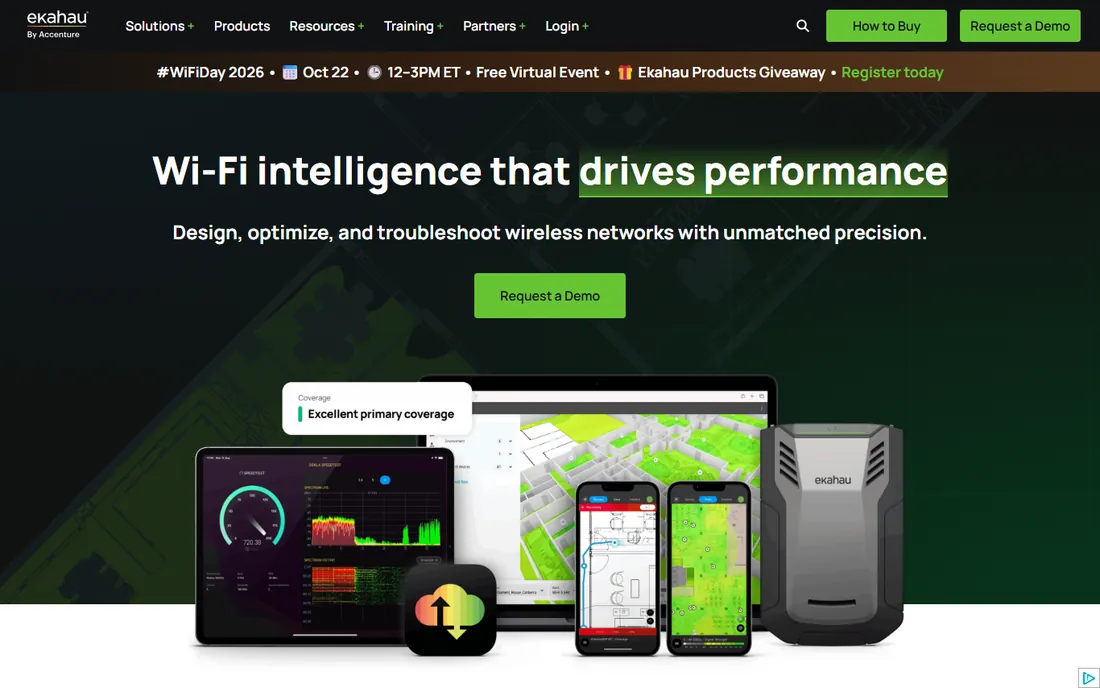
Ask ten wireless consultants which tool they trust, and most will name Ekahau before you finish the question. Ekahau AI Pro handles the full lifecycle: predictive design from floor plans, on-site validation surveys, optimization, and troubleshooting. The 3D modeling and automatic AP placement are genuinely strong, and the reporting output is polished enough to hand to enterprise clients without rework.
The honest catch is the total cost of ownership. The software starts at $1,495 per year for the Plan package (design only) or the Measure Pro package (survey only), and the full suite is $2,495 per year. Accurate surveys really want the Sidekick 2 measurement device at $4,995, and Ekahau is upfront that third-party adapters give inconsistent results. For a solo consultant or an IT generalist, that stack is hard to justify. For a team that lives on wireless work, it pays for itself in avoided rework.
What we like- Industry-standard predictive modeling with 3D
- Sidekick 2 hardware gives lab-grade measurement accuracy
- Strong reporting and cloud project sync
Watch out for- Expensive once you add the $4,995 Sidekick 2
- No free tier
- Annual subscription only
Starting priceSee website
Free planYes
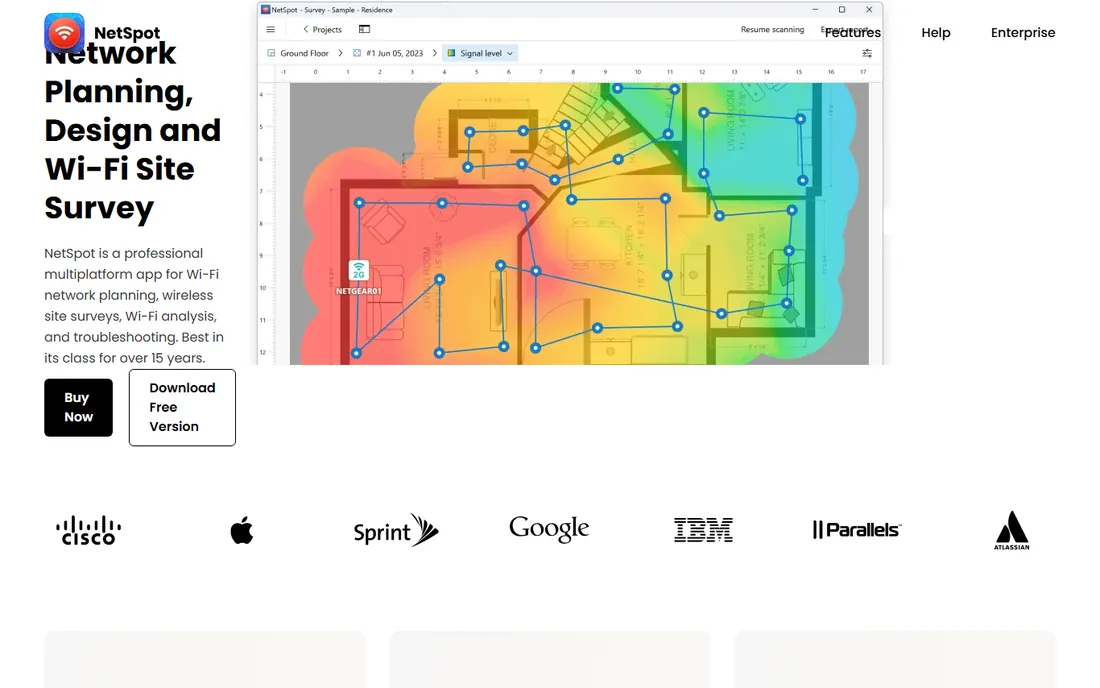
NetSpot is the tool people actually start with, and there is a reason it has survived since 2011. The free plan covers basic Wi-Fi analysis for non-commercial use, and the paid tiers (Home, Pro, Enterprise) are sold as lifetime licenses or annual subscriptions. It runs on Mac, Windows, Android, and iOS, and projects move across platforms, which is handy when the laptop stays at the desk and the phone does the walking.
Where it falls short is scale and depth. The Pro tier caps you at 50 zones and 500 data points per snapshot, which is plenty for offices and homes but thin for campuses. It also lacks the RF modeling sophistication of the enterprise tools. For MSPs, small IT teams, and anyone surveying spaces under a few thousand square meters, though, it is the best value on this list.
What we like- Real free plan for non-commercial use
- Runs on Mac, Windows, Android, and iOS
- Lifetime license option with all updates included
Watch out for- Lower data-point ceilings than enterprise tools
- Advanced planning features trail Ekahau and Hamina
#3
Hamina Network Planner
Best for: Cloud-based predictive planning
Visit hamina.com
Starting price$980 per user/year (billed annually)
Free planYes
Hamina took the opposite bet from Ekahau: everything runs in the browser. You drag in a floor plan, the AI detects walls and materials, and you get coverage heatmaps without installing anything. The free account is unusually generous for this category, letting you run small predictive designs with up to 3 APs, which is enough to evaluate the tool on a real project.
The Planner tier at $980 per year is the entry point for professional work, Planner Plus at $1,560 adds live network analysis, and the Onsite survey app is $780 per year (paired with an Oscium measurement device). The catch is that Hamina is really two products: a planner and a survey solution, each with its own subscription. If you only do predictive design, it is excellent value. If you need both, price it as a bundle before comparing against Ekahau.
What we like- Fully cloud-based, nothing to install
- AI wall detection from floor plans saves hours
- Free account includes real design features
Watch out for- Site surveys need the separate Hamina Onsite app and hardware
- Subscription-only with no perpetual option
#4
TamoGraph Site Survey
Best for: Budget professional surveys on Windows and Mac
Visit tamos.com
Starting price$499 one-time (6-month Pro license)
Free planFree trial

TamoGraph has been the quiet value pick for years. It does passive, active, and predictive surveys, supports Wi-Fi 7, and runs on Windows and Mac. The pricing is refreshingly straightforward: a 6-month Pro license is $499, a 1-year Pro license is $999, perpetual Pro is $1,999, and perpetual Standard (no predictive modeling) is $1,499. For consultants who hate subscriptions, the perpetual options are a real differentiator.
The tradeoff is polish. The interface looks like it was designed a decade ago, and it shows when you compare the reporting workflow to Ekahau or Hamina. Spectrum analysis requires add-on hardware like the Oscium Wi-Spy. But the measurements are solid, the reports are detailed, and the price is a fraction of the enterprise tools. If your deliverable is a coverage heatmap and not a design simulation, TamoGraph covers it.
What we like- Perpetual licenses available
- Passive, active, and predictive surveys in one package
- Runs on both Windows and macOS
Watch out for- Interface feels dated next to Ekahau and Hamina
- Spectrum analysis needs third-party hardware
Starting priceSee website
Free planFree trial

iBwave plays a different game from everyone else on this list. It is the standard for designing in-building cellular, DAS, small cells, and public-safety networks, with Wi-Fi as one technology among several. The component database (40,000+ parts) and the certification program are genuinely unmatched, and large venues, hospitals, and carriers plan on it.
For pure Wi-Fi site surveys, though, iBwave is usually more tool than you need, and pricing is quote-based enterprise licensing. Consider it when your projects mix cellular and Wi-Fi, when you bid on venue or hospital work, or when a client specifically asks for iBwave deliverables. For a standard office Wi-Fi survey, the tools above will get you there faster and cheaper.
What we like- Purpose-built for in-building wireless including DAS and public safety
- Huge vendor-neutral component database
- Strong training and certification program
Watch out for- Enterprise pricing with no public price list
- Overkill if you only do Wi-Fi
Starting priceSee website
Free planFree trial
Acrylic WiFi Heatmaps is a Spanish vendor (Tarlogic) with a solid Windows survey tool. It handles the full workflow: predictive planning, walkabout surveys, quality analysis against usage profiles (web browsing, VoIP), and one-click reports you can actually edit in Word. WiFi 7 support across all bands is included, which not every mid-priced tool can say.
Two caveats. First, it is Windows only, so Mac shops should look elsewhere. Second, pricing is not published; you buy through their store with annual or perpetual licenses. The free trial lets you evaluate it properly before talking to sales. For Windows-based consultants who want perpetual licensing and modern Wi-Fi standard support, it deserves a look alongside TamoGraph.
What we like- WiFi 7 support across 2.4, 5, and 6 GHz
- Editable reports in Word, CSV, and KMZ
- Active and passive surveys with iPerf
Watch out for- Windows only
- Pricing is not published on the site
- Interface and site lean heavily on Spanish
#7
VisiWave Site Survey
Best for: Straightforward walkabout surveys on Windows
Visit visiwave.com
Starting priceSee website
Free planFree trial
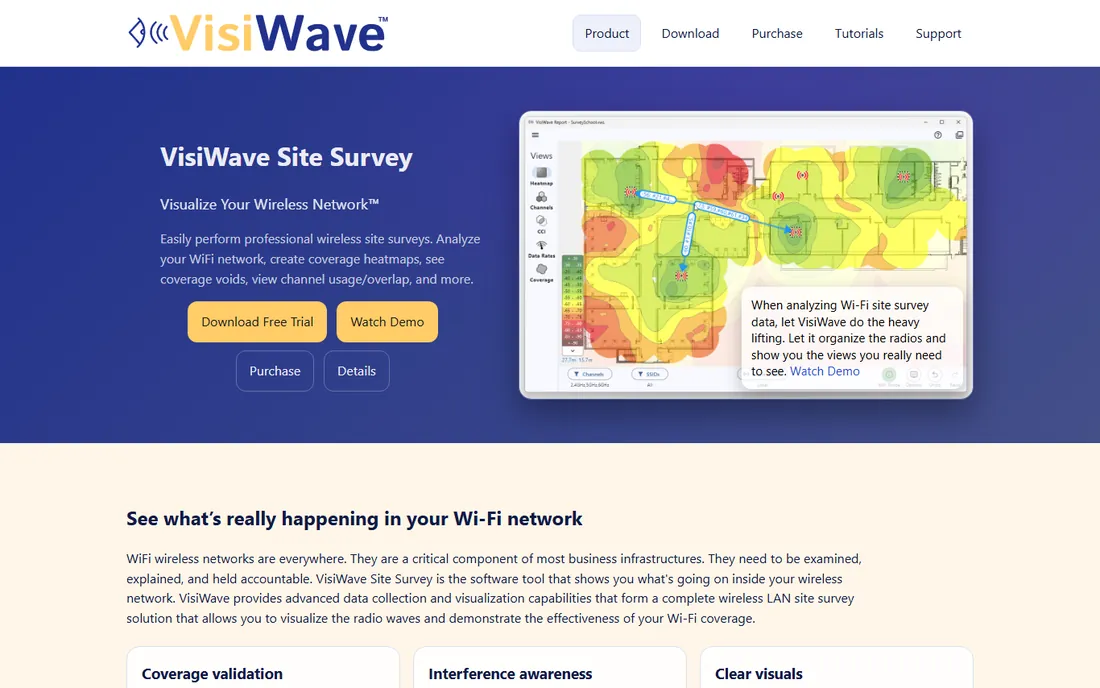
VisiWave keeps things simple: install it on a Windows laptop, walk the site, and get coverage heatmaps, channel usage views, and interference analysis. The automatic AP clustering (grouping radios into access points and classifying them as local, external, or other-floor) makes the output readable without manual cleanup. The Pro version adds predictive RF modeling for what-if analysis.
It is not the most modern-feeling tool here, and the website does not publish pricing, so expect a sales conversation. But for technicians who want to walk a building and come back with clear visuals, without learning a design platform, VisiWave does the job with minimal fuss.
What we like- Simple continuous walkabout data collection
- Automatic AP detection and classification
- Before/after comparison views
Watch out for- Windows only
- Predictive surveys need the Pro license
- Pricing not published
Starting price$149.99 one-time
Free planFree trial
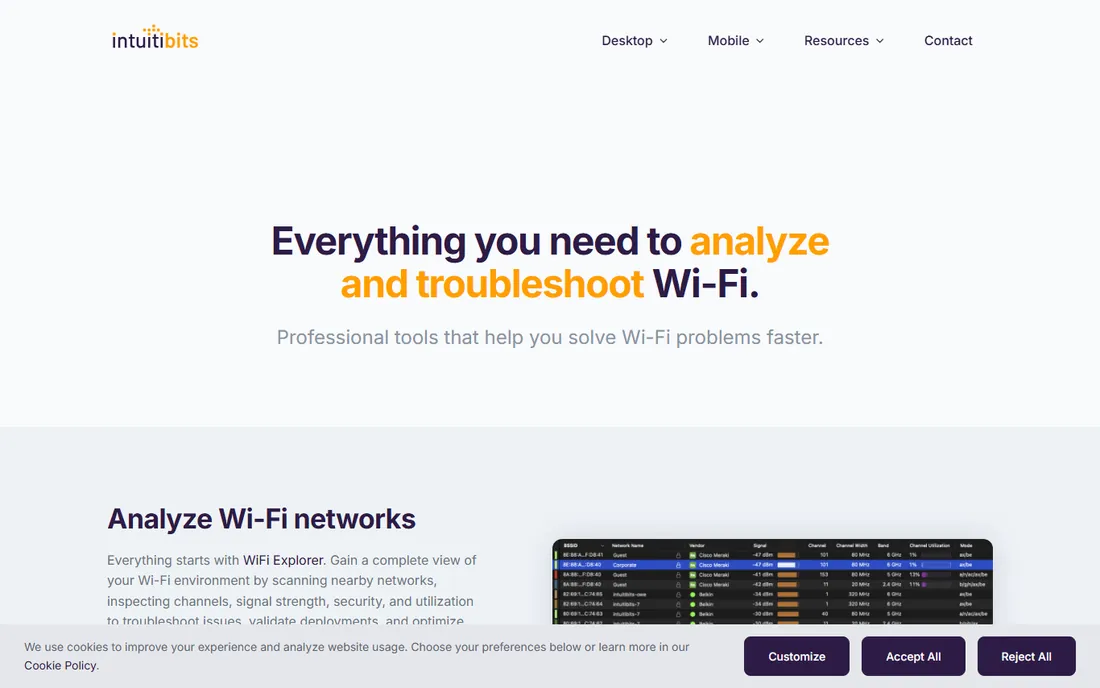
Every Mac-based wireless engineer knows WiFi Explorer Pro. Version 3 is a $149.99 one-time purchase with a 7-day free trial, and it is the deepest Wi-Fi scanner available on macOS: active, directed, and passive scan modes, 550+ column fields, coloring rules, remote sensors, and spectrum analyzer integration for non-802.11 interference.
The important distinction: this is a troubleshooting and validation tool, not a walkabout survey tool. It will not generate coverage heatmaps from a floor plan walk. Pair it with NetSpot (for heatmaps) or use it standalone for channel planning, interference hunting, and post-install verification. For the price, it is the easiest purchase decision on this list for Mac shops.
What we like- Best-in-class Wi-Fi scanner for Mac
- Passive scan mode and spectrum analyzer integration
- One-time purchase, no subscription
Watch out for- Mac only
- It is an analyzer, not a full site-survey suite (no walkabout heatmaps)
- Passive mode limited on Apple silicon
#9
AirMagnet Survey PRO
Best for: Compliance-heavy enterprise WLAN rollouts
Visit netally.com
Starting priceSee website
Free planNo
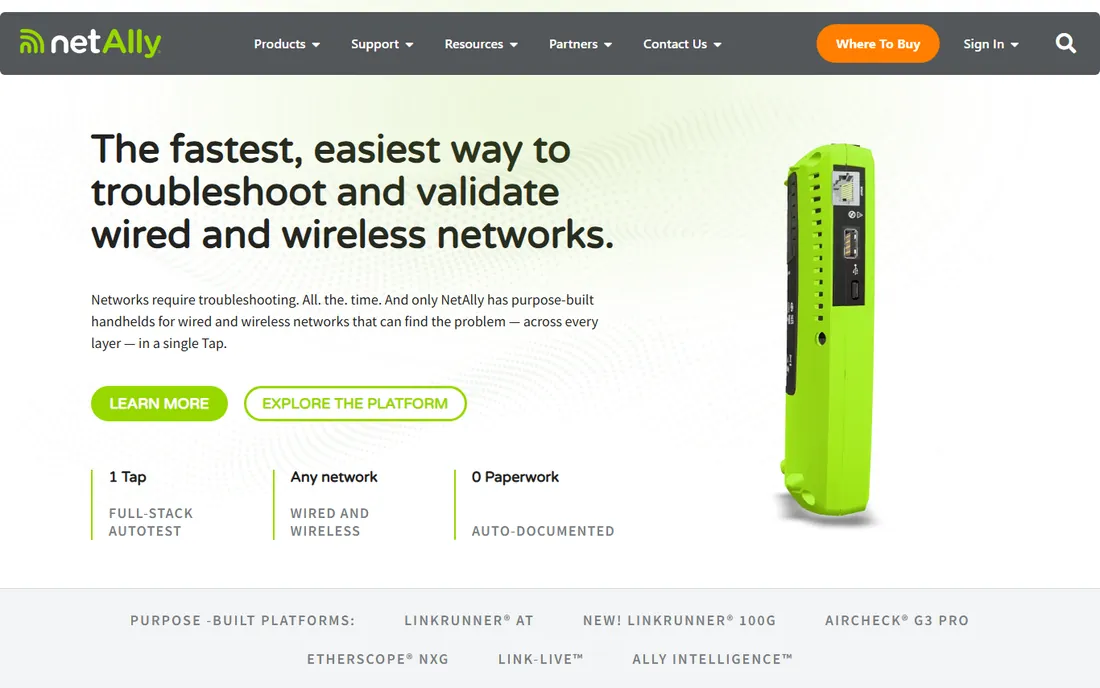
AirMagnet Survey PRO is the old guard of enterprise Wi-Fi surveys, now under NetAlly. Its distinguishing feature is true end-user experience measurement: not just signal strength, but actual throughput, data rates, retries, and packet loss from the client's perspective. The Planner module runs what-if simulations, and the AirMapper mobile app feeds data back for analysis.
The reality in 2026 is that NetAlly's energy goes into its handheld tester line, and AirMagnet is sold through enterprise channels with quote-based pricing. It remains a solid choice for large organizations with compliance requirements and existing AirMagnet workflows. New buyers doing standard Wi-Fi surveys will find Ekahau or Hamina easier to evaluate and buy.
What we like- Long enterprise track record
- True end-user experience measurements (throughput, retries, loss)
- Integrates with AirMagnet Planner and AirMapper
Watch out for- Enterprise sales process with no public pricing
- Windows-centric legacy workflow
- NetAlly's focus has shifted toward handheld testers
How we chose
We started from the tools that working wireless engineers actually mention: Ekahau, NetSpot, Hamina, TamoGraph, iBwave, Acrylic, VisiWave, WiFi Explorer, and AirMagnet. We verified each vendor's homepage and pulled pricing only from the vendor's own pricing or product pages, using "See website" where the vendor does not publish prices. We checked platform support (Windows, Mac, mobile, cloud), survey types (passive, active, predictive), Wi-Fi standard support through Wi-Fi 7, and licensing models (subscription vs. perpetual, free tier vs. trial). We also read user reviews on G2, Capterra, and Reddit threads from network engineering communities to see where each tool frustrates real users. We did not claim hands-on testing; this is a research-based comparison.
What to check before you buy
Match the tool to the job, not the marketing. If you only need to find dead zones in an office, NetSpot's free plan or the $149.99 WiFi Explorer Pro will do; buying Ekahau for that is like hiring an architect to hang a picture. If you sell designs to clients, predictive modeling quality and report output matter more than survey features, which points to Ekahau or Hamina.
Decide on subscription vs. perpetual early. Ekahau and Hamina are subscription-only, which is fine if wireless work is your living and painful if you survey twice a year. TamoGraph, Acrylic, and WiFi Explorer Pro sell perpetual licenses, so occasional users keep more of their money.
Check the hardware requirements before you pay. Ekahau's best results need the $4,995 Sidekick 2, Hamina Onsite pairs with Oscium devices, and TamoGraph and Acrylic benefit from compatible adapters or spectrum analyzers. A cheap tool with mandatory expensive hardware is not a cheap tool.
Finally, confirm platform fit. Half this list is Windows-only (TamoGraph runs on Mac too, but Acrylic, VisiWave, and AirMagnet do not). Mac-only shops should shortlist NetSpot, Hamina (browser-based), and WiFi Explorer Pro. Mixed teams should favor cross-platform or cloud tools so everyone works from the same project files.
Not every survey needs paid software. If you are troubleshooting your own home or a small office, NetSpot's free plan covers discovery and basic heatmaps on Mac and Windows. On a Mac, the free trial of WiFi Explorer Pro 3 handles a week of serious troubleshooting, and the $19.99 standard WiFi Explorer covers ongoing casual use.
Free tools hit their limit when someone else is paying for the answer. Client reports, predictive designs, multi-floor projects, and compliance documentation are where paid tools earn their keep. A good rule: if the survey result affects a purchasing decision (how many APs to buy, whether the installer did the job right), use a tool whose measurements you can defend. That usually means a paid tier with calibrated hardware or a well-regarded planning engine.
Frequently asked questions
Do I need special hardware for a Wi-Fi site survey?
Not always, but it helps. Basic surveys run on a laptop's built-in Wi-Fi adapter with tools like NetSpot or VisiWave. Professional-grade accuracy, especially for client work, usually means dedicated hardware: Ekahau's Sidekick 2, an Oscium spectrum analyzer with Hamina or TamoGraph, or a compatible USB adapter. Budget for hardware alongside the software license.
What is the difference between a passive, active, and predictive survey?
A passive survey listens to the existing network without connecting, measuring signal strength and interference. An active survey connects to the network and measures real throughput, latency, and packet loss from a client's perspective. A predictive survey (RF modeling) simulates coverage from a floor plan before anything is installed. Most professional tools do all three; cheaper tools may only do passive.
Can I do a site survey with just my phone?
Partly. NetSpot has Android and iOS apps that do basic surveys and speed heatmaps, and Hamina's Onsite app works with a phone plus measurement hardware. Phones are fine for quick checks and small spaces. For detailed multi-floor surveys with calibrated measurements, a laptop with proper software and hardware is still the standard.
How much should a small business budget for site survey software?
For a one-person IT team surveying offices occasionally, budget $0 to $500: NetSpot's free plan, WiFi Explorer Pro at $149.99, or TamoGraph's $499 six-month license. Consultants who survey regularly should budget $1,000 to $2,500 per year for software, plus measurement hardware if they go the Ekahau or Hamina route.
Is Ekahau worth it over cheaper tools?
If Wi-Fi design is your profession, yes. The predictive modeling, Sidekick measurement accuracy, and client-ready reporting save enough rework to justify $1,495 per year plus hardware. If you survey a few sites a year or only troubleshoot, the cheaper tools on this list will find the same dead zones for a tenth of the cost.
Sources we checked (16)
- https://ekahau.com
- https://www.ekahau.com/products/
- https://netspotapp.com
- https://netspotapp.com/pricing
- https://hamina.com
- https://www.hamina.com/pricing
- https://tamos.com
- https://www.tamos.com/products/wifi-site-survey/
- https://ibwave.com
- https://acrylicwifi.com
- https://store.acrylicwifi.com
- https://www.acrylicwifi.com/en/wifi-heatmaps/
- https://visiwave.com
- https://intuitibits.com
- https://www.intuitibits.com/products/wifiexplorerpro3/
- https://www.netally.com
Is your product missing or out of date?
We review this list regularly. Vendors can request a listing, send updated pricing or ask about featured placement.

Shihab Mia · Founder, Rankite
Shihab has spent more than a decade helping SaaS and e-commerce brands grow through search. He writes Rankite's software buying guides from pricing pages, documentation and public user reviews. More about Shihab.