How we make this list: we compare pricing pages, product documentation and public user reviews. Ratings come from G2, Capterra or Trustpilot, with the date we checked them.
Key takeaways
- Long podcasts punish editors that choke on large files, so timeline performance and proxy workflows matter more than flashy effects.
- Descript suits text based editing of spoken content, while Premiere Pro and DaVinci Resolve suit full video production.
- Final Cut Pro suits Mac editors who want fast rendering and magnetic timelines for long shows.
- Captions, chapters, and audiograms turn one long recording into clips, show notes, and social posts.
- Record in separate tracks when you can, since isolated audio makes editing, noise removal, and captioning far easier.
Quick comparison
| Tool | Best for | Starting price | Free plan |
|---|
 Descript Descript | Text based podcast editing | See website | Free trial |
 Adobe Premiere Pro Adobe Premiere Pro | Full video production | See website | Free trial |
 DaVinci Resolve DaVinci Resolve | Free pro editing and color | Free | Free |
 Final Cut Pro Final Cut Pro | Fast Mac editing | See website | Free trial |
 Riverside Riverside | Recording and light editing | See website | Free trial |
 Audacity Audacity | Free audio cleanup | Free | Free |
 Kapwing Kapwing | Browser based clips and captions | See website | Free |
 Camtasia Camtasia | Screen and tutorial podcasts | See website | Free trial |
Is your product missing or out of date?
We review this list regularly. Vendors can request a listing, send updated pricing or ask about featured placement.
#1Descript
Best for: Text based podcast editing4.6/5 on
G2 (928 reviews, checked Oct 2026)
Visit descript.com
Starting priceSee website
Free planFree trial
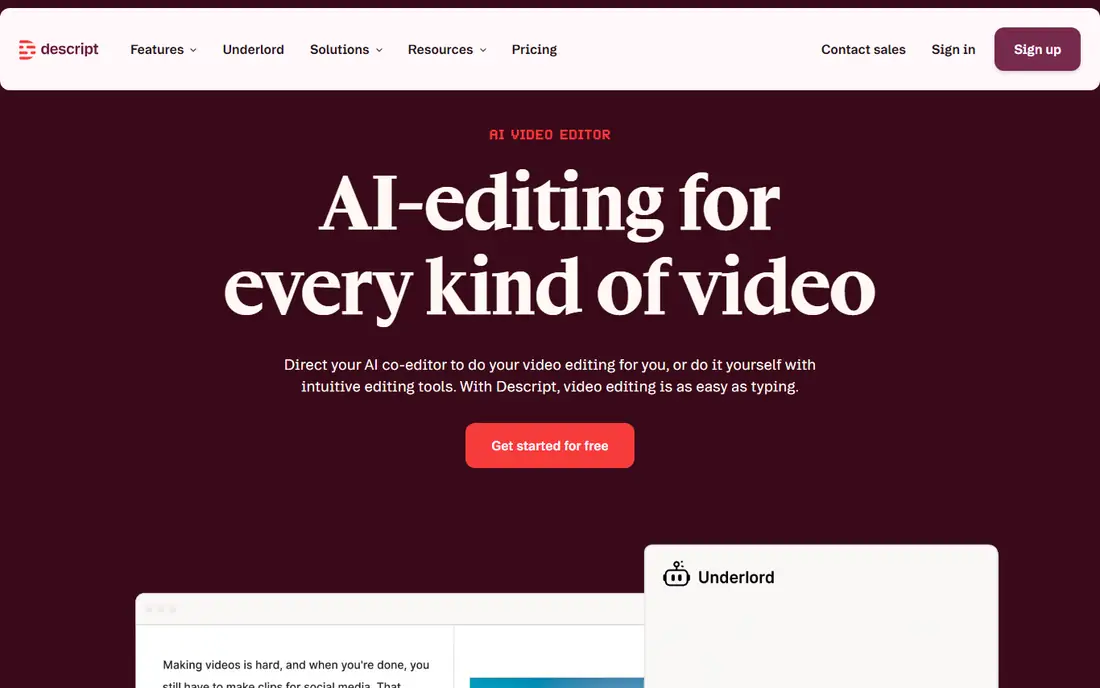
Descript transcribes your podcast, then lets you edit video by deleting words from the transcript, which feels natural for spoken content. Filler words such as um and uh can be removed in bulk, and Overdub can patch a missed word without a re record, subject to voice consent rules. Studio Sound cleans room noise, and captions generate from the same transcript.
Video effects stay basic compared with Premiere or Resolve, and very long timelines can tax a modest machine, though proxy and cloud handling help. For a host who edits words first and video second, Descript cuts editing time sharply, and its clip tools turn long shows into short social videos fast.
What we like- Edit by deleting text
- Automatic transcription
- Filler word removal
Watch out for- Video effects are basic
- Long files need good hardware for smooth playback
#2Adobe Premiere Pro
Best for: Full video production4.5/5 on
G2 (1,675 reviews, checked Oct 2026)
Visit adobe.com
Starting priceSee website
Free planFree trial
Premiere Pro handles long podcasts with multicam sequences, adjustment layers, and a vast plugin ecosystem for captions, audio cleanup, and color. Speech to text generates captions and a transcript inside the timeline, and Essential Sound tools balance voices, music, and room tone. Proxy workflows let editors cut 4K footage on modest machines, then export at full quality.
The subscription adds up over years, and long 4K timelines demand fast storage and memory to stay smooth. Integration with Audition, After Effects, and Media Encoder helps teams that polish audio and graphics separately. For a show that needs full video production, multicam, and broadcast polish, Premiere remains the industry default.
What we like- Deep timeline tools
- Multicam
- Huge plugin ecosystem
Watch out for- Subscription cost
- Needs strong hardware for long 4K timelines
Starting priceFree
Free planFree
DaVinci Resolve offers a remarkably full free version, with editing, color, effects, and the Fairlight audio page in one app. Color tools lead the field, which helps podcasts shot in mixed lighting, and Fairlight handles noise reduction, EQ, and loudness for long spoken tracks. The Cut page suits fast assembly of long shows, while the Edit page gives full timeline control.
Learning takes time, since four pages with distinct tools can overwhelm newcomers, and some AI features need the paid Studio version. Hardware demands are real for 4K long form work, though optimized media helps. For a podcaster who wants pro tools without a subscription, Resolve is the best free option available.
What we like- Full free version
- Best in class color tools
- Strong audio page
Watch out for- Steep learning curve
- Studio version needed for some AI tools
#4Final Cut Pro
Best for: Fast Mac editing4.4/5 on
G2 (87 reviews, checked Oct 2026)
Visit apple.com
Starting priceSee website
Free planFree trial
Final Cut Pro uses a magnetic timeline that keeps clips connected as you trim, which speeds long form assembly and reduces sync accidents. On Apple silicon Macs, rendering and export run fast, even for two hour shows, and background rendering keeps editing fluid. Multicam, captions, and roles for dialogue, music, and effects cover most podcast needs.
Mac only availability excludes Windows editors, and the plugin range is smaller than Premiere, though key caption and audio tools exist. The one time purchase avoids a subscription, which appeals to independent podcasters. For a Mac editor who values speed and a clean timeline, Final Cut is a strong pick.
What we like- Magnetic timeline
- Fast rendering on Apple silicon
- One time purchase
Watch out for- Mac only
- Plugin ecosystem smaller than Premiere
#5Riverside
Best for: Recording and light editing4.8/5 on
G2 (1,754 reviews, checked Oct 2026)
Visit riverside.fm
Starting priceSee website
Free planFree trial
Riverside records each guest locally in high quality, so internet hiccups do not ruin a long conversation, and separate audio and video tracks arrive ready for editing. Text based editing lets hosts cut words from a transcript, and Magic Clips turns long shows into short vertical videos for social feeds. Live streaming and audience call ins add options for live shows.
Deep video effects, multicam polish, and color work still need Premiere, Resolve, or Final Cut for best results. Pricing scales with recording hours and seats, so heavy shows should check plan limits. For a remote podcast that needs clean recordings first, Riverside solves the hardest part, which is capture quality.
What we like- Local recording per guest
- Text based edits
- Magic Clips
Watch out for- Full video polish needs another editor
- Pricing rises with hours
Starting priceFree
Free planFree
Audacity is a free, open source audio editor that handles long spoken tracks well, with noise reduction, compression, EQ, and loudness tools. Podcasters use it to clean guest audio, remove hum, level voices, and export MP3, WAV, and other formats for distribution. Multitrack editing suits shows with separate host and guest tracks.
It edits audio only, so video podcasts need a video editor alongside it, and the interface looks dated next to Descript or Riverside. For a video show, Audacity still earns a place as the free audio cleanup step before video assembly, and its price cannot be beaten.
What we like- Free and open source
- Noise reduction
- Multitrack audio
Watch out for- No video editing
- Interface looks dated
#7Kapwing
Best for: Browser based clips and captions3.9/5 on
G2 (40 reviews, checked Oct 2026)
Visit kapwing.com
Starting priceSee website
Free planFree
Kapwing runs in the browser, so editors can cut clips, add captions, and resize a long podcast for social feeds without installing software. Auto captions generate quickly, templates speed up audiograms and vertical clips, and team folders suit small show teams. The free tier covers basic work, with watermarks on free exports.
Browser editing of a full two hour timeline can lag, and heavy projects suit desktop editors better. Kapwing shines as the clip and caption companion to a main editor, turning one long show into many short posts. For a team that publishes clips daily, the browser workflow saves setup time.
What we like- No install needed
- Auto captions
- Clip and resize tools
Watch out for- Long timelines can lag in browser
- Free exports carry watermark
#8Camtasia
Best for: Screen and tutorial podcasts4.6/5 on
G2 (1,769 reviews, checked Oct 2026)
Visit techsmith.com
Starting priceSee website
Free planFree trial
Camtasia pairs screen recording with a simple video editor, which suits tutorial podcasts, software walkthroughs, and interview shows with slides. Annotations, callouts, and cursor effects explain on screen steps clearly, and audio tools handle voice leveling for spoken content. The timeline stays approachable for editors who do not need broadcast tools.
Multicam and advanced color work are thinner than Premiere or Resolve, and long 4K projects can strain modest machines. For a show built around screens, demos, and slides, Camtasia covers recording and editing in one purchase without a steep learning curve.
What we like- Screen recording plus editing
- Annotations
- Simple timeline
Watch out for- Less suited to multicam shows
- Effects range is modest
How we chose
We compared long timeline performance, proxy and optimized media support, multicam handling, transcription and caption tools, audio cleanup, chapter and clip export, and pricing for shows over two hours. We favored editors that stay smooth on large files, handle separate guest tracks, and export captions and chapters cleanly. No hands on testing is claimed, and prices are shown as See website where vendors price by plan, except for free tools noted as Free.
Editing a two hour podcast without losing a weekend
Work in passes, not in one marathon session. First pass, cut dead air, false starts, and off topic tangents using a transcript where possible, since text editing is faster than scrubbing a timeline. Second pass, balance audio levels, remove noise, and add music beds at low volume under intros and outros. Third pass, add captions, chapters, and graphics, then watch the full show once at normal speed before export.
Files, proxies, and backups
Use proxies for 4K footage, keep originals on fast external storage, and back up the project file after each pass. Name exports clearly with date and version, such as show title, episode number, and draft status, so the final file never hides among test renders. A checklist for captions, chapters, audio levels, and thumbnail frames prevents the small errors that force a re export. Share the checklist with any co editor or assistant, so handoffs stay consistent even when the main editor is away for a week. Review the checklist after every tenth episode, since tools, platforms, and show formats change and stale steps waste time. A short review keeps the workflow current and useful.
Frequently asked questions
Can I edit a two hour podcast on a laptop?
Yes, if you use proxies or optimized media and keep other apps closed during editing. Descript, Resolve, and Premiere all support proxy workflows that cut 4K footage smoothly on mid range laptops. For 1080p shows, most modern laptops handle full timelines without proxies.
Should I record video and audio separately?
Recording separate tracks for each guest gives the cleanest edit, since you can fix one voice without touching others. Riverside and similar tools record locally per guest, while in person shows can use separate mics into a multitrack recorder. Separate tracks also improve captions and noise removal.
How do I add chapters to a long podcast?
Most editors export chapter markers, and podcast hosts accept chapter files or timestamps in show notes. Mark chapters during your second pass, when the structure is clear, and keep titles short and descriptive. Chapters help listeners jump to topics and improve show notes for search.
Are auto captions good enough to publish?
Auto captions are a strong starting point, but they need a review pass, since names, terms, and accents often mistranscribe. Descript, Premiere, and Kapwing all let you edit caption text before export. A quick review pass protects accessibility and avoids embarrassing errors in published captions.
What export settings suit a long video podcast?
Export 1080p H.264 for YouTube and most platforms, with loudness near minus 16 LUFS for spoken content, since that matches podcast norms. Keep a master export at higher quality for archive, and export clips separately in vertical format for social feeds. Check file size and upload time before you promise a release hour.
Sources we checked (8)
- https://www.descript.com
- https://www.adobe.com/products/premiere.html
- https://www.blackmagicdesign.com/products/davinciresolve
- https://www.apple.com/final-cut-pro/
- https://riverside.fm
- https://www.audacityteam.org
- https://www.kapwing.com
- https://www.techsmith.com/video-editor.html
Is your product missing or out of date?
We review this list regularly. Vendors can request a listing, send updated pricing or ask about featured placement.

Shihab Mia · Founder, Rankite
Shihab has 5+ years in B2B and SaaS SEO. He writes Rankite's software buying guides from pricing pages, documentation and public user reviews. More about Shihab.