How we make this list: we compare pricing pages, product documentation and public user reviews. Ratings come from G2, Capterra or Trustpilot, with the date we checked them.
Key takeaways
- Life360 is the family location standard: a usable free tier with crash detection and two days of history, and Gold at 14.99 dollars a month for 30 days of history and driver reports.
- Apple Find My is the privacy benchmark: free, built in, and end to end encrypted for people, devices, and AirTag items.
- Tile tracks things rather than people: free app, tags from 24.99 dollars, and a finding network that now sits inside the Life360 family.
- Judge every tracker by its data practices first: what it collects, how long it keeps it, and who it shares it with matters more than any feature, because tracking data is the most sensitive data on your phone.
Quick comparison
| Tool | Best for | Starting price | Free plan |
|---|
 Life360 Life360 | Family location sharing | Free | Yes |
 Apple Find My Apple Find My | People, devices and items | Free | Yes |
 Tile Tile | Finding keys, bags and bikes | Free | Yes |
 Parcel Parcel | Package delivery tracking | $4.99 per year | Yes |
 Flightradar24 Flightradar24 | Flight tracking | Free | Yes |
 Clue Clue | Cycle and health tracking | Free | Yes |
 Habitica Habitica | Habit tracking as a game | Free | Yes |
 Strava Strava | Fitness activity tracking | Free | Yes |
Is your product missing or out of date?
We review this list regularly. Vendors can request a listing, send updated pricing or ask about featured placement.
The best tracker apps
Starting priceFree
Free planYes
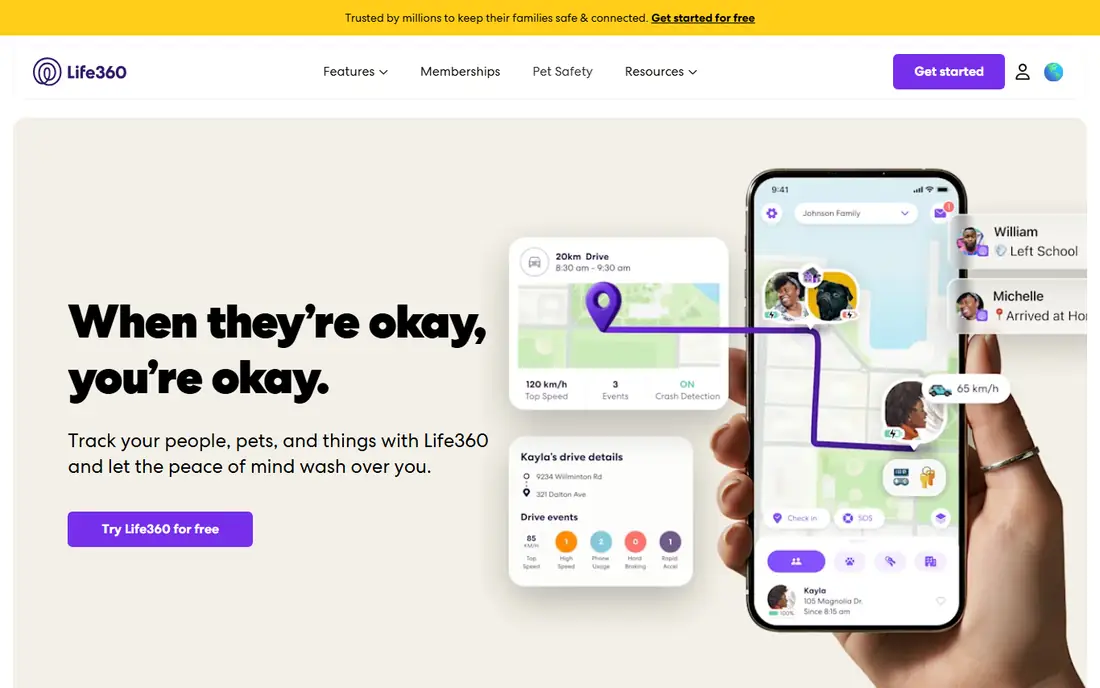
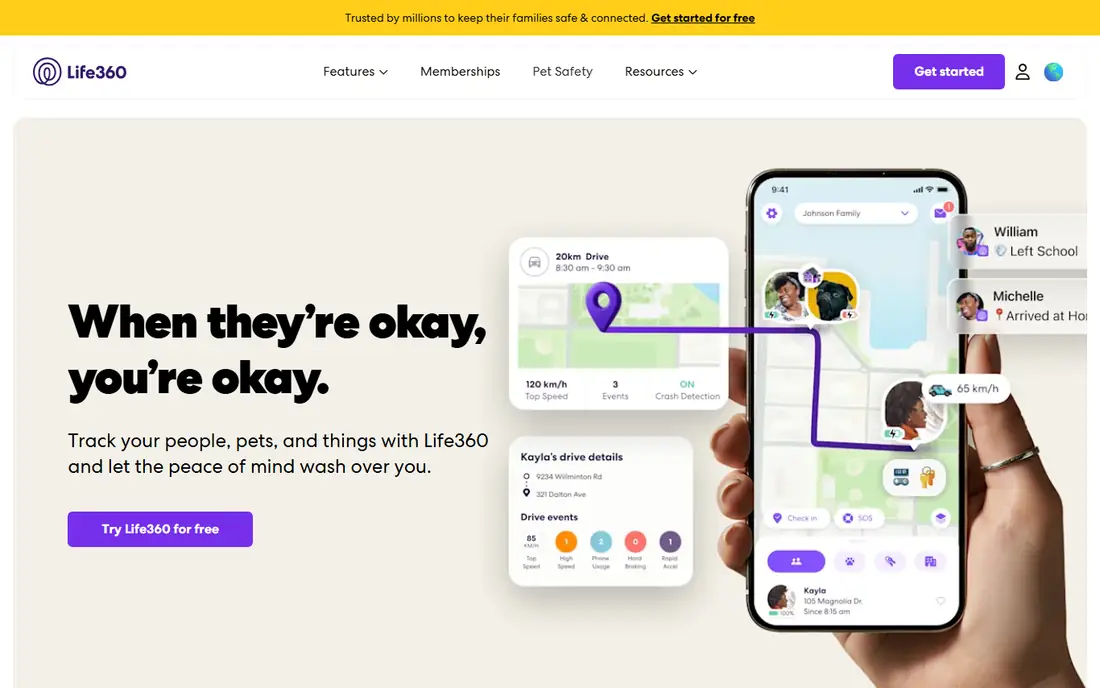
What we like- Life360 is the family safety default: real time location for a private Circle, place alerts when members arrive or leave, crash detection with SOS, and driving reports for teen drivers. The free tier covers core location sharing with two days of history and crash detection
- Gold at 14.99 dollars a month or 99.99 a year extends history to 30 days, adds unlimited place alerts and individual driver reports, and paid tiers bundle a Tile tracker. It works across iPhone and Android, which mixed households need.
Watch out for- The best features sit behind Gold and Platinum, and constant location sharing feels intrusive to some family members, which is a relationship question no app settles. Life360's history includes 2021 reporting that it sold precise location data to brokers
- The company says it has since tightened its practices, but families should read the current privacy policy and set data options deliberately. Battery drain from continuous GPS is real on older phones.
Starting priceFree
Free planYes

What we like- Find My is the tracker Apple households already own: locate iPhones, Macs, AirPods, and AirTags, and share location with family, all free and built into the system. Its privacy design is the category benchmark: location for shared items is end to end encrypted, so Apple itself cannot read it, and anti stalking alerts warn people travelling with an unknown AirTag. For finding a lost device or bag inside the Apple world, nothing else is as complete at any price.
Watch out for- It is Apple only in practice: Android family members are outside the circle. Location sharing between people is simpler than Life360's, with no driving reports, place history timelines, or crash detection. AirTags are for items, and Apple explicitly builds against using them to track people, with alerts that make covert use impractical.
Starting priceFree
Free planYes
What we like- Tile is the cross platform item finder: Bluetooth tags for keys, wallets, and bags, rung from the free app within range and located through Tile's community network when lost beyond it, on both iPhone and Android. Tags start around 24.99 dollars, with the Pro reaching about 400 feet of Bluetooth range, and Tile now operates inside the Life360 family, with tags bundled into Life360 paid plans. Replaceable or long life batteries by model keep running costs predictable.
Watch out for- Its finding network is far smaller than Apple's billion device network, so out of range recovery odds are lower in quiet areas. Premium features such as smart alerts cost about 29.99 dollars a year. Item trackers generally raise misuse questions
- Tile includes anti theft and scan features whose settings deserve a careful read.
Starting price$4.99 per year
Free planYes
What we like- Parcel tracks deliveries from hundreds of carriers in one list: paste or forward a tracking number, or let it import from email on Apple platforms, and get push notifications as a package moves, with a map and delivery day view. The free tier covers a few packages
- Premium at about 4.99 dollars a year removes the limits, among the cheapest subscriptions in this entire guide. For anyone receiving regular deliveries, it ends the carrier website shuffle.
Watch out for- Its data is only as good as carrier scans, so a lazy courier scan gap looks like a lost package. Email import, where used, means granting the app access to delivery emails, a permission to grant deliberately. It is strongest on Apple platforms
- Android support exists but the polish crown sits with iOS.
Starting priceFree
Free planYes
What we like- Flightradar24 is the flight tracker the industry itself watches: live aircraft positions from a global receiver network, flight status, arrival predictions, and airport disruption information, free in a generous core app. Travellers use it to know a delay before the airline admits it, and families track a loved one's flight to the gate. Premium tiers add history, weather layers, and more data for enthusiasts.
Watch out for- Coverage depends on receiver density, so remote oceanic and polar routes show gaps filled by estimation. The free tier carries ads and session limits that push frequent users toward a subscription. Flight data this detailed also deserves a privacy thought in reverse: private aircraft owners can and do request blocking where programmes allow.
Starting priceFree
Free planYes
What we like- Clue is the science led period and cycle tracker: predictions that learn from your logged data, no pinkwashed design, and a research partnership history with academic institutions. Its free tier covers core tracking, with Clue Plus adding advanced analysis and modes for conception and pregnancy. The Berlin based company operates under European data law and has publicly committed to protecting user data against compelled disclosure, which users in this category actively look for.
Watch out for- Cycle and fertility data is among the most sensitive information any app holds, so its safety depends on policy and law staying as they are, not on encryption alone, since the service processes your data to make predictions. Prediction accuracy varies by person and regularity. Plus pricing and features have shifted over versions, so confirm the current offer in the app.
#7Habitica
Best for: Habit tracking as a game4.0/5 on
G2 (3 reviews, checked Oct 2026)
Visit habitica.com
Starting priceFree
Free planYes
What we like- Habitica turns habit tracking into a role playing game: your avatar gains levels and gear for completed habits and tasks, and takes damage when dailies are missed, with parties and quests that make friends part of the accountability system. The core app is free on mobile and web, with subscriptions from about 4.99 dollars a month supporting the project and adding perks. For people who have failed every plain checklist, the game layer is not decoration
- It is the mechanism.
Watch out for- The game can swallow the goal: optimising gear is not the same as building the habit, and some users bounce off the playful design entirely. Its data collection is modest beside location trackers, but task content is still personal data on a server. Advanced productivity features, calendars, and integrations trail dedicated task apps.
Starting priceFree
Free planYes
What we like- Strava is the social fitness tracker runners and cyclists organise around: GPS activity recording, segments and leaderboards, clubs, and training analysis, with a free tier for recording and a subscription at about 11.99 dollars a month or 79.99 a year for full analysis. Its route data and community make solo training feel populated. Nearly every sports watch and bike computer syncs to it, which makes it the hub of the category.
Watch out for- Strava's privacy defaults have historically been generous to the public feed: set your activity visibility, privacy zones around home and work, and map sharing deliberately on day one, because a public route history is a map of your life. The company once published a global heatmap built from user activities that exposed sensitive sites, the category's standing lesson in aggregation risk. The free tier has narrowed over the years toward the subscription.
How we chose
We built this overview from the tracker apps that 2026 guides from The High Tech Society, GeekChamp, Guru99, and Rankite rank most consistently within each tracking job, and checked prices against their published figures, including Life360's current tier structure. We treated tracker as the umbrella term the search itself uses and stated plainly that the list compares jobs, not rivals. Every entry carries its data practice note, and we excluded covert monitoring and spyware style apps entirely: tracking people without their knowledge or consent is outside what this guide will recommend.
How to choose the right tracker app
Choose the job first, then audit the data trade. For family location, Life360 and Find My solve it in opposite styles: Life360 with reports and history across platforms, Find My with encryption and zero cost inside Apple. For things, Tile or AirTag inside Find My depends on your phone platform and how much you value network size. For information trackers, packages, flights, cycles, habits, and workouts, the apps here are effectively unopposed in their niches, so the choice is whether to track at all, not which rival to pick.
Run the privacy checklist before the first week ends. Turn on the strictest sharing settings that still serve the purpose, set location and activity visibility to the smallest audience that works, enable privacy zones around home and work in fitness apps, and read the data sharing section of the policy for the words broker, partner, and advertising. Agree the rules with the people being tracked, especially teenagers: consent based tracking with visible status protects both safety and trust, and secret tracking of a partner or child old enough to object damages both. Finally, review quarterly: delete old location history you no longer need, and remove trackers whose job is done. The safest tracking data is the data that no longer exists.
Frequently asked questions
Are tracker apps safe to use?
They can be, with deliberate settings. The risks are real: location and health histories are sensitive, companies have sold or exposed such data before, and defaults often favour sharing. Prefer consent based tools with visible tracking status, strong encryption where offered, strict visibility settings, and a current privacy policy you have actually read.
What is the best free tracker app?
It depends on the job. Find My is free and built in for Apple people, devices, and items; Life360's free tier leads for cross platform family location; Parcel and Flightradar24 have generous free tiers for packages and flights; and Habitica's core habit game is free. Free here usually means a real product with a paid tier, not a trap.
Can I track someone without them knowing?
This guide does not recommend it, and the reputable tools here are built against it: Life360 circles are consent based, and AirTags alert people travelling with an unknown tag. Covert tracking of adults is unlawful in many places and a safety risk in all of them. For children, use transparent family tools and age appropriate agreements.
Why does my tracker app drain the battery?
Continuous GPS is expensive. Location trackers poll position often to keep maps live and alerts instant, and older phones pay for it heavily. Reduce update frequency where the app allows, keep the phone's battery optimisation exemptions only for the trackers you truly need live, and expect some cost: real time tracking and zero battery use do not coexist.
How long do tracker companies keep my history?
It varies and it is stated in each policy: Life360's free tier keeps about two days of location history and Gold about 30 days, fitness apps keep activity history indefinitely by default, and health apps retain data while your account lives. Shorter is safer. Delete old history from inside the app where the option exists.
Sources we checked (0)
Is your product missing or out of date?
We review this list regularly. Vendors can request a listing, send updated pricing or ask about featured placement.

Shihab Mia · Founder, Rankite
Shihab has 5+ years in B2B and SaaS SEO. He writes Rankite's software buying guides from pricing pages, documentation and public user reviews. More about Shihab.