How we make this list: we compare pricing pages, product documentation and public user reviews. Rankite is independent; if a vendor ever pays for a featured spot, that listing is clearly labeled Partner.
Quick comparison
| Tool | Best for | Starting price | Free plan |
|---|
 Toggl Track Toggl Track | Freelancers and agencies that bill client hours and want a polished timer | $9/user/month billed annually ($12 monthly), Starter; Premium $16/user/month billed annually | Yes (free for up to 3 users on the new unified Toggl plan) |
 Harvest Harvest | Agencies that want track-to-invoice in one product | $9/seat/month billed annually ($11 monthly), Teams; Enterprise $14/seat/month billed annually | Yes (free for 1 seat and 2 projects) |
 Clockify Clockify | Budget-conscious SMBs and shift-based teams | $3.99/user/month billed annually ($4.99 monthly), Basic; Standard $5.49; Pro $7.99 | Yes (free for up to 5 users with unlimited projects, clients and tracking) |
 Hubstaff Hubstaff | Remote and field teams needing proof of work for clients or payroll | $4.99/seat/month billed annually ($7 monthly), Starter; Grow $7.50; Team $10 | Free trial (14 days, no credit card) |
 Time Doctor Time Doctor | Remote teams needing detailed productivity evidence | $6.67/user/month billed annually ($8 monthly), Basic; Standard $11.67; Premium $16.70 | Free trial (14 days, no credit card) |
 Everhour Everhour | Agencies and consultancies that bill by the hour inside a PM tool | $8.50/user/month, Team (5-user minimum) | Yes (free for up to 5 users) |
 Timely Timely | Knowledge workers and consultants who forget to start timers | $9/user/month billed annually ($11 monthly), Starter; Premium $16; Unlimited $22 | Free trial (14 days) |
 QuickBooks Time QuickBooks Time | Businesses already running QuickBooks that want time flowing into payroll | $20/month base + $10/user/month (Premium; raised from $8 on July 1, 2026); Elite $40/month base + $12/user/month | Free trial (30 days, no credit card) |
 Connecteam Connecteam | Frontline and field SMBs wanting scheduling, time tracking and communication in one app | $29/month billed annually ($35 monthly) per hub, covering the first 30 users; Advanced $49; Expert $99 | Yes (Small Business Plan free for life for up to 10 users with full access to all hubs) |
 DeskTime DeskTime | Office and hybrid teams wanting passive, always-on time data | $6.42/user/month billed annually ($7 monthly), Pro; Premium $9.17 ($10) | Free trial (14 days, no credit card) |
Is your product missing or out of date?
We review this list regularly. Vendors can request a listing, send updated pricing or ask about featured placement.
Key takeaways
- For a 10-person team, the spread is $29 to $120+ a month: Connecteam ($29 flat for 30 users) versus QuickBooks Time ($20 base + $10/user). Per-seat pricing punishes growth; flat pricing rewards it.
- Pick your philosophy first: trust-based timers (Toggl, Harvest, Clockify) versus monitoring tools with screenshots and activity levels (Hubstaff, Time Doctor, DeskTime). The team culture decision matters more than the feature list.
- Agencies that invoice from tracked time should shortlist Harvest and Everhour, where billing is native rather than exported.
- Free tiers are genuinely usable: Clockify (5 users), Toggl Track (3 users) and Connecteam (10 users) all cover small teams for $0.
The best time tracking software
Time tracking software costs a 10-person team anywhere from $29 to $120 a month, and the most expensive option is not the best one. It depends on what you are actually buying: a billing timer, a timesheet system, proof of work for clients, or GPS evidence that the crew was on site. Those are four different products wearing one category name. These ten tools cover the real market, priced per seat and per team, so you can match the tool to the job instead of paying for philosophy you do not share.
#1
Toggl Track
Best for: Freelancers and agencies that bill client hours and want a polished timer
Visit toggl.com
Starting price$9/user/month billed annually ($12 monthly), Starter; Premium $16/user/month billed annually
Free planYes (free for up to 3 users on the new unified Toggl plan)
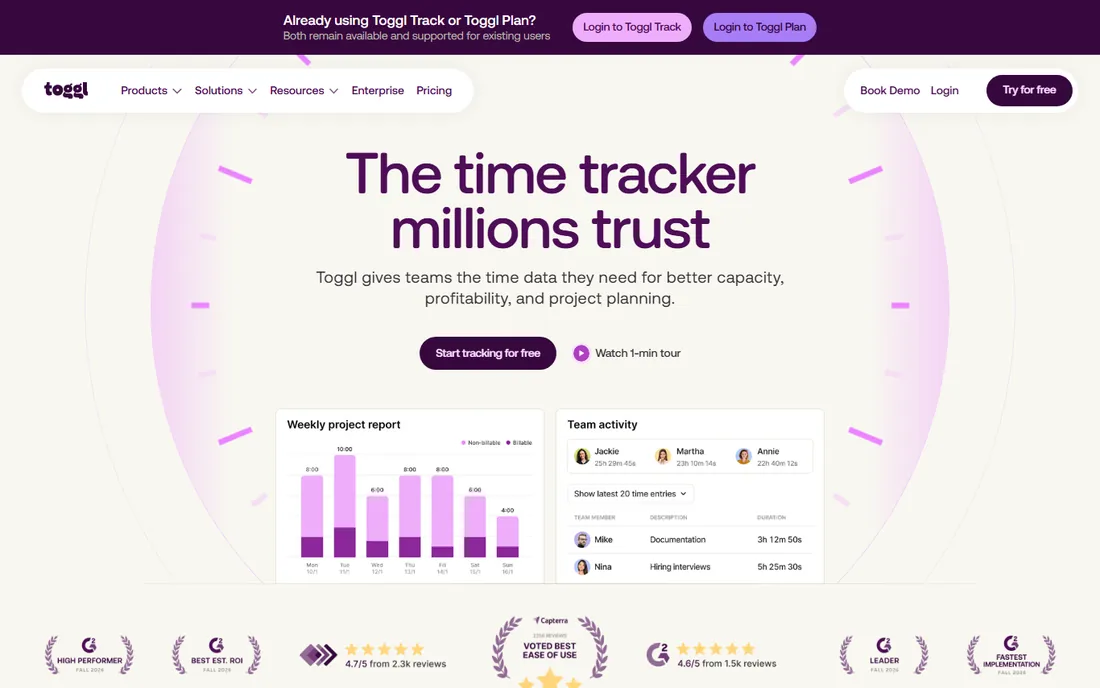
Toggl Track is the trust-based timer done right: one click, 100+ integrations, and an explicit no-surveillance policy that makes it an easy sell to teams. Billable-rate reporting with rounding and estimates suits agencies invoicing client hours. Every plan starts with a 30-day Premium trial that downgrades to Free automatically, and the free tier covers up to 3 users.
The manual timer is both the strength and the limit: it suits disciplined teams and punishes forgetful ones. Timesheet approvals, labor costs and profitability wait for Premium at $16 per user, and there is no invoicing, payroll or scheduling. Note that pricing differs between the new unified Toggl product and legacy Toggl Track, so confirm which product a quote covers before comparing.
What we like- One-click timer across web, desktop and mobile with 100+ integrations
- Explicit no-surveillance policy (no screenshots, keystroke logging or location tracking)
- Strong billable-rate reporting with rounding, estimates and saved reports
Watch out for- Timesheet approvals, labor costs and profitability locked to Premium
- No invoicing, payroll or scheduling
- Relies on the manual timer habit
Starting price$9/seat/month billed annually ($11 monthly), Teams; Enterprise $14/seat/month billed annually
Free planYes (free for 1 seat and 2 projects)
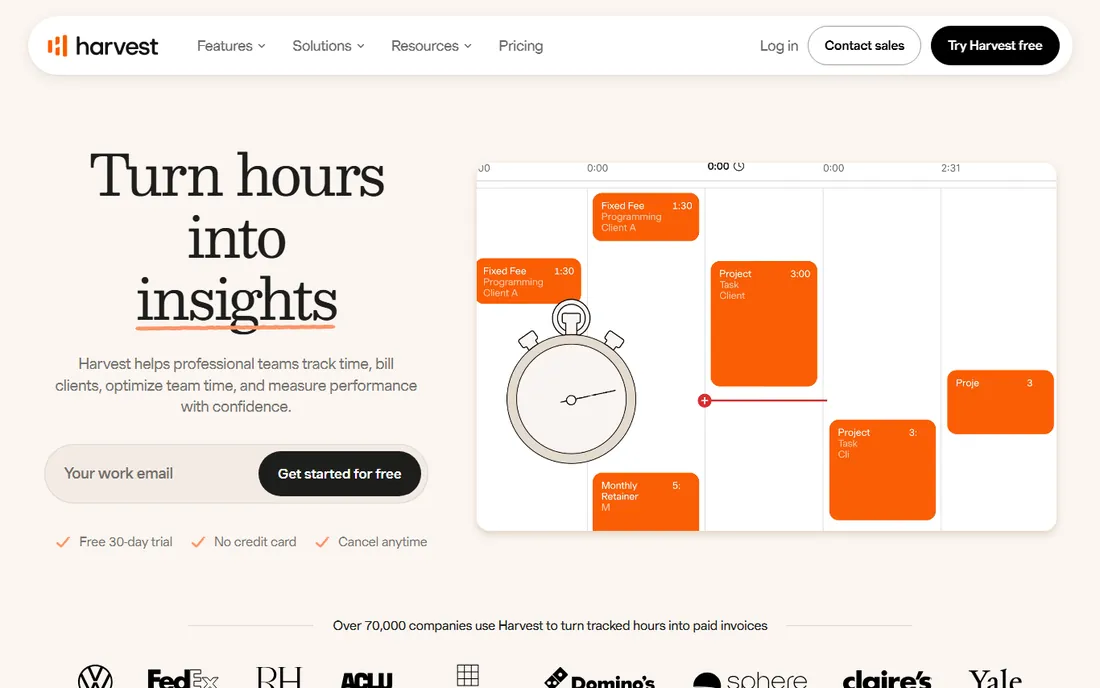
Harvest's pitch is the shortest path from hours to invoice: track time, generate the invoice, record the expense, all without exporting to another tool. The browser timer lives inside Asana, Jira and GitHub, and billable-versus-cost rates with budget reporting suit agency economics. Integrations cover Stripe, QuickBooks Online and Xero.
The 2026 wrinkle is billing: Harvest was acquired by Bending Spoons in July 2025, and the shift to Flex usage-based billing means activity-linked fees on top of the seat price, with some long-time users reporting large renewal increases. Model headcount plus project, client and invoice volume before committing. Per-seat pricing has no flat ceiling, so growing teams should do the 25- and 50-seat math now.
What we like- Built-in invoicing and expense tracking from tracked time
- Browser timer drops into Asana, Jira and GitHub
- Billable vs. cost rates with budget and utilization reporting
Watch out for- The 2026 shift to Flex usage-based billing can add activity-linked fees on top of the seat price
- Per-seat pricing has no flat ceiling
- Forecast is a separate $5/person/month add-on
Starting price$3.99/user/month billed annually ($4.99 monthly), Basic; Standard $5.49; Pro $7.99
Free planYes (free for up to 5 users with unlimited projects, clients and tracking)
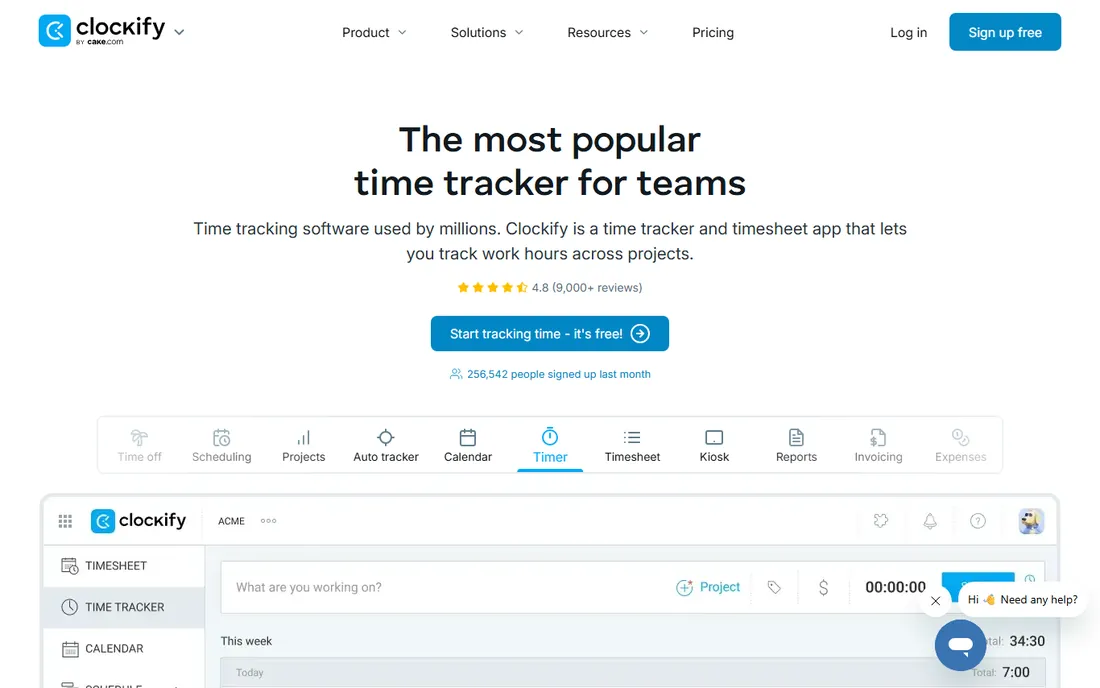
Clockify is the budget play that does not feel like one: $3.99 per user per month for Basic, with invoicing and timesheet approvals already on Standard at $5.49. Kiosk mode handles shared-device clock-in for shift teams, and human 24/7 support even on the free plan is unusual at this price. The free tier covers 5 users with unlimited projects and tracking.
The 2026 free-plan cut (from unlimited to 5 users) is the thing to know: slightly larger teams now hit the paywall sooner. Screenshots, GPS and activity monitoring wait for Pro, which keeps the lower tiers firmly in the trust camp. Part of the CAKE.com bundle, it positions as trust-based tracking with optional monitoring upward. For timesheets and time off without enterprise pricing, the value is unmatched.
What we like- Cheapest paid tiers in the category, with invoicing and timesheet approvals already on Standard
- Kiosk mode for shared-device clock-in
- Human 24/7 support even on the free plan
Watch out for- Free plan cut from unlimited to 5 users in 2026
- Screenshots, GPS and activity monitoring only on Pro
- Monitoring features are opt-in rather than the core
#4
Hubstaff
Best for: Remote and field teams needing proof of work for clients or payroll
Visit hubstaff.com
Starting price$4.99/seat/month billed annually ($7 monthly), Starter; Grow $7.50; Team $10
Free planFree trial (14 days, no credit card)
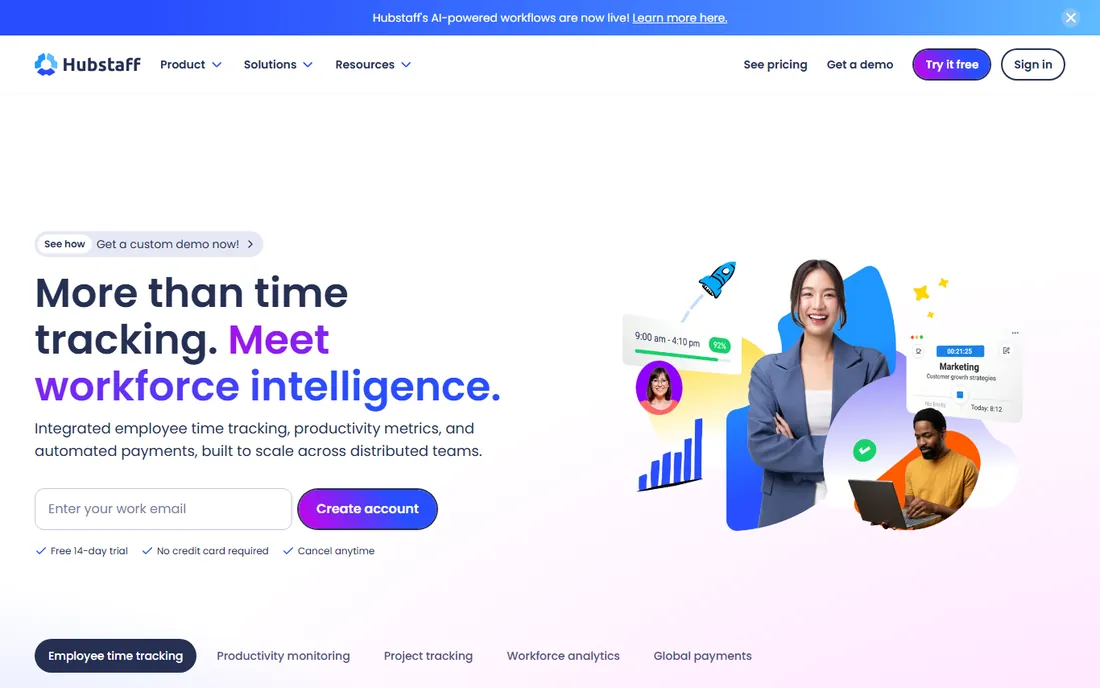
Hubstaff is the proof-of-work standard: screenshots, activity levels and app/URL tracking on every plan, plus GPS, geofencing and scheduling for field teams and built-in payroll with contractor payments. It measures keyboard and mouse activity without logging keystrokes, which is the line most teams need explained. Enterprise adds SSO, SCIM, HIPAA and SOC 2.
The add-on architecture is the catch: six paid add-ons (Insights, Tasks, data retention, more screenshots, Locations, Silent app) can push real per-seat cost well above the $4.99 sticker. The 2-seat minimum rules out solo users. Annual billing advertises two months free with a 30-day money-back guarantee. For client-billable remote teams and field crews, the evidence trail justifies it; for trust-based cultures, it is the wrong philosophy.
What we like- Screenshots, activity levels and app/URL tracking on every plan
- GPS tracking, geofencing, shift scheduling and attendance for field teams
- Built-in payroll and contractor payments
Watch out for- 2-seat minimum on all self-serve plans
- Six paid add-ons can push the real per-seat cost well above list price
- Monitoring-first approach needs careful team rollout
Starting price$6.67/user/month billed annually ($8 monthly), Basic; Standard $11.67; Premium $16.70
Free planFree trial (14 days, no credit card)
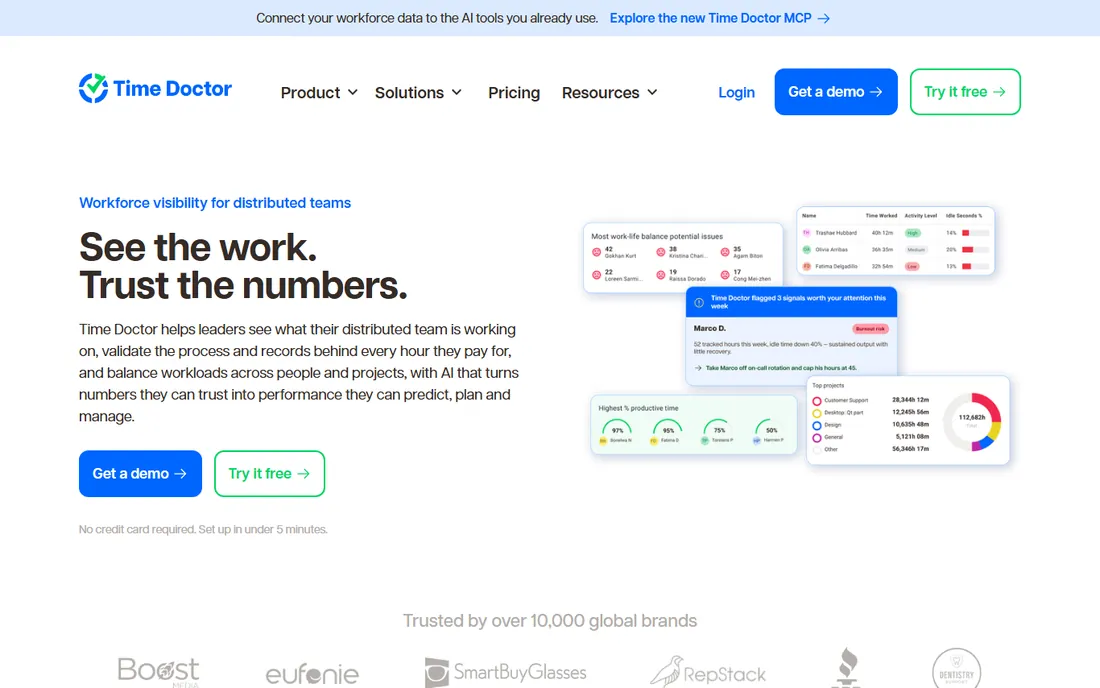
Time Doctor competes with Hubstaff on the monitoring axis and wins on breadth: 60+ integrations, payroll with PayPal, Payoneer and Wise payouts, attendance and scheduling, even work-life-balance metrics. Basic at $6.67 per user already includes screenshots, activity monitoring and offline tracking, which is generous for the tier. Annual billing saves roughly 17% versus monthly.
There is no free plan, only the 14-day trial, and the monitoring-first design demands an honest team conversation before rollout: deployed poorly, it reads as surveillance. Teams needing app and website usage reports plus payroll should budget for Standard. For remote teams where productivity evidence is the deliverable, the depth per dollar is strong.
What we like- Screenshots, activity monitoring and offline tracking even on Basic
- Payroll with PayPal, Payoneer and Wise payouts on Standard and up
- 60+ integrations plus attendance, scheduling and work-life-balance metrics
Watch out for- No free plan
- The monitoring-first approach can damage team trust if rolled out poorly
- Video screen recording and AI benchmarks only on Premium
#6
Everhour
Best for: Agencies and consultancies that bill by the hour inside a PM tool
Visit everhour.com
Starting price$8.50/user/month, Team (5-user minimum)
Free planYes (free for up to 5 users)
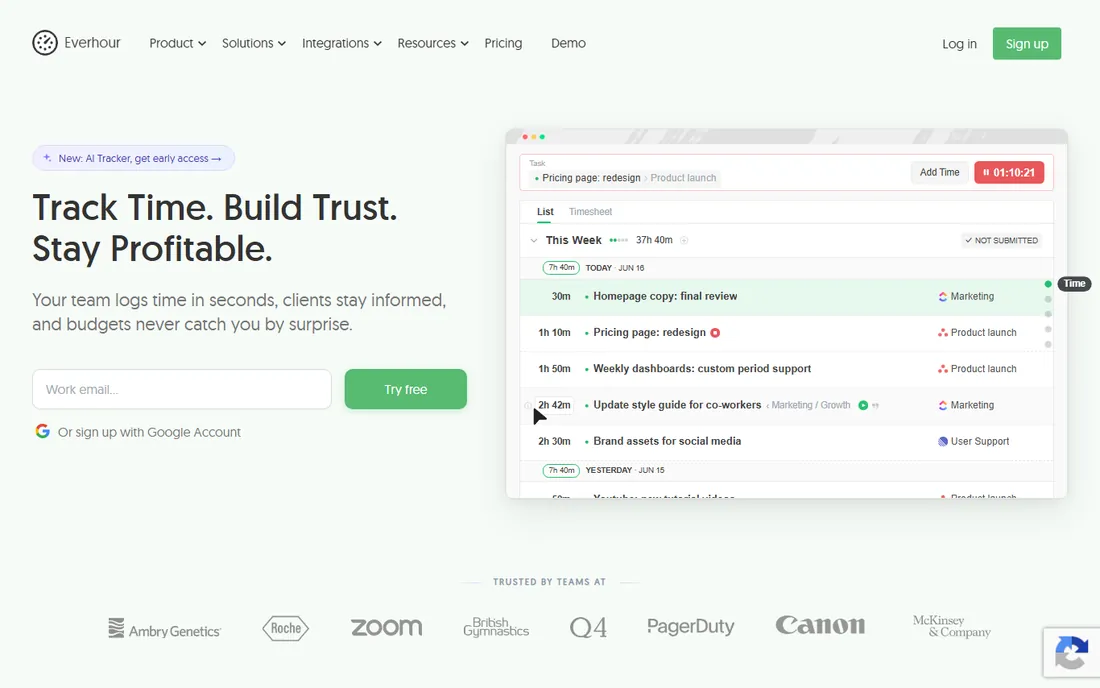
Everhour's insight is that time tracking should live where the work lives: the timer embeds directly inside Asana, Trello, Jira, Notion, ClickUp and GitHub, so nobody opens a second app. Project budgets with real-time alerts plus native invoicing close the loop for billable teams. Timesheet approvals, payroll export and expense tracking are included on the Team plan.
The constraints are structural: a 5-user minimum on paid plans, little value outside a PM workflow, and nothing for field teams (no GPS, no kiosk, no scheduling). If your team already runs on one of the supported PM tools, setup takes minutes and adoption is near-automatic. If it does not, this is not your tool.
What we like- Timer embeds directly inside Asana, Trello, Jira, Notion, ClickUp and GitHub
- Project budgets with real-time alerts plus native invoicing
- Fast setup for teams already in a PM platform
Watch out for- Little value outside a project-management workflow
- Not an attendance system
- No GPS, kiosk mode or shift scheduling for field teams
#7
Timely
Best for: Knowledge workers and consultants who forget to start timers
Visit timely.com
Starting price$9/user/month billed annually ($11 monthly), Starter; Premium $16; Unlimited $22
Free planFree trial (14 days)
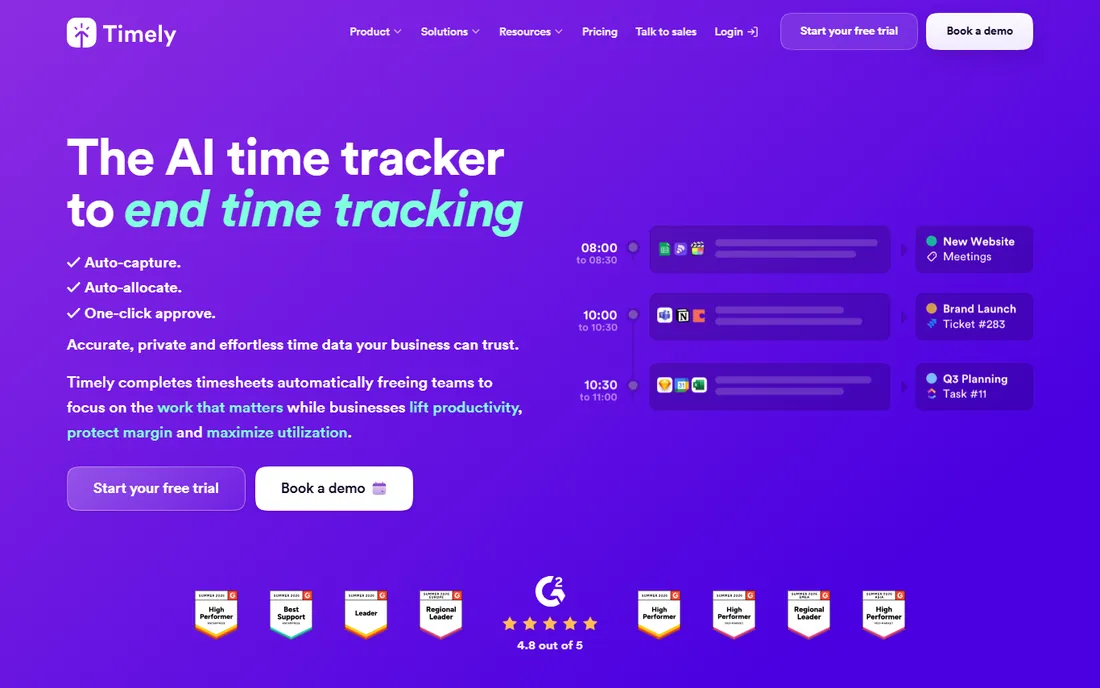
Timely solves the oldest time-tracking problem: nobody remembers to start the timer. Its AI Memory Tracker records apps, documents and websites in the background and drafts the timesheet for review, with no screenshots and a privacy-friendly design. For consultants who lose billable hours to forgetfulness, the recovered revenue pays for the subscription.
Starter is limited to 5 users and 20 projects, so growing teams land on Premium quickly, and task-level timers cost an extra $5 per user per month. The AI needs 5 to 7 days of learning before drafts become accurate, so judge it after week two, not day two. GPS location tracking comes via mobile apps, with SSO reserved for Unlimited. Automatic, private, and priced for knowledge work.
What we like- AI Memory Tracker records apps, documents and websites in the background and drafts timesheets for review
- No screenshots, privacy-friendly automatic capture
- Project health, billable reporting and capacity management on higher tiers
Watch out for- No free plan
- The AI needs 5-7 days of learning before drafts become accurate
- Task-level timers cost an extra $5/user/month
- Accounting integrations gated to Premium and up
Starting price$20/month base + $10/user/month (Premium; raised from $8 on July 1, 2026); Elite $40/month base + $12/user/month
Free planFree trial (30 days, no credit card)
QuickBooks Time (formerly TSheets) makes sense for exactly one buyer: the business already on QuickBooks Online. Tracked time syncs natively into payroll and invoicing, with GPS tracking, geofencing and offline mobile clock-in for field teams. Scheduling, time off and payroll mapping ride in one system. New customers get 50% off the first three months.
The stacking is the story: the $20 base plus $10 per user sits on top of the QuickBooks Online subscription, making a 10-person team $120 a month before accounting. The July 2026 increase from $8 to $10 per user widened the gap with flat-rate alternatives. Only one approver per workflow limits complex approval chains. If you are not on QuickBooks, compare the base-plus-seat math against Connecteam or Clockify first.
What we like- Native sync of tracked time into QuickBooks payroll and invoicing
- GPS tracking, geofencing and offline mobile clock-in
- Scheduling, time off and payroll mapping in one system
Watch out for- Requires a separate QuickBooks Online subscription, stacking the base fee, per-user fee and QBO plan
- Only one approver per workflow
- The July 2026 price increase makes it one of the pricier options for small teams
#9
Connecteam
Best for: Frontline and field SMBs wanting scheduling, time tracking and communication in one app
Visit connecteam.com
Starting price$29/month billed annually ($35 monthly) per hub, covering the first 30 users; Advanced $49; Expert $99
Free planYes (Small Business Plan free for life for up to 10 users with full access to all hubs)
Connecteam is the flat-pricing answer to per-seat creep: $29 a month covers the first 30 users on a hub, where per-seat tools would charge $150 to $300 for the same headcount. One mobile app handles the time clock, scheduling, team chat, forms and training for deskless teams, with GPS time clock and payroll integrations on Basic and geofencing on Advanced. The free plan covers 10 users for life with full hub access.
The hub model is the caveat: Operations, Communications and HR are priced separately, so a full-stack deployment triples the bill, and mixing tiers across hubs needs a careful quote. Annual billing saves about 18%. For frontline SMBs that need one app for the whole operation, the flat math wins; for knowledge teams wanting deep chat, pair it with something else.
What we like- All-in-one mobile app: time clock, scheduling, team chat, forms and training for deskless teams
- Flat pricing for the first 30 users undercuts per-seat tools as you grow
- The free plan is genuinely usable
Watch out for- Each hub (Operations, Communications, HR and Skills) is priced separately, multiplying a full-stack bill
- Modular pricing makes the exact monthly cost hard to predict
- Chat is functional but not Slack-deep
#10
DeskTime
Best for: Office and hybrid teams wanting passive, always-on time data
Visit desktime.com
Starting price$6.42/user/month billed annually ($7 monthly), Pro; Premium $9.17 ($10)
Free planFree trial (14 days, no credit card)
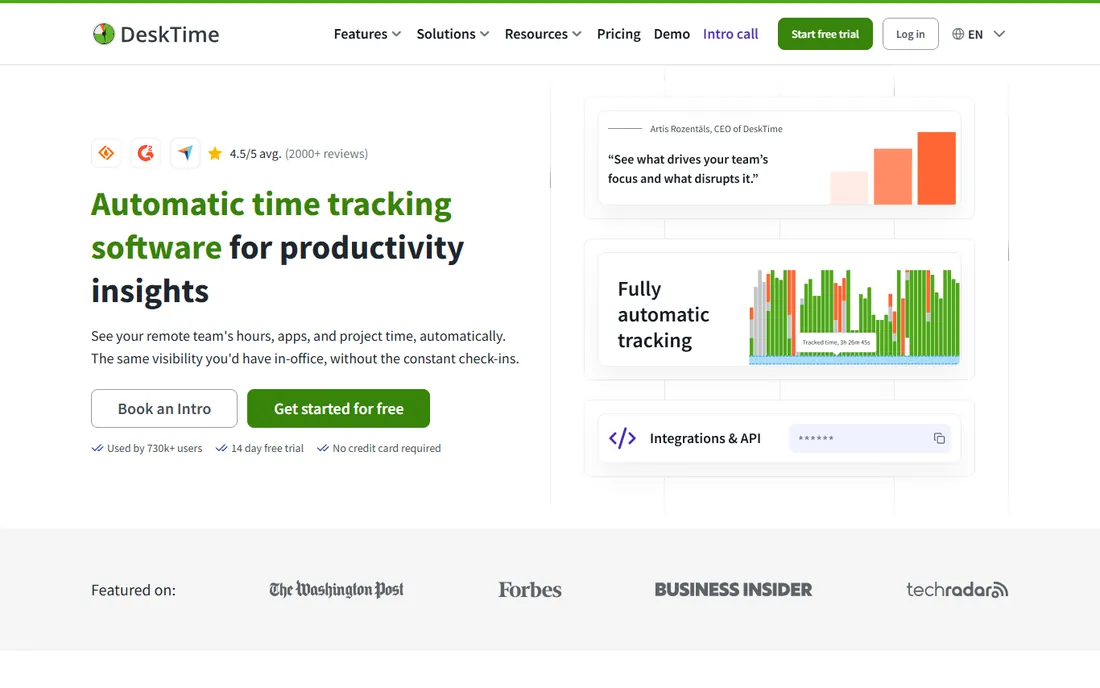
DeskTime is the passive alternative to the manual timer: it tracks apps, websites and documents automatically, scores productivity, detects idle time, and offers employees a Private Time option for breaks. For office and hybrid teams that want always-on data without changing anyone's habits, the setup is close to zero. Integrations cover Jira, Asana, Trello, GitLab and Google/Outlook calendars, with API access on Premium.
No free plan, only the 14-day trial, and screenshots wait for Premium. Like all activity monitoring, it needs a clear team conversation to avoid trust problems: the Private Time option helps, but the rollout message matters more than the feature. Annual billing works out to roughly one month free. For managers who want productivity reports without timer discipline, it delivers.
What we like- Fully automatic tracking of apps, websites and documents
- Productivity scoring with idle detection plus a Private Time option for employees
- Shift scheduling and absence calendar on Premium
Watch out for- No free plan
- Screenshots only on Premium
- Activity-based monitoring needs clear team communication to avoid trust problems
Surveillance vs. trust: pick your philosophy first
The category splits in two, and the split matters more than any feature list. Trust-based tools (Toggl Track, Harvest, Clockify, Everhour, Timely) run manual or AI-assisted timers with no screenshots: the data reflects what people say they did. Monitoring tools (Hubstaff, Time Doctor, DeskTime) add screenshots, activity levels and app tracking: the data reflects what the computer observed.
Neither is wrong, but they serve different contracts. Client-billable remote work and field crews usually need the evidence trail; salaried knowledge teams usually resent it. Rolling out screenshots to a team that expected a timer is a culture incident, not a software deployment. Decide the philosophy with the team before comparing prices, because switching philosophies later means switching tools.
The per-seat math at 10, 25 and 50 people
Per-seat pricing looks cheap until headcount grows. At 10 users: Clockify Basic $39.90, Hubstaff Starter $49.90, Toggl Starter $90, QuickBooks Time Premium $120, Connecteam Basic $29. At 25 users: Clockify $99.75, Hubstaff $124.75, Toggl $225, QuickBooks Time $270, Connecteam still $29. At 50 users the per-seat tools double again while Connecteam's flat hub pricing barely moves.
The lesson: if headcount will grow, flat or capped pricing (Connecteam, and free tiers up to their limits) beats per-seat every time. If headcount is stable and small, per-seat buys you better tools for less. Also watch minimums: Everhour's 5-user minimum and Hubstaff's 2-seat minimum set floors that solo buyers should know about. Model your 12-month headcount, not today's.
Frequently asked questions
How much does time tracking software cost?
For 10 users, $29 to $120+ per month: Connecteam ($29 flat), Clockify Basic ($39.90), Hubstaff Starter ($49.90), Toggl Starter ($90), QuickBooks Time Premium ($120). Free tiers cover small teams at $0: Clockify (5 users), Toggl Track (3 users), Connecteam (10 users), Everhour (5 users). Budget per-seat tools against your 12-month headcount, not today's.
Do I need screenshots and activity monitoring?
Only if someone pays for proof: client-billable remote work, field crews, or compliance requirements. For internal productivity and billing, manual or automatic timers without surveillance are cheaper, easier to adopt, and kinder to culture. Start with trust-based tracking and add monitoring only when a specific stakeholder requires evidence.
What is the best free time tracking software?
Clockify (5 users, unlimited projects), Toggl Track (3 users), Connecteam (10 users, full hubs) and Everhour (5 users). Clockify is the most generous for pure tracking; Connecteam is the most generous overall but targets frontline teams. All four are real free tiers, not trials.
Can time tracking software handle payroll?
Some can. Hubstaff and Time Doctor include payroll with contractor payouts; QuickBooks Time syncs natively into QuickBooks payroll; Connecteam and Clockify integrate with payroll providers. Toggl Track and Everhour export timesheets for payroll processing elsewhere. If payroll is the goal, shortlist the tools where it is native.
How do I get employees to actually track time?
Reduce friction to zero: automatic tracking (Timely, DeskTime), timers embedded in the PM tool (Everhour), or a one-click mobile clock (Connecteam). Explain why the data matters, never roll out monitoring by surprise, and make sure managers visibly use the same tool. Adoption is a culture project with a software component, not the reverse.
Toggl Track vs. Clockify: which is cheaper?
Clockify, by a wide margin: Basic at $3.99/user/month versus Toggl Starter at $9. Toggl wins on polish, integrations and reporting depth. For a 10-person team the difference is about $60 a month, or $720 a year. Choose Clockify for budget, Toggl for the nicer daily experience.
How we chose
We started with the categories buyers search: time tracking software and employee time tracking software. For each candidate we opened the vendor's own pricing page, checked plan names and prices against public reviews on G2 and Capterra and practitioner discussion on Reddit, and compared feature lists, monitoring philosophy, per-seat math and company-size fit. Where a price could not be verified on the vendor's page we wrote "See website" rather than guessing. The shortlist mixes trust-based timers with monitoring tools and flat-priced options, because a freelancer, a field crew and a 50-person agency are buying different products.
Sources we checked (12)
- https://toggl.com/pricing/
- https://www.getharvest.com/pricing
- https://clockify.me/pricing/
- https://hubstaff.com/pricing/
- https://timedoctor.com/pricing/
- https://everhour.com/pricing/
- https://www.timely.com/pricing/
- https://quickbooks.intuit.com/time-tracking/pricing/
- https://connecteam.com/pricing/
- https://desktime.com/pricing
- https://www.g2.com/categories/time-tracking
- https://www.capterra.com/time-tracking-software/
Is your product missing or out of date?
We review this list regularly. Vendors can request a listing, send updated pricing or ask about featured placement.

Shihab Mia · Founder, Rankite
Shihab has spent more than a decade helping SaaS and e-commerce brands grow through search. He writes Rankite's software buying guides from pricing pages, documentation and public user reviews. More about Shihab.