How we make this list: we compare pricing pages, product documentation and public user reviews. Rankite is independent; if a vendor ever pays for a featured spot, that listing is clearly labeled Partner.

Key takeaways
- AutoCAD LT remains the reference standard for 2D drafting, and every rival is measured against its DWG files.
- DraftSight, ARES Commander, and BricsCAD-style alternatives cut the cost of a DWG-compatible seat substantially.
- QCAD, LibreCAD, and nanoCAD cover small shops and solo drafters, from $0 to a few hundred dollars.
- If you need diagrams and floor plans rather than CAD precision, SmartDraw and Visio skip the learning curve entirely.
Quick comparison
| Tool | Best for | Starting price | Free plan |
|---|
 AutoCAD LT AutoCAD LT | professionals who need the industry-standard 2D drafting tool | See website | Free trial |
 DraftSight DraftSight | AutoCAD-trained drafters who want a cheaper familiar seat | See website | Free trial |
 ARES Commander ARES Commander | teams that draft on desktop, tablet, and browser | See website | Free trial |
 QCAD QCAD | small shops that want capable 2D CAD cheaply | See website | Yes (Community edition) |
 LibreCAD LibreCAD | anyone who needs free 2D drafting with no strings | Free | Yes |
 nanoCAD nanoCAD | budget-conscious shops that need native DWG drafting | See website | Free trial (30 days) |
 TurboCAD TurboCAD | drafters who want to own their software outright | $199.99 (perpetual, Designer edition) | Free trial (15 days) |
 CorelCAD CorelCAD | designers already working in Corel's graphics ecosystem | See website | Free trial |
 SmartDraw SmartDraw | diagrams, floor plans, and schematics without CAD training | See website | Free trial |
 Microsoft Visio Microsoft Visio | business diagrams inside a Microsoft 365 workflow | See website | Free trial |
Is your product missing or out of date?
We review this list regularly. Vendors can request a listing, send updated pricing or ask about featured placement.
The best technical drawing software
#1
AutoCAD LT
Best for: professionals who need the industry-standard 2D drafting tool
Visit autodesk.com
Starting priceSee website
Free planFree trial
IMSI Design says it has sold more than 20 million CAD licenses over 30 years, which tells you something important: for all the talk about 3D, the working world still runs on 2D drawings. Floor plans, schematics, permits, and shop drawings are 2D documents, and AutoCAD LT is the tool most of them are drawn with. This list focuses on that world: precise 2D drafting, not 3D modeling.
AutoCAD LT is the 2D-only sibling of full AutoCAD, and it defines the category. Its DWG files are the exchange format the entire industry orbits, its dimensioning and annotation tools handle real drafting standards, and any drafter you hire already knows it. When a client, contractor, or permitting office expects a DWG, this is the safest way to deliver one.
The price is subscription-only and climbs most years, and you get no 3D capability at all. But the compatibility guarantee, the training ecosystem, and the sheer number of professionals fluent in it keep it the default choice for serious 2D work.
What we like- The reference DWG implementation everyone else targets
- Enormous symbol and standards support
- Unmatched hiring pool and training resources
Watch out for- Subscription-only
- 2D only, no 3D modeling
- Price keeps rising
#2
DraftSight
Best for: AutoCAD-trained drafters who want a cheaper familiar seat
Visit 3ds.com
Starting priceSee website
Free planFree trial

DraftSight, from Dassault Systemes, is built for one audience: people who know AutoCAD and want to keep working the same way for less money. The commands, aliases, and interface map so closely that experienced drafters switch in days rather than weeks.
Under the hood it uses proven DWG technology, and recent versions lean on the same ARES engine family that powers several competitors here. Drafting, dimensioning, layers, blocks, and sheet sets all work as expected, and files round-trip with AutoCAD without drama. For companies standardizing on DWG, it slots into existing workflows cleanly.
Dassault ended the free version years ago, so this is a paid product now, sold by subscription. The community and third-party add-on market are smaller than Autodesk's. For shops that want AutoCAD familiarity at a lower seat cost, it is the most direct alternative.
What we like- Near-identical commands and interface to AutoCAD
- Native DWG support
- Backed by Dassault Systemes
Watch out for- Subscription-only since the free version ended
- Smaller community than Autodesk
- Advanced features trail AutoCAD
#3
ARES Commander
Best for: teams that draft on desktop, tablet, and browser
Visit graebert.com
Starting priceSee website
Free planFree trial

ARES Commander takes a different approach from single-platform CAD: one subscription covers desktop software, a mobile app, and a browser-based editor, all working in native DWG. A drafter can start a drawing at the office, mark it up on a tablet at the job site, and share it from a browser, without conversions.
Graebert has built CAD technology since the 1980s, and its engine also powers DraftSight and CorelCAD, which says something about its quality. Recent versions add AI assistance, drawing automation, and cloud collaboration features that go beyond basic drafting. DWG compatibility is genuinely strong, including newer format versions.
It is subscription-priced and the brand lacks Autodesk's recognition, which can matter when clients specify software. Some specialized industry toolsets are thinner. For mobile and distributed drafting teams, the three-platform bundle is unique.
What we like- Desktop, mobile, and cloud editions share one subscription
- Native DWG across Windows, Mac, and Linux
- Strong automation and AI-assisted features
Watch out for- Subscription pricing
- Brand less known than Autodesk
- Some niche vertical tools missing
#4
QCAD
Best for: small shops that want capable 2D CAD cheaply
Visit qcad.org
Starting priceSee website
Free planYes (Community edition)
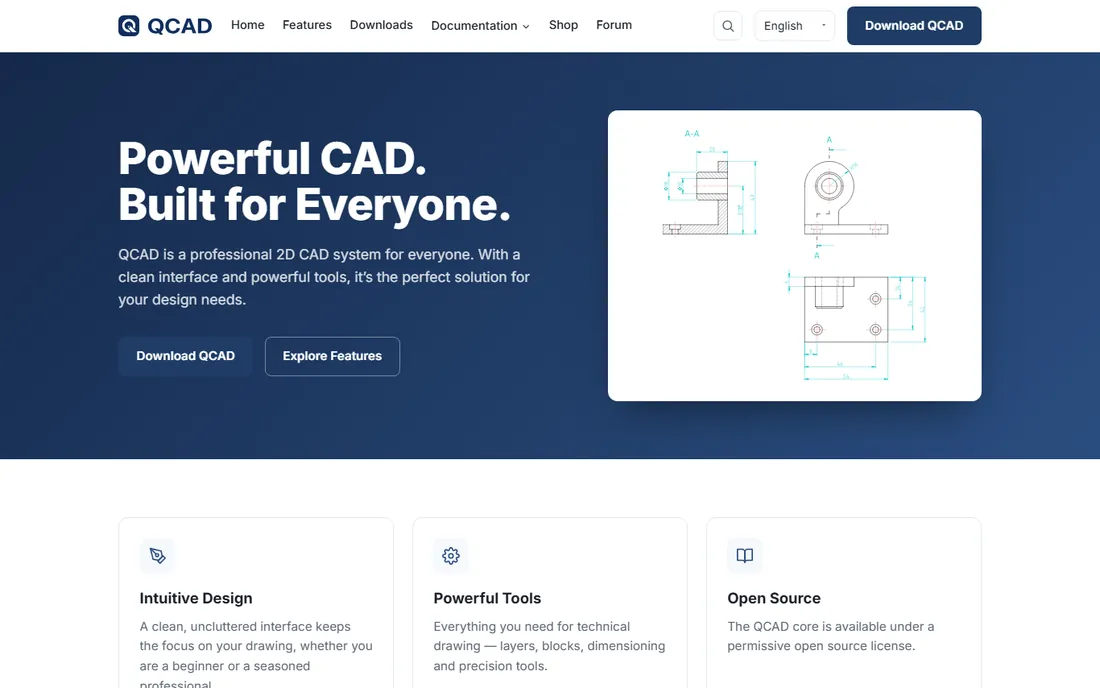
QCAD is the friendly face of affordable 2D CAD. The interface is clean and uncluttered, the learning curve is gentle, and it covers the drafting fundamentals properly: layers, blocks, hatching, dimensioning, and precision snap tools. Beginners get productive fast, which is not true of every CAD product.
The core is open-source, and the paid Professional version adds the features working drafters need, including DWG support and advanced tools, for a modest one-time price. It runs on Windows, Mac, and Linux, a wider spread than most commercial CAD. For small shops, freelancers, and schools, the value is excellent.
It will not replace AutoCAD on complex production work: the feature depth and the third-party ecosystem are smaller. But for straightforward technical drawings at a fraction of the cost, it earns its place.
What we like- Clean, approachable interface
- Solid layers, blocks, and dimensioning
- Open-source core with an affordable Pro option
Watch out for- DWG support via the Pro version
- Smaller feature set than big-brand tools
- Development pace is modest
Starting priceFree
Free planYes
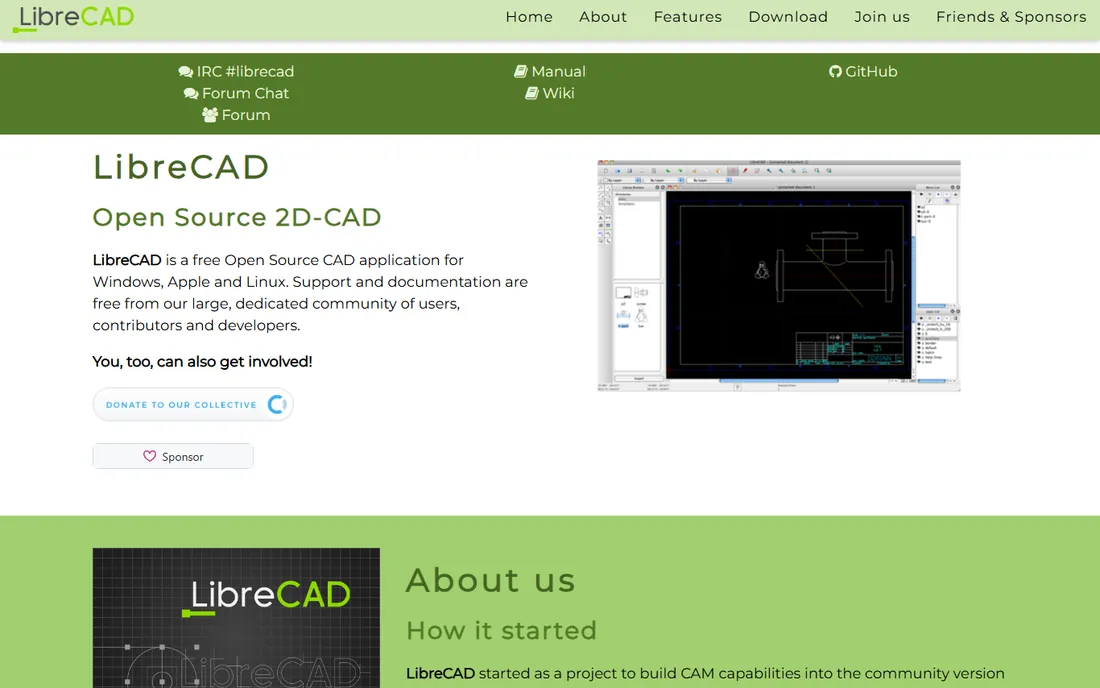
LibreCAD is the zero-cost option with no asterisks: no trial period, no subscription, no feature-locked tiers. It is a mature open-source 2D CAD application descended from QCAD's community edition, and it handles everyday drafting work competently.
Layers, blocks, dimensioning, and snapping are all present, and the DXF file support makes it practical for laser cutting, CNC, and general technical drawing. It runs on all three desktop platforms and in more than 30 languages. For students, makers, and anyone drafting on a zero budget, it removes every barrier.
The interface shows its age, DWG support is limited compared with DXF, and help comes from the community rather than a vendor. It is not the tool for exchanging complex DWGs with AutoCAD shops daily. As a free drafting workhorse, though, it is dependable.
What we like- Completely free and open-source
- No trials, subscriptions, or license servers
- Runs on Windows, Mac, and Linux
Watch out for- Dated interface
- DXF-focused with limited DWG support
- Community support only
#6
nanoCAD
Best for: budget-conscious shops that need native DWG drafting
Visit nanocad.com
Starting priceSee website
Free planFree trial (30 days)

nanoCAD, from Norway-based Nanosoft, is a native DWG editor that deliberately mirrors the AutoCAD experience: familiar commands, familiar interface, no translation step. The company claims over 900,000 users across 140 countries, which suggests the formula works.
The platform is modular. The base product covers 2D drafting, and add-on modules extend into 3D modeling, construction documentation, mechanical design, and raster editing. Pricing undercuts the big brands substantially, and a 30-day trial includes everything. For shops that want DWG compatibility without the Autodesk bill, the economics are attractive.
The US presence is smaller than competitors', so local support and training options are thinner. Advanced 3D work needs the add-on modules rather than being built in. For 2D-heavy DWG workflows on a budget, it is a serious contender.
What we like- Native DWG editing with an AutoCAD-like interface
- Modular add-ons for construction and mechanical work
- Aggressive pricing
Watch out for- Smaller US reseller and support network
- 3D features need add-on modules
- Brand recognition is low
Starting price$199.99 (perpetual, Designer edition)
Free planFree trial (15 days)

TurboCAD is the buy-it-once holdout in a subscription world. IMSI Design sells perpetual licenses starting at $199.99 for the 2D Designer edition, with Deluxe, Pro, and Platinum tiers adding 3D modeling up to $1,499.99. Pay once, and the software keeps working with no recurring charge.
For this list, the Designer edition is the relevant pick: all-purpose 2D drafting with DWG and DXF support, dimensioning, and blocks. Higher editions add 3D solids, architectural tools, and even AI-assisted features in recent releases. A 15-day trial lets you verify DWG compatibility before buying.
The interface feels less modern than AutoCAD or BricsCAD, and the professional community is smaller. But the licensing model is the story: over five years, a $199.99 perpetual license costs a fraction of any subscription rival. For stable drafting needs, that math is compelling.
What we like- Perpetual licenses you keep forever
- 2D drafting plus 3D options in higher editions
- 30 years of continuous development
Watch out for- Interface less modern than rivals
- Smaller professional community
- Mac version lags Windows
#8
CorelCAD
Best for: designers already working in Corel's graphics ecosystem
Visit corel.com
Starting priceSee website
Free planFree trial

CorelCAD brings CAD into the Corel family, which matters if your shop already lives in CorelDRAW for graphics work. The interface borrows conventions from Corel's design software, so graphic designers expanding into technical drawing face less of a learning cliff.
Underneath, it uses proven DWG technology, the same engine family as DraftSight, so file compatibility with AutoCAD is solid. It covers 2D drafting thoroughly and includes 3D modeling tools for shops that occasionally need more. Corel's traditional strength in precision graphics shows in the annotation and output options.
The CAD community around it is smaller than Autodesk's or Dassault's, and Corel's development attention understandably centers on CorelDRAW. Pricing sits in the mid-range rather than the budget tier. For Corel-centric shops, the workflow fit outweighs those caveats.
What we like- Native DWG with an interface Corel users recognize
- 2D drafting plus 3D modeling
- Voice notes and collaboration markups
Watch out for- Smaller CAD-specific community
- Pricing less aggressive than some rivals
- Development spotlight is on CorelDRAW
#9
SmartDraw
Best for: diagrams, floor plans, and schematics without CAD training
Visit smartdraw.com
Starting priceSee website
Free planFree trial
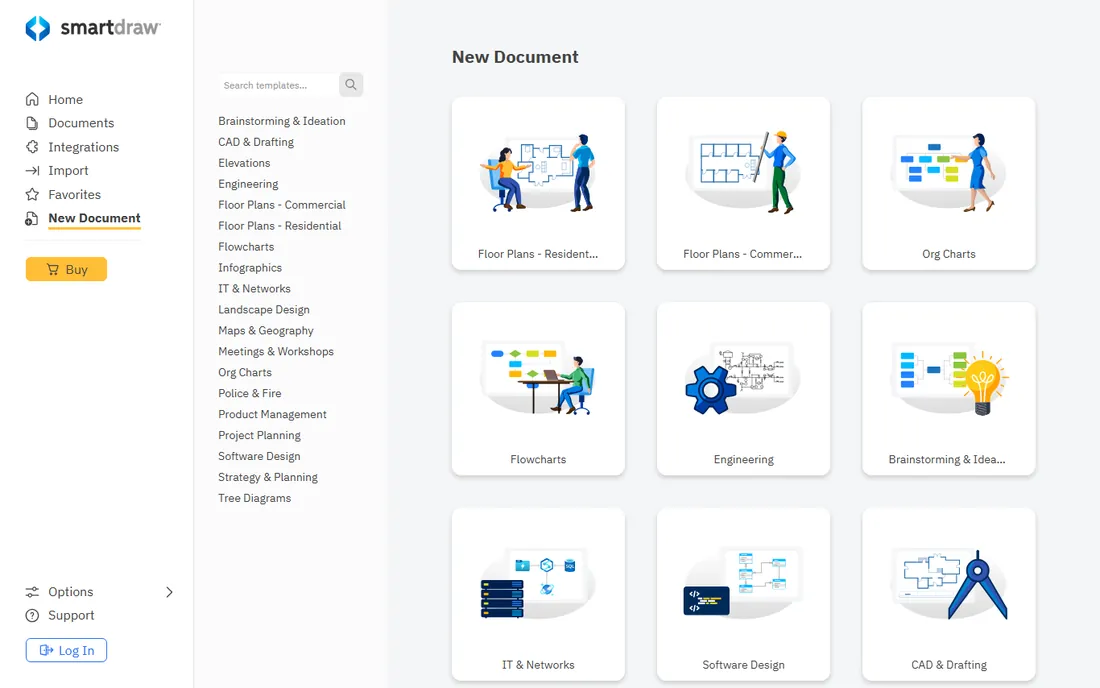
SmartDraw is not CAD, and that is the point. It makes floor plans, electrical schematics, network diagrams, and flowcharts through templates and drag-and-drop shapes, with automatic alignment and formatting doing the tedious work. Someone with zero drafting training can produce a presentable office floor plan in an afternoon.
The template library is the product: thousands of starting points across business, engineering, and facilities diagrams, many with the symbols each discipline expects. It imports and exports Visio files and common image formats, so it fits into business workflows easily.
Precision drafters should look elsewhere: there is no DWG authoring, no parametric constraints, and no tolerance-grade dimensioning. It is a diagramming tool that happens to draw floor plans well. For business users who need drawings, not CAD, it is faster than learning a real drafting package.
What we like- Thousands of templates for floor plans, schematics, and org charts
- No CAD skills required
- Automatic formatting keeps diagrams neat
Watch out for- Not precision CAD, no DWG authoring
- Subscription-priced
- Serious drafters will outgrow it
#10
Microsoft Visio
Best for: business diagrams inside a Microsoft 365 workflow
Visit microsoft.com
Starting priceSee website
Free planFree trial

Visio is the diagramming tool most office workers already half-know. Inside a Microsoft 365 environment, it is the path of least resistance for org charts, floor plans, network diagrams, and process flows, with co-authoring and Teams integration built in.
The shape libraries cover business needs thoroughly, from basic flowcharts to detailed network and engineering shapes, and the Office-style interface needs no learning for anyone who uses Word or PowerPoint. Data-linked diagrams can visualize live information from Excel or SharePoint, which no pure CAD tool attempts.
It is not CAD: there is no DWG authoring, no precision coordinate drafting, and the web app trails the desktop version in features. Pricing scales with plans, and the full desktop app costs extra beyond basic Microsoft 365. For business diagramming inside the Microsoft world, it is the natural fit.
What we like- Deep integration with Microsoft 365 and Teams
- Huge shape libraries for business and IT diagrams
- Familiar Office-style interface
Watch out for- Not precision CAD
- Advanced features need pricier plans
- Web version is limited next to desktop
How we chose
We focused strictly on 2D technical drawing: drafting precision, DWG compatibility, annotation, and output for permits, fabrication, and construction documents. Our method was document-driven: vendor feature pages and documentation, published pricing and licensing terms, file-format support lists, and public reviews on G2, Capterra, and drafting forums. We excluded 3D-first modelers and verified every product is available to new buyers today. We did not run hands-on drafting tests.
What to look for in 2D drafting software
The wrong 2D tool costs you in file friction and retraining. These factors separate the right pick from the wrong one.
DWG compatibility
DWG is the currency of technical drawing exchange. If you send drawings to clients, contractors, or permitting offices, your software must open, edit, and save DWG files faithfully, including dimensions, xrefs, and layouts. AutoCAD LT is the reference; DraftSight, ARES Commander, nanoCAD, and CorelCAD all target full compatibility. Test with your own complex files during the trial, not with the vendor's samples.
Precision drafting tools
Real drafting needs object snaps, ortho mode, layers, blocks, hatching, and dimension styles that follow standards. Every CAD product here has them; diagramming tools like SmartDraw and Visio do not. If your drawings carry tolerances or legal weight, that distinction decides the purchase.
Output and plotting
Drawings end as plotted sheets or PDFs for permits and the shop floor. Check sheet setup, plot styles, and PDF export quality before committing. Multi-sheet management, called layouts or sheets depending on the vendor, matters enormously once drawing sets grow past a handful of pages.
DWG compatibility, explained
DWG is Autodesk's proprietary format, which means every other vendor reverse-engineers it. In practice, compatibility is excellent for everyday drawings: geometry, layers, blocks, and dimensions round-trip cleanly between AutoCAD and the alternatives here. Problems appear at the edges, with complex dynamic blocks, custom objects from vertical Autodesk products, and the newest format versions. The practical defense is simple: during your trial, open your five most complex real drawings, edit them, save, and reopen in the original software. If nothing breaks, you are safe.
Frequently asked questions
What is the difference between 2D CAD and 3D CAD?
2D CAD creates flat technical drawings: floor plans, schematics, and fabrication drawings with precise dimensions. 3D CAD builds solid models of parts and assemblies. This guide covers 2D drafting tools. If you need to model physical products in three dimensions, look at mechanical CAD software instead.
Is AutoCAD LT enough, or do I need full AutoCAD?
For pure 2D drafting, LT is enough for most users: it has the complete 2D toolset, DWG support, and plotting. Full AutoCAD adds 3D modeling, advanced customization with LISP and APIs, and industry toolsets. If you never model in 3D or write CAD automation, LT saves money without costing capability.
Can free software open DWG files?
Partly. LibreCAD focuses on DXF rather than DWG. QCAD's paid Pro version handles DWG; the free Community edition is more limited. For reliable free DWG viewing, Autodesk offers a free DWG viewer, and several vendors here include DWG support in their trials.
What file format should I send to a print shop or client?
PDF for viewing and printing, DWG when the recipient needs to edit. PDF preserves your layout exactly regardless of what software the other party uses. Send DWG only when the recipient works in CAD and needs the editable geometry.
Do I need training to use 2D CAD software?
For the CAD products here, some training pays off: a short course on layers, blocks, and dimension styles saves weeks of bad habits. QCAD and SmartDraw are approachable without training. Autodesk, DraftSight, and ARES Commander have extensive tutorial libraries and certification paths.
Sources we checked (10)
- https://www.autodesk.com/
- https://3ds.com/
- https://www.graebert.com/
- https://qcad.org/en/
- https://librecad.org/
- https://nanocad.com/
- https://imsisoft.com/
- https://www.corel.com/
- https://smartdraw.com/
- https://www.microsoft.com/
Is your product missing or out of date?
We review this list regularly. Vendors can request a listing, send updated pricing or ask about featured placement.

Shihab Mia · Founder, Rankite
Shihab has spent more than a decade helping SaaS and e-commerce brands grow through search. He writes Rankite's software buying guides from pricing pages, documentation and public user reviews. More about Shihab.