How we make this list: we compare pricing pages, product documentation and public user reviews. Ratings come from G2, Capterra or Trustpilot, with the date we checked them.
Key takeaways
- Most beginner apps now offer $0 commissions on US stocks and ETFs, so learning tools, fractional shares and account types matter more than trade price.
- Fidelity and Vanguard suit long-term investors who want retirement accounts and low-cost funds alongside stock trading.
- Robinhood, Public and moomoo suit hands-on beginners who want a modern app, fractional shares and fast order entry.
- E*TRADE suits beginners who want strong research and two app levels, from simple to advanced.
- Acorns suits beginners who struggle to start, because it automates small, regular investments. This is not financial advice.
Quick comparison
| Tool | Best for | Starting price | Free plan |
|---|
 Robinhood Robinhood | Simple mobile trading from $1 | $0 commission on US stocks and ETFs | Yes |
 Fidelity Fidelity | All-round beginner brokerage | $0 commission on US stocks and ETFs | Yes |
 E*TRADE E*TRADE | Research and two-level apps | $0 commission on US stocks and ETFs | Yes |
 Vanguard Vanguard | Long-term and retirement investing | $0 commission on US stocks and ETFs online | Yes |
 Public Public | Social and fractional investing | $0 commission on US stocks and ETFs | Yes |
 Acorns Acorns | Automated micro-investing | From $4 per month | No |
 moomoo moomoo | Charts and paper trading | $0 commission on US stocks and ETFs | Yes |
Is your product missing or out of date?
We review this list regularly. Vendors can request a listing, send updated pricing or ask about featured placement.
The best stock trading apps for beginners
Starting price$0 commission on US stocks and ETFs
Free planYes
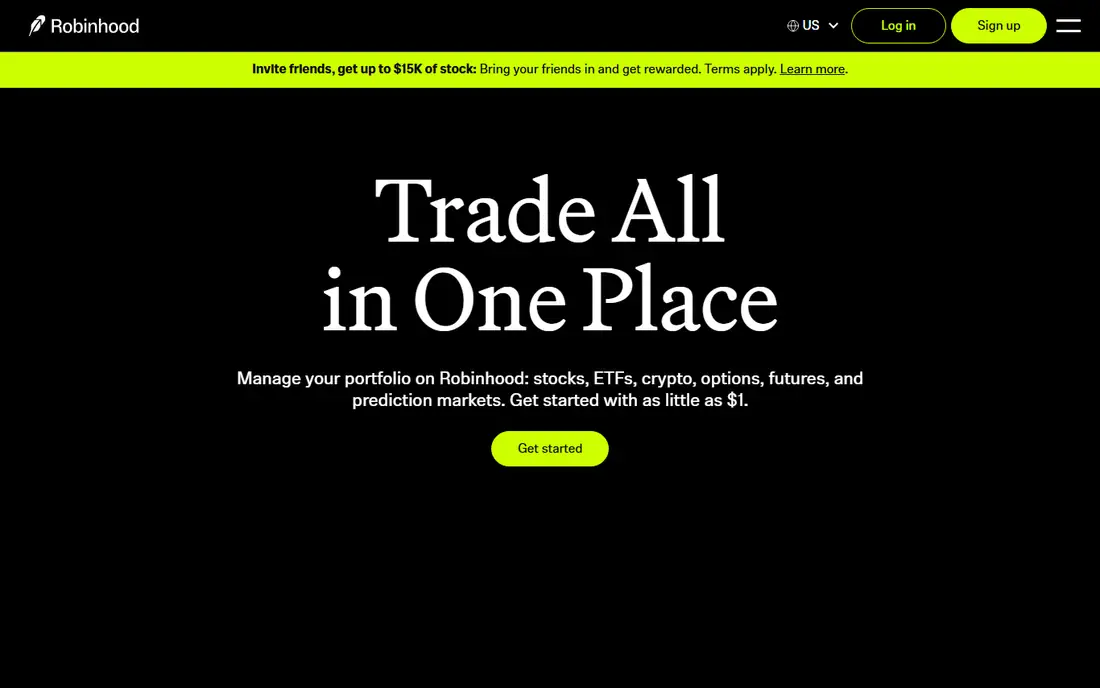
Robinhood is the easiest app on this list to open and use for a first trade. The homepage states that users can start with as little as $1, and fractional shares make expensive stocks accessible without a large deposit. The app keeps the order ticket simple, shows a basic chart and news, and lets users move between stocks, ETFs, options and crypto without switching platforms. For a beginner who wants to learn by doing small trades, that low friction matters.
The limits appear when a beginner wants depth. Robinhood lacks mutual funds and offers fewer bond choices than Fidelity or Vanguard, and its research tools are lighter than E*TRADE or Fidelity. Some features, such as higher cash yield and larger instant deposits, sit behind the $5 per month Gold membership shown on its homepage. Robinhood fits a beginner who wants a simple mobile start and small trades. It fits less well for a retirement-focused investor who wants mutual funds and planning tools in the same account.
What we like- Start with as little as $1
- Clean mobile app
- Stocks, ETFs, options, crypto and futures in one place
Watch out for- Limited mutual funds and bonds
- Research is thinner than full-service brokers
- Paid Gold membership needed for some features
Starting price$0 commission on US stocks and ETFs
Free planYes
Fidelity is the strongest all-round choice for a beginner who may grow into a serious investor. Its homepage lists $0 account fees, $0 commissions on US stocks and ETFs online, and fractional share purchases from as little as $1. Beyond trading, Fidelity offers IRAs, Roth IRAs, health savings accounts, 529 education accounts and managed portfolios, so a beginner does not need a second firm when goals change. Learning content, screeners and planning tools are built into the app and website.
The breadth is also the drawback for a brand-new user. The app shows more menus, account types and research than Robinhood, and a first-time investor may need time to find the simple trade ticket. Fidelity also takes a more careful approach to crypto and to some advanced order types. Fidelity fits a beginner who wants one firm for trading, retirement and education saving, and who values depth over the simplest possible screen.
What we like- $0 commissions and $0 account fees
- Fractional shares from $1
- Strong retirement, education and planning tools
Watch out for- App and website can feel busy for a first-time user
- Options and advanced tools need learning
- Crypto access is narrower than Robinhood
#3E*TRADE
Best for: Research and two-level apps4.0/5 on
G2 (24 reviews, checked Oct 2026)
Visit etrade.com
Starting price$0 commission on US stocks and ETFs
Free planYes
ETRADE, now part of Morgan Stanley, gives beginners a clear path from simple to advanced. The main app covers basic trading, while Power ETRADE offers deeper charts, options tools and screeners for users who want more. Its homepage lists $0 commissions on stocks, ETFs and options online, with a $0.65 per-contract fee for options, falling to $0.50 with 30 or more trades per quarter. Research from Morgan Stanley, screeners and educational articles help a beginner move from a first trade to a reasoned plan.
The main limits are fractional shares and fees on other products. Fractional trading at ETRADE covers specific stocks and ETFs, with a $5 minimum for fractional orders in many cases, which is less flexible than the $1 minimum at Fidelity or Robinhood. Crypto trading carries a spread and a per-trade fee structure shown on its site. ETRADE fits a beginner who wants strong research and room to grow into advanced tools without switching brokers.
What we like- $0 commissions on stocks, ETFs and options online
- Strong research and web platform
- Separate simple and advanced apps
Watch out for- Fractional shares limited to certain stocks and ETFs
- Options contract fee applies
- Morgan Stanley branding can confuse new users
Starting price$0 commission on US stocks and ETFs online
Free planYes
Vanguard is built for patience rather than speed. Its brokerage offers $0 commissions on online US stock and ETF trades, and its own index funds and ETFs are among the lowest-cost options for a long-term portfolio. A beginner can open a brokerage account, a Roth IRA or a traditional IRA, set up automatic investments, and build a diversified portfolio with a handful of funds. That focus on low costs and long horizons is a strong antidote to the urge to trade often.
The trade-off is the trading experience. Vanguard tools are functional but less polished for frequent trading, charting and options than Robinhood, moomoo or E*TRADE. Some mutual funds still carry minimum investments, although many ETFs have no minimum beyond the share price. Vanguard fits a beginner whose main goal is retirement or long-term wealth building, and who wants low-cost funds in the same place as stock trades.
What we like- $0 online commissions on US stocks and ETFs
- Low-cost Vanguard funds and ETFs
- Strong IRA and retirement planning tools
Watch out for- Trading tools are simpler than active-trader apps
- App experience lags rivals for frequent trading
- Some mutual funds carry minimums
Starting price$0 commission on US stocks and ETFs
Free planYes
Public combines a modern trading app with a social layer, where users can follow investors, join discussions and see themes such as artificial intelligence or sports. That social context helps some beginners learn what others are watching, although it should never replace personal research. Trading is commission-free for stocks and ETFs during regular hours, fractional shares start at $1, and the app also covers bonds, Treasuries, options and crypto. A high-yield cash account is available for uninvested money.
The limits are research depth and support. Public offers less advanced charting and screening than active-trader platforms, and support relies mainly on chat and email rather than phone. Public Premium, which adds advanced data, premium research and extended-hours trading, costs $10 per month or $96 per year in many listings, with a waiver for large balances. Public fits a beginner who likes fractional investing, themed discovery and a social feed, and who does not yet need professional-grade tools.
What we like- $0 commissions on stocks and ETFs
- Fractional shares from $1
- Stocks, ETFs, bonds, options and crypto in one app
Watch out for- Research tools are lighter than Fidelity or E*TRADE
- Support is mainly chat and email
- Premium features cost $10 per month in many cases
Starting priceFrom $4 per month
Free planNo
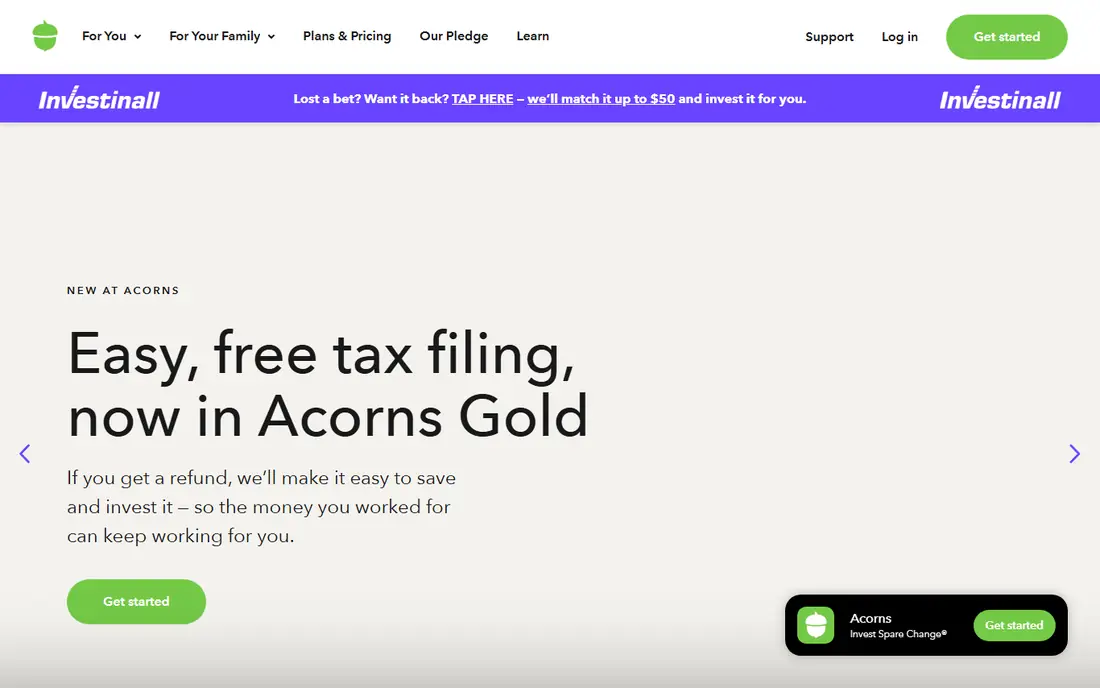
Acorns takes a different route to a first investment. Instead of asking a beginner to pick stocks, it rounds up everyday card purchases to the next dollar and invests the spare change in a diversified ETF portfolio. Recurring deposits, an IRA option and educational content sit on top of that habit. For a user who has delayed investing for months, automation can be more valuable than a free trade, because the money actually moves.
The cost model needs honest math. Acorns charges a monthly subscription, with tiers that add checking, savings, IRA matches and family features, rather than charging per trade. On a balance of a few hundred dollars, that monthly fee is a large share of the account, so the fee only becomes reasonable as the balance grows. Basic tiers also do not offer individual stock picking, which limits a user who later wants to choose stocks. Acorns fits a beginner who needs automation to start, and who plans to grow the balance beyond the early months.
What we like- Round-Ups invest spare change automatically
- Expert-built ETF portfolios
- IRA and checking options on higher tiers
Watch out for- Monthly subscription rather than free trading
- No individual stock picking on the basic tier
- Fee is high as a share of a very small balance
Starting price$0 commission on US stocks and ETFs
Free planYes
moomoo gives beginners a powerful toolkit at a $0 commission price. Its US fee schedule lists $0 commission for US stocks and ETFs, $0 commission and $0 contract fees for retail stock and ETF options, and a $0.50 fee for index options, with regulatory fees still applying. Paper trading lets a new user practice with virtual money before risking real funds, and charting tools, screeners and Level 2 data go far beyond most beginner apps. Extended-hours and overnight trading are also available on select securities.
The gaps are account types and guidance. moomoo offers no traditional or Roth IRA in the US and no managed portfolio service, so a retirement-focused beginner needs a second firm. The interface, while powerful, packs in far more data than a first-time trader needs, and that density can lead to overtrading. moomoo fits a self-directed beginner who wants to learn charting and practice first, and who already has or will open a separate retirement account elsewhere.
What we like- $0 commission on US stocks and ETFs
- $0 equity options contract fees for retail orders
- Free paper trading and deep charting tools
Watch out for- No IRA accounts in the US
- No robo-advisor or managed portfolios
- Advanced interface can overwhelm a true beginner
How we chose
We compared apps on commissions, fractional share minimums, account types, learning tools, research, charting, paper trading, app quality and support. Pricing came from vendor homepages and fee schedules, because commissions and contract fees change and vary by order type. Where a price could not be tied to a current vendor page, we wrote See website. We checked that each app accepts US beginners today and fits stock trading, rather than adding pure robo-advisors, crypto-only exchanges or professional terminals.
How to start trading as a beginner without common mistakes
Open the right account first. A taxable brokerage account suits general investing, while a Roth IRA suits retirement saving with tax-free growth on qualified withdrawals. Many beginners benefit from both, with regular money going to the IRA and extra money going to a taxable account. Fund the account with an amount you can afford to leave invested for years, not with rent money or borrowed funds.
Start small, diversify and use limit orders
Fractional shares let you start with $1 to $5 at several apps on this list, which removes the need to save for a full expensive share. A diversified ETF that tracks a broad market index is a simpler first holding than a single stock, because one company setback does not sink the whole portfolio. Use limit orders when you care about price, especially for less liquid stocks, and check the order preview for fees, spread and settlement before confirming.
Learn before adding risk
Paper trading at moomoo, plus learning hubs at Fidelity, E*TRADE and Vanguard, let you practice order types and research without risking cash. Avoid margin, options and borrowed-money products until you can explain how they work and what the maximum loss is. Set a simple rule for yourself, such as reviewing holdings monthly rather than checking prices hourly, and keep a written note of why you bought each holding. That note makes it easier to judge later whether to hold, add or sell.
Watch costs beyond commission
Even with $0 commissions, spreads, regulatory fees on sales, options contract fees, crypto spreads, transfer fees and subscription costs still apply. Check the fee schedule for your specific app, especially for options, crypto, wires and account transfers. Also check cash yield on uninvested money, because a low yield is an invisible cost for a large cash balance. A beginner app is only cheap if the total cost, including subscriptions and spreads, stays low for how you actually trade.
Frequently asked questions
What is the best stock trading app for beginners?
Fidelity is the best all-round pick for most beginners, because it combines $0 commissions, $1 fractional shares, retirement accounts and learning tools. Robinhood is simpler for a first mobile trade, while Vanguard is better for long-term retirement investing. The best app depends on whether your main goal is learning to trade, saving for retirement, or automating small investments.
Which trading app is best for beginners with little money?
Robinhood, Fidelity and Public all allow fractional shares from $1, so a small deposit can buy part of an expensive stock or ETF. Acorns also suits small amounts through Round-Ups, although its monthly subscription makes it less attractive for a very small balance. Start with a diversified ETF and a regular deposit, rather than trying to pick a winning stock with a tiny balance.
Are stock trading apps free for beginners?
Most apps on this list charge $0 commission on US stocks and ETFs, with no account minimum to open. Other costs still apply, including regulatory fees on sales, options contract fees, crypto spreads, transfer fees and, at Acorns, a monthly subscription. Always read the fee schedule for the exact order type you plan to use. This is not financial advice.
Do I need a lot of money to start trading stocks?
No. Fractional shares, $0 commissions and no-minimum accounts mean you can start with a few dollars at several apps. A larger starting amount helps with diversification and makes fixed fees less painful, but it is not required. The more important step is a regular investing habit and a plan for how long the money will stay invested.
Is Robinhood good for beginners?
Robinhood is good for a simple first trading experience, with a clean app, $1 fractional shares and $0 commissions. It is weaker for retirement planning, mutual funds and deep research than Fidelity or Vanguard. Beginners who use Robinhood should still learn about diversification, avoid margin and options until they understand the risks, and consider a separate IRA for retirement saving.
Should beginners use a robo-advisor or pick stocks themselves?
A robo-advisor or an expert-built portfolio, such as Acorns portfolios or Fidelity managed options, suits beginners who want automation and diversification without picking stocks. Self-directed trading suits beginners who want to learn company research and accept the extra work and risk. Many beginners start with a diversified ETF portfolio and add individual stocks only after learning the basics.
Sources we checked (7)
- https://robinhood.com/
- https://www.fidelity.com/
- https://www.etrade.com/
- https://www.vanguard.com/
- https://public.com/
- https://www.acorns.com/
- https://www.moomoo.com/
Is your product missing or out of date?
We review this list regularly. Vendors can request a listing, send updated pricing or ask about featured placement.

Shihab Mia · Founder, Rankite
Shihab has 5+ years in B2B and SaaS SEO. He writes Rankite's software buying guides from pricing pages, documentation and public user reviews. More about Shihab.