How we make this list: we compare pricing pages, product documentation and public user reviews. Ratings come from G2, Capterra or Trustpilot, with the date we checked them.
Key takeaways
- A homelab stack has layers: an OS or hypervisor at the bottom, containers in the middle and automation on top. No single tool covers all three well.
- Proxmox and Unraid are the two starting points. Proxmox is free and virtualization-first, while Unraid is paid and storage-first with easy Docker apps.
- Home Assistant plus Node-RED covers most home automation needs, with Home Assistant handling devices and Node-RED handling complex flows.
- Almost everything here is free and open source. Budget goes to hardware and disks, not software licenses, except for Unraid.
Quick comparison
| Tool | Best for | Starting price | Free plan |
|---|
 Home Assistant Home Assistant | Smart home automation | Free | Yes |
 Proxmox VE Proxmox VE | Virtualization host | Free | Yes |
 TrueNAS TrueNAS | Network storage | Free | Yes |
 Unraid Unraid | Storage plus Docker apps | $49 one-time | Free trial (30 days) |
 Node-RED Node-RED | Visual automation flows | Free | Yes |
 Ansible Ansible | Configuration automation | Free | Yes |
 Portainer Portainer | Container management | Free | Yes |
 Pi-hole Pi-hole | Network-wide ad blocking | Free | Yes |
Is your product missing or out of date?
We review this list regularly. Vendors can request a listing, send updated pricing or ask about featured placement.
The best software for homelab automation
Starting priceFree
Free planYes
Home Assistant is the center of most homelabs that touch smart home gear. It integrates with more than a thousand brands and services, scans your network for known devices and gives you a local dashboard for everything from lights to energy use. Automations run on your own hardware, so your data stays home instead of going to a vendor cloud.
The trade-off is setup depth. Basic automations are quick, but advanced logic, templates and custom dashboards take time to learn. A voice assistant called Assist is built in, and add-ons let you run AdGuard, Node-RED and other apps beside it. For anyone automating a house rather than just a server rack, Home Assistant is the foundation to build on.
What we like- Integrates with over 1,000 brands
- Data stays local
- Powerful automation engine and dashboards
Watch out for- Learning curve for advanced automations
- Some devices need extra setup
#2Proxmox VE
Best for: Virtualization host4.6/5 on
G2 (37 reviews, checked Oct 2026)
Visit proxmox.com
Starting priceFree
Free planYes
Proxmox VE turns a spare PC or server into a virtualization host for your whole lab. You can run virtual machines and lightweight LXC containers side by side, cluster several hosts, schedule backups and manage everything from a web interface. The software is open source, and paid enterprise support exists for those who want it.
The learning curve is real but fair. Proxmox assumes comfort with Linux concepts like storage pools, networks and bridges, though its documentation is thorough. For a homelab that runs many services, Proxmox is the most flexible free host available, and it pairs well with TrueNAS for storage or Portainer for containers.
What we like- Free and open source
- Runs VMs and LXC containers
- Clustering and backups built in
Watch out for- Interface assumes Linux knowledge
- Enterprise support costs extra
Starting priceFree
Free planYes
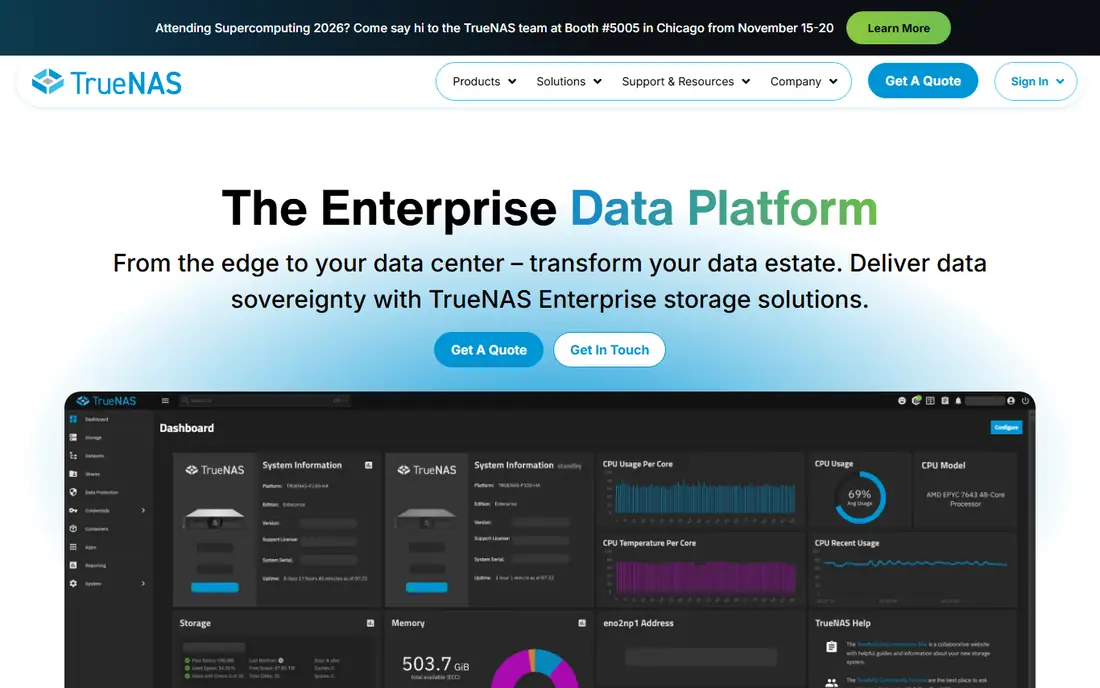
TrueNAS is the storage layer of many homelabs. Built on OpenZFS, it detects silent data corruption with checksums and heals it automatically, which protects family photos, media libraries and backups from bit rot. One platform serves file, block and object storage, with an API for integration into the rest of your lab.
The honest cost is hardware. ZFS loves RAM, and a serious TrueNAS box wants ECC memory and several disks to shine. The community edition is free and covers home use well, while turnkey appliances and support serve businesses. If your lab stores anything you cannot afford to lose, TrueNAS deserves the storage job.
What we like- Self-healing storage with OpenZFS
- File, block and object services
- Scales from terabytes to petabytes
Watch out for- Needs plenty of RAM for best results
- Enterprise features target businesses
Starting price$49 one-time
Free planFree trial (30 days)
Unraid is the friendliest way to build a home server. Its storage lets you mix hard drives of any size and grow capacity one disk at a time, which suits a lab built from spare parts. Community Apps makes installing Home Assistant, Pi-hole, Plex and hundreds of other Docker apps a few clicks, and virtual machines run alongside containers.
Licenses start at $49 with a 30-day free trial and no credit card required. The main technical trade-off is the parity system: mixed-size flexibility costs some write performance compared with striped arrays. For a media server and app host that grows gradually, Unraid's ease beats raw speed for most home users.
What we like- Mix drive sizes freely
- Huge Community Apps catalog
- Easy Docker and VM management
Watch out for- Paid license
- Parity drive limits write speed for some workloads
#5Node-RED
Best for: Visual automation flows4.5/5 on
G2 (25 reviews, checked Oct 2026)
Visit nodered.org
Starting priceFree
Free planYes
Node-RED is where automations go when they outgrow simple rules. Its browser-based editor lets you wire devices, APIs and services into flows by dragging nodes, and a library of more than 5,000 community nodes covers everything from MQTT to weather data. Version 5 is current, and it runs well on a Raspberry Pi or inside Home Assistant as an add-on.
The weakness appears in large projects. A flow with hundreds of nodes becomes hard to read, and debugging a timing bug across branches takes patience. Used for the tricky middle layer, like multi-step scenes, notifications with conditions and API glue, Node-RED is the most productive automation tool in this list.
What we like- Drag-and-drop flow editor
- 5,000 plus community nodes
- Runs beside Home Assistant
Watch out for- Flows get messy at scale
- Debugging complex logic takes practice
#6Ansible
Best for: Configuration automation4.6/5 on
G2 (377 reviews, checked Oct 2026)
Visit ansible.com
Starting priceFree
Free planYes
Ansible automates the servers themselves rather than the smart home. You write playbooks in YAML describing the desired state of each machine, then Ansible connects over SSH and applies them with no agent installed on the targets. The open source engine is free, and Ansible Galaxy offers pre-built roles for common software.
The learning curve is YAML and playbook structure, which takes a weekend to grasp. Ansible is also push-based, so scheduled runs need cron or a controller like the Red Hat platform for enterprise use. For a lab with several machines that should stay configured identically, Ansible replaces repetitive manual setup with repeatable code you can store in Git.
What we like- Agentless and free
- Playbooks version-controlled in Git
- Huge Galaxy collection library
Watch out for- YAML learning curve
- Runs are push-based, so scheduling needs extra tooling
#7Portainer
Best for: Container management4.8/5 on
G2 (297 reviews, checked Oct 2026)
Visit portainer.io
Starting priceFree
Free planYes
Portainer gives Docker users a web console instead of a command line. You can deploy stacks, manage volumes and networks, set access controls and watch container health from one place, across Docker, Swarm, Podman and Kubernetes hosts. The Community Edition is free, and Business adds governance features with three nodes free.
The positioning is honest: Portainer aims to replace a dozen platform tools with one supported product, not to outdo every specialist Kubernetes tool. A homelab running a handful of Docker hosts will find it a clear upgrade over raw compose files. Larger Kubernetes estates may still want dedicated GitOps tooling alongside it.
What we like- One console for Docker, Swarm, Podman and Kubernetes
- Templates and access control
- 3 nodes free on Business
Watch out for- Business features need a license
- Kubernetes depth trails dedicated tools
Starting priceFree
Free planYes
Pi-hole is the smallest tool here and one of the most satisfying. Installed on a Raspberry Pi, an old PC, a VM or a Docker container, it acts as your network DNS server and blocks ads and trackers before they download, for every device at once. The web interface shows query stats per client, and a full REST API lets your automations control it.
The catch is allowlist tuning. Some sites and apps break when their ad or tracking domains are blocked, so expect a week of adding exceptions for banking, shopping and streaming services. Group management helps, letting you apply stricter lists to kids tablets and lighter ones to work laptops. For a lab that values privacy and faster page loads, Pi-hole pays for itself in days.
What we like- Blocks ads and trackers for every device
- Web dashboard and REST API
- Runs on a Pi or in Docker
Watch out for- Can break sites that depend on blocked domains
- Needs allowlist tuning
How we chose
We compared vendor homepages and project documentation in October 2026, and opened each homepage to confirm it loads and belongs to the product named. We favored tools that are actively maintained, free or cheap for home use, and widely used in homelab communities. We weighted ease of setup alongside power, since a homelab tool that never gets configured helps nobody, and we noted where a paid license or hardware requirement changes the real cost.
Building your first stack
Start with the host, not the apps. Pick Proxmox if you want free virtualization and plan to run many services, or Unraid if you want storage plus easy Docker apps and do not mind the $49 license. Either host can run the rest of this list, and both let you back up before experiments.
Next add storage and containers. TrueNAS can serve storage to the whole lab, or Unraid's array can hold your media directly. Portainer then gives you a console for the Docker apps, which keeps compose files and updates manageable as the count grows.
Then automate in layers. Home Assistant owns devices and daily scenes, Node-RED handles flows too complex for simple rules, and Ansible keeps the servers themselves configured. Pi-hole sits underneath it all, cleaning up DNS for every device. Add one layer at a time and back up between steps, since a lab that grows gradually stays fun while one built all at once becomes a debugging job.
One more habit matters: document as you go. A short note per service with its address, login location and backup method saves hours when something breaks six months later. Keep those notes in the same Git repository as your Ansible playbooks and Docker compose files, so the whole lab is reproducible from one place.
Frequently asked questions
What is the best homelab software to start with?
Proxmox or Unraid as the host, plus Home Assistant for automation. Proxmox is free and flexible, while Unraid is easier for storage and Docker apps. Add Pi-hole early, since it improves every device on your network.
Is homelab software really free?
Mostly yes. Home Assistant, Proxmox, TrueNAS, Node-RED, Ansible, Portainer Community and Pi-hole are all free. Unraid is the exception, with licenses from $49 and a 30-day trial. Your real spending goes to hardware, disks and electricity.
How much hardware does a homelab need?
A used mini PC with 16 GB of RAM runs Home Assistant, Pi-hole and a dozen containers comfortably. TrueNAS wants more RAM and several disks, while Proxmox benefits from a CPU with virtualization support. Start small and add hardware as services grow.
Can I run a homelab on a Raspberry Pi?
Yes, for lighter services like Pi-hole, Home Assistant and Node-RED. A Pi struggles with heavy virtualization and large ZFS arrays, so move to a PC or server when you add Proxmox or TrueNAS.
How do I back up a homelab?
Back up at two levels: VM and container backups from Proxmox or Unraid, and configuration exports from Home Assistant, Node-RED and Pi-hole. Store one copy off the host, ideally on TrueNAS or an external drive, and test a restore before you need it.
Sources we checked (8)
- https://www.home-assistant.io
- https://www.proxmox.com
- https://www.truenas.com
- https://unraid.net
- https://nodered.org
- https://www.ansible.com
- https://www.portainer.io
- https://pi-hole.net
Is your product missing or out of date?
We review this list regularly. Vendors can request a listing, send updated pricing or ask about featured placement.

Shihab Mia · Founder, Rankite
Shihab has 5+ years in B2B and SaaS SEO. He writes Rankite's software buying guides from pricing pages, documentation and public user reviews. More about Shihab.