How we make this list: we compare pricing pages, product documentation and public user reviews. Ratings come from G2, Capterra or Trustpilot, with the date we checked them.
Key takeaways
- QuickBooks Online is the safest default for US small businesses, because most accountants already know it and it scales from one user to a team.
- Xero suits businesses that add team members, since it does not charge per seat and its bank reconciliation is clean.
- FreshBooks fits service businesses that invoice constantly, while Wave fits micro-businesses that need real double-entry bookkeeping at no cost.
- Zoho Books is the value pick for businesses already using Zoho apps or under the revenue limit for its free plan.
- Entry-plan limits matter more than headline prices, so check invoice caps, user counts, and bank feed rules before you buy.
Quick comparison
| Tool | Best for | Starting price | Free plan |
|---|
 QuickBooks Online QuickBooks Online | Most US small businesses | $35 per month (Simple Start) | Free trial (30 days) |
 Xero Xero | Businesses adding team members | $29 per month (Early, billed annually where offered) | Free trial (30 days) |
 FreshBooks FreshBooks | Service businesses that invoice clients | $19 per month (Lite) | Free trial (30 days) |
 Zoho Books Zoho Books | Budget-conscious businesses and Zoho users | $20 per month (Standard) | Yes |
 Wave Wave | Micro-businesses and side businesses on a zero budget | Free | Yes |
 Sage Business Cloud Sage Business Cloud | Businesses needing inventory and job costing | See website | Free trial |
 Bench Bench | Owners who want a human bookkeeper to handle it | See website | Free trial |
 Patriot Accounting Patriot Accounting | Very small businesses wanting simplicity | $20 per month (Basic) | Free trial |
Is your product missing or out of date?
We review this list regularly. Vendors can request a listing, send updated pricing or ask about featured placement.
The best software for bookkeeping business owners
Starting price$35 per month (Simple Start)
Free planFree trial (30 days)
QuickBooks Online is the default answer for a reason that has little to do with features. When tax season arrives, the odds are high that your accountant already works in QuickBooks, which saves explanation, file conversion, and billable hours. The platform covers invoicing, expense tracking, bank feeds, sales tax, and reporting, and higher plans add inventory, project profitability, and multi-user access.
Simple Start at $35 per month is the entry point in recent vendor pricing roundups, but it allows only one user, so a business with a bookkeeper and an owner often needs Essentials or Plus. Payroll is an add-on rather than included. If your accountant uses QuickBooks and your business is growing, the extra cost usually pays for itself in saved time. If your books are simple and your budget is tight, Wave or Zoho Books deserve a look first.
What we like- Largest US accountant network
- Hundreds of app integrations
- Scales from solo to multi-user plans
Watch out for- Higher cost than rivals
- Entry plan allows only one user
- Learning curve is steeper than FreshBooks or Wave
#2Xero
Best for: Businesses adding team members4.4/5 on
G2 (1,832 reviews, checked Oct 2026)
Visit xero.com
Starting price$29 per month (Early, billed annually where offered)
Free planFree trial (30 days)
Xero wins fans with a simple pricing idea: every plan includes unlimited users. A business can give access to an owner, a bookkeeper, and an accountant without paying per seat, which changes the math for a growing team. The interface is calm and modern, bank reconciliation is one of the best in this list, and multi-currency support helps businesses with overseas clients.
The Early plan caps monthly invoices and bills, so a business that invoices heavily may need the Standard plan sooner than expected. US payroll is handled through a partner rather than built in, and inventory tracking is basic compared with QuickBooks Plus or Sage. For a service business with a small team and an outside bookkeeper, Xero is often the cleanest choice.
What we like- Unlimited users on all plans
- Clean bank reconciliation
- Strong multi-currency support
Watch out for- Cheapest plan caps invoices and bills per month
- US payroll runs through a partner
- Inventory is basic
#3FreshBooks
Best for: Service businesses that invoice clients4.5/5 on
G2 (981 reviews, checked Oct 2026)
Visit freshbooks.com
Starting price$19 per month (Lite)
Free planFree trial (30 days)
FreshBooks is built around getting paid, and it shows. Invoices look polished, clients can pay online, late reminders go out automatically, and time tracking ties hours straight to an invoice. For freelancers, consultants, agencies, and tradespeople, that loop matters more than a deep general ledger, and FreshBooks keeps it simple enough for an owner with no accounting background.
The limits are real. FreshBooks is not a full double-entry system in the QuickBooks sense, and the Lite plan caps the number of billable clients. Inventory support is limited, so product businesses should look elsewhere. If your business sells time and expertise rather than stock, FreshBooks is the most pleasant tool here for day-to-day billing.
What we like- Excellent invoicing and payment reminders
- Time tracking built in
- Easy for non-accountants
Watch out for- Lighter pure accounting depth
- Lite plan limits billable clients
- Not built for inventory
#4Zoho Books
Best for: Budget-conscious businesses and Zoho users4.4/5 on
G2 (329 reviews, checked Oct 2026)
Visit zoho.com
Starting price$20 per month (Standard)
Free planYes
Zoho Books is the value play in this list, and it is stronger than its price suggests. The free plan covers businesses with revenue under $50,000, with invoicing, expense tracking, and bank feeds included. Paid plans add workflows, approvals, and more users, and the whole system connects with Zoho CRM, Zoho Inventory, and Zoho Expense for businesses already in that ecosystem.
Two limits deserve attention. The free plan caps invoices per year, so a busy business will outgrow it, and fewer US accountants work in Zoho Books than in QuickBooks, which can matter at tax time. Check that your accountant accepts Zoho files before committing. If they do, or if you handle books yourself, Zoho Books delivers a lot for the price.
What we like- Free plan for businesses under $50,000 revenue
- Strong automation and workflows
- Deep Zoho app integration
Watch out for- Smaller US accountant network than QuickBooks
- Free plan caps invoices per year
- Some advanced features need higher plans
#5Wave
Best for: Micro-businesses and side businesses on a zero budget4.3/5 on
G2 (328 reviews, checked Oct 2026)
Visit waveapps.com
Starting priceFree
Free planYes
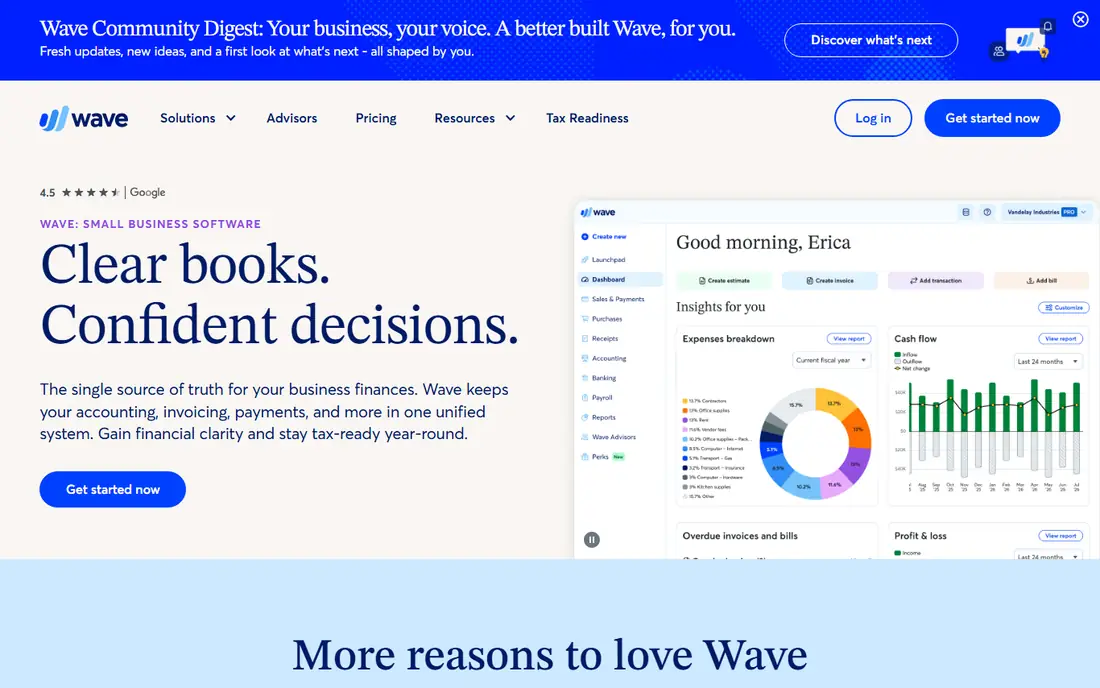
Wave is the only tool here with a genuinely free core accounting product, and it is real double-entry bookkeeping, not a spreadsheet dressed up as software. A new business can send invoices, track expenses, scan receipts, and run profit and loss reports without paying anything. That makes Wave the natural starting point for a side business or a freelancer testing an idea.
The free plan has one notable gap: automatic bank imports now sit behind the paid Pro plan, so free users enter transactions by hand or upload statements. Payroll is a paid add-on, and support is more limited than with QuickBooks or Xero. For a simple business with modest transaction volume, those limits are manageable, and the price is hard to argue with.
What we like- Real double-entry accounting at no cost
- Invoicing and receipt scanning included
- Simple setup
Watch out for- Automatic bank imports need a paid Pro plan
- Payroll is an add-on
- Support options are thinner than paid rivals
#6
Sage Business Cloud
Best for: Businesses needing inventory and job costing
Visit sage.com
Starting priceSee website
Free planFree trial
Sage, formerly Sage One and Sage Business Cloud Accounting, suits businesses that outgrow simple invoicing and need proper inventory control or job costing. Stock levels, purchase orders, and project costs sit inside the same system as invoicing, which helps product businesses and contractors keep margins visible. Sage also has a long history with accountants, so finding help is usually easy.
The trade-off is ease of use. Sage takes longer to learn than FreshBooks or Wave, and its interface feels less modern than Xero. Pricing varies by plan and region, so check Sage's own pricing page for the current US rates. For a business where inventory accuracy drives profit, Sage earns its learning curve.
What we like- Deep inventory and job costing
- Strong reporting
- Long track record with accountants
Watch out for- Steeper learning curve
- Interface feels dated next to Xero
- Pricing varies by plan and region
#7Bench
Best for: Owners who want a human bookkeeper to handle it4.2/5 on
G2 (77 reviews, checked Oct 2026)
Visit bench.co
Starting priceSee website
Free planFree trial
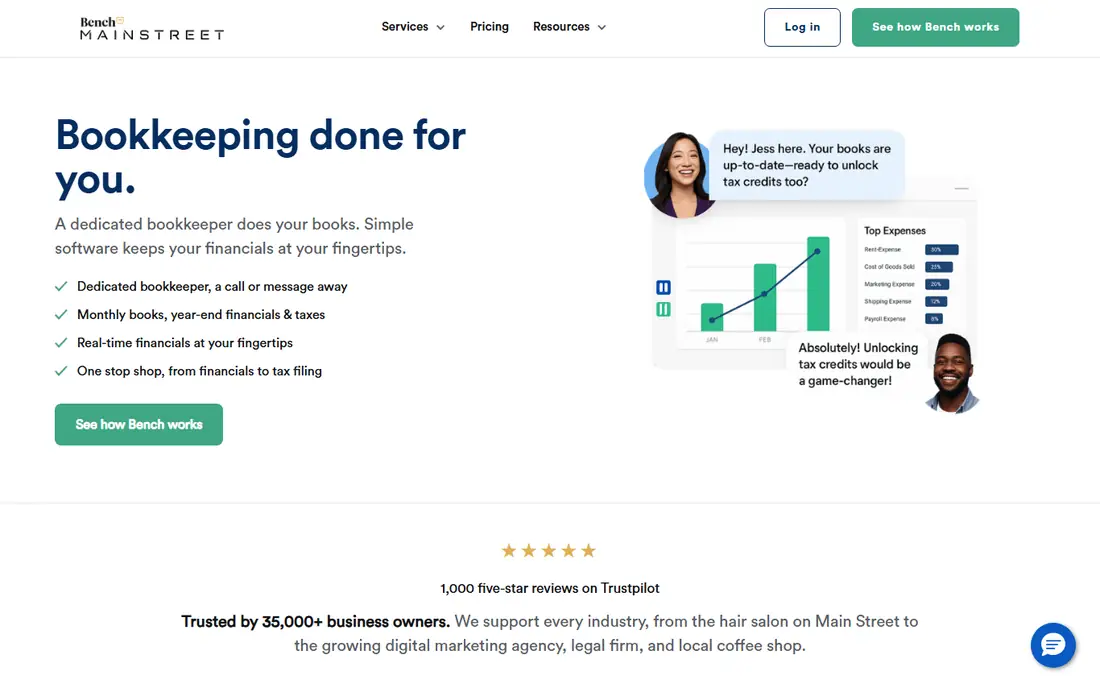
Bench is different from every other tool here because it is a service, not just software. A dedicated bookkeeper imports transactions, categorizes expenses, reconciles accounts, and sends monthly statements, while the owner watches from a dashboard. Bench pairs with a separate invoicing tool, since invoicing is not its focus, and it prepares year-end reports for tax filing.
That human help costs much more than a software subscription, with published prices in recent roundups running into several hundred dollars per month depending on the business. Owners who like doing their own books will find Bench restrictive, since the bookkeeper controls the workflow. Owners who hate bookkeeping and keep falling behind will find Bench the most likely way their books actually get done.
What we like- A dedicated bookkeeper does the work
- Monthly financial statements included
- Tax-season reports prepared
Watch out for- Costs far more than software alone
- No invoicing tool included
- Less control for hands-on owners
Starting price$20 per month (Basic)
Free planFree trial
Patriot Accounting targets the smallest businesses with a deliberately simple product. Setup takes little accounting knowledge, invoicing and expense tracking cover the basics, and a payroll add-on keeps pay and books in one place. US-based support is a plus for owners who want a person on the phone.
The simplicity has edges. Reporting is thinner than QuickBooks or Xero, integrations are fewer, and a business with complex inventory or multi-entity needs will outgrow Patriot. For a one-to-five person business that wants clean books without a learning project, Patriot is a sensible, low-cost choice.
What we like- Easy setup for non-accountants
- Payroll add-on available
- US-based support
Watch out for- Limited reporting compared with QuickBooks
- Fewer integrations
- Not suited to complex inventory
How we chose
We compared vendor pricing pages, documentation, and public reviews on G2, Capterra, and Reddit, and we kept only tools that exist today and handle real bookkeeping for a business, not just invoicing alone. Starting prices reflect recent vendor pricing roundups from September 2026, and anything disputed or variable is marked See website rather than guessed. We favored a mix of industry standards, value options, a free tool, and a done-for-you service, since bookkeeping buyers range from a solo freelancer to a growing team with an accountant. No hands-on testing is claimed here, and prices change often, so confirm the current plan terms on the vendor site before you buy.
Start with your accountant. If they work in QuickBooks, choosing QuickBooks saves time and fees, and that often outweighs a cheaper subscription. If your accountant works in Xero, or if you have no accountant yet, the field opens up, and team size, invoicing volume, and inventory needs decide the winner. A business that invoices daily should favor FreshBooks or Xero Standard, while a business with stock should favor QuickBooks Plus or Sage.
Watch the limits on entry plans
Headline prices hide the limits that force upgrades. QuickBooks Simple Start allows one user, Xero Early caps invoices and bills, FreshBooks Lite caps billable clients, and Zoho's free plan caps annual invoices. Map your real numbers before buying: how many users need access, how many invoices you send each month, and how many bank transactions you process. A plan that looks cheap at signup can cost more than the next tier once those caps bite.
Bank feeds, payroll, and tax time
Bank feeds are the feature that saves the most weekly time, so confirm whether automatic imports are included or paid, as with Wave Pro. Payroll is usually an add-on, so budget for it separately if you have staff. Before tax season, confirm your tool exports reports your accountant accepts, and keep receipt scans attached to expenses. A tool your accountant cannot open is a tool that costs you twice.
When to hand it to a human
Software helps owners who keep up with it. If months pass with unreconciled accounts, a service like Bench, or a local bookkeeper using QuickBooks or Xero, will cost more per month but may save penalties, missed deductions, and year-end panic. Many businesses start with software and move to a bookkeeper as volume grows, and both paths are valid. The wrong choice is the one nobody opens.
Frequently asked questions
What is the best bookkeeping software for a small business?
QuickBooks Online is the safest default for US small businesses because most accountants know it and it scales well. Xero is a strong alternative for teams that want unlimited users, FreshBooks suits service businesses that invoice often, and Wave suits micro-businesses on a zero budget. Match the tool to your accountant, team size, and invoicing volume.
Is there really free bookkeeping software?
Yes. Wave offers free double-entry accounting with invoicing, and Zoho Books offers a free plan for businesses under $50,000 in revenue. Both have limits: Wave's automatic bank imports need a paid plan, and Zoho's free plan caps annual invoices. Check those limits against your transaction volume before relying on a free plan.
Do I need accounting knowledge to use these tools?
Not much for FreshBooks, Wave, or Patriot, which are designed for owners without accounting training. QuickBooks and Sage take more learning, though both offer setup help and accountant access. If the books feel overwhelming, a bookkeeper service like Bench or a local bookkeeper can take over while you keep the software for invoices and reports.
How much should bookkeeping software cost?
Most small businesses pay between $19 and $35 per month for an entry plan, plus payroll add-ons if they have staff. Done-for-you services cost several hundred dollars per month. Compare the annual total, including add-ons and the next plan tier you are likely to need, rather than the headline monthly figure.
Can I switch bookkeeping software later?
Yes, but it takes effort. Export your chart of accounts, customer and vendor lists, open invoices, and transaction history before leaving, and expect to reconcile the opening balances in the new tool. Switching at a year boundary or quarter boundary is easier than mid-period, and your accountant can help check the migration.
Does bookkeeping software handle taxes?
These tools track income, expenses, and sales tax and produce reports for tax filing, but they do not file taxes for you. Bench prepares year-end tax reports, and QuickBooks and Xero both connect with tax software and accountants. Confirm with your accountant which reports they need before tax season.
Sources we checked (8)
- https://quickbooks.intuit.com
- https://www.xero.com
- https://www.freshbooks.com
- https://www.zoho.com/books/
- https://www.waveapps.com
- https://www.sage.com
- https://www.bench.co
- https://www.patriotsoftware.com
Is your product missing or out of date?
We review this list regularly. Vendors can request a listing, send updated pricing or ask about featured placement.

Shihab Mia · Founder, Rankite
Shihab has 5+ years in B2B and SaaS SEO. He writes Rankite's software buying guides from pricing pages, documentation and public user reviews. More about Shihab.