How we make this list: we compare pricing pages, product documentation and public user reviews. Ratings come from G2, Capterra or Trustpilot, with the date we checked them.
Key takeaways
- HubSpot is the easiest serious start: a genuinely usable free CRM, with paid Sales Hub seats from $20 a month and steep steps after that as tiers and hubs stack.
- Salesforce is the enterprise standard at $25 per user to start, with the real cost in higher tiers, modules, and implementation that most growing companies eventually pay.
- Pipedrive at $14 per seat is the pipeline first pick for teams that sell visually and want reps to actually live in the tool.
- Zoho CRM at $14 per user, with a free tier for three users, is the value answer when the wider Zoho suite is in play.
- Per seat pricing rules this category: multiply every sticker by headcount, then add the tier you will actually need for automation and forecasting, before comparing anything.
Quick comparison
| Tool | Best for | Starting price | Free plan |
|---|
 HubSpot HubSpot | Growing teams that want a free start | $20 per seat per month | Yes |
 Salesforce Salesforce | Complex and enterprise sales operations | $25 per user per month | No |
 Pipedrive Pipedrive | Visual pipeline management | $14 per seat per month | No |
 Zoho CRM Zoho CRM | Full features on a budget | $14 per user per month | Yes |
 Freshsales Freshsales | Built in calling and email on a budget | $9 per user per month | Yes |
 Close Close | Outbound teams that call all day | $9 per user per month | No |
 monday Sales CRM monday Sales CRM | Visual teams moving off spreadsheets | $12 per seat per month | No |
 Copper Copper | Teams that live in Google Workspace | See website | No |
Is your product missing or out of date?
We review this list regularly. Vendors can request a listing, send updated pricing or ask about featured placement.
Starting price$20 per seat per month
Free planYes
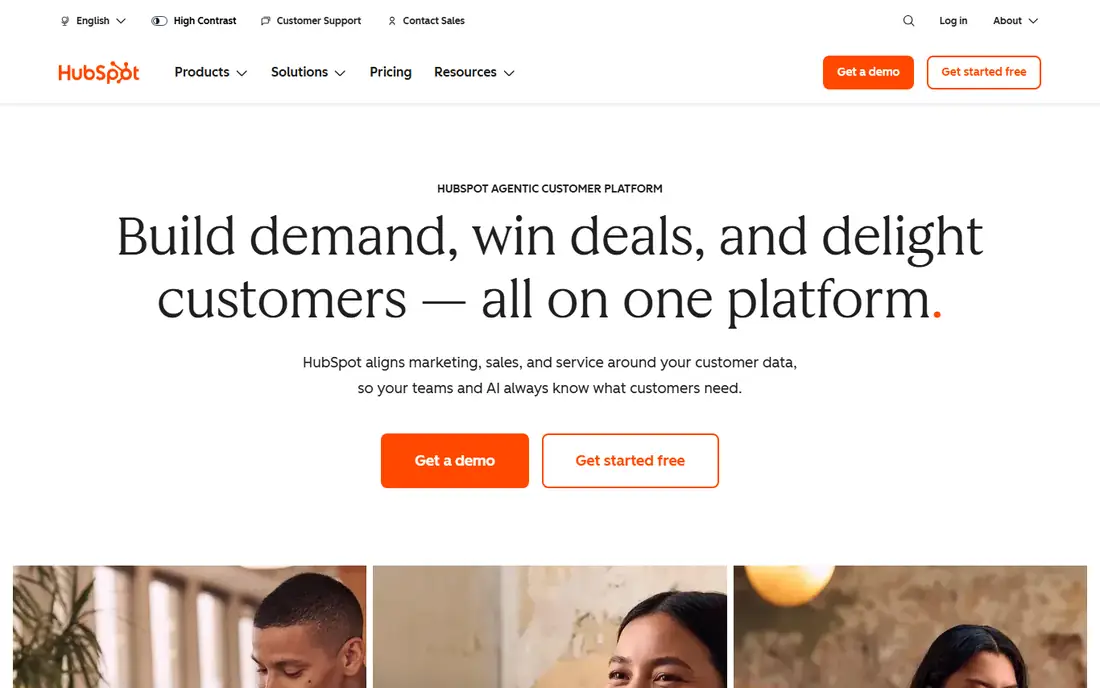
HubSpot is where most growing sales teams start managing properly, because the free tier lets a team build the habit before the invoice arrives. The pipeline tools, email sequences, and dashboards are strong at Starter level, and the reporting a sales manager needs daily is present without a consultant.
The trade off is the staircase. Each step, Starter to Professional, one hub to three, is priced to be climbed, and three year costs surprise teams that modelled year one. HubSpot fits teams from five to a few hundred reps who value adoption speed and one shared customer database, and who go in with eyes open about the tiers ahead.
What we like- The free CRM is genuinely usable for small teams, not a demo
- Pipeline, sequences, meeting links, and reporting grow through clear tiers
- Marketing, service, and content hubs share one database when you are ready
- The gentlest learning curve of the full platforms
Watch out for- Costs climb fast: Professional tiers, extra hubs, and onboarding fees stack
- Per seat pricing across every hub multiplies at renewal
- Leaving is painful once the whole company runs on it
#2Salesforce
Best for: Complex and enterprise sales operations4.4/5 on
G2 (27,566 reviews, checked Oct 2026)
Visit salesforce.com
Starting price$25 per user per month
Free planNo
Salesforce is the benchmark against which sales management at scale is measured. If your process involves channel partners, multi currency territories, approval chains, and a forecast reviewed by a CFO, this is the tool that models it without complaint. Its reporting depth is the reason managers choose it despite everything else in this entry.
The trade off is total cost and gravity. Licences are the visible part; administration, modules, and change projects are the rest. Salesforce fits companies with genuinely complex selling and the operational staff to run their system, not teams buying a pipeline board.
What we like- The deepest customisation in the category: multiple pipelines, territories, approvals, custom objects
- Forecasting and reporting that enterprise finance teams trust
- The AppExchange marketplace adds thousands of integrations
- Entry Starter Suite at $25 makes a small start possible
Watch out for- Real deployments land on far higher tiers, with Enterprise commonly listed near $165 per user
- Implementation often needs an administrator or consultant budget on top
- Small teams find it heavy, slow to adopt, and full of unused machinery
#3Pipedrive
Best for: Visual pipeline management4.3/5 on
G2 (5,034 reviews, checked Oct 2026)
Visit pipedrive.com
Starting price$14 per seat per month
Free planNo
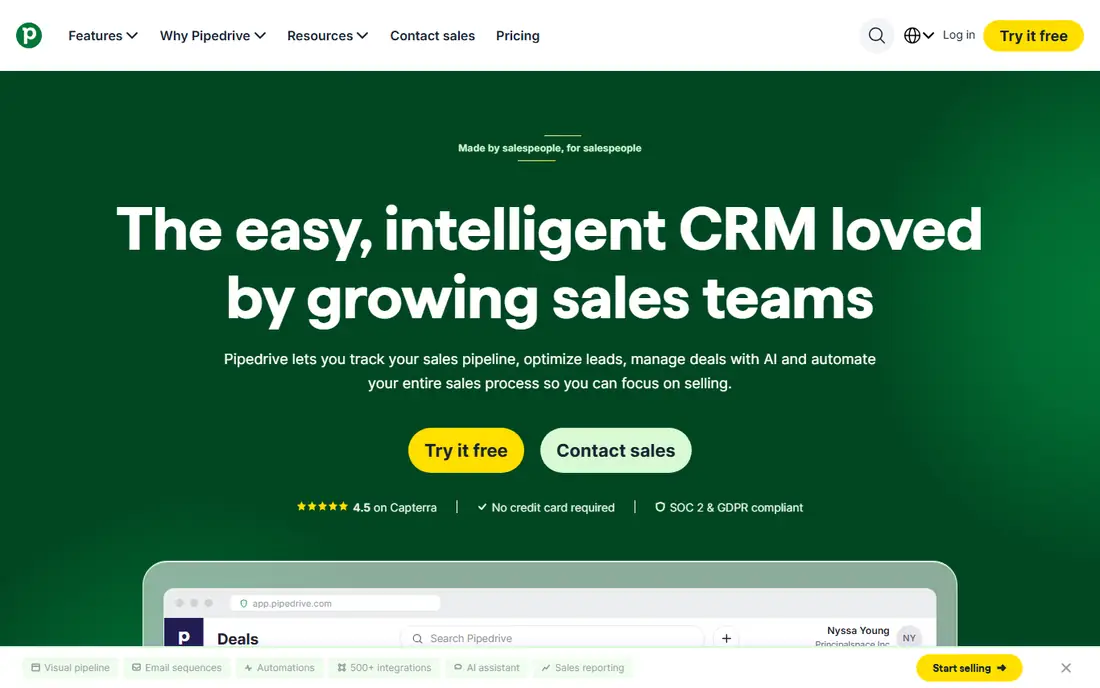
Pipedrive does one thing with unusual focus: it makes the pipeline the home screen and the daily habit. A manager opening Pipedrive sees stage health, stalled deals, and today's activities in seconds, and reps update it because the tool asks little of them beyond the work itself.
The trade off is scope. Organisations wanting one system for marketing, support, and sales will outgrow it or bolt on the missing pieces. Pipedrive fits small and mid sized sales teams, roughly up to fifty reps, whose management problem is visibility and follow through rather than complexity.
What we like- A pipeline interface reps genuinely like, built by salespeople around deals moving stages
- Activity reminders keep follow ups from dying quietly
- Automations and reporting cover the management basics without bloat
- Add ons for leads, campaigns, and documents when needed
Watch out for- No free plan, only a 14 day trial
- Add ons stack the price toward the full platforms quickly
- Marketing and service functions are thinner than the suite vendors
#4Zoho CRM
Best for: Full features on a budget4.1/5 on
G2 (2,952 reviews, checked Oct 2026)
Visit zoho.com
Starting price$14 per user per month
Free planYes
Zoho CRM is the value engine of this list. At $14 per user for Standard and moderate steps above, it covers the pipeline, automation, and reporting work of tools costing several times more, which is why budget governed teams keep choosing it and staying.
The trade off is polish and ecosystem gravity. Getting the most from Zoho means living in Zoho, and the product asks more configuration effort of its owners. Zoho fits small and mid sized businesses, especially those already using other Zoho apps, that want a full sales management system without enterprise pricing.
What we like- Feature depth per dollar that the bigger names do not match, including automation and AI assistance
- A free tier for up to three users to start
- The wider Zoho suite, books, desk, campaigns, surrounds it cheaply
- Customisation well beyond its price class
Watch out for- The interface and setup take more patience than HubSpot's
- Support quality is a recurring theme in user reviews
- The deepest value arrives when you adopt more of the Zoho ecosystem
#5Freshsales
Best for: Built in calling and email on a budget4.5/5 on
G2 (1,237 reviews, checked Oct 2026)
Visit freshworks.com
Starting price$9 per user per month
Free planYes
Freshsales pitches the inside sales reality: the work happens on calls and emails, so the CRM should contain the phone and the inbox rather than integrate with them later. Activity capture is close to automatic, which is the single biggest factor in whether a sales manager's data is real.
The trade off is ceiling. Fast growing teams with complex processes may feel the limits of its reporting and customisation sooner than with Salesforce. Freshsales fits small inside sales teams that want calling, emailing, and pipeline management in one inexpensive seat.
What we like- Built in phone and email with sequences, so activity logs itself
- A free tier for up to three users and paid plans from $9
- AI assistance and lead scoring included at approachable tiers
- Part of the Freshworks family alongside Freshdesk for support
Watch out for- A smaller integration ecosystem than Salesforce or HubSpot
- Advanced forecasting is lighter than the enterprise tools
- The best experience assumes the wider Freshworks suite
#6Close
Best for: Outbound teams that call all day4.7/5 on
G2 (2,069 reviews, checked Oct 2026)
Visit close.com
Starting price$9 per user per month
Free planNo
Close removes the classic outbound excuse, that the CRM slows the calling down. The dialer, the inbox, and the pipeline are one screen, and a manager can listen, coach, and read the numbers from the same place. For teams whose day is measured in conversations, it is the most honest tool here.
The trade off is focus. Close is not a general company platform and does not want to be. Close fits outbound and inside sales teams, from solo founders to a few dozen reps, whose motion is calls and follow ups at volume.
What we like- A dialer first CRM: power dialling, call recording, and SMS inside the pipeline
- Email sequences and automation aimed squarely at outbound work
- The Solo plan at $9 lets a single rep start properly
- Fast setup measured in days, not projects
Watch out for- No free plan, a 14 day trial instead
- Calling at serious volume adds usage costs
- Not built for marketing led or enterprise multi team selling
#7monday Sales CRM
Best for: Visual teams moving off spreadsheets4.5/5 on
G2 (1,636 reviews, checked Oct 2026)
Visit monday.com
Starting price$12 per seat per month
Free planNo
monday Sales CRM sells comfort: the pipeline looks like the spreadsheet it replaces, only alive. Drag deals, colour stages, automate the nudges, and roll the board into a management dashboard. Teams that failed to adopt a heavier CRM often succeed here because nothing about it feels like a new religion.
The trade off is depth. Forecasting, territory logic, and complex approvals are lighter than the specialists. monday fits small and mid sized teams, especially existing monday.com shops, that manage sales visually and value adoption over machinery.
What we like- Boards your team already understands if they know monday's work platform
- Highly visual pipelines, dashboards, and automations without code
- Deals, contacts, and post sale work can share one workspace
- Quick to adopt for spreadsheet raised teams
Watch out for- No free plan, and per seat minimums apply on some tiers
- A younger CRM, with shallower sales specific depth than Pipedrive or HubSpot
- Pricing across the monday platform can confuse first time buyers
#8Copper
Best for: Teams that live in Google Workspace4.5/5 on
G2 (1,158 reviews, checked Oct 2026)
Visit copper.com
Starting priceSee website
Free planNo
Copper's idea is that the CRM should come to the inbox, not the other way round. In a Google Workspace company, deals, contacts, and follow ups sit inside Gmail where the selling already happens, and data entry mostly handles itself from email and calendar activity.
The trade off is the boundary: outside Google's world, Copper has no world. Inside it, small teams get management visibility with almost no behaviour change. Copper fits Google Workspace based agencies, consultancies, and small sales teams that want a managed pipeline without a separate system to feed.
What we like- Lives inside Gmail and Google Workspace, so reps manage deals without leaving the inbox
- Automatic contact and activity capture from email and calendar
- Pipelines and reporting cover the small team management core
- Zero learning curve for Google native teams
Watch out for- Published entry pricing conflicted between sources, so check the site for the current figure
- Only makes sense inside Google Workspace, Microsoft shops need not apply
- Lighter automation and forecasting than the platform CRMs
How we chose
We compared the sales management platforms and CRMs named across 2026 buyer's guides, and selected for management substance: pipeline visibility, activity capture, and forecasting, not contact storage alone. Prices were checked against at least two current sources, with billed annually per seat figures used throughout and conflicts, such as Copper's entry price, marked See website instead of guessed. We weighted adoption, since the best system is the one reps actually update, and total cost of ownership over three years rather than the entry tier alone. We did not run trials or claim hands on testing.
How to buy: adoption first, tiers honestly
Run the arithmetic before the demos. Write down your headcount for the next two years, the tier that includes the automation and forecasting you actually need, and any per seat add ons, then multiply. The gap between the advertised entry price and the working price is where CRM budgets go wrong, as the three year cost studies in our sources show in detail.
Then test the only thing that decides success: whether your reps will live in it. Give two finalists the same week of real deals. Watch where data entry feels like friction, because unlogged activity makes every report fiction and every forecast a guess. Prefer the tool your least technical rep updates without being asked. Finally, plan the exit on day one: confirm you can export contacts, deals, and activity history in open formats. A CRM holds your company's memory of its customers; that memory should never be hostage to a renewal negotiation.
Frequently asked questions
What is the difference between a CRM and a sales management tool?
In practice, very little: the products are the same, and the difference is emphasis. A CRM stores customer relationships; a sales management tool foregrounds the pipeline, activities, targets, and forecasts a manager runs the team with. When shopping, ignore the label and check the management features: stage reporting, activity capture, quota tracking, and forecast views. Every entry above was selected on those.
How much should a small team expect to pay?
At entry tiers, roughly $9 to $25 per rep per month billed annually covers most of this list, so a ten rep team should budget $90 to $250 a month before add ons. The honest planning figure is higher: most teams settle one tier above entry within a year, and calling, data enrichment, and extra storage add up. Zoho and Freshsales anchor the low end; HubSpot and Salesforce anchor the growth path.
Which tool is best for a team that hates data entry?
Close for calling teams and Freshsales for inside sales, because the calls and emails happen inside the tool and log themselves. Copper achieves the same inside Gmail for Google Workspace shops. The general rule: choose the CRM that sits where the work already happens. No interface, however pleasant, beats not having to enter the data at all.
Do I need Salesforce?
Only when your process is genuinely complex: multiple pipelines and currencies, partner channels, approval chains, custom objects, or a forecast that finance audits. Below that complexity, Salesforce's cost and administration buy machinery you will not use, and a mid tier HubSpot, Pipedrive, or Zoho deployment will manage the team better because people will actually run it. Many companies adopt Salesforce later, at the scale that justifies it, and migrate then.
What should a sales manager check in the trial?
Three things with real data, not demo data. First, the Monday morning test: can you see stalled deals, overdue activities, and forecast risk in under a minute. Second, the rep test: can a rep log a call and move a deal in under thirty seconds. Third, the report test: build the board you will actually review weekly, by rep and by stage. If any of the three fights you in the trial, it will fight you every week after the contract.
Sources we checked (0)
Is your product missing or out of date?
We review this list regularly. Vendors can request a listing, send updated pricing or ask about featured placement.

Shihab Mia · Founder, Rankite
Shihab has 5+ years in B2B and SaaS SEO. He writes Rankite's software buying guides from pricing pages, documentation and public user reviews. More about Shihab.