How we make this list: we compare pricing pages, product documentation and public user reviews. Rankite is independent; if a vendor ever pays for a featured spot, that listing is clearly labeled Partner.
Key takeaways
- SignalRGB and OpenRGB are the two universal options: one app controlling RGB from every brand.
- Razer Synapse, Corsair iCUE, ASUS Armoury Crate, MSI Center, Logitech G HUB and NZXT CAM are free but each is built for its own hardware.
- SignalRGB offers a free tier with a Pro subscription for the full effect library; OpenRGB is completely free and open source.
- The right choice depends on your hardware mix: one brand means the brand app; mixed brands mean SignalRGB or OpenRGB.
The best RGB control software
Somewhere along the way, the gaming PC became a light show. Fans, RAM, keyboards, mice, GPU brackets, even the desk mat now ship with addressable LEDs, and each brand wants you running its own control app. The result for mixed-brand builds is a system tray full of competing RGB software fighting over the same lights. These eight tools cover both paths: universal controllers that replace everything, and the brand apps you run when you commit to one ecosystem.

#1
SignalRGB
Best for: One app to control RGB across every brand, with game integrations
Visit signalrgb.com
Starting priceFree (Pro subscription available, see website for current price)
Free planYes
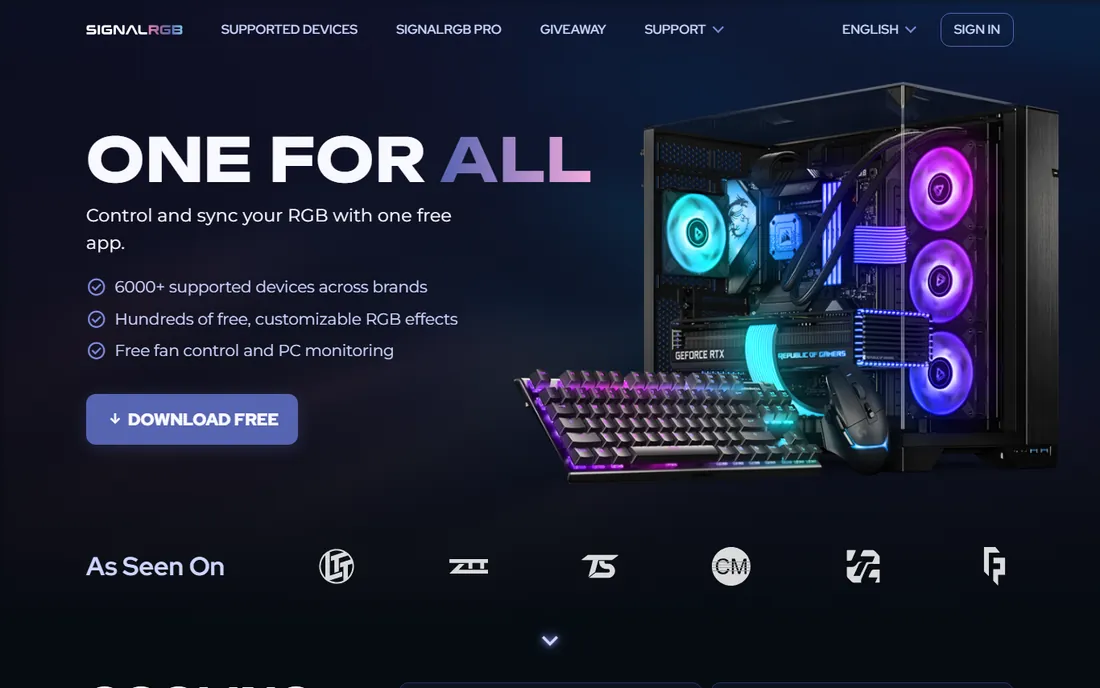
SignalRGB's pitch is simple: no more software bloat. One app detects RGB devices from every major brand and syncs them, with hundreds of effects, game integrations that react to gameplay, audio visualizers, and fan-curve and monitoring controls that replace even more utilities. The Light Points system lets you buy individual effects permanently if subscriptions are not your thing.
The free tier covers the core syncing; Pro is the all-inclusive subscription. For mixed-brand builds, SignalRGB is the most polished universal option, and the one most likely to make you uninstall four other apps.
What we like- Controls RGB from all major brands in one lightweight app
- 250+ effects, 45+ game integrations and audio visualizers
- Replaces the pile of brand bloatware
Watch out for- Full effect library and advanced features sit in the Pro subscription
- Some niche devices may lack support
- Audio visualizers and camera effects are Pro-gated
#2
OpenRGB
Best for: Free, open-source RGB control with no accounts or subscriptions
Visit openrgb.org
Starting priceFree
Free planYes
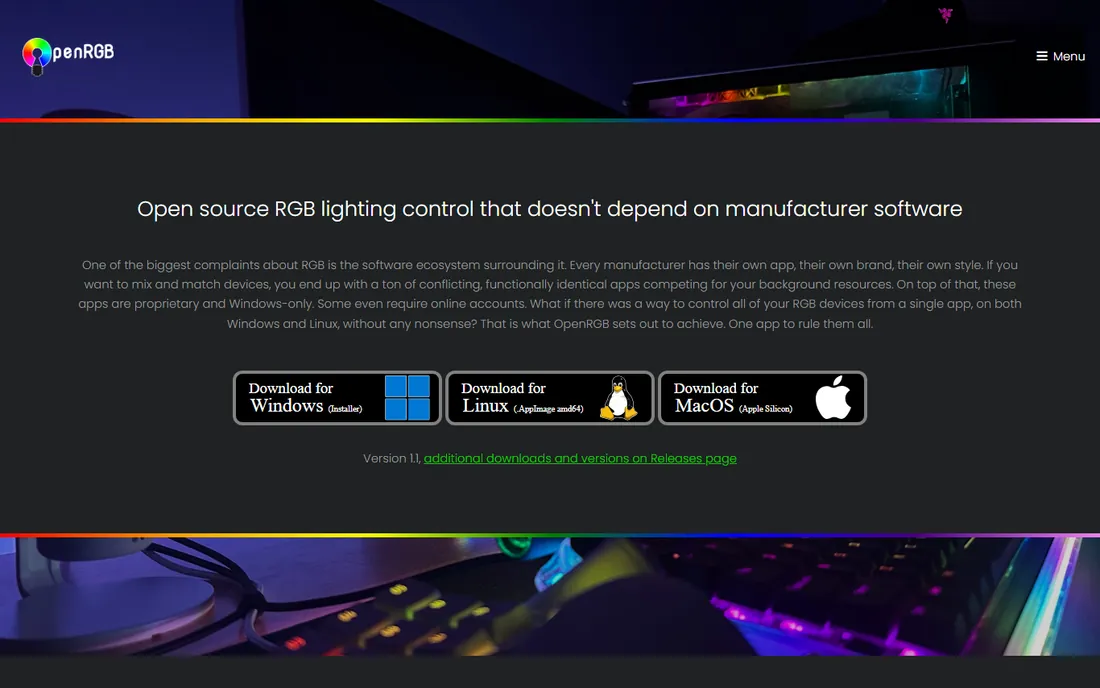
OpenRGB is the hacker's answer to RGB bloat: one lightweight, open-source app that aims to replace every proprietary RGB program. It is light on RAM and CPU, runs on Windows, Linux and macOS (including ARM boards like the Raspberry Pi), and exposes a network SDK so third-party software can drive your lights for game integrations, music visualization or ambient lighting.
There is no company, no subscription and no telemetry: just GPLv2 code and a community adding devices. The trade-off is polish and support velocity. If you value openness and run Linux, OpenRGB is the obvious choice; everyone else should compare it against SignalRGB's free tier.
What we like- Completely free and open source under GPLv2
- Replaces proprietary RGB software with one lightweight app
- Runs on Windows, Linux and macOS with a plugin and SDK ecosystem
Watch out for- Community-supported, so new devices depend on volunteer contributors
- The interface is functional rather than flashy
- Game integrations need plugins or third-party tools

#3
Razer Synapse (Chroma)
Best for: Razer-heavy setups that want deep Chroma game integrations
Visit razer.com
Starting priceFree
Free planYes
Razer Synapse is the control center for Razer gear, and Chroma is its RGB engine: 16.8 million colors, per-key keyboard lighting, and game integrations where your setup reacts to in-game events. Chroma Studio lets you design layered effects across devices, and the ecosystem extends to partner hardware and even Philips Hue.
It is free, but it is a Razer app: non-Razer devices need not apply. If your desk is all Razer, Synapse is genuinely good and you need nothing else. If it is not, Synapse becomes one more tray icon in the pile that SignalRGB exists to eliminate.
What we like- Free with Razer hardware
- Chroma Studio offers per-key and per-zone lighting design
- Deep integrations with popular games
- Also handles macros and device settings
Watch out for- Only controls Razer devices (plus some partner integrations)
- Synapse has a reputation for heaviness
- Requires a Razer account for full features

#4
Corsair iCUE
Best for: Corsair builds that want lighting plus deep hardware control
Visit corsair.com
Starting priceFree
Free planYes
Corsair iCUE goes beyond lighting: it is the control plane for Corsair cooling, fans, RAM, keyboards and cases, with RGB as one tab among many. The lighting effects are rich, game integrations are solid, and the monitoring dashboard can replace separate hardware utilities. For an all-Corsair build, it is comprehensive.
The cost is system resources and complexity: iCUE's heaviness is a long-running community complaint. It is the right app for Corsair loyalists and overkill as a pure RGB tool. Mixed builds should look at the universal options instead of running iCUE alongside three competitors.
What we like- Free with Corsair hardware
- Combines RGB with fan curves, pump control and temperature monitoring
- Strong scene and effect builder
- Integrates with many games and wallpapers
Watch out for- Corsair devices only
- ICUE is famously resource-heavy
- The interface packs in so much that simple lighting changes take too many clicks

#5
ASUS Armoury Crate (Aura Sync)
Best for: ASUS motherboard and ROG builds syncing the whole system
Visit asus.com
Starting priceFree
Free planYes
ASUS Armoury Crate bundles Aura Sync RGB control with driver management, fan profiles and system monitoring. For ROG builds, it is the intended single app: motherboard lighting, GPU lighting, compatible RAM and peripherals all sync, and Aura Creator allows custom multi-layer effects.
Like its rivals, it is a brand app with brand-app trade-offs: background services, occasional bloat complaints, and no help for your non-ASUS devices. ASUS builders should use it; everyone else should not install it for one stray component.
What we like- Free with ASUS hardware
- Aura Sync coordinates motherboard, GPU, RAM and peripherals
- Also handles drivers, fan profiles and system monitoring in one app
Watch out for- ASUS devices only for full functionality
- Armoury Crate's reputation for bloat and background services
- Update and install experiences frustrate some users

#6
MSI Center (Mystic Light)
Best for: MSI motherboard and component builds wanting simple sync
Visit msi.com
Starting priceFree
Free planYes
MSI Center is MSI's utility hub, and Mystic Light is its RGB module: sync lighting across the motherboard, graphics card and compatible peripherals, with the usual palette of effects. The Center also handles system monitoring, fan curves and performance profiles, so MSI builders get one app for several jobs.
It is competent rather than exciting: fewer effects than the big gaming brands, and strictly an MSI affair. For MSI-based builds it does the job with minimal fuss. For mixed hardware, the universal controllers cover MSI devices too, often with better effects.
What we like- Free with MSI hardware
- Mystic Light syncs motherboard, GPU and compatible devices
- MSI Center also covers monitoring, overclocking and fan control
Watch out for- MSI devices only
- Effect library is thinner than Razer or Corsair
- The Center's module system can feel disjointed

#7
Logitech G HUB (LIGHTSYNC)
Best for: Logitech G peripherals with game-driven lighting
Visit logitechg.com
Starting priceFree
Free planYes
Logitech G HUB is the home of LIGHTSYNC, Logitech's RGB system for its gaming peripherals. Effects sync across keyboard, mouse, headset and speakers, with game integrations and an audio visualizer that pulses to your music. It also manages the non-lighting side: DPI, button assignments, macros and per-game profiles.
The limitation is scope: Logitech makes peripherals, not PC components, so G HUB cannot light your motherboard or RAM. For a Logitech peripheral setup it is excellent and free. For full-system lighting, pair it with a universal controller or commit to a component brand's app.
What we like- Free with Logitech G gear
- LIGHTSYNC effects sync across keyboard, mouse and headset
- Game integrations and audio visualizer
- Also manages DPI, macros and profiles
Watch out for- Peripherals only: no motherboard, RAM or case-fan control
- Logitech-only ecosystem
- The app's redesign history has annoyed long-time users

#8
NZXT CAM
Best for: NZXT case and cooling builds that want lighting plus monitoring
Visit nzxt.com
Starting priceFree
Free planYes
NZXT CAM started as a monitoring tool and grew into a competent RGB controller for NZXT cases, coolers, fans and lighting accessories. The interface is cleaner than most brand apps, and the combination of lighting, fan control and system monitoring in one dashboard suits NZXT builders well.
It is an ecosystem app: best with NZXT hardware, limited without it. For NZXT-based builds, CAM is the natural choice and a genuinely pleasant one. Mixed-brand builders get more from SignalRGB or OpenRGB, which both support NZXT devices.
What we like- Free with NZXT hardware
- Combines RGB control with well-regarded system monitoring
- Clean, modern interface
- Good fan-curve and cooling controls
Watch out for- Built around NZXT's ecosystem
- Lighting effects are solid but not the deepest
- Some advanced monitoring features have shifted toward paid tiers over time
How we chose
We defined RGB control software as applications that control addressable lighting on PC components and peripherals: universal controllers and the major brands' lighting platforms. For each candidate we opened the vendor's homepage, confirmed the software is current, and recorded pricing from the vendor's own pages. All eight are free at the base tier; only SignalRGB has a paid Pro tier.
Quick comparison
| Tool | Best for | Starting price | Free plan |
|---|
| SignalRGB | One app to control RGB across every brand, with game integrations | Free (Pro subscription available, see website for current price) | Yes |
| OpenRGB | Free, open-source RGB control with no accounts or subscriptions | Free | Yes |
| Razer Synapse (Chroma) | Razer-heavy setups that want deep Chroma game integrations | Free | Yes |
| Corsair iCUE | Corsair builds that want lighting plus deep hardware control | Free | Yes |
| ASUS Armoury Crate (Aura Sync) | ASUS motherboard and ROG builds syncing the whole system | Free | Yes |
| MSI Center (Mystic Light) | MSI motherboard and component builds wanting simple sync | Free | Yes |
| Logitech G HUB (LIGHTSYNC) | Logitech G peripherals with game-driven lighting | Free | Yes |
| NZXT CAM | NZXT case and cooling builds that want lighting plus monitoring | Free | Yes |
Is your product missing or out of date?
We review this list regularly. Vendors can request a listing, send updated pricing or ask about featured placement.
One app or brand apps: the real decision
The choice is architectural. Brand apps (Synapse, iCUE, Armoury Crate, MSI Center, G HUB, CAM) go deep on their own hardware: tighter integration, better device-specific features, and one fewer compatibility question. Their weakness is each other: run three brands and you run three apps, each with background services, each occasionally fighting over the same LED strip.
Universal controllers (SignalRGB, OpenRGB) trade depth for unity: one app, one effect engine, every brand synced. Their weakness is coverage lag on brand-new devices and fewer device-specific extras. The rule of thumb: one dominant brand means the brand app; two or more RGB brands means a universal controller. Your CPU will thank you for running one RGB app instead of four.
Choosing the right RGB software for your build
List your RGB devices by brand. If one brand covers nearly everything, install its app and stop: Synapse for Razer desks, iCUE for Corsair builds, Armoury Crate for ROG systems, G HUB for Logitech peripherals, CAM for NZXT cases. You get the deepest integration with zero compatibility risk.
If the list spans brands, which describes most enthusiast builds, pick a universal controller. Try SignalRGB's free tier first for the polished experience and game integrations; choose OpenRGB if you want fully free, open-source, account-free control, especially on Linux. Before committing, check device support for your specific models: universal support is broad but not literally universal, and brand-new hardware can lag by months.
Frequently asked questions
Will RGB software slow down my PC?
It can, marginally. Brand suites like iCUE and Armoury Crate run background services that consume CPU and RAM; on modern systems the impact is small but real. Lightweight options (OpenRGB, SignalRGB) use fewer resources. If performance is the priority, set your lighting to hardware-save mode (most devices store one static effect onboard) and close the software entirely.
Can I control RGB from different brands with one app?
Yes: SignalRGB and OpenRGB both support devices from all major brands. That is their entire purpose. Brand apps generally only control their own hardware, with limited partner integrations. Check the universal app's supported-device list for your specific models before uninstalling the brand software.
Do I need RGB software running all the time?
Only for dynamic effects. Most modern RGB devices can save a static color or simple effect to onboard memory, which persists with the software closed. Animated effects, game integrations and audio visualizers need the app running. A common setup: configure a hardware-saved static look for daily use, launch the software only for gaming sessions.
Is SignalRGB Pro worth paying for?
It depends on how much you value effects. The free tier handles cross-brand syncing, which is the core job. Pro adds the full effect library, game integrations, audio visualizers and advanced fan and monitoring controls. Try the free tier for a week; if you find yourself wanting more effects or the game integrations specifically, Pro is the upgrade path. OpenRGB remains the free alternative.
Why do motherboard RGB apps have such a bad reputation?
History. Armoury Crate, MSI Center and their predecessors earned complaints about bloat, background services, difficult uninstalls and forced updates. They have improved, but the reputation persists because every motherboard buyer is a forced user. If you resent the brand app, a universal controller is the legitimate escape route.
Sources we checked (8)
- https://signalrgb.com/
- https://openrgb.org/
- https://www.razer.com
- https://www.corsair.com
- https://www.asus.com
- https://www.msi.com
- https://www.logitechg.com
- https://nzxt.com/
Is your product missing or out of date?
We review this list regularly. Vendors can request a listing, send updated pricing or ask about featured placement.

Shihab Mia · Founder, Rankite
Shihab has spent more than a decade helping SaaS and e-commerce brands grow through search. He writes Rankite's software buying guides from pricing pages, documentation and public user reviews. More about Shihab.