How we make this list: we compare pricing pages, product documentation and public user reviews. Ratings come from G2, Capterra or Trustpilot, with the date we checked them.
Key takeaways
- Resource planning answers three questions a project plan cannot: who is free, who is overloaded, and what hiring the pipeline requires. The tools split into visual schedulers and capacity forecasters.
- Float is the scheduling standard at $7 per scheduled person per month billed annually, and it charges only for people on the schedule, not every login.
- Resource Guru is the budget pick: $5 per person per month, with rooms and equipment bookable at lower rates.
- Runn adds money to the calendar: capacity and utilisation tied to project budgets and revenue forecasts, Lite at $7 per resource, with a free plan for teams of five or fewer.
- Kantata is the enterprise end, a full professional services platform with no public pricing and a reported 50 seat minimum.
Quick comparison
| Tool | Best for | Starting price | Free plan |
|---|
 Float Float | Visual scheduling, agencies | $7 per person/month | No |
 Runn Runn | Capacity plus revenue forecasting | $7 per person/month | Yes |
 Resource Guru Resource Guru | Simple scheduling, lowest price | $5 per person/month | No |
 Ganttic Ganttic | People plus equipment and rooms | Free | Yes |
 Teamdeck Teamdeck | Scheduling with time tracking | See website | No |
 Productive Productive | Agency operations in one tool | $9.50 per user/month | No |
 Smartsheet Resource Management Smartsheet Resource Management | Smartsheet estates at scale | See website | No |
 Kantata Kantata | Enterprise professional services | See website | No |
Is your product missing or out of date?
We review this list regularly. Vendors can request a listing, send updated pricing or ask about featured placement.
The best resource planning software
#1Float
Best for: Visual scheduling, agencies4.4/5 on
G2 (45 reviews, checked Oct 2026)
Visit float.com
Starting price$7 per person/month
Free planNo
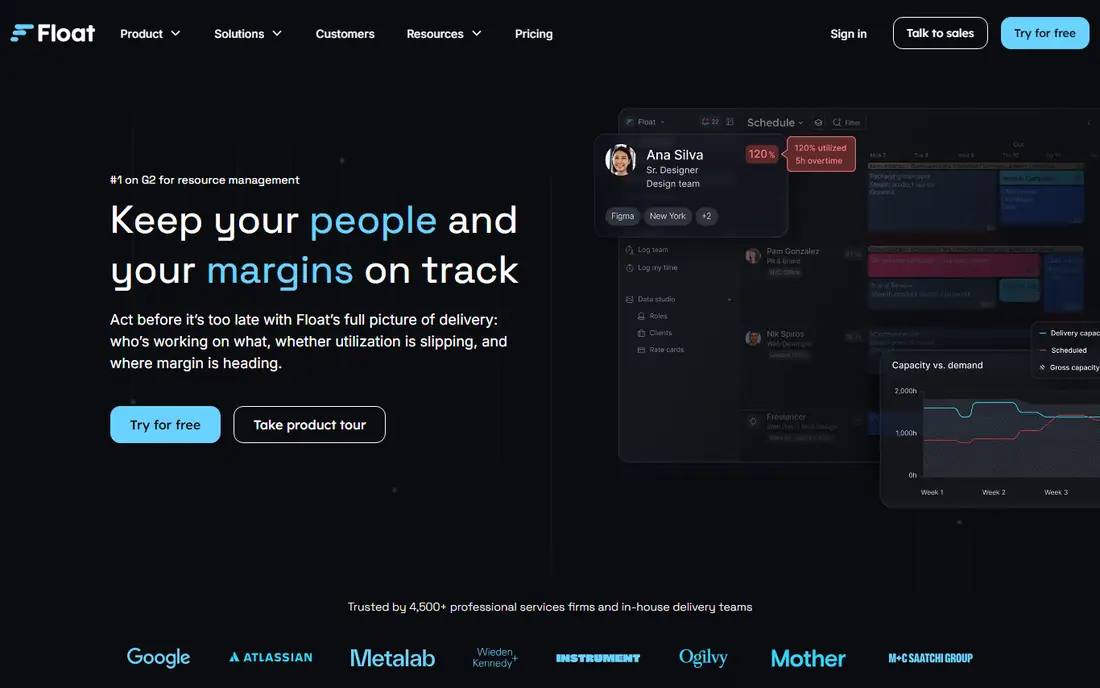
Float is the tool agencies picture when they say resource planning: a calm, visual schedule where every person's week is visible, over allocation shows as heat, and tentative work can be sketched before it is promised. Its pricing model deserves the headline, $7 per scheduled person per month on annual billing, $8.50 monthly, per SpotSaaS's October check, because it charges for the people being planned rather than every user who logs in.
Float's own capacity comparison positions it for mid market teams and professional services agencies that want a dedicated planning tool rather than a suite, which is the honest scope. It integrates with the project and finance tools around it instead of replacing them. If your problem is the weekly staffing meeting and its spreadsheet, Float is the first trial to run.
What we like- The cleanest scheduling calendar in the category: drag people onto projects and see capacity heat at a glance
- Pricing is per scheduled person, guests who are not scheduled join free
- Starter at $7 per scheduled person billed annually includes scheduling and time off management, Pro at $12 adds planning depth and reporting
- 30 day free trial with no credit card
Watch out for- Scheduling first: project management, invoicing, and CRM live in other tools
- Per scheduled person pricing still scales with headcount growth
- Forecasting is present but lighter than Runn's financial views
- Enterprise tier for 100 plus seats is quoted, not published
#2Runn
Best for: Capacity plus revenue forecasting4.5/5 on
G2 (1 reviews, checked Oct 2026)
Visit runn.io
Starting price$7 per person/month
Free planYes
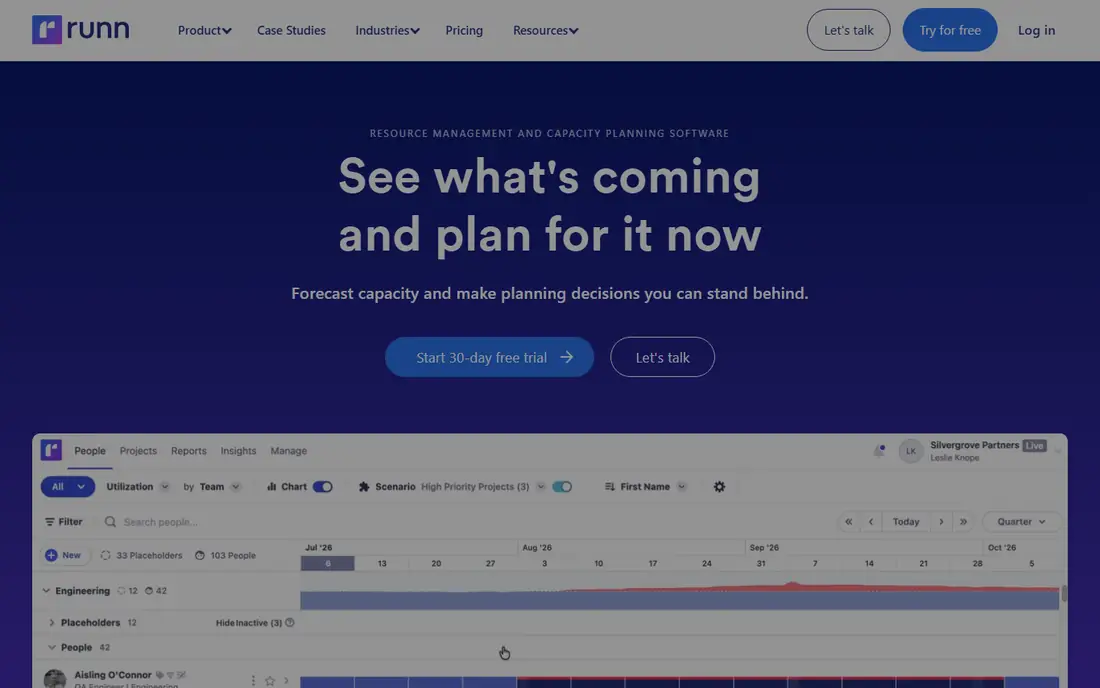
Runn answers the question Float does not ask: not just who is busy, but what the busyness is worth and what the pipeline demands next. Its capacity views sit beside project budgets and revenue forecasts, so an operations lead can show a director the utilisation curve and the hiring case on one screen. SpotSaaS's comparison puts Lite at $7 and Standard at $11 per resource monthly on annual billing, with capacity and utilisation included from Lite.
Two pricing facts shape the purchase. Runn is free for teams of up to five, which suits a small studio proving the habit, and paid plans start at 20 resource seats, a minimum confirmed by both SpotSaaS and Anywherer, so a ten person firm pays for twenty. Model your seat count honestly, including contractors you schedule, before the trial.
What we like- Capacity, availability, and utilisation charts from the Lite plan, tied to project budgets so staffing decisions carry money with them
- Scenario and placeholder planning: model a hire or a won deal before committing
- Free for teams of up to five people, a genuine small team on ramp
- Published tiers: Lite $7 and Standard $11 per resource per month billed annually
Watch out for- Plans start at a 20 resource seat minimum, so the free tier and small paid teams face a jump
- Advanced tier is quoted rather than published
- Less of a pure day to day scheduler than Float, forecasting is the point
- Financial forecasting needs disciplined project data to mean anything
Starting price$5 per person/month
Free planNo
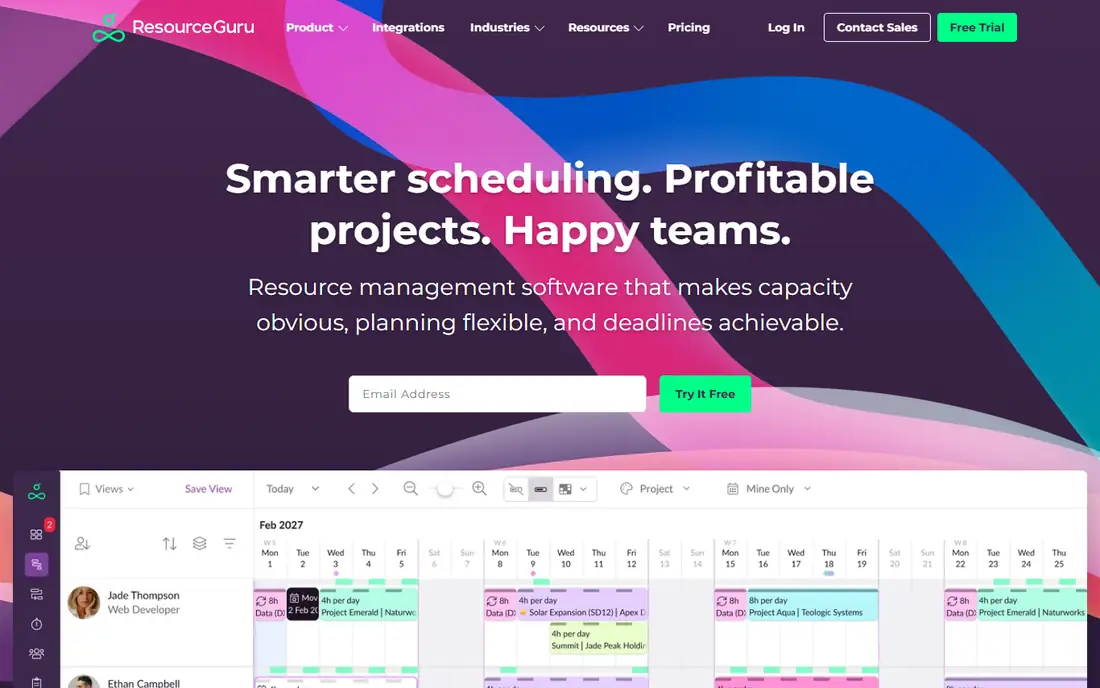
Resource Guru is the scheduler for teams whose planning problem is collisions, not forecasts: who has the producer on Thursday, is the studio booked, is anyone double committed. SpotSaaS lists its three tiers at $5, $8, and $12 per person monthly, with annual billing effectively two months free, and highlights the clash management and the ability to schedule rooms and equipment at reduced rates, which makes it the office calendar as well as the staffing one.
Its honesty is its scope. Resource Guru will not forecast revenue, model hiring scenarios, or run your agency's finances, and it does not pretend to. At a fiver a head it removes the double booking and the where is everyone spreadsheet, which for most small teams is the entire problem.
What we like- The lowest published price in the list: Grasshopper at $5 per person per month, about $4.16 on annual billing
- Clash management warns before anyone is double booked, with availability and leave built in
- Books non people resources too, rooms and equipment from $2.50, so the whole studio is on one calendar
- Simple enough that adoption, the usual killer, is rarely the problem
Watch out for- Reporting and forecasting are basic next to Runn and Float's Pro tier
- Approval workflows wait for the Master plan at $12
- No financial or utilisation depth for operations teams that need it
- Per person pricing includes everyone scheduled, no guest concept like Float's
#4Ganttic
Best for: People plus equipment and rooms4.0/5 on
G2 (29 reviews, checked Oct 2026)
Visit ganttic.com
Starting priceFree
Free planYes
Ganttic's pricing inversion is its identity: it charges for the resources planned, not the people planning, and starts free for up to 10 resources. For an organisation scheduling a fleet, a facilities pool, or a small team plus its kit, that model is dramatically cheaper than per seat rivals, and unlimited viewers mean the whole company can see the plan without a licence conversation.
The trade is polish and ecosystem. Ganttic is a planner, closer to a shared, intelligent wall chart than to an operations platform, with reporting and integrations to match. Organisations whose resources are mostly physical should trial it early; the free tier covers a real pilot, not a demo.
What we like- Free for up to 10 resources, the most concrete free plan among the schedulers
- Prices by resource, not by user: viewers and collaborators do not multiply the bill
- Built for mixed resources: people, vehicles, equipment, rooms, in one Gantt style planner
- A long standing, single purpose tool that does scheduling without suite ambitions
Watch out for- Paid plan details beyond the free tier need confirming on its site before budgeting
- The Gantt centric interface divides opinion, some teams find it dated
- Reporting depth is modest beside Runn
- Integrations are fewer than the bigger platforms
#5Teamdeck
Best for: Scheduling with time tracking4.6/5 on
G2 (15 reviews, checked Oct 2026)
Visit teamdeck.io
Starting priceSee website
Free planNo
Teamdeck's argument is the closed loop: the schedule says where people should be, timesheets say where they were, and its reports put the two side by side, which turns utilisation from a feeling into a number. That planned versus actual view is what agencies use to price the next project honestly, and none of the pure schedulers above produce it without a second tool.
Pricing needs a direct check. Trackers report different figures, TaskFord lists paid plans from $3.99 per full member while other comparisons cite $6, and Teamdeck prices member types differently, so this entry reads See website and advises confirming your member mix in the trial. Even at the higher figure it sits in the category's budget band.
What we like- The complete loop in one tool: schedule people, track their time, manage leave, and compare planned against actual
- Built by a software house for agencies and consultancies, so the workflows match services work
- Reporting on utilisation and project budgets comes from the tracked time, not estimates
- Member types let occasional users cost less than full members
Watch out for- Current per member pricing varies by member type and trackers disagree, reported between $3.99 and $6 per full member, so confirm on its site
- Time tracking only works if the team actually logs, an adoption project of its own
- Less visually polished than Float
- Forecasting is thinner than Runn's
#6Productive
Best for: Agency operations in one tool4.6/5 on
G2 (76 reviews, checked Oct 2026)
Visit productive.io
Starting price$9.50 per user/month
Free planNo
Productive is for the agency whose resource problem is really an operations problem: the schedule, the budget, the timesheet, and the invoice disagreeing across four tools. Its resourcing sits on top of live project data, so allocation decisions see profitability as they are made, and its published entry price, around $9.50 per user per month on annual billing in Anywherer's October roundup, undercuts most suite rivals.
Adopt it as a platform decision. The value arrives when projects, time, and money move in together, which is a migration project with training attached, not a scheduler swap. Agencies already juggling separate tools for each function will find the consolidation case strong; a team that only needs a staffing calendar should stay with Float or Resource Guru.
What we like- Resourcing inside a full agency platform: projects, budgets, time, and invoicing around the schedule
- Capacity and utilisation views draw on live project financials
- Per user pricing published: from about $9.50 per user per month billed annually in Anywherer's comparison
- Replaces several tools for agencies consolidating their stack
Watch out for- You are buying an operations platform, not a scheduler: overkill if only staffing hurts
- Implementation means migrating projects and budgets, not just a calendar
- AI agents sit on the Ultimate tier, per Anywherer
- Smaller brand in the US market than Float or Smartsheet
Starting priceSee website
Free planNo
Smartsheet's Resource Management, the product formerly known as 10,000ft, brings enterprise resourcing to organisations whose work already runs in Smartsheet: allocations as percentages, workload heat across portfolios, and scenario planning at the top tier. SpotSaaS confirms the commercial shape: workload tracking appears from the Business plan, $19 per member per month billed annually, while the full Resource Management product is a premium add on priced on request.
That shape decides the buyer. If Smartsheet is your system of record, this is the native, governed way to plan people across a portfolio. If it is not, the honest route is Float or Runn: buying an enterprise work platform to solve a scheduling problem buys the platform's learning curve along with it.
What we like- Portfolio level resourcing for organisations already running Smartsheet: allocation, workload tracking, and percentage based planning across every project
- Workload views show overallocation from the Business plan up
- Scenario planning on Enterprise for what if staffing decisions
- Enterprise governance, security, and reporting that standalone schedulers cannot match
Watch out for- It is an add on: the full Resource Management product prices on request, on top of Smartsheet Business or Enterprise seats
- Value depends on your project data already living in Smartsheet
- Implementation is an enterprise project, not a team trial
- Casual teams will find it heavier than everything above it
#8Kantata
Best for: Enterprise professional services4.2/5 on
G2 (1,574 reviews, checked Oct 2026)
Visit kantata.com
Starting priceSee website
Free planNo
Kantata, the platform formerly known as Mavenlink, closes the list as the ceiling: a professional services cloud where resourcing is one module among project delivery, financials, and analytics, and where staffing suggestions come from an expertise engine that knows skills and history, not just calendars. Float's capacity comparison describes it accurately: end to end PSA for large, complex firms that can absorb enterprise cost.
Nothing about it is self serve. Pricing is quoted, minimums are reported around 50 seats, and the buying process is a procurement exercise. That is correct for a 300 person consultancy standardising three offices on one system, and wrong for everyone else in this article's audience.
What we like- A full professional services cloud: resource, project, and financial management with business intelligence in one system
- AI driven expertise matching proposes who should staff an engagement, not just who is free
- Built for firms of 50 plus with dedicated operations staff
- The deepest governance and reporting in this list
Watch out for- No public pricing at all, quote based on company size with a typically 50 seat minimum reported
- Implementation is measured in months with real change management
- Vastly more platform than a scheduling problem requires
- Contract weight matches the enterprise positioning
How we chose
We spanned the category from pure schedulers to full services platforms, using SpotSaaS's capacity planning comparison for Float, Runn, Resource Guru, and Smartsheet pricing, Anywherer's resource management roundup for billing models and Productive, TaskFord's allocation review for Teamdeck, and Float's published capacity comparison for Kantata's positioning. Where trackers disagreed on a price, Teamdeck, the entry says See website and reports the range rather than picking one. General project tools whose resource views are a minor feature were excluded unless resourcing is a named product, which is why Smartsheet appears as its Resource Management add on rather than its task plans.
What to look for in resource planning software
Decode the billing unit before the demo. This category charges per scheduled person (Float), per resource seat with minimums (Runn, 20 seats), per person with cheaper non people resources (Resource Guru), per resource with free viewers (Ganttic), and per user (Productive). The same 25 person team can legitimately be billed for 25, 20, or 40 units depending on the model. Ask each vendor to price your exact roster, including contractors and part timers.
Then schedule two real weeks. Load next fortnight's actual work, with its clashes and its awkward half allocations, and watch which tool surfaces the problem first. Planners are bought for exceptions: the over booked senior, the project starting before its hire lands, the client deadline colliding with leave. Finally, decide how much platform you need. A scheduler fixes the calendar. Forecasting fixes the hiring argument. A PSA fixes the operating model. Buying more platform than your problem is the expensive error in this category.
Frequently asked questions
What is the difference between resource planning and project management software?
Project management organises the work: tasks, deadlines, deliverables. Resource planning organises the people: availability, allocation, utilisation, and capacity against future demand. A project plan can look perfect while assigning one consultant to three of them at once; resource planning is the layer that catches that. Suites like Productive and Kantata combine both, while Float, Resource Guru, and Ganttic deliberately do only the people layer.
How much does resource planning software cost?
Published schedulers cluster tightly: Resource Guru from $5 per person per month, Float at $7 per scheduled person billed annually, Runn Lite at $7 per resource, and Productive from about $9.50 per user. Ganttic is free up to 10 resources. The enterprise end, Smartsheet Resource Management and Kantata, publishes nothing and quotes. The billing model matters more than the headline: per scheduled person, per seat with a 20 seat minimum, and per resource produce very different invoices for the same team.
Which tools here have a genuinely free plan?
Two. Ganttic is free for up to 10 resources, enough for a small team or a department pilot. Runn is free for teams of up to five people, with paid plans starting at a 20 resource minimum, so the jump from free to paid is a real budgeting step. Everything else here offers free trials rather than free plans: Float and Resource Guru both give 30 days, enough to schedule two real weeks before paying.
When does a team outgrow a spreadsheet for resource planning?
At three symptoms: the same person promised to two projects in the same week, utilisation argued from memory in meetings, and hiring decided by whoever complains loudest. Spreadsheets fail quietly at about ten scheduled people, because availability, leave, and tentative work change faster than a shared file is updated. The tools here are cheap insurance by comparison.
Sources we checked (0)
Is your product missing or out of date?
We review this list regularly. Vendors can request a listing, send updated pricing or ask about featured placement.

Shihab Mia · Founder, Rankite
Shihab has 5+ years in B2B and SaaS SEO. He writes Rankite's software buying guides from pricing pages, documentation and public user reviews. More about Shihab.