How we make this list: we compare pricing pages, product documentation and public user reviews. Ratings come from G2, Capterra or Trustpilot, with the date we checked them.
Key takeaways
- The best-rated PDF readers combine fast viewing, annotation, form filling, and signing, with paid upgrades adding editing, OCR, and AI features.
- PDFgear rates highest at 4.8 out of 5 on G2 and is completely free, while Adobe Acrobat rates 4.5 and Foxit rates 4.6.
- For daily reading, Adobe Acrobat Reader or SumatraPDF cover it: Acrobat for full feature compatibility, SumatraPDF for minimal overhead.
- For editing without a subscription, PDFgear offers full editing free, while PDF-XChange Editor and Nitro PDF Pro offer one-time licenses.
- Pricing and feature sets change often, so confirm current numbers on the vendor site before purchasing.
Quick comparison
Is your product missing or out of date?
We review this list regularly. Vendors can request a listing, send updated pricing or ask about featured placement.
Starting priceFree
Free planYes
Adobe Acrobat Reader is the overall free choice for daily reading, with single and two-page views, scrolling, Read Mode, full-screen, and themes, plus annotations, comments, form filling, and signing. It rates 4.5 out of 5 on G2 from 5,334 reviews, with ease of setup at 9.0, and its comprehensive feature set makes it the safest enterprise default. An AI Assistant add-on from 4.99 dollars per month adds chat with PDFs, while Pro at 19.99 dollars per month adds full editing.
The drawbacks are weight and price. Acrobat Reader is slower than lightweight rivals, and reviewers frequently cite the subscription cost as high, with advanced features requiring a paid plan. Adobe Acrobat Reader suits users who want full feature compatibility and the industry standard reader.
What we like- Free reading with full feature compatibility
- Annotations, comments, form filling, and signing
- 4.5 rating on G2 from 5,334 reviews
- AI Assistant add-on from 4.99 dollars per month
Watch out for- Pro costs 19.99 dollars per month
- Heavier resource footprint
- Advanced features require paid plan
- Subscription cost frequently cited as high
Starting priceFree
Free planYes
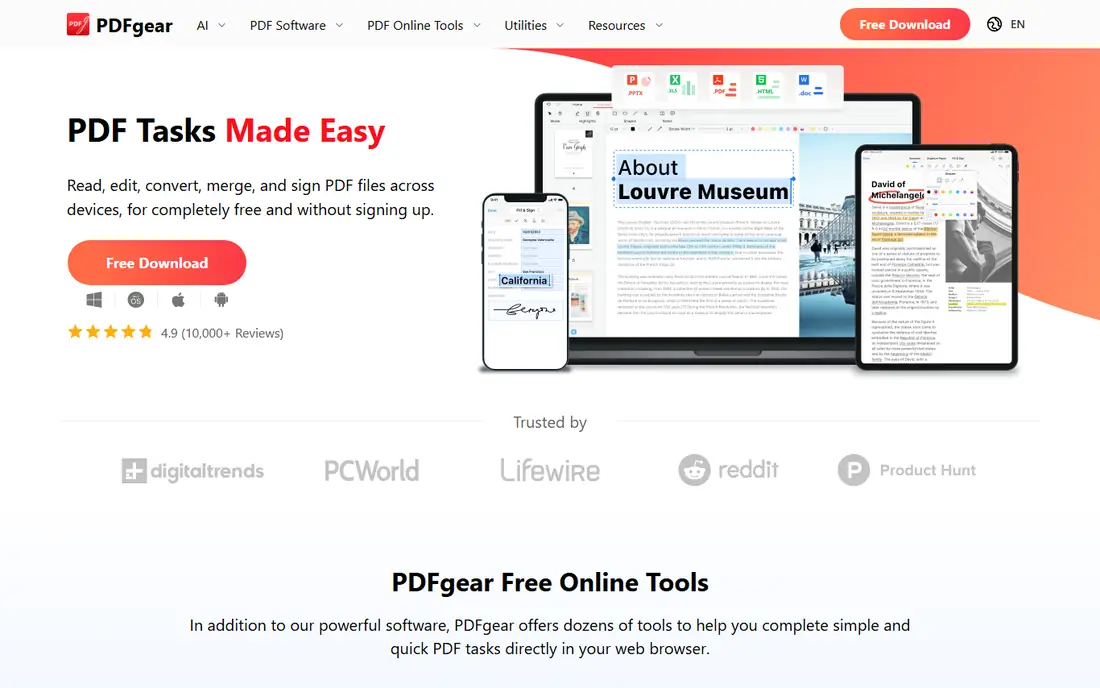
PDFgear is considered the stronger value by reviewers, with higher satisfaction on price and cost-related dimensions, and it rates 4.8 out of 5 on G2 from 151 reviews, the highest on this list. Reviewers consistently highlight that PDFgear is completely free, with no hidden paywalls, offering premium-level features at no cost, including editing, annotations, OCR, forms, e-sign, conversion, compression, and built-in AI chat. Many reviewers cite switching to PDFgear specifically to avoid subscription fees and paywalls.
The drawbacks are privacy notes and enterprise scale. Some reviewers note privacy concerns, and its enterprise presence trails Adobe and Foxit. PDFgear suits individuals, students, and small businesses that want full PDF features free.
What we like- Completely free with no hidden paywalls
- Full editing, annotations, OCR, forms, e-sign, conversion, compression, and AI chat
- 4.8 rating on G2 from 151 reviews
Watch out for- Privacy concerns noted by some reviewers
- Smaller enterprise presence than Adobe or Foxit
- Support depth trails enterprise vendors
Starting priceFree
Free planYes
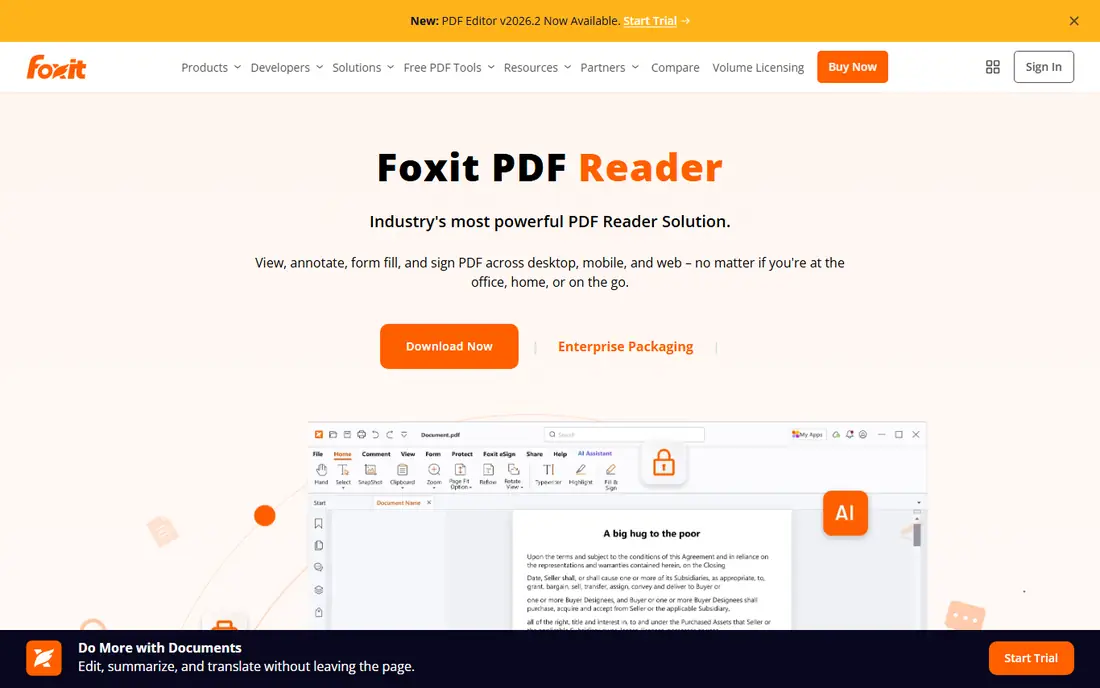
Foxit PDF Reader is a fast, lightweight alternative to Adobe, excelling at core viewing and annotation with a snappy experience even on older hardware. It offers a familiar ribbon-style interface with highlighting, comments, and a typewriter function for adding text, plus strong enterprise support including MSI packages for managed deployment. It rates 4.6 out of 5 on G2 from 172 reviews, with ease of use as its top-cited strength, and reviewers note it is affordable compared to major competitors.
The drawbacks are paywall limits and prompts. Advanced features such as editing text and graphics require the paid Foxit PDF Editor from 159 dollars per year, with Pro at 109 dollars per year for the reader tier, and upgrade prompts can distract. Foxit PDF Reader suits enterprises and professionals who want fast reading with managed deployment.
What we like- Free reading with fast, lightweight performance
- Annotations, commenting, and highlighting
- Enterprise MSI deployment
- 4.6 rating on G2 from 172 reviews
Watch out for- Advanced features require paid upgrade to Foxit PDF Editor from 159 dollars per year
- Upgrade prompts can distract
- Pro at 109 dollars per year
Starting priceFree
Free planYes
SumatraPDF is the lightweight reading choice for Windows, with minimal overhead and fast opening even on older hardware. If you mostly view PDFs and add the occasional comment, SumatraPDF covers it with a simple interface that stays out of the way. Its small footprint makes it ideal for older machines and users who dislike heavy software.
The drawbacks are platform and feature limits. It is Windows only, has no AI features, no editing, and no advanced annotation or mobile apps. SumatraPDF suits Windows users who want minimal, fast reading with nothing extra.
What we like- Free and extremely lightweight
- Minimal overhead
- Fast opening on older hardware
- Simple interface for reading only
Watch out for- Windows only
- No AI features
- No editing or advanced annotation
- No mobile apps
Starting price$9.99 per month
Free planNo
PDF Expert is the native Mac choice for PDF reading, with a polished interface, fast performance, and iPad sync. It offers single and two-page views, split view, themes, and bookmarks, plus annotation tools that suit Mac power users who read and mark up documents daily. Its fast reflow and audio comments add to its Mac-first design.
The drawbacks are platform lock-in and price. It works on Apple devices only, with no Windows or Android version, and costs 9.99 dollars per month or 79.99 dollars per year. PDF Expert suits Mac and iPad users who want the best Apple-native reading experience.
What we like- Native Mac choice with polished interface
- Fast performance and iPad sync
- Single and two-page views, split view, themes, bookmarks
- Annotation tools
Watch out for- Apple devices only
- 9.99 dollars per month or 79.99 dollars per year
- No Windows or Android version

#6PDF-XChange Editor
Best for: Windows power users4.6/5 on
G2 (151 reviews, checked Oct 2026)
Visit pdf-xchange.com
Starting price$59.50 one-time
Free planYes
PDF-XChange Editor is the Windows power user choice, with a feature-rich free tier including OCR, batch links, and 3D support, plus a one-time license at 59.50 dollars for users who dislike subscriptions. Its latest versions add audio playback and scan correction, which suit users who work with scanned documents and long PDFs. For Windows users who want advanced annotation without a subscription, it is the strongest pick.
The drawbacks are platform and AI limits. It is Windows only, has no AI features, and its interface is busier than simpler readers. PDF-XChange Editor suits Windows power users who want advanced features with a one-time license.
What we like- Feature-rich free tier with OCR, batch links, and 3D support
- One-time license at 59.50 dollars
- Latest versions add audio playback and scan correction
Watch out for- Windows only
- No AI features
- Interface busier than SumatraPDF or PDFgear

#7Nitro PDF Pro
Best for: Workflow teams4.4/5 on
G2 (391 reviews, checked Oct 2026)
Visit gonitro.com
Starting price$179.99 one-time
Free planNo
Nitro PDF Pro suits workflow teams and contract collaboration, with OCR, e-sign, and editing in a one-time license at 179.99 dollars, avoiding subscription costs. It rates 4.4 out of 5 on G2 from 389 reviews, and its team plans add admin controls for businesses that need consistent PDF workflows. For teams that edit and sign contracts regularly, Nitro one-time pricing beats Adobe subscription totals over time.
The drawbacks are trial limits and pricing opacity. Free evaluation is trial only, team pricing is custom, and its review base is smaller than Adobe or Foxit. Nitro PDF Pro suits workflow teams that want editing and signing with a one-time license.
What we like- One-time license at 179.99 dollars
- OCR and e-sign included
- Contract collaboration features
- Team plans available
Watch out for- Trial only for free evaluation
- Custom team pricing
- Smaller review base than Adobe or Foxit at 4.4 on G2 from 389 reviews
Starting priceFree
Free planYes
Smallpdf is a browser toolkit for quick one-off tasks, with conversion, compression, page organizing, and basic viewing in the browser, plus OCR and e-sign on paid plans. Its free plan covers daily tasks with limits, while paid plans run 15 dollars per month or 120 dollars per year, with unlimited Pro at 10 dollars per month in some comparisons. It suits users who want web-based PDF tools without installing software.
The drawbacks are reading depth and limits. Its PDF reading features are basic next to desktop readers, the free plan has daily limits, and full features depend on the browser. Smallpdf suits users who want quick browser-based PDF tasks rather than deep daily reading.
What we like- Web-first toolkit with conversion, compression, and page organizing
- Free plan with daily limits
- Paid plans from 15 dollars per month or 120 dollars per year
- OCR and e-sign on paid plans
Watch out for- Basic PDF reading features
- Free plan has daily limits
- Browser-dependent for full features
- Paid AI add-on
How we chose
We compared PDF readers on G2 ratings, free-tier depth, annotation and editing features, OCR and e-sign availability, platform coverage, and pricing model, using 2026 comparison guides. We favored tools with published ratings and clear free tiers, since reading is often free and editing is where costs appear. We also noted where one-time licenses beat subscriptions over time for heavy users.
How to choose the best-rated PDF reading software
Start by deciding whether you only read or also edit: readers only need Acrobat Reader or SumatraPDF, while editors need PDFgear free or a one-time license from PDF-XChange or Nitro. Next, match the platform: Mac users should choose PDF Expert, Windows power users PDF-XChange, and browser users Smallpdf. Then check OCR and e-sign needs, since scanned documents and signing require paid tiers on most tools except PDFgear. Finally, confirm current pricing on the vendor site, since pricing and feature sets change often.
Frequently asked questions
What is the best free PDF reader?
PDFgear is the best free reader with editing, rating 4.8 out of 5 on G2, while Adobe Acrobat Reader is the best free reader for full compatibility, and SumatraPDF is the best free lightweight reader for Windows. All three cover daily reading free.
Do I need to pay for PDF editing?
Not always. PDFgear offers full editing free, while PDF-XChange Editor and Nitro PDF Pro offer one-time licenses at 59.50 and 179.99 dollars. Adobe and Foxit require subscriptions for full editing.
Which PDF reader is best for Mac?
PDF Expert is the native Mac choice, with a polished interface, fast performance, and iPad sync at 9.99 dollars per month or 79.99 dollars per year. PDFgear and Adobe Acrobat Reader also run on Mac with free tiers.
Which PDF reader is best for Windows power users?
PDF-XChange Editor suits Windows power users with a feature-rich free tier, OCR, and a one-time license, while Foxit PDF Reader suits enterprises with managed deployment. SumatraPDF suits users who want only lightweight reading.
Do PDF readers include AI features?
Some do. Adobe offers an AI Assistant add-on from 4.99 dollars per month, PDFgear includes built-in AI chat, and Foxit offers AI features on paid plans. SumatraPDF and PDF-XChange have no AI features.
Are free PDF readers safe for sensitive documents?
Free readers vary on privacy, with PDFgear drawing some privacy notes from reviewers. For sensitive documents, check the vendor privacy policy, prefer desktop tools over browser uploads, and use enterprise tools with admin controls when handling confidential material.
Sources we checked (0)
Is your product missing or out of date?
We review this list regularly. Vendors can request a listing, send updated pricing or ask about featured placement.

Shihab Mia · Founder, Rankite
Shihab has 5+ years in B2B and SaaS SEO. He writes Rankite's software buying guides from pricing pages, documentation and public user reviews. More about Shihab.
 Adobe Acrobat Reader
 PDFgear
 Foxit PDF Reader
 SumatraPDF
 PDF Expert
 Smallpdf