How we make this list: we compare pricing pages, product documentation and public user reviews. Ratings come from G2, Capterra or Trustpilot, with the date we checked them.
Key takeaways
- Adobe Acrobat Reader remains the compatibility default for complex forms, while Foxit suits users who want a faster, fuller free reader.
- SumatraPDF suits old hardware and keyboard users at about 5 MB, while Okular suits open source fans across Windows, macOS, and Linux.
- Apple Preview suits Mac users with no install, while Microsoft Edge suits occasional viewing with no install on Windows.
- PDF-XChange Editor suits power users who annotate on Windows, while PDF24 Creator suits Windows users who also want editing, OCR, and merge tools free.
- Free tiers differ: Acrobat Reader and Foxit lock advanced features behind paid plans, and PDF-XChange free editing adds watermarks on some features.
Quick comparison
Is your product missing or out of date?
We review this list regularly. Vendors can request a listing, send updated pricing or ask about featured placement.
The best PDF viewing software
Starting priceFree
Free planYes
Adobe Acrobat Reader remains the reference point for PDF compatibility in 2026, especially for complex forms and officially distributed documents, since Adobe created the PDF format. The free version covers reading, searching, printing, basic annotation, form filling, and signing, with paid features clearly separated, and it works on Windows, macOS, iOS, Android, and the web. That breadth makes it the safe default for mixed-device environments.
The trade off is weight against reliability. Acrobat Reader is heavier and prompts for Pro often, but if a file must display exactly as intended, it is the safest bet. Acrobat Reader fits general users and corporate environments that need maximum compatibility.
What we like- Industry default for compatibility
- Complex forms render correctly
- Read, comment, fill forms, sign free
- Works on Windows, macOS, iOS, Android, and web
Watch out for- Heavier than rivals
- Frequent prompts to upgrade to Pro
- Some features locked behind paywall
- Slower startup on old hardware
Starting priceFree
Free planYes
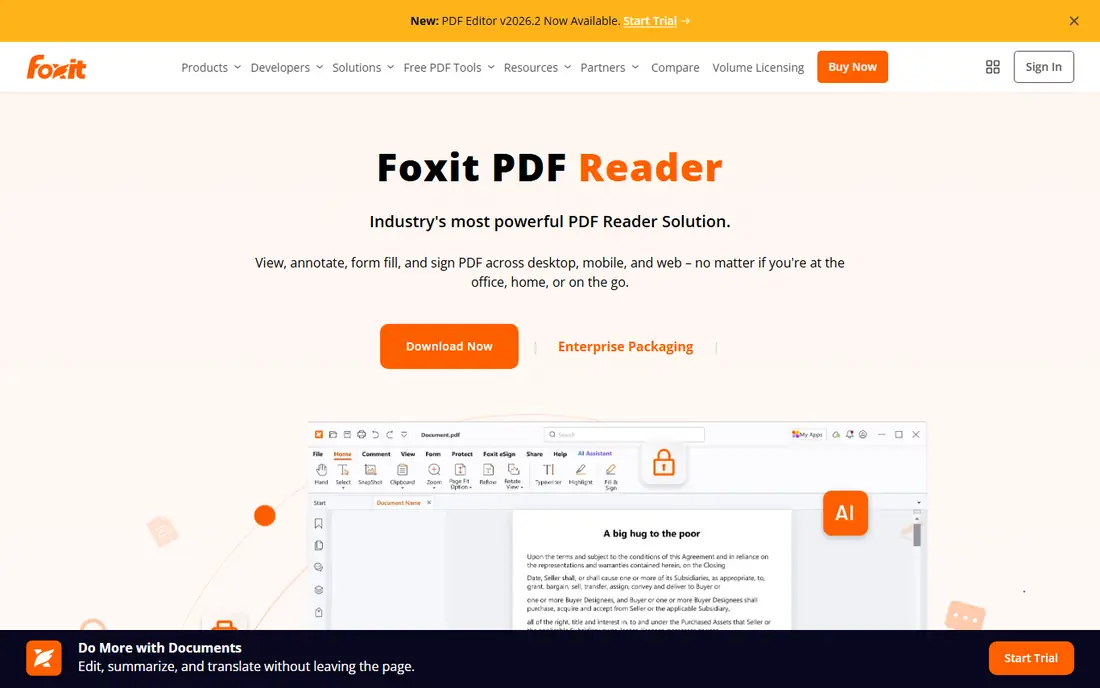
Foxit PDF Reader is the fast alternative for users who find Acrobat Reader bloated, launching faster and handling large files well, with annotation tools, form filling, and basic signing in the free version. It runs on Windows, macOS, mobile, and the web, and newer versions add an AI assistant and cloud sync for teams. Foxit rates 4.5 out of 5 in one comparison, matching Acrobat Reader.
The trade off is power against paywall depth. Foxit gives more free power than Acrobat Reader, but its full editor costs near $109 per year in one report. Foxit fits professionals and students who want speed plus features without committing to a paid editor.
What we like- Faster launch than Acrobat Reader
- Handles large PDFs well
- Annotations and form filling free
- AI assistant in newer versions
- Cloud sync
- Offline use
Watch out for- Advanced tools locked behind paid editor
- Editor starts near $109 per year in one report
- Interface can feel busy
- Some enterprise features need paid plans
Starting priceFree
Free planYes
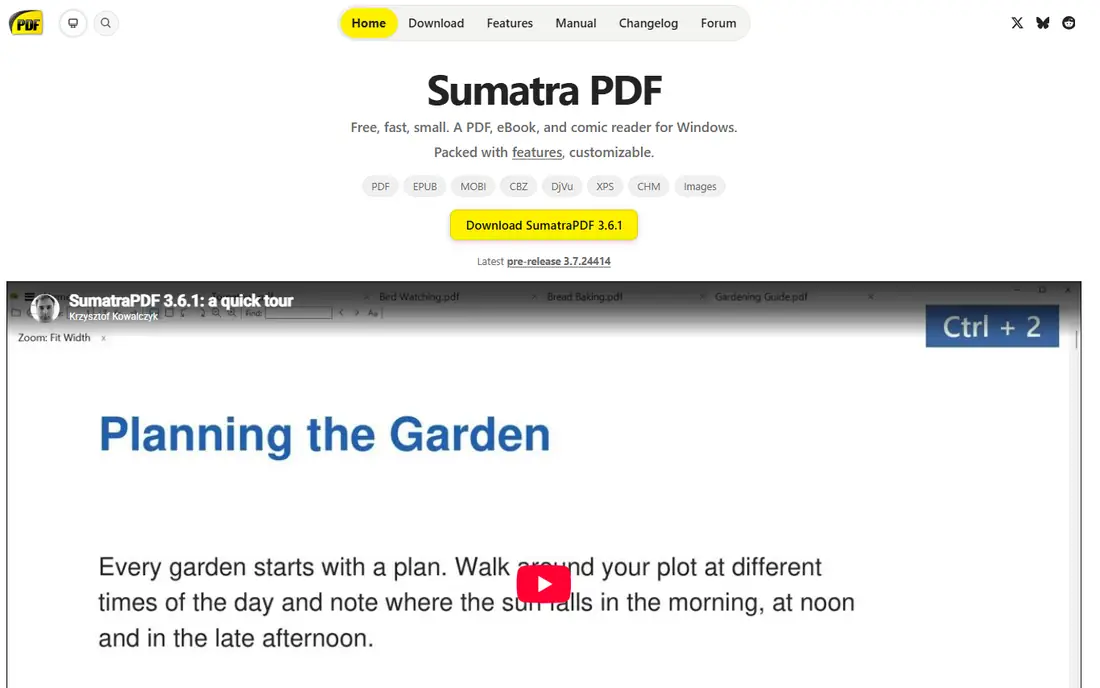
SumatraPDF is one of the fastest PDF readers available, prioritizing speed and simplicity over features, at about 5 MB with instant opens even on older hardware. It reads PDF plus EPUB, MOBI, and XPS formats, offers a portable version, and is open source with no ads. It rates 4.0 out of 5 in one comparison, reflecting its narrow but excellent job.
The trade off is speed against features. SumatraPDF suits users who only want to read quickly, not annotate or edit. SumatraPDF fits old hardware, keyboard users, and minimalists who value instant opens.
What we like- Tiny at about 5 MB
- Opens almost instantly
- Portable version available
- Reads PDF, EPUB, MOBI, and XPS
- Open source
- No ads
Watch out for- Windows only
- Intentionally minimal
- No advanced annotation or form tools
- Interface is plain

#4PDF-XChange Editor
Best for: Windows annotation power4.6/5 on
G2 (151 reviews, checked Oct 2026)
Visit pdf-xchange.com
Starting priceFree
Free planYes
PDF-XChange Editor is the Windows power pick, with strong annotation, commenting, search, and e-sign support, plus OCR and deeper editing in paid tiers. The free version covers reading, annotation, search, and comments well, while a one-time paid license starts near $59.50 in one report for users who dislike subscriptions. It rates 4.4 out of 5 in one comparison.
The trade off is power against watermark limits. The free version is strong for viewing and annotation, but some editing features add watermarks without a license. PDF-XChange Editor fits Windows power users who annotate heavily and dislike subscriptions.
What we like- Strong annotation and commenting free
- OCR in paid tiers
- E-sign support
- Search and comments
- Good for power users
Watch out for- Windows focused
- Free version adds watermarks on some editing features
- Paid license starts near $59.50 one-time
- Interface can overwhelm beginners
Starting priceFree
Free planYes
Okular is the open source cross platform pick, praised in 2026 guides as the best free Acrobat Reader alternative, doing most of what Acrobat offers for viewing, annotation, and form support without costing anything. It runs on Windows, macOS, and Linux, carries zero ads, and was tested on Windows 11 with Okular version 25 in one March 2026 guide. Its KDE roots give it strong document handling across formats.
The trade off is openness against polish. Okular is free and cross platform, but it is less polished than Preview on Mac and less supported than Adobe for enterprise workflows. Okular fits open source fans and multi-platform users who want a free, ad-free viewer.
What we like- Cross platform on Windows, macOS, and Linux
- Open source
- Zero ads
- Annotation and form support
- Tested on Windows 11 in 2026 guides
Watch out for- Less polished than Preview on Mac
- Some features vary by platform
- Smaller support community than Adobe
- Enterprise tooling is limited
Starting priceFree
Free planYes
Apple Preview is macOS built-in PDF reader and remains one of the most polished free options for Mac users, with smooth scrolling, excellent text rendering, annotation tools, and reliable form support. Because it is deeply integrated into macOS, Preview requires no installation and works entirely offline. It is the default Mac choice for a reason: fast, clean, and free.
The trade off is polish against platform lock. Preview is superb on Mac but useless on Windows, so mixed-platform users need another pick. Preview fits Mac users who want the best built-in viewer with no install.
What we like- Built into macOS, no install
- Smooth scrolling
- Excellent text rendering
- Annotation tools
- Reliable form support
- Fully offline
Watch out for- MacOS only
- Not suited to users who switch operating systems
- Advanced editing needs other tools
- Windows users cannot use it
Starting priceFree
Free planYes
Microsoft Edge includes a built-in PDF viewer that suits occasional viewing, letting users open PDFs in a browser tab without installing anything. It covers reading, basic annotation, and printing, and it is already present on Windows machines, so it is the zero effort option. For users who only open PDFs a few times a week, Edge is enough.
The trade off is convenience against depth. Edge is always available but cannot match dedicated readers for annotation, forms, or editing. Edge fits occasional viewers and Windows users who want no extra install.
What we like- Built into Windows
- No install needed
- Good for occasional viewing
- Basic annotation
- Tabbed viewing alongside web work
Watch out for- Basic feature set
- Annotation depth trails Foxit and PDF-XChange
- No advanced editing
- Tied to the browser
Starting priceFree
Free planYes
PDF24 Creator surprised 2026 reviewers as a genuinely free all-rounder, with full PDF editing, annotations, e-signing, OCR for scanned documents, merge and split tools, and format conversion, all without spending anything or creating an account. It installs without spyware or bundled junk, carries zero ads, and loads PDFs noticeably faster than Acrobat Reader in one guide. No watermarks appear on most tasks.
The trade off is breadth against polish. PDF24 packs paid-level features into a free Windows tool, but its interface is utilitarian and it is Windows focused. PDF24 Creator fits Windows power users who want editing, OCR, and merge tools free.
What we like- Completely free with zero ads
- Full editing, OCR, merge and split
- Annotations and e-signing
- No account required
- Faster loads than Acrobat Reader in one guide
Watch out for- Windows focused
- Interface is utilitarian
- Advanced layout editing trails paid editors
- Web tools need uploads for some tasks
How we chose
We compared published 2026 viewer guides and comparison tables, recording ratings where given, such as Foxit 4.5 out of 5, Acrobat Reader 4.5 out of 5, SumatraPDF 4.0 out of 5, and PDF-XChange 4.4 out of 5, while noting that ratings come from different sources and are not directly comparable. We favored viewers with distinct strengths, compatibility, speed, lightness, Windows annotation power, open source cross platform reach, Mac polish, browser convenience, and free all-round breadth, and we stated free limits honestly, including Pro prompts, paid editor costs, and watermark rules. We weighed viewing quality, annotation, form support, and platform breadth separately, since no single viewer leads on all four.
How to choose a PDF viewer
Start with platform: Mac users should start with Preview, Windows users with Foxit or PDF24 Creator, and multi-platform users with Okular or Acrobat Reader. Next, match features to work: readers who only open files should pick SumatraPDF or Edge, while annotators should pick Foxit, PDF-XChange Editor, or Okular. Then check free limits: if you edit often, PDF24 Creator avoids watermarks and subscriptions, while PDF-XChange needs a license for watermark-free editing. Finally, test large files and complex forms before committing, since compatibility matters most for official documents. A viewer that fits your platform, your annotation needs, and your free limits will stay out of the way.
Frequently asked questions
What is the best PDF viewer overall?
Adobe Acrobat Reader suits maximum compatibility, Foxit suits fast feature-rich reading, and PDF24 Creator suits free Windows all-round use, so the best pick depends on platform and needs.
Is there a fully free PDF viewer with no ads?
SumatraPDF, Okular, and PDF24 Creator are free with no ads, while Acrobat Reader and Foxit are free for viewing but prompt for paid upgrades.
What is the fastest PDF viewer?
SumatraPDF is the fastest in most guides, at about 5 MB with near instant opens, while PDF24 Creator also loads faster than Acrobat Reader in one guide.
Does a free viewer handle forms and signing?
Yes for basics: Acrobat Reader, Foxit, Okular, Preview, and PDF24 Creator cover form filling and basic signing free, while advanced editing usually needs paid tiers.
Which PDF viewer works on all platforms?
Acrobat Reader works on Windows, macOS, iOS, Android, and web, while Okular covers Windows, macOS, and Linux, and Foxit covers desktop, mobile, and web.
Should Mac users install a separate PDF viewer?
Only if they need cross platform use or advanced editing, since Preview already covers smooth viewing, annotation, and form support free.
Sources we checked (0)
Is your product missing or out of date?
We review this list regularly. Vendors can request a listing, send updated pricing or ask about featured placement.

Shihab Mia · Founder, Rankite
Shihab has 5+ years in B2B and SaaS SEO. He writes Rankite's software buying guides from pricing pages, documentation and public user reviews. More about Shihab.
 Adobe Acrobat Reader
 Foxit PDF Reader
 SumatraPDF
 Okular
 Apple Preview
 Microsoft Edge
 PDF24 Creator