How we make this list: we compare pricing pages, product documentation and public user reviews. Ratings come from G2, Capterra or Trustpilot, with the date we checked them.
Key takeaways
- Teamwork.com is the most agency-shaped option here, because time, budgets and client permissions sit next to delivery work instead of in a separate system.
- Asana and monday.com suit agencies that want strong templates, timelines and reporting, but client billing and margin detail will usually need a separate tool or a higher plan.
- ClickUp gives the most features per dollar at the entry level, while Basecamp suits small agencies that want a flat, simple system and are willing to give up deep reporting.
- Per-seat pricing punishes agencies that add clients as full members, so check guest and client seats before you compare headline prices.
- Smartsheet fits agencies that already plan in spreadsheets and need Gantt charts, forms and reports without a long setup project.
Quick comparison
| Tool | Best for | Starting price | Free plan |
|---|
 Teamwork.com Teamwork.com | Agencies tracking time, budgets and margin per client | $9.99 per user/month (billed annually) | Yes |
 Asana Asana | Agencies that need portfolios, timelines and clear ownership | $10.99 per user/month (billed annually) | Yes |
 monday.com monday.com | Agencies that want visual, highly customizable boards | $9 per seat/month (billed annually) | Yes |
 ClickUp ClickUp | Agencies that want many features for a low entry price | $7 per user/month (billed annually) | Yes |
 Wrike Wrike | Larger agencies with formal approval and reporting needs | $10 per user/month (billed annually) | Yes |
 Basecamp Basecamp | Small agencies that want one simple place per client | $15 per user/month | Free trial |
 Notion Notion | Agencies that centre work on docs, briefs and wikis | $10 per member/month (billed annually) | Yes |
 Smartsheet Smartsheet | Agencies that plan in grids and need strong Gantt and reporting views | $9 per member/month (billed annually) | Free trial |
Is your product missing or out of date?
We review this list regularly. Vendors can request a listing, send updated pricing or ask about featured placement.
The best project management software for digital agencies
#1Teamwork.com
Best for: Agencies tracking time, budgets and margin per client4.4/5 on
G2 (1,214 reviews, checked Oct 2026)
Visit teamwork.com
Starting price$9.99 per user/month (billed annually)
Free planYes
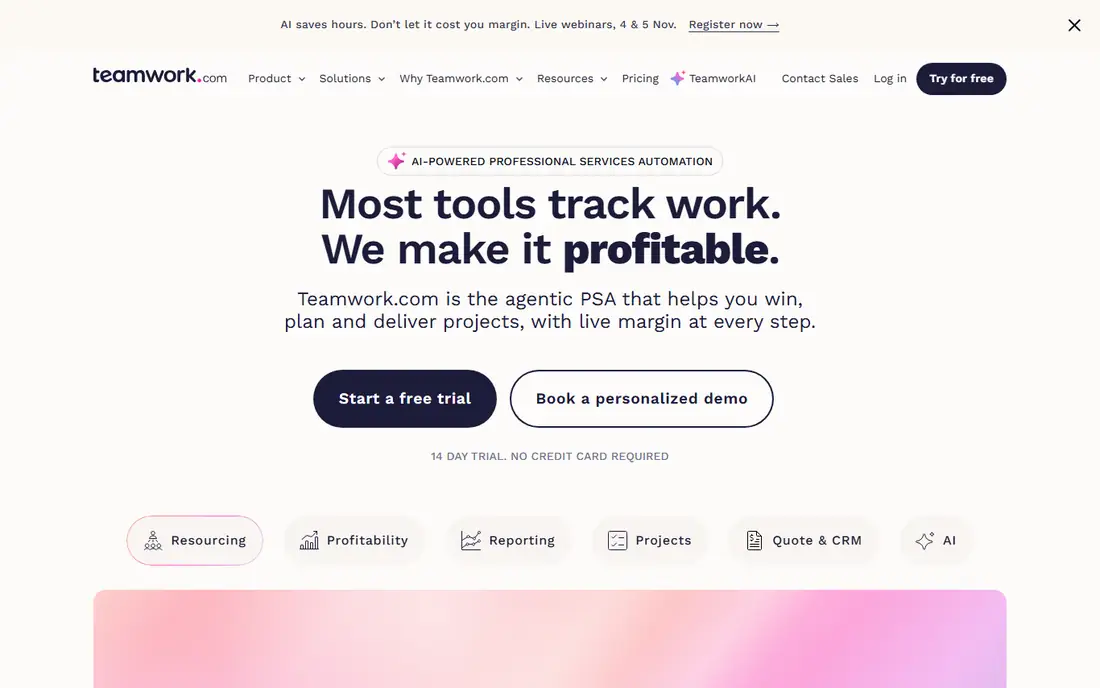
Teamwork.com starts from the agency problem rather than the generic task problem. A project can carry its budget, billable rates, time entries and milestones in one place, so a project manager can see whether a retainer is drifting before the month ends. Client users are free and can be limited to exactly what they should see, which matters when the same workspace holds several competing clients.
The trade-off is breadth. Teamwork.com also sells helpdesk and CRM products, and the main platform alone has enough settings to slow down a first setup. Agencies that run mostly fixed-scope design work may not need the profitability layer, and for them the price will feel high next to a simpler board tool. For agencies that bill by the hour, run retainers or report margin to leadership, that layer is the reason to choose it.
What we like- Unlimited free client users with controlled permissions
- Built-in time tracking, budgets and profitability reports
- Workload planning and project templates for repeatable client work
Watch out for- Higher plans get expensive as the team grows
- The range of products can confuse new buyers
- Some advanced reporting sits on higher tiers
#2Asana
Best for: Agencies that need portfolios, timelines and clear ownership4.4/5 on
G2 (13,930 reviews, checked Oct 2026)
Visit asana.com
Starting price$10.99 per user/month (billed annually)
Free planYes
Asana suits an agency that has outgrown boards and chat threads. Work can be organized by client portfolio, each project can carry its own timeline and dependencies, and dashboards pull status across clients without a manual weekly report. Guests can be invited without paying for a seat, which keeps client collaboration affordable when clients only need to comment or approve.
Where Asana falls short for agencies is money. Native time tracking sits on the Advanced plan, and profitability reporting is not a core strength, so many agencies pair Asana with a separate time or invoicing tool. That pairing works, but it adds a second subscription and a second place to check. Choose Asana when delivery clarity is the main pain and finance already has a home elsewhere.
What we like- Clear task ownership, timelines and portfolios
- Strong templates and automation rules
- Unlimited free guests on paid plans
Watch out for- Free plan is limited to two users
- Time tracking and portfolios require higher plans
- Per-seat cost rises quickly for larger teams
#3monday.com
Best for: Agencies that want visual, highly customizable boards4.7/5 on
G2 (17,182 reviews, checked Oct 2026)
Visit monday.com
Starting price$9 per seat/month (billed annually)
Free planYes
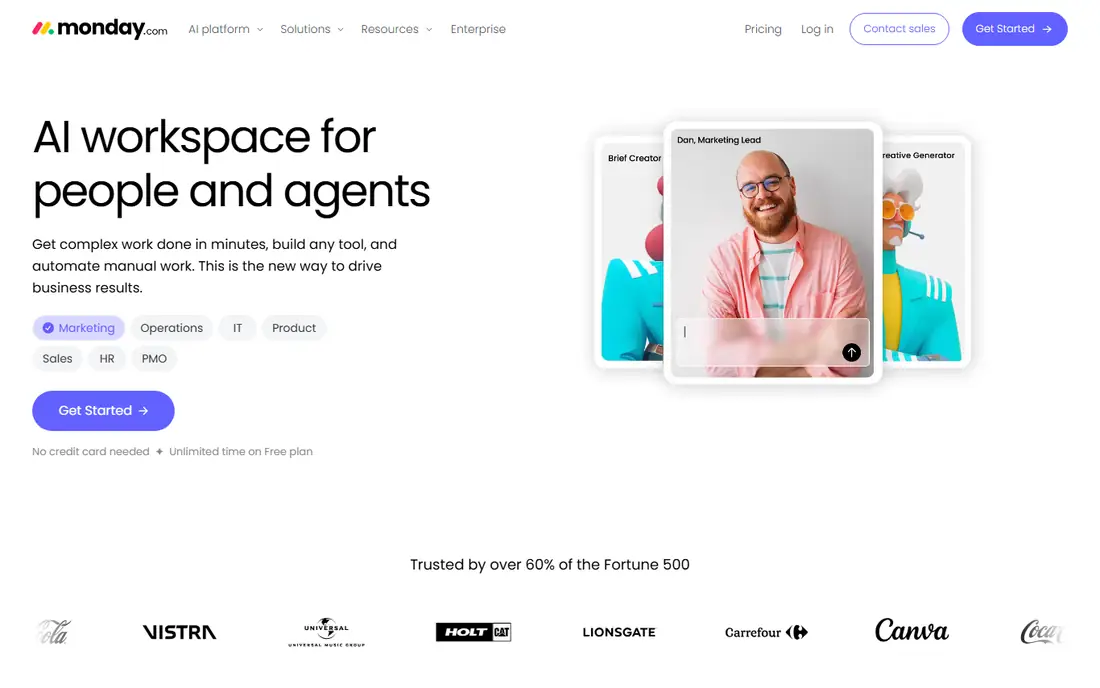
An agency team that thinks in boards will feel at home quickly in monday.com. Columns can track stage, owner, due date, budget status and client approval in one row, and dashboards can combine several client boards into a single view for a weekly meeting. Templates for campaign planning, content calendars and creative requests cut setup time for common agency work.
The catch is metering. The Standard plan caps automation and integration actions, and the features most agencies want, such as workload views and time tracking, sit on the Pro plan. Before signing, count how many automations your intake and approval process will actually run each month. If that number is high, price the Pro plan from the start rather than discovering the limit mid-campaign.
What we like- Flexible boards, timelines and dashboards
- Large template library for marketing and creative work
- Automations that reduce status chasing
Watch out for- Paid plans require a minimum of three seats
- Automation allowances are limited on lower plans
- Costs climb when many columns, dashboards and integrations are in play
#4ClickUp
Best for: Agencies that want many features for a low entry price4.6/5 on
G2 (14,878 reviews, checked Oct 2026)
Visit clickup.com
Starting price$7 per user/month (billed annually)
Free planYes
ClickUp packs more into its entry paid plan than most rivals, which is why small agencies on a tight budget keep shortlisting it. A single workspace can hold client projects, briefs, docs and time entries, and custom fields let a team track retainer hours, deliverable type and approval stage without extra software. The free plan is usable for a solo operator or a tiny team that wants to test the structure first.
Depth is also the risk. There are many views, hierarchies and settings, and a team without a clear template can build a workspace that only its creator understands. Agencies should appoint one owner for the setup, lock the template for new clients, and resist adding every available feature at once. Done that way, ClickUp is strong value. Done loosely, it becomes another messy folder.
What we like- Tasks, docs, whiteboards, goals and chat in one workspace
- Native time tracking on the entry paid plan
- Generous free plan for trying the system
Watch out for- Deep settings can overwhelm new teams
- Some visitors see a newer plan lineup with different prices, so the billing page must be checked
- AI features are a paid add-on on the classic lineup
#5Wrike
Best for: Larger agencies with formal approval and reporting needs4.2/5 on
G2 (4,540 reviews, checked Oct 2026)
Visit wrike.com
Starting price$10 per user/month (billed annually)
Free planYes
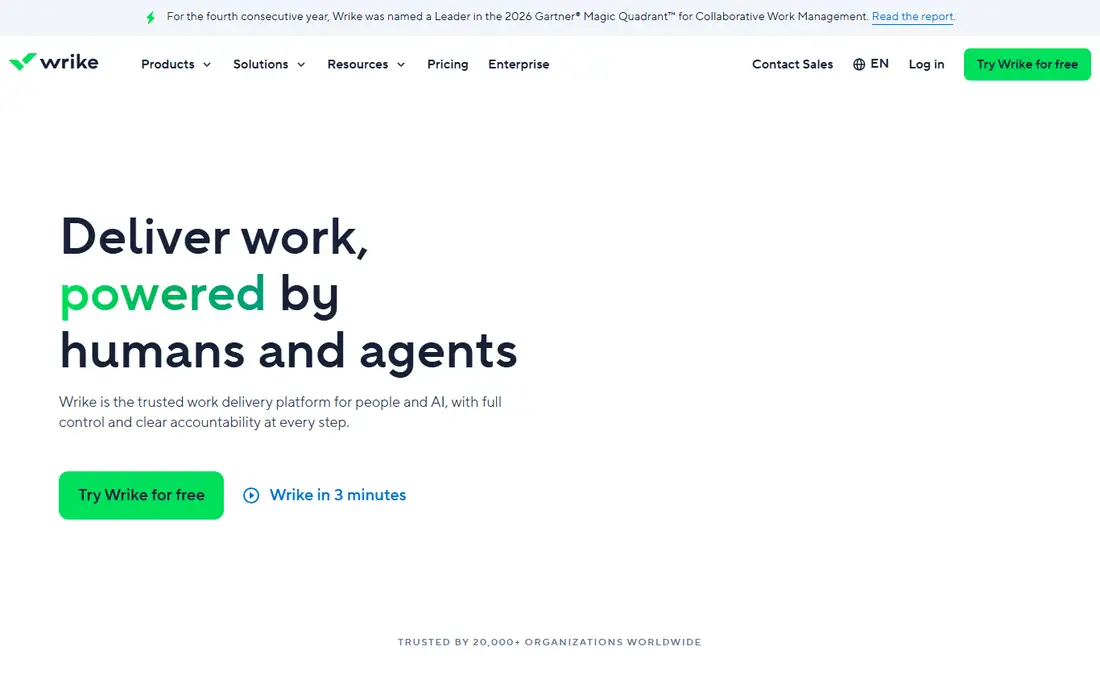
Wrike fits agencies where work passes through several hands and approvals need a record. A creative asset can move through draft, internal review, client review and final delivery with a clear owner at each step, and managers can see workload across teams rather than guessing who has room. That structure helps agencies handling regulated clients or large campaigns with many stakeholders.
Smaller agencies may find Wrike more formal than they need. The free plan lacks Gantt charts and dependencies, and the most useful agency features arrive on Business at $25 per user per month billed annually. If your projects are short, informal and mostly handled by one or two people, a lighter tool will be faster. If your projects are long, layered and audit-sensitive, Wrike earns its setup time.
What we like- Structured folders, custom workflows and approvals
- Resource management and time tracking on higher plans
- Strong reporting and dashboard options
Watch out for- Setup takes longer than simpler tools
- Resource management and advanced features require the Business plan or higher
- The interface can feel heavy for small teams
#6Basecamp
Best for: Small agencies that want one simple place per client4.1/5 on
G2 (5,488 reviews, checked Oct 2026)
Visit basecamp.com
Starting price$15 per user/month
Free planFree trial
Basecamp deliberately does less than the other tools on this list, and for some agencies that is the point. Each client gets a project with the same six tools, so staff and clients always know where a file or a decision lives. There is no maze of custom fields to maintain, and onboarding a new client takes minutes rather than a training session.
The limit shows up as the agency grows. Basecamp does not offer the portfolio reporting, capacity planning or margin tracking that a 30-person agency needs, and teams that live by Gantt charts will miss them. It is best for agencies with straightforward deliverables, a small team and clients who value clarity over dashboards. Agencies that need to prove utilization or forecast revenue should look at Teamwork.com or Wrike instead.
What we like- One calm space per project with messages, to-dos, files, chat and schedule
- Flat, easy-to-understand pricing
- Clients can follow a project without learning a complex system
Watch out for- Reporting and workload views are limited compared with rivals
- No native time tracking or budgeting depth
- Larger agencies will outgrow its structure
#7Notion
Best for: Agencies that centre work on docs, briefs and wikis4.6/5 on
G2 (13,834 reviews, checked Oct 2026)
Visit notion.so
Starting price$10 per member/month (billed annually)
Free planYes
Notion works best as the agency brain paired with a delivery tool, or as the main tool for content-led agencies. Briefs, research, brand assets and campaign plans can live beside a task database, so the context for a project sits next to its checklist. For a small content or social agency, that combination may be enough on its own.
As a pure project tracker, Notion asks more of its users. There is no built-in time tracking or profitability view, dependencies and workload planning are basic, and a team must design its own system before it can use it well. Agencies that choose Notion should budget setup time, keep databases simple, and connect a time tool if billing depends on hours. Agencies that mainly need deadlines, owners and approvals will move faster in Asana or monday.com.
What we like- Flexible docs, databases and wikis in one workspace
- Good for briefs, brand guides and content planning
- Guests can be added to shared pages
Watch out for- Project management features are lighter than dedicated tools
- Time tracking and budgeting need integrations
- Large databases can feel slow without careful setup
#8Smartsheet
Best for: Agencies that plan in grids and need strong Gantt and reporting views4.4/5 on
G2 (22,767 reviews, checked Oct 2026)
Visit smartsheet.com
Starting price$9 per member/month (billed annually)
Free planFree trial
Smartsheet appeals to agency operators who already think in rows and columns. A campaign plan can be a grid with owners, dates and status, then switch to a Gantt view for a client presentation and a dashboard for leadership, all from the same data. Intake forms feed directly into sheets, which removes the copy-and-paste step between a client request and the project plan.
Pricing needs care. Only members who create and edit sheets are paid seats, while contributors who view, comment or submit forms are free, so an agency should map roles before buying. The Pro plan covers most planning needs, while Business adds workload tracking and more storage. Agencies that dislike spreadsheet-style work will find Smartsheet cold, but agencies that run on sheets will find it familiar from day one.
What we like- Familiar spreadsheet-style grids with Gantt, card and calendar views
- Forms for client intake
- Reports and dashboards that combine many sheets
Watch out for- No permanent free plan, only a trial
- Collaboration pricing is per member, so seat planning matters
- Some advanced features are paid add-ons
How we chose
We compared vendor pricing pages, feature documentation and public review sources such as G2 and Capterra, and we weighed each tool against agency-specific needs: client access without full seats, time and budget tracking, approval workflows, templates for repeatable work, and reporting across many clients at once. Tools that only handled internal tasks, or that had no clear way to separate one client from another, were left out. Prices in this guide are starting list prices for US buyers in October 2026, and promotional rates were ignored so the comparison reflects the ongoing cost.
What to check before you buy
Start with client access, because that is where agency costs hide. Ask whether clients can comment and approve without a paid seat, whether internal notes stay hidden from clients, and whether one client can ever see another client's project by accident. Then check time and money: does the tool track billable hours natively, can it hold budgets and rates, and can it export time data to your invoicing system without manual retyping.
Match the tool to your agency size
A team under ten people usually benefits from simplicity and a low entry price, so ClickUp, Basecamp or Notion deserve a close look. A team of ten to fifty people, running retainers and several concurrent campaigns, will get more from Teamwork.com, Asana, monday.com or Wrike, where portfolios, workload views and permissions matter daily. A larger agency should also test permissions, single sign-on and audit options before committing, since fixing those after rollout is painful.
Run a real client project as the trial
Do not judge a tool on a demo project. Run one live client engagement through the trial, from intake form to final approval, including time entries and a client comment. That single run will reveal whether approvals are clear, whether the client view is tidy, and whether reporting saves time or creates a new chore. If the trial ends and the team still keeps side spreadsheets, the tool has not solved the real problem.
Frequently asked questions
What is the best project management software for a small digital agency?
For a small agency, Teamwork.com is a strong default when billing and margin matter, while ClickUp offers the most features at the lowest entry price. Basecamp suits teams that want the simplest possible client experience. The best choice depends on whether time and budgets or simple task clarity is the bigger pain.
Should clients get full seats in the project tool?
Usually not. Most tools on this list offer guest or client access at no extra cost, or at a lower permission level, and that is enough for commenting and approvals. Paying full seats for clients inflates the bill and gives clients access to internal discussion they do not need.
Do agencies need time tracking inside the project tool?
If the agency bills by the hour or reports on retainer usage, native time tracking saves a large amount of manual work. If all work is fixed-fee, time tracking is less urgent, though it still helps to spot projects that consume far more effort than their fee covers.
Is a free plan enough for an agency?
A free plan can work for a solo operator or a two-person team testing a tool, but agency work usually needs timelines, automations, guest controls and reporting that sit on paid plans. Treat the free plan as a trial, and budget for the first paid tier when client work becomes regular.
How much should an agency expect to pay per person?
Entry paid plans in this guide start between $7 and $15 per user per month billed annually, but the plan an agency actually needs is often the second tier, which can cost $19 to $25 per user per month. Multiply by the number of internal seats only, not by clients, and add any time, reporting or AI add-ons before comparing totals.
Can one tool replace a separate invoicing system?
Partly. Teamwork.com covers budgets and time well, but most agencies still need an accounting or invoicing tool for tax, payments and financial reports. The goal is a clean export from project time to invoices, not necessarily a single system for everything.
Sources we checked (8)
- https://asana.com/pricing
- https://www.monday.com/pricing
- https://clickup.com/pricing
- https://www.wrike.com/pricing
- https://www.teamwork.com/pricing
- https://basecamp.com/pricing
- https://www.notion.so/pricing
- https://www.smartsheet.com/pricing
Is your product missing or out of date?
We review this list regularly. Vendors can request a listing, send updated pricing or ask about featured placement.

Shihab Mia · Founder, Rankite
Shihab has 5+ years in B2B and SaaS SEO. He writes Rankite's software buying guides from pricing pages, documentation and public user reviews. More about Shihab.