How we make this list: we compare pricing pages, product documentation and public user reviews. Ratings come from G2, Capterra or Trustpilot, with the date we checked them.
Key takeaways
- Ableton Live and FL Studio suit producers who mix and produce original music, with deep editing and effects.
- Serato DJ and VirtualDJ suit DJs who mix live, with controller support and performance features.
- Logic Pro suits Mac users who want a complete studio, including mixing, at a one-time price.
- DJ mixing and studio mixing are different jobs: choose by whether you perform live or produce tracks.
Quick comparison
| Tool | Best for | Starting price | Free plan |
|---|
 Ableton Live Ableton Live | Production and live mixing | See website | Free trial |
 FL Studio FL Studio | Beat making and mixing | See website | Free trial |
 Logic Pro Logic Pro | Mac studio mixing | See website | Free trial |
 Serato DJ Serato DJ | Live DJ mixing | See website | Yes |
 VirtualDJ VirtualDJ | DJ mixing for all levels | See website | Yes |
 Traktor Pro Traktor Pro | Pro DJ performance | See website | Free trial |
 Rekordbox Rekordbox | Pioneer DJ ecosystem mixing | Free | Yes |
 djay djay | Easy DJ mixing across devices | See website | Yes |
Is your product missing or out of date?
We review this list regularly. Vendors can request a listing, send updated pricing or ask about featured placement.
The best music mixing software
#1Ableton Live
Best for: Production and live mixing4.7/5 on
G2 (159 reviews, checked Oct 2026)
Visit ableton.com
Starting priceSee website
Free planFree trial
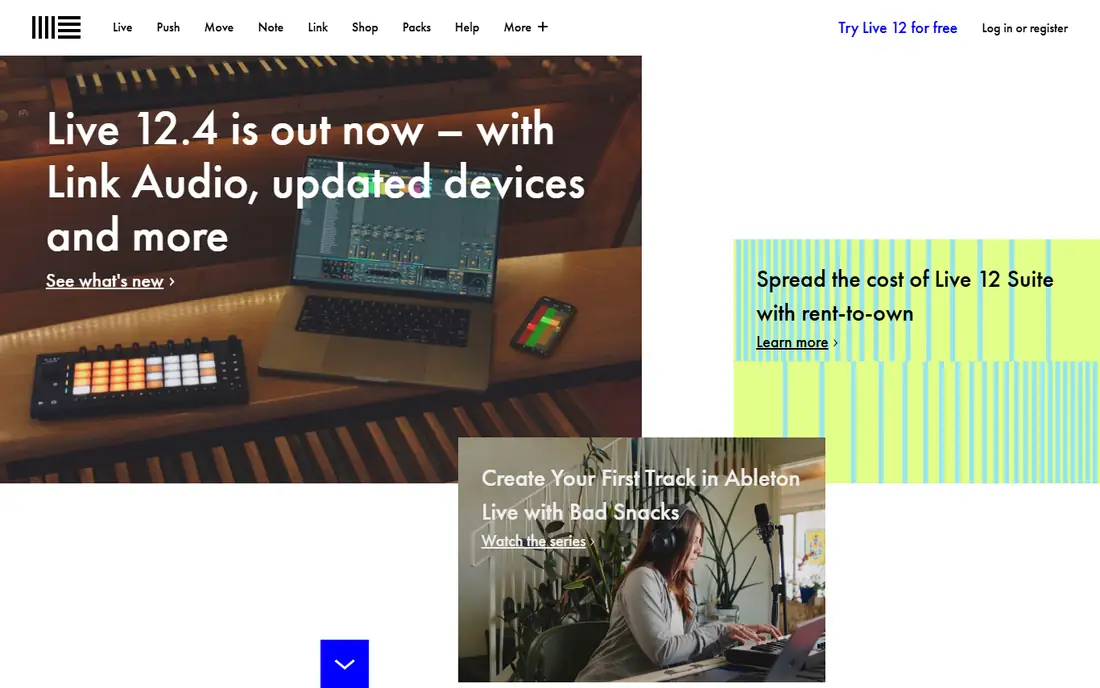
Ableton Live is the leading tool for producers who mix and perform electronic music, with a Session View that lets users trigger clips and mix live, plus an Arrangement View for traditional track building. Its effects, instruments, and Max for Live extensions cover nearly every production need, and its community produces endless tutorials and packs. Live performers use it on stage, while producers use it in studios.
Pricing is premium, with tiered editions, and beginners face a learning curve. Ableton also offers a free Lite edition bundled with many controllers and audio interfaces, which lets newcomers learn before buying. Ableton fits producers and live performers who want one tool for production and performance mixing, with deep effects and flexibility.
What we like- Session view for live mixing
- Deep effects
- Huge community
Watch out for- Premium pricing
- Learning curve for beginners
Starting priceSee website
Free planFree trial
FL Studio, from Image-Line, is a favorite for beat makers and producers, with a step sequencer, piano roll, and a full mixer supporting effects, automation, and routing. Its lifetime free updates policy means buyers never pay for new versions, which is unique among major DAWs. Hip-hop, EDM, and pop producers use it for beats, mixing, and full tracks.
Its interface can feel busy for newcomers, and its Mac version, while mature, followed a Windows-first history. FL Studio also includes a large sound library and plugin bundle that covers most production needs without extra purchases. FL Studio fits beat makers and producers who want a complete studio with lifetime updates and a strong mixer.
What we like- Lifetime free updates
- Step sequencer
- Strong mixer
Watch out for- Windows-first history
- Interface busy for newcomers
#3Logic Pro
Best for: Mac studio mixing4.6/5 on
G2 (177 reviews, checked Oct 2026)
Visit apple.com
Starting priceSee website
Free planFree trial
Logic Pro is Apple's professional studio software for Mac, covering recording, production, and mixing with a huge library of instruments, effects, and loops at a one-time price. Its mixer supports automation, bussing, and surround, and its Mac optimization keeps large projects running smoothly. Songwriters and producers on Mac use it as a complete studio without subscriptions.
It runs on Mac only, with no Windows version, which excludes cross-platform teams. Logic Pro also includes spatial audio mixing tools for Dolby Atmos projects, which suit producers targeting streaming platforms. Logic Pro fits Mac users who want a complete, affordable studio for mixing and production, without ongoing subscription costs.
What we like- One-time price
- Huge instrument and effect library
- Mac optimization
Watch out for- Mac only
- No Windows version
Starting priceSee website
Free planYes
Serato DJ is the industry-standard software for live DJ mixing, used by club and touring DJs with broad hardware controller support. Its performance features cover cue points, loops, samples, and effects, with reliable playback that professionals trust on stage. The free Lite tier covers basic mixing, while Pro adds advanced features and controller support.
Some features need paid tiers or compatible hardware, and library management is thinner than Rekordbox's. Serato also supports streaming service integration for DJs who mix from cloud libraries. Serato fits DJs who perform live and want the most widely supported DJ software, with hardware flexibility across brands.
What we like- Industry-standard DJ software
- Broad controller support
- Reliable performance
Watch out for- Some features need paid tiers
- Library management thinner than Rekordbox
Starting priceSee website
Free planYes
VirtualDJ is a versatile DJ mixing tool free for home use, covering audio and video mixing, karaoke, and broad controller support. Its features suit beginners learning to mix and professionals needing video or karaoke capabilities, with a large community sharing mappings and skins. Home users mix free, while professional use needs a license.
Its interface can feel busy, and pro features such as advanced controller support need paid licenses. VirtualDJ also supports broadcasting to online radio and streaming platforms directly from the software. VirtualDJ fits DJs at all levels who want versatile mixing, including video, with a free home tier to start.
What we like- Free for home use
- Video mixing
- Broad controller support
Watch out for- Interface busy
- Pro features need license
Starting priceSee website
Free planFree trial
Traktor Pro, from Native Instruments, offers deep DJ performance features including remix decks, stem separation, and advanced effects, suiting techno, house, and experimental DJs who push performance boundaries. Its integration with Native Instruments hardware and software creates a cohesive ecosystem for producers who also DJ. The software's flexibility rewards users who invest time learning it.
Its controller range is smaller than Serato's, and the learning curve is steep for beginners. Traktor also offers stem separation that isolates vocals, drums, and bass for creative live remixing. Traktor fits experienced DJs who want deep performance tools and already use Native Instruments hardware or software.
What we like- Deep performance features
- Remix decks
- Native Instruments ecosystem
Watch out for- Smaller controller range than Serato
- Learning curve
Starting priceFree
Free planYes
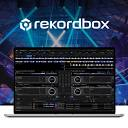
Rekordbox is Pioneer DJ's software, free in its core version, and the standard for preparing and performing on Pioneer CDJs and controllers found in most clubs. Its library management, track analysis, and performance features suit DJs who play on Pioneer gear, since prepared libraries transfer directly to club hardware. The free tier covers core mixing, while paid plans add cloud, video, and advanced features.
Advanced features need paid plans, and its ecosystem centers on Pioneer hardware. Rekordbox also offers lyric and lighting integration for DJs who run visuals alongside music. Its performance mode also supports four-deck mixing for advanced sets. Rekordbox fits DJs who perform on Pioneer gear and want smooth library transfer from home preparation to club performance.
What we like- Free core DJ software
- Pioneer hardware standard
- Library management
Watch out for- Advanced features need paid plans
- Pioneer-centered
Starting priceSee website
Free planYes
djay, from Algoriddim, makes DJ mixing accessible across Mac, iOS, Windows, and Android, with an intuitive interface, automix, and streaming integration for Spotify, Apple Music, and TIDAL where available. Beginners learn quickly, while casual DJs mix at parties without hardware. Its cross-device design suits DJs who mix on phones and tablets as well as computers.
Pro features need a subscription, and performance depth is thinner than Serato or Traktor. djay also offers AI automix that transitions between tracks smoothly for background music at events. djay fits beginners and casual DJs who want easy mixing across devices, with streaming music built in.
What we like- Easy to learn
- Works on Mac, iOS, Windows, Android
- Streaming integration
Watch out for- Pro features need subscription
- Depth thinner than Serato or Traktor
How we chose
We compared pricing pages, product documentation, and public user reviews for music mixing software that is actively sold in 2026. We favored tools with real mixing capability, current availability, and clear positioning for studio or DJ use. We checked hardware claims carefully, since controller support varies by tier and device, and we left out tools that no longer sell a current mixing product.
Studio mixing and DJ mixing are different skills
Studio mixing balances recorded tracks into a finished song, with EQ, compression, automation, and effects applied over hours. DJ mixing blends finished songs live, beatmatching, transitioning, and reading a crowd in real time. Tools reflect that split: Ableton, FL Studio, and Logic Pro serve studios, while Serato, VirtualDJ, Traktor, Rekordbox, and djay serve DJs. Buying a studio tool for live DJ work, or vice versa, frustrates both jobs.
Learn beatmatching before relying on sync
Sync buttons match tempos automatically, but DJs who cannot beatmatch manually struggle when sync fails, tracks drift, or genres shift tempo. Learn manual beatmatching early, then use sync as a convenience, not a crutch. That skill separates DJs who recover from surprises from those who trainwreck live.
Mix in a treated room, or on trusted headphones
Studio mixing decisions depend on hearing accurately, which untreated rooms distort with reflections and bass buildup. Treat your room minimally with absorption and positioning, or mix on trusted headphones and check on multiple speakers. Mixes that sound great in one room but fail elsewhere usually trace to monitoring, not to talent.
Protect your hearing during long sessions
Mixing at high volume for hours damages hearing gradually, and damaged hearing ends mixing careers. Keep monitor levels moderate, take breaks every hour, and use ear protection at clubs and live events. Your ears are your primary instrument, and protecting them matters more than any plugin.
Organize libraries before gigs, not during them
DJ failures often trace to library chaos: missing tracks, wrong versions, and unanalyzed files discovered live. Prepare libraries before gigs: analyze tracks, set cue points, build playlists by energy and genre, and carry backups. Rekordbox and Serato both reward preparation, and neither rescues a disorganized library mid-set.
Frequently asked questions
What is the best music mixing software for beginners?
For studio mixing, FL Studio or Logic Pro on Mac, for approachable workflows and strong mixers. For DJ mixing, djay for ease or VirtualDJ free for versatility. Start with the job, studio or DJ, then choose within that group.
Is Ableton Live or FL Studio better for mixing?
Both mix well. Ableton suits live performance and electronic production with Session View, while FL Studio suits beat making with lifetime updates. Trial both on your own projects, since workflow preference decides more than feature lists.
Do I need DJ hardware to use Serato or Rekordbox?
No, both work with a mouse and keyboard for learning, but hardware controllers make live mixing far easier and more reliable. Start software-only to learn, then add a controller matched to your chosen software.
Can I mix music on my phone?
Yes, djay and VirtualDJ mobile options cover phone mixing, though small screens limit control. Phones suit casual mixing and practice, while serious gigs still favor laptops and controllers.
Is DJ mixing software free?
Some is: VirtualDJ is free for home use, Rekordbox core is free, Serato Lite is free, and djay has a free tier. Pro features, advanced controllers, and commercial use usually need paid plans or licenses.
Sources we checked (8)
- https://www.ableton.com
- https://www.image-line.com
- https://www.apple.com
- https://serato.com
- https://www.virtualdj.com
- https://www.native-instruments.com
- https://rekordbox.com
- https://www.algoriddim.com
Is your product missing or out of date?
We review this list regularly. Vendors can request a listing, send updated pricing or ask about featured placement.

Shihab Mia · Founder, Rankite
Shihab has 5+ years in B2B and SaaS SEO. He writes Rankite's software buying guides from pricing pages, documentation and public user reviews. More about Shihab.