How we make this list: we compare pricing pages, product documentation and public user reviews. Ratings come from G2, Capterra or Trustpilot, with the date we checked them.
Key takeaways
- Subscription downloads and owned files are different things. A downloaded track inside Spotify or Apple Music stops playing if you cancel, while a file bought from Qobuz or Bandcamp stays yours.
- Apple Music at $11.99 per month is the strongest all-rounder for iPhone owners, with lossless audio and offline downloads included at no extra cost.
- Audiomack and Freegal are the best free routes. Audiomack lets you download many tracks without paying, and Freegal gives you permanent MP3 files through a participating library card.
- Audiophiles who want to keep their files should look at Qobuz first. Its download store sells albums in lossless CD and Hi-Res quality with no subscription required.
- Prices across the big subscription services have converged near $12 per month, so the deciding factors are catalog, audio quality, and which devices you already own.
Quick comparison
| Tool | Best for | Starting price | Free plan |
|---|
 Apple Music Apple Music | iPhone and Apple device owners | $11.99 per month | Free trial |
 Spotify Spotify | Discovery and playlists | $12.99 per month | Yes |
 YouTube Music YouTube Music | Music videos and rare versions | $11.99 per month | Yes |
 Amazon Music Unlimited Amazon Music Unlimited | Prime members and Alexa homes | $12.99 per month ($11.99 for Prime members) | Free trial |
 Tidal Tidal | Hi-Res sound and DJ tools | $11.99 per month | Free trial |
 Deezer Deezer | Personalized mixes and lyrics | $11.99 per month | Yes |
 Qobuz Qobuz | Buying Hi-Res albums to own | $12.99 per month | Free trial |
 Bandcamp Bandcamp | Supporting independent artists | Free | Yes |
 Audiomack Audiomack | Free offline downloads | Free | Yes |
 Freegal Freegal | Permanent MP3 files at no cost | Free | Yes |
Is your product missing or out of date?
We review this list regularly. Vendors can request a listing, send updated pricing or ask about featured placement.
The best music download app
Starting price$11.99 per month
Free planFree trial
Apple Music fits naturally into an Apple household. The app is already on every iPhone, iPad, Mac, and Apple Watch, and downloads work with a single tap on any album, playlist, or song. Sound quality is a genuine strength here, since lossless and Hi-Res Lossless audio come with every plan rather than sitting behind a pricier tier. Dolby Atmos tracks add a spatial effect on compatible headphones, and the catalog runs past 100 million songs.
The catch is ownership. Downloads inside Apple Music are offline copies tied to your subscription, not files you can move elsewhere. If you cancel, they stop playing. That trade is fine for most listeners, since the subscription also brings curated playlists, live radio, and the Apple Music Classical app. Student and family plans cut the per-person cost further.
What we like- Lossless and Hi-Res audio included
- Offline downloads on every plan
- Deep integration with iPhone, Apple Watch, and HomePod
Watch out for- No permanent free tier
- Android app feels secondary to the iOS experience
Starting price$12.99 per month
Free planYes
Spotify remains the default recommendation for people who mostly want to find new music and keep it offline for commutes, flights, and gym sessions. Premium downloads are simple to manage, with a download toggle on every playlist and album, and the app remembers your offline library across phones, tablets, and desktops. Discovery features like Discover Weekly, daylist, and the AI DJ give it an edge for listeners who get bored of their own library.
The free tier is useful for sampling, but it does not allow offline downloads, so Premium is the real product here at $12.99 per month. Audio quality has improved with a lossless tier, though it tops out below the Hi-Res ceiling offered by Apple Music and Qobuz. Shared playlists and listening sessions make Spotify the easiest choice when friends already use it.
What we like- Best discovery tools in the category
- Huge podcast and audiobook catalog
- Works on nearly every device
Watch out for- Offline downloads require Premium
- Free tier has ads and playback limits
Starting price$11.99 per month
Free planYes
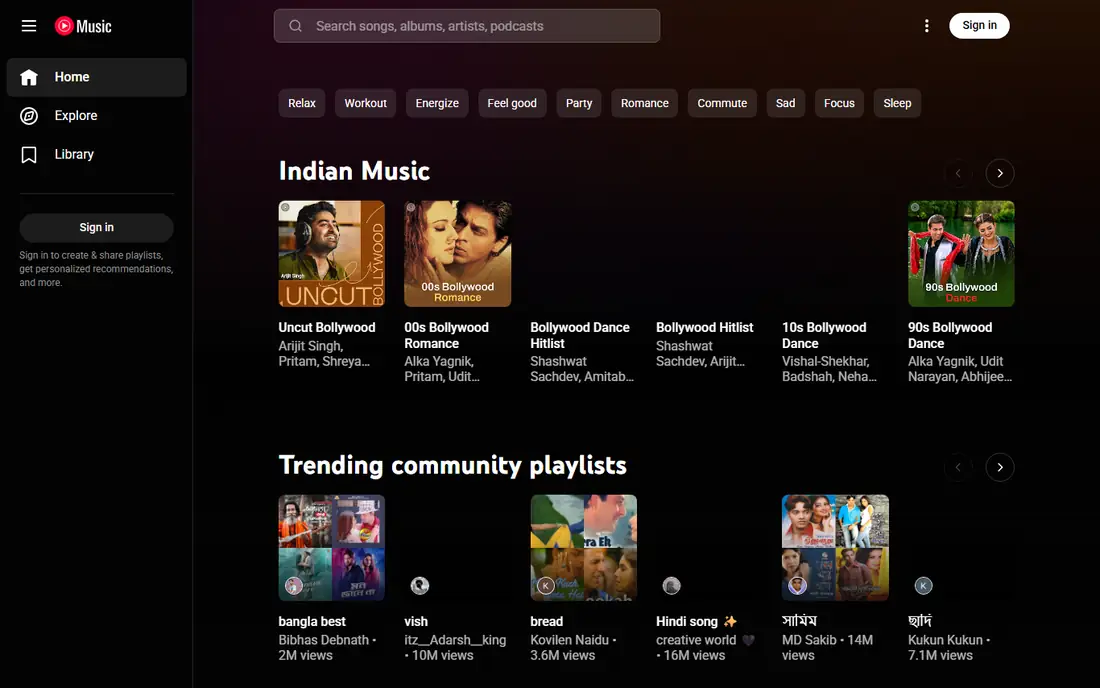
YouTube Music earns its place because its catalog goes beyond official studio albums. Live recordings, covers, remixes, and fan uploads sit next to the standard releases, which makes it the best download app for listeners with unusual taste. Premium at $11.99 per month adds offline downloads, background play, and ad-free listening, plus a smart downloads feature that refreshes a rotating offline playlist based on your history.
Audio quality is the weak point. Playback tops out around 256 kbps, so this is not the pick for critical listening on good headphones. The value argument comes from the bundle: YouTube Premium at $15.99 per month includes YouTube Music Premium along with ad-free video across YouTube. If you already pay for YouTube Premium, the music app costs nothing extra.
What we like- Covers, live versions, and remixes you will not find elsewhere
- Bundled with YouTube Premium
- Smart downloads for offline listening
Watch out for- No lossless tier
- Free tier blocks background play and offline downloads
Starting price$12.99 per month ($11.99 for Prime members)
Free planFree trial
Amazon Music Unlimited is the practical choice for households that already live inside Amazon's products. Ask Alexa to play an album and it starts on the nearest Echo, and downloads carry over to phones for offline listening away from home. Ultra HD audio up to 24-bit/192 kHz is included at no extra charge, which puts it ahead of Spotify on pure sound quality and level with Apple Music for most listeners.
Prime members pay $11.99 per month while everyone else pays $12.99, so the discount is modest but real. The app itself is the weak spot, with discovery and playlist tools that feel less polished than the leaders. A single-device plan for one Echo or Fire TV costs less, but it only makes sense if you never listen on your phone. For Prime households, though, the combination of price, quality, and Alexa control is hard to beat.
What we like- Ultra HD audio included
- Prime member discount
- Strong Alexa and Echo integration
Watch out for- App design lags behind Spotify and Apple Music
- Non-Prime price is the highest in this list
#5Tidal
Best for: Hi-Res sound and DJ tools4.6/5 on
G2 (73 reviews, checked Oct 2026)
Visit tidal.com
Starting price$11.99 per month
Free planFree trial
Tidal rebuilt its pricing in 2026 around a single $11.99 per month individual plan that includes Hi-Res FLAC audio and Dolby Atmos. Downloads for offline listening work across mobile and desktop, and the catalog runs past 110 million tracks. The service leans into a music-first presentation, with artist interviews, documentaries, and music videos alongside the standard library.
DJs get something extra here: Tidal integrates with supported DJ software and hardware, and a dedicated DJ plan at $19.99 per month exists for that use. The trade is breadth outside music. Podcast and audiobook support is thinner than Spotify, and there is no free tier to try before paying beyond the 30-day trial. For listeners who care most about sound quality and a clean music focus, Tidal is a strong pick at the same price as its rivals.
What we like- Hi-Res FLAC on every plan
- Dolby Atmos included
- DJ software integrations
Watch out for- No permanent free tier
- Smaller editorial and podcast offering than Spotify
Starting price$11.99 per month
Free planYes
Deezer's best feature is Flow, a personalized stream that mixes favorites with new suggestions and adjusts as your taste changes. Lyrics with translation help for international music, and the app supports downloads on Premium, Family, and Duo plans. The catalog holds more than 120 million tracks, and playlist transfer tools make switching from Spotify, Apple Music, or Tidal a quick job.
The US catch is the free tier, which is not available in the United States, so the entry point is the $11.99 per month Premium plan after a one-month trial. A Duo plan at $15.99 per month and a Family plan at $19.99 per month cover households. Deezer also runs an AI music detector that scans playlists for AI-generated tracks, a small but interesting touch for listeners who care about how their music is made.
What we like- Flow daily mixes adapt well to taste
- Translated lyrics
- Offline downloads on paid plans
Watch out for- No free tier in the US
- Smaller US presence means fewer local promotions
Starting price$12.99 per month
Free planFree trial
Qobuz is the only service on this list built equally around streaming and owning. Its download store sells albums and tracks in lossless CD and Hi-Res quality, and the files you buy are yours permanently in FLAC, ALAC, AIFF, or WAV. You do not need a subscription to buy from the store at all, which makes Qobuz the right choice for collectors who would rather pay per album than rent a library forever.
The Studio subscription at $12.99 per month adds streaming and offline listening, while Sublime at $14.99 per month billed annually adds discounts of up to 60 percent on Hi-Res purchases. Editorial content is another strength, with long-form articles, interviews, and reviews written by people who clearly know the music. The streaming catalog is smaller than Spotify or Apple Music, and the app looks plain next to its rivals, but for buyers who want files they keep, nothing else here matches it.
What we like- DRM-free download store
- Hi-Res up to 24-bit/192 kHz
- No subscription needed to buy files
Watch out for- Streaming catalog is smaller than the giants
- App design is plain
Starting priceFree
Free planYes
Bandcamp works differently from every other service here. Artists set their own prices, fans pay per album or track, and downloads come in formats from MP3 to FLAC with no copy protection. Many releases offer a "name your price" option, and entering zero at checkout gives you genuinely free downloads on those titles. The app lets you stream your purchases and download them for offline listening, and your collection stays accessible even if you never pay for a subscription, because there is no subscription.
The limitation is catalog. You will not find most major-label releases, so Bandcamp works best as a companion to a streaming service rather than a replacement. For independent, underground, and niche music, though, it is unmatched. Fans have paid artists more than $1.8 billion through the platform, and the direct connection between listener and artist is the point: your money reaches the people who made the music.
What we like- Most money goes to the artist
- DRM-free downloads in many formats
- Huge independent catalog
Watch out for- No mainstream major-label catalog
- No subscription streaming library
Starting priceFree
Free planYes
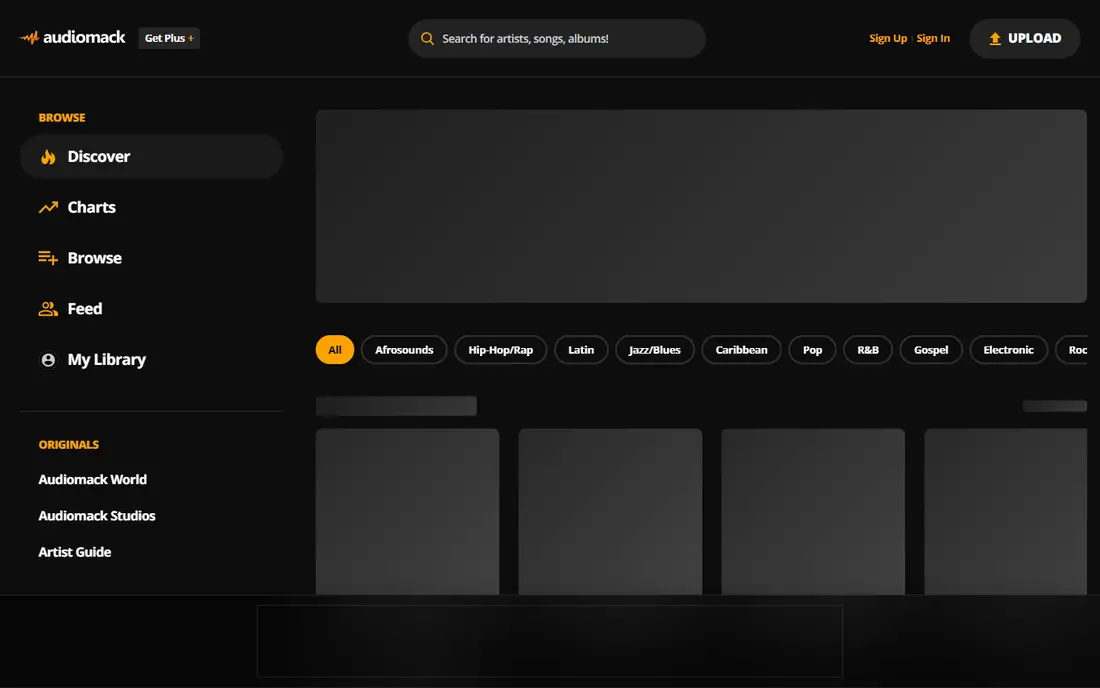
Audiomack is the best free download app for listeners who want offline music without a subscription. Many tracks and mixtapes can be downloaded directly in the app at no cost, supported by ads, and the catalog is especially strong in hip-hop, Afrobeats, R&B, and electronic music. A Premium option removes ads and adds higher-quality audio, with pricing shown in the app store listing at signup.
The app also plays local files, so MP3, WAV, M4A, and AAC tracks already on your phone sit next to streamed music in one library. That combination makes Audiomack a good second app even for paying subscribers elsewhere: use it for mixtapes, emerging artists, and free downloads, and keep a main service for the full mainstream catalog. Downloads stay inside the app, so they are not portable files like Bandcamp or Qobuz purchases, but for free offline listening the deal is hard to match.
What we like- Free downloads on many tracks
- Strong hip-hop, Afrobeats, and R&B catalog
- Local file playback built in
Watch out for- Mainstream catalog is thinner than the big services
- Premium price varies by app store listing
Starting priceFree
Free planYes
Freegal is the most overlooked option on this list, and for some listeners it is the best one. It is a music service offered through public libraries: sign up with a participating library card and you can download a set number of DRM-free MP3 files each week, yours to keep permanently. The catalog includes major-label releases alongside independent music, and there are no ads and no subscription fees.
The limits are real. Weekly download allowances vary by library, often around five tracks per week, so building a large library takes patience. Not every library participates, and streaming is limited compared with paid services. But the files are genuinely yours, playable in any app on any device, forever. If your library offers Freegal, it is the cheapest legal way to own music, and it pairs well with a free streaming app for discovery.
What we like- DRM-free MP3 files you keep forever
- No subscription or ads
- Major-label catalog included
Watch out for- Requires a participating library card
- Weekly download limits apply
How we chose
We started from the vendor's own pricing and download pages wherever they loaded, and from current October 2026 pricing comparisons where a page was blocked or thin. Each service had to offer a real, legal way to download music in the United States, either as offline copies inside the app or as files you own. We excluded stream rippers, YouTube converters, and pirate download tools, since those violate the services' terms and put your files and your device at risk. We also checked that each homepage loads and belongs to the product named, and we favored services with clear free tiers, honest pricing, and a catalog that fits a distinct kind of listener.
What to decide before you pay
Start with one question: do you want to rent or own? Subscription downloads are convenient and cheap per song, but they vanish when you stop paying. Owned files from Qobuz, Bandcamp, or Freegal cost more per album or take longer to collect, but they stay playable in any app for life. Most listeners end up with a mix: one subscription for everyday listening and discovery, plus a buy-to-own store for the albums they return to year after year.
Next, check your devices. Apple Music makes the most sense on iPhones, Amazon Music Unlimited on Echo speakers, and Spotify almost everywhere. Audio quality matters more than many buyers expect: if you listen on good wired headphones or a home system, the lossless tiers at Apple Music, Tidal, Deezer, Amazon, and Qobuz are worth the same monthly price as the compressed tiers elsewhere. If you mostly listen on a phone speaker or in the car, save your attention for catalog and price instead.
Finally, mind the free options before you pay anything. Audiomack covers a large share of hip-hop and Afrobeats listening at no cost, Freegal turns a library card into a permanent collection, and Bandcamp's free and name-your-price releases cover independent music well. Try the free tier of any paid service for a week with your own playlists downloaded, and check how much storage the downloads use: lossless files can take three to five times the space of standard quality tracks.
Frequently asked questions
Can I keep downloaded songs if I cancel my subscription?
No, not for subscription services. Downloads inside Apple Music, Spotify, YouTube Music, Amazon Music, Tidal, and Deezer are offline copies tied to an active subscription, and they stop playing when you cancel. Files bought from Qobuz, Bandcamp, or Freegal are different: those are yours permanently and keep playing in any music app.
What is the best free music download app?
Audiomack is the best free option for most people, since it lets you download many full tracks and mixtapes without paying. Freegal is the best free option if you want files you own, because its MP3 downloads have no copy protection and never expire. Bandcamp adds free and name-your-price releases from independent artists.
Is it legal to download music from these apps?
Yes, for everything listed here. Each service licenses its catalog from labels and rights holders, so downloads through the official app are legal. Apps that rip audio from YouTube videos or torrent sites are not legal, and they often carry malware or get removed from app stores.
Which app has the best sound quality for downloads?
Qobuz leads for owned files, with Hi-Res downloads up to 24-bit/192 kHz in FLAC. Among subscriptions, Apple Music, Tidal, Amazon Music Unlimited, and Deezer all include lossless or Hi-Res audio at their standard prices. YouTube Music and Audiomack top out lower, so they suit casual listening more than critical listening.
How much storage do music downloads use?
Standard quality tracks use roughly 5 to 10 MB per song, while lossless files can use 25 to 40 MB per song and Hi-Res files more again. A playlist of 500 songs might take 3 GB at standard quality or 15 GB and up in lossless. Most apps let you choose download quality in settings, which is worth setting before a trip.
Do downloads work without an internet connection?
Yes, once a track is downloaded inside the app it plays with no connection at all. Most subscription apps ask you to connect at least once every 30 days to confirm your subscription is still active. Owned files from Qobuz, Bandcamp, and Freegal have no such check and play offline indefinitely.
Sources we checked (12)
- https://www.apple.com/apple-music/
- https://www.spotify.com/
- https://music.youtube.com/
- https://music.amazon.com/
- https://tidal.com/
- https://www.deezer.com/
- https://www.qobuz.com/
- https://bandcamp.com/
- https://audiomack.com/
- https://freegalmusic.com/
- https://freesubscriptiontracker.org/blog/streaming-prices-2026
- https://www.documentarytube.com/blog/best-music-streaming-service-of-2026-apple-music-vs-spotify-qobuz-and-more/
Is your product missing or out of date?
We review this list regularly. Vendors can request a listing, send updated pricing or ask about featured placement.

Shihab Mia · Founder, Rankite
Shihab has 5+ years in B2B and SaaS SEO. He writes Rankite's software buying guides from pricing pages, documentation and public user reviews. More about Shihab.