How we make this list: we compare pricing pages, product documentation and public user reviews. Ratings come from G2, Capterra or Trustpilot, with the date we checked them.
Key takeaways
- GarageBand is the best free starting point for Apple users, with a full studio of instruments, loops and recording.
- BandLab is the best free cross-platform option, with a social community and a full studio in the browser and on mobile.
- FL Studio Mobile and Cubasis suit producers who want a serious mobile DAW that connects to desktop software.
- Ableton Note is the best sketchpad for Ableton Live users, turning phone ideas into Live projects.
- Start with a free app and learn arrangement before paying for sounds, plugins or a desktop DAW.
Quick comparison
Is your product missing or out of date?
We review this list regularly. Vendors can request a listing, send updated pricing or ask about featured placement.
The best music creation apps

#1GarageBand
Best for: Free Apple music studio4.3/5 on
G2 (277 reviews, checked Oct 2026)
Visit apple.com
Starting priceFree
Free planYes
GarageBand is the reason many musicians start producing. Free on iPhone, iPad and Mac, it offers software instruments, from pianos and guitars to synths and drums, plus a large loop library, multi-track recording and mixing. A beginner can build a finished-sounding track in an afternoon, while experienced users can record real instruments, use third-party plugins on Mac, and export projects to Logic Pro for further work.
The touch interface on iPad is particularly good: play keyboards, drum pads and guitars directly on screen, with smart instruments that keep beginners in key. On Mac, the full editor adds automation, flex time and a wider plugin range. Live Loops, inspired by Ableton's session view, let you trigger loops and build arrangements by feel.
The limit is platform: GarageBand runs only on Apple devices, and while projects export as audio or to Logic Pro, they do not open in FL Studio or Ableton directly. If you own Apple hardware, though, there is no better free starting point.
What we like- Completely free on Apple devices
- Huge instrument and loop library
- Easy recording and mixing
Watch out for- Apple only
- Projects do not open directly in non-Apple DAWs
Starting priceFree
Free planYes
BandLab is a free, cross-platform music studio with a social network built in. Its Studio works in a browser and on mobile, offering multi-track recording, loops, MIDI instruments, effects and mastering, all without paying. A library of royalty-free sounds covers most genres, and the community lets you share tracks, follow creators and collaborate on projects.
Collaboration is the standout: invite other musicians to a project, fork someone else's track with permission, and build on ideas together. For bands, classrooms and remote collaborators, that workflow beats emailing audio files back and forth. BandLab also offers a free mastering tool and distribution to streaming services through its wider platform.
Depth is the trade-off. Mixing and editing are capable but not as deep as a desktop DAW, and some premium sounds need a subscription. But as a free, everywhere studio with a community, BandLab is unmatched.
What we like- Free studio on web, iOS and Android
- Huge sound library
- Social community and collaboration
Watch out for- Mixing depth is less than a desktop DAW
- Some sounds need a subscription
Starting priceSee website
Free planNo
FL Studio Mobile brings the desktop DAW's workflow to phones and tablets. It includes a step sequencer, piano roll, mixer, effects and a large library of instruments and drum kits, so you can build complete beats and songs on the go. The interface will feel familiar to FL Studio users, with channel racks, patterns and a playlist for arranging.
The key advantage is continuity: projects started on mobile open in desktop FL Studio, where you can finish them with the full plugin range. That makes FL Studio Mobile a genuine sketchpad for producers, not a toy. High-quality instruments and effects are included, and in-app purchases add more sound packs.
The app is paid, with prices varying by platform, and the interface is dense on a phone screen, so a tablet is a better fit for long sessions. For beat makers who already use FL Studio, or want to, it is the most complete mobile DAW on Android and iOS.
What we like- Full step sequencer and piano roll
- Huge instrument library
- Projects transfer to desktop FL Studio
Watch out for- Paid app
- Interface is dense on small phones
Starting priceSee website
Free planNo
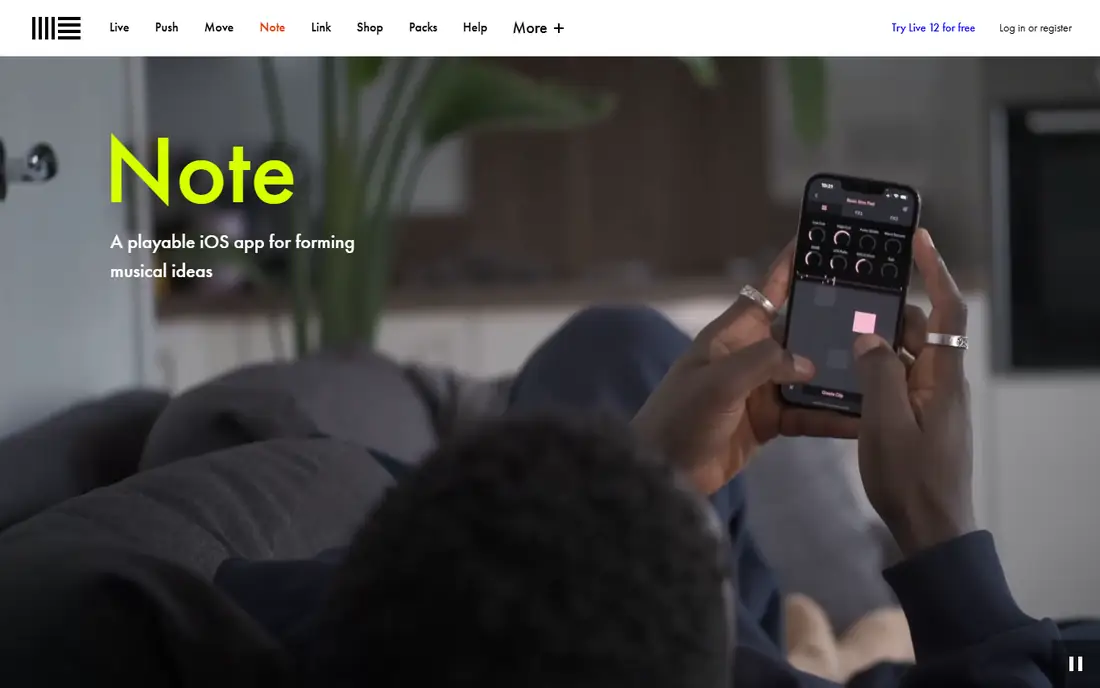
Ableton Note is a sketchpad, not a full studio, and that focus is its strength. Open it, tap in a beat, play a bass line, add a melody, and you have an idea captured in minutes. The interface is minimal and fast, with 56 drum kits, melodic instruments and effects that sound good without tweaking.
The real value appears when you send the idea to Ableton Live: the project transfers with all tracks, instruments and automation intact, ready to finish on desktop. That round trip is smooth for Live users and makes Note the best capture tool for that ecosystem. It also works standalone for simple loops and exports audio for other DAWs.
Note is a paid app and is not a replacement for a DAW: arrangement, mixing and recording are limited. But if you use Ableton Live and want to capture ideas anywhere, Note is the fastest way to get a phone idea into a finished track.
What we like- Fast idea capture
- Sends projects directly to Ableton Live
- Excellent built-in instruments
Watch out for- Not a full DAW
- Only useful if you use Ableton Live
Starting priceSee website
Free planNo
Cubasis, from Steinberg, is the closest thing to a desktop DAW on an iPad. It offers unlimited audio and MIDI tracks on its full version, a mixer with effects, piano roll and audio editing, and support for AUv3 plugins, which brings third-party instruments and effects into the app. Recording with an audio interface turns an iPad into a portable studio.
The workflow mirrors Cubase, so desktop Cubase users feel at home, and projects can move between Cubasis and Cubase. The interface is precise and professional, with automation, time-stretching and a capable sampler. For singer-songwriters and producers who record real instruments on iPad, Cubasis is the most capable option.
It is iOS only and paid, with extra instruments available as in-app purchases. Android users should look at FL Studio Mobile or BandLab instead. But for iPad music-making at a serious level, Cubasis leads the field.
What we like- Full DAW on iPad
- Unlimited tracks on higher tiers
- Excellent audio and MIDI editing
Watch out for- IOS only
- Paid app with in-app purchases

#6Soundtrap
Best for: Collaborative browser studio3.7/5 on
G2 (17 reviews, checked Oct 2026)
Visit soundtrap.com
Starting priceFree
Free planYes
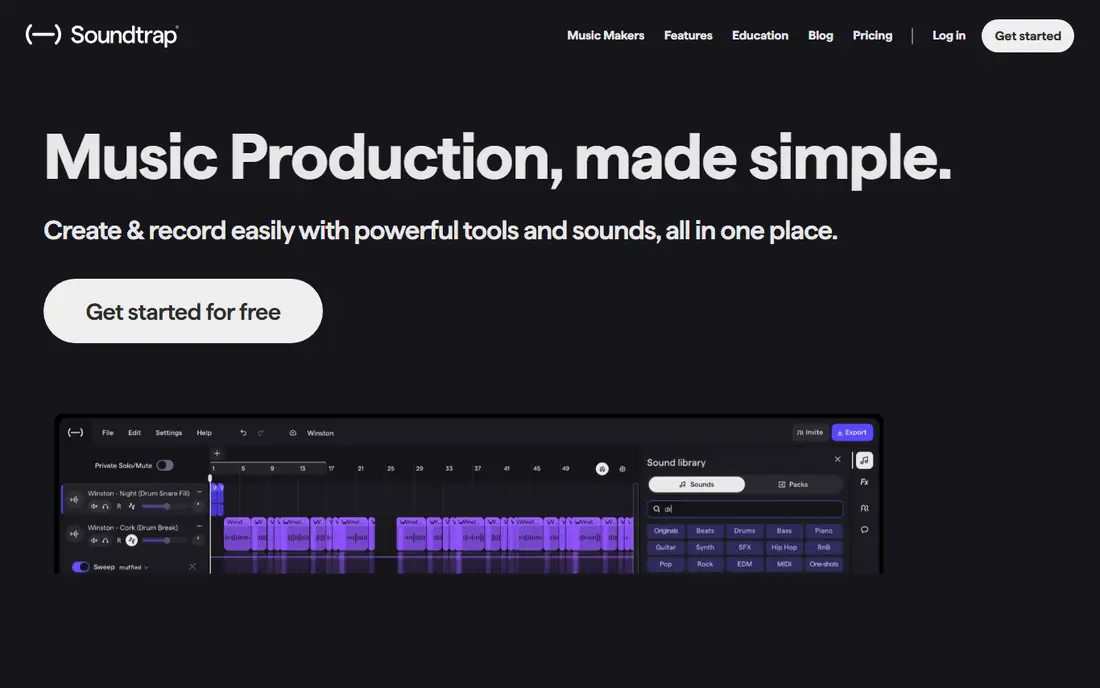
Soundtrap, owned by Spotify, is a browser-based studio that runs on Chromebooks, laptops and tablets without installing anything. Multiple people can work on the same project in real time, which makes it popular in schools and for remote collaboration. Loops, software instruments, recording and effects cover the basics of song-making.
The free tier includes a limited number of projects and sounds, which is enough to learn the app and finish a few tracks. Paid plans add more projects, premium sounds and advanced features. Because it runs in a browser, Soundtrap works on devices that cannot run a desktop DAW, including school Chromebooks.
An internet connection is required, and the free tier's limits will push active users toward a paid plan. But for classroom use, quick collaboration or a first taste of music-making on any device, Soundtrap is the easiest start.
What we like- Works in a browser, no install
- Real-time collaboration
- Good for education
Watch out for- Free tier limits projects and sounds
- Needs an internet connection
Starting priceFree
Free planYes
Groovepad is the simplest beat maker in this list, and its simplicity is the point. A grid of pads triggers loops, drums and effects, so anyone can build a beat in minutes by tapping along. Sound packs cover hip-hop, EDM, trap, house and more, and the app includes effects like filters and delay for live performance.
The free tier includes a solid set of packs, with more available as purchases. Sharing to social platforms is built in, which suits creators making short clips. Groovepad is less a songwriting tool and more a beat toy, but it is an excellent way to learn rhythm and arrangement without theory.
For a full song with verses, choruses and recorded vocals, move to BandLab or GarageBand. For quick, fun beats and social clips, Groovepad is the fastest route from nothing to something that sounds good.
What we like- Very easy beat making with pads
- Large sound packs
- Fun and immediate
Watch out for- Limited depth for full songs
- Some packs need payment
Starting priceFree
Free planYes
Music Maker Jam is built for complete beginners who want to make music without learning an instrument or a DAW. Pick a style, add loops for drums, bass, melody and vocals, adjust the mix with sliders, and you have a track. Thousands of studio-quality loops cover pop, rock, hip-hop, EDM and more, and the app guides you through arrangement.
The free version includes a good set of loops, with more styles available as purchases. Sharing to social media and the app's community is built in, and the learning curve is almost flat: most users make their first track in minutes.
Depth is limited: you cannot record detailed MIDI performances or edit audio deeply, and serious producers will outgrow it quickly. But as a first step into music-making, especially for younger users, Music Maker Jam is welcoming and fun.
What we like- Very beginner-friendly
- Thousands of loops
- Easy mixing and sharing
Watch out for- Loop-based only, no deep editing
- Some styles need paid packs
How we chose
We compared apps on ease of use, instrument and loop quality, recording and mixing depth, collaboration, platform support and price. Prices were checked against vendor sites, and where prices vary by platform we say so rather than quoting a single figure. We also read public user reviews to confirm which apps beginners actually stick with and which ones producers use for finished work.
Learning to make music, not just loops
Loops are a great start, but the step to original music comes from learning arrangement: how a track builds, where the chorus lands, and how sounds fit together. Free apps like GarageBand and BandLab let you record your own melodies and chords alongside loops, which is the bridge from remixing to writing. Spend time on one app, finish five tracks, and your ear will improve faster than by collecting new sound packs.
Finish tracks, not just ideas
Most beginners have dozens of eight-bar loops and no finished songs. Set a simple rule: every idea gets an intro, a verse, a chorus and an ending, even if it is rough. Finishing teaches arrangement, mixing and decision-making, which are the skills that separate a hobby from a craft. Share finished tracks, get feedback, and start the next one.
Frequently asked questions
What is the best free music creation app?
GarageBand is the best free app for Apple users, and BandLab is the best free cross-platform option, working on web, iOS and Android. Both offer full multi-track studios at no cost.
Can I make professional music on a phone?
Yes, for many genres. Apps like FL Studio Mobile and Cubasis support full production, and many producers sketch on mobile before finishing on desktop. Recording quality depends on your microphone and interface, but the software is capable.
Do I need music theory to use these apps?
No. Loop-based apps like Groovepad and Music Maker Jam need no theory, and smart instruments in GarageBand keep you in key. Learning basic chords and scales helps as you progress, but it is not required to start.
Which app is best for making beats?
FL Studio Mobile is the best mobile beat maker for serious producers, thanks to its step sequencer and piano roll. Groovepad is the quickest fun option, and BandLab offers a free beat-making studio on any device.
Can I collaborate with other musicians in these apps?
Yes. BandLab and Soundtrap both support real-time collaboration on shared projects, and BandLab's community lets you fork and build on other creators' tracks. GarageBand and FL Studio Mobile projects can be shared as files for collaboration.
Is Ableton Note worth it if I do not use Ableton Live?
Less so. Note's main value is sending ideas directly into Live projects. Without Live, you can still export audio, but apps like GarageBand or BandLab offer more complete studios for the same purpose.
Sources we checked (8)
- https://www.apple.com/mac/garageband/
- https://www.bandlab.com
- https://www.image-line.com/fl-studio-mobile/
- https://www.ableton.com/en/note/
- https://www.steinberg.net/cubasis/
- https://www.soundtrap.com
- https://groovepad.com
- https://www.musicmakerjam.com
Is your product missing or out of date?
We review this list regularly. Vendors can request a listing, send updated pricing or ask about featured placement.

Shihab Mia · Founder, Rankite
Shihab has 5+ years in B2B and SaaS SEO. He writes Rankite's software buying guides from pricing pages, documentation and public user reviews. More about Shihab.
 BandLab
 FL Studio Mobile
 Ableton Note
 Cubasis
 Groovepad
 Music Maker Jam