How we make this list: we compare pricing pages, product documentation and public user reviews. Ratings come from G2, Capterra or Trustpilot, with the date we checked them.
Direct answer
BriefCatch is the best legal writing software for law firms that file briefs and memos from Microsoft Word, because it edits legal prose and checks citations in the draft. PerfectIt is the better low-cost alternative for firms that mainly need consistency and house style checks at $115 per user per year.
Key takeaways
- Litigation teams that file from Word should start with BriefCatch; its pricing page offers a 7-day trial with no credit card and RealityCheck citation analysis.
- Small firms with one house style should price PerfectIt first; Professional is $115 per user per year and the free trial runs 14 days.
- Solo litigators who want research plus drafting can test Paxton AI; Individual is $499 per user per month or $2,999 per user per year.
- Contract-heavy teams should look at Spellbook before brief tools; it works in Word, offers a 7-day trial, and uses custom team pricing.
- Firms already on Westlaw should compare CoCounsel Legal; Thomson Reuters lists CoCounsel Legal starting at $551.85 per month on its small firm page.
Quick comparison
| Tool | Best for | Starting price | Free plan |
|---|
 BriefCatch | Brief and memo editing in Word | See website | 7-day free trial, no credit card |
 PerfectIt | Consistency and house style checks | Professional $115 per user per year | 14-day free trial |
 Paxton AI | Litigation research and drafting | Individual $499 per user per month or $2,999 per user per year | 7-day free trial |
 Spellbook | Contract language in Word | See website | 7-day free trial |
 CoCounsel Legal | Westlaw firms that draft and research | Starting at $551.85 per month | None found on vendor page |
 Lexis+ with Protégé | LexisNexis firms that draft with research | See website | None found on vendor page |
 Harvey | Larger teams that want legal AI agents | See website | None found on vendor page |
 Definely | Complex contract structure checks | See website | None found on vendor page |
 Litera Draft | Firm templates and precedent drafting | See website | None found on vendor page |
 Clearbrief | Citation checks against law and facts | Solo $300 per user per month | None found on vendor page |
Is your product missing or out of date?
We review this list regularly. Vendors can request a listing, send updated pricing or ask about featured placement.
The best best legal writing software for law firms
The best legal writing software for law firms helps lawyers revise briefs, memos, letters, and client documents after research is done. That job differs from contract drafting and legal research. A writing tool should improve clarity, keep terms consistent, apply house style, and flag citation problems before a partner or court sees the draft. Most firms here work in Microsoft Word, so Word access matters. Price matters too, because some tools publish a seat price and others require a quote. This list separates editing checks from AI drafting help.
Starting priceSee website
Free plan7-day free trial, no credit card
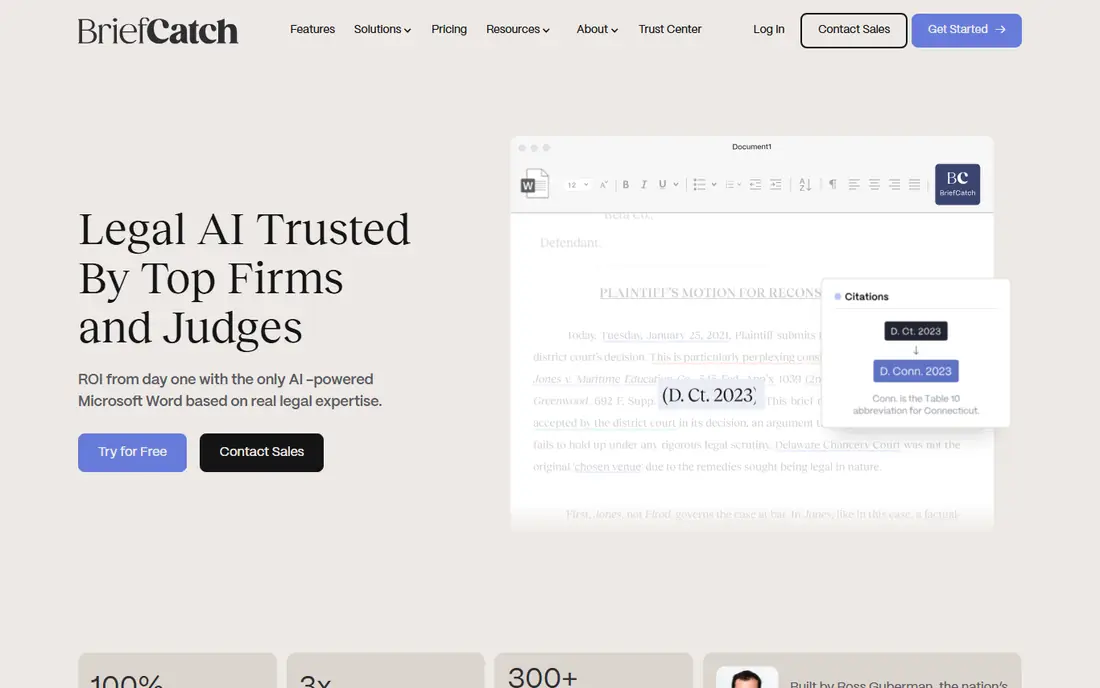
BriefCatch fits litigation teams that write briefs, motions, and memos in Microsoft Word and want a final edit before filing. The vendor pricing page says BriefCatch works on Word documents, through an online portal, and in Word and Outlook integrations, with Word files also supported from Google Drive and OneDrive. Its RealityCheck feature is built to catch fabricated or unsupported citations before they reach a filing. That makes BriefCatch narrower than a research platform, but closer to the last writing pass. Firms that only need grammar help for general business writing should not buy it, because the value is legal prose, citation checks, and filing discipline.
The catch is that the pricing page text opened for this guide did not show dollar amounts, so the price is listed as See website. Included monthly AI credits reset each month and do not roll over. A firm with heavy filing months should ask how many RealityCheck runs its allotment covers. Higher tiers add the Outlook add-in, single sign-on, SCIM provisioning, premium integrations, and dedicated support.
What we like- Edits legal prose inside Word and through a web portal
- RealityCheck checks citations before filing
- SOC 2 Type II and no training on customer documents
Watch out for- Monthly AI credits reset and do not roll over
- Outlook add-in sits in higher tiers
Starting priceProfessional $115 per user per year
Free plan14-day free trial
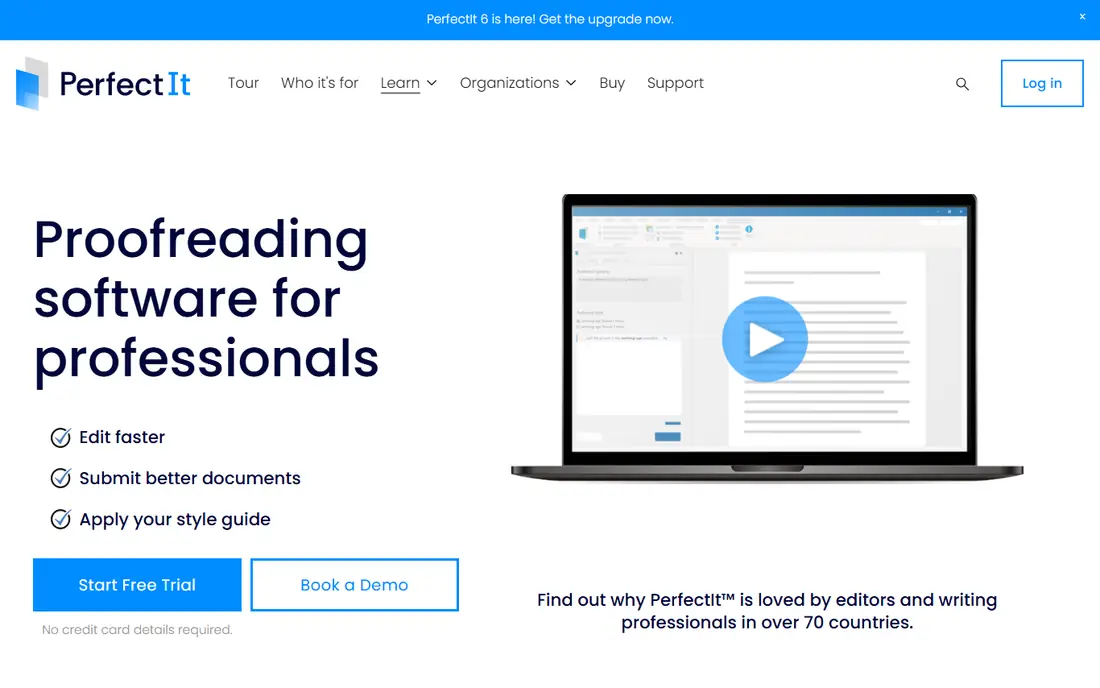
PerfectIt fits firms that need clean, consistent documents more than new sentences. The vendor describes PerfectIt as a Word add-in that checks consistency and house style across the whole document, flags each location, and leaves the decision to the lawyer. It checks capitalization, hyphenation, spelling variants, numbers in sentences, tables, figures, acronym definitions, and custom house style preferences. That is useful for briefs and memos written by several lawyers, where one section says "e-mail" and another says "email." Firms that want sentence rewrites, legal research, or citation verification should not buy PerfectIt as their only writing tool.
The catch is that PerfectIt does not check grammar and does not write or rewrite text. Checking against The Chicago Manual of Style needs a separate CMOS Online subscription. Professional is Word only, while Elite adds PowerPoint. PerfectIt for Windows works offline and never sends documents anywhere. The 14-day trial gives full access with an email address, so a firm can test it on a real brief.
What we like- Checks consistency across the whole document
- Applies house style and acronym rules
- Windows edition works offline
Watch out for- Does not check grammar or rewrite text
- Chicago Manual checking needs a separate subscription
Starting priceIndividual $499 per user per month or $2,999 per user per year
Free plan7-day free trial
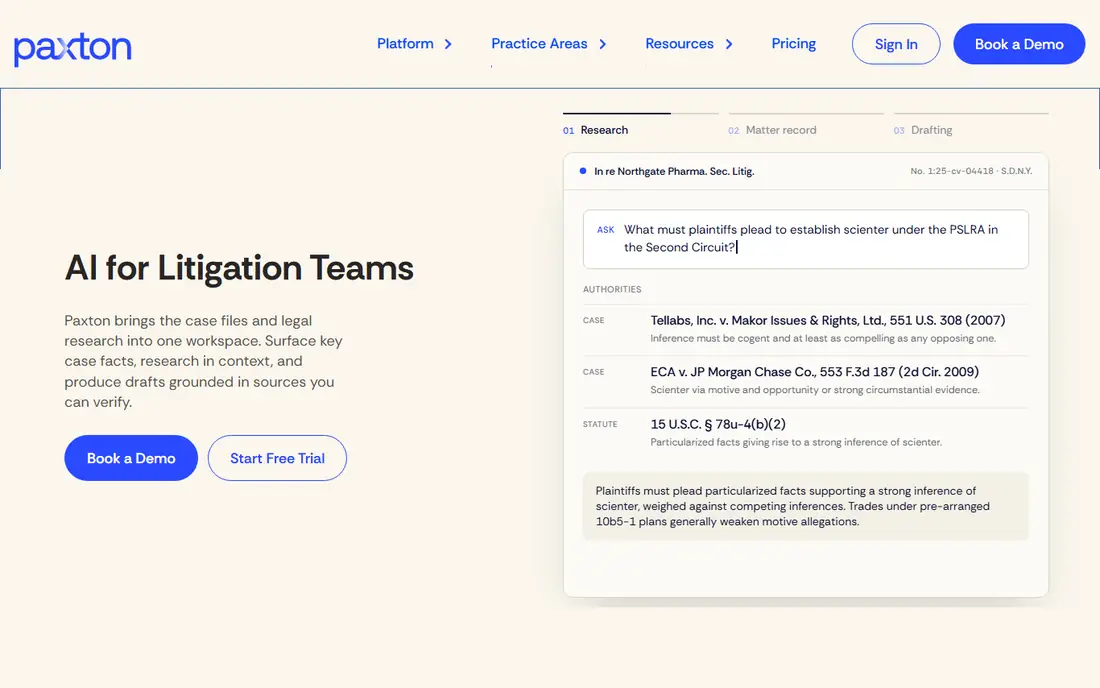
Paxton AI fits solo litigators and small litigation teams that want research, matter facts, and drafting in one workspace. The vendor pricing page lists Individual at $499 per user per month or $2,999 per user per year, with a 7-day free trial. Paxton says it can draft motions, briefs, discovery responses, and deposition outlines grounded in the record and relevant law. It also lists research across legal sources, case facts and tables, timelines, and evidence summaries. Firms that only need a final consistency pass should not buy Paxton, because they would pay for a litigation workspace to solve a smaller editing problem.
The catch is that Individual is not the full firm rollout. Paxton lists Word and Outlook plugins, iManage and NetDocuments connectors, tailored implementation, enterprise security review, and priority support under Enterprise, which uses custom pricing. The pricing page also states SOC 2, ISO 27001, and HIPAA compliance and no training on customer data. Firms that need plugins and connectors should budget for Enterprise.
What we like- Drafts motions, briefs, and discovery responses
- Research is grounded in legal sources
- Data never trains AI models
Watch out for- Word and Outlook plugins are Enterprise features
- Individual annual price is $2,999 per user per year
Starting priceSee website
Free plan7-day free trial
Spellbook fits law firms whose writing problem is contract language rather than court briefs. The vendor says Spellbook reviews, redlines, and drafts directly in Microsoft Word, with playbook-driven contract review, multi-document review, market comparison, and precedent-based drafting. It also says teams can save custom playbooks with review instructions, preferred language, and internal standards. That makes Spellbook a writing tool for agreements, clauses, and negotiation comments. Litigation teams that mainly write motions and memos should not buy Spellbook first, because its center is contract review and drafting, not research-backed brief writing.
The catch is that Spellbook does not publish a fixed seat price on the vendor page opened for this guide. Pricing is custom based on licensed team members, and the page offers a 7-day free trial. Spellbook highlights SOC 2 Type II compliance, encryption in transit and at rest, and zero data retention agreements with model providers. Ask for seat price, minimum term, and playbook setup cost in writing.
What we like- Reviews and redlines contracts in Word
- Uses playbooks and preferred language
- Drafts from approved precedents
Watch out for- Custom pricing by team size
- Built for contract work, not brief research
Starting priceStarting at $551.85 per month
Free planNone found on vendor page
CoCounsel Legal fits firms that already use Westlaw and want research, drafting, and document analysis in one Thomson Reuters system. The vendor features page describes legal drafting in Microsoft Word, with CoCounsel Legal reading complaints, exhibits, agreements, and precedents to pull facts and defined terms, redline against a standard, and cite controlling authority. It also describes Westlaw Brief Builder for litigation briefs from issue framing to argument structure. Firms that do not use Westlaw or Practical Law should not buy CoCounsel Legal for writing edits alone, because much of the value comes from that content base.
The catch is that the starting price needs segment checks. Thomson Reuters lists CoCounsel Legal starting at $551.85 per month on its small firm page, while its in-house page lists a different starting figure. The small firm page does not state a per-user unit in the text opened here. Confirm seats, coverage, term, and whether Westlaw Advantage and Practical Law guidance are included.
What we like- Drafts in Word from matter documents
- Grounded in Westlaw and Practical Law
- Westlaw Brief Builder supports litigation briefs
Watch out for- Starting price varies by firm segment and bundle
- Value depends on Westlaw and Practical Law content
Starting priceSee website
Free planNone found on vendor page
Lexis+ with Protégé fits firms that use LexisNexis research and want AI drafting beside that content. LexisNexis says Lexis+ with Protégé replaced Lexis+ AI and brings legal content, firm knowledge, Shepard's citation intelligence, analytics, news, dockets, and AI into one prompt box. The vendor release also describes native Microsoft Word drafting that preserves styles, numbering, footnotes, tables of contents and authorities, comments, tracked changes, and document comparison. Firms that do not subscribe to LexisNexis content should not buy it as a standalone editor, because the drafting value is tied to that research base.
The catch is that the name and buying path changed. LexisNexis pages state that Lexis+ with Protégé was formerly Lexis+ AI, so older training material may use the former name. The Lexis+ UK product page uses a quote path rather than a public price. Ask which Lexis+ subscription, document connections, and workflow features are included before treating Protégé as a writing purchase.
What we like- Drafting sits with LexisNexis research content
- Shepard's tools support citation checks
- Word drafting keeps styles and tracked changes
Watch out for- No public price on vendor pages checked
- Value depends on LexisNexis content and connected firm knowledge
Starting priceSee website
Free planNone found on vendor page
Harvey fits firms that want a legal AI platform for drafting, review, diligence, and research across many matters. The vendor mid-sized firm page says Harvey takes on first-pass document review, due diligence, drafting, and legal research, and that it works inside Microsoft Word and Outlook. Harvey also describes agents that plan work, use sources, and return cited output for lawyer review. That scope can help a firm with repeatable workflows and many documents. A solo lawyer who only needs help tightening a memo should not buy Harvey, because the purchase is a platform decision with onboarding and security review.
The catch is that Harvey sells through a demo path on the vendor pages checked, with no public price and no free trial stated. The mid-sized firm page says Harvey suits boutique, specialty, and mid-sized firms of roughly 15 to 150 lawyers. It also lists SOC 2 Type II, ISO 27001, ISO 27701, ISO 42001, AIUC-1, GDPR, and CCPA controls. Ask for seat minimums and term length.
What we like- Agents return cited, review-ready output
- Works in Word and Outlook
- Security includes SOC 2 Type II and ISO 27001
Watch out for- Demo-led buying with no public price
- Broader platform than brief editing alone
Starting priceSee website
Free planNone found on vendor page
Definely fits firms that write long contracts where defined terms, cross-references, schedules, and precedent language must stay consistent. The vendor homepage says Definely brings the meaning of a definition to the clause on screen, catches errors such as a stray capital letter or a broken cross-reference, compares a draft against the firm standard, and adds accepted suggestions as tracked changes. It also connects to a document management system so lawyers can search precedent and insert clauses with formatting and definitions. Litigation teams that mainly need brief prose edits should not buy Definely first.
The catch is that Definely is a review suite for complex contracts, not a general writing assistant for every legal document. The vendor site routes buyers to book a demo and does not publish a price on the homepage opened here. Definely states that customer data is never used to train AI models and lists ISO 27001, ISO 42001, and SOC 2 Type 2 certifications.
What we like- Checks defined terms and cross-references
- Compares drafts against firm standards
- Accepted suggestions become tracked changes
Watch out for- Demo-only pricing on vendor site
- Contract structure focus, not general brief prose
Starting priceSee website
Free planNone found on vendor page
Litera Draft fits firms that want writing quality to start with approved templates, precedent language, and document rules. The vendor Draft page says lawyers can build from approved templates and curated content, search for approved clauses and definitions from the document management system, and automate numbering, styling, cross-references, tables of contents, and tables of authorities. It also lists work across Microsoft 365, Google Workspace, iManage, NetDocuments, SharePoint, web browser, mobile, and desktop. Firms with no template library and no precedent cleanup plan should not buy Litera Draft expecting instant writing gains.
The catch is that Litera Draft rewards firms that maintain their content. Templates need placeholders, conditional logic, and firm styles. Precedent search works best when approved clauses and definitions are curated and stored where lawyers can find them. The product page opened here does not publish a price. Ask which package includes templates, precedent, numbering, bulk actions, and the Lito agent.
What we like- Starts drafts from approved templates
- Finds precedent clauses from the DMS
- Automates numbering, styling, and tables
Watch out for- No price on product page checked
- Template value depends on curated firm content
Starting priceSolo $300 per user per month
Free planNone found on vendor page
Clearbrief fits litigation teams that need to verify every citation in a brief before filing. The vendor homepage says Clearbrief checks citations to both law and facts, hyperlinks briefs and motions for the court, builds tables of authorities and exhibits, and creates timelines, fact sections, and summaries with clickable cites. It runs as a Microsoft Word task pane and links cited law through LexisNexis for mutual subscribers or Fastcase vLex with no subscription needed. Firms that need help writing clearer sentences should not buy Clearbrief as their only writing tool, because its strength is verification.
The catch is that Clearbrief is priced for regular litigation use. The vendor homepage lists Solo at $300 per user per month and Enterprise Unlimited as custom with volume discounts. At the Solo monthly rate, one user costs $3,600 over 12 months before any multi-year discount. Test it on a brief with record cites, exhibit cites, and case cites before buying.
What we like- Checks citations to law and facts
- Builds tables of authorities and exhibits
- Creates hyperlinked filings from Word
Watch out for- Cite-checking focus does not rewrite weak prose
- Law display depends on LexisNexis or Fastcase vLex route
Should a law firm buy editing checks or AI drafting first?
A law firm should buy editing checks first when lawyers already produce sound drafts and the pain is consistency, citations, and partner rewrite time. Editing checks are narrower and easier to test. PerfectIt costs $115 per user per year for Professional, so 10 users cost $1,150 per year before tax. BriefCatch adds legal prose editing and RealityCheck citation analysis, but the firm must confirm seat pricing and credit limits. AI drafting helps more when the firm needs first drafts, research memos, or matter summaries. Paxton AI Individual costs $2,999 per user per year on annual billing, so five users cost $14,995 per year. Clearbrief Solo costs $300 per user per month, so three users cost $900 per month at the listed monthly rate. If partners rewrite for style and citation errors, buy checks. If associates spend hours building first drafts, test AI drafting. That keeps broad editing coverage cheap while reserving AI drafting seats for heavy writers.
BriefCatch, PerfectIt, Spellbook, CoCounsel Legal, Lexis+ with Protégé, Harvey, Definely, Litera Draft, and Clearbrief all describe Word work in vendor material. BriefCatch works on Word documents and through a portal. PerfectIt runs as a Word add-in. Spellbook reviews and drafts in Word. CoCounsel Legal drafts in Word from matter documents. Harvey works in Word and Outlook. Definely was built for Word. Clearbrief runs as a Word task pane. Paxton AI lists Word and Outlook plugins under Enterprise.
How much should a small firm budget per lawyer?
A small firm should budget from published seat prices first and treat quote-only tools as a separate approval. PerfectIt Professional is $115 per user per year. Paxton AI Individual is $499 per user per month or $2,999 per user per year. Clearbrief Solo is $300 per user per month. CoCounsel Legal starts at $551.85 per month on the Thomson Reuters small firm page, but the unit and bundle need confirmation. Ask quote-only vendors for seat price, minimum seats, term, setup fees, and renewal terms.
Can legal writing software check citations and defined terms?
Yes, but the checks differ by tool. BriefCatch RealityCheck is built to catch fabricated or unsupported citations before filing. Clearbrief checks citations to law and facts and links them to sources in Word. PerfectIt checks acronym definitions and consistency. Definely focuses on defined terms, cross-references, numbering, and contract structure. Litera Draft automates numbering, styling, cross-references, and tables. Test the exact failure you fear, such as a wrong pincite or a defined term used two ways.
Frequently asked questions
Is BriefCatch worth it for a small litigation firm?
Yes, if the firm files briefs and memos from Word and partner time goes to prose edits and citation checks. BriefCatch offers a 7-day trial with no credit card. Test RealityCheck on a real draft, then ask for seat price and monthly credit limits before the trial ends.
Does PerfectIt fix grammar in a brief?
No. PerfectIt checks consistency and house style, and the vendor states that it does not check grammar or rewrite text. It helps when a brief has mixed spellings, acronyms defined twice, uneven capitalization, or house style drift. Pair it with a grammar tool or human edit for sentence-level grammar.
Can I use Spellbook for motions and memos?
Spellbook is a weak first choice for motions and memos because the vendor positions it for contract work in Word. It can draft and review contract language, apply playbooks, and use precedents. Litigation teams should test BriefCatch, Paxton AI, CoCounsel Legal, Lexis+ with Protégé, or Clearbrief first.
Do I need Westlaw or LexisNexis to use CoCounsel Legal or Lexis+ with Protégé?
Treat both as content-linked platforms rather than standalone editors. CoCounsel Legal draws on Westlaw and Practical Law content and firm knowledge. Lexis+ with Protégé draws on LexisNexis content, Shepard's citation intelligence, and connected firm knowledge. Ask which subscription, coverage, and document connections are required.
What should I test during a free trial?
Test one real document with the failure you want to prevent. Use a brief with record cites for BriefCatch or Clearbrief, a multi-author memo for PerfectIt, a live agreement for Spellbook or Definely, and a matter file for Paxton AI. Record errors found, false flags, and accepted fixes.
What to look for before you buy
First, name the document type, because briefs, memos, contracts, and client letters need different checks. Second, confirm where the tool works, since Word access, Outlook access, portal access, and document connectors change daily use. Third, price the full seat cost, including minimum seats, term, setup, credit limits, and renewal terms. Fourth, check data handling, including encryption, training use, retention, and certifications. Fifth, run one trial on a real document before you sign.
How we chose
We compared vendor pricing pages, product pages, feature pages, and vendor releases checked on 2026-11-29. Prices were copied only when a vendor page showed a plan name, amount, and unit. Tools without a readable public price were listed as See website. We favored tools that help law firms write or revise briefs, memos, contracts, and client documents. We did not run the tools on client matters.
Sources we checked (12)
- https://www.briefcatch.com/pricing
- https://www.perfectit.com/blog/perfectit-vs-grammarly-pro
- https://paxton.ai/pricing
- https://spellbook.com/in-house-review
- https://legal.thomsonreuters.com/en/c/legal-ai-that-helps-small-firms-produce-big-results
- https://legal.thomsonreuters.com/en/products/cocounsel-legal/corp/features
- https://www.lexisnexis.co.uk/products/lexis-plus
- https://www.globenewswire.com/news-release/2026/10/27/3388928/0/en/as-lawyers-face-ai-switching-overload-lexis-with-prot%C3%A9g%C3%A9-redefines-integrated-verified-legal-work-in-a-single-prompt-box.html
- https://www.harvey.ai/solutions/mid-sized-firms
- https://www.definely.com/en-gb
- https://www.litera.com/capabilities/draft
- https://clearbrief.com/
Is your product missing or out of date?
We review this list regularly. Vendors can request a listing, send updated pricing or ask about featured placement.

Shihab Mia · Founder, Rankite
Shihab has 5+ years in B2B and SaaS SEO. He writes Rankite's software buying guides from pricing pages, documentation and public user reviews. More about Shihab.