How we make this list: we compare pricing pages, product documentation and public user reviews. Rankite is independent; if a vendor ever pays for a featured spot, that listing is clearly labeled Partner.
Key takeaways
- BarTender is the enterprise standard for barcode labeling, with a $327 one-time license and deep database and automation features. Free trial available.
- If you already own the printer, use its software first: ZebraDesigner, DYMO Connect and Brother P-touch Editor are all free and tuned to their hardware.
- CODESOFT ($492 one-time) and NiceLabel (quote-based) serve regulated and high-volume environments where label accuracy is audited.
- LabelJoy at $39 one-time is the cheapest capable barcode designer for small businesses that outgrow free tools.
- Avery Design & Print and Maestro Label Designer are free web tools for sheet labels on standard office printers, the best label maker software options for light office use.
Quick comparison
Is your product missing or out of date?
We review this list regularly. Vendors can request a listing, send updated pricing or ask about featured placement.
The best label printing software
Starting price$327 one-time
Free planNo (free trial)
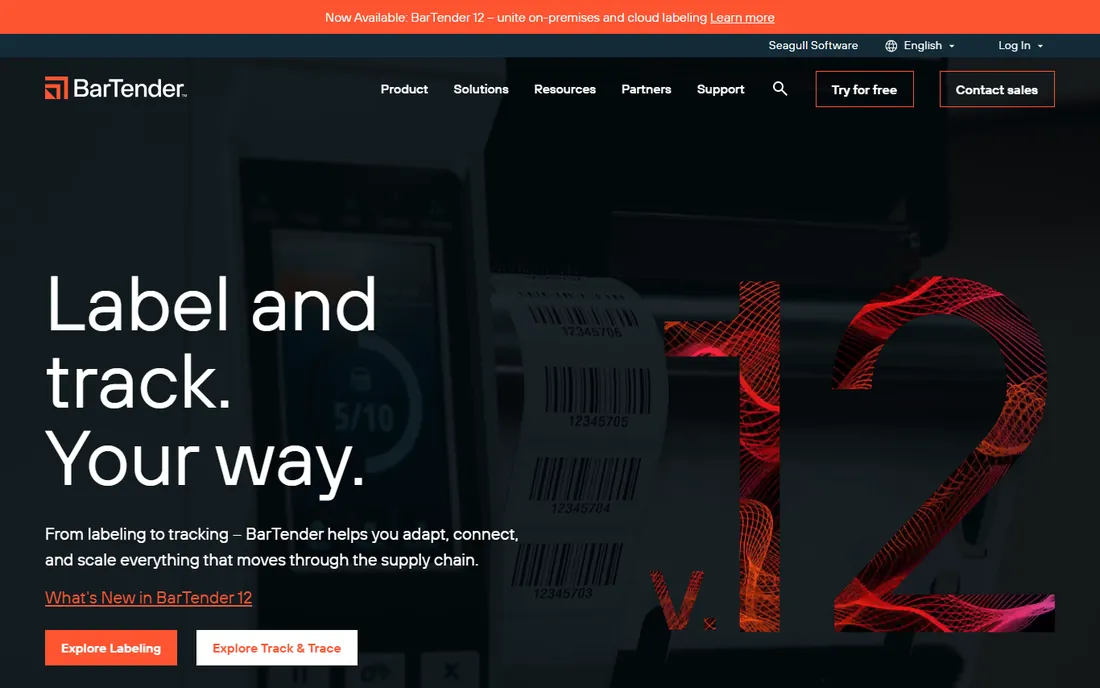
BarTender has been the default answer for serious barcode labeling for decades, and it still is. It connects to just about any data source (Excel, SQL databases, SAP, Oracle), drives thousands of printer models through Seagull's own drivers, and handles serialization, RFID encoding and regulatory label formats that free tools cannot touch. The $327 one-time license covers the base edition; automation and enterprise tiers that add centralized print management and web printing cost more and scale with printer counts.
That scaling is the thing to model. Enterprise deployments license per printer, and the numbers climb fast past dozens of devices. For a single workstation printing shipping labels, BarTender is overkill; for a warehouse, factory or hospital where a misprinted label means a compliance incident, it is the safe choice. A free trial lets you test database connectivity before committing.
What we like- Deepest database and automation integration
- Huge printer driver library
- Trusted in regulated industries
Watch out for- Pricing scales steeply with printer counts
- Interface shows its age
- Overkill for simple label jobs
Starting priceQuote-based
Free planNo (free trial)
NiceLabel, now part of Loftware, approaches labeling as a managed business process rather than a desktop app. Label templates live in a central system with version control, approval workflows and audit trails, and printing can be triggered from a browser, an ERP system or a web service. That architecture is exactly what regulated manufacturers and multi-site operations need: one approved template, printed identically everywhere, with a record of every change.
The tradeoff is accessibility. Pricing is quote-only and aimed at enterprise budgets, and the platform assumes you have label governance problems worth solving. Small businesses printing from one PC will find it heavy. A free trial is available. Choose NiceLabel when label errors carry regulatory or recall risk and you need central control across sites; otherwise BarTender or CODESOFT usually cost less.
What we like- Cloud-based centralized label management
- Strong compliance and audit trails
- Browser-based designer
Watch out for- Quote-only pricing
- Enterprise focus means SMB features are thin
- Implementation takes planning
Starting price$492 one-time
Free planNo (free trial)
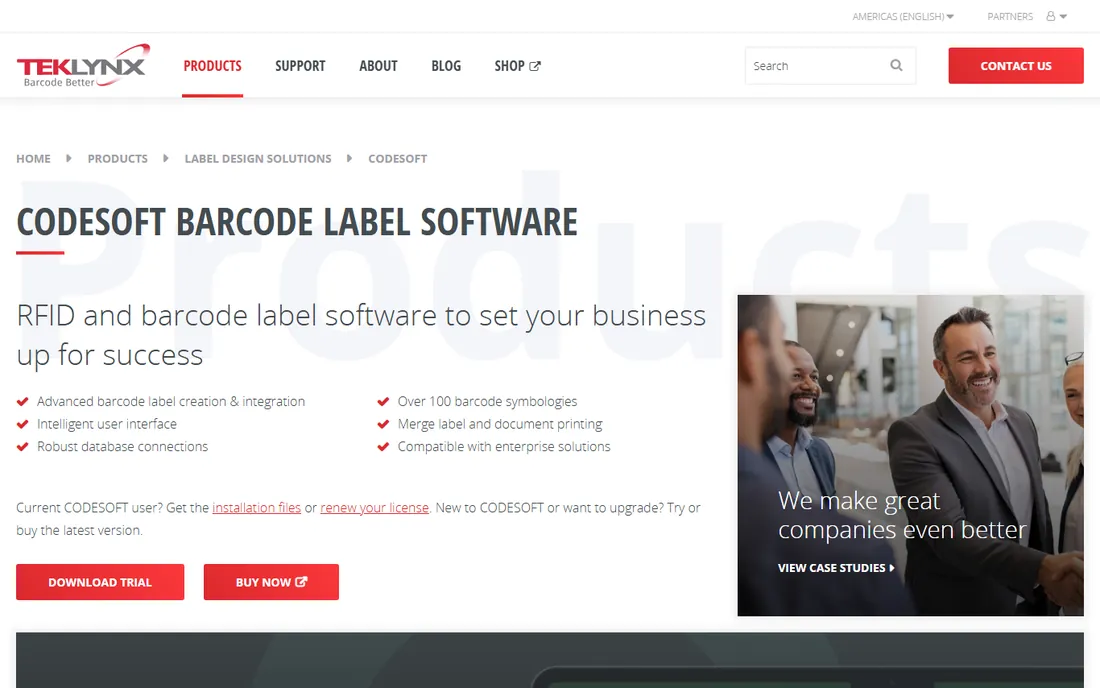
CODESOFT is TEKLYNX's flagship designer for demanding label work: complex barcodes (GS1, HIBC), RFID encoding, database-driven variable data and precise layout control. At $492 for a one-time license, it sits between BarTender's base edition and the enterprise platforms, and it integrates with TEKLYNX's SENTINEL print automation and LABEL ARCHIVE for shops that grow into centralized management. The 30-day trial is fully functional.
The honest comparison is with BarTender. CODESOFT matches it on design depth and beats it on some RFID workflows, but BarTender's driver library and third-party ecosystem are larger. Both are Windows-only desktop products. Pick CODESOFT when your labels involve complex symbologies or RFID and you want a clear path to enterprise print automation; pick BarTender when printer compatibility breadth matters most.
What we like- Powerful barcode and RFID design tools
- Strong database connectivity
- Good upgrade path to TEKLYNX enterprise
Watch out for- $492 entry is steep for small shops
- Windows only
- Interface less modern than newer tools
Starting priceFree (Professional from ~$228)
Free planYes (Essentials edition)
If you own Zebra printers, start here before spending anything. ZebraDesigner Essentials is free and covers basic label design with text, barcodes and graphics, speaking Zebra's ZPL printer language natively, which avoids the translation quirks third-party software sometimes introduces. For most single-printer setups printing shipping or product labels, Essentials is all you need.
ZebraDesigner Professional, around $228 through resellers, adds database connectivity, RFID encoding, VBA scripting and GS1-128 wizards for variable-data work. A 30-day trial of Pro is available. The limitation is obvious: it is a Zebra tool, so mixed printer fleets need something vendor-neutral like BarTender. But for Zebra-only shops, the free tier plus optional Pro is the cheapest capable path.
What we like- Free Essentials edition
- Tuned for Zebra printers and ZPL
- Pro adds database and RFID features
Watch out for- Only useful with Zebra hardware
- Pro pricing varies by reseller
- Windows only
Starting price$39 one-time
Free planNo (free trial)
LabelJoy is the budget pick that punches above its price. For $39 one-time, you get a real barcode label designer with database connections, serialization and a decent template library, covering the jobs that push small businesses past free printer software. The interface is approachable, and the free trial lets you verify it drives your printer correctly.
Expect tradeoffs at this price. The printer driver support is narrower than BarTender's, the community and tutorial base is smaller, and it is Windows-only. For a small business or workshop printing product, inventory or asset labels from a database, LabelJoy delivers 80 percent of BarTender's practical value at a tenth of the price. If you outgrow it, migrating label designs to BarTender later is straightforward.
What we like- Very cheap one-time license
- Solid barcode and database features
- Easy to learn
Watch out for- Smaller user community
- Fewer printer drivers than BarTender
- Windows only
Starting priceFree
Free planYes
DYMO Connect is the free software that ships with DYMO label printers, and for address labels, name badges, file folder labels and small shipping labels, it is all most offices need. Design is drag-and-drop simple, it talks to DYMO printers without driver fuss, and label templates for DYMO's tape and label sizes are built in.
The limits are the hardware's limits. It only drives DYMO printers, barcode support is basic compared with dedicated software, and there is no real database-driven variable printing. Also budget the consumables: DYMO's proprietary label rolls cost more per label than third-party thermal labels. As the best label maker software for a desk drawer printer, though, it is free, fast and frustration-free.
What we like- Free with DYMO printers
- Simple label design
- Direct integration with DYMO hardware
Watch out for- DYMO printers only
- Limited advanced features
- Label tape costs add up
Starting priceFree
Free planYes
Brother's P-touch Editor is the free companion to its P-touch label printers, and it goes further than most bundled software. Beyond basic text labels, it links to Excel and CSV files for batch printing, supports barcodes and QR codes, and saves templates for repeat jobs. Paired with Brother's laminated TZe tapes, it produces labels that survive water, chemicals and abrasion, which is why asset tags and cable labels are its stronghold.
Like all vendor tools, it only drives Brother hardware, and the interface takes some learning once you move past simple labels. It runs on Windows and Mac. For offices and facilities already standardized on P-touch printers, it is a capable free tool that removes any reason to buy label software for tape-based labeling.
What we like- Free with Brother P-touch printers
- Database link to Excel and CSV
- Durable laminated tape support
Watch out for- Brother P-touch printers only
- Learning curve on advanced features
- Windows and Mac only
#8
Avery Design & Print
Best for: sheet labels on office printers
Visit avery.com
Starting priceFree
Free planYes
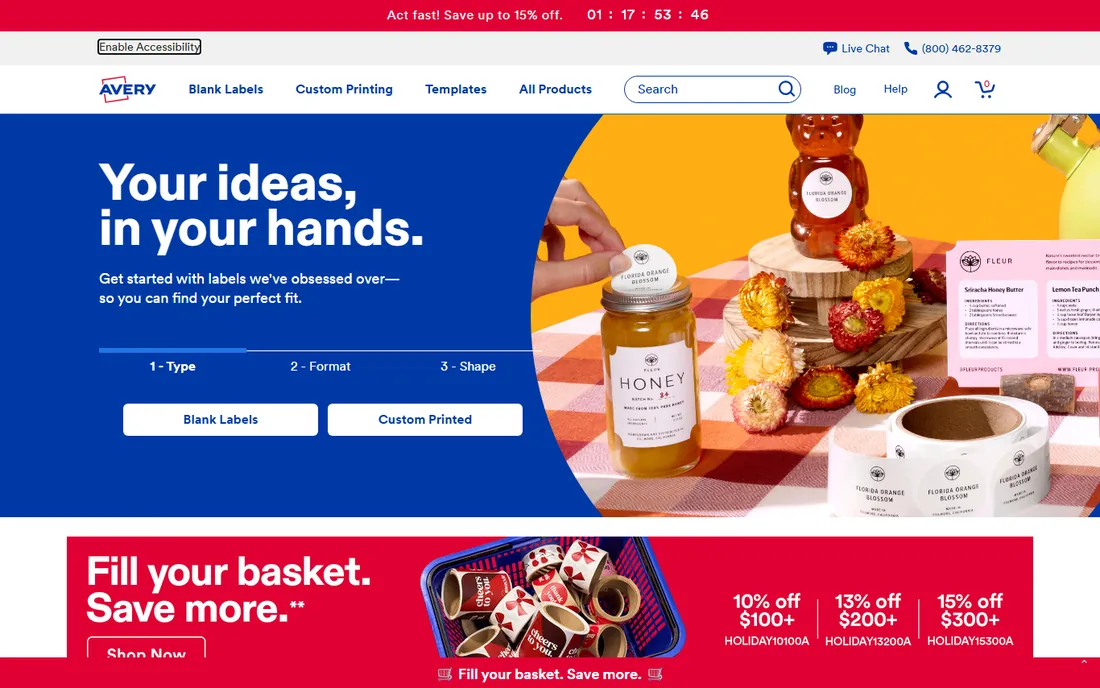
Avery Design & Print is the free online tool for the most common labeling job in offices: printing sheets of labels on a standard inkjet or laser printer. Pick your Avery product number, choose from thousands of templates, add text, images, barcodes or mail-merge data, and print. It runs in the browser with a free Avery account, and finished projects save online.
The boundary is the medium. This is for die-cut sheet labels, not thermal rolls or industrial printers; if your volume grows into thousands of labels, a thermal printer with ZebraDesigner or BarTender becomes cheaper per label. But for mailing labels, product stickers, name badges and organization labels in an office, it is the simplest free option and the templates match the sheets exactly.
What we like- Free web-based tool
- Thousands of templates matched to Avery products
- No download needed
Watch out for- Tied to Avery sheet products
- Needs an inkjet or laser printer
- Not for thermal or industrial printing
Starting priceFree
Free planYes
Maestro Label Designer is OnlineLabels' free web tool, and it fills the same role as Avery's: design sheet labels in the browser and print them on an office printer. Templates match OnlineLabels' sheet sizes and materials, including weatherproof and specialty stocks, and mail-merge handles batch address or product labels. No account or download is required to start.
Choose between Maestro and Avery's tool based on whose blank sheets you buy; both are free and capable. OnlineLabels' material range, including waterproof films and unusual shapes, is the differentiator for product labels that need to survive handling. Like Avery, this is an office sheet-label tool, not a replacement for thermal barcode printing at volume.
What we like- Free browser-based designer
- Templates for OnlineLabels sheet sizes
- Mail-merge support
Watch out for- Tied to OnlineLabels products
- Browser-only
- Not for thermal printing
How we chose
We compared label printing software available today across enterprise, mid-market and free categories. For each we checked the vendor's pricing or credible reseller pricing, confirmed free tier and trial terms, reviewed feature documentation and public reviews on G2, Capterra and Reddit, and noted printer compatibility, database connectivity and barcode support. We weighted real-world fit: matching the software to the printer and the data source matters more than feature counts. We did not run hands-on print tests; workflow notes come from published reviews and vendor documentation.
Hardware compatibility: the question to ask first
Label software fails most often at the printer, not in the designer. Before buying anything, confirm the software ships a tested driver for your exact printer model and the printer language it speaks (ZPL for Zebra, EPL, DPL, or the vendor's own). Vendor tools like ZebraDesigner, DYMO Connect and P-touch Editor sidestep this entirely because they are built for the hardware. Third-party tools like BarTender, CODESOFT and LabelJoy maintain large driver libraries, but always verify your model on the vendor's compatibility list and run the trial against your actual printer.
Also check the consumable economics. Thermal transfer printing needs ribbons as well as labels; direct thermal needs only labels but fades over time. Proprietary cartridges (DYMO, Brother TZe) cost more per label than generic thermal rolls. A $39 software license looks cheap until the labels cost ten times more per thousand than the alternative. Match the software, the printer and the label stock as one decision, because they are one cost.
Free tools cover three situations well: vendor-bundled designers for single-printer setups, Avery and Maestro for office sheet labels, and ZebraDesigner Essentials for basic Zebra printing. You outgrow them at predictable points. The first is variable data: when labels must pull serial numbers, batch codes or addresses from a database, you need BarTender, CODESOFT or LabelJoy. The second is volume: printing thousands of labels through a browser tool wastes hours that automation recovers. The third is compliance: regulated industries need audit trails, template approval and print logging, which is NiceLabel and BarTender Enterprise territory.
The upgrade math is simple. Price the paid software against the labor cost of your current workaround: manual data entry, relabeling misprints and IT time spent nursing a free tool past its limits. A $327 BarTender license pays for itself the first time it prevents a mislabeled shipment. Do not buy enterprise labeling software for a problem a free vendor tool solves; do not stretch a free tool across a problem that needs database printing.
Frequently asked questions
What is label printing software?
Label printing software designs labels with text, barcodes, images and variable data, then sends them to a label printer. It ranges from free vendor tools bundled with printers to enterprise platforms that manage templates centrally and pull data from business systems.
How much does label printing software cost?
Free tools (ZebraDesigner Essentials, DYMO Connect, P-touch Editor, Avery Design & Print, Maestro) cost nothing. One-time licenses run $39 (LabelJoy), $327 (BarTender) and $492 (CODESOFT). Enterprise platforms like NiceLabel are quote-based and scale with printers and sites.
Which label software works with any printer?
BarTender, CODESOFT and NiceLabel support the widest range of printers through extensive driver libraries. Vendor tools (ZebraDesigner, DYMO Connect, P-touch Editor) only work with their own brand's printers. Always verify your exact model on the vendor's compatibility list before buying.
Can label software print barcodes from a database?
Yes. BarTender, CODESOFT, NiceLabel and LabelJoy all connect to databases (Excel, CSV, SQL) and generate serialized or variable barcodes per label. ZebraDesigner Professional adds database support; the free Essentials edition does not. Free office tools like Avery support mail-merge for simpler batch jobs.
What is the difference between thermal transfer and direct thermal printing?
Thermal transfer uses a ribbon to print durable, long-lasting labels; direct thermal prints without a ribbon but fades with heat and light. Shipping labels often use direct thermal; product, asset and compliance labels usually need thermal transfer. Your software choice does not decide this, but your printer and label stock do.
Do I need label software if my printer came with free software?
Usually not at first. Vendor software covers basic label design well. Consider paid software when you need database-driven variable data, high-volume automation, RFID encoding, centralized template control or printers from multiple brands under one system.
Sources we checked (11)
- https://slashdot.org/software/comparison/BarTender-Seagull-Scientific-vs-Barcode-Studio/
- https://Slashdot.org/software/comparison/BarTender-Seagull-Scientific-vs-LabelJoy/
- https://slashdot.org/software/comparison/BarTender-Seagull-Scientific-vs-LabelRIGHT/
- https://slashdot.org/software/comparison/CODESOFT-vs-MasoLabel/
- https://Slashdot.org/software/comparison/CODESOFT-vs-LabelVision/
- https://www.packaging-gateway.com/contractors/printing/nicelabel/
- https://www.barcodesinc.com/zebra/designer-pro.htm
- https://sbedirect.com/en/label-printing-software/zebra-designer-pro-barcode-rfid-label-printing-software.html
- https://www.youtube.com/watch?v=Y51WUWEvahg
- https://avery.com/help/article/custom-size-labels-to-print-yourself?page=0
- https://www.thefreelibrary.com/Avery+unveils+new+and+revised+design+tool+for+online+printing.-a0265561403
Is your product missing or out of date?
We review this list regularly. Vendors can request a listing, send updated pricing or ask about featured placement.

Shihab Mia · Founder, Rankite
Shihab has spent more than a decade helping SaaS and e-commerce brands grow through search. He writes Rankite's software buying guides from pricing pages, documentation and public user reviews. More about Shihab.
 BarTender
 NiceLabel
 CODESOFT
 ZebraDesigner
 LabelJoy
 DYMO Connect
 Brother P-touch Editor
 Maestro Label Designer