How we make this list: we compare pricing pages, product documentation and public user reviews. Ratings come from G2, Capterra or Trustpilot, with the date we checked them.
Key takeaways
- FreshBooks at $23 per month is the best invoicing-first pick for freelancers and service businesses, with time tracking and payments built in.
- QuickBooks Online at $38 per month is the United States accounting default your accountant already knows, while Xero at $27 per month offers unlimited users.
- Wave, Zoho Invoice, Invoice Ninja, and Square Invoices all offer genuinely free invoicing, with paid add-ons for payments and payroll.
- Bonsai bundles invoicing with contracts and proposals for freelancers who want the whole client workflow in one tool.
- The real cost decision is free invoicing plus payment fees versus a paid plan with real accounting depth.
Quick comparison
| Tool | Best for | Starting price | Free plan |
|---|
 FreshBooks FreshBooks | Freelancers and service billing | $23 per month | Trial |
 QuickBooks Online QuickBooks Online | US small business accounting | $38 per month | Trial |
 Xero Xero | Teams, unlimited users | $27 per month | Trial |
 Wave Wave | Free invoicing forever | Free | Yes |
 Zoho Invoice Zoho Invoice | Free invoicing, Zoho users | Free | Yes |
 Invoice Ninja Invoice Ninja | Open-source control | Free | Yes |
 Square Invoices Square Invoices | In-person sellers who invoice | Free | Yes |
 Bonsai Bonsai | Freelancers, full client workflow | See website | Trial |
Is your product missing or out of date?
We review this list regularly. Vendors can request a listing, send updated pricing or ask about featured placement.
The best invoicing software
#1FreshBooks
Best for: Freelancers and service billing4.5/5 on
G2 (981 reviews, checked Oct 2026)
Visit freshbooks.com
Starting price$23 per month
Free planTrial
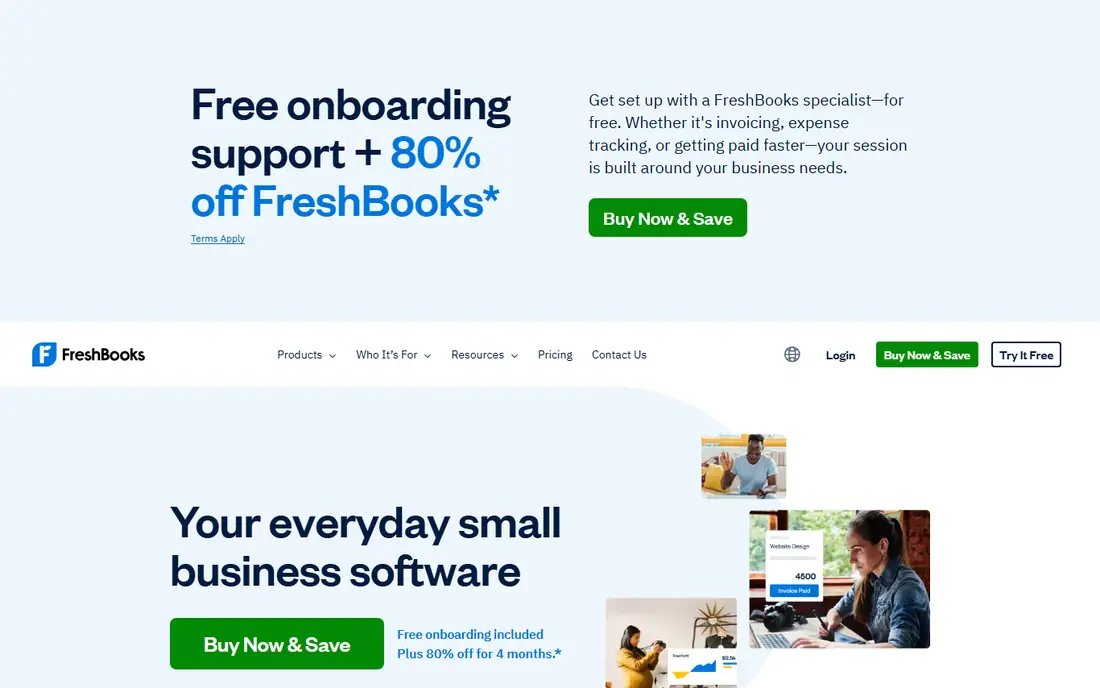
FreshBooks is the invoicing-first pick for service businesses. Create a polished invoice in minutes, track time against it, send automated reminders, and let clients pay by card or bank transfer from the invoice itself. For freelancers billing by the hour, that loop from time to payment is the main reason to pay.
Lite costs $23 per month in current guides, though older guides list $19, so check the pricing page, and it caps at 5 billable clients, which pushes growing firms to higher tiers. There is no free tier, only a 30-day trial. For service billing done well, FreshBooks remains the standard.
What we like- Polished invoicing with time tracking
- Automated payment reminders
- Client-friendly payment pages
Watch out for- Lite plan caps at 5 billable clients
- No free tier, only a 30-day trial
- Some guides still list $19 per month
Starting price$38 per month
Free planTrial
QuickBooks Online is the default for United States small businesses that need invoicing inside real accounting. Invoices connect to accounts receivable, the general ledger, bank reconciliation, and tax reporting, and most accountants already know the system, which saves time at year end. That depth is why it tops most small-business rankings despite its price.
Simple Start costs $38 per month, and recurring invoices and multi-currency need the Essentials plan at $85 per month in guides, so growing firms pay more than the entry price suggests. The learning curve is also steeper than FreshBooks or Wave. For businesses that need full accounting, not just invoices, QuickBooks is the right spend.
What we like- Invoicing inside full accounting
- The standard most US accountants know
- Strong reporting and ecosystem
Watch out for- Simple Start costs $38 per month
- Recurring invoices and multi-currency need Essentials at $85 per month
- Learning curve
#3Xero
Best for: Teams, unlimited users4.4/5 on
G2 (1,832 reviews, checked Oct 2026)
Visit xero.com
Starting price$27 per month
Free planTrial
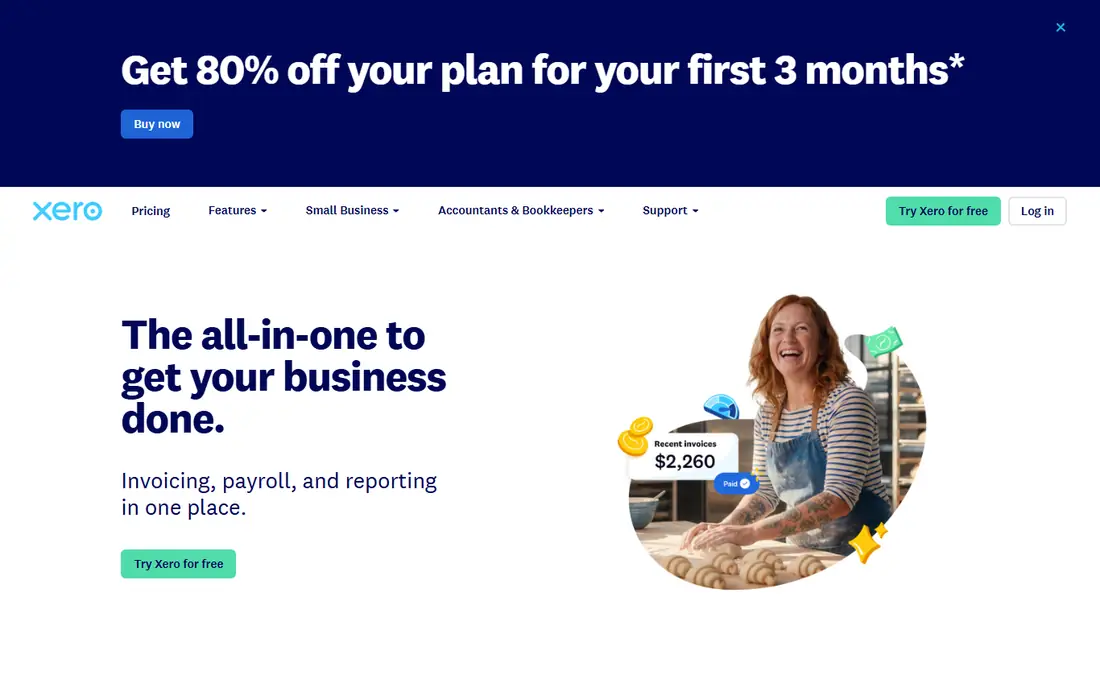
Xero suits teams and international businesses. Every plan includes unlimited users, so adding staff, bookkeepers, and accountants costs nothing extra, and multi-currency invoicing works well for firms selling abroad. The interface stays clean even as the feature set grows, which helps teams adopt it fast.
Early costs $27 per month from October 2026 in guides, up from $25, and there is no free tier, only a trial. Payroll support also varies by country, so check your region. For teams that hate per-seat fees, Xero is the best accounting-grade pick.
What we like- Unlimited users on every plan
- Strong international and multi-currency support
- Clean interface
Watch out for- Early plan costs $27 per month from October 2026
- No free tier
- Payroll support varies by country
#4Wave
Best for: Free invoicing forever4.3/5 on
G2 (328 reviews, checked Oct 2026)
Visit waveapps.com
Starting priceFree
Free planYes
Wave is the best free invoicing tool for very small businesses. Invoicing and basic bookkeeping cost nothing, setup takes minutes, and clients can pay by card or bank transfer from the invoice. For a freelancer sending a few invoices a month, Wave covers the job at no subscription cost.
It serves the United States and Canada only, and payment processing fees apply on every paid invoice, near 2.9 percent plus 60 cents in one guide for the Starter plan. A Pro plan near $19 per month adds extras such as receipt scanning. For free invoicing that stays free, Wave is the pick.
What we like- Genuinely free invoicing and basic bookkeeping
- Simple setup
- Payment processing built in
Watch out for- United States and Canada only
- Payment fees apply
- Pro plan near $19 per month for extras
#5Zoho Invoice
Best for: Free invoicing, Zoho users4.7/5 on
G2 (365 reviews, checked Oct 2026)
Visit zoho.com
Starting priceFree
Free planYes
Zoho Invoice is the most generous free invoicing tier for small teams. It offers recurring billing, templates, and payment gateway support free, with no paid plan to graduate to, since the whole product is free. Businesses already running Zoho apps get the smoothest fit, with shared customers and data.
The free plan caps at 2 users and 500 invoices per year in guides, and free invoices carry Zoho branding, which may bother brand-conscious firms. It also lacks the accounting depth of QuickBooks or Xero. For free invoicing with real features, Zoho Invoice is the best no-cost option.
What we like- Free with recurring billing and templates
- Works with Stripe, PayPal, and other gateways
- Good for Zoho users
Watch out for- Free plan caps at 2 users and 500 invoices per year in guides
- Zoho branding on free invoices
- No accounting depth
Starting priceFree
Free planYes
Invoice Ninja suits businesses that want control. The free tier covers core invoicing, and the open-source version can be self-hosted free, keeping your data on your own server. That appeals to developers, privacy-minded firms, and businesses with unusual hosting needs.
Self-hosting needs technical skill to set up and maintain, and the hosted paid tiers add cost for firms that prefer not to manage servers. The interface is also plainer than FreshBooks. For control and zero subscription cost, Invoice Ninja is unmatched.
What we like- Free tier plus free self-hosting
- Full control over data and hosting
- Many gateways
Watch out for- Self-hosting needs technical skill
- Hosted paid tiers add cost
- Interface is plainer than FreshBooks
#7Square Invoices
Best for: In-person sellers who invoice4.7/5 on
G2 (217 reviews, checked Oct 2026)
Visit squareup.com
Starting priceFree
Free planYes
Square Invoices fits businesses that sell in person and invoice on the side. A shop, market stall, or service van can take card payments in person and send invoices from the same account, with deposits and milestone billing for larger jobs. Payment collection is fast, and the free tier covers core invoicing.
Payment fees apply on every paid invoice, and accounting depth is thin next to QuickBooks or Xero, so growing firms may outgrow it. Outside the Square ecosystem, its edge fades. For Square sellers who need invoicing beside in-person sales, it is the natural pick.
What we like- Free invoicing with fast payment collection
- Deposits and milestones
- Fits Square sellers
Watch out for- Payment fees apply
- Accounting depth is thin
- Best value only inside the Square ecosystem
#8Bonsai
Best for: Freelancers, full client workflow4.3/5 on
G2 (101 reviews, checked Oct 2026)
Visit hellobonsai.com
Starting priceSee website
Free planTrial
Bonsai is the all-in-one freelancer tool. Invoicing sits beside contracts, proposals, time tracking, and client management, so a freelancer can run the whole client workflow without stitching apps together. United States tax tools add further value for solo operators.
Pricing varies across guides, near $25 per month in one, so the starting price here is "See website". There is no free tier, only a trial, and accounting depth trails QuickBooks and Xero. For freelancers who want contracts and invoicing together, Bonsai is the best bundle.
What we like- Bundles invoicing with contracts, proposals, and time tracking
- Built for freelancers
- Tax tools for US users
Watch out for- Price varies across guides, near $25 per month in one
- No free tier, only a trial
- Less accounting depth
How we chose
We started from what invoicing software must do well: create polished invoices fast, collect payment with little chasing, and track what customers owe. We compared vendor pricing pages, product documentation, and current 2026 guides, and we favored tools that are still maintained, fairly priced, and plain about payment fees and plan caps. We left out dead tools, enterprise-only platforms, and apps whose pricing could not be traced. Prices here come from 2026 guides and vendor pages, and they change with promotions, so check the pricing page before you pay. Payment fees, usually near 2.9 percent plus 30 cents per card transaction, apply on top of subscriptions almost everywhere.
How to pick invoicing software
Start with your invoice volume and your accounting needs, not the feature list. A freelancer sending five invoices a month needs a different tool than a firm sending five hundred with inventory and payroll.
Match the tool to your volume
For a few invoices a month, Wave or Zoho Invoice covers you free. For regular service billing with time tracking, FreshBooks earns its $23 per month. For full accounting with invoicing inside, QuickBooks or Xero is the right spend. For contracts plus invoicing, Bonsai bundles the workflow. Pick the smallest tool that covers your real volume, since an accounting suite you never use wastes money and time.
Count the real cost, not just the subscription
Add payment processing fees to the subscription to see the true monthly cost. A free tool charging 2.9 percent on $10,000 of monthly invoices costs $290 in fees, which may exceed a paid plan with lower fees or better terms. Project your monthly volume, add the fees, and compare totals across tools before committing.
Test the payment experience
Send yourself a test invoice and pay it, checking how the payment page looks to clients and how fast funds arrive. A clunky payment page delays payment more than any reminder feature recovers. Check that reminders, late fees, and recurring billing work the way your clients expect, and confirm the tool exports data cleanly if you ever switch.
Frequently asked questions
What is the best invoicing software overall?
FreshBooks for invoicing-first service businesses, and QuickBooks Online for businesses that need full accounting. Wave and Zoho Invoice are the best free options for low-volume invoicing.
Is there genuinely free invoicing software?
Yes. Wave, Zoho Invoice, Invoice Ninja, and Square Invoices all offer free invoicing tiers. They earn revenue on payment processing or paid add-ons instead of subscriptions, which covers most freelancer needs.
How much does invoicing software cost?
Free tiers exist, and paid plans typically run $19 to $65 per month, with QuickBooks Online starting near $38. Add payment processing fees, usually near 2.9 percent plus 30 cents per card transaction, to the subscription for the true cost.
What is the difference between invoicing and accounting software?
Invoicing software creates invoices, tracks payments, and sends reminders. Accounting software, such as QuickBooks or Xero, adds full bookkeeping, expenses, reconciliation, reporting, and tax preparation, with invoicing as one feature. Many businesses start with invoicing and graduate to accounting.
Which invoicing tool is best for freelancers?
Wave or Zoho Invoice for free, low-volume invoicing. FreshBooks for regular service billing with time tracking, and Bonsai for freelancers who also need contracts and proposals in one tool.
Sources we checked (8)
- https://www.freshbooks.com
- https://quickbooks.intuit.com
- https://www.xero.com
- https://www.waveapps.com
- https://www.zoho.com/invoice
- https://invoiceninja.com
- https://squareup.com
- https://www.hellobonsai.com
Is your product missing or out of date?
We review this list regularly. Vendors can request a listing, send updated pricing or ask about featured placement.

Shihab Mia · Founder, Rankite
Shihab has 5+ years in B2B and SaaS SEO. He writes Rankite's software buying guides from pricing pages, documentation and public user reviews. More about Shihab.