How we make this list: we compare pricing pages, product documentation and public user reviews. Rankite is independent; if a vendor ever pays for a featured spot, that listing is clearly labeled Partner.
Key takeaways
- iScape's free tier is the best AR option: point your phone at your yard and place plants in augmented reality, with Pro at $29.99/month for the full plant database.
- For pure garden planning on a computer, Gardena myGarden and Plan-a-Garden are completely free web tools with no trial limits.
- DreamPlan is the only free desktop software here: full 3D home and landscape design for non-commercial use on Windows and Mac.
- SketchUp Free and Planner 5D handle the 3D modeling side, while Garden Planner ($38-ish one-time via Small Blue Printer) suits vegetable gardeners who want a planting calendar.
Quick comparison
| Tool | Best for | Starting price | Free plan |
|---|
 iScape iScape | Visualizing plants and hardscapes in your actual yard with AR | Free (limited); Pro $29.99/month or $299/year | Yes |
 PRO Landscape Home PRO Landscape Home | Homeowners who want a taste of professional design software | Free version | Yes |
 Garden Planner Garden Planner | Vegetable gardeners who want planting schedules, not just pictures | See website (one-time purchase, no subscription) | Free trial |
 DreamPlan DreamPlan | Homeowners who want free 3D design software on their computer | Free (non-commercial use) | Yes |
 Gardena myGarden Gardena myGarden | Quick, simple garden sketches with irrigation planning | Free | Yes |
 SketchUp Free SketchUp Free | DIYers who want real 3D modeling of yards and structures | Free | Yes |
 HomeByMe HomeByMe | Designing house and garden together in 3D online | Free (limited projects); paid from ~$14.74/month | Yes |
 Plan-a-Garden Plan-a-Garden | Fast, free flower bed and patio layouts | Free | Yes |
 Planner 5D Planner 5D | Beginners who want easy 3D design without a learning curve | Free (limited); premium subscription for full catalog | Yes |
Is your product missing or out of date?
We review this list regularly. Vendors can request a listing, send updated pricing or ask about featured placement.
The best free landscaping design apps
A landscaping mistake costs real money: the wrong tree in the wrong spot, a patio that floods, a bed planted in full shade. Design apps let you make those mistakes on a screen instead. The catch with "free" landscaping apps is that the free tier is usually a teaser for a pro plan, so this list focuses on what you can actually do without paying. These nine tools cover AR visualization, 2D garden planning and full 3D design.
#1
iScape
Best for: Visualizing plants and hardscapes in your actual yard with AR
Visit iscapeit.com
Starting priceFree (limited); Pro $29.99/month or $299/year
Free planYes
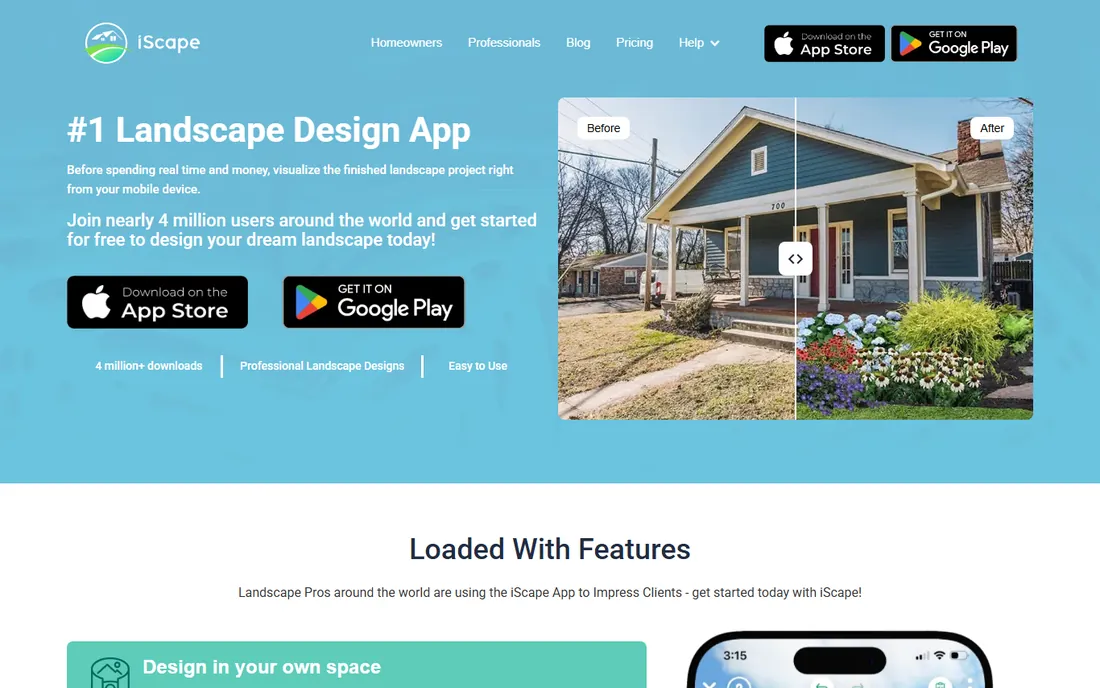
iScape is the closest thing to seeing the future: open the app, point your phone at your yard, and drop in trees, shrubs, patios and fire pits in augmented reality. For a homeowner deciding between three layouts, that beats staring at a flat plan. The 2D mode lets you edit a photo of your house with the same elements.
The free version covers the basics but throttles the database, which is the point: the full library of thousands of plants and products needs Pro at $29.99 a month or $299 a year. For a single project, use the free tier to narrow your ideas, then pay for one month of Pro to finalize the design. Note the app is iOS and Android only.
What we like- AR mode overlays plants onto a live view of your yard through your phone camera
- 2D photo editing for quick before-and-after mockups
- Proposal tools for pros who want to upgrade later
Watch out for- Mobile only, with no desktop version
- The free tier limits the plant and hardscape database significantly
- Pro at $29.99 a month is steep for a homeowner's one-time project
#2
PRO Landscape Home
Best for: Homeowners who want a taste of professional design software
Visit prolandscape.com
Starting priceFree version
Free planYes

PRO Landscape is professional software ($1,495 for the full version) with a free Home edition that gives homeowners genuine design tools instead of a toy. You get 3D design, a plant database, photo imaging that drops plants onto pictures of your house, and even CAD import. A pricing calculator helps estimate project costs.
The free version exists to sell the pro product, so expect limits on libraries and features. But for a homeowner willing to spend an evening learning, it produces more realistic results than any browser planner. If you later hire a landscaper who uses PRO Landscape, your file opens in their system.
What we like- The free Home version includes real 3D design tools and a plant library
- Photo imaging places plants on pictures of your actual home
- CAD file import for working with professional plans
Watch out for- The full PRO Landscape suite is a $1,495 professional product, so the free version is deliberately limited
- Windows-focused with companion tablet apps
- The learning curve is steeper than the simple planners
Starting priceSee website (one-time purchase, no subscription)
Free planFree trial
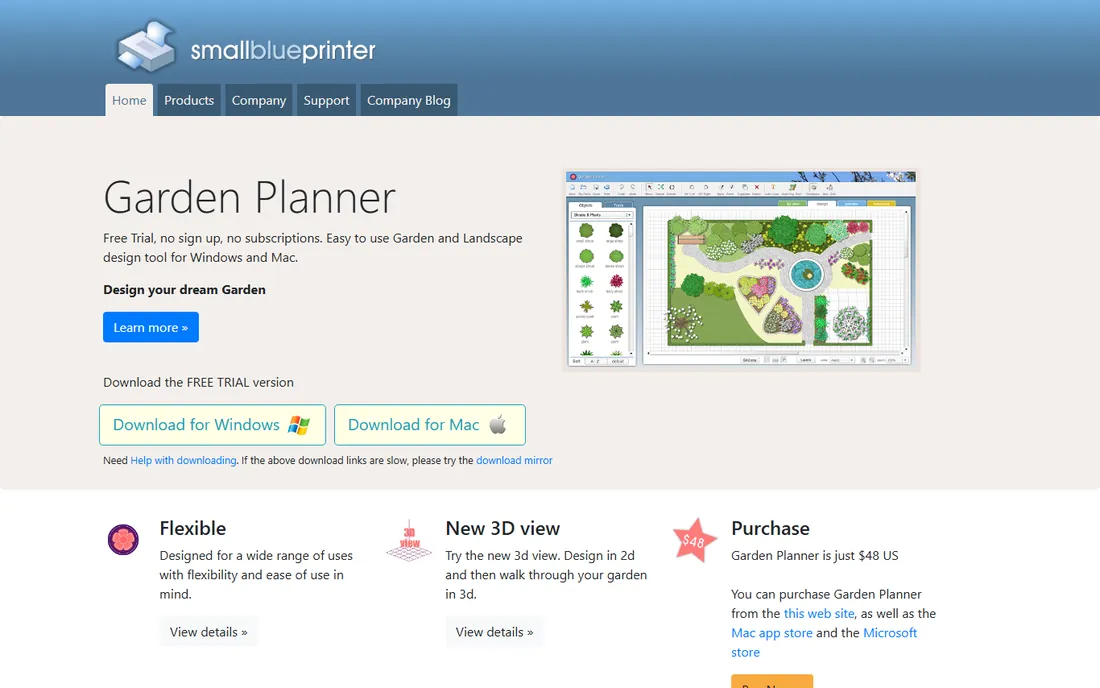
Garden Planner by Small Blue Printer is the specialist's tool: less about beautiful renders, more about growing food successfully. Drag-and-drop beds, paths, fences and structures onto a plan, then use the vegetable bed tool to arrange crops, the planting calendar to time sowings, and the journal to track what worked. The plant list and object library are practical rather than decorative.
It is a one-time purchase with no subscription and free future updates, which suits gardeners who resent monthly fees. The trade-off is aesthetics: your plan looks like a plan, not a magazine photo. For ornamental landscaping, pair it with one of the visual tools above; for the vegetable patch, it stands alone.
What we like- Built for food growing: vegetable bed tools, a planting calendar and a garden journal
- Over 1,200 customizable plant and object symbols
- One-time purchase with free updates, no subscription
Watch out for- The visual style is plan-view diagrams, not pretty 3D renders
- Pricing is not prominently published
- Narrower focus than the full landscape designers
#4
DreamPlan
Best for: Homeowners who want free 3D design software on their computer
Visit nchsoftware.com
Starting priceFree (non-commercial use)
Free planYes
DreamPlan is the only true desktop design software on this list that is free: download it from NCH Software, no account, and design your house and yard in 2D and 3D. It handles floor plans, furniture, terrain, pools, decking and plants, with a library of objects and materials. It runs on Windows 7 through 11 and macOS, on ordinary hardware.
TechRadar's 2026 review called it a surprisingly versatile app beneath an antiquated interface, and that is fair. It is not beautiful software, but it is capable software, and the price is right. Commercial users need the paid license, but homeowners designing their own property pay nothing.
What we like- Completely free for home use with no account required
- Designs interiors, exteriors and landscaping in 2D and 3D
- Runs on modest hardware and exports to common formats
Watch out for- The interface looks dated
- Commercial use requires a paid license
- Navigation around complex builds can feel awkward
#5
Gardena myGarden
Best for: Quick, simple garden sketches with irrigation planning
Visit gardena.com
Starting priceFree
Free planYes
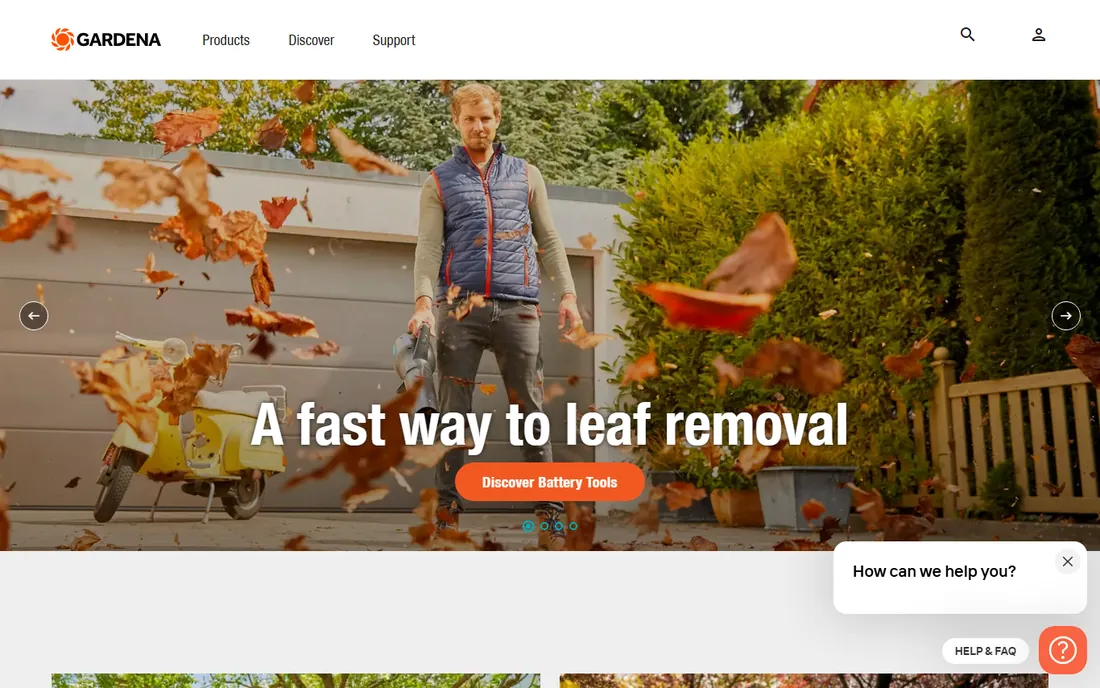
Gardena's myGarden is the friendly option: a free browser tool where you draw your plot, add lawns, beds, paving, plants and furniture, and get a pleasant hand-drawn-style plan. The standout is the sprinkler planner: design your irrigation in five steps and download a piping diagram plus a shopping list of Gardena products.
It will not impress anyone with realism, and the plant suggestions naturally favor Gardena's world. But for planning a garden layout and its watering in an afternoon, with zero cost and zero learning curve, it is one of the most practical tools here. Save and share plans from any device.
What we like- Completely free web app with no trial limits
- Charming hand-drawn visual style
- Built-in sprinkler system planner that generates a shopping list
Watch out for- Simple by design: no 3D, no AR, no photorealism
- The plant library leans toward Gardena's product ecosystem
- Best for planning, not presentation
#6
SketchUp Free
Best for: DIYers who want real 3D modeling of yards and structures
Visit sketchup.com
Starting priceFree
Free planYes
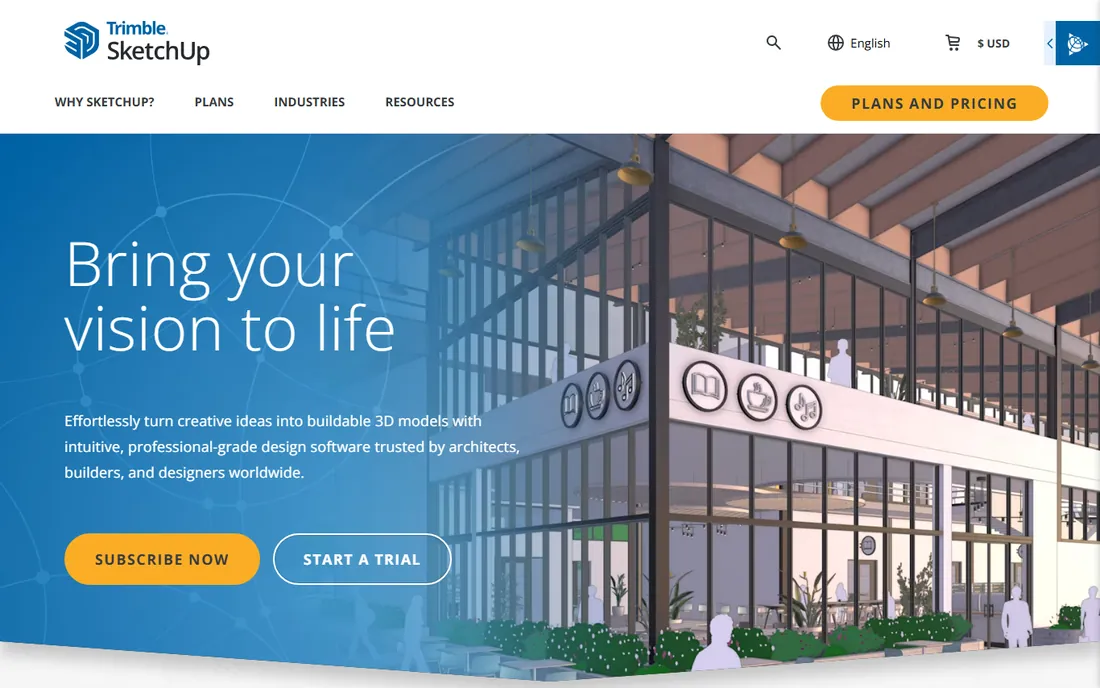
SketchUp Free is the serious tool hiding in a free tier: real 3D modeling running in your browser, precise to the inch. Model your yard's terrain, place a deck, a fence, a shed and a pergola at true dimensions, and walk through the result. The 3D Warehouse provides free models of plants, furniture and structures to populate the scene.
The cost is time. SketchUp rewards a weekend of learning and punishes dabbling; organic shapes like planting beds take more skill than boxes and decks. But when the project involves construction, a deck permit, or a contractor who needs dimensions, nothing else free comes close. For pure planting design, the simpler tools are faster.
What we like- Genuine 3D modeling in a browser: terrain, decks, fences and buildings at real dimensions
- The 3D Warehouse offers millions of free models including plants
- Precise enough for planning actual construction
Watch out for- The learning curve is real: expect a weekend of tutorials
- The free web version lacks some pro features like advanced export
- Plants and organic shapes are harder than structures
#7
HomeByMe
Best for: Designing house and garden together in 3D online
Visit home.by.me
Starting priceFree (limited projects); paid from ~$14.74/month
Free planYes
HomeByMe, from Dassault Systemes, is the polished all-rounder: design your home's interior and its garden in one 3D project, with renders realistic enough to judge sight lines from the kitchen window to the new patio. The interface is friendlier than SketchUp's, which makes it a good middle ground.
The free tier handles a basic project, but serious use pushes you toward the paid plans at around $14.74 a month. Garden tools exist but are not the focus: this is a home designer with a yard, not a landscape specialist. Choose it when the house and garden are one project.
What we like- Polished 3D home and garden designer that runs in the browser
- Realistic renders help you judge how the garden looks from the house
- Free tier covers basic projects
Watch out for- The free tier limits project count and features
- Paid plans start around $14.74 a month
- Garden-specific tools are thinner than dedicated landscape apps
#8
Plan-a-Garden
Best for: Fast, free flower bed and patio layouts
Visit bhg.com
Starting priceFree
Free planYes

Plan-a-Garden from Better Homes and Gardens is the quick sketchpad: open it in your browser, drag plants, beds and patios onto your yard, and see a reasonable visualization in minutes. No account, no trial, no upsell pressure. For a weekend gardener planning one flower bed or a small patio, it is the fastest path from idea to plan.
The limits are obvious: no 3D, no AR, no irrigation planning, no plant database depth. It is a sketching tool, not a design platform. But speed has value, and for simple projects the simple tool wins.
What we like- Completely free with no signup friction
- Drag-and-drop beds, plants, patios and structures
- Realistic plant images help visualize the result
Watch out for- Basic feature set with no 3D or AR
- Tied to the Better Homes and Gardens ecosystem
- Not suited to large or complex properties
#9
Planner 5D
Best for: Beginners who want easy 3D design without a learning curve
Visit planner5d.com
Starting priceFree (limited); premium subscription for full catalog
Free planYes
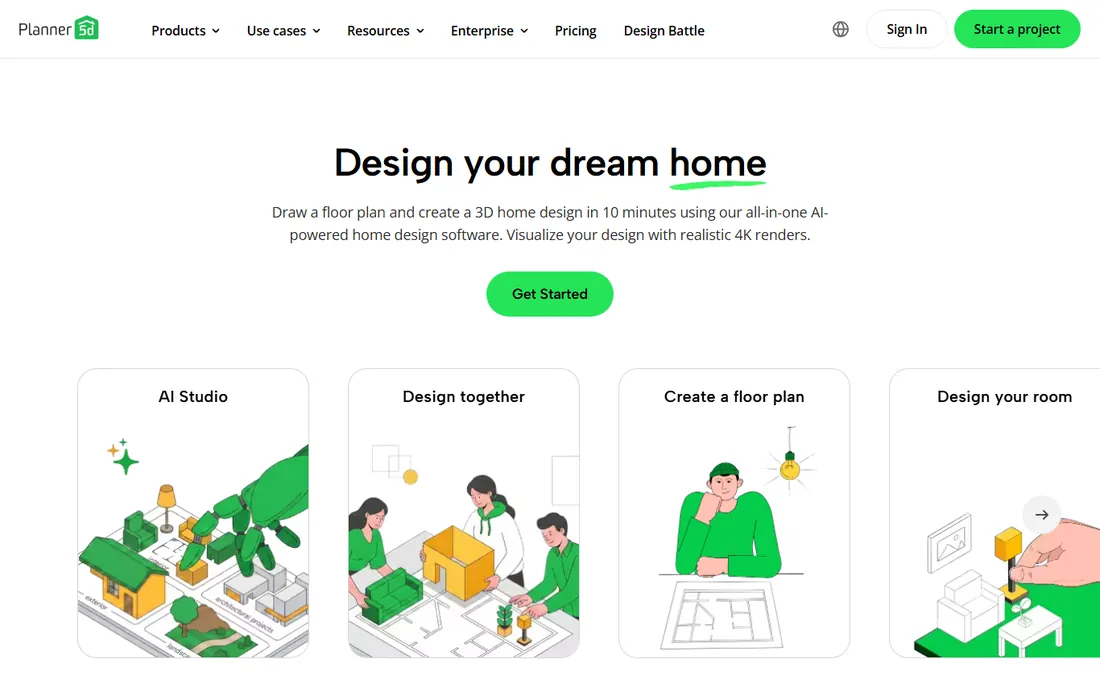
Planner 5D is the anti-SketchUp: 3D home and garden design you can use within minutes, no tutorials required. Drag rooms, walls, furniture, plants and outdoor features into a 3D scene and view it in realistic renders. It covers the whole property, which suits homeowners planning house and yard together.
The free version is a genuine trial of the workflow, but the full object catalog needs the premium subscription. Precision is casual rather than construction-grade. For visualizing ideas quickly and cheaply, it is one of the friendliest options; for build-to-plan accuracy, use SketchUp.
What we like- Very easy to learn: drag-and-drop 3D design that works in minutes
- Handles interiors, exteriors and outdoor spaces in one app
- Runs on web, mobile and desktop
Watch out for- The free catalog is limited and the good stuff needs the premium subscription
- Less precise than SketchUp for construction planning
- Garden tools are general, not specialist
AR vs 2D planning: which actually helps
The tools split into three philosophies, and the right one depends on your question. If the question is "what will this look like," AR (iScape) and 3D (SketchUp, HomeByMe, Planner 5D, DreamPlan) answer it: you see the tree at full height before buying it. If the question is "what goes where," 2D planners (myGarden, Plan-a-Garden, Garden Planner) are faster and clearer.
Most homeowners need both, in order. Start with a 2D plan to work out beds, paths and zones: it is faster and forces decisions about layout. Then build the key views in 3D or AR to check heights, sight lines and how the garden looks from the windows you actually look out of. The AR step catches the mistakes flat plans hide, like a tree that blocks the kitchen light.
The plant database problem
Every free landscaping tool throttles the same thing: the plant library. iScape's free tier, PRO Landscape Home and the browser planners all limit which plants you can place, because the database is what sells the pro version. That matters less than it seems for layout planning, but it matters a lot for planting plans.
Work around it in two steps. Use the free tool for layout: beds, paths, trees as placeholders. Then verify plant choices separately with your local extension service or nursery, because hardiness zones, sun exposure and soil matter more than any app's generic database. No app knows your microclimate; the nursery down the road does. The design tool plans the space, local knowledge plants it.
Frequently asked questions
What is the best completely free landscaping design app?
Gardena myGarden and Plan-a-Garden are completely free with no trial limits for 2D planning. DreamPlan is completely free for non-commercial desktop use with full 3D. iScape's free tier is the best free AR option. "Completely free" depends on what you need: pick the category first.
Can I design my yard with my phone?
Yes. iScape is the standout: its AR mode places plants in a live view of your yard through your phone camera. Planner 5D and HomeByMe also run on mobile. For detailed work, a computer is still better; use the phone for AR visualization and quick edits.
Do I need to pay for a good landscape design app?
Not necessarily. The free tiers cover layout planning, basic visualization and even 3D design. Pay when you need the full plant database (iScape Pro at $29.99/month for one month), unlimited projects, or professional output like proposals. Most homeowners finish their project on free tiers plus one month of a pro plan.
Which app is best for vegetable garden planning?
Garden Planner by Small Blue Printer: it is built for food growing with bed tools, a planting calendar and a garden journal, as a one-time purchase with no subscription. The visual tools above handle ornamental landscaping better, but none of them know when to sow carrots.
Can these apps help with irrigation planning?
Gardena myGarden has a built-in sprinkler planner that generates a piping diagram and shopping list. For complex irrigation, that plan is a starting point for a professional, not a substitute. Simple drip systems for beds can be planned in any of the 2D tools.
Will a landscaper use my design?
Often yes, as a briefing document. A clear plan with dimensions communicates your vision better than words. PRO Landscape Home files open in the professional PRO Landscape suite, and SketchUp models with real dimensions are genuinely useful to contractors. Expect the pro to redraw it in their own system, but your plan shortens the conversation.
How we chose
We started with the searches homeowners run: free landscape design app, garden planner, yard design software and AR garden design. For each candidate we verified a genuinely free tier or free product exists in 2026, checked what the free tier actually includes versus the paywall, and weighed the design approach: AR, 2D planning or 3D modeling. Prices come from vendor pages and recent reviews; where pricing could not be verified we wrote "See website."
Sources we checked (8)
- https://www.iscapeit.com/faqs
- https://www.morningdough.com/ai-tools/iscape/
- https://apps.apple.com/sa/app/iscape-landscape-design/id439688430?l=ar
- https://www.techradar.com/best/best-landscape-design-software&
- https://gizmodo.com/download/dreamplan-home-design
- https://www.media-gardena.com/news-design-your-dream-garden-with-ease?id=75976&menueid=17165&l=international
- https://sourceforge.net/software/compare/Gardena-myGarden-vs-PRO-Landscape/
- https://Slashdot.org/software/p/My-Garden-Planner/alternatives
Is your product missing or out of date?
We review this list regularly. Vendors can request a listing, send updated pricing or ask about featured placement.

Shihab Mia · Founder, Rankite
Shihab has spent more than a decade helping SaaS and e-commerce brands grow through search. He writes Rankite's software buying guides from pricing pages, documentation and public user reviews. More about Shihab.