How we make this list: we compare pricing pages, product documentation and public user reviews. Ratings come from G2, Capterra or Trustpilot, with the date we checked them.

Key takeaways
- Image to video AI animates a still photo with motion, camera moves, and effects, turning one image into a short clip.
- Runway, Pika, and Luma Dream Machine lead on motion quality, while Hailuo, Kling, and PixVerse lead on generous free credits.
- Free tiers limit clip length, daily credits, and resolution, and many add watermarks, so check limits before you plan a project.
- Motion prompts matter more than the tool, since a clear prompt about camera and subject movement beats a vague request.
- Faces, hands, and text distort most often, so test each tool on your image type before you commit to a project.
Quick comparison
| Tool | Best for | Starting price | Free plan |
|---|
 Runway Runway | High quality motion | Free | Free |
 Pika Pika | Creative image animation | Free | Free |
 Luma Dream Machine Luma Dream Machine | Realistic motion | Free | Free |
 Hailuo AI Hailuo AI | Generous free credits | Free | Free |
 Kling AI Kling AI | Smooth motion quality | Free | Free |
 PixVerse PixVerse | Fast free generation | Free | Free |
 Kaiber Kaiber | Stylized music videos | Free | Free trial |
 Haiper Haiper | Simple image animation | Free | Free |
Is your product missing or out of date?
We review this list regularly. Vendors can request a listing, send updated pricing or ask about featured placement.
#1Runway
Best for: High quality motion4.1/5 on
G2 (105 reviews, checked Oct 2026)
Visit runwayml.com
Starting priceFree
Free planFree
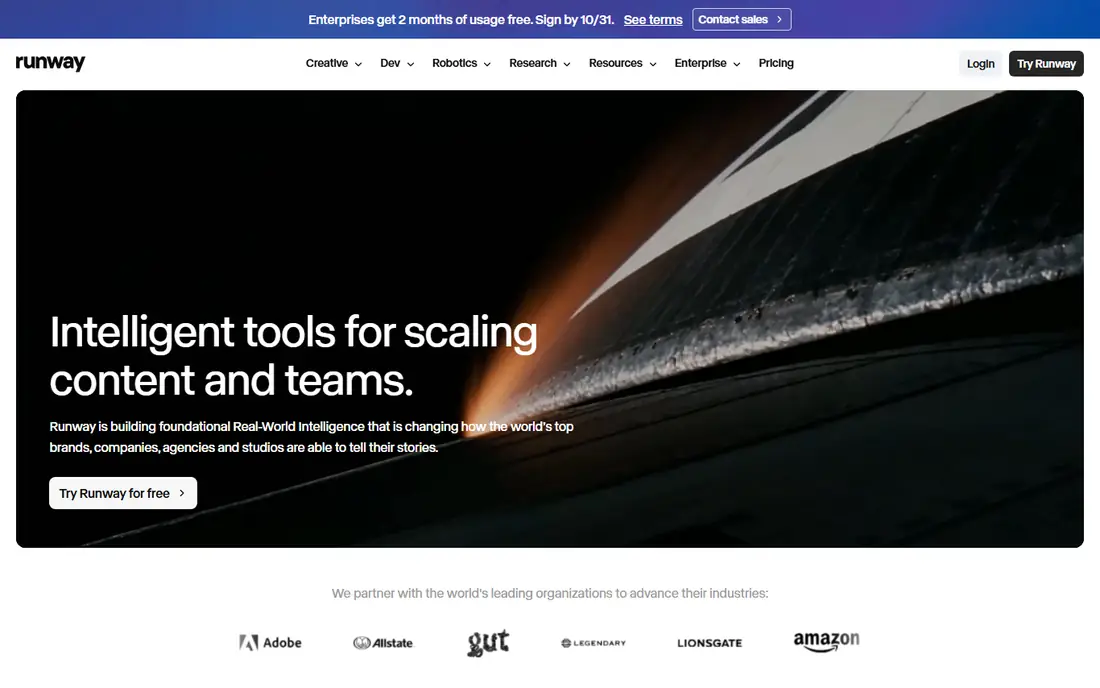
Runway, known for Gen models, converts images to video with strong motion quality, camera controls, and editing tools that suit creators who want more than a simple animation. The free tier lets users test image to video with limited credits, while paid plans raise resolution, length, and credit amounts. Motion prompts guide camera moves and subject action.
Free credits run out fast on longer projects, and the best models sit on paid plans, so free use suits testing and short clips. For a creator who wants top motion quality and may pay later, Runway offers the strongest starting point.
What we like- Strong motion models
- Camera controls
- Editing tools
Watch out for- Free credits are limited
- Higher plans cost more
Starting priceFree
Free planFree
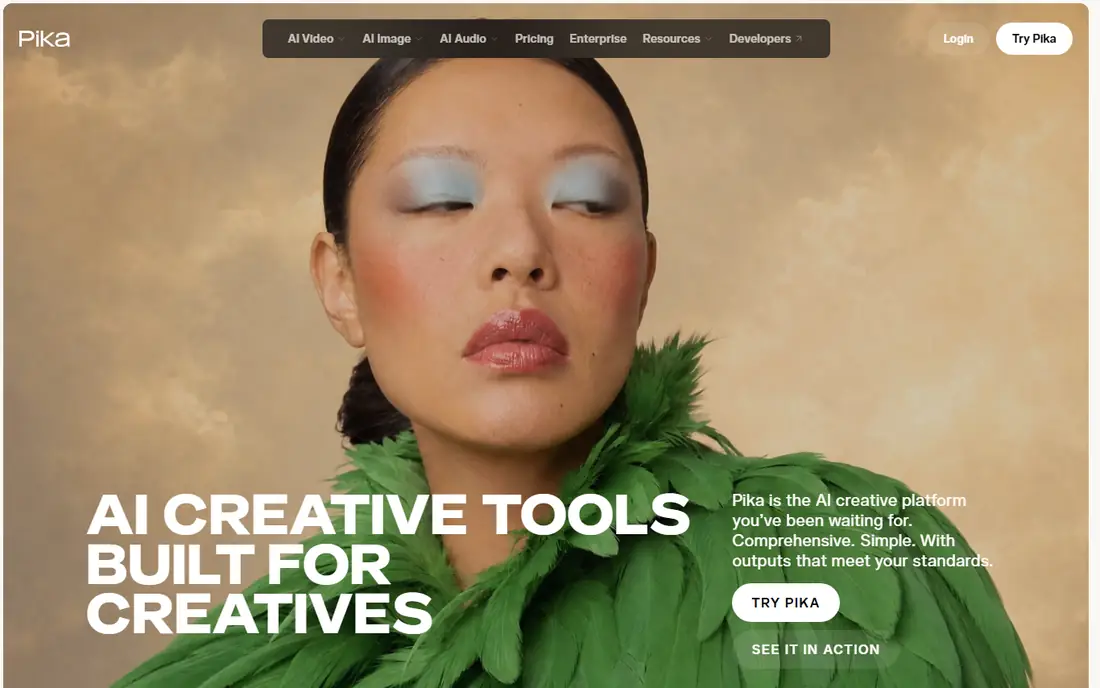
Pika converts images to video with creative effects, including stylized motion and fun transformations that suit social content. The free tier gives daily credits for testing, and prompts are simple, with camera and motion options that help beginners. Results on portraits, products, and scenes are generally lively.
Clip length stays short, and free credits limit daily output, so larger projects need a paid plan. For a creator who wants playful, creative image animation for social posts, Pika gives a fun free start.
What we like- Creative effects
- Free tier
- Easy prompts
Watch out for- Clip length is short
- Free credits are limited
Starting priceFree
Free planFree

Luma Dream Machine turns images into video with realistic motion, smooth camera moves, and natural subject movement that suits scenes, products, and portraits. The free tier offers monthly credits for testing, and the flow is simple, with an image upload, a prompt, and a generated clip. Motion quality often impresses for a free tool.
Free credits limit monthly output, and faces can distort on complex prompts, so test with your image type first. For realistic motion from a still image, Luma Dream Machine offers one of the best free starts.
What we like- Realistic motion
- Free tier
- Simple flow
Watch out for- Free credits are limited
- Faces can distort
Starting priceFree
Free planFree
Hailuo AI, from MiniMax, converts images to video with good motion quality and a generous free credit allowance compared with many rivals. The interface is simple, with image upload, prompt, and clip generation, and results suit social content, product demos, and creative scenes. Free users get enough credits to test seriously before paying.
Free clips may carry watermarks, and queue times vary at peak hours, so plan around waits for larger jobs. For a user who wants many free generations to learn image to video, Hailuo offers the most generous free tier.
What we like- Generous free credits
- Good motion
- Simple interface
Watch out for- Watermarks on free clips
- Queue times vary
Starting priceFree
Free planFree
Kling AI, from Kuaishou, converts images to video with smooth motion and good detail, especially for human movement and scene transitions. The free tier gives credits for testing, and the model handles complex prompts better than many free rivals. Results on action scenes and portraits often look fluid.
Queue times can grow at peak hours, and free limits cap daily output, so paid plans suit regular use. For smooth, detailed motion from a still image, Kling AI ranks among the best free options.
What we like- Smooth motion
- Free credits
- Good detail
Watch out for- Queue times
- Free limits apply
Starting priceFree
Free planFree
PixVerse converts images to video quickly, with a free tier, an effects library, and templates that suit social creators who need fast clips. Generation speed beats many rivals, which helps when testing several prompts on one image. Effects include stylized motion, transitions, and fun transformations.
Quality varies by image and prompt, with complex scenes distorting more often, and free limits cap daily output. For a creator who wants fast, free image to video with effects, PixVerse gives a quick, fun option.
What we like- Fast generation
- Free credits
- Effects library
Watch out for- Quality varies
- Free limits apply
Starting priceFree
Free planFree trial
Kaiber converts images to stylized video, with a focus on music videos, art, and creative transformations rather than realistic motion. Templates and styles help musicians and artists turn artwork into moving visuals that match a track, with camera and motion controls for creative direction. The free trial lets users test styles before paying.
The free trial is limited, and the stylized look suits art projects more than realistic product or portrait animation. For a musician or artist who wants stylized image to video, Kaiber offers the most creative templates.
What we like- Stylized animation
- Music video focus
- Templates
Watch out for- Free trial is limited
- Stylized look is niche
Starting priceFree
Free planFree
Haiper converts images to video through a simple web flow, with a free tier and decent motion for everyday images. The interface suits beginners who want a quick animation without learning prompt engineering, and results cover portraits, scenes, and products at a basic level. Generation times are reasonable for a free tool.
Motion quality lags Runway, Luma, and Kling, and free limits cap output, so serious projects need a stronger tool. For a beginner who wants a simple free first try at image to video, Haiper covers the basics.
What we like- Simple flow
- Free tier
- Decent motion
Watch out for- Quality lags leaders
- Free limits apply
How we chose
We compared free credit amounts, motion quality, clip length, resolution, watermark rules, ease of use, and public creator feedback. We favored tools with a real free tier, not only a short trial, and tools that handle common image types such as portraits, products, and scenes. No hands on testing is claimed, and prices are shown as Free where a free tier exists, or Free trial where only a trial is free.
Writing prompts that move the right way
Describe camera movement first, then subject movement, then mood, since a prompt such as "slow push in, woman smiles and turns her head, warm evening light" guides the model better than "make it move." Keep prompts short and concrete, naming one or two motions, since long prompts with many actions confuse models and distort results. Test the same image with two or three prompt versions, and keep the best, since prompt wording changes output more than tool choice for many images.
Limits, faces, and project planning
Faces, hands, and small text distort most often, so choose images with clear, simple subjects for important projects, and avoid text heavy images where accuracy matters. Plan clip length around free limits, since most free clips run five to ten seconds, and longer stories need several clips edited together. Check watermark and commercial use rules before publishing client work, since free tiers often limit commercial use. A realistic plan, short clips plus careful prompts plus a second tool for failures, beats hoping one free generation nails a project.
Editing clips into finished videos
Edit generated clips in a free editor such as CapCut or DaVinci Resolve, trimming distorted frames, adding music, and joining clips into a longer story. Add captions and a cover image, since social platforms reward captioned, well presented clips. Keep the original image and prompt saved with each clip, so you can regenerate a failed clip with the same settings. Good editing hides many AI flaws that a raw clip would expose.
Before you decide
Start with a high resolution, well lit image, since a blurry or dark source gives the model little to work with and motion quality suffers at once. Generate the same prompt on two different tools and keep the better clip, because one model may handle your image type far better than another on any given day. Save your prompt text alongside each clip, so you can regenerate a failed clip with small changes instead of starting from scratch each time. Trim the first and last frames of generated clips, since distortion often appears at the start and end while the middle frames look cleanest. Use a consistent motion style across clips in one project, so a series of clips feels like one video rather than a random collection of effects. Test free credit limits on a small project first, so you learn daily caps and queue times before you promise a client a deadline.
Frequently asked questions
Are free image to video tools good enough for social media?
Yes, for short social clips, since free tiers from Hailuo, Luma, Pika, and Kling produce lively five to ten second clips that suit feeds and stories. Longer or client projects need paid plans for length, resolution, and watermark removal. Test each tool on your image type before you commit to a series.
How long are free image to video clips?
Most free clips run five to ten seconds, with length varying by tool and plan. Paid plans extend length and resolution, while free tiers cap both. For longer stories, generate several clips and edit them together in a video editor.
Do free clips have watermarks?
Many free tiers add watermarks, though rules vary by tool and plan, so check each tool watermark policy before you publish. Paid plans usually remove watermarks and allow commercial use. For client or brand work, a paid plan avoids watermark and licensing issues.
Why do faces distort in AI video?
Faces distort because models predict motion from a single image without true 3D knowledge, so complex turns, expressions, and hand movements challenge them. Clear, front facing portraits with simple motion prompts distort less than side profiles or fast action. Test prompts and keep the best generation.
Can I use free AI video for commercial projects?
It depends on the tool terms, since some free tiers allow personal use only, while paid plans allow commercial use. Read the terms for your chosen tool before using clips in ads, client work, or monetized content. When in doubt, upgrade to a plan with clear commercial rights.
Sources we checked (8)
- https://runwayml.com
- https://pika.art
- https://lumalabs.ai
- https://hailuoai.video
- https://klingai.com
- https://app.pixverse.ai
- https://kaiber.ai
- https://haiper.ai
Is your product missing or out of date?
We review this list regularly. Vendors can request a listing, send updated pricing or ask about featured placement.

Shihab Mia · Founder, Rankite
Shihab has 5+ years in B2B and SaaS SEO. He writes Rankite's software buying guides from pricing pages, documentation and public user reviews. More about Shihab.