How we make this list: we compare pricing pages, product documentation and public user reviews. Ratings come from G2, Capterra or Trustpilot, with the date we checked them.
Key takeaways
- Runway suits professional creators with a complete creative suite used by more than 60 million creatives.
- Google Veo leads on image-to-video quality benchmarks, with native audio and strong prompt adherence.
- Kling suits cinematic and commercial work, with Cannes-winning films and 4K output claims.
- Hailuo and Vidu suit social creators with photo-to-video templates and free credits, while Pika, Luma and Kaiber cover multi-model and music-synced styles.
Quick comparison
| Tool | Best for | Starting price | Free plan |
|---|
 Runway Runway | Professional creators and studios | Free | Yes |
 Pika Pika | Creators who want many models in one platform | See website | See website |
 Luma Dream Machine Luma Dream Machine | Brand-consistent creative teams | See website | See website |
 Kling AI Kling AI | Cinematic and commercial video production | See website | See website |
 Hailuo AI Hailuo AI | Social creators using photo-to-video templates | See website | See website |
 Vidu AI Vidu AI | Reference-consistent character and story video | Free credits | Yes |
 Kaiber Kaiber | Music-synced video creation | See website | See website |
 Google Veo Google Veo | Highest-quality image-to-video with native audio | See website | See website |
Is your product missing or out of date?
We review this list regularly. Vendors can request a listing, send updated pricing or ask about featured placement.
#1Runway
Best for: Professional creators and studios4.1/5 on
G2 (105 reviews, checked Oct 2026)
Visit runwayml.com
Starting priceFree
Free planYes
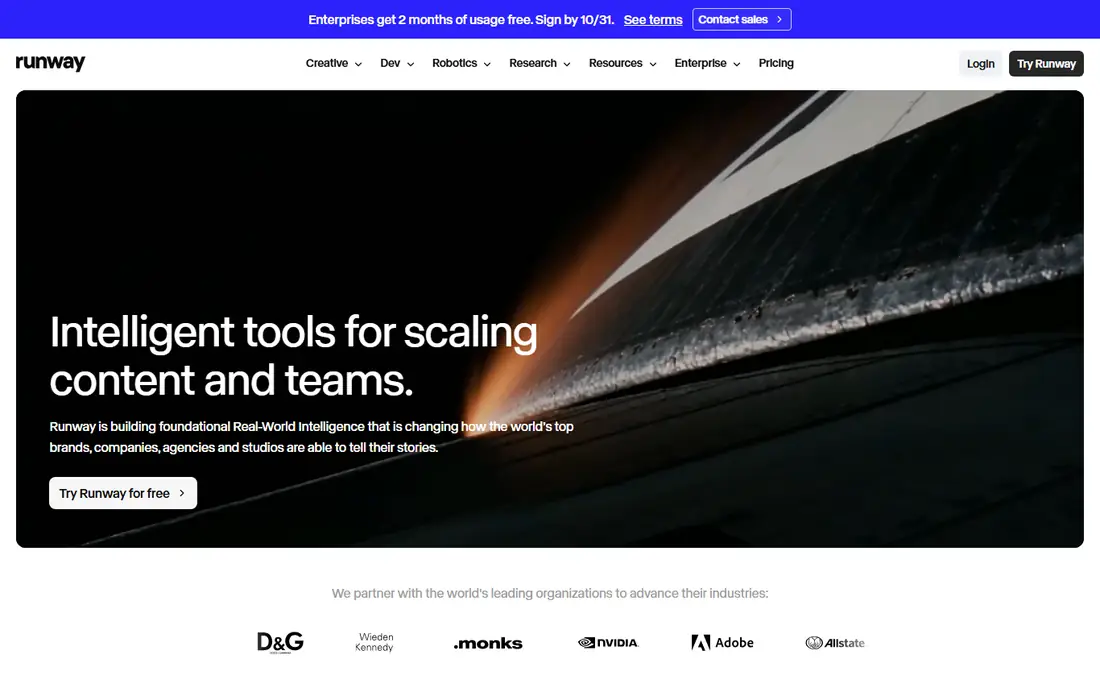
Runway builds foundational Real-World Intelligence models for the world's top brands, companies, agencies and studios, with three platforms on the same models: Runway Creative, an all-in-one cloud creative suite for generating and editing video, images and audio; Runway Dev, an API platform for developers; and Runway Robotics for simulation. Runway Creative is used by more than 60 million creatives around the world, with a free trial and cancel-anytime plans.
For image-to-video work, Runway's strength is the full pipeline: generate motion from a photo, edit it, add audio and export in one workspace. Studios and agencies get the most value, but solo creators can start free and scale up.
What we like- Complete creative suite for video, image and audio in one workspace
- Used by 60 million or more creatives
- Developer API for production scale
Watch out for- Professional features require paid plans
- Credit costs grow with long or high-resolution output
#2Pika
Best for: Creators who want many models in one platform1.7/5 on
Trustpilot (73 reviews, checked Oct 2026)
Visit pika.art
Starting priceSee website
Free planSee website
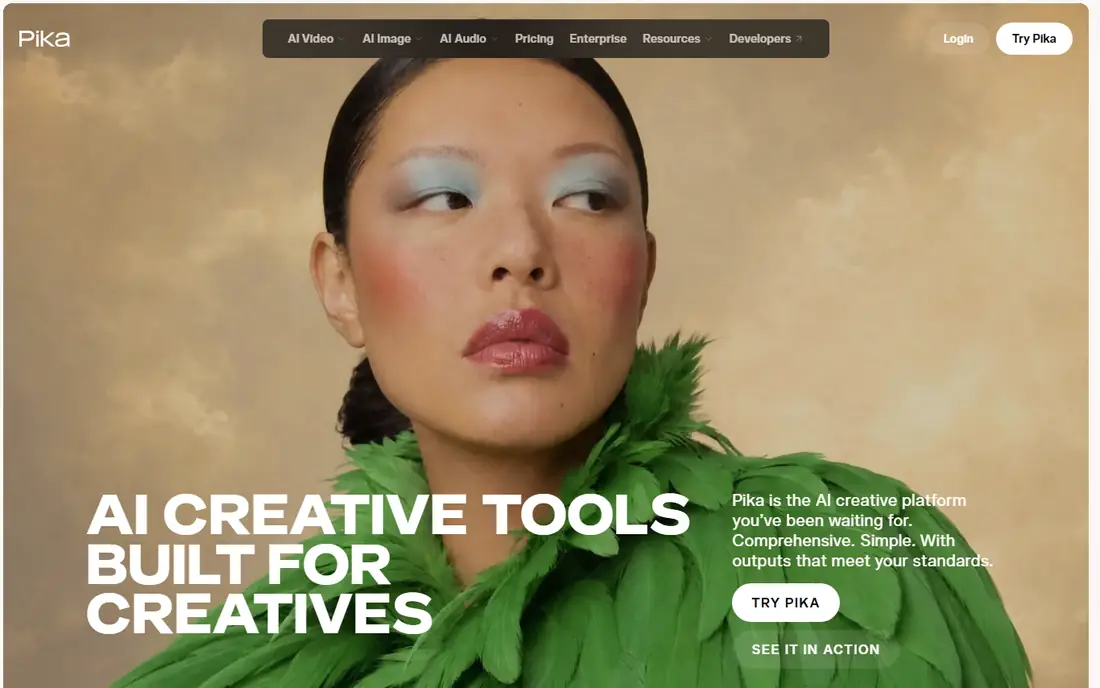
Pika is an AI creative platform built for creatives, bringing video, image and sound creation into one place with the world's leading generation models underneath and focused creative apps on top. In October 2026, Pika launched inside ChatGPT as a plugin extension offering 40 or more creative apps and 100 or more generation media models for images, video and sound without leaving the conversation.
Pika suits creators who want to compare models and pick the best output for each shot rather than committing to one model family. Its research team continues to publish new methods, keeping the platform current as models evolve.
What we like- AI creative platform with video, image and sound in one place
- Access to many leading generation models
- ChatGPT plugin extension launched October 2026
Watch out for- Homepage gives little pricing detail
- Model choice can overwhelm beginners
Starting priceSee website
Free planSee website
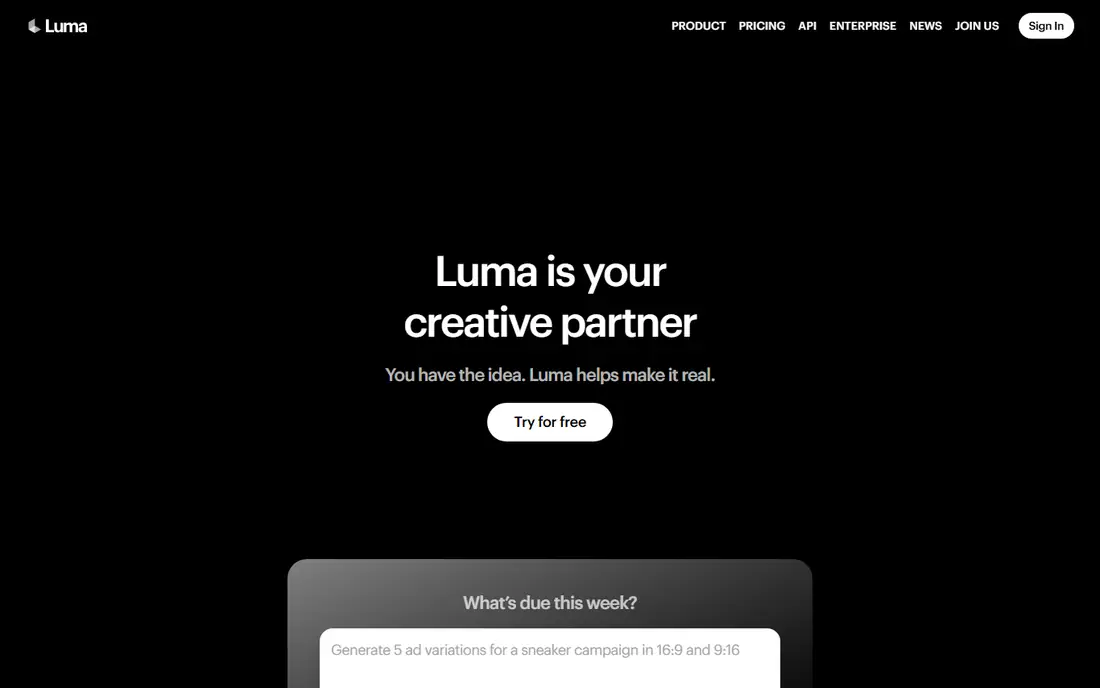
Luma positions itself as your creative partner, with agents that research, generate and refine across video, image, audio and text while holding brand steady. Its Ray 3.2 model lets creators direct video the way they would direct a shoot, with every frame under control, continuity across cuts and cinematic quality. Uni-1 adds brand intelligence at the model level, carrying style and character references into every asset.
For marketing teams that need ten directions before a morning standup and fifty variants by end of day, Luma's agent workflow is built for volume with consistency. Solo creators may prefer simpler single-model tools.
What we like- Agents research, generate and refine across video, image, audio and text
- Ray 3.2 offers frame-level control and continuity
- Uni-1 carries brand and character references
Watch out for- Agent-based workflow suits teams more than casual users
- Pricing not shown on the homepage
Starting priceSee website
Free planSee website
Kling AI is a next-generation AI video and image generator whose work includes Cannes-winning AI short films, a Longchamp brand film, a viral AI narrative short with more than 100 million views, and a fully AI-generated 135-minute feature film. Its Canvas workspace lets creators brainstorm with an agent, write scripts, generate images, videos and storyboards, then refine through multiple rounds of post-production.
Kling's e-commerce tools generate on-model fashion showcases and product videos from product images, which suits brands directly. Filmmaker Kavan Cardoza praises Kling's prompt adherence and crystal-clear 4K output as unmatched. For cinematic ambition, Kling is the top pick.
What we like- Cannes-winning AI films and brand work
- 4K output with strong prompt adherence
- Canvas organizes scripts, images, videos and storyboards in one project
Watch out for- Homepage focuses on showcase work more than pricing
- Commercial-grade output needs careful prompt craft
Starting priceSee website
Free planSee website
Hailuo AI from MiniMax offers photo-to-video generation with a huge template library: turn photos into K-pop idol music videos, skydive videos, Formula race videos, shopping photo videos, transformation videos and more. Its MiniMax H3 model is now live with native multimodal generation, precise multimodal editing and production-ready content creation, plus Omni Reference for keeping subjects consistent.
Hailuo suits creators who want fast, fun, shareable videos from a single photo without prompt engineering. For professional film work, Runway or Kling offer more control, but for social growth Hailuo's templates are hard to beat.
What we like- Rich photo-to-video templates from dance videos to transformations
- MiniMax H3 model live with multimodal editing
- Omni Reference for consistent subjects
Watch out for- Template-heavy catalog suits social content more than long-form film
- Pricing not shown on the homepage
#6
Vidu AI
Best for: Reference-consistent character and story video
Visit vidu.com
Starting priceFree credits
Free planYes
Vidu AI is an AI video generator for text, image and reference videos, with Image to Video that animates a static image and lets users set first and last frames, plus Reference to Video that combines three or more reference images into one consistent video. Its Vidu Q4 model supports cinematic prompts with detailed shot timing, and outputs run up to 1080p.
All users receive free credits to generate videos at no cost, and creators praise Vidu's motion quality, character consistency and affordability, with one noting Q3 audio video at just 6 credits for 5 seconds. For story-driven creators who need the same character across scenes, Vidu's reference system is a standout.
What we like- Text, image and reference-to-video modes
- Free credits for all users
- 1080p output with storyboard and character reference features
Watch out for- Homepage includes many non-English testimonials
- Credit pricing for longer videos needs the pricing page
Starting priceSee website
Free planSee website
Kaiber focuses on music-synced video, with Canvas, beat sync and an editor designed to match visuals to music. That specialization suits musicians, labels and creators making music videos, lyric visuals and social clips tied to a track.
Kaiber's homepage fetch returned only a JavaScript shell, so its listing rests on the confirmed product positioning rather than detailed feature text. For music-first video, Kaiber remains the specialist pick, but confirm current features and pricing in the app before committing.
What we like- Canvas, beat sync and editor built for music-synced video
- Strong fit for musicians and music video creators
Watch out for- Homepage returned only a JavaScript shell during research, so features rest on the product positioning shown
- Pricing needs the app
Starting priceSee website
Free planSee website
Google Veo 3.1 is DeepMind's video generation model with expanded creative controls, native audio and extended videos. In VBench image-to-video benchmarks, Veo 3 outputs were preferred overall compared with other models, and Veo 3.1 was preferred for text alignment and visual quality. Veo generates sound effects, ambient noise and dialogue natively, with strong physics, realism and prompt adherence.
Veo's Ingredients to Video, scene extension and first-and-last-frame features lead internal benchmarks, and it powers tools including Gemini, Google Flow, Google Vids and the Gemini API. For creators who want the best-rated image-to-video quality with sound built in, Veo is the benchmark leader.
What we like- Veo 3.1 leads image-to-video benchmarks on overall preference, text alignment and visual quality
- Native audio including dialogue and sound effects
- First and last frame control
Watch out for- Access runs through Gemini, Google Flow, Google Vids or API, not a single standalone app
- Pricing varies by Google product
How we chose
We opened each vendor homepage in October 2026 to confirm it loads and belongs to the product named, except Kaiber, whose homepage returned only a JavaScript shell and is listed on its confirmed positioning. We weighed image-to-video quality, motion consistency, audio support, template depth and pricing access.
Start with your source image. A portrait needs face consistency, a product shot needs stable branding, and a scenery shot needs smooth camera motion. Test the same image across two or three tools before committing, since models handle faces, hands and text very differently.
Next, check motion controls. First and last frame settings, camera moves, reference images and negative prompts separate professional tools from template toys. If you make stories, character reference features matter more than raw clip length.
Next, watch for consistency across clips. A single great clip is easy; a series that keeps the same character, outfit and setting across ten clips is hard. Tools with reference images, character libraries and first-frame control help here, while template tools often drift between generations. If you plan a series, test three clips from the same starting image before buying credits in bulk.
Also consider where the tool fits your editing workflow. Some creators generate clips and finish in a traditional editor, adding transitions, titles and sound design by hand. Others want an all-in-one workspace that handles generation, editing and export. If you already edit in Premiere or DaVinci Resolve, a generation-only tool may serve you better than a full suite, while beginners often benefit from built-in editing and templates that shorten the path from photo to finished post.
Finally, mind the cost model. Credits per second vary widely, and longer or higher-resolution clips cost far more. Estimate your monthly clip volume, check free credits, and pick the tool whose credit math fits your output, not just the one with the prettiest demo.
Frequently asked questions
What is the best AI image to video generator?
Google Veo leads image-to-video benchmarks, Runway suits professional suites, and Kling suits cinematic work. For social templates, Hailuo and Vidu are strong, affordable choices.
Can AI video tools animate a photo realistically?
Yes, within limits. Modern tools animate faces, camera moves and scenes well, but hands, text and complex motion still show artifacts. Short clips with simple motion look best.
Do these tools include audio?
Google Veo generates native audio including dialogue and sound effects. Other tools vary, so check audio support before choosing if sound matters for your clips.
How much do AI video tools cost?
Most use credit systems with free tiers or free credits, and paid plans for longer or higher-resolution output. Confirm credit costs per second on each pricing page, since rates change often.
Can I use AI-generated video commercially?
Most tools allow commercial use on paid plans, but terms vary by vendor and by model. Check the license for your plan, and avoid generating videos of real people without consent.
Sources we checked (8)
- https://runwayml.com
- https://pika.art
- https://lumalabs.ai
- https://www.klingai.com
- https://hailuoai.video
- https://www.vidu.com
- https://kaiber.ai
- https://deepmind.google/models/veo/
Is your product missing or out of date?
We review this list regularly. Vendors can request a listing, send updated pricing or ask about featured placement.

Shihab Mia · Founder, Rankite
Shihab has 5+ years in B2B and SaaS SEO. He writes Rankite's software buying guides from pricing pages, documentation and public user reviews. More about Shihab.