How we make this list: we compare pricing pages, product documentation and public user reviews. Ratings come from G2, Capterra or Trustpilot, with the date we checked them.
Key takeaways
- Family Tree Maker is the strongest desktop choice for Ancestry users, with one click sync and the widest chart and report library.
- RootsMagic is the best all around value, with a free Essentials edition, Ancestry and FamilySearch sync, and a one time purchase for the full version.
- Legacy Family Tree 10 is free and deep on reports and source writing, though it runs on Windows only in its classic form.
- Gramps is the free open source pick for researchers who want total control, while FamilySearch is free and the best starting point for beginners.
- MacFamilyTree is the Apple native pick, though its homepage returned only thin content during our check, so we flag it openly below rather than claiming a full confirmation.
Quick comparison
Is your product missing or out of date?
We review this list regularly. Vendors can request a listing, send updated pricing or ask about featured placement.
The best family tree software
Starting price$79.95
Free planNo
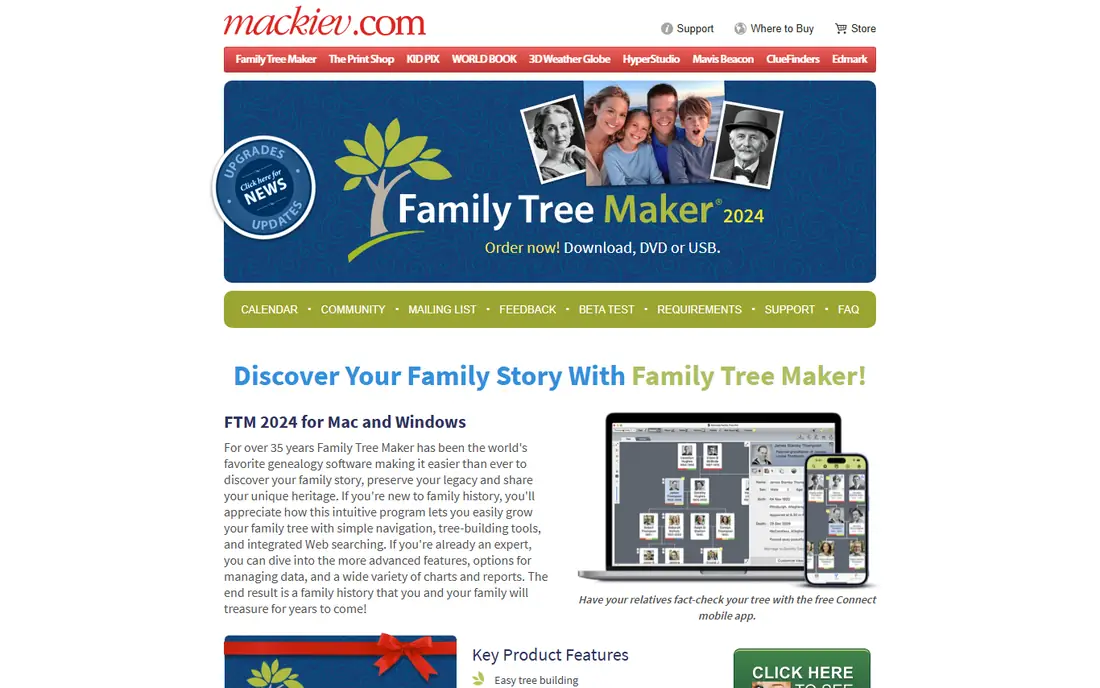
Family Tree Maker has been the world's favorite genealogy software for more than 35 years, and FTM 2024 is its biggest edition yet. The headline features are practical rather than flashy: Turn Back Time 5000 rolls back changes up to 5,000 steps, Connect Workspace lets relatives fact check your tree from a free mobile app, and TreeVault keeps an up to date cloud backup that can pass to a chosen successor with the license.
The sync story is what sets it apart. FTM 2017, 2019, and 2024 are the only editions whose trees sync with an Ancestry online tree so the two stay matched, and you can sync the same Ancestry tree to a laptop and a desktop at once. Charts cover pedigree, descendant, bowtie, and fan layouts, with dozens of reports and a locations database of more than 3 million place names.
Family Tree Maker fits serious genealogists who use Ancestry and want their data on their own computer. Casual users who only need a basic tree should start with FamilySearch or RootsMagic Essentials instead.
What we like- One click sync with Ancestry
- FamilySearch hints on 6 billion plus records
- Turn Back Time 5000 undo
- Connect Workspace for relative fact checking
- TreeVault cloud backup
Watch out for- No free trial by some reviews
- Mac users report more technical issues
- Highest one time price in the desktop group
Starting price$39.99
Free planYes
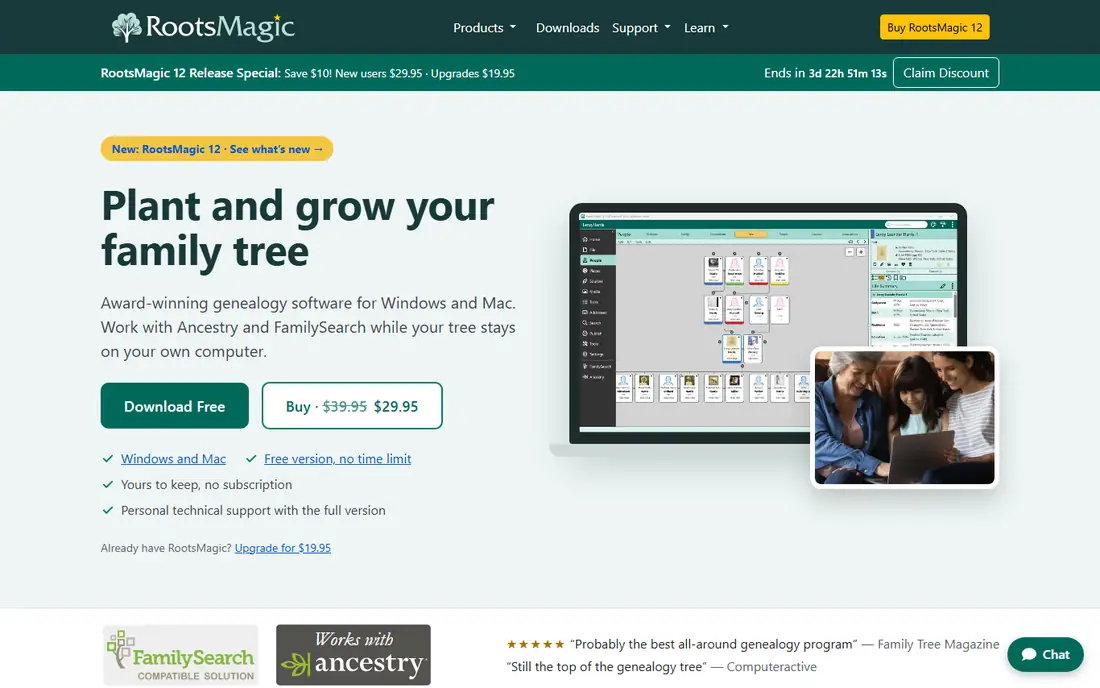
RootsMagic is the program most reviewers call the best all around genealogy software, and the price is a big part of why. RootsMagic Essentials is free, the full version is a one time purchase around 39.99 dollars, and your tree lives on your computer where only you can change it.
WebHints find records on Ancestry, FamilySearch, MyHeritage, and Findmypast, and the full version adds RootsMagic To-Go, which runs the software from a USB drive. Reports and charts number more than 100, and the program supports books and online publishing. Family Tree Magazine called it probably the best all around genealogy program, and it has won reader choice awards for Windows genealogy software.
RootsMagic fits almost everyone: beginners can start free, and advanced researchers get deep source citation and customization. Choose Family Tree Maker instead if Ancestry sync and chart polish matter most, and choose Gramps if you want open source control.
What we like- Free Essentials edition
- Syncs with Ancestry and FamilySearch
- WebHints from four sites
- Local data ownership
- 100 plus reports and charts
- RootsMagic To-Go on USB
Watch out for- Interface less polished than Family Tree Maker
- Free version lacks advanced tools
- Some features feel dated
Starting priceFree
Free planYes
Legacy Family Tree 10 is free software packed with features genealogists love, from dozens of tools to more than 100 reports. Hinting runs in the background across Findmypast, FamilySearch, GenealogyBank, and MyHeritage, surfacing missing information, pictures, and events while you work on other things.
The standout tools are SourceWriter, which formats citations properly, and the new FAN Club report, which maps friends, associates, and neighbors around an ancestor. Reports include wall calendars, origins reports, and heirloom family history books, and media handling covers photographs, audio, and video organized in albums and wall charts.
Legacy fits Windows users who want the deepest free program. Mac users should look at RootsMagic, Family Tree Maker, or MacFamilyTree, and researchers who want open source control should look at Gramps.
What we like- Legacy 10 free download
- 100 plus charts and reports
- SourceWriter for clean citations
- Hinting from Findmypast, FamilySearch, GenealogyBank, and MyHeritage
- FAN Club report
Watch out for- Classic version is Windows focused
- Interface less modern than Family Tree Maker
- Some advanced features sit in the paid Deluxe edition
Starting priceFree
Free planYes
Gramps is a free software project and community that aims to be both intuitive for hobbyists and feature complete for professional genealogists. It is created, developed, and governed by genealogists rather than a commercial vendor, which means no subscription, no lock in, and full control over your data.
The trade off is polish. Gramps can do almost everything the paid programs do, including detailed source citations, event handling, and reports, but the interface takes longer to learn and the setup is less guided. There is no built in Ancestry or FamilySearch sync, so researchers who live on those platforms will do more manual importing and exporting.
Gramps fits tech savvy researchers and anyone on a zero budget who wants professional depth. Beginners should start with FamilySearch or RootsMagic Essentials, and Ancestry users should choose Family Tree Maker.
What we like- Completely free and open source
- Runs on Windows, Mac, and Linux
- Feature complete for professionals
- Community governed
- GEDCOM support for moving data
Watch out for- Steeper learning curve
- Interface less polished than paid rivals
- No built in online sync with Ancestry or FamilySearch
Starting priceSee website
Free planNo
Family Historian is powerful, award winning genealogy software for Windows, and version 8 is described by its maker as the biggest upgrade yet. Its strengths are visual: interactive charts and diagrams, professional looking reports and books, mapping features, and the ability to link faces in photographs to people.
Licensing is now flexible, with low cost monthly or annual subscriptions alongside perpetual licenses for version 8, and existing version 7 users get a 25 percent upgrade discount. The program was rated number 1 overall by TopTenReviews for six years in a row and won a users choice award for 12 years in a row, in both cases right up until those sites stopped rating genealogy software.
Family Historian fits researchers who want the best charts and printed books. Note the domain carefully: family-historian.com belongs to an individual genealogist, while the software lives at family-historian.co.uk. Windows only status rules it out for Mac only households.
What we like- Family Historian 8 with major new features
- Interactive charts and diagrams
- Face linking in photos
- Professional reports and books
- 30 day free trial
- Monthly, annual, or perpetual licensing
Watch out for- Windows only
- Pricing not shown on the homepage
- Smaller US community than RootsMagic or Family Tree Maker
Starting price$24.99/month
Free planNo
Ancestry is less a desktop program and more the record library that every other tool on this list connects to. A membership is a hub for building a family tree and exploring historical records, photos, and personal stories, while AncestryDNA adds genetic matches from the world's largest consumer DNA database, covering more than 3,600 places around the world.
Tree building itself is free: you can build a tree and receive hints without paying, but viewing the underlying records requires a membership. US records start at 24.99 dollars a month, and the combined Family History plus DNA bundle starts around 100 dollars. The 6 month membership is often discounted, with a recent sale cutting it to 59 dollars from 119.
Ancestry fits researchers who need the deepest record access and DNA matching. Pair it with Family Tree Maker or RootsMagic for a local copy of your tree, and use FamilySearch for free records where Ancestry's paywall blocks you.
What we like- World's largest family history record collection
- AncestryDNA with the largest consumer DNA database
- Hint system that builds trees from records
- Free tree building without a subscription
Watch out for- Records access requires a subscription
- US records plan from 24.99 dollars a month
- World Explorer costs more
- DNA kit is a separate purchase
Starting priceFree
Free planYes
FamilySearch is the free starting point every beginner should try first. It is an international nonprofit dedicated to helping all people discover their family story, with billions of ancestor profiles, photographs, and historical documents available at no cost.
The shared tree is both the strength and the catch: more than 1 billion unique profiles grow as users contribute, so you may find whole branches already researched, but other users can also edit profiles you care about. Free guidance is available in person at more than 5,000 FamilySearch centers and online through the community, and the Salt Lake City library offers free access to the world's leading family history library collection.
FamilySearch fits beginners, students, and anyone on a zero budget. Serious researchers should still keep a private desktop tree in RootsMagic or Family Tree Maker and use FamilySearch as a record source and collaboration hub.
What we like- Completely free
- Billions of records
- World's largest shared family tree with over 1 billion profiles
- 5,000 plus free help centers
- Nonprofit
Watch out for- Shared tree means other users can edit your ancestors
- Fewer private tree controls than desktop software
- No DNA testing of its own
Starting priceSee website
Free planNo
MacFamilyTree is the premier choice for Apple users, known for visually striking 3D tree visualizations, high end charts, and a polished interface that feels native to macOS, iPadOS, and iOS. Syncing runs through iCloud, so a tree started on a Mac appears on an iPad and iPhone without extra setup.
We flag one caveat openly: when we opened macfamilytree.com, the page returned only a title and a product variants note rather than full product content. We keep it on this list because it is the established Apple native genealogy program with wide independent coverage, but readers should confirm current pricing and version details on the App Store or the vendor's store before buying.
MacFamilyTree fits Apple only households that value design and visualization over cross platform sync. Windows users should choose RootsMagic or Legacy, and Ancestry users should choose Family Tree Maker.
What we like- Apple native design for macOS, iPadOS, and iOS
- 3D tree visualizations
- High end charts
- ICloud sync across devices
Watch out for- Homepage returned only thin content during our check, so full feature confirmation rests on independent coverage rather than a homepage read
- Pricing not shown on the homepage
- Apple only
How we chose
We compared family tree software by platform support, Ancestry and FamilySearch sync, record access, chart and report depth, source citation quality, pricing model, and company size fit. We opened every vendor homepage to confirm it loads and belongs to the product described, with two notes: family-historian.com is not the software vendor, the real site is family-historian.co.uk, and macfamilytree.com returned only thin content during our check, so it is flagged openly above. We favored tools with a local data copy and GEDCOM support, and we excluded tools that only build trees online without export.
What to check before you buy
First, decide where your data lives. Desktop programs like Family Tree Maker, RootsMagic, and Gramps keep your tree on your computer, while Ancestry and FamilySearch keep it online. The safest setup is both: a desktop tree as your master copy, synced to an online service for records and collaboration.
Next, check sync before you commit. If you already have an Ancestry tree, Family Tree Maker syncs it with one click. If you use FamilySearch, RootsMagic and Family Tree Maker both connect. If you use neither, Gramps or Legacy gives you the most for the least money.
Finally, test export early. Build a small tree, export it as GEDCOM, and import it into another program. If the data survives cleanly, you are not locked in. If it does not, choose a program with stronger GEDCOM support before your tree grows to thousands of people.
Frequently asked questions
What is the best family tree software?
Family Tree Maker is the best desktop choice for Ancestry users, RootsMagic is the best all around value with a free edition, Legacy is the deepest free Windows program, and FamilySearch is the best free starting point. The best choice depends on your platform and whether you use Ancestry.
Is there free family tree software?
Yes. FamilySearch, Gramps, Legacy Family Tree 10, and RootsMagic Essentials are all free. FamilySearch adds free records, Gramps adds open source control, Legacy adds deep reports, and RootsMagic Essentials adds Ancestry and FamilySearch sync.
Can I sync desktop software with Ancestry?
Yes. Family Tree Maker syncs with Ancestry with one click, and RootsMagic also syncs with Ancestry and FamilySearch. Legacy hints from FamilySearch and other sites but does not offer the same full Ancestry sync.
Does family tree software work on Mac?
Yes. Family Tree Maker, RootsMagic, and Gramps run on Mac, and MacFamilyTree is Apple native. Legacy and Family Historian are Windows focused, so Mac users should avoid those two unless they run Windows in a virtual machine.
Should I use Ancestry or FamilySearch?
Use both. FamilySearch is free and nonprofit with billions of records, while Ancestry has the largest record collection and DNA matching. Build your master tree in desktop software, use FamilySearch for free records, and add Ancestry when you need its deeper collections or DNA.
Sources we checked (10)
- https://www.familytreemaker.com
- https://www.rootsmagic.com
- https://www.legacyfamilytree.com
- https://gramps-project.org
- https://www.family-historian.co.uk
- https://www.ancestry.com
- https://www.familysearch.org
- https://www.macfamilytree.com
- https://www.aboutdarwin.com/top-genealogy-tools/
- https://www.aboutdarwin.com/family-tree-maker-review/
Is your product missing or out of date?
We review this list regularly. Vendors can request a listing, send updated pricing or ask about featured placement.

Shihab Mia · Founder, Rankite
Shihab has 5+ years in B2B and SaaS SEO. He writes Rankite's software buying guides from pricing pages, documentation and public user reviews. More about Shihab.
 Family Tree Maker
 RootsMagic
 Legacy Family Tree
 Gramps
 Family Historian
 Ancestry
 FamilySearch
 MacFamilyTree