How we make this list: we compare pricing pages, product documentation and public user reviews. Ratings come from G2, Capterra or Trustpilot, with the date we checked them.
Key takeaways
- Box is the compliance leader for regulated industries, with HIPAA, FedRAMP, FINRA, and PCI DSS certifications, from 15 dollars per user a month.
- Microsoft OneDrive and SharePoint win by default for Microsoft 365 organizations, bundled from 7 dollars per user a month.
- Google Drive wins for cloud-native collaboration, with the best real-time editing, from 7 dollars per user a month.
- Dropbox Business is the cross-platform sync specialist, with Standard at 15 dollars per user a month confirmed on its homepage.
- Tresorit and Sync.com offer zero-knowledge encryption for privacy-first teams, with Sync.com the budget option at 6 dollars per user a month.
Quick comparison
| Tool | Best for | Starting price | Free plan |
|---|
 Box Box | Regulated-industry compliance | $15 per user per month | Yes |
 Microsoft OneDrive and SharePoint Microsoft OneDrive and SharePoint | Microsoft 365 organizations | $7 per user per month | Yes |
 Google Drive Google Drive | Cloud-native collaboration | $7 per user per month | Yes |
 Dropbox Business Dropbox Business | Cross-platform file sync | $15 per user per month | Yes |
 Egnyte Egnyte | Hybrid cloud plus on-premises | See website | Free trial |
 ShareFile ShareFile | Professional services workflows | $16.50 per user per month | No |
 Tresorit Tresorit | Maximum privacy | $19 per user per month | Free trial |
 Sync.com Sync.com | Privacy on a budget | $6 per user per month | Yes |
Is your product missing or out of date?
We review this list regularly. Vendors can request a listing, send updated pricing or ask about featured placement.
#1Box
Best for: Regulated-industry compliance4.2/5 on
G2 (5,259 reviews, checked Oct 2026)
Visit box.com
Starting price$15 per user per month
Free planYes
Box is the intelligent content management platform for enterprises that treat files as regulated assets. Its homepage describes secure collaboration, AI insights from any amount of content using models from OpenAI, Anthropic, and Google, data extraction agents for contracts and bank statements, and agentic workflows built with a drag-and-drop builder.
Security is the differentiator: AI-driven threat detection, deep learning-based malware detection, automated classification, granular access controls, and built-in compliance tools for GDPR, HIPAA, and FINRA. E-signatures are built where content lives, with unlimited e-signatures free, and Box was named a Leader for content management with top scores in security and AI.
2026 comparisons put Box Business at 15 dollars per user a month billed annually, with Business Starter at 5 dollars for up to 10 users and Enterprise at 35 dollars. Box is the pick when compliance certifications and content AI matter more than the lowest price.
What we like- HIPAA, FedRAMP, FINRA, and PCI DSS certifications
- Box AI insights and extraction agents
- Unlimited e-signatures
- Agentic workflow builder
Watch out for- Higher pricing on advanced tiers
- KeySafe is an add-on
- FedRAMP High costs extra
- Implementation complexity
Starting price$7 per user per month
Free planYes
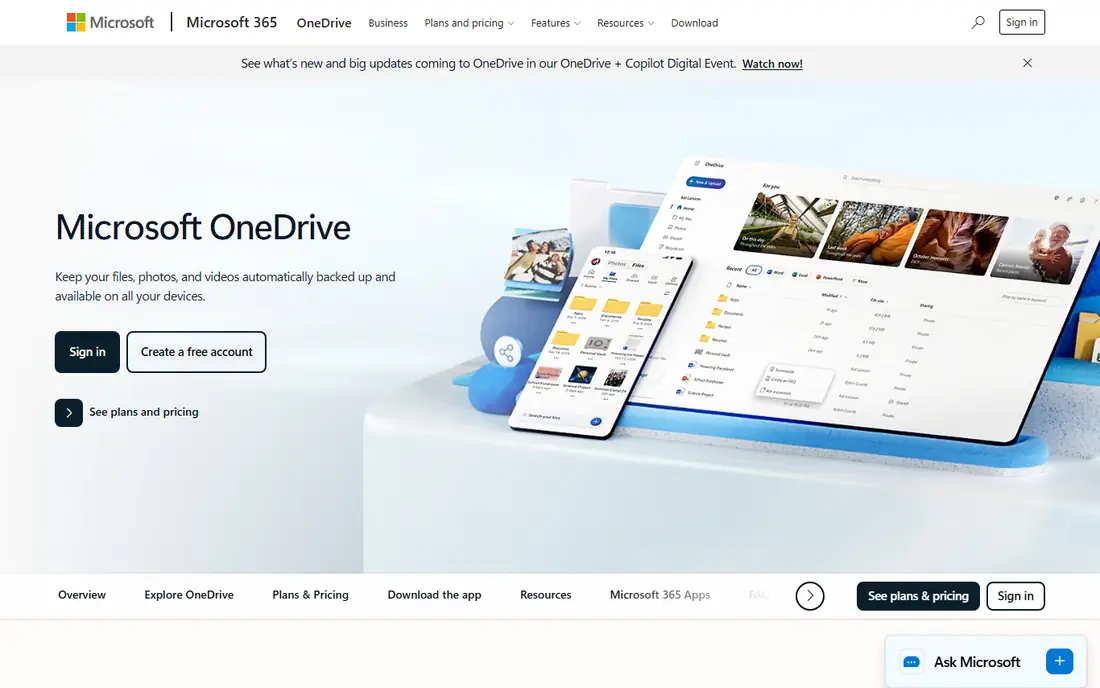
Microsoft OneDrive and SharePoint are the default file sharing platform for any organization already on Microsoft 365, because they come bundled rather than bought separately. OneDrive handles personal file storage and sharing, while SharePoint powers team sites, intranets, and content management, with real-time co-authoring in Word, Excel, and PowerPoint.
The homepage confirms OneDrive as a cloud storage service for backup, access, editing, sharing, and syncing from any device, with a free Microsoft 365 account including 5 GB of storage, ransomware detection and recovery on paid plans, and a Personal Vault behind multifactor authentication for the most sensitive files.
2026 comparisons put Microsoft 365 Business Basic at 7 dollars per user a month paid yearly, including 1 TB per user on listed plans. OneDrive and SharePoint are the pick when your company already pays for Microsoft 365 and your files live in Office documents.
What we like- Bundled with Microsoft 365
- Real-time Office co-authoring
- Entra ID conditional access
- 5 GB free
- Personal Vault for sensitive files
Watch out for- SharePoint complexity for large deployments
- Advanced controls need add-ons
- Best inside the Microsoft ecosystem
Starting price$7 per user per month
Free planYes
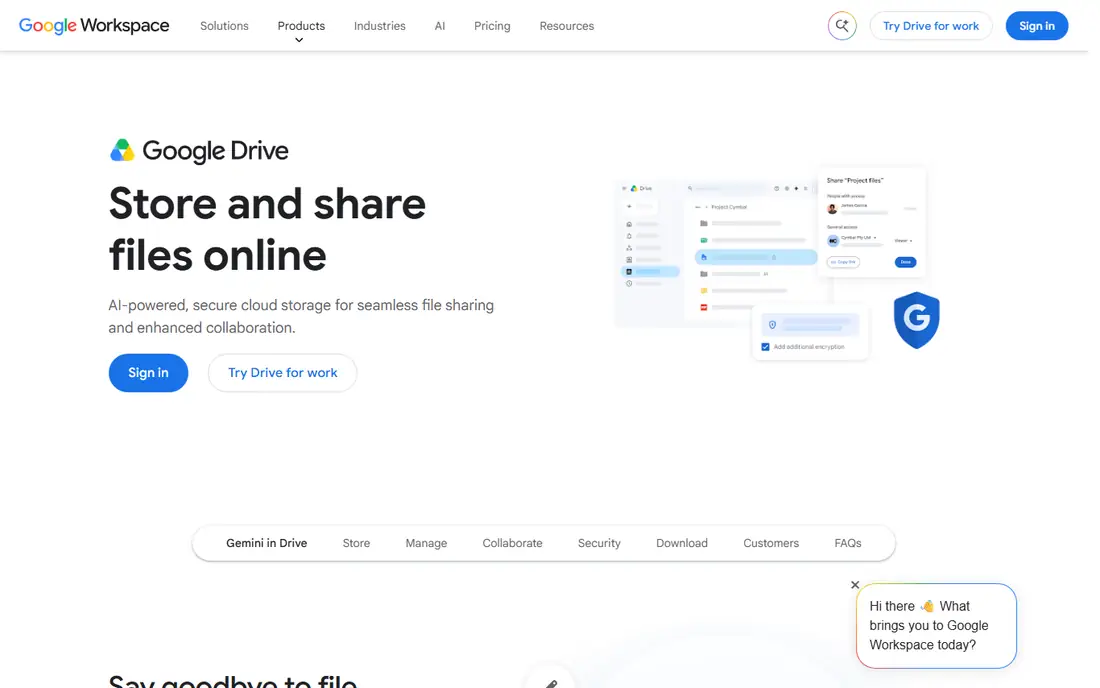
Google Drive is the cloud-native collaboration platform, built around Docs, Sheets, and Slides with the best real-time editing in this list. Multiple people edit the same document simultaneously with comments, suggestions, and version history, and Gemini AI features now assist across Workspace.
The Drive homepage itself is a sign-in page, which is noted here: the domain is confirmed as Google's official Drive, but detailed product content sits behind login. 2026 comparisons put Google Workspace Business Starter at 7 dollars per user a month, with another source citing 8.40 dollars, so confirm the current rate before buying.
Drive suits cloud-first teams, remote teams, and startups prioritizing real-time collaboration over desktop Office fidelity. Google Drive is the pick when your team lives in browser tabs and shared docs, not desktop apps.
What we like- Best-in-class real-time editing
- Deep Google Workspace integration
- 15 GB free for individuals
- Gemini AI features
Watch out for- Business plans capped at 300 users on some tiers
- May not suit Excel power users
- Homepage is sign-in walled for detail
#4Dropbox Business
Best for: Cross-platform file sync4.4/5 on
G2 (31,453 reviews, checked Oct 2026)
Visit dropbox.com
Starting price$15 per user per month
Free planYes
Dropbox Business is the sync specialist: store, share, sign, and collaborate without leaving Dropbox, with the most reliable cross-platform file sync in this list. Its homepage confirms Standard at 15 dollars per user per month for teams and professionals, Advanced at 24 dollars for companies, and Enterprise by quote.
The platform starts at 3 TB of storage and backup, with file recovery, password protection, watermarking, and viewer history for security, plus Transfer for delivering large files, tiered file permissions for shared links, and Replay for feedback and approval on video projects. PDF editing and e-signing sit inside the same product through Dropbox Sign.
More than 575,000 teams use Dropbox, and its interface remains the easiest here for non-technical users. Dropbox Business is the pick when files must stay in sync across Mac, Windows, mobile, and web with minimal friction.
What we like- Best cross-platform sync
- Smart Sync local storage optimization
- Transfer for large files
- Dropbox Sign built in
- 575,000 plus teams
Watch out for- Fewer collaboration features than Google or Microsoft
- Advanced tier jumps to 24 dollars
- Enterprise is quote-based
#5Egnyte
Best for: Hybrid cloud plus on-premises4.4/5 on
G2 (1,167 reviews, checked Oct 2026)
Visit egnyte.com
Starting priceSee website
Free planFree trial
Egnyte is the hybrid platform, and the only one here with a true on-premises plus cloud bridge, which matters for architecture, engineering, and construction firms, financial services, and life sciences companies with local file servers they cannot abandon. Its homepage now leads with an AI context layer: contextual knowledge and adaptive intelligence that let agents access, reuse, and reason across content, data, and apps.
The platform cites 94 percent more accurate AI answers when agents work from business context, 77 percent faster AI responses, and 2 times higher AI adoption with relevant recommendations and built-in governance. Customer stories cover insurers querying terms across hundreds of documents in natural language and field teams checking documents on mobile without returning to a laptop.
Pricing is listed as "See website" because 2026 sources conflict, ranging from 10 dollars to 22 dollars per user a month for entry tiers, with Enterprise Lite at 39 dollars and Elite at 48 dollars in one comparison. Egnyte is the pick when you need cloud collaboration without abandoning on-premises storage.
What we like- Only true on-premises plus cloud bridge
- Ransomware detection
- AI context layer for agents
- Strong AEC, finance, and life sciences coverage
Watch out for- Pricing varies across sources
- Business plan limited to 100 users
- Customer-managed keys on higher tiers
#6ShareFile
Best for: Professional services workflows4.2/5 on
G2 (1,541 reviews, checked Oct 2026)
Visit sharefile.com
Starting price$16.50 per user per month
Free planNo
ShareFile, now under Progress, is the professional services workflow platform: secure file sharing, client collaboration, e-signatures, and automated workflows in one governed workspace. Its homepage promises better client experiences, from first request to final archive, trusted for more than 20 years, serving 7 million plus daily users and 90,000 subscribers, with document collection 3.5 times faster.
The workflow covers client portals, document request lists, forms and approvals, AI-powered collection, summarization, and Q and A, plus audit trails, governance reporting, and AI security monitoring. Industry playbooks target accounting tax season, legal matter management, financial onboarding, insurance claims, and healthcare record handling.
2026 comparisons put Advanced at 16.50 dollars per user a month billed annually, with Premium at 26 dollars and Enterprise at 35 dollars, and a three-user minimum. ShareFile is the pick when your business runs on client document collection, especially accounting, legal, and financial services firms.
What we like- Client portals and document request lists
- Built-in e-signatures
- AI document collection and summarization
- 20 plus years trusted
- 7 million daily users
Watch out for- No free plan
- Three-user minimum
- Business associate agreement only on selected plans
- Progress branding still settling
Starting price$19 per user per month
Free planFree trial
Tresorit is the maximum-privacy platform, built on one promise: your data stays yours. Its homepage explains zero-knowledge end-to-end encryption, with every file encrypted on your device before it ever reaches the cloud, using AES-256 and RSA-4096 key exchange, so only you and your intended recipients hold the decryption keys, and not even Tresorit can access your data.
Compliance coverage is the broadest here: GDPR, HIPAA, NIS2, DORA, FINRA, CCPA, and Swiss DSG, with data residency choice across the EU, US, or Switzerland and 12 global locations. Deployment takes hours, not days, with single sign-on through Azure AD, Okta, or Google, and built-in eSignatures for secure signing.
Pricing starts at 19 dollars per user a month in 2026 comparisons, with other sources citing 14.50 to 24 dollars, so confirm the current tier before buying. Tresorit is the pick when privacy and data sovereignty are non-negotiable, especially for healthcare, finance, and legal teams.
What we like- Zero-knowledge end-to-end encryption
- Data residency choice across 12 locations
- GDPR, HIPAA, NIS2, DORA, and FINRA compliance
- Built-in eSignatures
Watch out for- Zero-knowledge model limits some admin recovery options
- Higher price than Sync.com
- Smaller ecosystem than Box or Microsoft
#8Sync.com
Best for: Privacy on a budget4.0/5 on
G2 (44 reviews, checked Oct 2026)
Visit sync.com
Starting price$6 per user per month
Free planYes
Sync.com is privacy on a budget: end-to-end encrypted cloud storage with HIPAA, GDPR, and PIPEDA compliance, Canadian data residency, and a mission unchanged since 2011 to protect user privacy. Its homepage emphasizes files on demand through Windows Explorer and Mac Finder, real-time backup and recovery from ransomware, hardware failure, and human error, and unlimited cloud storage and transfer on Pro Teams Unlimited.
The platform serves more than 2.7 million people, with clients including The New Yorker, TripAdvisor, RE/MAX, The Legal Aid Society, and Rutgers University. A free plan offers 5 GB, and team plans start at 6 dollars per user a month in 2026 comparisons, with per-account pricing on some tiers.
Sync.com will not match Box's compliance breadth or ShareFile's client workflows, but it delivers zero-knowledge privacy at a third of Tresorit's price. Sync.com is the pick when privacy matters and budget is tight.
What we like- Zero-knowledge encryption at the lowest price here
- Canadian data residency
- Unlimited storage and transfer on Pro Teams
- 5 GB free
- 2.7 million users
Watch out for- Smaller feature set than Box or ShareFile
- Fewer enterprise workflow tools
- Collaboration features trail Google and Microsoft
How we chose
We compared enterprise file sharing platforms with real IT and compliance teams using them, pricing from October 2026 comparisons, and homepages we opened on 27 October 2026 to confirm they load and belong to the vendor. Google Drive's homepage is sign-in walled, noted in the article. Egnyte pricing is listed as "See website" because sources conflict. We did not claim hands-on testing.
What to check before you pick
Start from your ecosystem. Microsoft 365 organizations belong on OneDrive and SharePoint. Google Workspace organizations belong on Drive. Regulated industries belong on Box or Tresorit. Client-service firms belong on ShareFile. Hybrid on-premises shops belong on Egnyte. Privacy on a budget belongs on Sync.com.
Next, check the cost driver that matters for your use case. Per-user pricing rises with every outside reviewer you add, which hurts deal processes with dozens of external counsel. Flat or per-account pricing stays predictable, and quote-led pricing means you cannot budget until you finish a sales cycle.
Finally, verify compliance and recovery before committing. Confirm the certifications your industry requires, test admin recovery under zero-knowledge models, check that audit logs export to your SIEM, and confirm data residency options match your regulatory obligations.
Frequently asked questions
What is the best enterprise file sharing platform overall?
Box, for regulated industries and content AI, with Microsoft OneDrive and SharePoint as the default for Microsoft 365 organizations and Google Drive for cloud-native collaboration. The right pick depends on ecosystem, compliance, and privacy needs.
Is zero-knowledge encryption worth it?
For healthcare, finance, legal, and any team handling sensitive client data, yes: only you and your recipients hold the keys. The tradeoff is that admin recovery options are limited, since the vendor cannot decrypt your files either.
How much does enterprise file sharing cost?
Entry tiers in 2026 run from 6 dollars per user a month for Sync.com, 7 dollars for Microsoft 365 Basic and Google Workspace Starter, 15 dollars for Box Business and Dropbox Standard, 16.50 dollars for ShareFile Advanced, and 19 dollars for Tresorit, with enterprise tiers and quotes above those.
Can I keep files on-premises and use the cloud?
Yes, with Egnyte, the only platform here with a true on-premises plus cloud bridge. Other platforms offer sync clients and local caching, but not a true hybrid architecture.
What is the difference between Box and Dropbox?
Box is the compliance and content AI platform for regulated enterprises, while Dropbox is the sync specialist with the easiest cross-platform experience. Box suits governance-heavy organizations, Dropbox suits teams that prioritize sync reliability and simplicity.
Do I need a separate e-signature tool?
Not necessarily: Box includes unlimited e-signatures, ShareFile includes built-in e-signatures, Dropbox includes Dropbox Sign, and Tresorit includes built-in eSignatures. Confirm signature legality and audit requirements for your jurisdiction before relying on built-in tools.
Sources we checked (8)
- https://www.box.com
- https://www.microsoft.com/en-us/microsoft-365/onedrive/online-cloud-storage
- https://drive.google.com
- https://www.dropbox.com/business
- https://egnyte.com
- https://www.sharefile.com
- https://www.tresorit.com
- https://www.sync.com
Is your product missing or out of date?
We review this list regularly. Vendors can request a listing, send updated pricing or ask about featured placement.

Shihab Mia · Founder, Rankite
Shihab has 5+ years in B2B and SaaS SEO. He writes Rankite's software buying guides from pricing pages, documentation and public user reviews. More about Shihab.