How we make this list: we compare pricing pages, product documentation and public user reviews. Ratings come from G2, Capterra or Trustpilot, with the date we checked them.
Key takeaways
- An email alias is a separate address that forwards to your real inbox, so a site never sees your real address and you can switch off one alias without affecting the rest.
- SimpleLogin and addy.io are the best standalone alias services, with open-source code, custom domains, and reply-through-alias support.
- DuckDuckGo Email Protection is the best free option, with unlimited private addresses and tracker removal, though it lacks custom domains.
- Firefox Relay and Apple Hide My Email are the best built-in options for Firefox users and Apple users respectively, with low entry prices.
- Aliases hide your real address from websites and senders, but they do not make you anonymous to law enforcement, and your alias provider can see forwarding metadata.
Quick comparison
Is your product missing or out of date?
We review this list regularly. Vendors can request a listing, send updated pricing or ask about featured placement.
The best email alias services
Starting price$3 per month
Free planYes
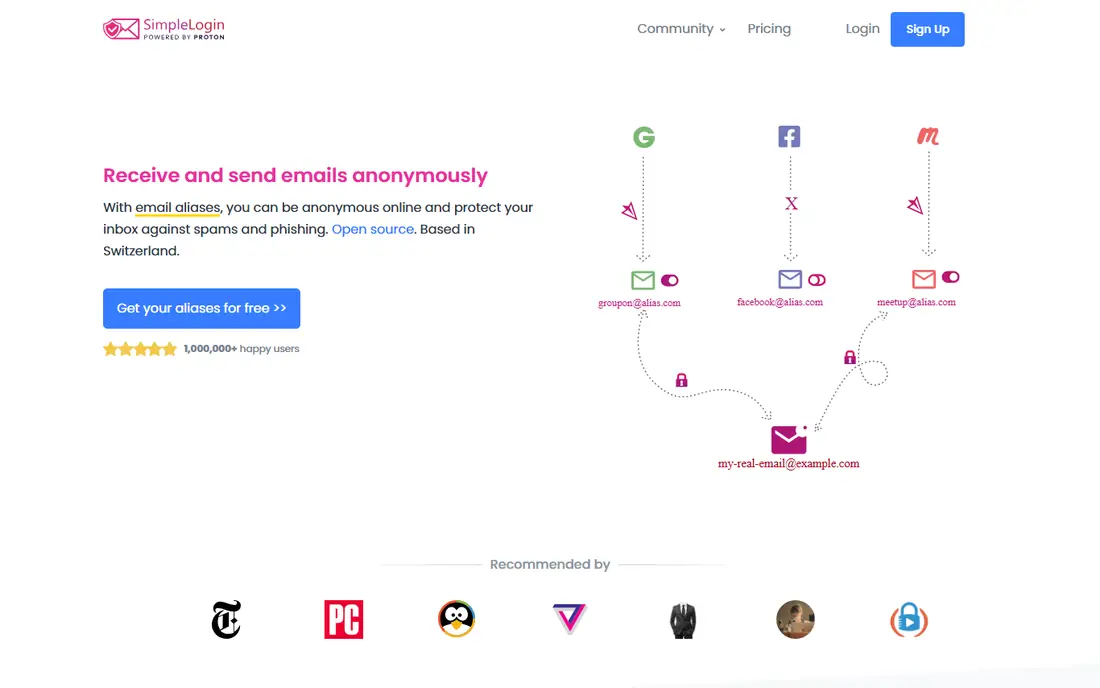
SimpleLogin, owned by Proton since 2022 and hosted in Switzerland, is the most widely adopted standalone alias service, with a free tier covering 10 aliases against SimpleLogin subdomains and one destination mailbox. Premium costs $4 per month or $36 per year, about $3 per month when billed yearly, and adds unlimited aliases across unlimited custom domains, multiple mailboxes, PGP encryption, and the ability to start emails from an alias. Its distinctive feature is the reverse alias: when a forwarded message lands in your inbox, replying through SimpleLogin routes the response back through the alias so the other party never sees your real address.
SimpleLogin code is open source, so users and security researchers can inspect how it works, and it can be self-hosted for operators who want aliasing on their own infrastructure. The free tier 10-alias limit suits casual users, while power users will need Premium, and PGP encryption setup takes some effort for beginners. For most users who want a serious, transparent alias service, SimpleLogin is the best overall pick, and it is included with Proton Unlimited or Proton Pass Plus for existing Proton subscribers.
What we like- Open-source code
- Unlimited aliases on Premium
- Custom domains
- Reply through alias
- Proton ownership
Watch out for- Free tier limited to 10 aliases
- Premium is $4 per month when billed monthly
- PGP setup takes effort
Starting price$1 per month
Free planYes
addy.io, formerly AnonAddy, offers unlimited aliases on its free plan, limited by bandwidth rather than alias count, with a 10 MB per month cap and one recipient on the free tier. Paid plans start at just $1 per month, about $12 per year, adding custom domains, rules, and reply-through-alias support, with higher tiers adding API access and more features. Like SimpleLogin, addy.io is open source and can be self-hosted, making it a strong choice for privacy-minded users who want control over their infrastructure.
The free tier bandwidth cap means heavy users will hit limits quickly, and sending from an alias requires a paid plan, which matters if you reply to newsletters or support threads through aliases. Its interface is functional rather than polished, and its feature set trails SimpleLogin in areas such as PGP support. For budget-conscious users and power users who want custom domain support at the lowest price, addy.io is the best value pick, and its $1 per month entry plan is hard to beat.
What we like- Unlimited aliases on free tier
- Paid plans from $1 per month
- Custom domains
- Open source and self-hostable
Watch out for- Free tier caps bandwidth at 10 MB per month
- Sending from aliases needs a paid plan
- Interface is less polished
Starting price$0.99 per month
Free planYes
Firefox Relay, from Mozilla, gives you 5 free email masks that forward to your real inbox and remove trackers from forwarded messages. Relay Premium costs about $1 per month when billed yearly, adding unlimited masks, a custom subdomain, and reply support, so you can answer messages through a mask without revealing your real address. Relay integrates tightly with Firefox, letting you generate a mask directly from a sign-up form in the browser without visiting a separate site.
The free tier 5-mask limit is tight for users who want a unique alias per service, and sending new mail from a mask is not supported, with replies only on Premium. Phone masking is a separate premium option available only in the US and Canada at a higher price. For Firefox users who want a simple, low-cost setup with a trusted brand behind it, Relay is the best built-in pick, and Premium at about $1 per month is the cheapest unlimited option from a major browser maker.
What we like- Tight Firefox integration
- Tracker removal
- Custom subdomain on Premium
- Low Premium price
Watch out for- Free tier limited to 5 masks
- Sending from masks needs Premium
- Phone masking is separate and US and Canada only
Starting priceFree
Free planYes
DuckDuckGo Email Protection offers unlimited private @duck.com addresses for free, with tracker removal on forwarded messages and reply-through-alias support, and there is no paid tier to upgrade to. You generate a private address for each site, DuckDuckGo strips tracking pixels before forwarding, and replies route back through the alias so your real address stays hidden. Setup is simple, with browser extensions and mobile apps, and the service suits users who want masking without paying or managing another subscription.
DuckDuckGo offers no custom domains, so your aliases always carry the duck.com domain, which some sites may block or treat as disposable, and it provides no mailbox of its own, forwarding only to an existing inbox. Feature depth also trails SimpleLogin and addy.io, with no rules engine or API. For users who want free, unlimited masking with tracker removal and no subscription, DuckDuckGo is the best free pick, and it pairs well with any inbox you already use.
What we like- Unlimited private @duck.com addresses
- Tracker removal
- Free with no paid tier
- Reply through alias
Watch out for- No custom domains
- No mailbox of its own
- Features limited compared with standalone services
Starting price$0.99 per month
Free planNo
Apple Hide My Email creates random email addresses that forward to your iCloud inbox, available to iCloud+ subscribers starting at $0.99 per month for 50 GB of storage, with every paid iCloud+ tier including the feature. You can create addresses in Settings or directly from a Safari sign-up field by tapping Hide My Email above the keyboard, label each address with a note, and send and reply from those addresses in Mail on iCloud.com and Apple devices. Integration is smooth for Apple users, with no extra app to install or manage.
Hide My Email requires iCloud+, so it is not free, and it offers no custom domains or advanced features such as rules or API access. It is also limited to the Apple ecosystem, so Windows or Android users gain less from it. For people already paying for iCloud+ who want aliases with zero extra apps, Hide My Email is the best built-in pick, and its simplicity makes it the easiest alias service to actually use every day.
What we like- Built into Apple devices
- Random addresses forward to iCloud inbox
- Reply support in Apple Mail
Watch out for- Requires iCloud+ from $0.99 per month
- No custom domains
- Limited to Apple ecosystem

#6Proton Pass
Best for: Proton ecosystem4.6/5 on
G2 (6 reviews, checked Oct 2026)
Visit proton.me
Starting price$1.99 per month
Free planYes
Proton Pass, Proton password manager, includes email alias support powered by SimpleLogin, with a free tier covering up to 10 aliases and paid plans from about $1.99 per month adding unlimited aliases and deeper integration. Aliases are created inside the password manager as you save logins, so each account gets a unique alias and a stored password in one step, and replies route through the alias to protect your real address. Swiss jurisdiction and Proton privacy reputation add confidence for users who already trust Proton Mail or Proton VPN.
Full alias features, including unlimited aliases and custom domains, need a paid plan, and the best value comes inside Proton Unlimited, which bundles mail, VPN, drive, and pass. Standalone SimpleLogin remains more flexible for users who do not use Proton other services. For Proton users who already manage passwords in Proton Pass, its built-in alias support is the most convenient option, and it removes the need for a separate alias service entirely.
What we like- Integrated with Proton password manager
- 10 aliases free
- Unlimited on paid plans
- Swiss jurisdiction
Watch out for- Full alias features need a paid plan
- Best value inside Proton Unlimited
- Less flexible than standalone SimpleLogin
Starting priceSee website
Free planNo
Fastmail Masked Email lets Fastmail subscribers generate masked addresses that forward to their Fastmail inbox, with integration through a 1Password partnership that creates a masked address and a saved login together. Masked Email suits users who want a real hosted mailbox on a custom domain plus alias support in one product, with Fastmail strong email features, filtering, and reliability behind it. Custom domain support means your masked addresses can carry your own domain rather than a shared alias domain.
There is no free tier, since Masked Email requires a paid Fastmail plan, and masked email limits tie to your plan level, so pricing varies and is listed here as See website. Users who already use Gmail or another mailbox gain less from switching to Fastmail for aliases alone. For users who want a premium mailbox plus alias support in one subscription, Fastmail Masked Email is the best combined pick, and its 1Password integration makes alias creation part of the normal sign-up flow.
What we like- Masked Email integrated with a full mailbox
- 1Password partnership
- Custom domain support
- Strong email features
Watch out for- No free tier
- Requires a paid Fastmail plan
- Masked email count tied to plan
Starting price$4 per month
Free planYes
EmailAlias.io offers 10 aliases on its free tier, with a paid plan at $4 per month adding custom domains, up to 5 domains, reply-through-alias support, and leak analytics that flag when an alias starts receiving suspicious traffic. Being inbox-agnostic, it forwards to any mailbox you choose rather than locking you into one provider, which suits users who switch mailboxes or use several. Its exposure intelligence, telling you when an alias attracts suspicious traffic, is a useful addition beyond basic forwarding.
The paid plan at $4 per month costs more than addy.io or Firefox Relay for similar alias counts, and EmailAlias.io is a smaller provider than Proton or Mozilla, so its long-term track record is shorter. Feature depth also trails SimpleLogin in areas such as open-source code and self-hosting. For users who want leak analytics and an inbox-agnostic service with a clean interface, EmailAlias.io is a solid pick, though SimpleLogin or addy.io offer better value for most users.
What we like- 10 aliases free
- Leak analytics
- Custom domains on paid plans
- Reply through alias
- Inbox-agnostic
Watch out for- Paid plan $4 per month
- Smaller provider than Proton or Mozilla
- Feature depth trails SimpleLogin
How we chose
We compared services on alias limits, free-tier generosity, reply-through-alias support, custom domain support, open-source availability, jurisdiction, and price, weighting real-world reliability and forwarding quality alongside features. We favored services with published pricing and transparent limits, and we marked Fastmail as See website where pricing depends on mailbox plan rather than guessing a figure. Prices come from vendor pages and current guides, and they vary by billing period, so monthly prices assume yearly billing where a yearly discount applies. We did not test any service hands-on, and we did not list disposable email services that block account recovery or long-term use.
Buying guide
Start by deciding how you will use aliases. If you want a unique alias for every site, pick a service with unlimited aliases on its paid plan, such as SimpleLogin or addy.io, and label each alias as you create it so you can find it later. If you only need aliases for a few sign-ups, a free tier such as DuckDuckGo unlimited masking or Firefox Relay 5 masks covers the job without cost. If you already pay for iCloud+ or Proton, use the built-in alias feature first before adding another subscription.
Remember what aliases do and do not protect. Aliases hide your real address from websites, senders, and data breaches, and they let you switch off a leaking alias without changing your inbox. They do not make you anonymous to law enforcement, since your alias provider can see forwarding metadata and may be required to share it under legal process, and they do not encrypt your email unless you add PGP or use an encrypted mailbox. Use aliases for privacy from marketers and breaches, not for activities that require true anonymity, and keep your main address for banking, government, and account recovery where a stable address matters.
Frequently asked questions
What is an email alias?
An email alias is a separate address that forwards to your real inbox. The site you sign up for sees only the alias, and if it leaks or starts sending junk, you switch off that alias without affecting your other accounts or your real address.
Are email aliases free?
Yes, several services offer free tiers: DuckDuckGo Email Protection is free with unlimited addresses, SimpleLogin and addy.io offer free tiers with limits, and Firefox Relay offers 5 free masks. Paid plans from $1 to $4 per month add unlimited aliases, custom domains, and reply support.
Can I reply from an email alias?
Yes, most paid plans support replying through an alias so your real address never leaks, including SimpleLogin Premium, addy.io paid plans, Firefox Relay Premium, DuckDuckGo, and Apple Hide My Email in Apple Mail. Free tiers vary, so check reply support before committing.
Do email aliases make me anonymous?
No. Aliases hide your real address from websites and senders, but your alias provider can see forwarding metadata such as sender, recipient, and timestamps, and may be required to share it under legal process. For true anonymity, you need additional tools beyond aliases.
What happens if an alias leaks in a data breach?
Only that alias is exposed, so you switch it off and create a new one for that site, leaving your other accounts untouched. That isolation is the main benefit of using a unique alias per service, and it also tells you which site leaked your address.
Should I use aliases for banking and government accounts?
No. Use your real, stable address for banking, government, healthcare, and account recovery, where a working address matters and where alias forwarding could delay critical messages. Use aliases for shopping, newsletters, trials, and general sign-ups instead.
Sources we checked (0)
Is your product missing or out of date?
We review this list regularly. Vendors can request a listing, send updated pricing or ask about featured placement.

Shihab Mia · Founder, Rankite
Shihab has 5+ years in B2B and SaaS SEO. He writes Rankite's software buying guides from pricing pages, documentation and public user reviews. More about Shihab.
 SimpleLogin
 addy.io
 Firefox Relay
 DuckDuckGo Email Protection
 Apple Hide My Email
 Fastmail Masked Email
 EmailAlias.io