How we make this list: we compare pricing pages, product documentation and public user reviews. Ratings come from G2, Capterra or Trustpilot, with the date we checked them.

Key takeaways
- Guerrilla Mail leads on full-featured disposable inboxes, with custom addresses, attachments, and longer sessions.
- Temp Mail leads on ease, with instant addresses on web, iOS, and Android and no signup.
- 10 Minute Mail leads on ultra-short use, with addresses that expire in ten minutes unless extended.
- Mailinator leads on public inboxes for testing, where any address at its domain is instantly readable.
- Mohmal and EmailOnDeck suit users who want Arabic-friendly or longer-lived disposable addresses.
- Safety rule: use temp email only for low-stakes signups, never for banking, password recovery, or accounts you need to keep.
Quick comparison
Is your product missing or out of date?
We review this list regularly. Vendors can request a listing, send updated pricing or ask about featured placement.
The best temporary email services
Temporary email services give you a throwaway address for signups, downloads, and trials, so your real inbox stays free of marketing mail and your address stays out of breach databases. The address receives confirmation codes and links, then expires or gets abandoned. The eight services below cover instant addresses, longer-lived inboxes, public test inboxes, and forwarding disguises, and the right pick depends on how long you need the address and how much privacy you want.
How we chose
We started from the temporary email services people actually use in 2026, drawing on privacy guides, app store rankings, and vendor pages. We favored services with instant setup, no required signup, and clear inbox lifetimes, and we excluded services that require personal data, show aggressive ads over inbox content, or have a record of harvesting addresses. Prices are mostly free, so where a premium tier exists and a figure is not confirmed, we use "See website" and flag the gap.
Buying guide
Start with how long you need the address. A ten-minute address suits a single confirmation code, while a longer-lived inbox suits a trial that sends several emails over days. Pick the shortest life that covers your need, since longer-lived disposable addresses accumulate mail and become a second inbox to manage.
Next, check what the inbox can receive. Some services block attachments, which breaks signups that send PDF receipts or verification files. Others limit inbox size or message counts. Then consider privacy: public inboxes such as Mailinator are readable by anyone who guesses the address, so never use them for anything personal, while private inboxes such as Guerrilla Mail and Temp Mail keep addresses unlisted.
Finally, remember the core safety rule. Temporary email suits low-stakes signups: newsletters, free downloads, forum accounts, and trials you may abandon. It does not suit banking, password recovery, shopping orders, or any account you must recover later, since an expired address means lost access. For accounts that matter, use a real address with a strong password and two-factor login.
One more practical point: many websites block known disposable domains, so a temp address sometimes fails at signup. If a site rejects your address, try a different service or a different domain from the same service, since block lists vary. For recurring needs, an email alias service from your real provider, such as Apple Hide My Email or Gmail plus-addressing, gives a middle path: disposable addresses that forward to your real inbox and can be disabled individually.
Frequently asked questions
Is temporary email safe?
For low-stakes signups, yes, with care. Use private inboxes, not public ones, for anything semi-personal, and never use temp email for banking, recovery, or accounts you need to keep. The main risk is losing access when the address expires.
Can I receive confirmation codes with temp email?
Yes, most services receive codes and links normally. Some sites block disposable domains, and some services delay mail by a minute or two, so wait and refresh before requesting another code.
How long do temporary addresses last?
It varies widely: 10 Minute Mail lasts ten minutes unless extended, Temp Mail addresses last until deleted, Guerrilla Mail sessions last about an hour with extensions, and Mailinator inboxes are public and short-lived. Check each service's lifetime before relying on it.
Are public inboxes private?
No. Mailinator-style public inboxes are readable by anyone who enters the address, so anyone can read your mail there. Use public inboxes only for testing and truly public content, never for personal mail.
What is the difference between temp email and email aliases?
Temp email gives a fully disposable address that expires, while aliases forward to your real inbox and can be disabled individually. Aliases suit accounts you keep, while temp email suits throwaway signups you may abandon.
Sources
- Vendor pages for Guerrilla Mail, Temp Mail, 10 Minute Mail, Mailinator, TrashMail, Mohmal, EmailOnDeck, and Tempail
- Privacy guides on disposable email, inbox lifetimes, and domain blocking in 2026
- Third-party comparisons of temporary email services
Starting priceFree
Free planFree
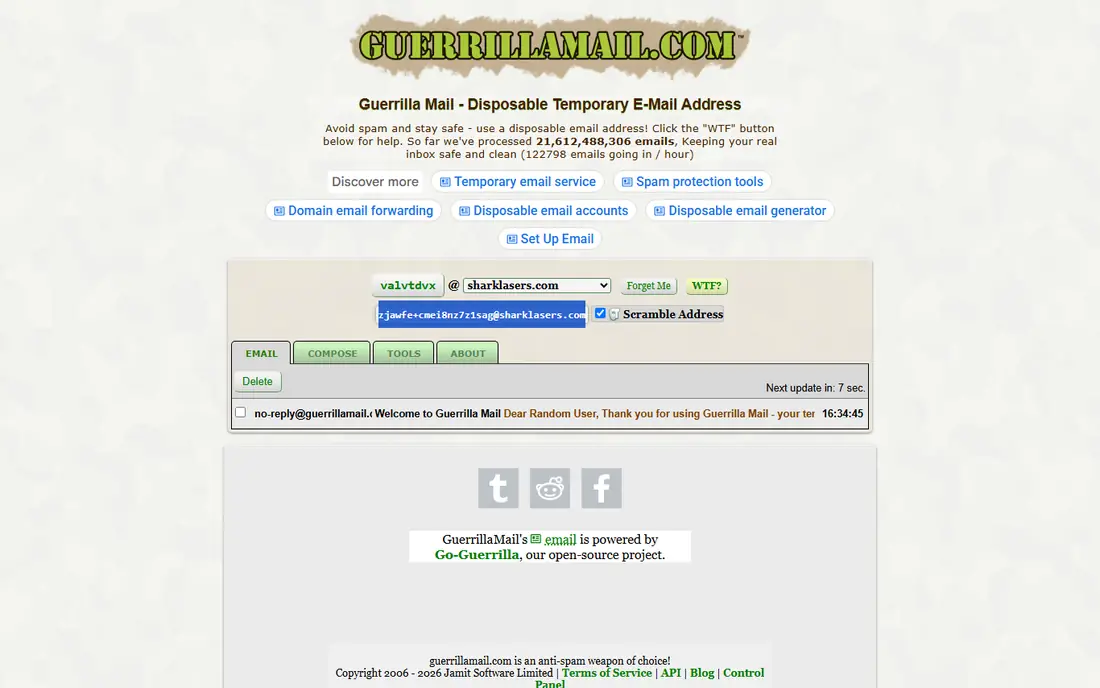
Guerrilla Mail is the most full-featured disposable inbox, offering custom address names, attachment support, and sessions that last about an hour with extension options. That feature set suits signups that send files or multiple messages, where simpler temp services fall short.
The interface feels dated, sessions still expire, and its well-known domains appear on many block lists, so some sites reject Guerrilla addresses. Guerrilla Mail suits users who need attachments and custom names in a disposable inbox and who accept occasional domain blocks. Its scrambled address option also helps when a site blocks the standard domains, since a less common domain sometimes passes filters that block the main ones. Try that option before switching services entirely.
What we like- Custom addresses
- Attachments supported
- Longer sessions with extension
Watch out for- Interface is dated
- Sessions expire
- Domain list is well-known and sometimes blocked
Starting priceFree app
Free planFree plan
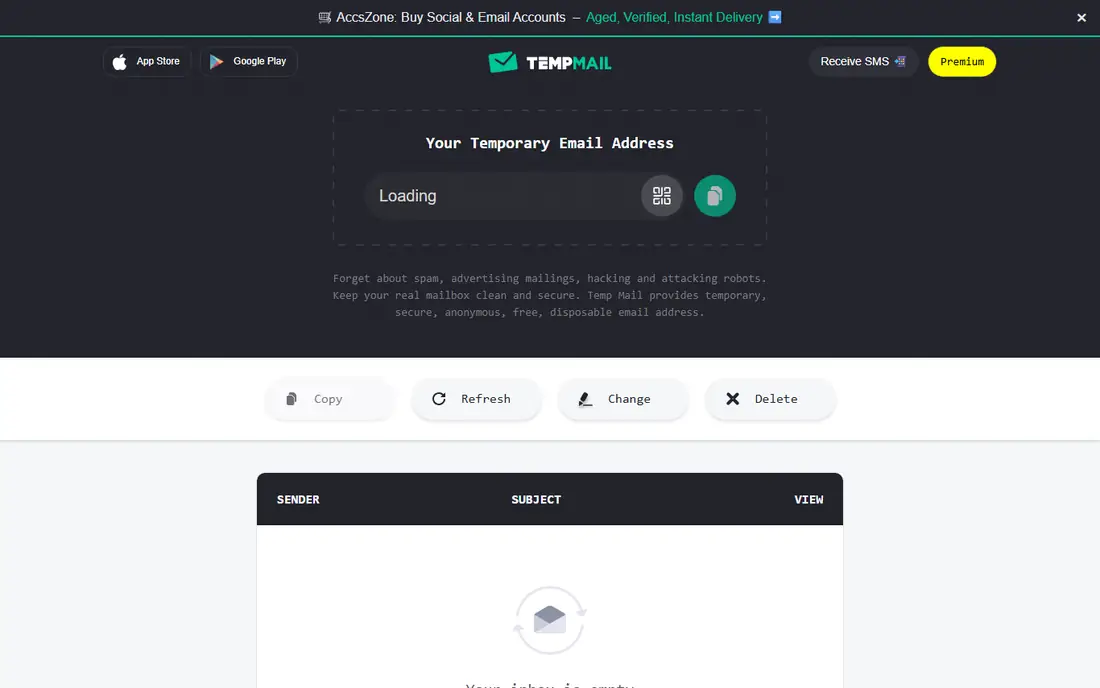
Temp Mail is the easiest temp email service: open the site or app and an address is ready instantly, with no signup and no setup. Apps for iOS and Android plus many domain choices make it the default pick for most users, and addresses last until you delete them or change them.
Premium plans add custom domains and remove ads, while the free tier shows ads and limits some features. Inbox lifetime also varies by address type. Temp Mail suits most users who want instant disposable email on any device with minimal friction. Its mobile apps deserve special mention, since many temp services work poorly on phones: Temp Mail's apps keep the current address visible, refresh the inbox automatically, and copy codes with one tap, which removes the friction that makes other services annoying on mobile. If you verify accounts from your phone often, that mobile polish matters more than extra features you will rarely use.
What we like- Instant addresses on web and mobile
- No signup
- Many domains
Watch out for- Premium needed for custom domains
- Ads on free tier
- Inbox lifetime varies
Starting priceFree
Free planFree
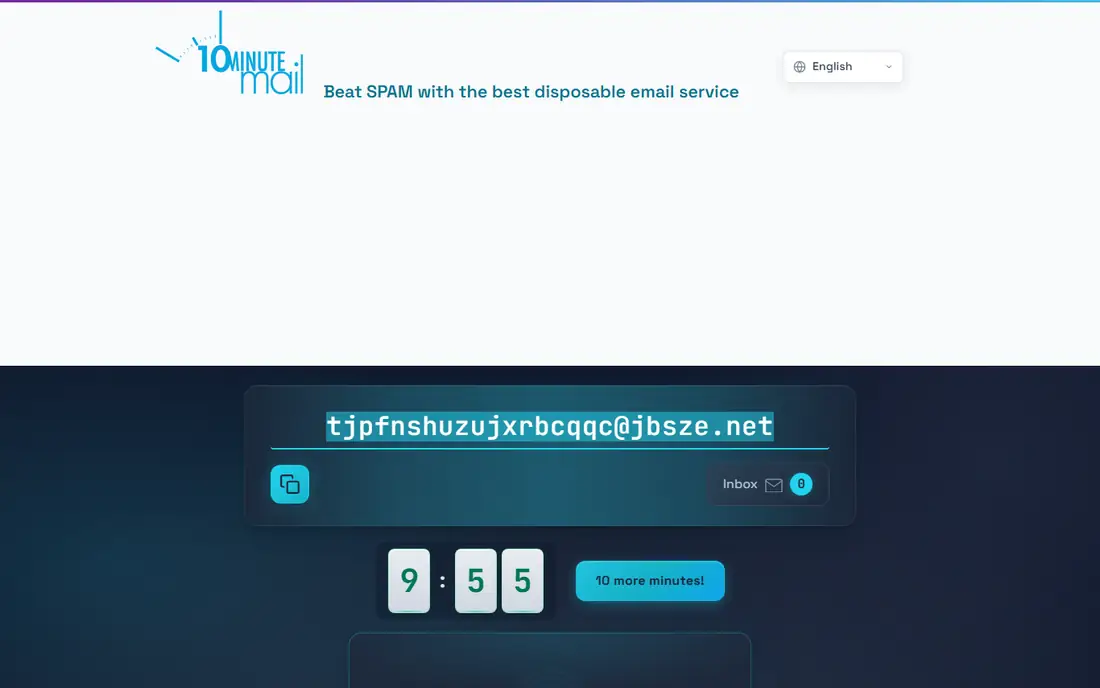
10 Minute Mail gives an address that lives for ten minutes, extendable in ten-minute steps, which is ideal for a single confirmation code. The short life is a privacy feature: nothing lingers, and the address vanishes on its own without cleanup.
That brevity breaks multi-step signups that send several emails over time, and attachment support is not the focus. History disappears after expiry, so codes must be used promptly. 10 Minute Mail suits single-code verifications where speed and auto-expiry matter most. Keep the tab open until the code arrives.
What we like- Fastest setup
- Auto-expiry protects privacy
- Extendable in ten-minute steps
Watch out for- Too short for multi-step signups
- No attachments focus
- No history after expiry
Starting priceFree
Free planFree plan
Mailinator works differently from other services: any address at its domains instantly becomes a readable public inbox, with no signup and no setup. Developers and testers use it to check signup flows and email delivery without creating accounts.
The catch is total publicity: anyone who enters the same address reads the same mail, so Mailinator must never be used for personal, sensitive, or account-related mail. Mailinator suits testing, QA, and truly public content only, and its simplicity makes it a favorite for developers everywhere.
What we like- Any address works instantly
- Great for testing
- No signup at all
Watch out for- Inboxes are public
- Anyone can read your mail
- Not for personal use
Starting priceSee website
Free planFree plan
TrashMail takes a different approach: it creates forwarding addresses that disguise your real email, with expiry dates and a challenge-response filter that blocks spam. Mail sent to a TrashMail address forwards to your real inbox until the address expires or hits its use limit, which combines disposability with real inbox convenience.
Setup needs your real address for forwarding, which reduces anonymity compared with pure temp services, and the free tier limits address counts. TrashMail suits users who want disposable addresses that still reach their real inbox, with expiry and spam controls.
What we like- Forwarding addresses that disguise your real email
- Expiry controls
- Challenge-response spam filter
Watch out for- Needs your real address for forwarding
- Setup is more involved
- Free tier limits addresses
Starting priceFree
Free planFree
Mohmal offers disposable inboxes with longer lifetimes than ten-minute services, plus Arabic and English interfaces that serve users in the Middle East and beyond. Its simplicity appeals to users who want a working inbox without apps or accounts.
The domain set is smaller, features are fewer than Guerrilla Mail, and site availability varies at times. Mohmal suits users who want a longer-lived disposable inbox with Arabic language support, and who value simplicity over advanced features. Try it when other services feel too short-lived.
What we like- Longer-lived inboxes
- Arabic and English interfaces
- Simple use
Watch out for- Smaller domain set
- Fewer features than Guerrilla
- Site availability varies
Starting priceFree
Free planFree
EmailOnDeck keeps disposable mail simple: generate an address, read mail in two steps, and move on, with no signup and a Bitcoin-friendly stance that appeals to privacy users. Its minimal design loads fast and works well for quick verifications.
Features are basic, inbox lifetime is short, and the interface offers little beyond reading mail. EmailOnDeck suits users who want the simplest possible disposable inbox for a quick code or link, without extras or accounts.
What we like- Simple two-step inboxes
- Bitcoin-friendly
- No signup
Watch out for- Basic features only
- Inbox lifetime is short
- Interface is minimal
Starting priceFree
Free planFree
Tempail offers instant browser inboxes with a clean interface and no signup, covering quick verifications and trial signups from any desktop browser. Its speed and simplicity make it a good backup when a primary temp service is blocked or slow.
Lifetimes are short, features are limited to basic reading, and domain blocking varies by site. Tempail suits browser users who want a fast backup disposable inbox for low-stakes signups. Bookmark it alongside your primary temp service so a block never stops a signup.
What we like- Instant browser inboxes
- No signup
- Clean interface
Watch out for- Short lifetimes
- Limited features
- Domain blocking varies
Is your product missing or out of date?
We review this list regularly. Vendors can request a listing, send updated pricing or ask about featured placement.

Shihab Mia · Founder, Rankite
Shihab has 5+ years in B2B and SaaS SEO. He writes Rankite's software buying guides from pricing pages, documentation and public user reviews. More about Shihab.
 Guerrilla Mail
 Temp Mail
 10 Minute Mail
 Mailinator
 TrashMail
 Mohmal
 EmailOnDeck
 Tempail