How we make this list: we compare pricing pages, product documentation and public user reviews. Ratings come from G2, Capterra or Trustpilot, with the date we checked them.
Key takeaways
- Todoist and TickTick suit most people who want a simple, reliable daily task planner.
- Sunsama and Motion suit professionals who want their day planned and time-blocked automatically.
- Reclaim suits calendar-heavy workers who want habits and focus time protected.
- Things 3 suits Apple users who want a beautiful, focused planner without complexity.
Quick comparison
| Tool | Best for | Starting price | Free plan |
|---|
 Todoist Todoist | Simple daily tasks | Free | Yes |
 TickTick TickTick | Tasks plus calendar | Free | Yes |
 Sunsama Sunsama | Guided daily planning | See website | Free trial |
 Motion Motion | Automatic scheduling | See website | Free trial |
 Reclaim Reclaim | Calendar protection | Free | Yes |
 Any.do Any.do | Simple lists and calendar | Free | Yes |
 Things 3 Things 3 | Apple focused planning | See website | No |
 Google Calendar Google Calendar | Free calendar planning | Free | Yes |
Is your product missing or out of date?
We review this list regularly. Vendors can request a listing, send updated pricing or ask about featured placement.
The best day planner apps
#1Todoist
Best for: Simple daily tasks4.5/5 on
G2 (832 reviews, checked Oct 2026)
Visit todoist.com
Starting priceFree
Free planYes
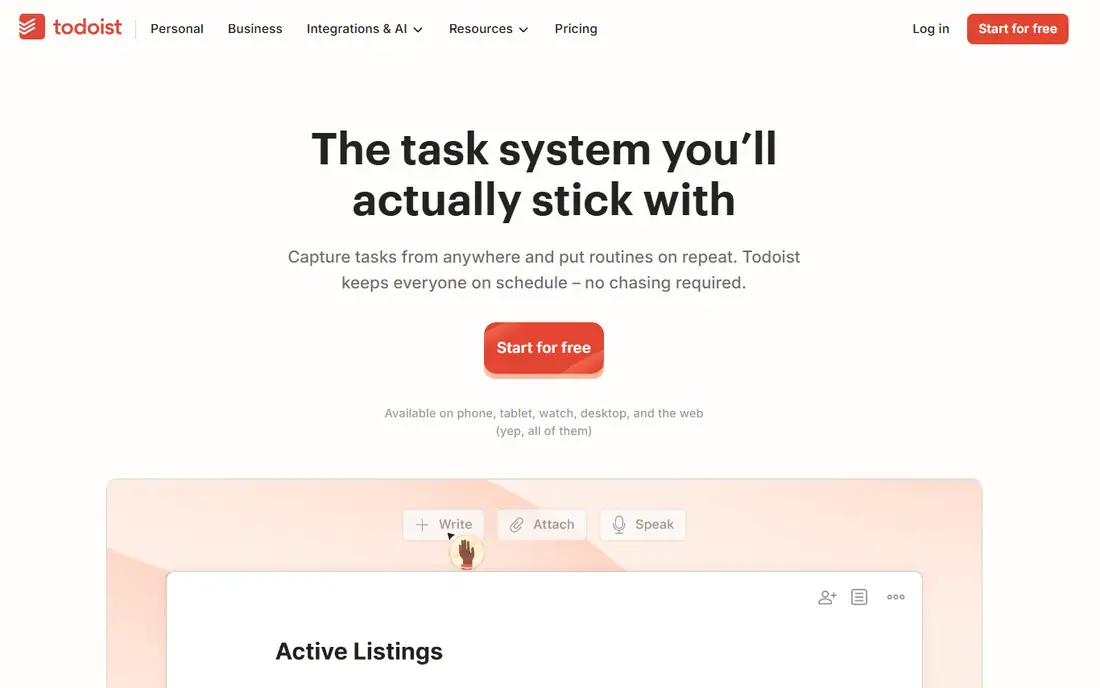
Todoist suits most people who want a simple daily planner, with fast task capture, natural language dates such as "tomorrow at 9am," and projects, labels, and priorities to organize work. The Today view shows what matters now, and the app works well on phone, desktop, and web, so capture happens wherever you are. That simplicity is why many productivity systems start with Todoist.
The free tier lacks a full calendar view, and time blocking needs a calendar integration, so users who plan by the hour may prefer Sunsama or Motion. Paid plans add reminders, filters, and more projects. For a clean, reliable daily task list, Todoist is the default choice.
What we like- Very easy task capture
- Natural language dates
- Good across devices
Watch out for- No built-in calendar view on free tier
- Time blocking needs integrations
#2TickTick
Best for: Tasks plus calendar4.5/5 on
G2 (113 reviews, checked Oct 2026)
Visit ticktick.com
Starting priceFree
Free planYes
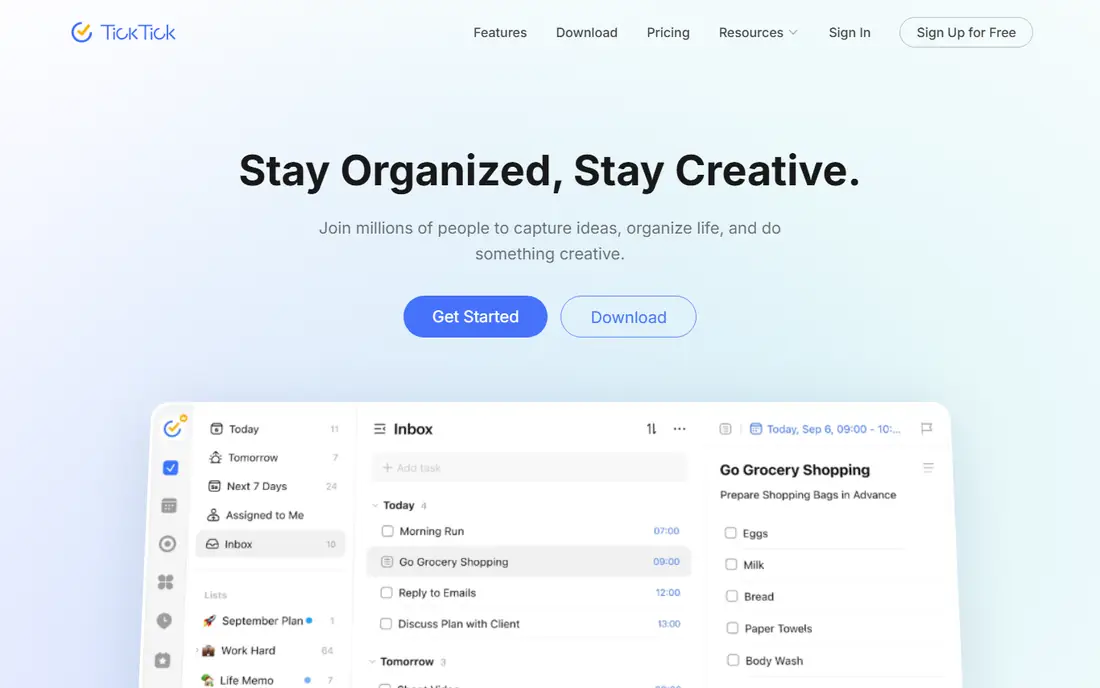
TickTick combines tasks, calendar, habits, and a Pomodoro timer in one app, which suits users who want a single planner rather than several tools. The calendar view shows tasks alongside events, habits track daily routines, and the timer helps focus sessions. That breadth covers most daily planning needs without integrations.
The interface can feel busy with so many features, and some, such as full calendar subscriptions and advanced filters, need Premium. A free tier covers core tasks and calendar. For a user who wants tasks, calendar, and habits together at low cost, TickTick gives the most complete free package.
What we like- Tasks, calendar, and habits in one app
- Good Pomodoro timer
- Affordable premium
Watch out for- Interface can feel busy
- Some features need premium
Starting priceSee website
Free planFree trial
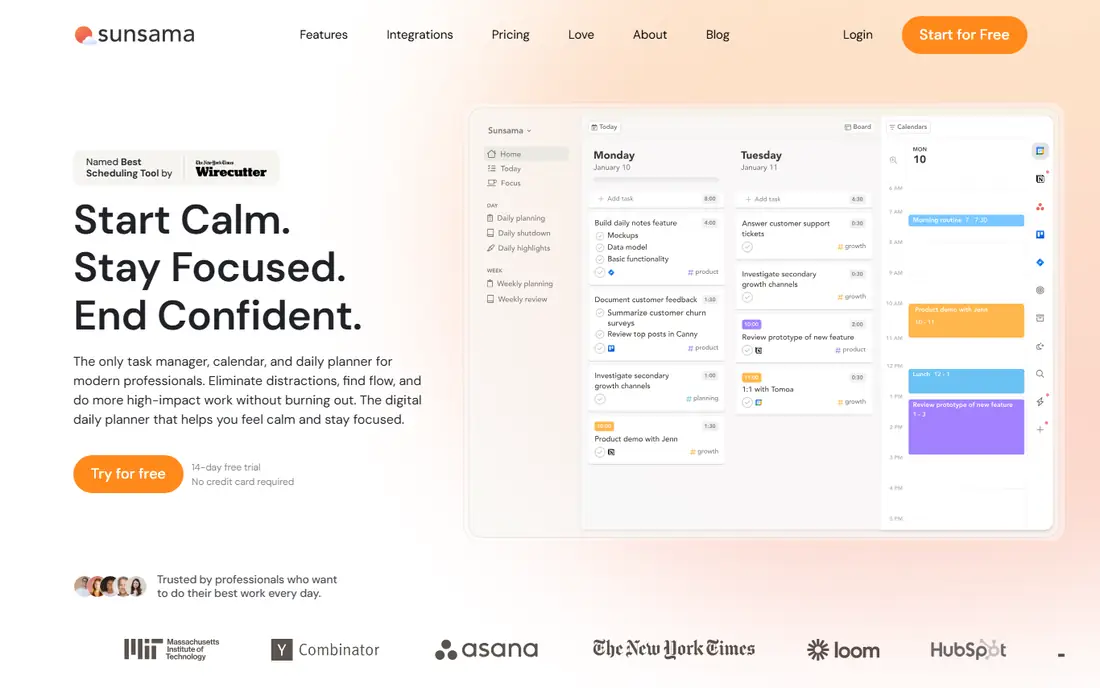
Sunsama suits professionals who want a guided daily planning ritual: each morning, pull tasks from Todoist, Asana, Gmail, and other tools into one day plan, estimate time for each, and drag them onto the calendar. That ritual forces realistic planning, since a day with more tasks than hours becomes obvious before work starts. Weekly reviews and shutdown rituals extend the habit.
Sunsama is subscription-only with a free trial, and its price sits above simple task apps, which reflects its planning depth rather than task count. For a professional whose days feel reactive and overfull, Sunsama daily ritual is the most effective planning habit on this list.
What we like- Guided daily planning ritual
- Time blocking
- Integrates tasks and calendar
Watch out for- Subscription only
- Higher price than task apps
Starting priceSee website
Free planFree trial
Motion suits busy professionals who want their calendar planned automatically: add tasks with deadlines and priorities, and Motion schedules them into free calendar slots, re-planning instantly when meetings move or priorities change. That automation suits managers and teams whose days are dominated by meetings, since manual planning would take too long.
Pricing is higher than task apps, with a free trial, and users who like manual control may find automatic scheduling too rigid. For a calendar-dominated worker who wants an optimized day without planning effort, Motion is the most automated planner here.
What we like- Automatically schedules tasks into calendar
- Re-plans when meetings change
- Good for busy teams
Watch out for- Higher price
- Less manual control than Sunsama
#5Reclaim
Best for: Calendar protection4.8/5 on
G2 (144 reviews, checked Oct 2026)
Visit reclaim.ai
Starting priceFree
Free planYes
Reclaim suits calendar-heavy workers who want habits, focus time, lunch, and breaks protected automatically. It finds the best time for recurring habits, defends focus blocks against meeting sprawl, and reschedules smartly when conflicts arise. That protection matters for workers whose calendars fill with other people priorities, leaving no time for deep work.
Full features need Google Calendar, so Outlook users get less value, and team features such as shared scheduling need paid plans. A free tier covers personal use. For a Google Calendar user whose focus time keeps disappearing, Reclaim is the best defense.
What we like- Protects habits, focus time, and breaks
- Smart scheduling
- Google Calendar integration
Watch out for- Google Calendar only for full features
- Team features need paid plans
#6Any.do
Best for: Simple lists and calendar4.2/5 on
G2 (197 reviews, checked Oct 2026)
Visit any.do
Starting priceFree
Free planYes
Any.do suits users who want the simplest possible planner, with clean lists, a calendar view, and reminders that keep daily tasks visible. The Moment feature offers a daily review ritual, and the app works across phone, desktop, and web. That simplicity suits users who find Todoist or TickTick too feature-rich.
Power features such as advanced recurring tasks, location reminders, and team collaboration need Premium, and the feature set is thinner than rivals. A free tier covers core lists and calendar. For a user who wants a calm, simple daily list, Any.do is the lightest choice.
What we like- Very simple lists
- Calendar integration
- Good reminders
Watch out for- Fewer power features than Todoist or TickTick
- Premium needed for advanced tools
Starting priceSee website
Free planNo
Things 3 is the most beautiful planner on this list, built for Apple devices with a calm design, excellent Today and Upcoming views, and thoughtful details such as headings, checklists, and evening planning. It suits Apple users who want a focused personal planner without team features or complexity, and its one-time purchase avoids subscriptions.
Things works only on Apple devices, so mixed-device users need another app, and there are no collaboration features for teams. Pricing is per-device and published on the vendor site. For an Apple user who wants a personal planner that feels delightful to open daily, Things 3 is unmatched.
What we like- Beautiful focused design
- Excellent Today and Upcoming views
- One-time purchase
Watch out for- Apple only
- No collaboration features
#8Google Calendar
Best for: Free calendar planning4.7/5 on
G2 (78 reviews, checked Oct 2026)
Visit google.com
Starting priceFree
Free planYes
Google Calendar suits users whose day is event-driven, with free scheduling, sharing, and integration across Gmail, Tasks, and Meet. Time blocking works naturally, since events occupy calendar slots, and sharing makes family and team coordination simple. For many people, a calendar plus Google Tasks covers daily planning without another app.
Task management depth is thin, since Google Tasks lacks projects, priorities, and rich task features, and planning relies on events rather than task lists. For a user whose work is mostly meetings and appointments, Google Calendar alone may suffice. For task-heavy work, pair it with Todoist or TickTick.
What we like- Free
- Excellent scheduling and sharing
- Integrates with Gmail and Tasks
Watch out for- No real task management depth
- Planning relies on events, not tasks
How we chose
We compared vendor pages, product documentation, and public user reviews, and we judged each app on task capture, calendar integration, planning workflow, ease of use, device support, and price. Simple task planners were judged on speed and clarity, while auto-schedulers were judged on how well they handle real calendar chaos. We did not claim hands-on testing. Where pricing varied by device or tier, we wrote See website rather than publish a figure that could mislead.
What to check before you pick
Start with how you plan: by task list, by calendar, or by guided ritual. Task-list people do well with Todoist or TickTick, calendar people with Google Calendar or Reclaim, and ritual people with Sunsama, while calendar-chaos people benefit most from Motion automation. Picking a tool that fights your natural style guarantees abandonment within weeks.
Also check device coverage, since a planner that lacks your phone or desktop platform will fail at capture, which is the most important planner habit. Check integrations with your email, calendar, and team tools, since a planner that cannot pull tasks from where work arrives creates double entry. Check recurring tasks, reminders, and offline access, since a planner that misses a daily habit or fails offline loses trust quickly.
A further check matters for sustainability: confirm the planner supports a weekly review habit, not just daily lists, since weekly reviews catch slipped tasks, outdated priorities, and overloaded weeks before they become crises. A planner with a good Upcoming or weekly view makes reviews easy, while a planner that only shows today hides future overload until it arrives. Teams and individuals who review weekly plan more realistically than those who only react daily.
Finally, test one planner for two full weeks with real tasks before switching, since planner hopping wastes more time than any feature saves. Measure capture speed, daily review time, and how often tasks slip, and compare those numbers with your current method. A planner that you open every morning and trust every evening is the right one, regardless of feature lists.
One more consideration is notifications: a planner that buzzes constantly trains you to ignore it, while a planner with quiet, well-timed reminders earns attention. Tune notification settings in the first week, keeping reminders for true deadlines and daily reviews, and silencing low-value alerts, so the planner remains a trusted signal rather than background noise.
Frequently asked questions
What is the best day planner app overall?
Todoist suits most people for simple daily tasks, while TickTick suits users who want tasks, calendar, and habits together. Sunsama suits professionals who want guided daily planning, and Motion suits calendar-dominated workers who want automatic scheduling.
Should I plan by task list or calendar?
Task lists suit flexible work with many small tasks, while calendars suit meeting-heavy work and time-sensitive tasks. Many people use both: a task list for what to do, and a calendar for when to do it, with time blocking connecting the two.
Is a paid planner worth it?
Paid plans add reminders, filters, calendar views, and integrations that matter for heavy users, while free tiers cover basic planning well. Start free, and pay only when a specific missing feature blocks your daily routine.
How do I stick with a planner?
Keep capture fast, review your list every morning and evening, and plan realistically by matching tasks to available hours. A planner works when it reflects your real day, not an ideal day, so move unfinished tasks honestly rather than letting them pile up silently.
Can a planner help with procrastination?
Yes, when it breaks large tasks into small steps, schedules them at specific times, and shows progress. Pair planning with focus tools such as Pomodoro timers, and start with the hardest task first, since early wins build momentum for the rest of the day.
What is time blocking?
Time blocking means assigning each task a specific calendar slot, so your day has a plan for when work happens, not just a list of what to do. It reveals overloaded days early and protects focus time, which is why Sunsama, Motion, and Reclaim emphasize it.
Sources we checked (8)
- https://www.todoist.com
- https://www.ticktick.com
- https://www.sunsama.com
- https://www.usemotion.com
- https://www.reclaim.ai
- https://www.any.do
- https://www.culturedcode.com
- https://www.google.com
Is your product missing or out of date?
We review this list regularly. Vendors can request a listing, send updated pricing or ask about featured placement.

Shihab Mia · Founder, Rankite
Shihab has 5+ years in B2B and SaaS SEO. He writes Rankite's software buying guides from pricing pages, documentation and public user reviews. More about Shihab.