How we make this list: we compare pricing pages, product documentation and public user reviews. Ratings come from G2, Capterra or Trustpilot, with the date we checked them.
Key takeaways
- Construction time tracking apps handle mobile clock-in, GPS location, job codes, and payroll exports for field crews.
- ClockShark and busybusy lead for construction-specific time tracking, while Raken adds daily reports and photo logs.
- ExakTime and Timeero suit GPS and geofencing needs, while QuickBooks Time suits QuickBooks payroll users best.
- Hubstaff and Connecteam suit broader workforce management beyond pure time tracking alone.
- The right pick depends on crew size, payroll system, GPS needs, and whether you need detailed job costing.
Quick comparison
| Tool | Best for | Starting price | Free plan |
|---|
 ClockShark ClockShark | Construction time tracking | See website | No |
 busybusy busybusy | Construction crews | See website | No |
 Raken Raken | Time plus daily reports | See website | No |
 ExakTime ExakTime | GPS time tracking | See website | No |
 Timeero Timeero | GPS and mileage | See website | No |
 Hubstaff Hubstaff | Workforce management | Free | Yes |
 QuickBooks Time QuickBooks Time | QuickBooks payroll users | See website | No |
 Connecteam Connecteam | All-in-one workforce app | Free | Yes |
Is your product missing or out of date?
We review this list regularly. Vendors can request a listing, send updated pricing or ask about featured placement.
The best construction time tracking apps
Starting priceSee website
Free planNo
ClockShark is a time tracking app built specifically for construction, letting crews clock in from phones, assign time to jobs and cost codes, and submit timesheets that managers approve and export to payroll. GPS tracking verifies crew location, and job costing shows labor costs per job in real time. QuickBooks integration suits firms already using QuickBooks for accounting.
The trade-offs are cost and tiers. ClockShark has no free tier, per-user pricing adds up for large crews, and some features need higher plans. Even so, ClockShark suits construction firms that want purpose-built time tracking with job costing and payroll integration.
What we like- Built for construction
- GPS and job costing
- QuickBooks integration
Watch out for- No free tier
- Pricing per user adds up
- Some features need higher plans
Starting priceSee website
Free planNo
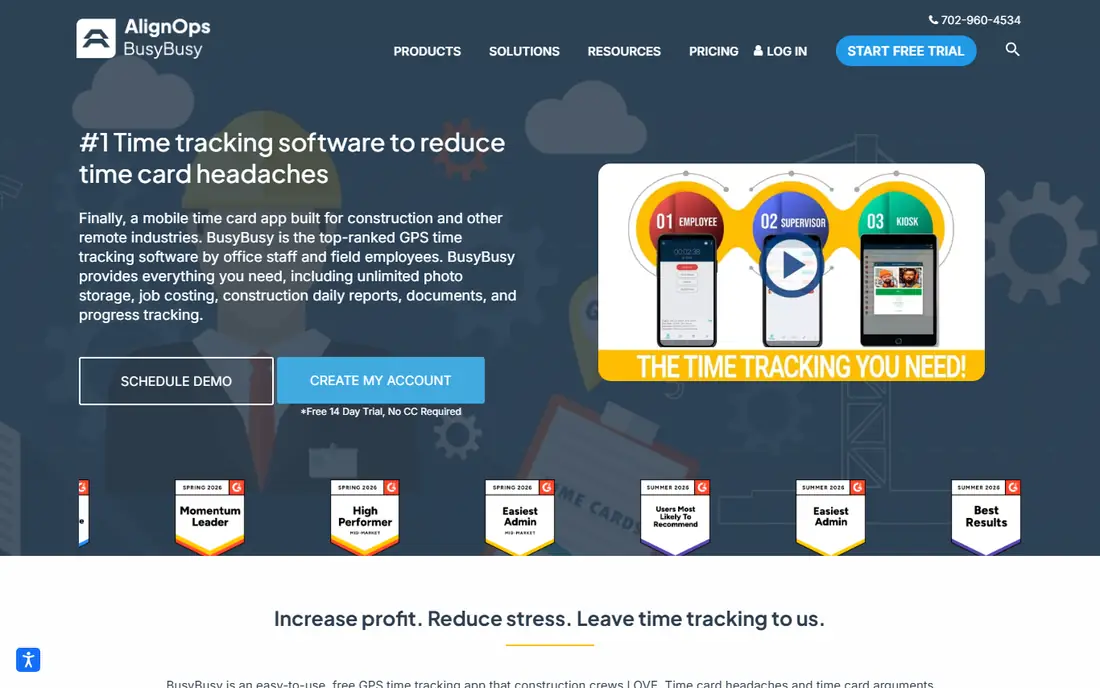
busybusy is a construction time tracking app with GPS clock-in, job and cost code tracking, equipment tracking, and safety sign-offs, built for field crews who need a simple phone interface. Managers see who is on which job in real time, and timesheets export to payroll systems. The app suits contractors who want construction-specific tracking without general workforce complexity.
The limits are cost and reporting. busybusy has no free tier, per-user pricing adds up, and reporting depth varies by plan. Even so, busybusy suits construction crews that want simple, GPS-backed time tracking with equipment and safety features.
What we like- Construction-focused
- GPS and equipment tracking
- Simple crew interface
Watch out for- No free tier
- Pricing per user
- Reporting depth varies by plan
#3Raken
Best for: Time plus daily reports4.6/5 on
G2 (110 reviews, checked Oct 2026)
Visit rakenapp.com
Starting priceSee website
Free planNo
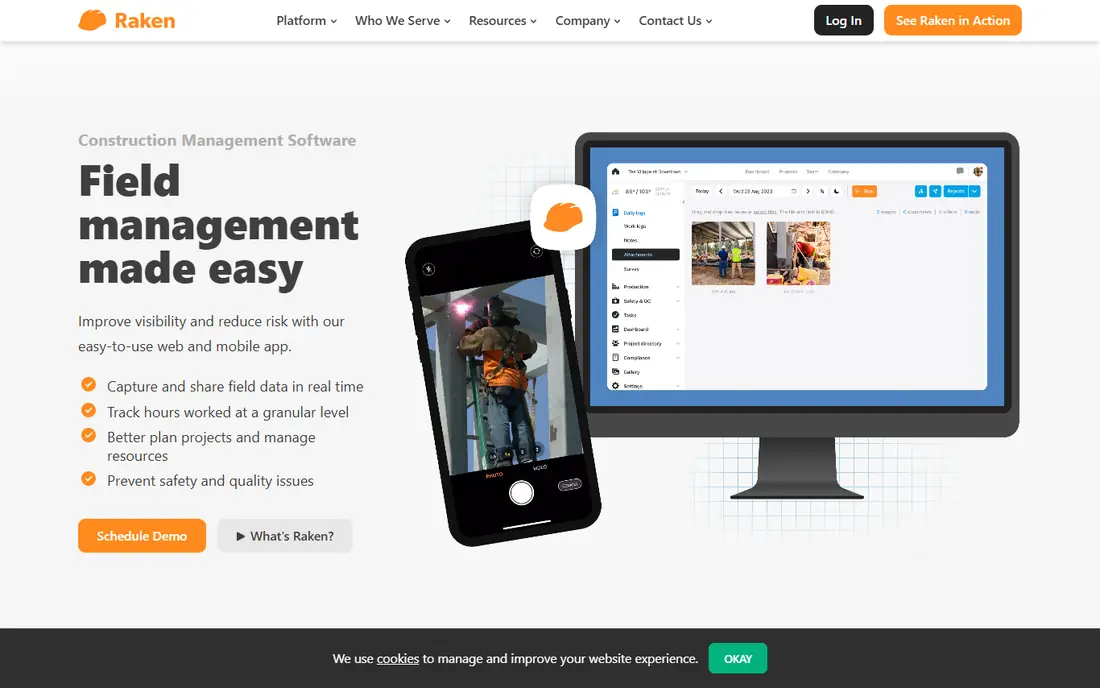
Raken combines time tracking with daily reports, letting crews log hours, photos, weather, safety notes, and progress in one app that produces professional daily logs for owners and general contractors. It suits firms that need both timesheets and documentation, since daily reports reduce disputes and prove progress. The app works on phones and tablets in the field.
The trade-offs are breadth and cost. Raken is broader than pure time tracking, per-user pricing adds up, and some features need higher plans. Even so, Raken suits firms that want time tracking plus daily reports in one construction app.
What we like- Time tracking plus daily reports
- Photo and safety logs
- Good for GCs
Watch out for- Broader than pure time tracking
- Pricing per user
- Some features need higher plans
Starting priceSee website
Free planNo
ExakTime, from Arcoro, is a time tracking system for construction with strong GPS, geofencing, and rugged hardware options, including job-site clocks and mobile apps. Geofences remind workers to clock in and out at job sites, and GPS records verify location for payroll. Payroll integrations cover major accounting systems, and the platform suits firms that need strict location verification.
The limits are cost and polish. ExakTime costs more than simpler apps, hardware adds expense, and the interface feels dated in places. Even so, ExakTime suits firms that need strong GPS, geofencing, and hardware-backed time tracking.
What we like- Strong GPS and geofencing
- Rugged hardware options
- Payroll integrations
Watch out for- Higher cost
- Hardware adds expense
- Interface feels dated
#5Timeero
Best for: GPS and mileage4.8/5 on
G2 (51 reviews, checked Oct 2026)
Visit timeero.com
Starting priceSee website
Free planNo
Timeero is a GPS time tracking app with mileage tracking, geofencing, and simple clock-in for mobile teams, including construction crews that travel between sites. It suits firms that need both time and mileage records, since field workers often drive between jobs and mileage claims matter for payroll. The interface is simple, and timesheets export to payroll tools.
The trade-offs are construction depth and tiers. Timeero has a smaller construction focus than ClockShark or busybusy, per-user pricing adds up, and some features need higher plans. Even so, Timeero suits mobile crews that need GPS time tracking plus mileage in one simple app.
What we like- GPS tracking and mileage
- Geofencing
- Simple interface
Watch out for- Smaller construction focus
- Pricing per user
- Some features need higher plans
Starting priceFree
Free planYes
Hubstaff is a workforce management platform with time tracking, GPS, screenshots, activity levels, and payroll, serving remote and field teams across industries. It suits firms that want time tracking plus productivity insights, with a free tier for small teams and paid plans for larger crews. Integrations cover payroll and project tools.
The limits are construction fit and privacy. Hubstaff is broader than construction-specific apps, screenshot monitoring raises privacy concerns for field crews, and some features need higher plans. Even so, Hubstaff suits firms that want time tracking plus workforce management with a free starting tier.
What we like- Time tracking plus productivity tools
- GPS and screenshots
- Free tier
Watch out for- Broader than construction
- Screenshot monitoring raises privacy issues
- Some features need higher plans
Starting priceSee website
Free planNo
QuickBooks Time, formerly TSheets, is Intuit's time tracking app, built to flow hours directly into QuickBooks payroll and accounting. It offers GPS tracking, scheduling, job codes, and timesheet approvals, and it suits firms already using QuickBooks, since payroll becomes a one-click export rather than manual entry. The app works on phones in the field with offline support.
The trade-offs are ecosystem and cost. QuickBooks Time is best only for QuickBooks users, it has no free tier, and per-user pricing adds up. Even so, QuickBooks Time suits QuickBooks firms that want the simplest payroll flow for construction time tracking.
What we like- Deep QuickBooks integration
- GPS and scheduling
- Easy payroll flow
Watch out for- Best only with QuickBooks
- No free tier
- Pricing per user
#8Connecteam
Best for: All-in-one workforce app4.6/5 on
G2 (3,506 reviews, checked Oct 2026)
Visit connecteam.com
Starting priceFree
Free planYes
Connecteam is an all-in-one workforce app for deskless teams, covering time tracking, scheduling, forms, checklists, training, and team chat in one platform. It suits construction firms that want more than time tracking, since crews can receive schedules, complete safety forms, and message managers in the same app. The free tier covers small teams, and paid plans add more users and features.
The limits are construction depth and tiers. Connecteam is broader than construction-specific apps, job costing is thinner than ClockShark, and some features need higher plans. Even so, Connecteam suits firms that want an all-in-one workforce app with time tracking for deskless crews.
What we like- Time tracking plus scheduling, forms, and chat
- Free tier
- Good for deskless teams
Watch out for- Broader than construction
- Job costing thinner
- Some features need higher plans
How we chose
We compared construction time tracking apps on mobile clock-in, GPS and geofencing, job codes and costing, offline support, payroll integrations, and pricing, favoring apps with proven construction deployments. We also weighed crew interface simplicity, since an app crews refuse to use delivers no data at all. We excluded general time trackers without field features and desktop-only tools. Prices are often per-user monthly or quote-based, so we wrote See website where a vendor does not publish a clear starting price.
Buying guide
Start by listing your must-have features: GPS verification, job codes, offline mode, and payroll integration, since missing any one of these can break the workflow. Ask foremen what breaks today, since they live with paper timesheet problems daily and know which features matter most. Next, test the app on a real job site with poor signal, since offline support decides whether crews can clock in from basements, rural sites, and concrete structures. Check GPS accuracy and battery use too, since constant GPS drains phones and frustrates crews, especially on long shifts.
Then check payroll integration and job costing, since clean timesheets that flow into payroll save hours each week, and job costing shows which projects make or lose money on labor. Check overtime rules too, since construction crews often work overtime and weekend hours, and an app that mishandles overtime creates payroll errors and disputes. Consider crew privacy as well: explain GPS use clearly, limit tracking to work hours, and check state laws on employee location tracking, since trust affects adoption. Finally, run a pilot with one crew for two weeks before rolling out company-wide, since crew feedback on the interface decides whether the app gets used or bypassed with paper timesheets. Include foremen in the pilot, since they approve timesheets and their buy-in decides whether the rollout succeeds.
Frequently asked questions
What is the best time tracking app for construction?
ClockShark and busybusy lead for construction-specific tracking, while Raken suits firms that also need daily reports. QuickBooks Time suits QuickBooks payroll users, and Connecteam suits firms that want an all-in-one workforce app with scheduling and forms.
Do construction time apps work offline?
Most do, including ClockShark, busybusy, and QuickBooks Time, syncing timesheets when signal returns. Test offline mode on your actual job sites, since signal varies by location, structure, and carrier coverage.
Is GPS tracking legal for employees?
It varies by state and use. Generally, tracking during work hours on company business is allowed, but laws differ, and tracking outside work hours or without notice raises legal and trust issues. Check state laws and tell crews clearly how GPS is used, when it starts and stops, and who sees the data.
Can time tracking apps handle job costing?
Yes, construction-specific apps such as ClockShark and busybusy assign hours to jobs and cost codes, showing labor costs per job. General apps such as Hubstaff offer thinner job costing, so check costing depth before choosing a general tool.
How much do construction time tracking apps cost?
Most charge per user per month or quote-based pricing, with free tiers from Hubstaff and Connecteam for small teams. Get written quotes for your crew size, since per-user costs add up fast for large crews and seasonal hiring swings.
Sources we checked (0)
Is your product missing or out of date?
We review this list regularly. Vendors can request a listing, send updated pricing or ask about featured placement.

Shihab Mia · Founder, Rankite
Shihab has 5+ years in B2B and SaaS SEO. He writes Rankite's software buying guides from pricing pages, documentation and public user reviews. More about Shihab.