How we make this list: we compare pricing pages, product documentation and public user reviews. Ratings come from G2, Capterra or Trustpilot, with the date we checked them.
Key takeaways
- Procore suits large general contractors that want one system for project, safety and financial risk.
- Safesite and Novade give small teams a low cost way to start digital safety and field risk checks.
- nPlan and ALICE Technologies focus on schedule risk, using past project data and scenario testing.
- Riskcast and Assignar connect field hours, equipment and cost to live job margin, which helps catch cost risk early.
- Seven of the eight tools in this guide are quote based, so ask for a written quote that lists users, projects and modules.
What is construction risk assessment software?
Construction risk assessment software is a tool that records, scores and tracks project risks in one place. It covers safety hazards, schedule delays, cost overruns, contract gaps and subcontractor failure. A good tool turns a risk register from a spreadsheet into live data, with owners, due dates and actions attached to each risk. It should show which risks matter most, so a manager can act before a small issue becomes a delay.
How much does construction risk assessment software cost?
Most construction risk tools in this guide cost by quote, not by a published price. Procore, Autodesk Construction Cloud, nPlan, ALICE Technologies, Riskcast and Assignar all ask buyers to request a quote. Novade is the clear exception, with a Standard plan from 39 dollars per user per month, checked on its pricing page on 12 November 2026. Safesite offers a free tier, with paid Premium and Enterprise plans priced by quote. Budget for implementation and training too.
Safesite is the best starting point for a small subcontractor that mainly needs safety risk covered. It offers a free tier for inspections, toolbox talks, hazard logging and incident reporting. Novade is the next step up, with a free plan for up to five users and five projects, and a paid Standard plan from 39 dollars per user per month. Both tools work on mobile. A small subcontractor should avoid ALICE Technologies, which is built for projects above 50 million dollars in construction value.
What should you check before you buy construction risk software?
Check five things before you buy. First, confirm the tool covers your main risk type, whether that is safety, schedule, cost or subcontractor default. Second, ask how risk scores are set, and whether you can change the scoring. Third, test the mobile app on a real site, including offline use. Fourth, ask what is included in the quote. Fifth, ask for a trial with your own project data, not a vendor demo.
How do you run a risk assessment in construction software?
You run a risk assessment by listing each risk, scoring its likelihood and impact, assigning an owner, and setting a mitigation action with a date. The software should then rank the risks, show the highest scores on a dashboard, and send reminders when actions are due. On site, crews log hazards, inspections and incidents in the mobile app, and those records feed the same risk register. For schedule risk, nPlan and ALICE test the plan against past data or alternative sequences, then show which activities threaten the finish date.
For related reading, see our guides to best construction management software, best construction safety software, best AI tools for construction project management and best construction gantt chart software.
Comparison table
| Tool | Best for | Starting price | Free plan |
| Procore | Large general contractors, whole project risk | quote | No |
| Autodesk Construction Cloud | BIM led contractors and owners | quote | No |
| Safesite | Small teams starting digital safety risk | quote | Yes |
| nPlan | Schedule risk on major projects | quote | Free schedule draft in Schedule Studio |
| ALICE Technologies | Schedule scenario testing on large projects | quote | No |
| Riskcast | Self perform contractors tracking cost risk | quote | No |
| Assignar | Civil and self perform contractors, margin risk | quote | No |
| Novade | Field safety, quality and progress risk | From $39 per user per month | Yes, up to 5 users and 5 projects |
| Team type | First choice | Why it fits | Watch out for |
| Small subcontractor, under 20 staff | Safesite | Free tier covers safety basics | Paid analytics need an upgrade |
| Small general contractor, under 10 projects | Novade | Free plan, then 39 dollars per user per month | Premium features are quote based |
| Large general contractor | Procore | One platform for project, safety and financial risk | Quote based, long implementation |
| Major infrastructure or energy project | nPlan | Forecasts finish dates from past schedules | Needs a good baseline schedule |
| Large industrial project, over 50 million dollars | ALICE Technologies | Tests millions of build sequences | Priced for large projects only |
| Self perform civil contractor | Assignar | Crew, plant and margin in one record | API access is a paid add on |
Cost worked example
Take a contractor with 15 paid users. On Novade Standard at 39 dollars per user per month, they cost 585 dollars per month, or 7,020 dollars per year, before tax. View only users are free on Novade Standard, so field workers who only need to view records may not need a paid seat. On Safesite, the free tier could cover basic safety checks at no licence cost. On the other six tools, the same team would need a written quote, because none publishes a per user price. Ask each vendor to quote the same 15 paid users and the same project count.
Quick comparison
| Tool | Best for | Starting price | Free plan |
|---|
 Procore | Large general contractors that want project, safety and financial risk in one platform | quote | No |
 Autodesk Construction Cloud | BIM led contractors and owners that need design, cost and schedule risk in one place | quote | No |
 Safesite | Small teams and contractors starting digital safety management | quote | Yes |
 nPlan | Schedule risk and finish date forecasting on major construction and infrastructure projects | quote | Free schedule draft in Schedule Studio, no credit card required |
 ALICE Technologies | Large industrial, energy and infrastructure projects that need schedule scenario testing | quote | No |
 Riskcast | Self perform contractors that need live labour, equipment and cost data to catch cost risk early | quote | No |
 Assignar | Civil, earthworks, rail and self perform contractors that need crew, plant and margin risk in one record | quote | No |
 Novade | Field teams that need safety, quality, permits, site diaries and progress risk in one mobile app | From $39 per user per month | Yes, up to 5 users and 5 projects |
Is your product missing or out of date?
We review this list regularly. Vendors can request a listing, send updated pricing or ask about featured placement.
#1Procore
Best for: Large general contractors that want project, safety and financial risk in one platform4.6/5 on
G2 (4,357 reviews, checked Oct 2026)
Visit procore.com
Starting pricequote
Free planNo

Procore is the most complete platform in this guide, and its homepage was opened and checked on 12 November 2026. Its risk value comes from joining field data to cost data, so a drawing change or a safety issue can be traced to its effect on schedule and budget. The vendor site states that Procore AI can show how a drawing update affects a pour schedule or how a submittal delay affects the budget. Pricing is volume based and tailored to annual construction volume, with unlimited user access and no per seat fee.
What we like- Broad platform covering project management, quality and safety, financials and preconstruction
- Unlimited users on volume based pricing
- Large integration marketplace
Watch out for- Quote based pricing with no published price, and implementation can take months, which makes it a poor fit for small teams
#2Autodesk Construction Cloud
Best for: BIM led contractors and owners that need design, cost and schedule risk in one place4.4/5 on
G2 (5,385 reviews, checked Oct 2026)
Visit construction.autodesk.com
Starting pricequote
Free planNo
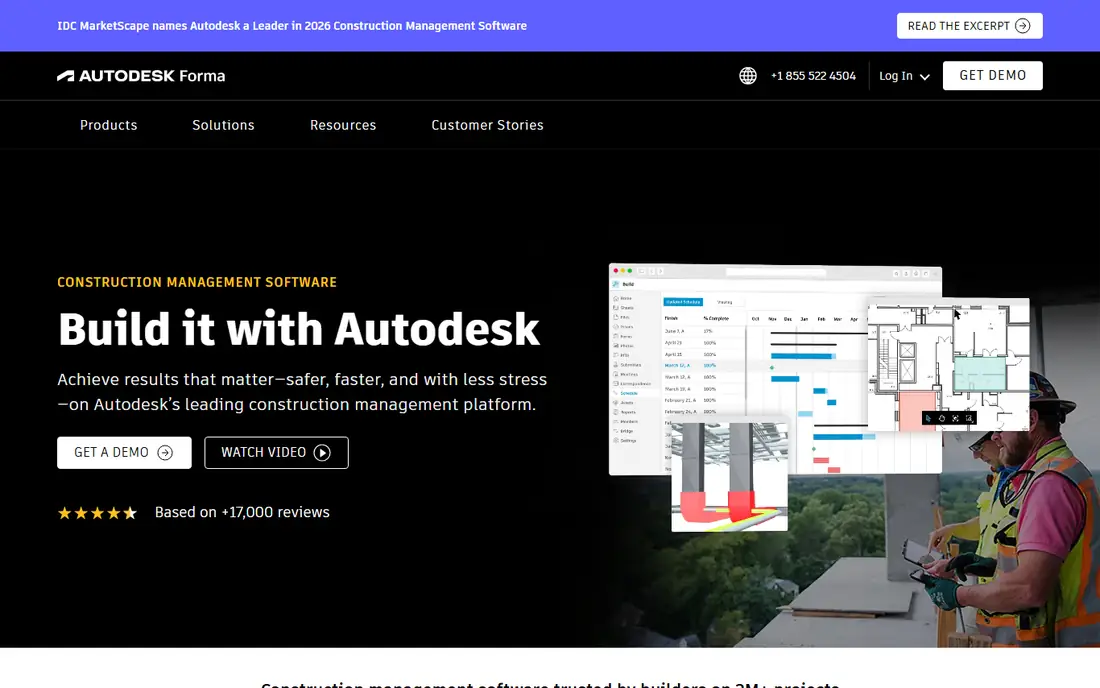
Autodesk Construction Cloud was opened and checked on 12 November 2026, and the vendor homepage now describes it as Autodesk Forma, formerly Autodesk Construction Cloud. It connects design, preconstruction, field work and cost, so risk in one area shows up in the others. That matters when a model change affects quantities, cost and the schedule at the same time. Pricing is quote based, with no published list price found on the vendor site on 12 November 2026.
What we like- Strong BIM and model coordination, with more than 400 pre built integrations
- Trusted on more than 2 million projects according to the vendor
Watch out for- No published price, and the rebrand to Autodesk Forma can confuse buyers about which product they are buying
#3Safesite
Best for: Small teams and contractors starting digital safety management4.7/5 on
Capterra (74 reviews, checked Oct 2026)
Visit safesitehq.com
Starting pricequote
Free planYes
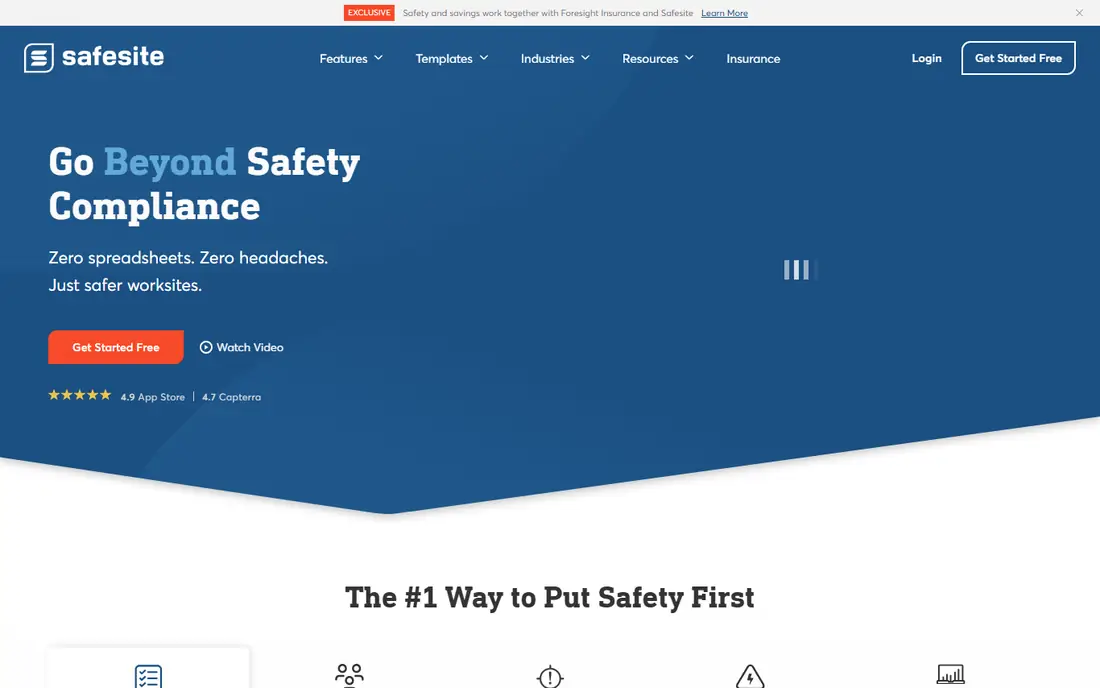
Safesite is the lowest cost entry point in this guide for safety risk. Its features page was opened and checked on 12 November 2026, and it confirms paperless inspections, incident reports, toolbox talks, equipment tracking and hazard management. The same page confirms a dedicated safety success coach for the first 30 days, with ongoing support available on Premium or Enterprise plans. No current published per user price was found on the vendor site on 12 November 2026, so the starting price is listed as quote. Small teams can start free and ask for a quote when they need longer reporting history.
What we like- Free tier covers inspections, toolbox talks, hazard logging and incident reporting
- Simple mobile app for field crews
Watch out for- Advanced reporting, OSHA recordkeeping and coaching sit behind paid Premium or Enterprise plans, and no current per user price is published on the vendor site
#4
nPlan
Best for: Schedule risk and finish date forecasting on major construction and infrastructure projects
Visit nplan.io
Starting pricequote
Free planFree schedule draft in Schedule Studio, no credit card required
nPlan is the most focused schedule risk tool in this guide, and its homepage was opened and checked on 12 November 2026. It forecasts the chance of hitting each key date and ranks the risks that move the date most. The vendor site states that its model is trained on more than 780,000 past project schedules, and that it can test mitigation scenarios side by side to show how much time each option wins back. Schedule Studio can generate, edit and export a full schedule for free with no credit card required. Paid Insights and Portfolio products are quote based.
What we like- Forecasts every activity and key milestone from more than 780,000 past project schedules
- Ranks the activities that most threaten the finish date
Watch out for- Quote based pricing with no published price, and it needs a sound baseline schedule to give a useful forecast
#5
ALICE Technologies
Best for: Large industrial, energy and infrastructure projects that need schedule scenario testing
Visit alicetechnologies.com
Starting pricequote
Free planNo
ALICE Technologies was opened and checked on 12 November 2026, and its homepage confirms AI construction scheduling and scenario simulation. The vendor states that ALICE has been deployed on more than 410 billion dollars in construction projects, and that it works with Primavera P6 or Microsoft Project schedules. Its strength is optioneering, testing many ways to build the same project before work starts, then choosing the sequence with the lowest risk to time and cost. Pricing is custom, based on project type and size, and no published price was found on the vendor site on 12 November 2026.
What we like- Simulates millions of build sequences to find the most efficient and lowest risk plan
- Works with Primavera P6 and Microsoft Project schedules
Watch out for- Built for large projects, typically above 50 million dollars in construction value, so it is priced out of reach for small and mid size firms
#6
Riskcast
Best for: Self perform contractors that need live labour, equipment and cost data to catch cost risk early
Visit riskcast.com
Starting pricequote
Free planNo
Riskcast was opened and checked on 12 November 2026, and its homepage confirms that it brings time, quantities, time and materials, job hazard analyses and daily logs into one screen for foremen. Cost risk often starts with field data that never reaches the office. The vendor describes itself as software for productivity and forecasting in construction, with real time visibility into project health. No published price was found on 12 November 2026, so the starting price is listed as quote. Buyers should ask for a quote that covers users, projects and setup.
What we like- Captures labour, equipment, production, time and materials in one field screen
- Integrates with Procore and Autodesk Construction Cloud
Watch out for- No published price, and no free plan was found, so buyers must go through sales to get any cost figure
#7
Assignar
Best for: Civil, earthworks, rail and self perform contractors that need crew, plant and margin risk in one record
Visit assignar.com
Starting pricequote
Free planNo
Assignar was opened and checked on 12 November 2026, and its homepage confirms a construction operations platform for civil contractors, covering crews, equipment, compliance and project performance. Hours, plant and consumables are costed to the job as work happens, with award and plant hire rates applied automatically. That live margin view flags problem jobs weeks before the monthly profit and loss report would show them. Pricing is quote based, with no published plans found on the vendor site on 12 November 2026. There is no free plan, but the vendor offers a guided demo.
What we like- Schedules crews and equipment together, applies award and plant hire rates automatically, and shows live job margin against budget
Watch out for- Quote based pricing with no published price, and API access is a paid add on, which adds cost for firms that need custom integrations
#8
Novade
Best for: Field teams that need safety, quality, permits, site diaries and progress risk in one mobile app
Visit novade.net
Starting priceFrom $39 per user per month
Free planYes, up to 5 users and 5 projects
Novade is the only tool in this guide with a clear published starting price, and its pricing page was opened and checked on 12 November 2026. The Standard plan costs from 39 dollars per user per month, with a 7 day free trial. The Free plan covers up to 5 users and 5 projects. Premium and Enterprise plans are priced on quote. The vendor site confirms that Novade can digitise inspections, permits to work, toolbox talks, site diaries and daily reporting, and that it is used in more than 25 countries.
What we like- Free plan for small teams, Standard plan from 39 dollars per user per month, and offline mobile use for site teams
Watch out for- Premium and Enterprise plans are quote based, and advanced features such as custom dashboards and form automation need the higher plans
How we picked
We checked each vendor homepage by opening it on 12 November 2026, except for Safesite, where the features page was opened, and Novade, where the pricing page was opened. We checked pricing on the vendor pricing page where one exists, and listed quote where the vendor hides pricing. We excluded 1Breadcrumb and BuildSafe, because 1Breadcrumb pricing and branding were unclear after its SignOnSite acquisition, and BuildSafe had no clear homepage content to verify.
Frequently asked questions
What is the best construction risk assessment software for a large general contractor?
Procore is the best choice for a large general contractor, because it joins project management, quality and safety, financials and preconstruction in one platform. A safety issue, a drawing change or a submittal delay can affect cost and schedule at the same time. Pricing is volume based and quoted, with unlimited users. Allow time for implementation and ask for a written quote.
Can small contractors use construction risk assessment software for free?
Yes, small contractors can start for free with Safesite or Novade. Safesite offers a free tier for inspections, toolbox talks, hazard logging and incident reporting. Novade offers a free plan for up to five users and five projects, with basic forms, tasks and PDF reports. Both tools work on mobile, which suits field crews. Paid plans add reporting, automation and longer history, so check what the free tier excludes before you rely on it.
How does nPlan assess schedule risk?
nPlan assesses schedule risk by comparing your schedule with more than 780,000 past project schedules. It forecasts every activity and key milestone, shows the chance of hitting each date, and ranks the activities that most threaten the finish date. It can also test mitigation scenarios, such as resequencing work or adding a crew, and show how much time each option wins back. That helps planners act early, rather than waiting for a delay to appear.
Is ALICE Technologies worth the cost for a mid size contractor?
ALICE Technologies is usually not worth the cost for a mid size contractor, because it is built for large projects, typically above 50 million dollars in construction value. Its strength is testing millions of build sequences on complex industrial, energy and infrastructure work. A mid size contractor will get better value from Procore, Novade or nPlan. Ask for a quote only if your projects match the large project profile.
What is the difference between safety risk software and schedule risk software?
Safety risk software records hazards, inspections, incidents and toolbox talks on site, and tracks whether actions are closed. Schedule risk software tests the plan itself, using past data or scenario simulation to forecast finish dates and find the activities that threaten them. Many contractors need both, which is why platforms such as Procore and Novade combine field safety with project data, while specialists such as nPlan and ALICE focus on the schedule.
Sources we checked (14)
- https://www.procore.com
- https://www.procore.com
- https://construction.autodesk.com
- https://safesitehq.com/features/
- https://www.nplan.io
- https://www.nplan.io/schedule-studio
- https://www.alicetechnologies.com
- https://www.alicetechnologies.com/alice-vs-procore-comparison
- https://www.riskcast.com
- https://www.assignar.com
- https://www.novade.net/en/
- https://www.novade.net/en/pricing/
- https://rankite.com/blog/best-construction-management-software
- https://rankite.com/blog/best-construction-safety-software
Is your product missing or out of date?
We review this list regularly. Vendors can request a listing, send updated pricing or ask about featured placement.

Shihab Mia · Founder, Rankite
Shihab has 5+ years in B2B and SaaS SEO. He writes Rankite's software buying guides from pricing pages, documentation and public user reviews. More about Shihab.