How we make this list: we compare pricing pages, product documentation and public user reviews. Rankite is independent; if a vendor ever pays for a featured spot, that listing is clearly labeled Partner.
Key takeaways
- For solos and micro-firms, the shortlist is MyCase (from $50/user/month), PracticePanther (from $49/user/month) and Clio (from $49/user/month): all publish entry prices and include trust accounting.
- If trust accounting is the pain point, CosmoLex builds legal accounting into the platform so firms can skip QuickBooks; pricing is quote-based.
- Watch the tier jump: MyCase puts API access on its $130 Advanced tier and Clio quotes everything above Starter, so the plan you need may cost double the entry price.
- Litigation-heavy firms with complex workflows should look at Filevine and Actionstep; both are quote-only and need real implementation time.
Quick comparison
| Tool | Best for | Starting price | Free plan |
|---|
 Clio Clio | Firms that want the largest integration ecosystem | $49/user/month (Manage Starter) | Free trial (7 days) |
 MyCase MyCase | Solos and micro-firms wanting one vendor and one invoice | $50/user/month (Basic, billed annually) | Free trial available |
 PracticePanther PracticePanther | Small firms that want straightforward billing with predictable pricing | $49/user/month (Solo, billed annually) | Free trial available |
 Filevine Filevine | Mid-size to large firms, especially litigation and personal injury | See website (custom quote) | No (demo-based sales process) |
 Smokeball Smokeball | Busy small-to-midsize firms that live in Microsoft Word and Outlook | See website (custom quote) | Free trial (availability varies by region and plan) |
 CosmoLex CosmoLex | Firms where trust accounting is the central pain point | See website | Free trial available |
 Actionstep Actionstep | Mid-size firms that want the system configured around their processes | See website (custom quote) | No (trial typically requires a demo call) |
 CARET Legal CARET Legal | Small to mid-size firms wanting email built into the platform | See website (custom quote) | Free trial (reported) |
 LEAP LEAP | Small firms wanting matter management, forms, accounting and billing in one box | See website (custom quote) | No (demo-based sales process) |
Is your product missing or out of date?
We review this list regularly. Vendors can request a listing, send updated pricing or ask about featured placement.
The best case management software
A five-attorney firm does not lose money on software. It loses money on hours never recorded, trust transactions handled wrong, and invoices that go out three weeks late. Case management software is really a billing decision with a calendar attached: the right one captures more billable time and keeps the trust account clean. These nine tools cover the top case management software for firms from solo to mid-size, compared on per-seat price, trust accounting depth and the tier jumps that decide the real bill.
#1
Clio
Best for: Firms that want the largest integration ecosystem
Visit clio.com
Starting price$49/user/month (Manage Starter)
Free planFree trial (7 days)

Clio is the biggest name in legal practice management, and the ecosystem is why. With 350-plus integration partners, it connects to nearly everything a firm already uses, from document storage to intake tools. Manage Starter at $49 per user per month covers matters, billing and client intake, and Clio Payments handles credit card processing with proper trust and operating separation. The mobile apps are genuinely full-featured, with time tracking that works in the hallway between meetings.
The honest catch is the quote wall. Everything above Starter (Core, Signature, Elite) is custom-quoted, so comparison shopping means a sales process and the full-featured tiers climb well past $100 per user per month. A five-attorney firm with staff can reach five figures a year before add-ons and processing. Implementation and data migration are usually quoted separately. If integrations matter most, Clio is the default. If you want the lowest price or accrual accounting in one box, look elsewhere.
What we like- The largest legal-tech integration ecosystem at 350-plus app partners
- Built-in trust accounting and client payments with separate trust and operating handling
- Full native mobile apps with time tracking on the go
Watch out for- Only the Starter tier has a published price, and every tier above requires a sales quote
- Built-in accounting targets very small firms and runs cash-basis
#2
MyCase
Best for: Solos and micro-firms wanting one vendor and one invoice
Visit mycase.com
Starting price$50/user/month (Basic, billed annually)
Free planFree trial available
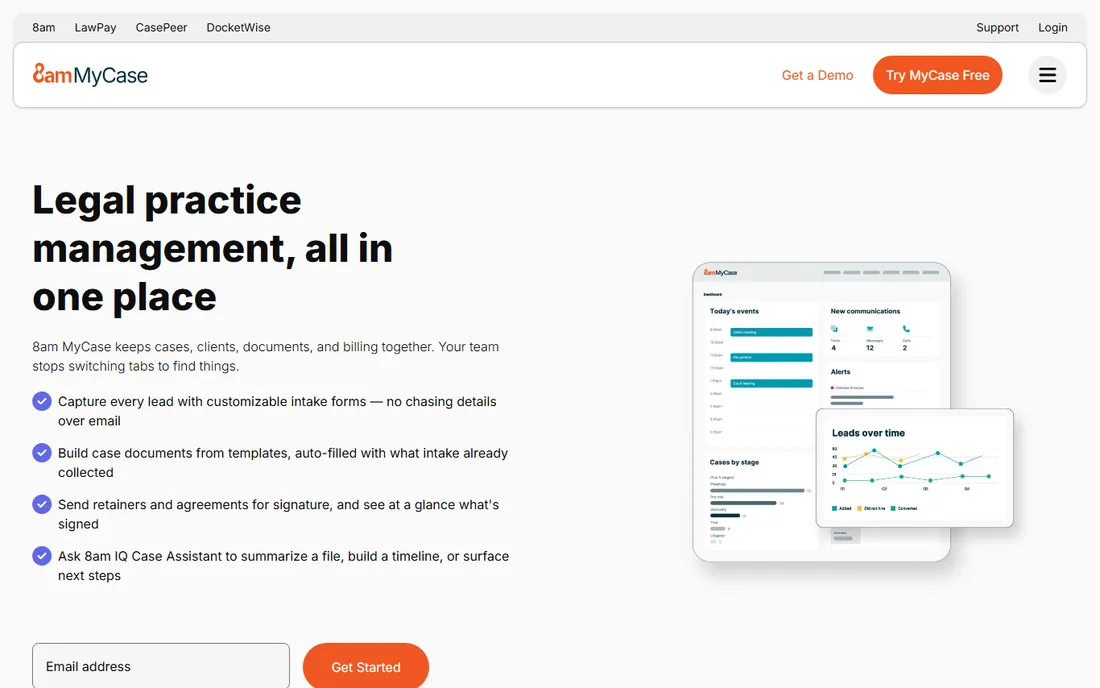
New solos usually land on MyCase for one reason: the price is on the website. Basic at $50 per user per month (annual billing; $60 monthly), Pro at $100 ($120 monthly) and Advanced at $130 ($150 monthly), with no setup fee and no contract. The client portal, two-way messaging and e-signature are strong for the price, and trust accounting with three-way reconciliation arrives on the higher tiers. Note the August 2026 price increase: older articles still show $39, $89 and $109, so ignore those.
The tier jump is the thing to watch. API access and advanced reporting sit on Advanced, so if you plan integrations, budget $130 per user per month from the start. Credit card processing runs about 2.95 percent plus $0.30 per transaction on top. Setup is self-serve. MyCase is a strong value starter for new firms; growing firms with complex accounting often graduate to deeper tools later.
What we like- Predictable three-tier pricing with published rates, no setup fee and no long-term contract
- Strong client portal, messaging and e-signature workflows that cut phone tag
- Built-in trust accounting with three-way reconciliation on higher tiers
Watch out for- API access requires the Advanced tier, so integrations force you to the most expensive plan
- Built-in accounting is shallow for complex needs like multi-entity or accrual reporting
Starting price$49/user/month (Solo, billed annually)
Free planFree trial available
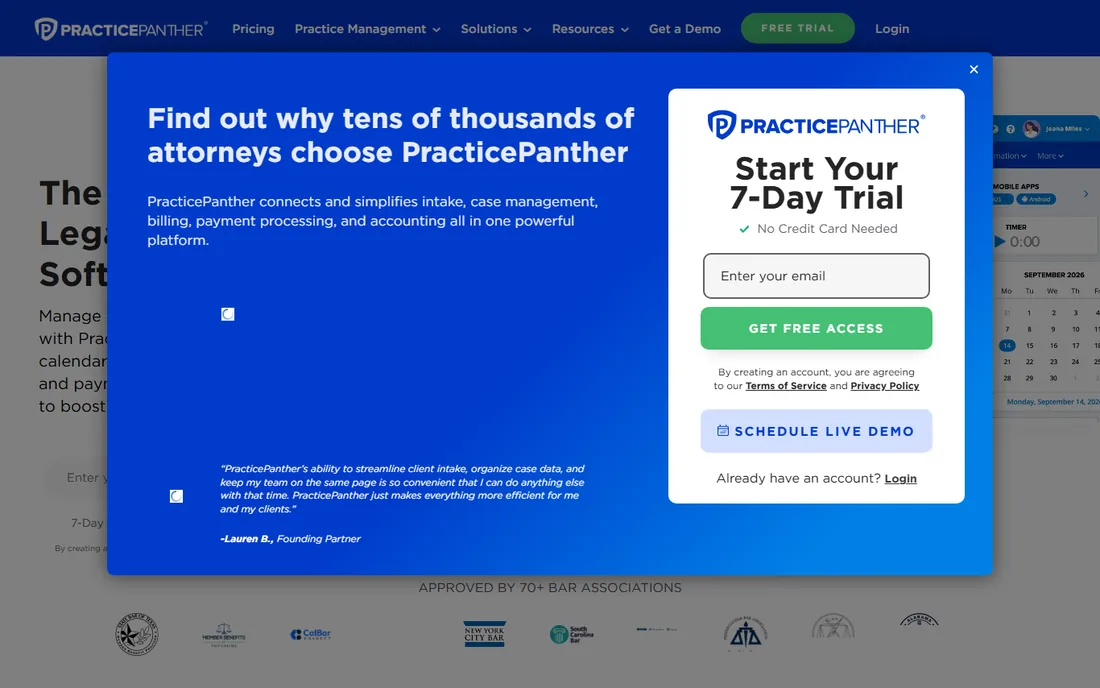
PracticePanther wins the firms that want to see every tier priced before the demo call. Solo runs $49 per user per month, Essential $69, Business $89 and Business Pro $114 on annual billing (monthly billing runs $59 to $124). Native e-signature, two-way texting and ePayments are included at reasonable tiers rather than gated behind the top plan, and Business Pro adds full trust and operating accounting with guided reconciliations. Free data migration is included on higher tiers, and responsive support is a consistent review highlight.
Do the per-seat math at your headcount. Ten users on Business is $890 a month before payment processing, and marketing SMS credits and advanced features add up on top. Reporting templates are thinner than rivals, so firms with heavy custom reporting needs should test that first. For solo to small firms that want case, billing and client management without pricing surprises, it is one of the most straightforward buys on this list.
What we like- Transparent published pricing with no hidden tiers, easy to budget per seat
- Native e-signature, two-way texting and ePayments included at reasonable tiers
- Business Pro adds full trust and operating accounting with guided three-way reconciliations
Watch out for- Pre-built reporting templates are limited out of the box
- Per-seat cost scales linearly, so large staffs get expensive fast
#4
Filevine
Best for: Mid-size to large firms, especially litigation and personal injury
Visit filevine.com
Starting priceSee website (custom quote)
Free planNo (demo-based sales process)

Litigation firms with complicated workflows end up at Filevine. Where the solo-focused tools standardize your process, Filevine configures around it: custom matter workflows, document assembly and automation built for litigation-heavy practices, and reporting that scales from a small firm to a large operation. Personal injury practices are the core audience, and the platform handles the document volume those cases generate.
The price of that flexibility is a full enterprise-style buying process. The vendor publishes nothing; third-party listings report starting figures around $49 per user per month, but treat that as directional. License, implementation, migration and training are all quoted, and onboarding runs multi-week. Buy it when your processes are complex enough to justify configuration. For a solo needing simple billing, it is overkill at three times the setup effort.
What we like- Highly customizable matter workflows with strong reporting and analytics
- Deep document assembly and automation for litigation-heavy practices
- Scales from small firms to large operations with role-based controls
Watch out for- No published pricing, so expect a consultative quote and implementation scoping
- Customization depth means longer setup and training than simpler tools
#5
Smokeball
Best for: Busy small-to-midsize firms that live in Microsoft Word and Outlook
Visit smokeball.com
Starting priceSee website (custom quote)
Free planFree trial (availability varies by region and plan)

If your firm lives in Microsoft Word and Outlook, Smokeball was built for you. Its signature feature is automatic time tracking: it watches activity across Word, Outlook and the app itself and captures billable hours you would otherwise forget to log. For a busy practice, recovered hours alone can justify the price. The form library runs to 20,000-plus federal and local court forms, document automation is deep and Word-native, and the Archie AI assistant drafts pleadings from matter context.
The catch is the premium. Third-party 2026 reports cite around $139 per user per month plus implementation costs, making it one of the priciest per-seat options; a five-user team can exceed $8,300 a year before add-ons. It is Windows and Office-centric, so Mac-based practices should verify compatibility. Strong support and onboarding are included to offset the learning curve. Buy it for the time capture; skip it if your team is not Office-native.
What we like- Automatic time tracking across Word, Outlook and in-app activity captures billable hours passively
- 20,000-plus federal and local court forms plus deep Word-based document automation
- The Archie AI assistant drafts pleadings and motions from matter context
Watch out for- Premium pricing with paid onboarding pushes total cost high for small firms
- The interface feels complex to new users, with reviewers reporting months to full comfort
#6
CosmoLex
Best for: Firms where trust accounting is the central pain point
Visit cosmolex.com
Starting priceSee website
Free planFree trial available
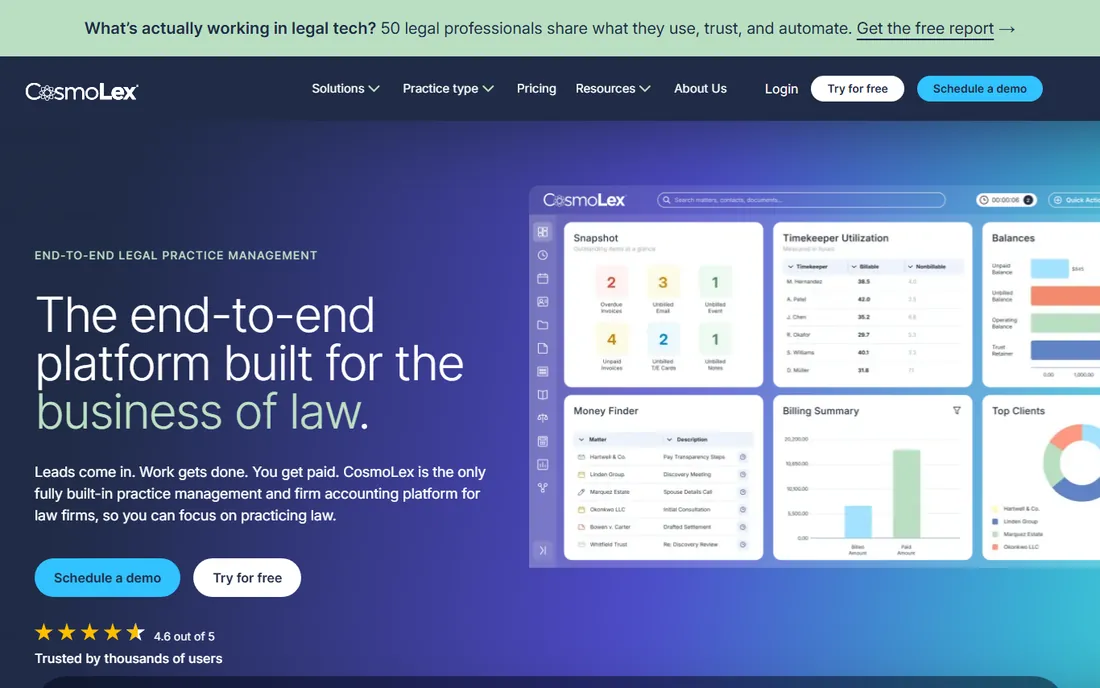
CosmoLex makes one bet: the accounting should live inside the practice software. Instead of bolting a legal tool onto QuickBooks, it runs the full ledger internally, with trust accounting, compliant transfers and reconciliation reporting built in. For firms with high IOLTA transaction volume or multi-state compliance headaches, one internally consistent ledger beats a best-of-breed stack. Built-in LawPay processing, a strong legal calendar and 24/7 live support round out the package.
The vendor page publishes no prices (the pricing page is quote-driven), and third-party tier data suggests the useful plans run well above entry-level rivals, so a 10-user firm should budget five figures a year before processing fees. Add-ons extend the platform further: CRM with intake automation, firm websites, managed Google Ads, and LexShare/LexSign for e-signature. If you already run QuickBooks happily, cheaper options may do. If trust accounting keeps you up at night, this is the specialist.
What we like- Built-in compliant legal accounting with trust accounting, so no QuickBooks needed
- Built-in LawPay credit card processing
- Strong legal calendar syncing with Google Calendar and Outlook
Watch out for- Higher starting price than most rivals for comparable feature depth
- A thinner integration ecosystem than Clio
#7
Actionstep
Best for: Mid-size firms that want the system configured around their processes
Visit actionstep.com
Starting priceSee website (custom quote)
Free planNo (trial typically requires a demo call)

Actionstep is the configurator's choice. Rather than adapting your firm to the software, you shape matter workflows, document assembly and automations around exactly how the firm works. Built-in trust accounting and general ledger options keep the money side in-house, and the platform is strong in common-law markets (US, UK, Australia, New Zealand) with regional compliance features. Firms that outgrow rigid tools without wanting Filevine-level implementation land here.
The commercial model is the friction. Base platform plus modules (trust accounting, document automation, workflow templates) are quoted per firm, with full-featured mid-size configurations reported around $100 to $130 per user per month. Budget real setup time for the customization; this is not a self-serve signup. Good when one platform must cover matters, billing and accounting your way. Less ideal for firms that want to be running by Friday.
What we like- Deep workflow customization and document assembly with matter-specific automation
- Built-in trust accounting and general ledger options
- Strong in common-law markets with regional compliance features
Watch out for- No published pricing and modular add-ons make total cost hard to predict
- The mobile experience is web-based rather than a full native app
#8
CARET Legal
Best for: Small to mid-size firms wanting email built into the platform
Visit caretlegal.com
Starting priceSee website (custom quote)
Free planFree trial (reported)
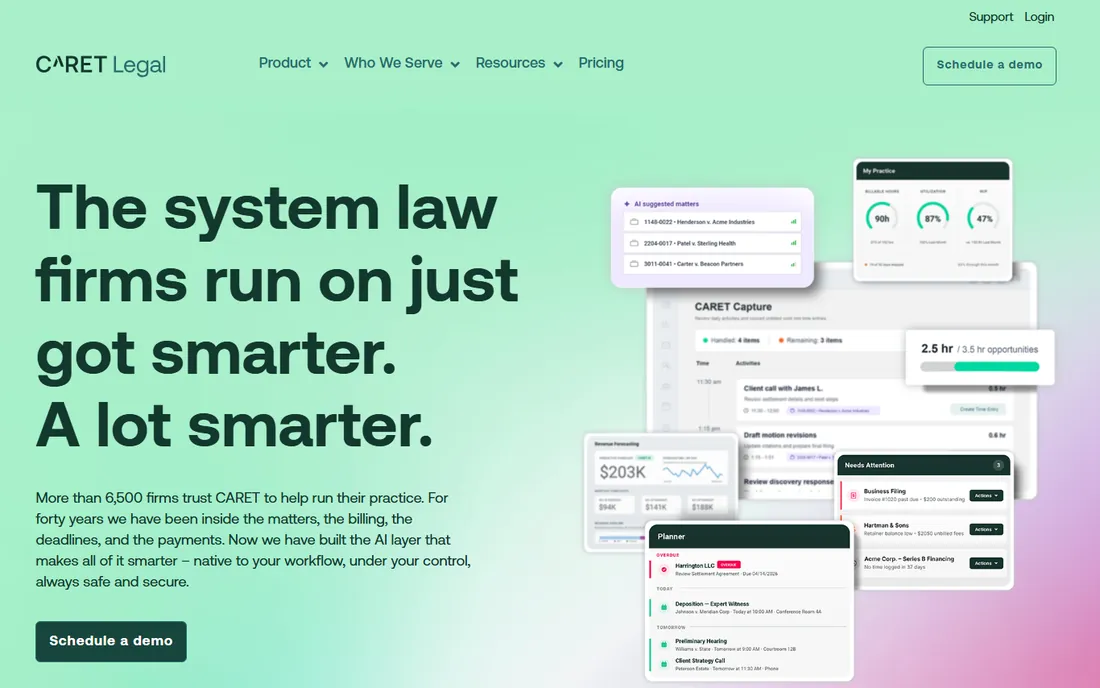
CARET Legal, formerly Zola Suite, sells the all-in-one with email built in rather than bolted on. Native email, matter management, accounting, document automation and a client portal run in one cloud platform, and the email encryption with proof of delivery is a genuine differentiator for firms that live in correspondence. Support reputation is strong and the product updates regularly. In 2026 the vendor moved to quote-based Enterprise tiers (Enterprise, Enterprise Plus, Enterprise Insights), so expect a consultative sales process.
The per-seat cost sits above the budget tier, and reviewers note a real learning curve, so budget training time. The rebrand means older reviews under the Zola Suite name still apply but can confuse comparison shoppers. If your firm wants one login for email, matters, billing and documents, the native-email architecture is the reason to choose it. If the team already lives in Outlook, that advantage matters less.
What we like- All-in-one with native email, accounting and document automation in a single platform
- Strong customer support reputation with regular product updates
- Integrated email encryption with court-admissible proof of delivery
Watch out for- Pricier than some competitors at comparable tiers, with a learning curve noted as steep
- The rebrand from Zola Suite can confuse buyers comparing older reviews
#9
LEAP
Best for: Small firms wanting matter management, forms, accounting and billing in one box
Visit leap.us
Starting priceSee website (custom quote)
Free planNo (demo-based sales process)

LEAP is the everything-in-one-box option for small firms. Matter management, document automation, a deep library of jurisdiction-specific legal forms, accounting and billing ship together, and newer releases add legal research and AI drafting features. For a small firm that wants to stop assembling integrations, the pitch is compelling: one vendor, one system, state-specific content included. The US site confirms per-user subscription pricing with implementation fees and some third-party integrations costing extra.
Get the all-in quote before comparing anything. Third-party 2026 estimates range roughly $85 to $150 per user per month plus several thousand in onboarding, which can put a 10-user firm at $15,000 to $30,000 in year one. That is Clio-plus-QuickBooks money several times over. Buy it when the depth of legal-specific content matters more than modern UX. If the interface feel matters to your team, demo it against PracticePanther first.
What we like- Comprehensive all-in-one with matter management, document automation, a legal forms library, accounting and billing
- Strong in small-firm markets with jurisdiction-specific content
- Regular updates with built-in legal research and AI drafting features
Watch out for- No transparent pricing, with onboarding fees reported from $3,000 to $10,000 pushing year-one total cost well above the license
- The interface feels dated to some reviewers versus newer cloud tools
Per-seat math and the tier jump to watch
Every tool on this list except the quote-based ones charges per user per month, and the number on the pricing page is rarely the number you pay. Model your full headcount, not just attorneys: paralegals, intake staff and billing admins all need seats. Ten users on PracticePanther Business is $890 a month; the same ten on MyCase Pro is $1,000. At that scale the difference between tiers matters more than the difference between vendors.
Then check what the entry tier excludes. MyCase puts API access on Advanced ($130), so integrations double the seat cost. Clio publishes only the $49 Starter and quotes everything above it. Smokeball and LEAP add implementation and onboarding fees that can exceed the first year of license cost. And payment processing sits on top everywhere: roughly 2.95 percent plus $0.30 per transaction is standard. Ask for the all-in first-year number, in writing, before you compare.
Frequently asked questions
How much does case management software cost per user?
Published entry prices cluster at $49 to $50 per user per month: Clio Manage Starter ($49), MyCase Basic ($50) and PracticePanther Solo ($49), all on annual billing. The useful tiers run $89 to $130, and quote-based tools (Filevine, Smokeball, Actionstep, CARET Legal, LEAP) are typically quoted higher once implementation is included. A 10-user firm should budget $6,000 to $15,000 a year before payment processing.
What is trust accounting and do I need it?
Trust accounting tracks client funds your firm holds (retainers, settlement money) separately from the firm's own money, following strict state bar rules. If you hold client funds, you need it, and mistakes can cost your license. Clio, MyCase, PracticePanther, CosmoLex, Actionstep and CARET Legal all include it; CosmoLex builds the fullest accounting around it.
Can I migrate from my current system?
Most vendors offer migration help, but the depth varies. PracticePanther includes free data migration on higher tiers. Clio, Filevine and LEAP typically quote migration as part of implementation. Ask what migrates (matters, documents, time entries, trust balances) and what does not before you sign, and never start a migration in the middle of a billing cycle.
Clio or MyCase for a small firm?
Choose Clio if integrations matter: 350-plus app partners and the deepest ecosystem in legal tech. Choose MyCase if you want predictable published pricing with no sales process: three tiers, no setup fee, no contract. Clio's full-featured tiers are quote-only and usually cost more; MyCase's Advanced tier is $130 per user per month with API access included.
Do these tools replace QuickBooks?
For simple needs, yes. CosmoLex is built to replace it entirely, with the full ledger inside. Clio, MyCase and PracticePanther include billing and trust accounting but run cash-basis books aimed at small firms; growing firms often keep QuickBooks alongside for accrual accounting and payroll. If your accountant lives in QuickBooks, ask which tools sync cleanly before you commit.
How we chose
We started with the searches buyers actually run: case management software, legal practice management software and top case management software for law firms. For each candidate we opened the vendor's own pricing page, checked plan names and prices against public reviews on G2 and Capterra and practitioner discussion on Reddit, and compared feature depth, trust accounting coverage and firm-size fit. Where the vendor publishes no prices we wrote "See website" rather than repeating estimates as facts. The shortlist mixes the transparent per-seat tools with the quote-based platforms, because a solo and a 50-person firm are not buying the same product.
Sources we checked (11)
- https://www.clio.com/pricing/
- https://www.mycase.com/pricing/
- https://www.practicepanther.com/pricing/
- https://www.filevine.com
- https://www.smokeball.com
- https://www.cosmolex.com/pricing/
- https://www.actionstep.com
- https://caretlegal.com
- https://leap.us
- https://www.g2.com/categories/legal-practice-management
- https://www.capterra.com/law-practice-management-software/
Is your product missing or out of date?
We review this list regularly. Vendors can request a listing, send updated pricing or ask about featured placement.

Shihab Mia · Founder, Rankite
Shihab has spent more than a decade helping SaaS and e-commerce brands grow through search. He writes Rankite's software buying guides from pricing pages, documentation and public user reviews. More about Shihab.